Mistfall Hunter locks you to one of six classes at character creation, but you are not stuck with that choice. You can either swap your current character’s class through the camp, or spin up a brand-new character with a different class once you have a free slot. Each path behaves differently in terms of cost, cooldown, and what carries over.
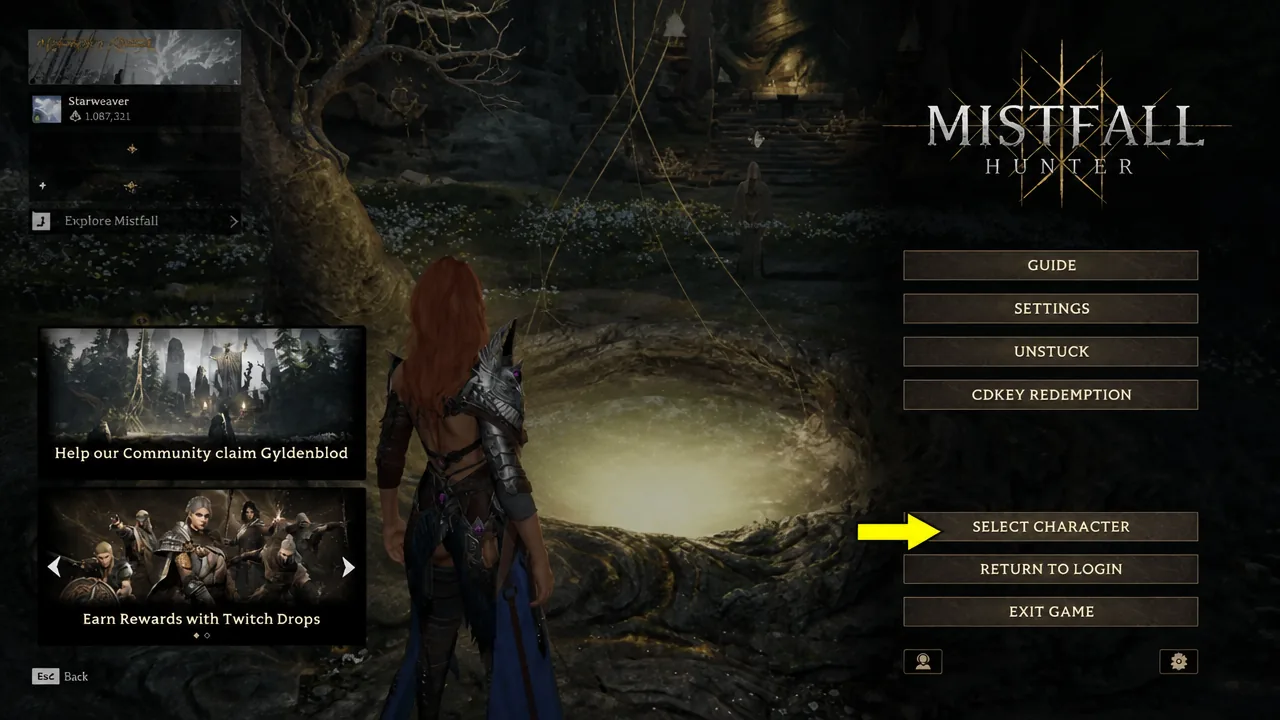
Quick answer: Talk to Dew in camp and choose the class-switch option to change your existing character’s class for Gyldenblod (this keeps your level, once per hour). To play a class on a fresh level-1 character instead, unlock extra slots by upgrading the Gyldenblod Pool, then press Esc, open Select Character, and hit the “+” icon.
Two ways to change class in Mistfall Hunter
Both methods start at camp, but they serve different goals. Switching keeps your progress on the same slot, while a new character starts over but frees you from paying a switch fee. The table below shows what each option keeps and costs.
| Detail | Switch class at Dew | Create a new character |
|---|---|---|
| Character level | Kept for the new class | Resets to level 1 |
| Warehouse items | Kept | Kept (shared account-wide) |
| Cost | Gyldenblod (scales with level) | Free, but uses a slot |
| Limit | Once every hour | Limited by character slots |
| Undo option | Free reversion within the window | Delete the character |
Switch your current class through Dew
Once you finish the prologue and reach camp, Dew becomes your hub for class changes. Switching here keeps your character’s level, so the new class starts at the same level you already reached. The first switch is free, but every switch after that costs Gyldenblod, and the fee grows as your character level climbs.
If the new class does not suit you, there is a short reversion window that lets you switch back to your original class for free without waiting out the cooldown. Note that reverting does not refund the Gyldenblod you already spent. Some class-specific gear, such as a weapon tied to another class, may become unusable after a swap, so keep valuable items in your warehouse before changing.
Unlock more character slots with the Gyldenblod Pool
You start with three character slots, but you cannot create a new character or gain more slots until you reach level 6 with your first class. Once you hit that level, talk to Dew to unlock the camp and its upgrade system. From there, you can improve the Gyldenblod Pool, the basin sitting in the middle of camp directly in front of Dew.
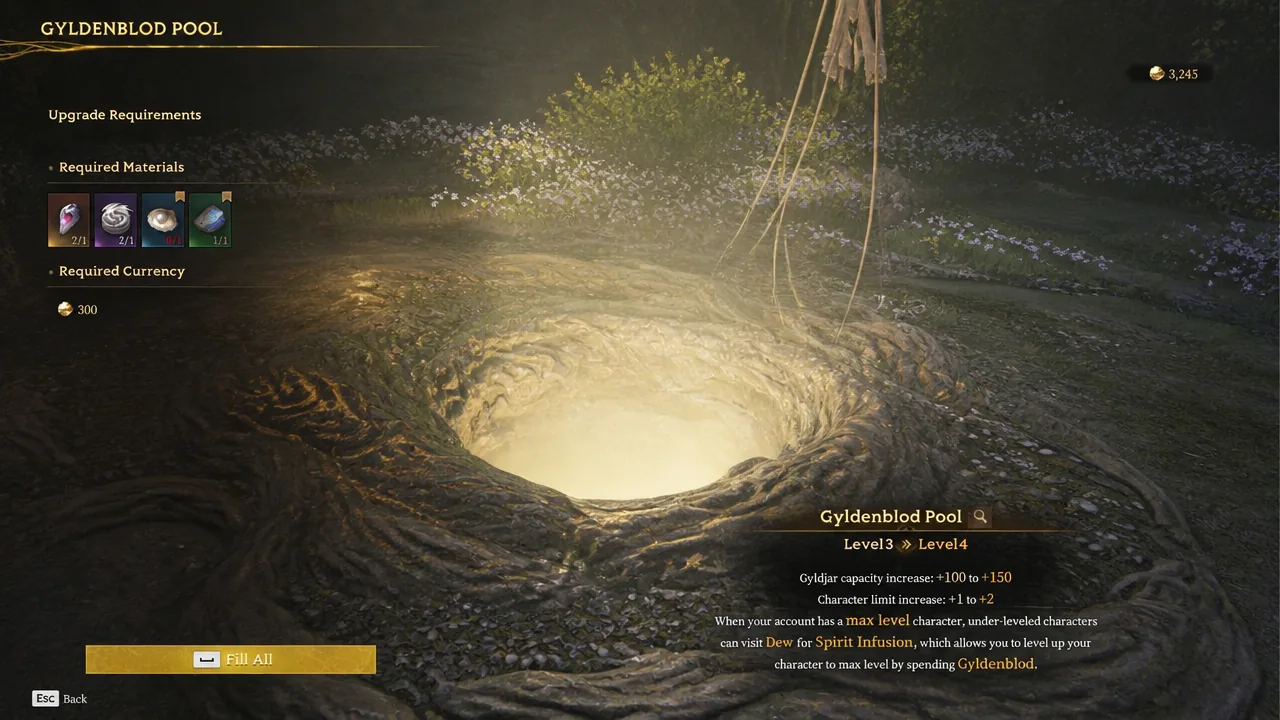
Upgrading the pool uses various items and Gyldenblod, and it can be raised up to level 9. Beyond the three starting slots, each pool level from 3 through 9 grants one extra slot, taking you to a maximum of ten characters after full upgrades. The table below shows the total character limit at each pool level.
| Gyldenblod Pool level | Total character slots |
|---|---|
| Default (levels 1–2) | 3 |
| Level 3 | 4 |
| Level 4 | 5 |
| Level 5 | 6 |
| Level 6 | 7 |
| Level 7 | 8 |
| Level 8 | 9 |
| Level 9 | 10 |
Every character slot shares the same warehouse, so gear you extract on one hunter can sit in storage for another. However, each slot levels independently, which means you would need to level all of them separately to reach the game’s max level of 12.
Create a new character with a different class
With a free slot available, you can build a fresh character instead of paying to swap. This resets your level back to 1 but keeps your shared warehouse items intact. It is the better route when you want to keep your original class untouched while trying another one from scratch.
How to confirm the change worked
After a class switch through Dew, the class list closes and you drop straight into your new class at the same level as before. For a new character, the roster shows the added hunter starting at level 1, and you can jump between all your characters from the character-select screen at any time. If the switch option is greyed out, you are likely still on the one-hour cooldown or have not yet reached level 6 to unlock the upgrade system.
Because switching keeps your progress and new characters do not, most players settle on one or two hunters early and lean on talent respecs to adjust builds rather than spreading resources across many slots. That keeps your Gyldenblod and gear focused while you still leave room to test a second playstyle whenever you want.