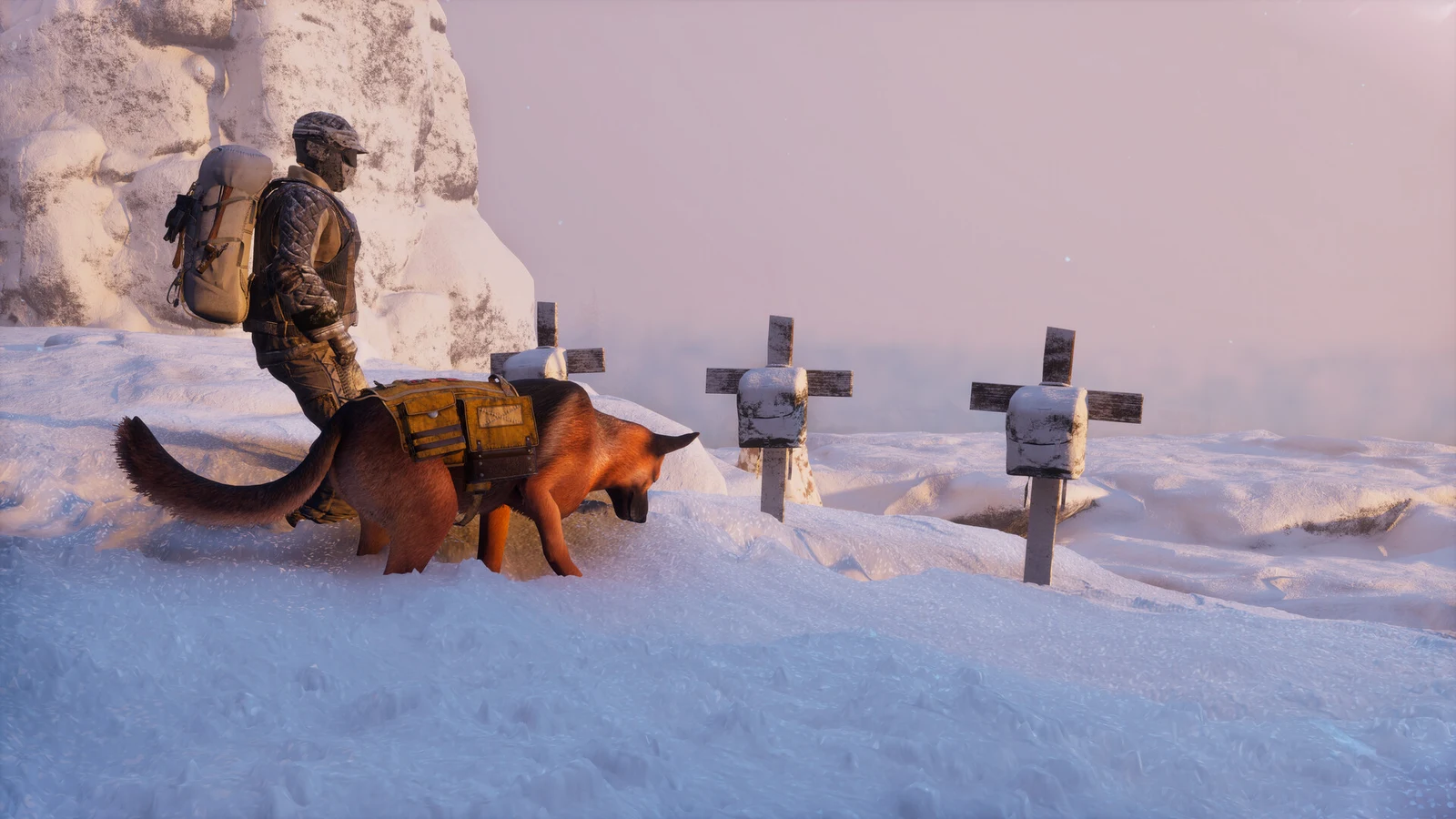
Once your dog starts following you in Permafrost, it becomes a mobile storage box and a set of simple commands tied to two keys. A short tap of the interaction key opens its pack, a long hold opens a command wheel around it, and the radial menu lets you order it from across a field. Here is exactly what each input does and what the game shows you.
Quick answer: Aim at the dog and press F to open its 15-slot pack, hold F for the Pet / Stay alert / Follow or Stay / Search for items wheel, and press Q to open the radial menu and pick the dog’s head for Call Dog / Stop.
When the dog starts following you
Completing Dog Days in Bone Cave is when the dog becomes your companion. Its pack and commands are available as soon as it starts following you; nothing else needs to be unlocked first.
Read the prompt: tap F versus hold F
Target Rex; the nearby display identifies him by name, then offers “Press F Check container” and “Hold F more options”. A quick press of F opens his pack, while holding the key brings up the command wheel.
Store and take items from the dog’s pack
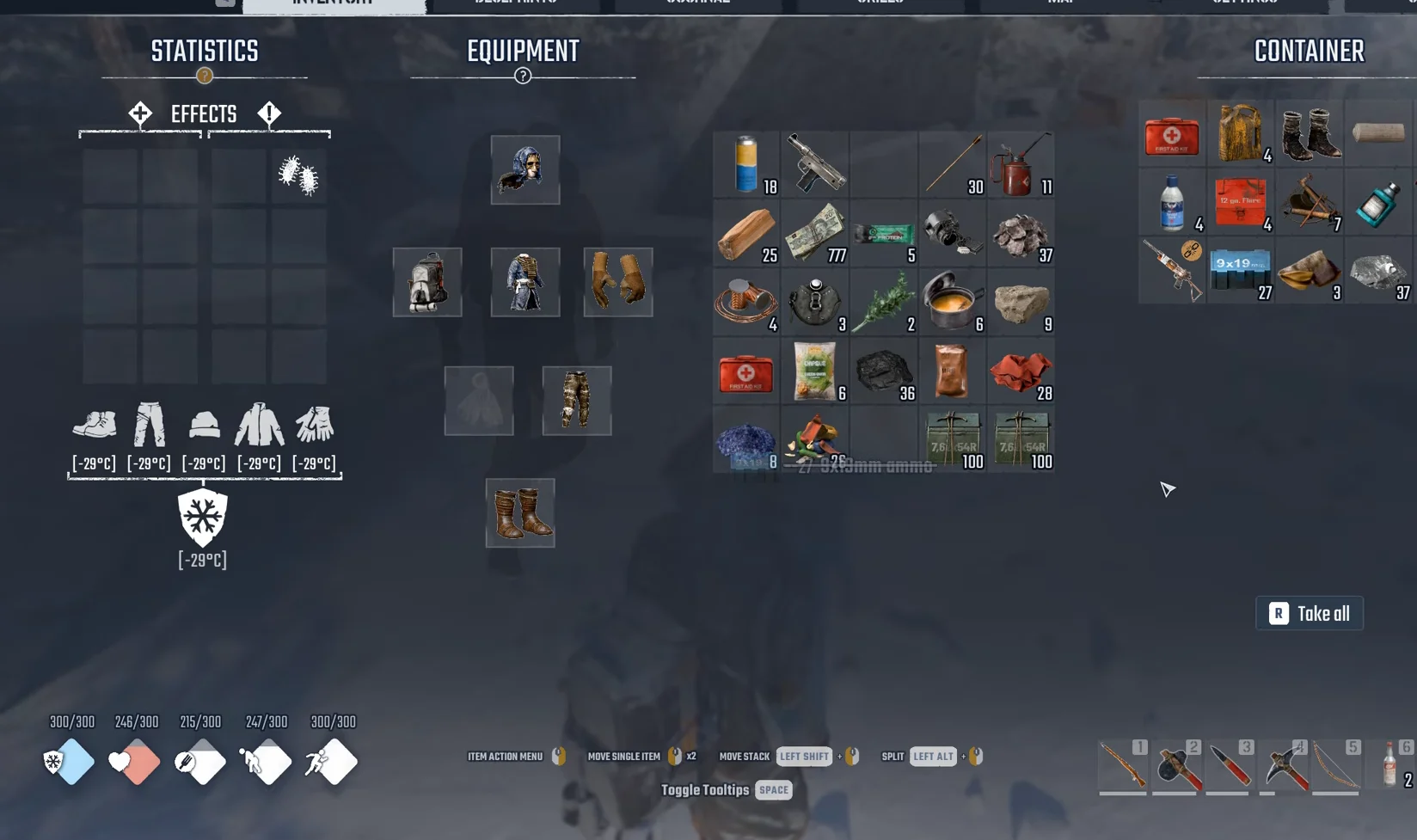
The mouse controls are listed along the bottom of the screen:
| Action | Input |
|---|---|
| Item action menu | Right mouse button on an item |
| Move single item | Double-click |
| Move stack | Left Shift + click |
| Split | Left Alt + click |
| Toggle tooltips | Space |
| Take all | R |
The pack holds 15 slots, laid out as three rows of five. The dog walks into buildings behind you and opens its pack indoors just as it does outside. A practical routine is to load it with ammo, spare clothing, medical items and crafting materials you do not need in hand, then walk it to your storage chests and unload with Take all.
Give commands with the hold-F wheel
With your aim on the dog, hold F to bring up a circular menu around it, with its name in the middle. Point at a choice and release F to select it. The menu has five options:
- Check container — tapping F also brings up this pack panel.
- Pet
- Stay alert
- Follow or Stay — the displayed choice depends on what the dog is doing.
- Search for items
The fourth option swaps its label to match the dog’s state. While the dog is holding its position it reads “Follow”, and while the dog is following you it reads “Stay”. After you pick Follow, the dog runs after you again as soon as you move off. The game’s own tip notes that the dog can carry items, warn you about dangers and look for interesting loot, which lines up with the Stay alert and Search for items options.
Call or stop the dog from a distance with Q
You do not have to stand next to the dog to order it around. The HUD hint list on the right edge of the screen shows Radial Menu bound to Q. Press Q and a large ring of icons opens around the centre of the screen, including a flashlight, tool icons, an emote face, a padlock and, at the bottom, a dog’s head.
Point to the dog’s head, and the middle of the ring displays “CALL DOG / STOP”. Your character whistles. This choice summons the dog or stops it if it’s running ahead, so use it either to bring the dog back to your side or halt it where it is.
The dog travels with you on fast travel
Fast travel takes the dog to your destination with you, rather than leaving it behind. Selecting Unstuck Me in the game menu also moves the dog when it repositions your character.