The Portal Pod is the shared-storage device added to Pokemon Pokopia with the Bubbly Basin DLC and the 2.0.0 update. Drop items into any Portal Pod and you can pull them out of any other Portal Pod you place, so materials no longer sit locked in one region while you build in another.
Quick answer: Enter Bubbly Basin and grab the first Portal Pod from the small building at the far north-east, then take the second one from the lab down the narrow staircase behind it. To get more, photograph a Portal Pod, then print copies at a Pokemon Center’s 3D printer for 5 Rare Pokemetal Ingots each.
Find the two free Portal Pods in Bubbly Basin
The quickest way to your first Portal Pods is to start the Bubbly Basin DLC and head to the very north-east corner of the region. Two pods sit close together here, so you can walk away with a working pair in a single trip.
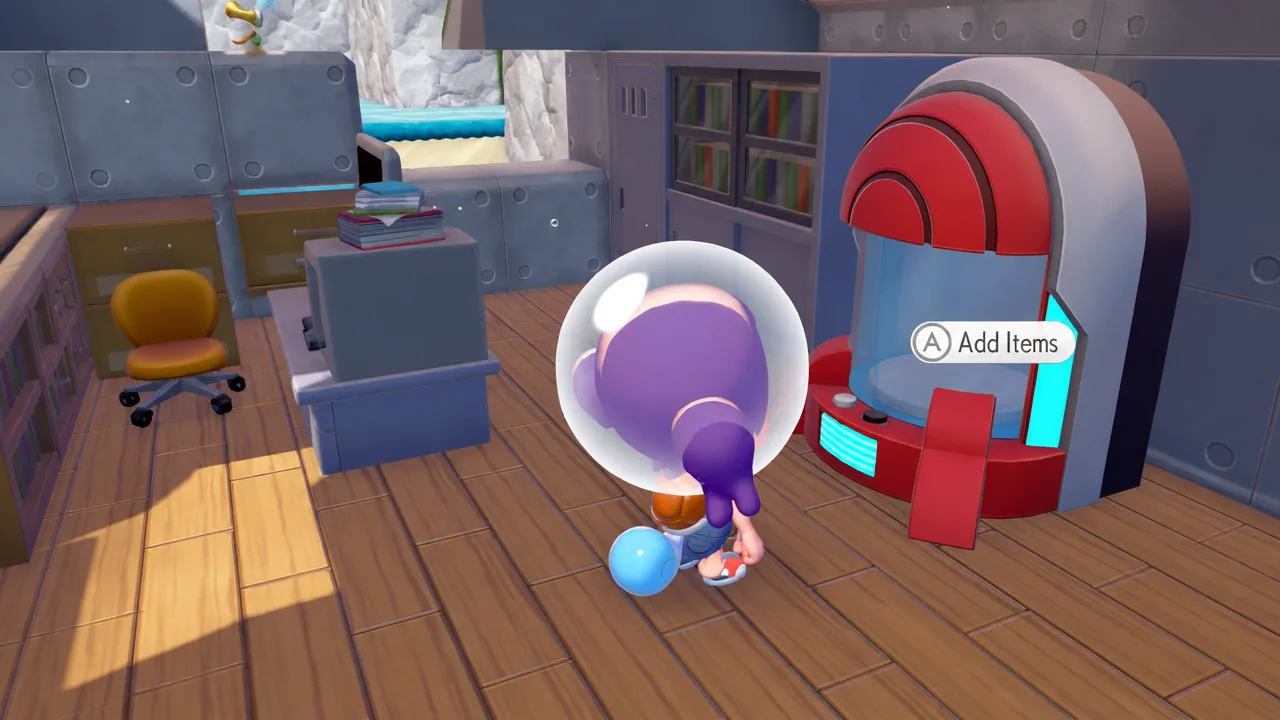
With two pods in hand you can start moving materials right away. For real convenience, though, aim for at least one pod in every region you visit regularly.
3D print more Portal Pods at a Pokemon Center
Once you own one Portal Pod, you can copy it as many times as you like using the 3D printer inside any Pokemon Center. Each copy costs 5 Rare Pokemetal Ingots.
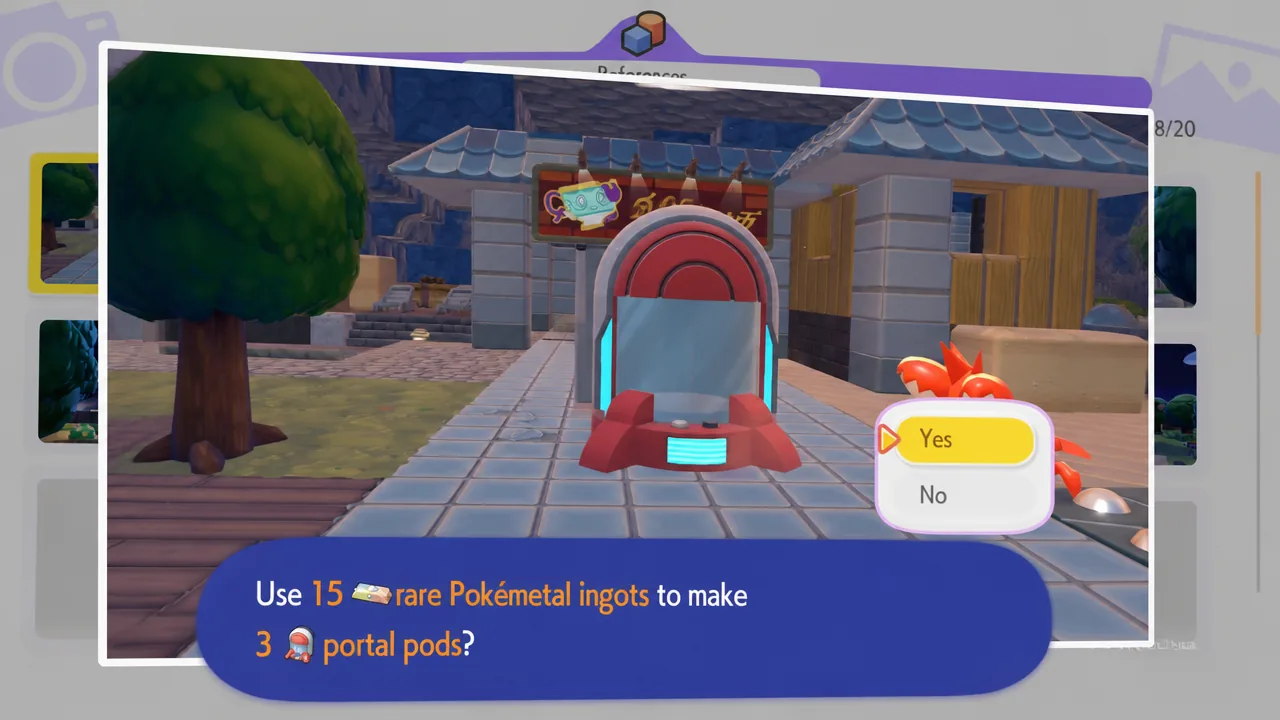
Shared storage is available to every Pokemon Pokopia player, not only Expansion Pass owners. If you don’t have the DLC, join a friend’s island in multiplayer, take a photo of their Portal Pod, and print your own copies the same way. You can also unlock a Portal Pod recipe from a PC by raising the environment level in Palette Town.
| Method | Requirement |
|---|---|
| Pick up in Bubbly Basin | Start the Bubbly Basin DLC (two pods in the north-east) |
| 3D print a copy | Photo of a Portal Pod plus 5 Rare Pokemetal Ingots each |
| PC recipe | Raise the environment level in Palette Town |
How to use Portal Pods for shared storage
Place a Portal Pod anywhere you like, then interact with it exactly as you would a storage bin and drop materials inside. Put a second pod in a different region and open it to see the same contents, which confirms the shared storage is working.
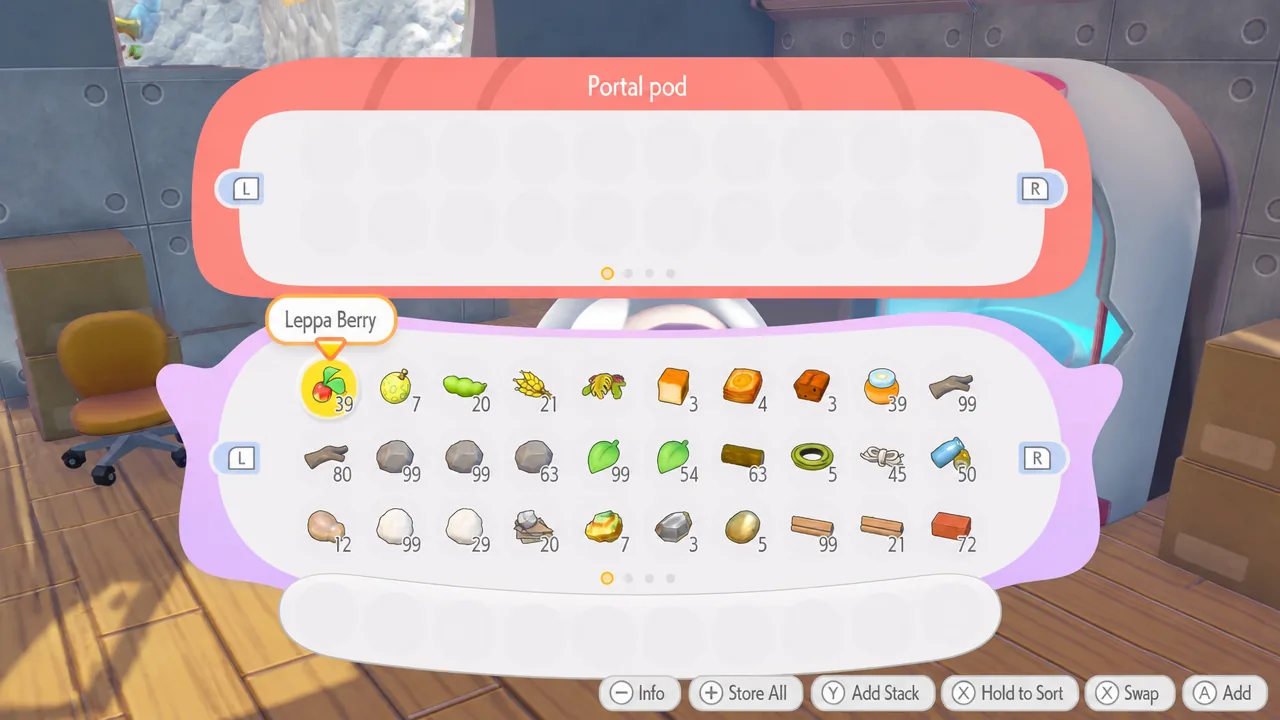
Each Portal Pod holds four pages of 20 slots, for a total of 80 unique materials at a time. Because that space is shared, reserve it for things you carry between regions, such as ore, metal ingots, twine, and blocks that only appear in one area. Avoid loading it with duplicate stacks of items you rarely use, or you’ll run out of room fast.
Once your materials appear in a pod placed elsewhere, you’re set. Scatter as many Portal Pods as you want across Bleak Beach, the Withered Wastelands, Bubbly Basin, and everywhere in between, and you’ll cut out the long round trips that building used to demand.