
Web Deploy operations may fail with a read access denied error on the System Volume Information directory, even when executed as an administrator. This directory is a protected system folder in Windows, and its restricted permissions can block deployment processes that scan or interact with all directories on a drive. Resolving this issue allows Web Deploy to complete site or application transfers without interruption.
Grant Temporary Access via Command Prompt
cmd in the Start menu, right-click the result, and select Run as administrator. This ensures you have the necessary privileges to modify system folder permissions.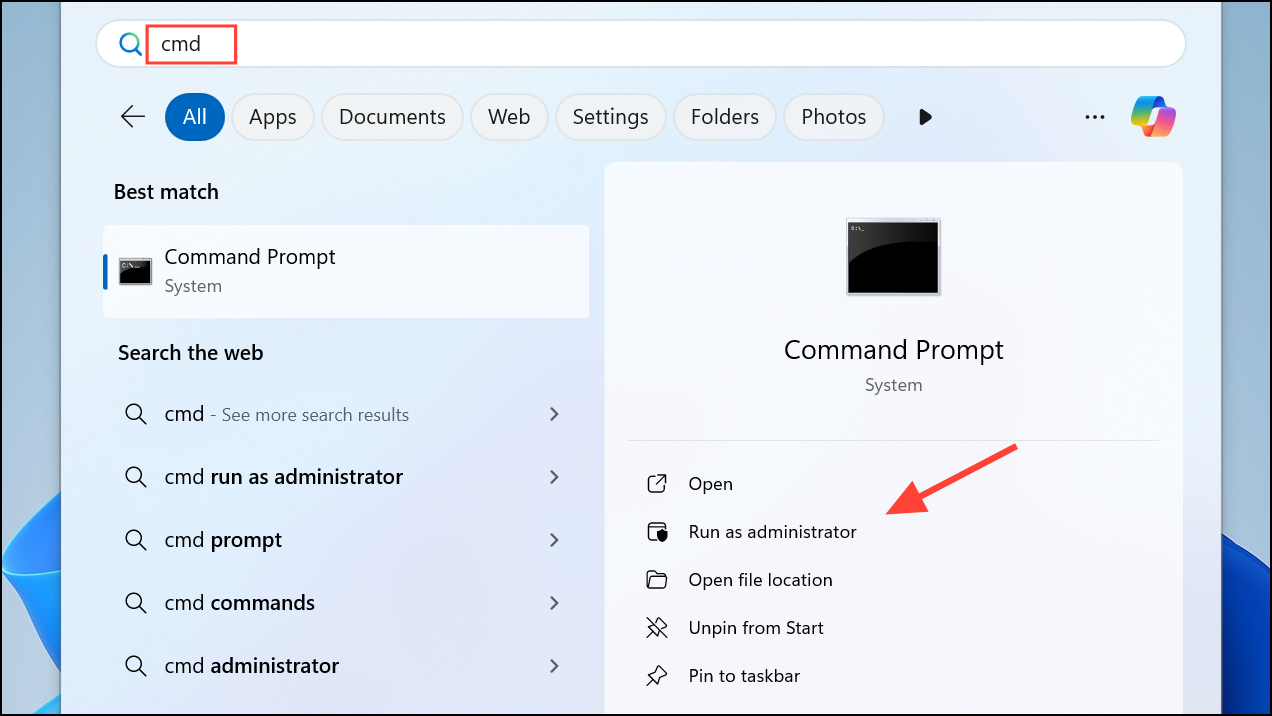
icacls command to grant your user account or the SYSTEM account read access to the System Volume Information directory. Replace USERNAME with your actual Windows username:icacls "C:\System Volume Information" /grant USERNAME:R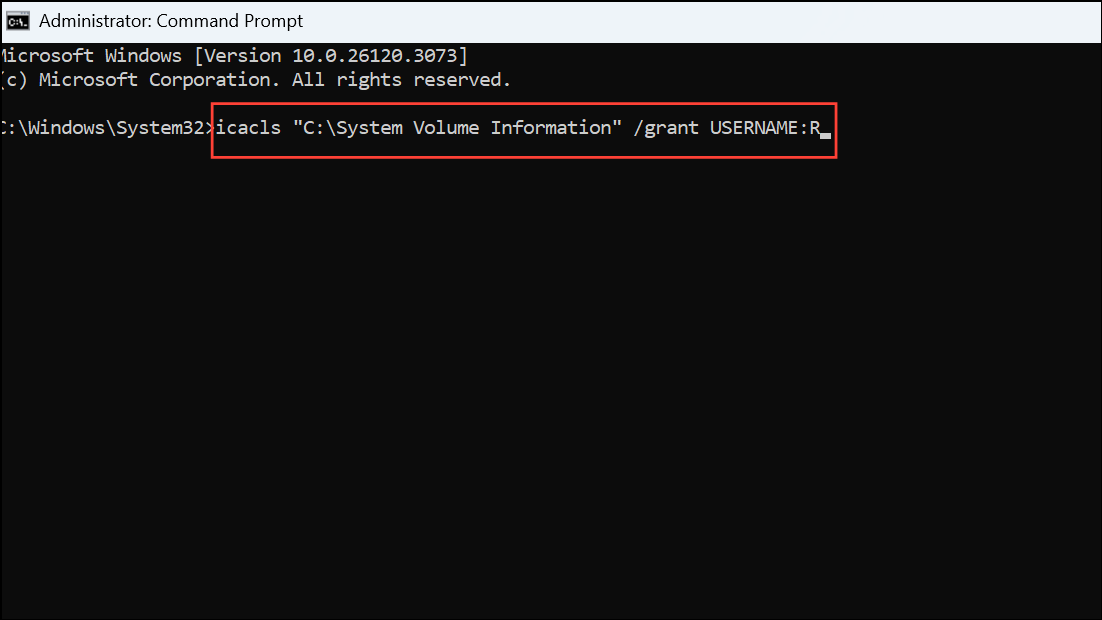
This command grants read (R) permissions. If Web Deploy runs under a specific service account, substitute that account name instead. After the operation, consider removing this permission to maintain system security.
icacls "C:\System Volume Information" /remove USERNAME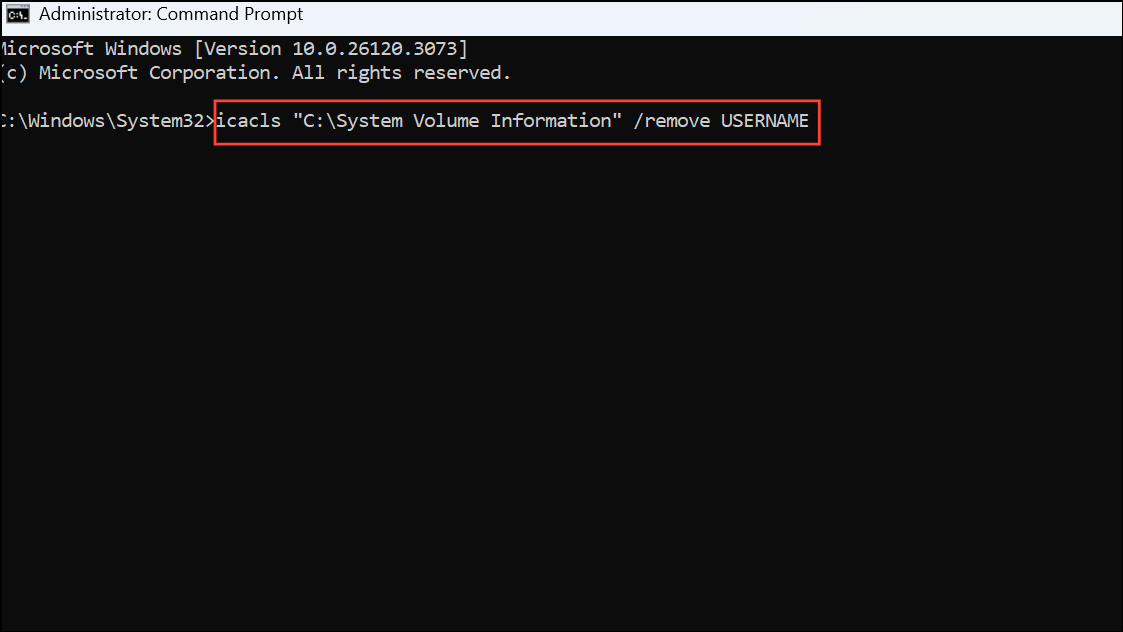
This step is important because the System Volume Information directory stores sensitive system data, such as restore points and indexing information. Keeping permissions restricted helps protect your system from accidental modification or exposure.
Exclude the Directory from Web Deploy Operations
System Volume Information directory. If you are using the command line, add an exclusion rule to your deployment command. For example:-skip:Directory="System Volume Information"This instructs Web Deploy to ignore the directory, preventing permission errors during the operation. Consult the official Web Deploy documentation for advanced skip syntax if your deployment scenario is more complex.
System Volume Information to the exclusion list. This method avoids changing permissions on a sensitive system folder.Run Web Deploy as SYSTEM Account
SYSTEM account has default access to the System Volume Information directory. Use a tool like PsExec to launch your deployment process under the SYSTEM context. Download PsExec from Microsoft Sysinternals if you don’t already have it.psexec -i -s cmd.exe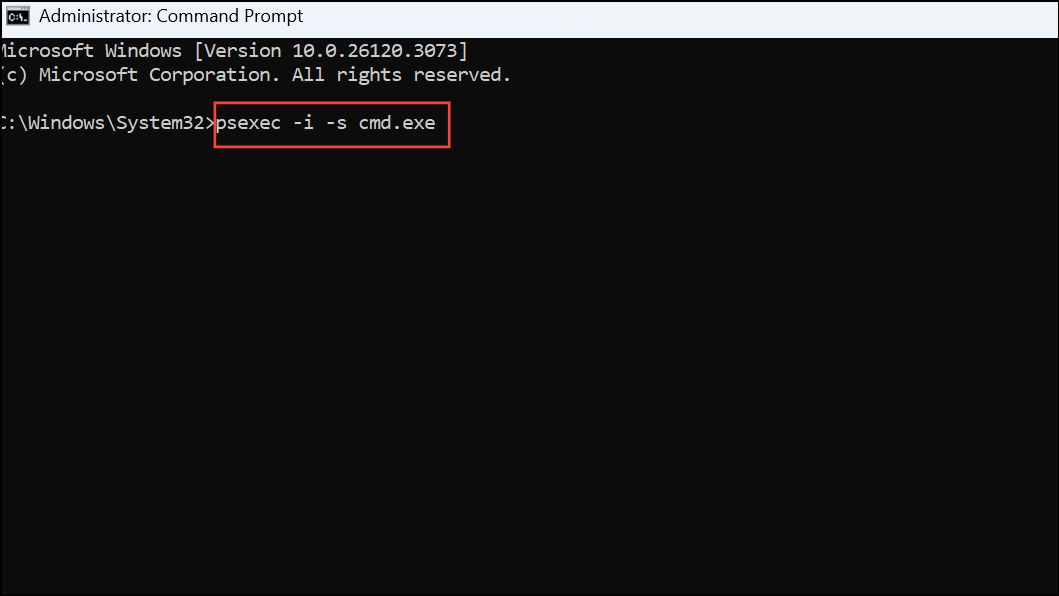
This opens a new command prompt as the SYSTEM account. From this prompt, execute your Web Deploy command. This approach bypasses permission issues but should be used with caution, as SYSTEM-level operations can impact the entire machine.
Resolving read access denied errors on the System Volume Information directory streamlines your Web Deploy workflow and prevents deployment interruptions. Always revert temporary permission changes to maintain system security.





