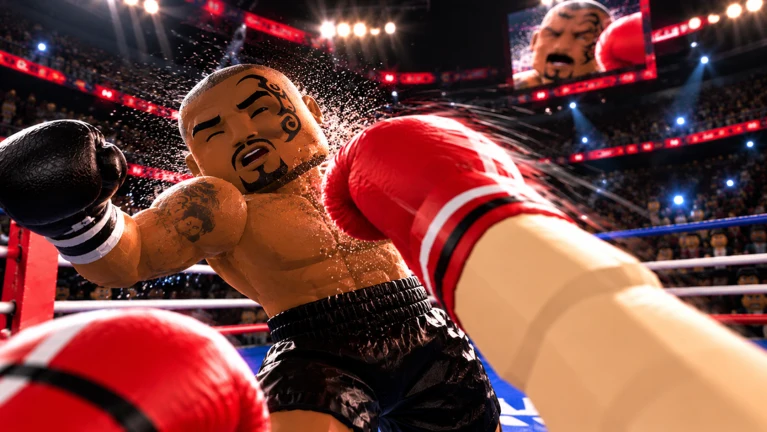
First Person Boxing puts the Roblox camera right behind your gloves, which means two things decide most early fights: whether you can see the punch coming, and whether you are a big enough target to get hit by it. Both are settled before you ever step into a ring. Your fighting style, your body build, and a handful of camera settings do more for a new player than any combo. Two shop codes give you free spins toward a good style.
Quick answer: Redeem 10KLIKES and UPPERCUT in the shop, spin for Peekaboo, build a Lean body with a Narrow head, set FOV to 90 or higher, and turn off “Head moves with punches.”
First Person Boxing codes
Two codes currently work, and both pay out in spins rather than coins. Together they are worth one Lucky Spin plus five regular style spins, which costs real Robux if you buy it outright.
| Code | Reward |
|---|---|
10KLIKES | 1 Lucky Spin |
UPPERCUT | 5 Spins |
Codes go into the shop, not a separate menu. If you have not installed the game yet, it lives on its official Roblox experience page.
A successful redemption shows a “CODE REDEEMED!” banner along with the reward, such as “+1 LUCKY SPIN.” The spins then show up in the Styles menu, ready to use.
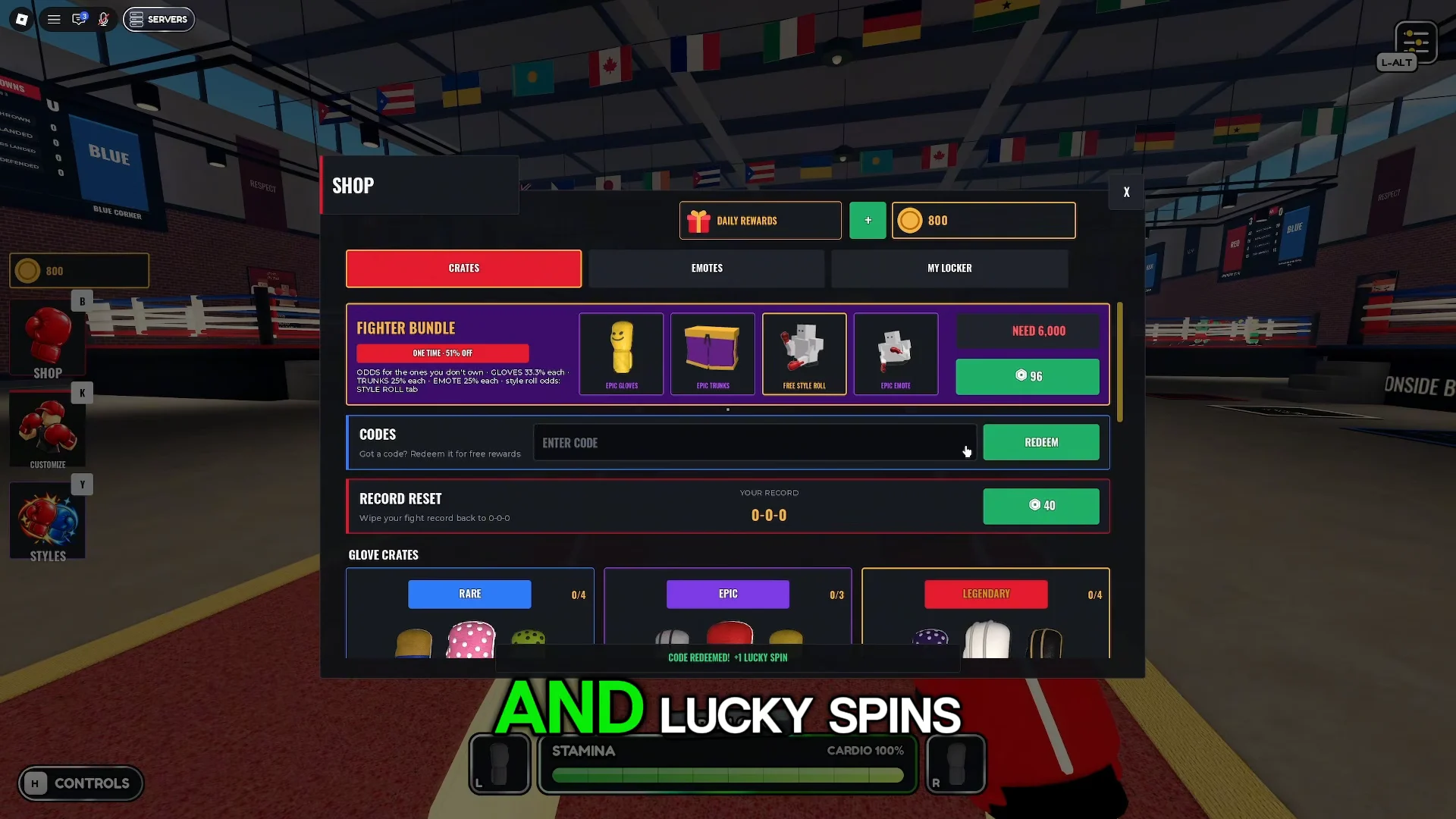
Best style in First Person Boxing: Peekaboo
Your style sets how your fighter guards and moves, and it is the single biggest gameplay choice in the game. The pick to chase is Peekaboo, a Legendary style. Its in-game description says it keeps the gloves glued to the cheeks from a crouch and bobs side to side under incoming punches on its own. That automatic head movement means some shots miss without any input from you, and every miss is a chance to counter.
Other styles you will see on the wheel include:
- Starter: High Guard, a solid all-round block with gloves at the temples
- Rare: Cross Arm, Hitman, Long Guard, Philly
- Epic: Turtle, Corkscrew, Smash, Southpaw, Rope-A-Dope
- Legendary: Ippo, Dizzy, Ghost Step, Peekaboo, Pendulum
- Mythic: Slick
Rope-A-Dope is the best fallback if Peekaboo will not drop. It leans back behind a tight shell, recovers stamina while blocking, and every blocked shot charges up your next punch.
Spin odds and costs
Regular spins are mostly Common and Rare results. Mythic sits at 0.1 percent, and Legendary has appeared at between 3 and 5 percent depending on the game version. Lucky Spins cannot roll Common or Rare at all. They guarantee Epic or better, with roughly a 30 percent shot at Legendary, which is why the Lucky Spin from 10KLIKES is the most valuable code reward. Check the odds panel in the Styles menu before you spend, since the numbers have shifted between updates.
| Purchase | Coins | Robux |
|---|---|---|
| 1 Spin | 250 | R$ 20 |
| 3 Spins | — | R$ 45 |
| 10 Spins | 2,250 | — |
| 1 Lucky Spin | — | R$ 185 |
| 3 Lucky Spins | — | R$ 479 |
| 10 Lucky Spins | — | R$ 1,479 |
Coins come from winning ring matches, and the 10-spin bundle saves 250 coins over buying singles. Coins also buy glove and trunks crates, but those are cosmetic. Style spins are the better use of early coins.
Smallest hitbox build: Body, head, weight, and height
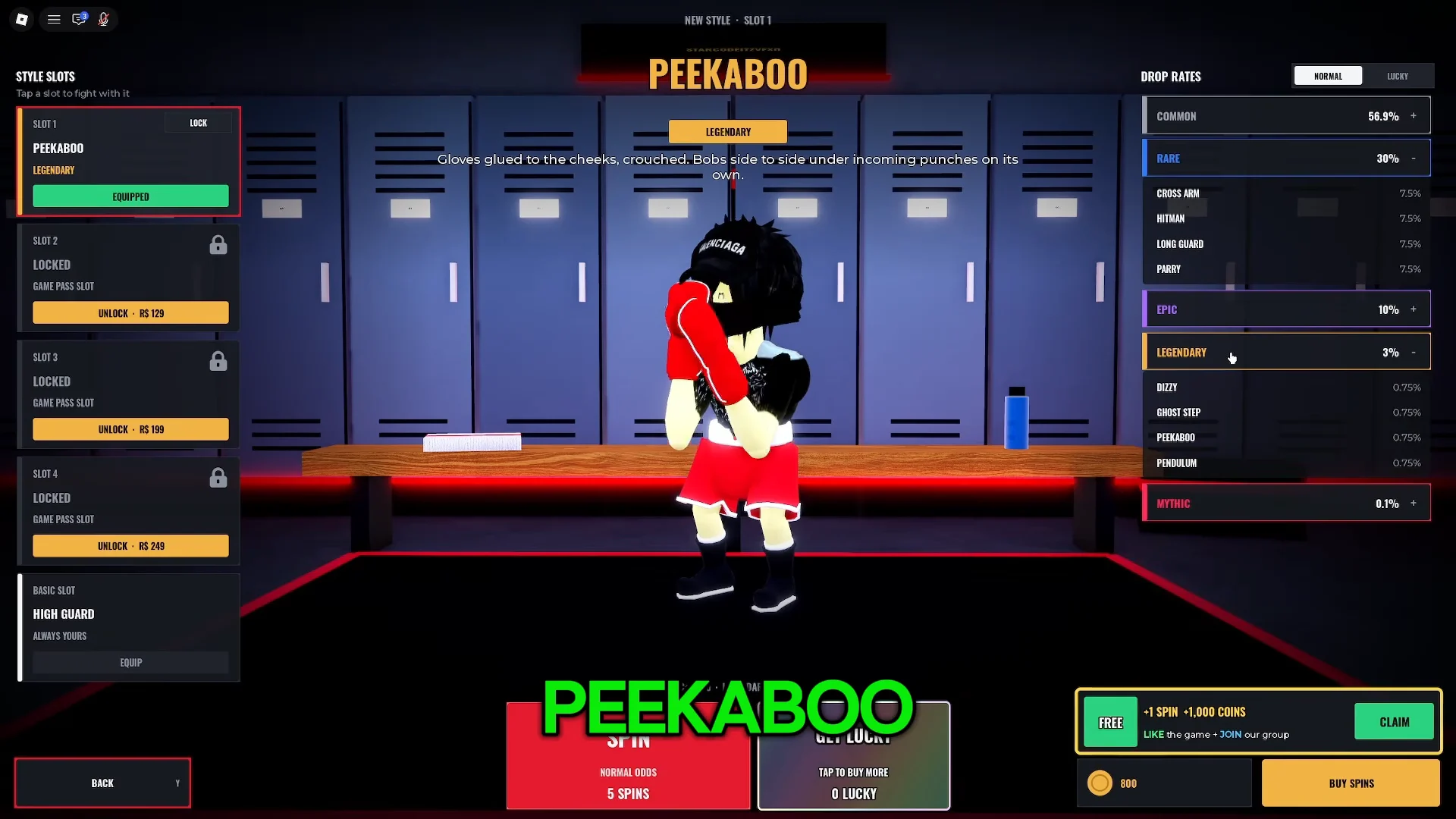
Customization in First Person Boxing changes your hitbox, not just your looks. A bigger body is a bigger target. Open the customize menu (K) and set the following:
| Option | Choices | Pick |
|---|---|---|
| Body shape | Lean, Athletic, Muscular, V-Taper, Stocky, Heavy | Lean |
| Head shape | Round, Oval, Square Jaw, V-Shape, Narrow, Strong Brow | Narrow |
| Weight class | Fly through Heavy | Welter or Middle |
| Height | Random roll, 165–201 cm | Fits your style |
Lean and Narrow together give you the smallest possible target. Welterweight or Middleweight keeps you in a middle ground rather than at either extreme.
Height is the only attribute you can’t choose directly. A reroll costs 750 coins and gives you a result from Very Short (165 cm) to Very Tall (201 cm). A smaller fighter is quicker, but sacrifices reach and damage; a taller one has more power and range at the cost of agility. If you’re short, get past a taller opponent’s jab to work the body.
Some rings override your build. A ring’s rules can lock both fighters to the same height (183 cm) and the same weight class, so your rolled height only matters in rings that allow differences.
First Person Boxing settings to change
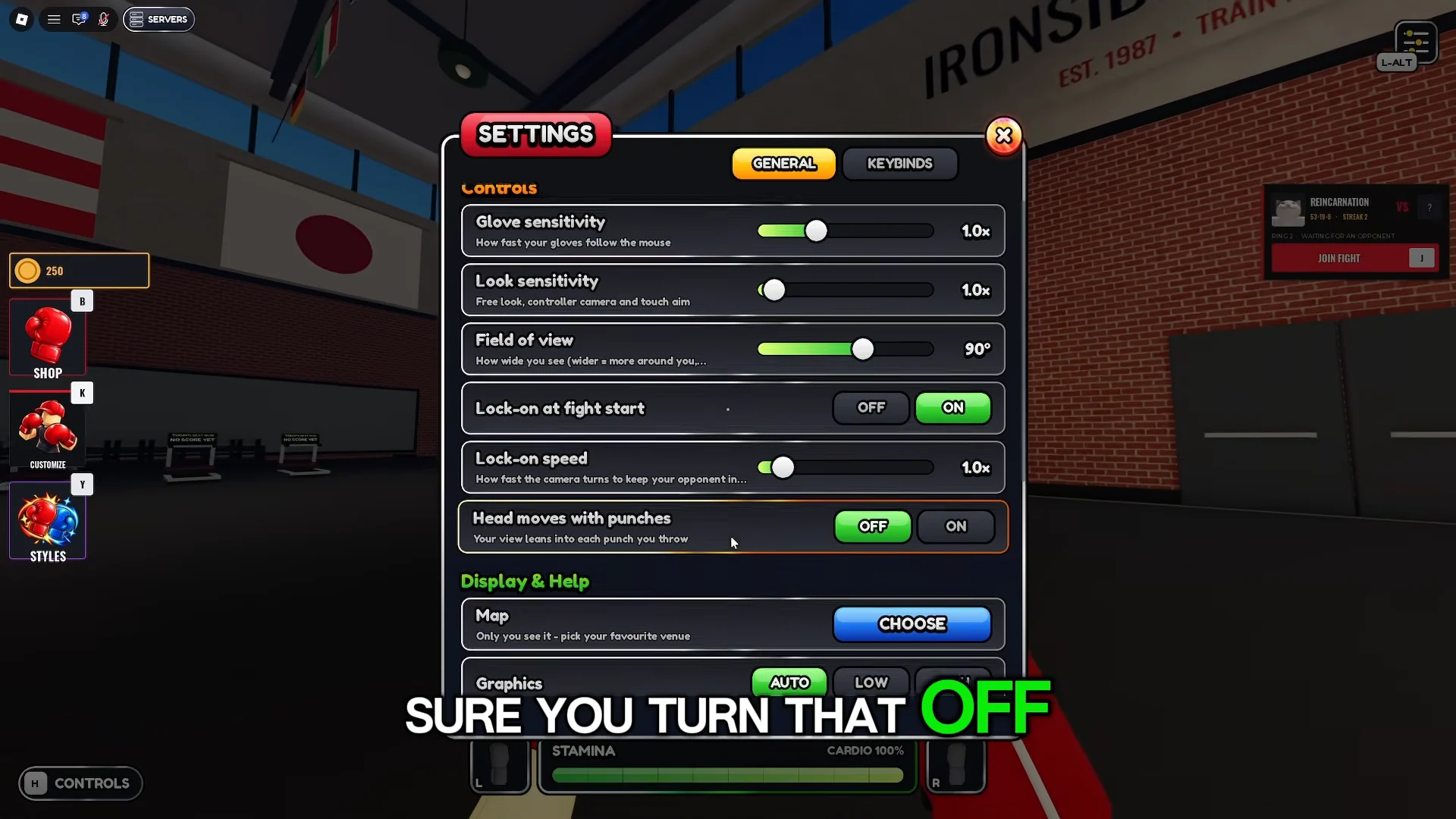
The default camera is narrow, and it shakes every time you punch. Open Settings (L-Alt) and change these before your first real match:
| Setting | Default | Set to |
|---|---|---|
| Field of view | 80° | 90°–100° |
| Lock-on at fight start | OFF | ON |
| Head moves with punches | ON | OFF |
| Knockdown replays | ON | OFF |
| Glove / look sensitivity | 1.0x | 1.0x, then adjust |
A wider field of view lets you catch hooks coming from the edges of the screen. Lock-on keeps your opponent centered without constant mouse correction. Disabling “Head moves with punches” stops the camera from bouncing during exchanges, which makes counters far easier to time. Turning off knockdown replays skips the cutscene every time someone hits the canvas.
First Person Boxing controls (PC)
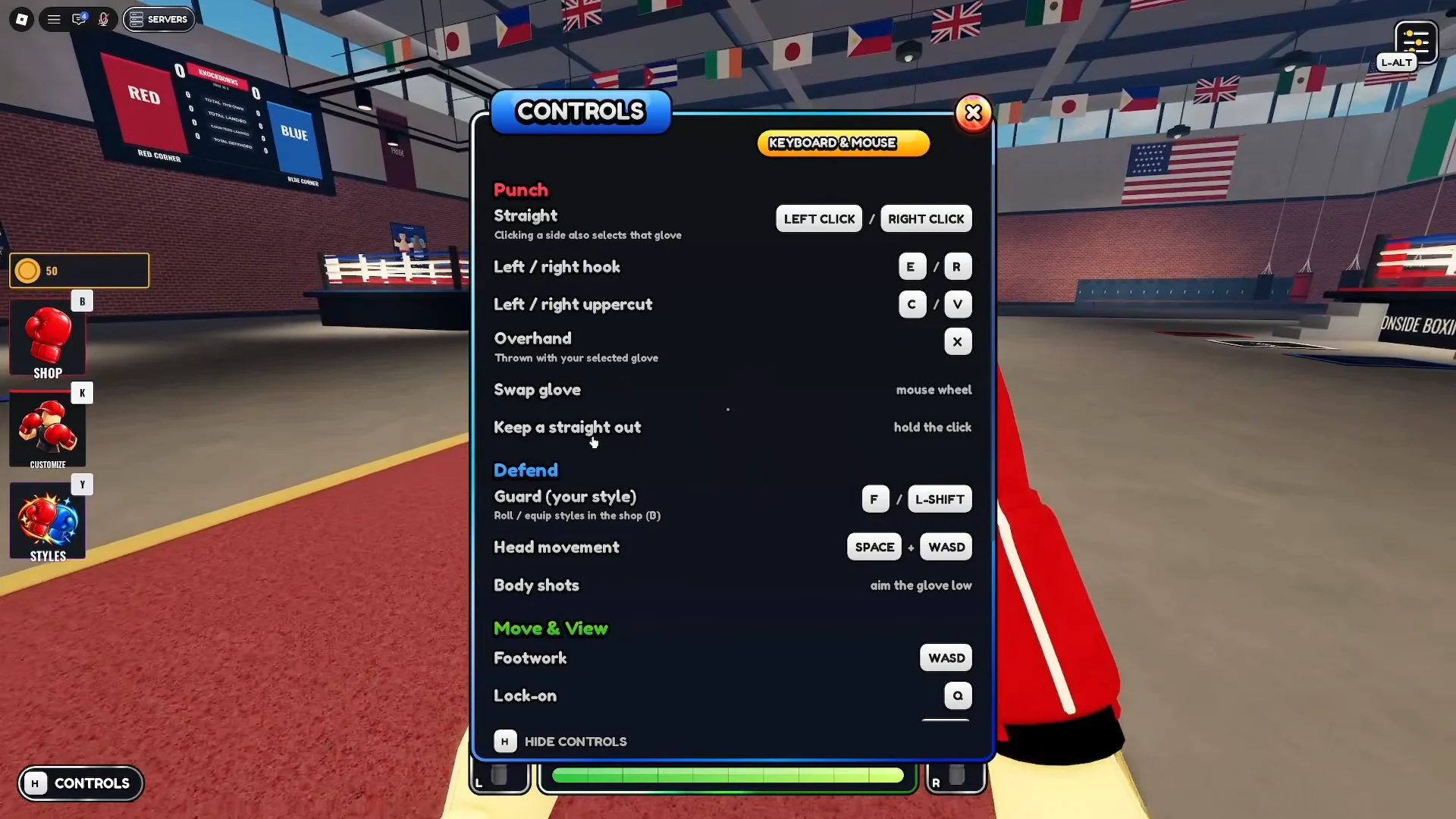
Press H at any time to show or hide the full controls overlay. That overlay is the one to trust, because hook, uppercut, and menu bindings have differed between builds. Hooks have shown up on Q/E as well as A/D, for example. The core layout below has stayed consistent.
| Action | Input |
|---|---|
| Straight | Left Click / Right Click |
| Keep a straight out | Hold the click |
| Overhand | X |
| Swap glove | Mouse wheel |
| Guard (your style) | F / L-Shift |
| Head movement | Space + WASD |
| Body shots | Aim the glove low |
| Footwork | WASD |
| Lock-on | Q |
| Settings | L-Alt |
| Shop / customize | K |
| Emotes | N (slots 1–5) |
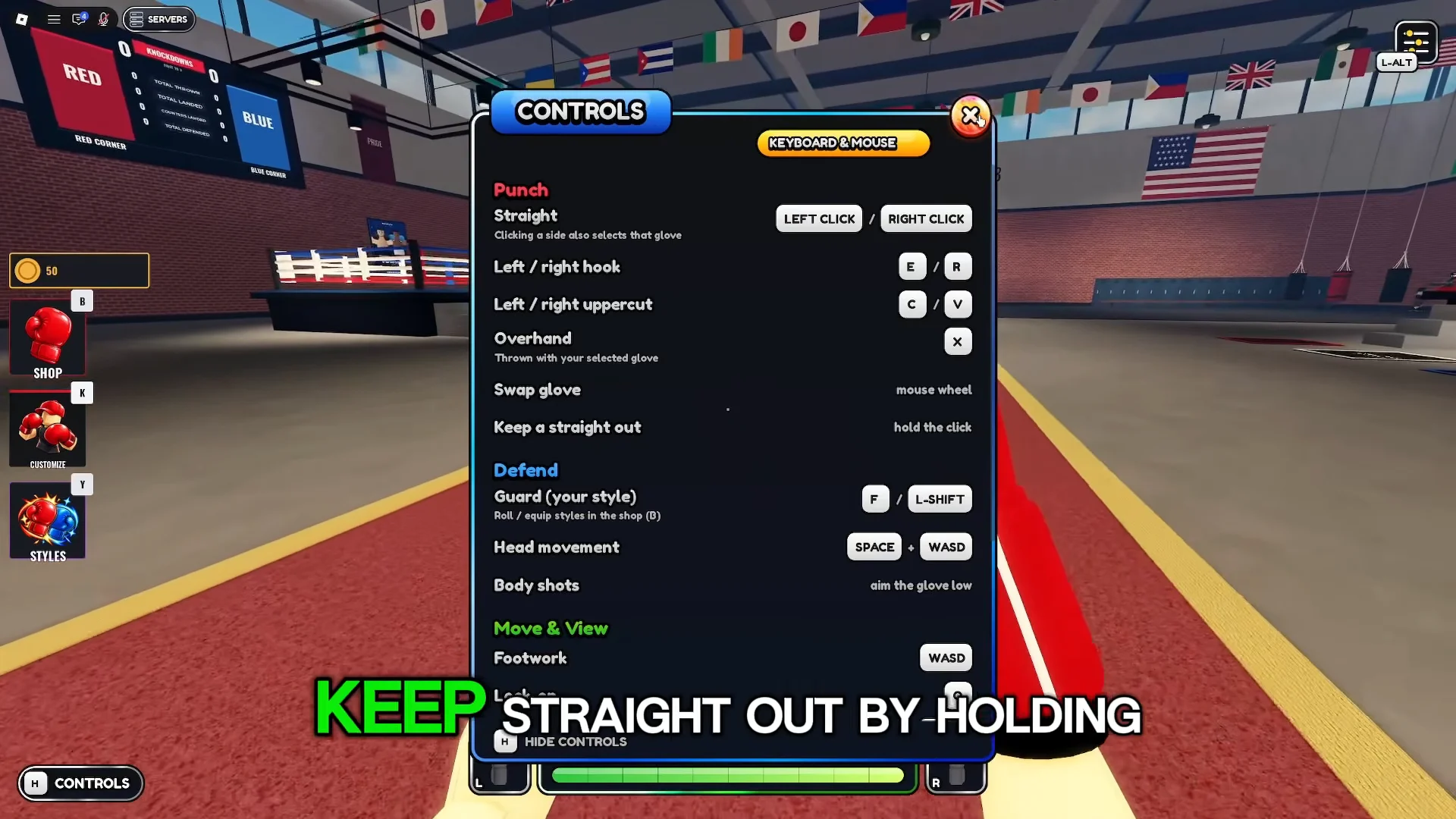
Body shots have no dedicated button. You aim the glove low and throw a normal punch. Head movement works the same way: hold Space and press a direction to duck or slip that way.
How counters and knockouts work in the ring
Ring fights run three rounds of three minutes, with stamina and cardio bars at the bottom of the screen. Throwing nonstop drains both and leaves you open, so the game rewards defense first. Keep your guard up with F, and use Space plus a direction to make punches miss. When a slip or duck lands, the HUD flashes “SLIPPED!” or “DUCKED!” and then “COUNTER NOW!” Clicking straight away turns that into a Slip Counter or Duck Counter, which hit harder than a normal punch.
Watch your opponent’s body as well as the health bars. A fighter who starts sweating heavily is gassed and close to a knockdown, which is the moment to press. A knockdown starts a 10-count, and failing to beat it ends the fight.
Head to a numbered ring’s match board rather than hanging around spawn, which only gets you scraps with random players and no coins. Rings also offer AI opponents with set difficulties, such as a Medium “LONG GUARD OUT-BOXER.” These are a low-stakes way to practice slip timing with your new style and settings before you fight real players for coins.