Sell Lemons’ Halloween 2026 event has nothing to do with lemons. It adds a separate candy economy to the Roblox tycoon. You build a candy factory, fire candy into a giant pumpkin, and earn Spooky Coins. You then spend those coins on sticker packs to fill a 20-slot album. Finishing the album unlocks the Jack-O-Mech, the event’s exclusive reward. The event is framed as Joe’s candy-selling side hustle, and the shop that sells the stickers is run by a witch NPC.
Quick answer: Collect all 20 stickers on the Halloween Sticker Sheet and its counter reaches 20/20. At that point the Redeem prompt for the Jack-O-Mech becomes available. Stickers cost Spooky Coins, which you earn by shooting factory candy into the giant pumpkin.
Sell Lemons Halloween event: what the update adds
The Halloween update went live on October 16, 2026, and the game build shows as v1.7.0.4861. It came two weeks after the Caves update for World 2. The event has its own themed zone, and each part of that zone feeds into the next:
- A personal factory plot where droppers make candy and conveyors move it along.
- A central giant pumpkin that every player in the server fills with candy.
- Spooky Coins, the event currency, earned from candy and from pickups scattered around the zone.
- A Sticker Shop stall that sells Common, Rare and Epic packs.
- The Halloween Sticker Sheet, a 20-sticker album with the Jack-O-Mech as its reward.
- A “HALLOWEEN 2026” badge for opening five sticker packs.
The event is expected to end around November 2 or 3, depending on your time zone. No exact official closing time has been confirmed. You can play it from the Sell Lemons Roblox game page.
Halloween candy factory: droppers, upgraders and the Candy Cannon
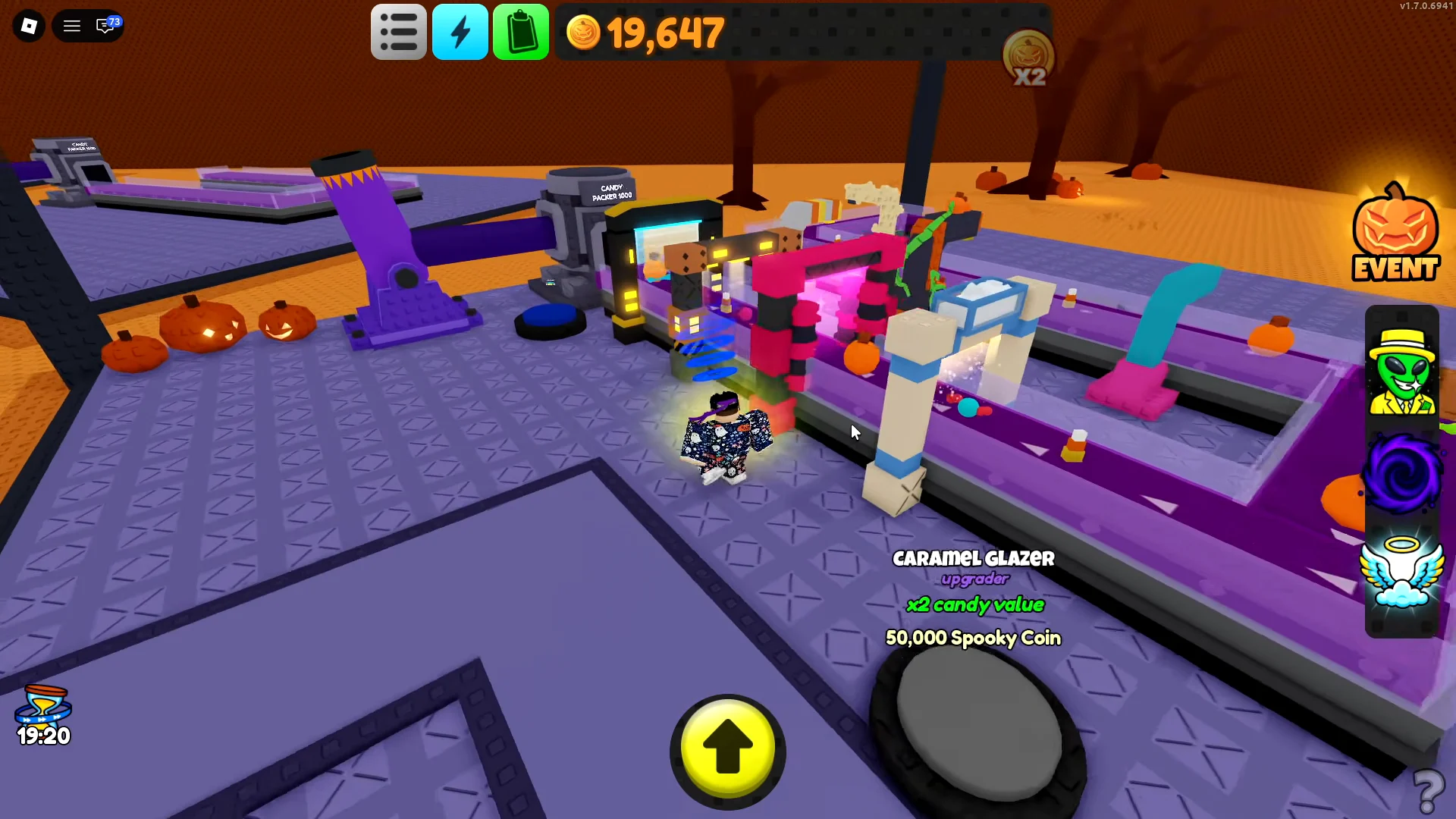
The factory works like a small version of the main tycoon. Droppers spawn candy onto conveyor belts. Upgraders along the belt raise each candy’s value. The line ends at the Candy Packer 1000, which passes candy to the Candy Cannon. The cannon then launches it into the giant pumpkin. Each purchase is a button on your plot, and every price is in Spooky Coins.
| Factory item | Type | Effect | Cost (Spooky Coins) |
|---|---|---|---|
| Candy Dropper | Dropper | Manual [E] drop | Starting item |
| Swirl Spinner | Dropper | Candy worth 8 every 2.4s | 2,500 |
| Lemon Zester | Dropper | Candy worth 20 every 2s | 130,000 |
| Conveyor | Belt | Moves candy along the line | 20,000 |
| Caramel Glazer | Upgrader | x2 candy value | 50,000 |
| Candy Cannon | Upgrade | x2 firing speed | 1,000 |
| Candy Cannon | Upgrade | x2.5 firing speed | 100,000 |
The Candy Dropper has a DROP CANDY prompt bound to [E]. If you spam that prompt, candy comes out faster than the dropper would produce it on its own. That makes it the main source of output in the opening minutes, before any automated droppers are running.
Giant pumpkin and the server income boost
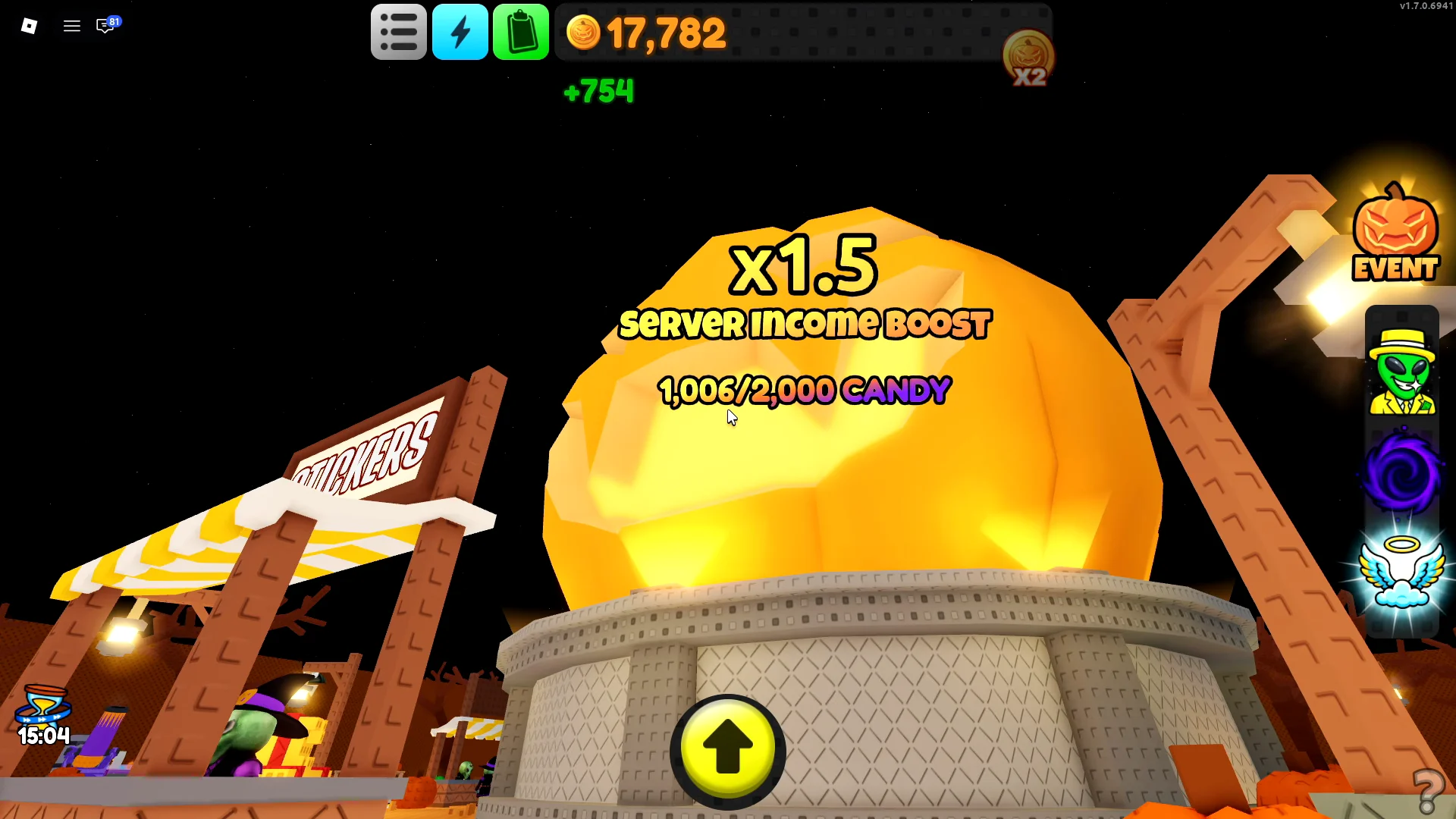
Every candy that lands in the pumpkin does two things. It pays you Spooky Coins, and it adds to a candy meter that the whole server shares. That meter drives a server-wide income multiplier. Boost values of x1.25, x1.4 and x1.5 have all appeared in the event’s on-screen readout.
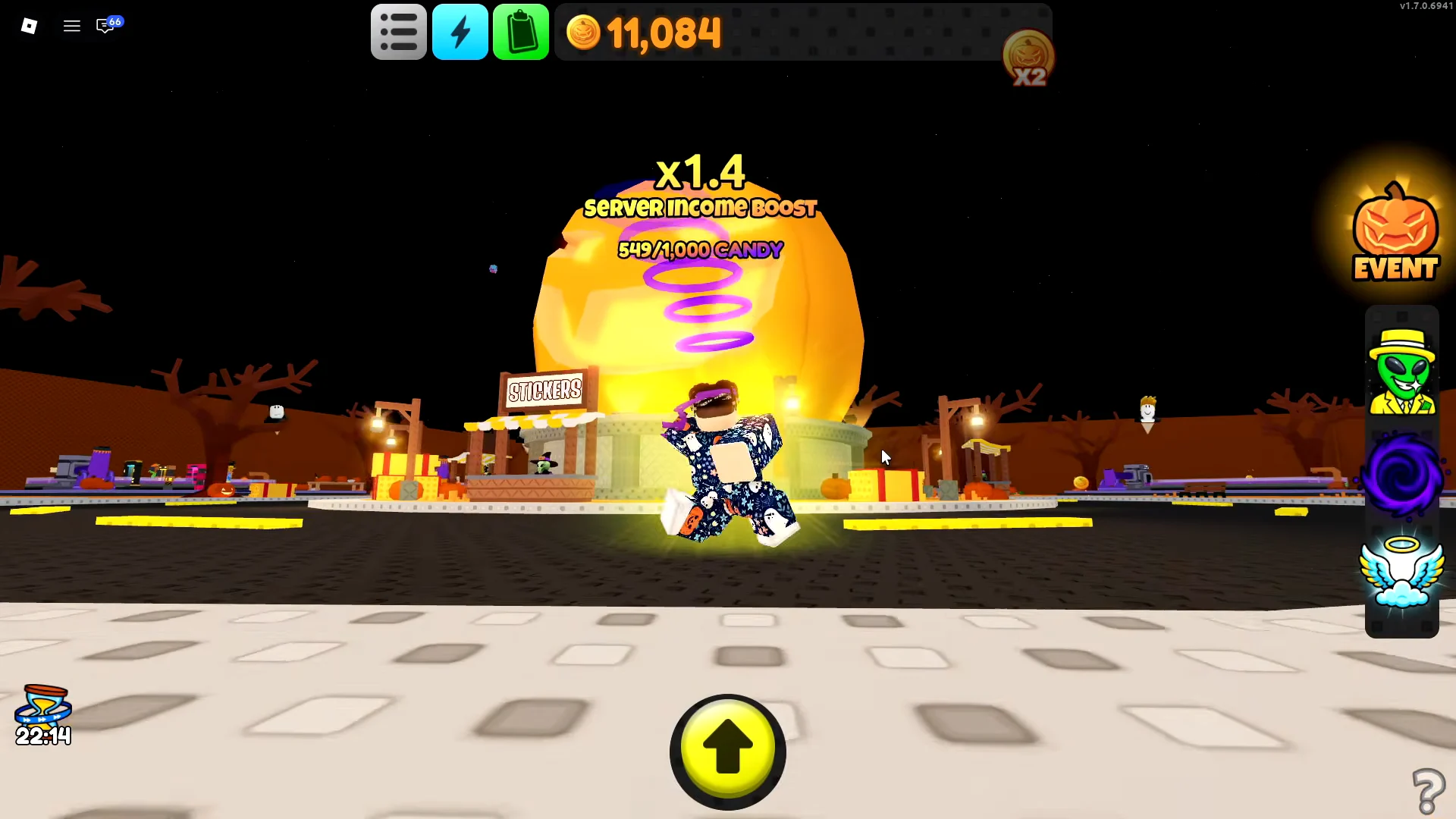
The meter works in tiers. When the server passes 1,000 candy, the goal resets to 2,000 and the boost climbs to x1.5. Because every player’s cannon fills the same meter, a full public server reaches each threshold far faster than a solo player can.
Spooky Coins: income upgrades versus decorations
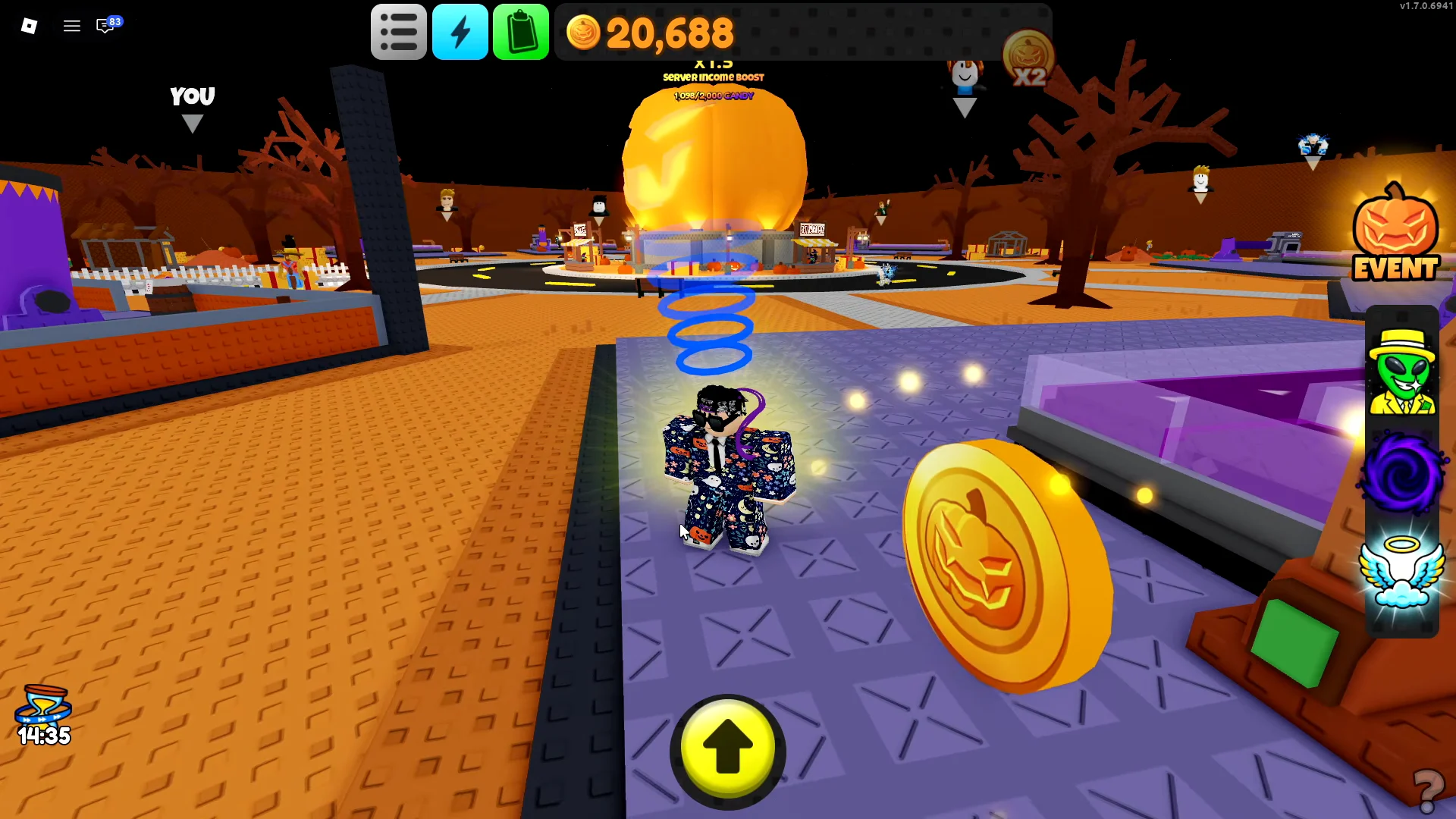
Spooky Coins also appear as golden pumpkin coins along the roads and around the edges of the factory plots. Picking them up gives a small, quick boost to your early balance, before the factory starts paying off.
Your plot also has many cosmetic buttons, and they cost the same Spooky Coins as the droppers. Decorations produce no income. Droppers and value multipliers such as the Caramel Glazer, on the other hand, raise every future payout. The decoration buttons include:
| Decoration | Cost (Spooky Coins) |
|---|---|
| Trim | 350 |
| Welcome Mat | 550 |
| Windows | 1,000 |
| Walls | 1,500 |
| Giant Candy | 1,900 |
| Hay Bales | 7,500 |
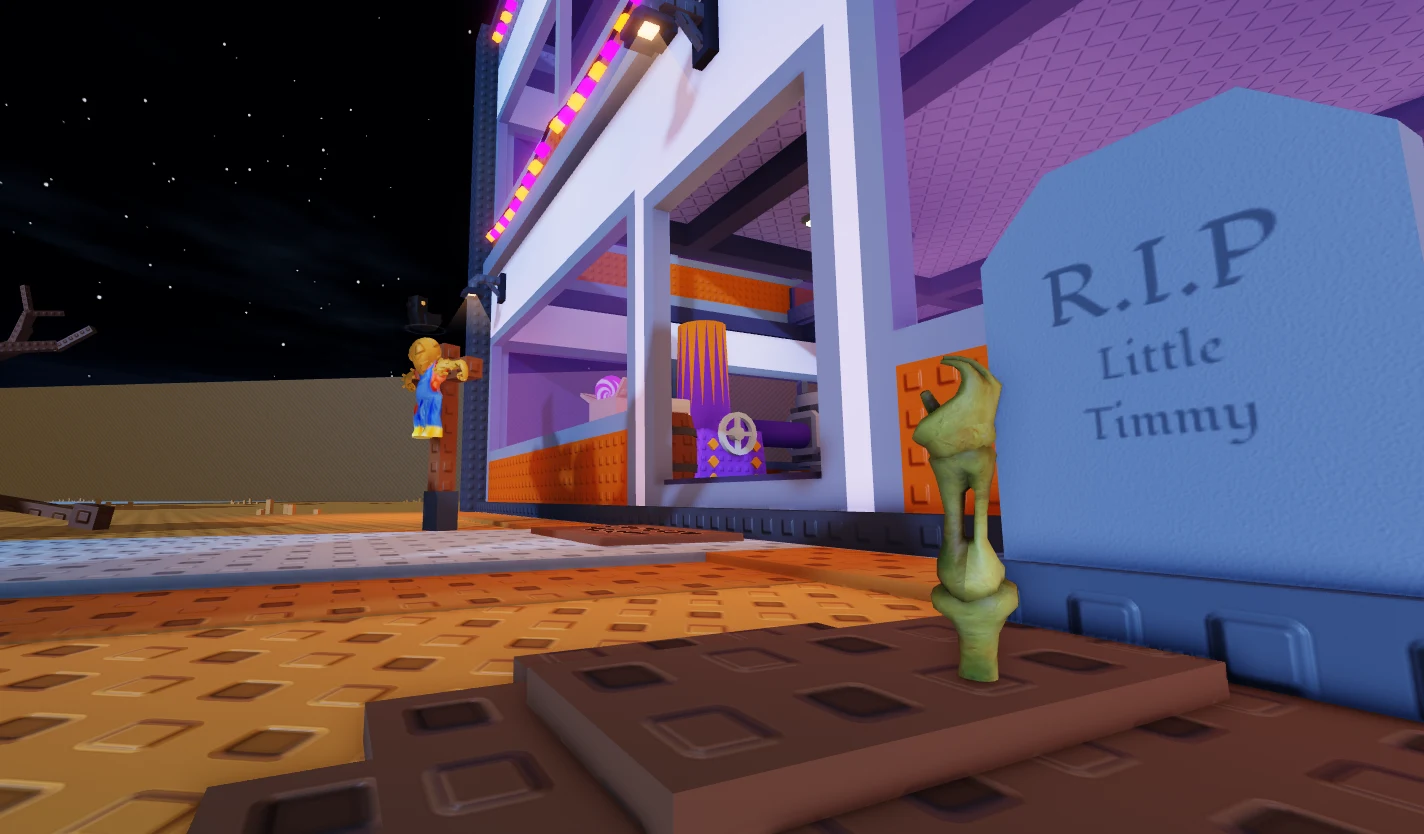
Some decorations are just for fun. The Trick or Treat mat accepts custom text. The gravestones carry jokes like “R.I.P This Worlds Economy” and “R.I.P Your Dentist.” A barrel sign warns “ONLY ONE CANDY PER VISITOR!” None of these produce any coins.
Sticker Shop packs and drop odds
The Sticker Shop stall sells three tiers of pack. Each pack has its own odds table, and every listed percentage applies to each individual sticker in that rarity. The game also notes that the displayed figures are rounded.
| Rarity | Common Pack (1,000) | Rare Pack (10,000) | Epic Pack (100,000) |
|---|---|---|---|
| Legendary (2) | Not listed | 0.01% each | 0.25% each |
| Epic (4) | 1.25% each | 3.75% each | 22.375% each |
| Rare (6) | 1.6667% each | 12.5% each | 1.6667% each |
| Common (8) | 10.625% each | 1.2475% each | 0.125% each |
Those 20 stickers make up the full sheet:
- Legendary: Legendary Alien Stand, Alien Stand Creation
- Epic: The Cube, EARNest, Orchard, Broken Wings
- Rare: Void Duster, Lemon Potion, Percy, The Waiter, Trapped, Alien Witch
- Common: Stonks, Citchrus, Joe Zombien, Glorp Kitty, Candy Pike, Soul Void, Sewer Creep, Visitor
All 20 slots must be filled to complete the sheet, and the two Legendary stickers appear only in the Rare and Epic Pack tables. A collection built only from Common Packs can therefore never finish. Even in the Epic Pack, each Legendary has just a 0.25% chance, which makes those two the hardest stickers on the sheet. Duplicates are common. A Common Pack can easily return a sticker you already own, such as a second Stonks.
Sticker Rush and other Robux sticker boosts
The Sticker Shop also sells two paid boosts. Sticker Rush costs 32 Robux and is listed as “2x Server Stickers – 5 Minutes.” For five minutes, every pack opened by anyone in the server gives two stickers instead of one. During a Rush, one Common Pack can yield both a duplicate and a new Rare such as Trapped.
A separate +1 Sticker purchase costs 160 Robux. It adds an extra sticker to each pack, but it applies only to you rather than to the whole server. Neither boost changes the odds tables. They only increase how many stickers each pack gives you.
Halloween Sticker Sheet and the Jack-O-Mech reward
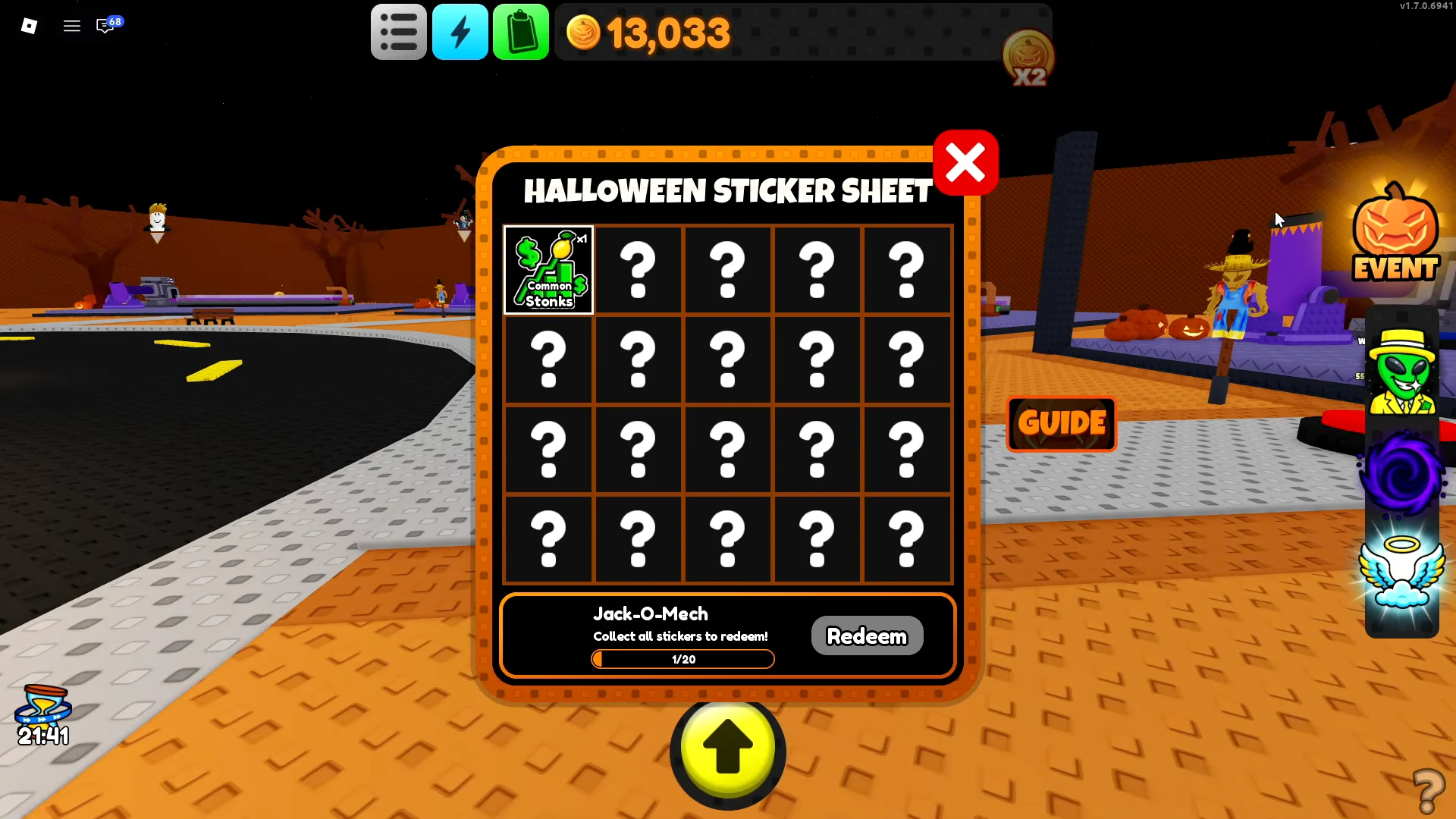
The Halloween Sticker Sheet is where you track your progress. Its header reads “HALLOWEEN STICKER SHEET.” The grid has 20 slots, and the Jack-O-Mech sits beside it with the line “Collect all stickers to redeem!”
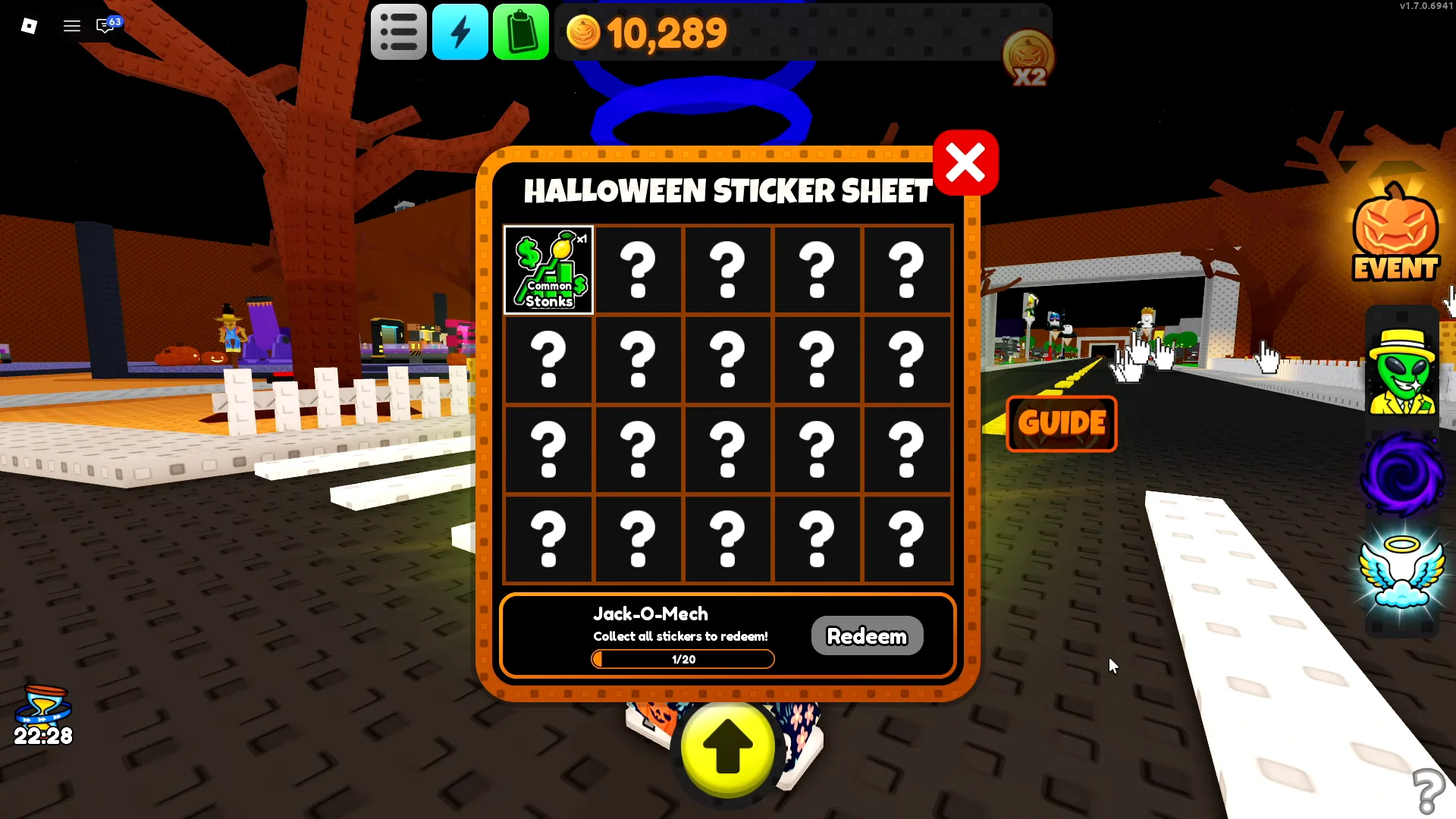
Each new sticker fills its slot and moves the counter up, from 0/20 to 1/20, then 9/20, and so on. Duplicates do not count toward that number. A completed sheet reads 20/20, and that is the condition for using the Redeem prompt on the Jack-O-Mech.
Sticker packs also count toward a smaller goal. The HALLOWEEN 2026 popup lists the event loop and adds the task “Open 5 sticker packs for a badge!” Its tracker reaches 5 / 5 packs opened and then shows a CLAIM! button. You can earn that badge long before the sheet is finished, since even five Common Packs count.
The event rewards patience more than luck. Factory upgrades and a busy server speed up the coin income. After that, the Jack-O-Mech depends on Rare and Epic Pack pulls landing the two Legendary stickers.