Utility items pile up fast in Star Wars Zero Company. Every tactical mission and operation hands back grenades, medpacs, smoke bombs, and weapon mods, and most of them are duplicates you will never load onto a squad. All of that can be converted into credits at a single counter on the Den.
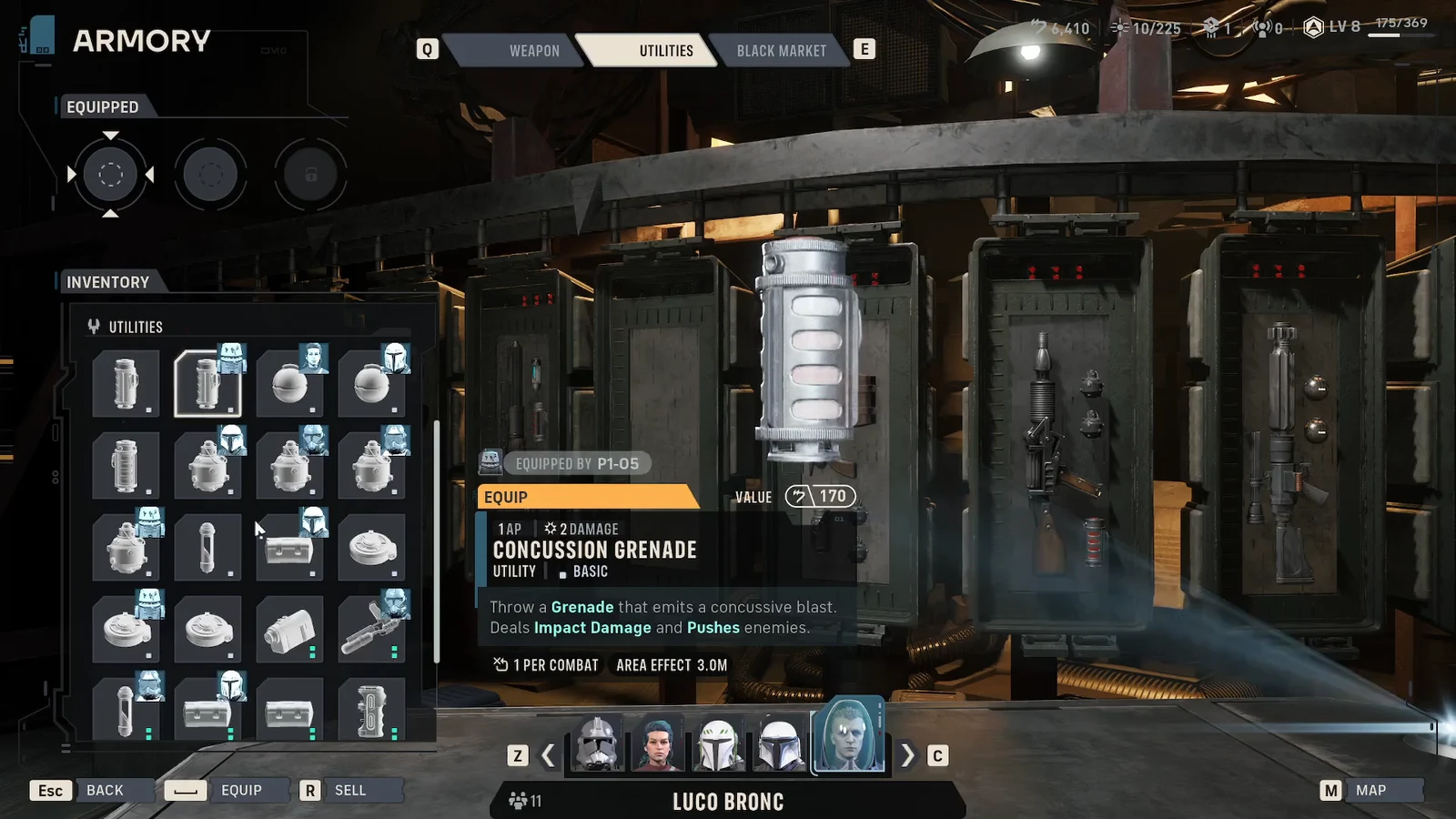
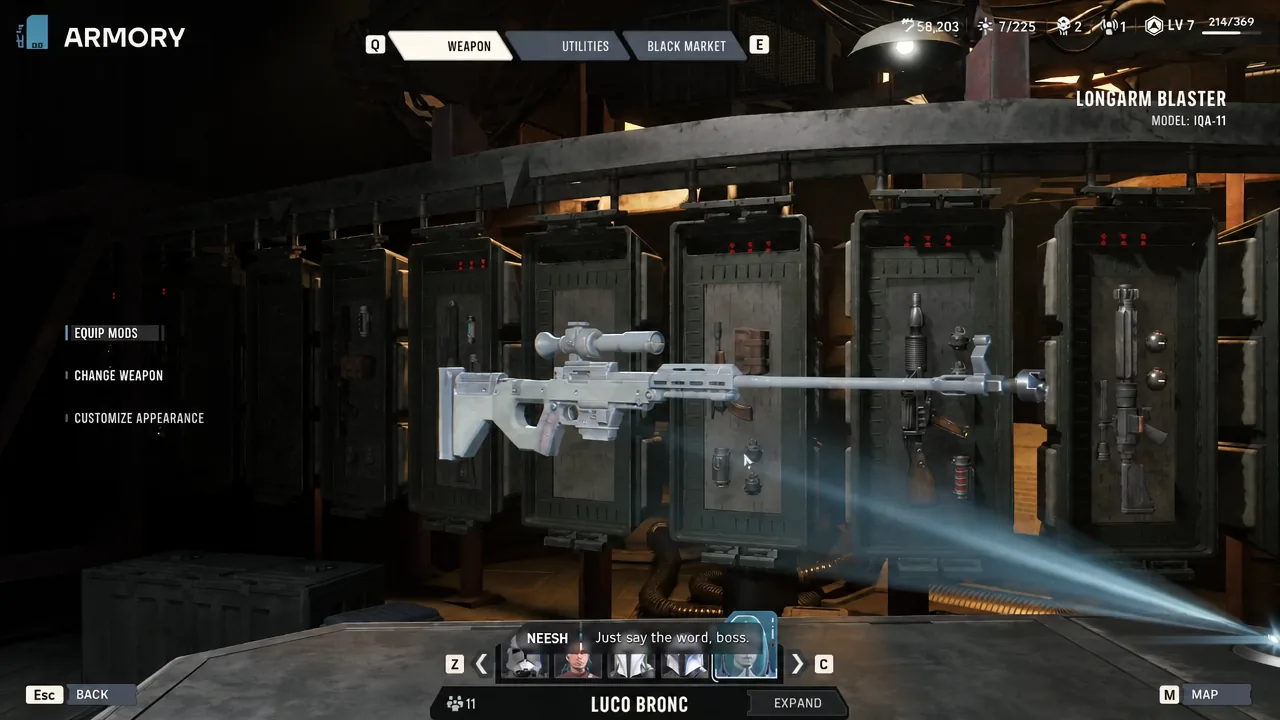
Quick answer: Interact with the Armory counter on the Den, open the UTILITIES tab (or pick a weapon to see its mods), select the item in the grid on the left, press SELL ITEM in the bottom-left corner, then confirm with SELL in the pop-up.
What you need before you can sell items
Selling runs through the Black Market vendor built into the Armory, and that station is not active by default. You unlock it yourself through Den upgrades. Open the Facilities tab while upgrading your Den Level and you will see two separate entries, “Black Market” and “Black Market Quality.”
Black Market unlocks at Den Level 1, and Black Market Quality unlocks at Den Level 2. The quality upgrades matter for what the vendor stocks for you to buy, not for what you can offload, so getting the base station running is the only requirement for cashing out spare gear.
How to sell utilities and weapon mods at the Armory
Where each sellable item type lives in the menu
| Item type | Where to find it | Examples |
|---|---|---|
| Utility items | UTILITIES tab, inventory grid on the left | Medpac, Smoke Bomb, Concussion Grenade Mk. III |
| Weapon mods | WEAPON tab, after selecting a weapon and opening its mods | Attachments equipped or stored for that weapon |
Note: the BLACK MARKET tab on the right is the buying side of the same counter. Its stock rotates every cycle and prices are listed next to each entry, so it is worth a look right after you finish selling.
How to confirm the sale went through
Two things change the moment you confirm. The item disappears from the inventory grid, and your credit total rises by the VALUE shown in the confirmation prompt. If the item is still sitting in the grid, the prompt was cancelled rather than accepted.
There is no bulk-sell option here. Each item is sold individually with its own confirmation, so clearing a full stack of duplicate grenades means repeating the same select-and-confirm loop.
What to sell and what to keep
Duplicates are the safe candidates. Medpacs, smoke bombs, and low-tier grenades stack up quickly from mission rewards, and the surplus is worth more as credits than as clutter. Keep anything currently equipped to an Operator and anything tagged Superior, since those are the pieces the Black Market charges heavily for.
Credits from sales feed straight back into the systems that gate your progress. Den facility upgrades, crew and weapon upgrades at the station near Runa Blask, Operator recruitment, and Medbay treatment all draw from the same pool.
| Credit sink | Cost |
|---|---|
| Medical Bed (heals one injury over a cycle) | 800 credits |
| Bacta Tank (instant heal) | 1,200 credits |
| Crew upgrade, max level | Up to 6,500 credits |
| Weapon upgrade, max level | Up to 5,500 credits |
One timing detail is worth remembering. Deploying on a mission pushes you into the next cycle, so handle your selling, buying, and upgrades at the Den before you commit the squad.