
The High Capacity O₂ Tank is the first meaningful oxygen upgrade in Subnautica 2, and it is gated behind a blueprint hidden in a Data Box rather than handed to you at the Fabricator. Until you scan that databox, your dives are capped at the starting oxygen budget, which makes anything past the shallow biomes a one-way trip.
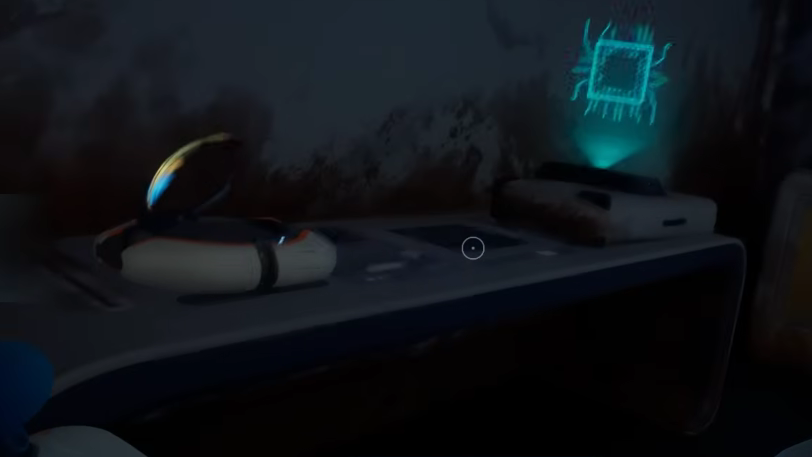
High Capacity O₂ Tank blueprint location
The Data Box is placed in the shallow Twisty Bridges biome, on a ledge next to a single straight habitat tube module that was never finished. Because your Drop Pod spawns within a small randomized area, distances vary by save, but the marker the game gives you for Delta Station dock points roughly in the right direction.
Expect the swim to land somewhere between 250m and 350m from the pod, with the box sitting around 120m to 127m deep. The module the box rests against is easy to miss because it tucks under a lower terrace; if you pass it, turn around and look back and down.
| Detail | Value |
|---|---|
| Biome | Twisty Bridges (shallow) |
| Direction from Drop Pod | South to south‑west |
| Approximate distance | ~300m (varies per save) |
| Depth | ~120m |
| Landmark | Partially built base / straight tube module |
| Container | Data Box |
Because the depth sits below the starting oxygen ceiling, plan the dive in stages. Drop a beacon at the surface above the dive site on your first approach so you can refuel air at the pod and come back without re-scouting.

How to get there safely with the starting O₂ Tank

Crafting the High Capacity O₂ Tank
Once the blueprint is unlocked, the tank is built at the Fabricator. It boosts your maximum oxygen by 90 units, taking your supply to 135. It occupies a 2×3 slot in your inventory while unequipped and has to be slotted into the tank slot of the Paperdoll UI to actually function.
| Stat | Value |
|---|---|
| Oxygen bonus | +90 (total 135) |
| Build station | Fabricator |
| Build time | 5 seconds |
| Inventory size | 2×3 (6 slots) |
| Underwater speed penalty | −0.47 m/s |
| Surface speed penalty | −0.61 m/s |
The recipe uses Titanium, Silicone Rubber, Glass, and a base Standard O₂ Tank. Anything you crafted in a vehicle bay can fall back to the basic tank without losing materials, so do not panic about wasting the starter.
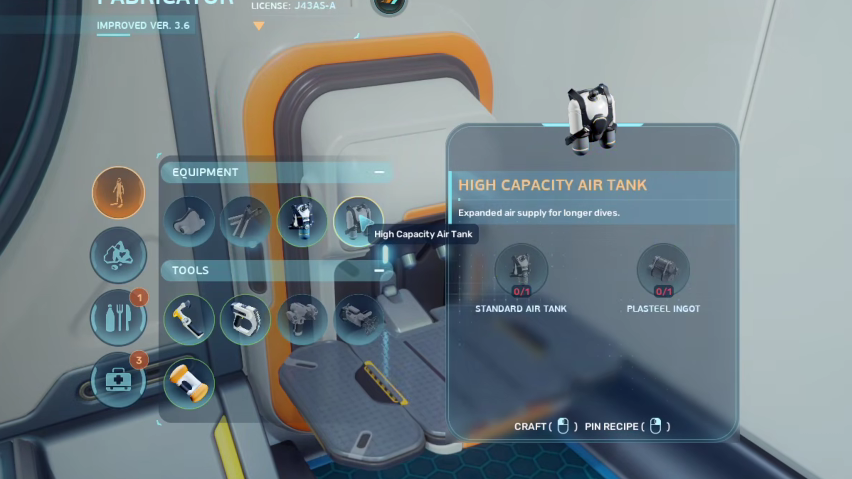
Confirming the unlock
You will know the pickup worked when the PDA plays the blueprint acquisition voice line and the High Capacity O₂ Tank entry appears under Equipment in the Fabricator menu. If the Fabricator still does not show the recipe after scanning, check that you interacted with the actual Data Box rather than a Supply Cache crate, which contains a different item.
From here, the High Capacity O₂ Tank also feeds the Modification Station upgrade path toward the Ultra High Capacity Tank and the Lightweight High Capacity Tank, so keep one in storage even after you outgrow it as an equipped item.