Boolean logic in Excel allows users to quickly identify, filter, and manipulate data based on true or false conditions. Entering a FILE ID and using Boolean expressions can optimize data validation, streamline searches, and automate repetitive checks within large spreadsheets.
Entering FILE ID and Applying Boolean Logic in Excel
FILE ID.F12345).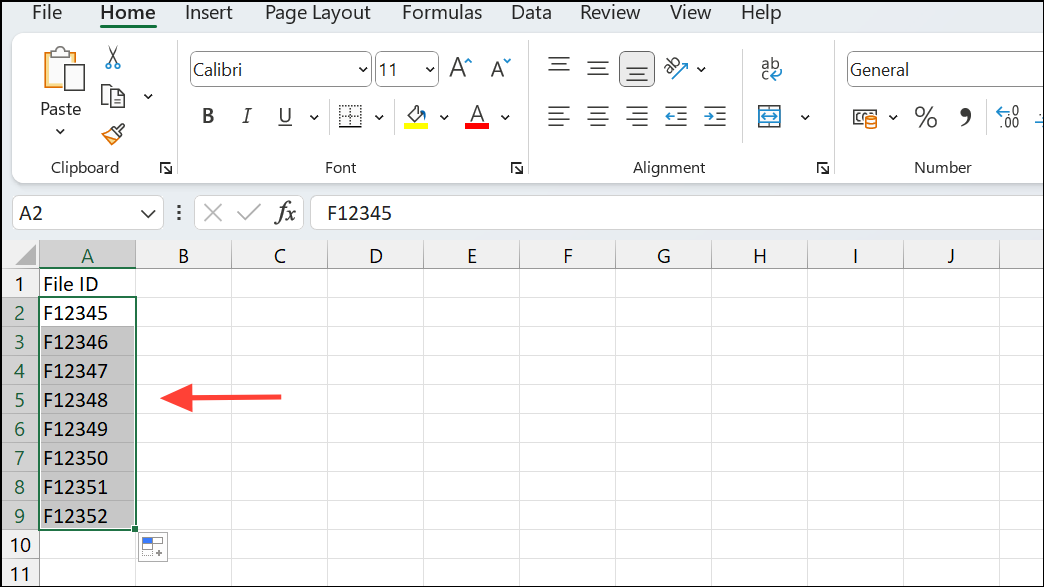
A2 matches F12345, use the formula:=A2="F12345"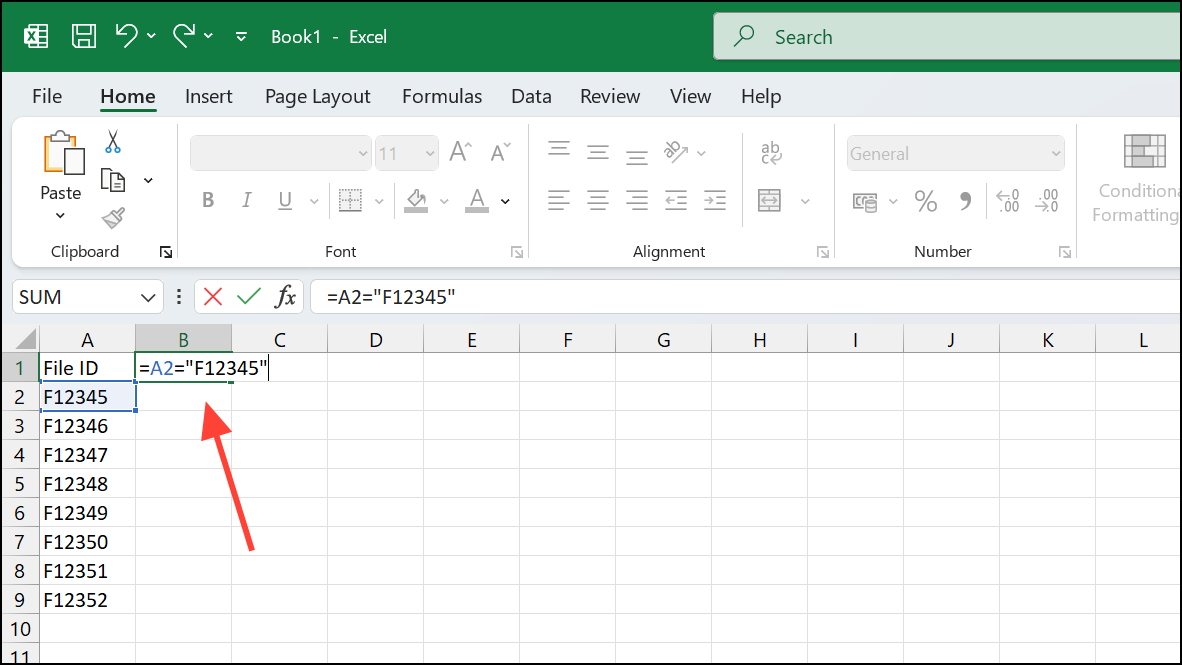
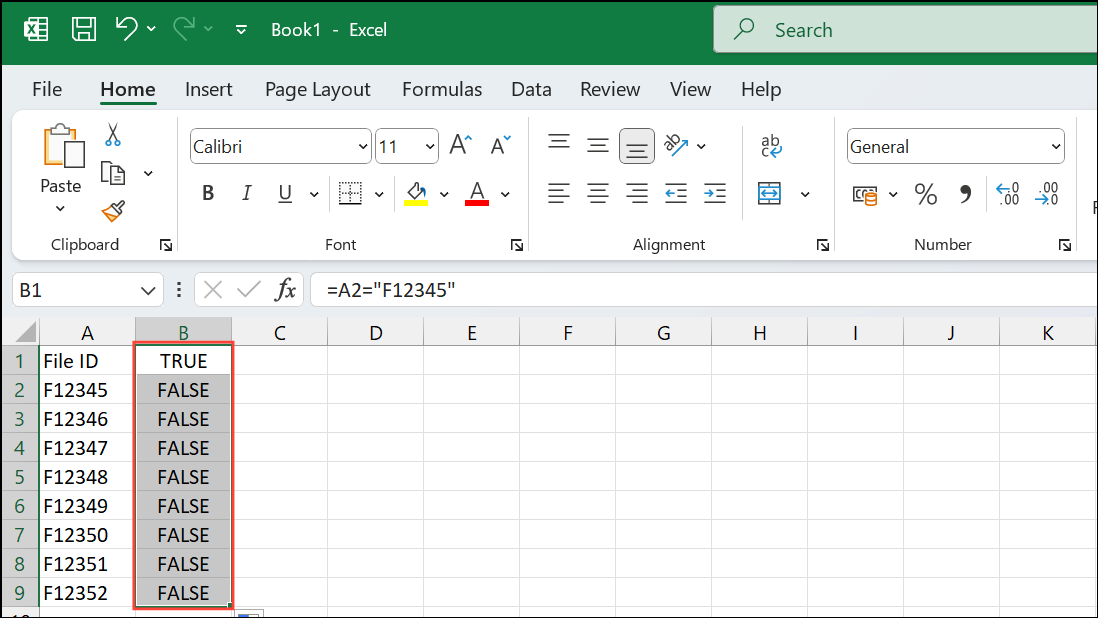
This formula returns TRUE if the FILE ID matches, and FALSE otherwise. Drag the formula down to apply it to the entire column.
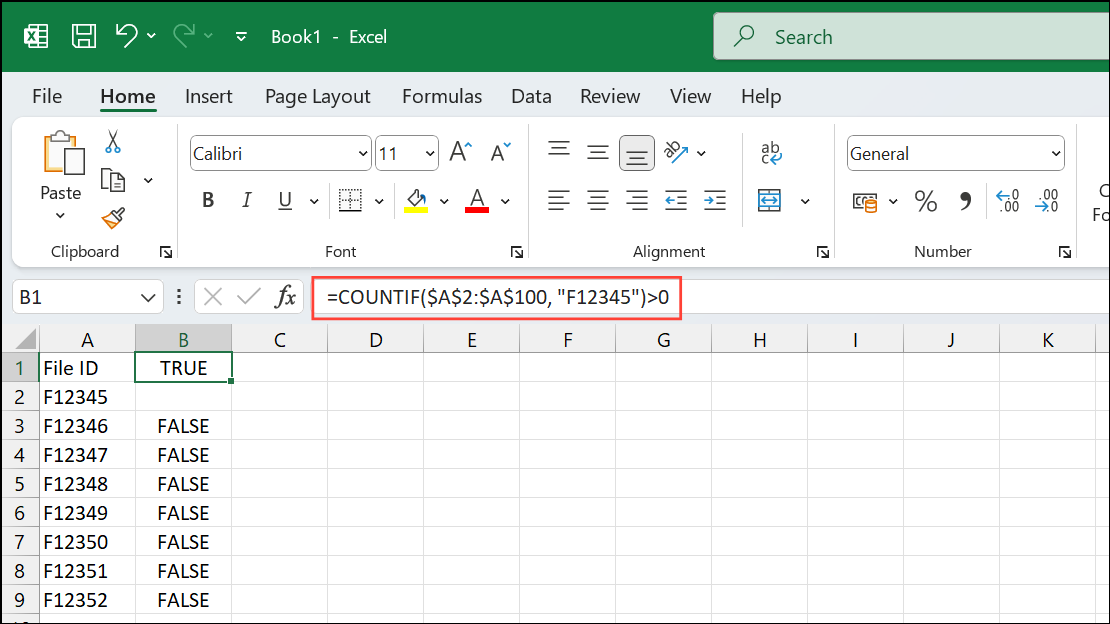
COUNTIF function. For example:=COUNTIF($A$2:$A$100, "F12345")>0This formula checks if F12345 appears anywhere in the range A2:A100 and returns TRUE if found.
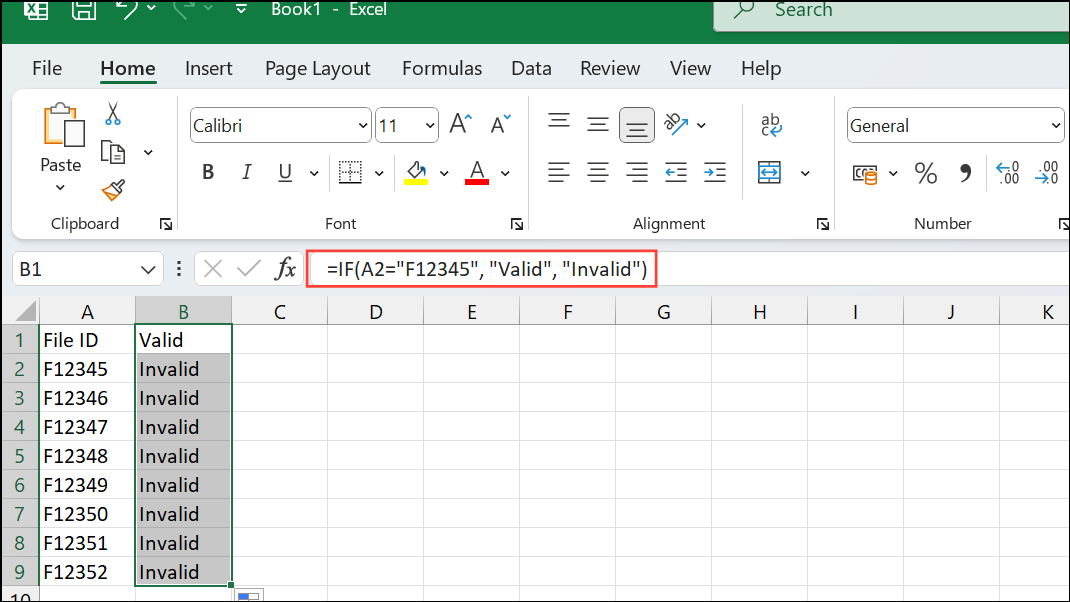
IF function. For example, to label a row as “Valid” if the FILE ID matches and “Invalid” otherwise, enter:=IF(A2="F12345", "Valid", "Invalid")This approach simplifies large-scale data validation and ensures only correct FILE IDs are flagged as valid.
Alternative: Using Boolean Logic for Multiple FILE IDs
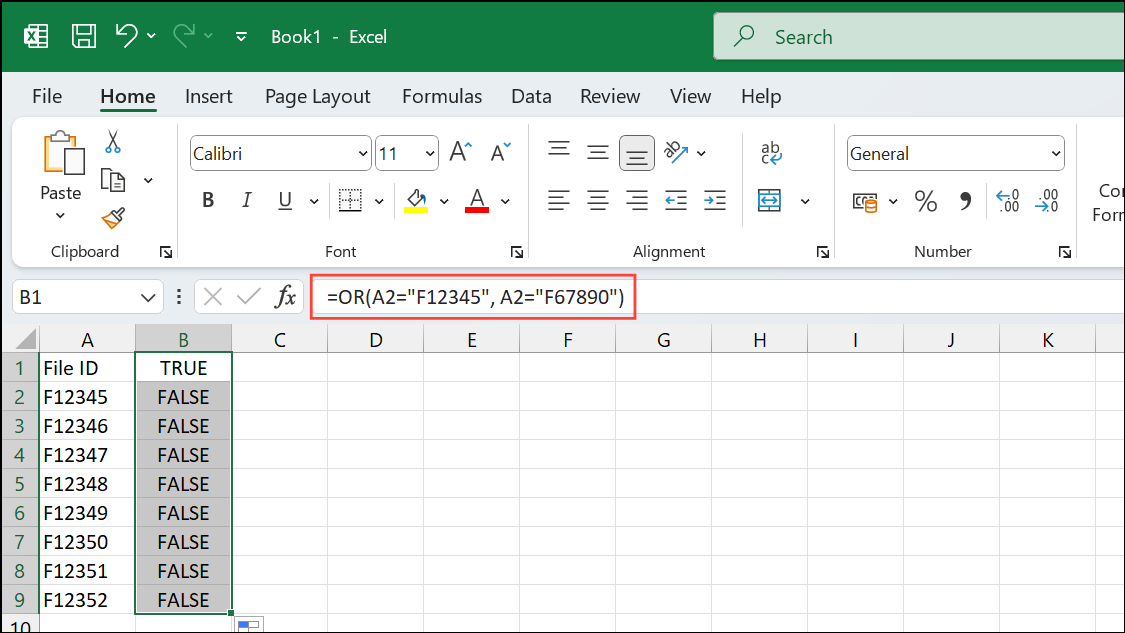
OR function. For example, to check if A2 matches either F12345 or F67890, enter:=OR(A2="F12345", A2="F67890")This formula returns TRUE if either FILE ID is present in the cell, and FALSE otherwise.
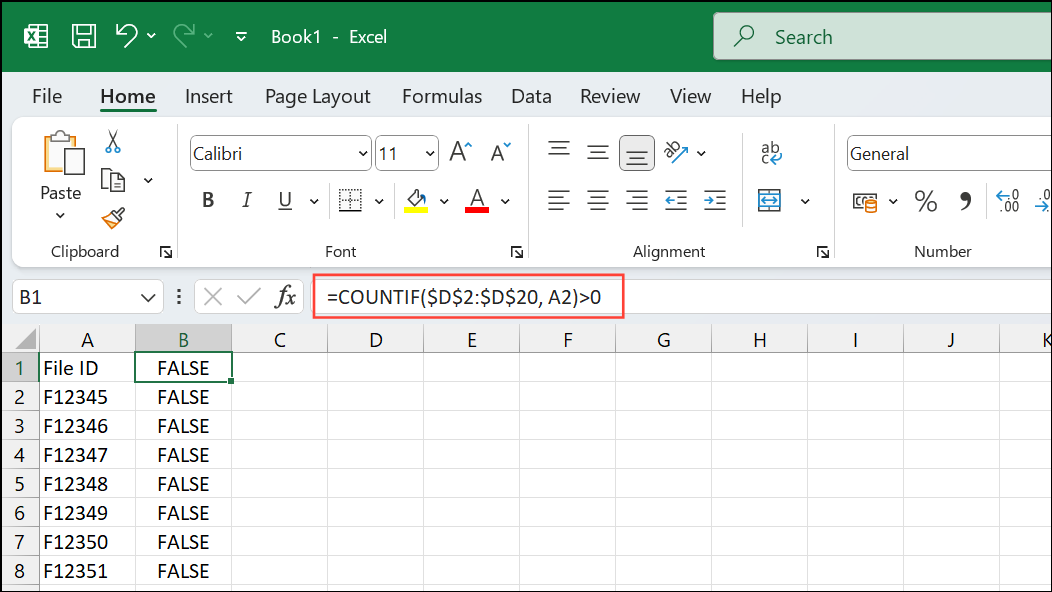
COUNTIF or VLOOKUP to perform bulk checks. For example, to see if the FILE ID in A2 exists in a list stored in D2:D20:=COUNTIF($D$2:$D$20, A2)>0This method streamlines the process when working with multiple valid FILE IDs, reducing manual checks and potential for error.
Tips for Managing Boolean Results in Excel
- Format Boolean columns with conditional formatting to highlight
TRUEorFALSEresults for quick scanning. - Use filters to display only rows where the Boolean column is
TRUE, speeding up review and reporting. - Combine Boolean logic with data validation rules to restrict entry to valid FILE IDs only.
Applying Boolean logic to FILE IDs in Excel simplifies data validation and search tasks, making large datasets much easier to manage and analyze.