Flight and noclip in Valheim are not unlockables. They live behind the developer console, which is switched off until you add a launch flag to the game. Once the console is active, three short commands lift your Viking off the ground and let the camera pass straight through walls, roofs, and terrain.
Quick answer: Add -console to Valheim’s launch options, press F5 in-game, then type devcommands, debugmode, and fly. Use freefly to move the camera through solid objects.
Commands and keys for flying and noclip in Valheim
Everything you need fits into a handful of inputs. The first entry is a Steam launch option, not a console command, and the rest are typed into the console window itself.
| Input | What it does |
|---|---|
-console | Launch option that makes the developer console available |
| F5 | Opens and closes the console window in-game |
devcommands | Turns on cheat commands for your session |
confirmcheats | Confirms cheat use when the console asks before debug mode |
debugmode | Unlocks developer features, including the flight toggle |
fly | Switches character flight on and off |
freefly | Detaches the camera so it passes through geometry |
| Z | Toggles flight while debug mode is active |
| Shift | Flies faster, with no stamina cost |
Enable the Valheim console on Steam
-console into it, exactly as written, including the hyphen.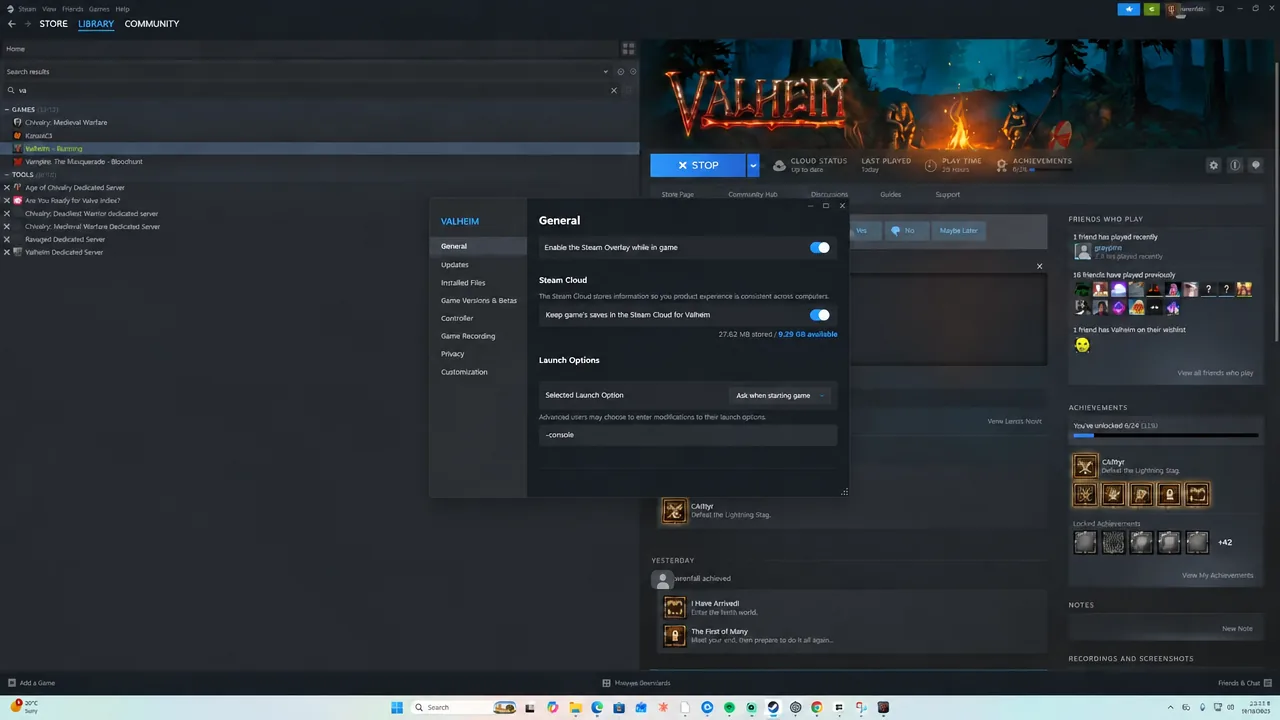
Valheim 0.211.7 (network version 39).Console setup on Game Pass, Xbox, macOS, and GeForce Now
PC Game Pass
-console to the end of the Target field, then apply and confirm. Start the game from that shortcut and press F5.Xbox console
Hold LB, RB, and the Menu button together while in game, then press A to bring up the on-screen keyboard for typing commands.
macOS (App Store version)
#!bin/bash
/Applications/Valheim.app/Contents/MacOS/Valheim -consoleGeForce Now
Turn on Steam family sharing mode without adding Valheim to the whitelist, start the game through GeForce Now, and enter your PIN to reach the Steam client inside the session. From there, set the launch option as you would on a local install. The session resets every time, so this has to be repeated each time you play.
Turn on flight with devcommands and debugmode
devcommands and press Enter. The console replies with Dev commands: True, which means cheat commands are now accepted.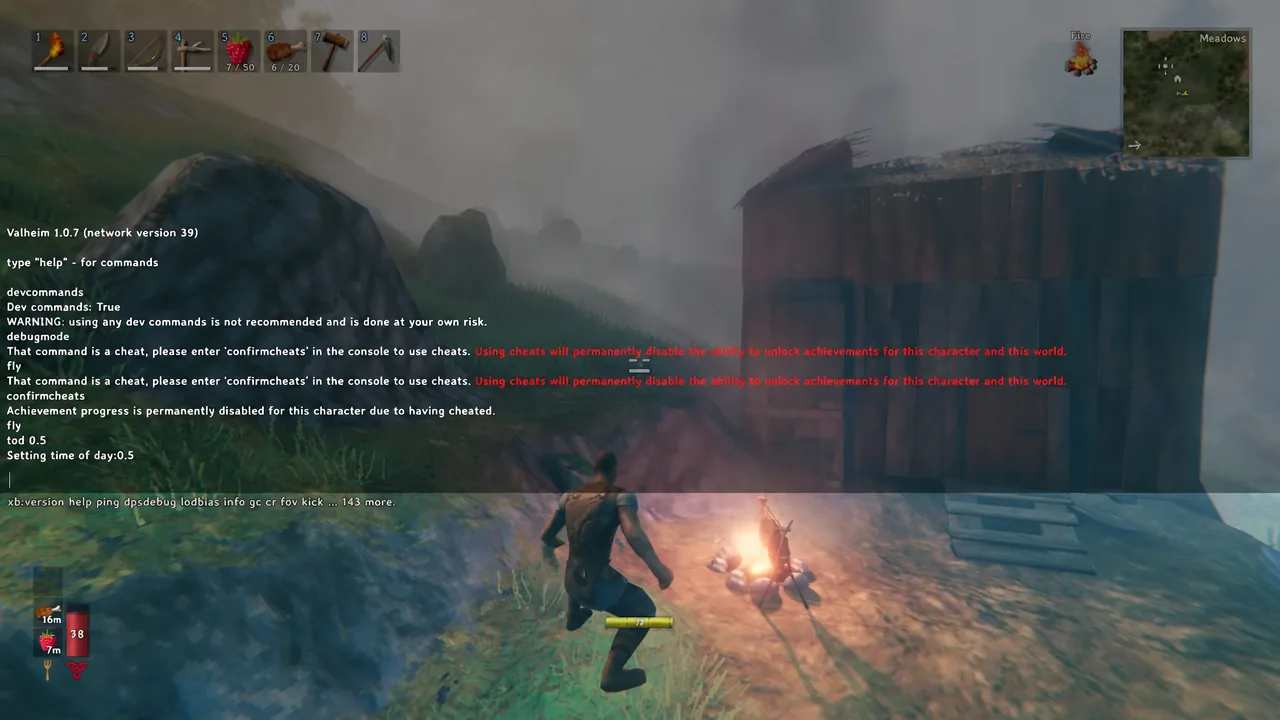
debugmode. This is the developer testing mode that unlocks flight along with the other debug keys.fly and press Enter, or close the console and press Z. Your character lifts off the ground and can move in any direction. Holding Shift flies faster, and flight uses no stamina at all.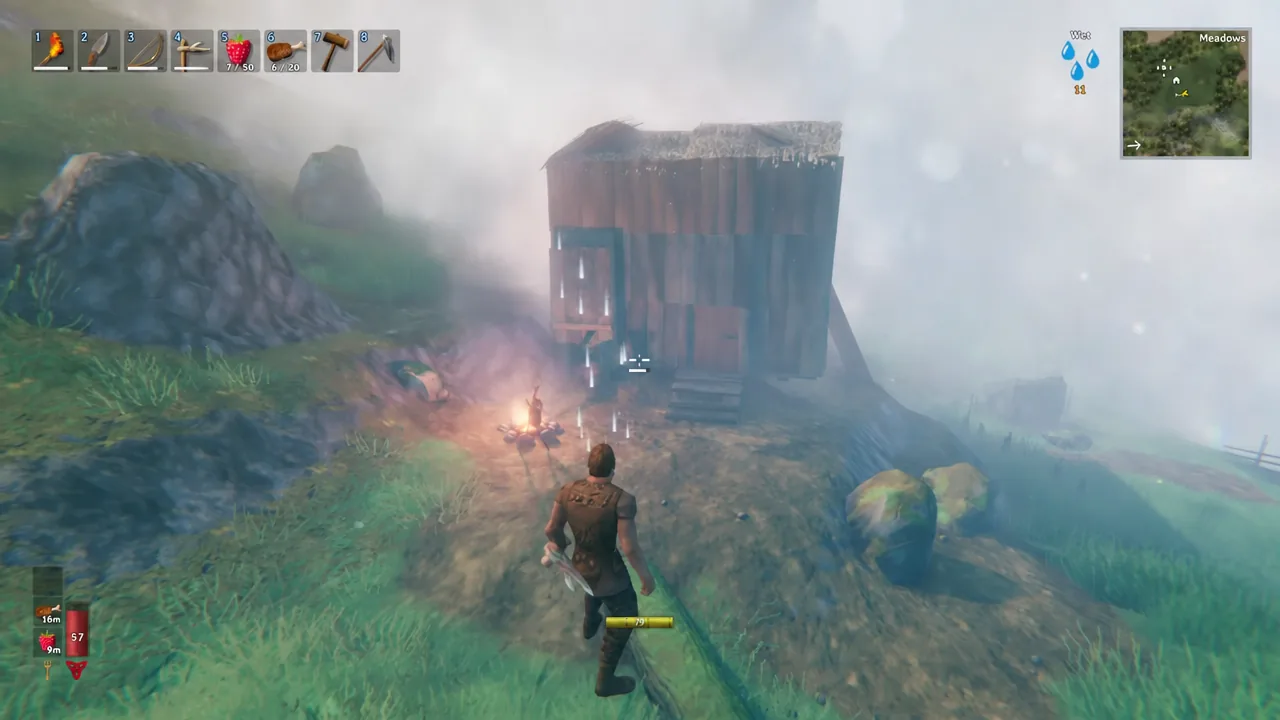
Note: Older builds used imacheater in place of devcommands to switch cheats on. If one is rejected, try the other.
Use freefly to noclip through walls and terrain
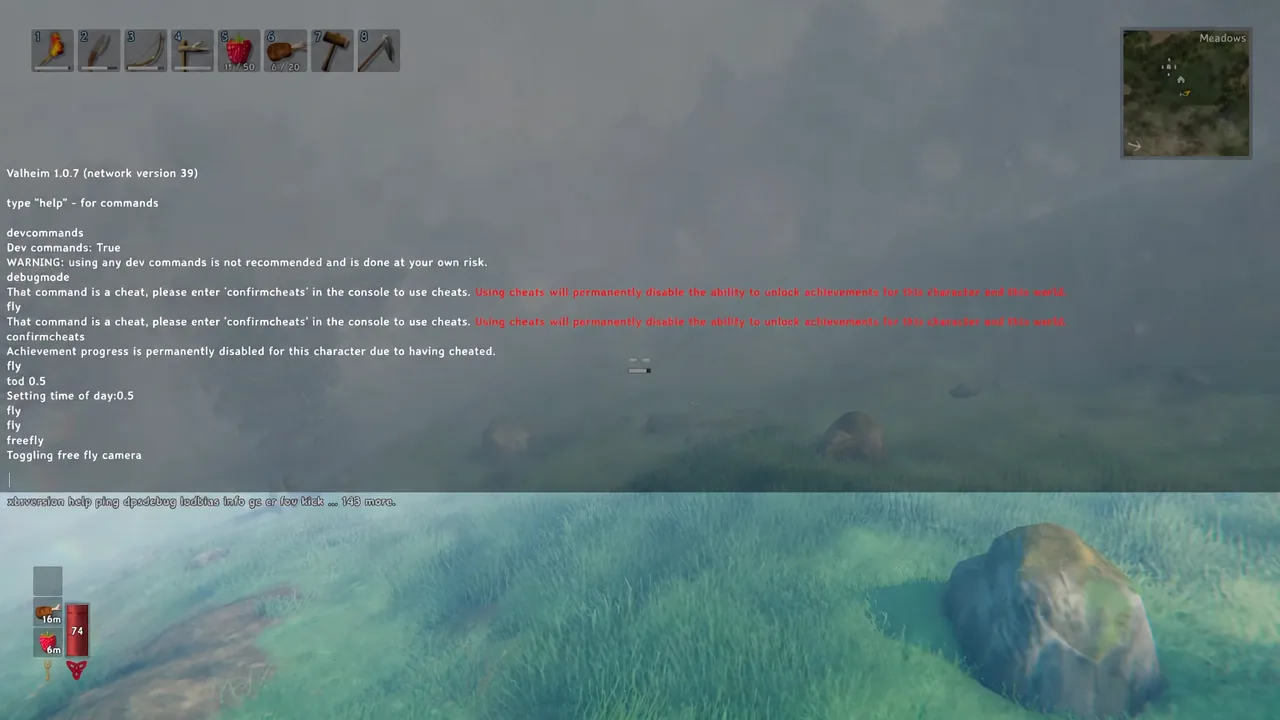
Valheim has no command literally named noclip. The closest thing is freefly, which detaches the camera from your character and lets it drift through buildings, rock faces, and the ground. Type it into the console and you will see Toggling free fly camera in the output. Entering it a second time returns the camera to your Viking.
The difference matters. fly moves your actual character through the air, so you can travel, build, and interact from above. freefly leaves the character where it stands and gives you a free camera that ignores collision, which is what you want for screenshots or looking inside a structure.
How to confirm flight and debug mode are active
The console prints a confirmation for every one of these toggles, so there is no guesswork.
| Console output | Meaning |
|---|---|
Dev commands: True | Cheat commands are accepted |
debugmode: TRUE | Developer testing mode is on |
Debug fly: True | Character flight is enabled |
Toggling free fly camera | The noclip camera has switched state |
If nothing prints and F5 does nothing at all, the launch option did not take. Fully quit Steam and the game, re-check that Launch Options reads -console with no extra characters, and start the game again.
Fall damage and what flight does not protect you from
Switching flight off high in the air drops you like a stone, and the landing deals normal fall damage. Descend close to the ground before pressing Z or typing fly again.
Debug mode is also not invulnerability. Enemies still hit you, environmental damage still applies, and you can die while flying. If you want to be safe while moving around, add god for invincibility or ghost to stop enemies noticing you.
ValheimNoclip mod for a dedicated hotkey
If you would rather have a true noclip on a single key, there is a small BepInEx plugin that adds one. Install it the same way as any other BepInEx mod by dropping the folder from the archive into gameBepInExplugins.
Once installed, F5 toggles noclip, the mouse wheel changes movement speed, and Ctrl and Space move you down and up. The hotkey can be rebound in the mod’s config file. Be aware that horizontal movement can stutter, and dying while noclip is active has been known to cause odd fall damage behaviour.
Flight and the free camera stay on for the session you enabled them in, so a restart means running devcommands and debugmode again. The launch option, on the other hand, is permanent until you remove it, and it does not change anything on its own. Leaving it in place simply keeps F5 available for the next time you need to get airborne.