Where Winds Meet hands out free items through an exchange system that lives inside the Settings menu, not on a website. You type an entry in, the game accepts it, and the rewards arrive as letters in your in-game mailbox. Nothing shows up in your bags until you open that mailbox and claim each notice by hand.
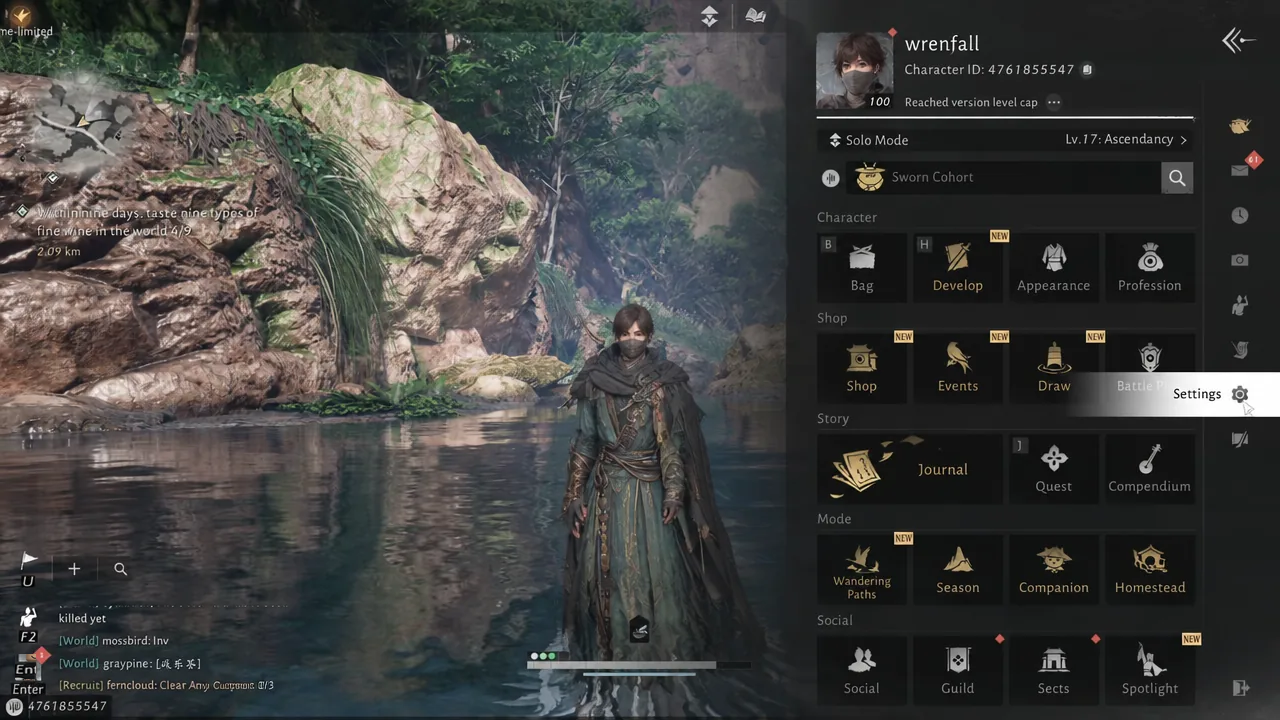
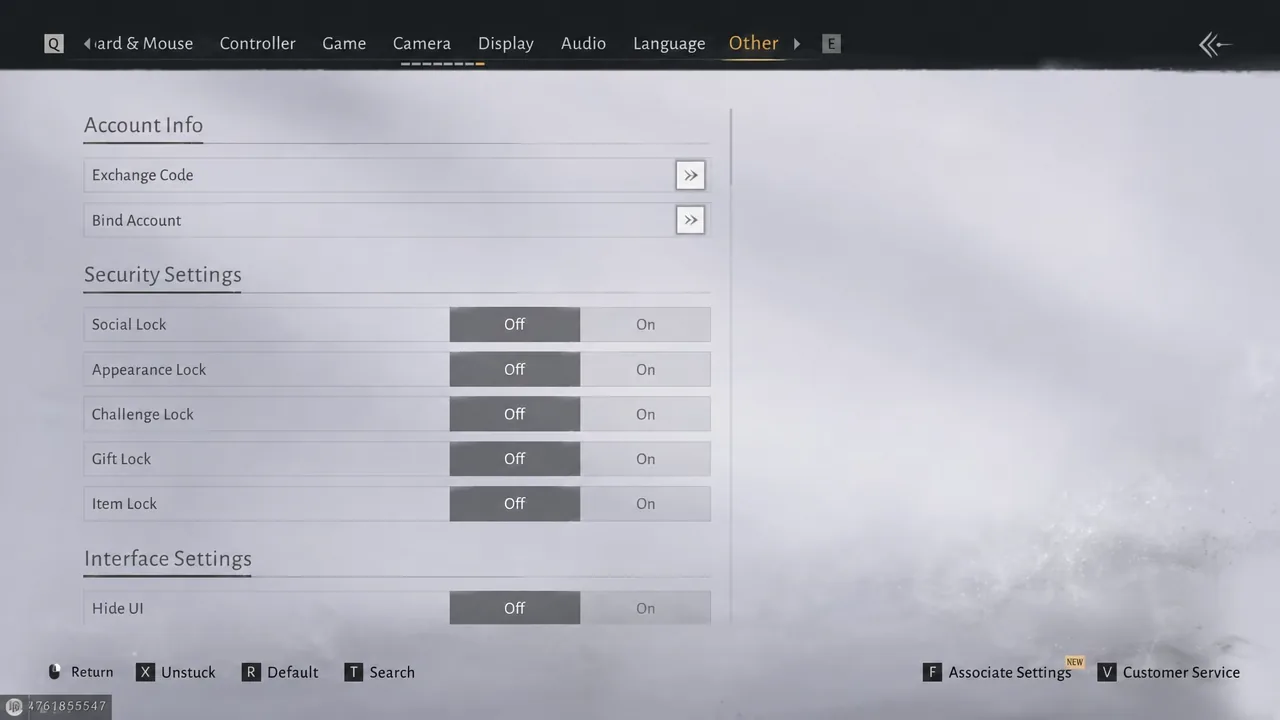
Quick answer: Open the main menu, choose Settings, switch to the Other tab, use the Exchange field to submit an entry, then return to the main menu and open the mailbox (Letter tab) to claim each reward notice.
What the free rewards include
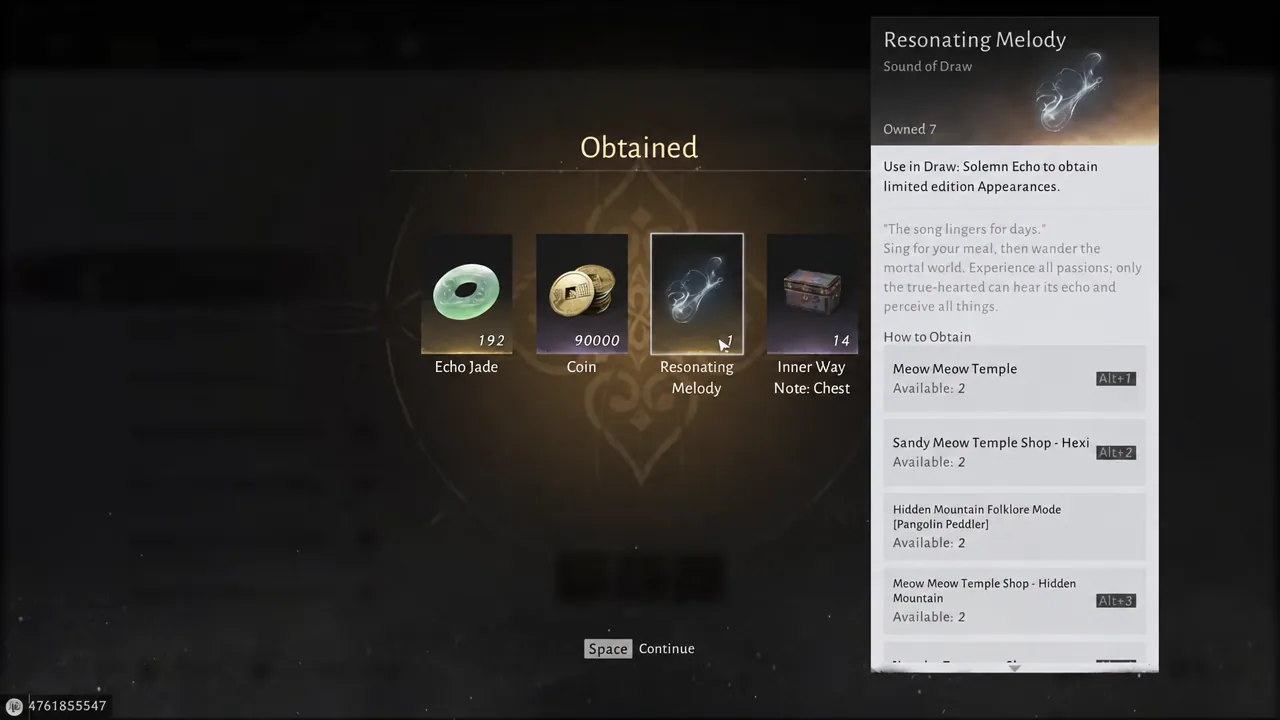
The reward pool is small and repeats a lot. Most entries pay out some mix of the four items below, and a few pay out only one of them.
| Reward | What it does |
|---|---|
| Echo Jade | Premium currency. Spend it with Weiyang Merchants on cosmetics, or bank it toward pulls. |
| Coin | Standard currency for shops, crafting, and general trades. Usually granted in blocks of 1,000 to 20,000. |
| Resonating Melody | Pull currency, handed out one or two at a time by the larger rewards. |
| Inner Way Note: Chest | A chest that awards Inner Way Notes for your martial arts progression. |
Opening the Exchange screen in Settings
The path is identical on PC and mobile, so it does not matter where you play. You do need to finish the opening tutorial first, because the main menu is locked until then.
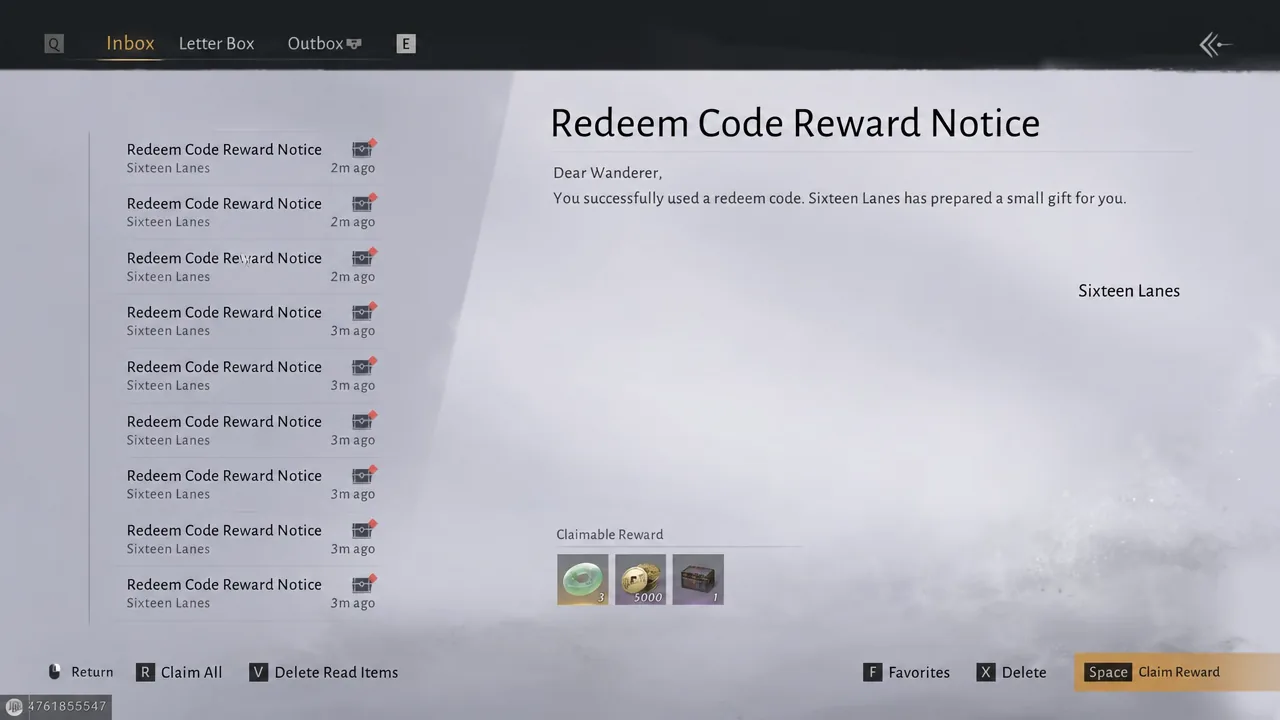
Claiming rewards from the mailbox
A successful submission does not drop anything into your bags. The game files it as a letter instead, so the mailbox is the second half of the process.
How to confirm the rewards landed
Every claim ends on an Obtained screen that lists each item you just received, with its name and description on the right. Press Space to page through it. Once that screen clears and the letter disappears from the Letter tab, the items are in your inventory and the currency totals at the top of the screen will have moved.
If the claim fails: make inventory space
Claiming dozens of letters in one go frequently throws an “ItemBag is full” error. The mail stays in your inbox when that happens, so nothing is lost, but nothing else will claim until you free up slots. Sell or consume junk items, then run the claim again in smaller batches.
Note: rewards are tied to your account, not your character, so an entry that has already paid out once will not pay out again on a second character.
Codes
Submit each of these in the Exchange Code field under Settings > Other, exactly as written, then claim the letters from your mailbox.
- FINALTRUTH
- MEETINWM
- NEVERLOOKBACK
- LASTSUNSET
- LIANGZHOU0402
- 0916WMFINALE
- HKEY7YF4TC
- PSEEGPHJ83
- TXRYWTD434
- HPPA84JHP6
- DQEYADP6MK
- SEPF7TJCXX
- RJCDYHW8CP
- EHT6HEP7DX
- ARRDFAKFTK
- AKXX8SAY8N
- AEXX8SAY8N
- AEFJD3YFPA
- PXPQH4AHAC
- FSHQHY7QNA
- QKQTMJNPWC
- FNCJP8FMRR
- DE4RNXFRWW
- NYKNC8LCR
- WHK7YFXCNY
- XTC7XXHEJE
- MQYHRRQYM
- YW6TXEJRKH
- NCX6WWYC86
- KCX6WWYC86
- THEETNKCK
- CDH866J8A4
- YJMQKGKQT
- NSXPAA4DED
- CDYRAQEPR4
- RAJX3THABN
- RFRM4XFAKK
- KQFWRWRQHR
- DJCAY36TE3
- XNMFJTCAYR
- KJJY8MYTMF
- KP3H3XRXRH
- DMDRXNXBMF
- FTQH4ENPQQ
- HA4DC4TYW3
- FCDH8J8N1A
- NNOPPHTAXD
- TTS3hujmjc
- YYSLSTIB
Clear your bags before you start a long claiming session, and check the Letter tab afterward to make sure no notice was left behind. The payouts are modest on their own, but a full inbox worth of Echo Jade and Coins adds up to a real head start on Weiyang Merchant cosmetics and early gear upgrades.