

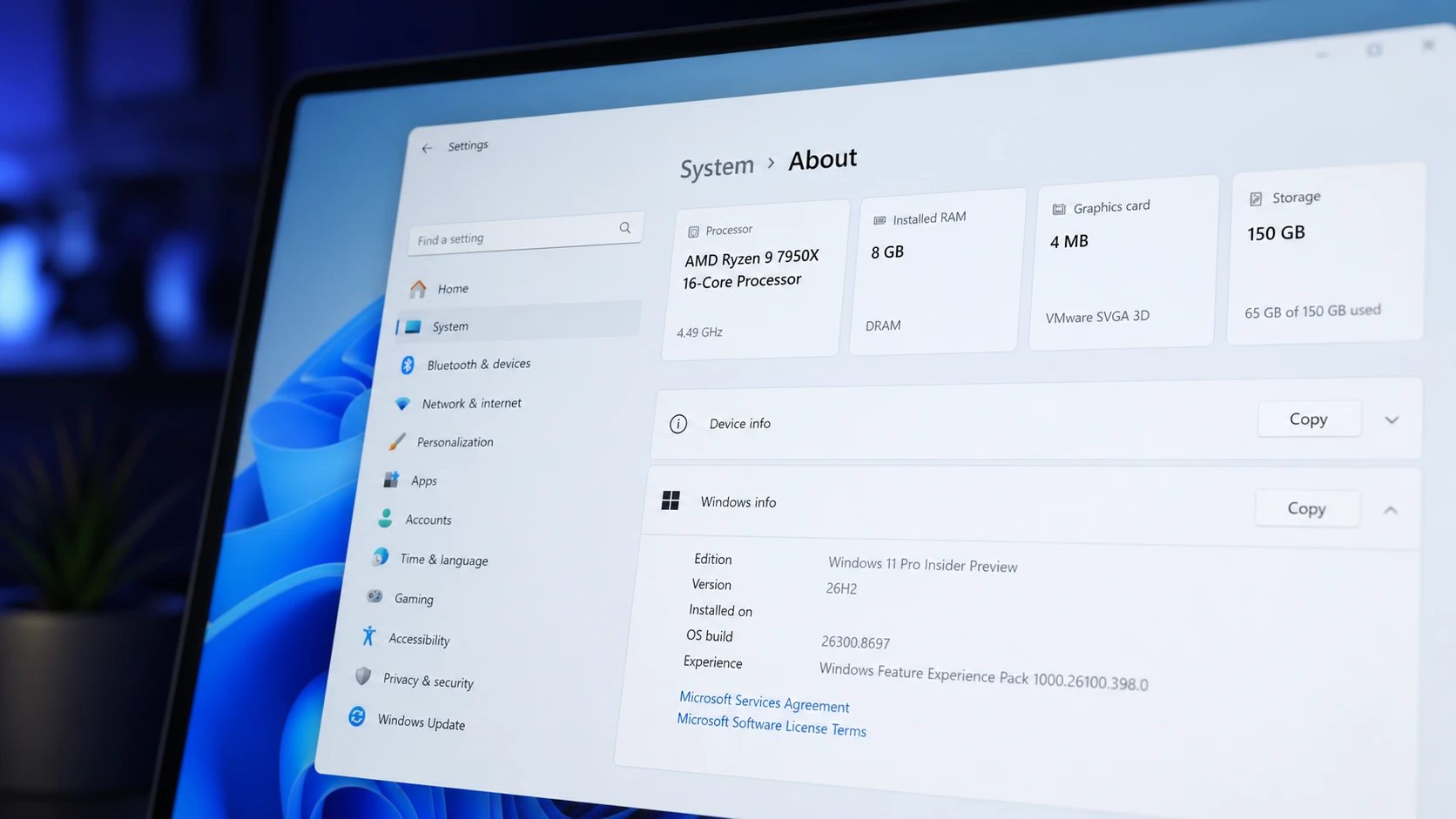
Windows 11 26H2 does not raise the bar for hardware. The 2026 update ships as a small enablement package that flips the version number on systems already running 24H2 or 25H2, and it leans on the same platform underneath. If your PC runs one of those versions today, it qualifies for 26H2 with no extra checks.
Quick answer: If your device is already on Windows 11 24H2 or 25H2, it is compatible with 26H2. The minimum specs stay at a 1 GHz dual-core 64-bit processor, 4 GB of RAM, 64 GB of storage, TPM 2.0, and Secure Boot capability.
Windows 11 26H2 minimum hardware requirements
The baseline matches 24H2 and 25H2 exactly because all three share the same platform and file system. These are the specs your machine must meet to install and boot the 2026 update.
| Component | Minimum requirement |
|---|---|
| Processor | 1 GHz or faster, 2 or more cores, compatible 64-bit CPU or SoC |
| RAM | 4 GB |
| Storage | 64 GB or larger drive |
| System firmware | UEFI with Secure Boot capability |
| TPM | Trusted Platform Module (TPM) version 2.0 |
| Graphics | DirectX 12 or later with a WDDM 2.0 driver |
| Display | 720p HD, larger than 9 inches diagonally |
| Connectivity | Internet connection and a Microsoft account for setup |
Secure Boot is strongly recommended rather than strictly mandatory. You can install without it, but some modern games rely on anti-cheat systems that expect it to be on. If you plan to dual-boot with Linux, turning Secure Boot off is usually the cleaner path.
If you are coming from Windows 10
Upgrading a Windows 10 PC is the one case where the requirements actually matter. The original Windows 11 hardware rules still apply in full. Your device needs a supported 64-bit dual-core processor, 4 GB of RAM, 64 GB of storage, TPM 2.0, and Secure Boot before it will pass the compatibility check.
Note: Windows 11 24H2 reaches end of support on October 13, 2026. Moving to 25H2 or 26H2 before that date keeps a device on a supported build.
Copilot+ PC requirements for 26H2
The AI features branded as Copilot+ sit above the standard minimum. They need a much faster on-device neural engine and more memory and storage. A regular Windows 11 PC still runs 26H2 fine, but it will not unlock the Copilot+ experiences unless it clears this higher bar.
| Component | Copilot+ requirement |
|---|---|
| Processor | Snapdragon X, AMD Ryzen AI 300 series, or Intel Core Ultra 200V series |
| NPU | 40+ TOPS |
| RAM | 16 GB or greater |
| Storage | 256 GB SSD or larger |
| Firmware | UEFI with Secure Boot enabled |
| TPM | Trusted Platform Module (TPM) version 2.0 |
Supported processors for 26H2
The processor list carries over unchanged from 24H2 and 25H2. The headline cutoffs are easy to remember.
- Intel: Core 8th Gen and newer, plus select Pentium, Celeron, Atom, and Xeon chips. Among 7th Gen parts, only the 7820HQ qualifies. Core X and Xeon W are supported when shipped with DCH drivers.
- AMD: Second-generation Ryzen and newer, including Threadripper, plus some EPYC and Athlon parts.
- Qualcomm: Snapdragon 850, 7c, 8c, and 8cx (Gen 1 and 2), Snapdragon X Elite and Plus, and the Microsoft SQ1, SQ2, and SQ3.
Microsoft publishes the full eligibility lists for supported Intel processors, AMD parts, and Qualcomm chips if you want to confirm an exact model.
26H1 cannot move to 26H2
There is one important exception to the smooth upgrade story. Windows 11 26H1 is a separate, hardware-optimized release built on a different Windows core for new silicon such as the Snapdragon X2 family and Nvidia N1. Devices that shipped with 26H1 cannot update to 26H2 because the underlying platforms differ. Those machines follow a path to a future Windows release instead.
For everyone on a mainstream x86 or first-generation Arm PC running 24H2 or 25H2, 26H2 is the standard annual update and the recommended target for broad deployment.
The instruction-set requirement that blocks very old CPUs
Even on unsupported hardware, 26H2 will only boot if the processor supports the full SSE4.2 instruction set, which includes the POPCNT (Population Count) instruction. Without these, the system fails to start. This affects processors made before 2007, so almost any machine already running Windows 10 or an earlier Windows 11 build clears it.
To install on an otherwise unsupported PC, the CPU must still meet a short list of conditions.
- 64-bit processor with two or more cores
- 1 GHz or faster
- Intel, AMD, or Arm
- Full
SSE4.2support, includingPOPCNT - 4 GB of RAM, 64 GB of storage, with TPM 1.2 and Secure Boot enable
You can confirm whether a processor carries these instructions with the CPU-Z app, under the Instructions field on the CPU tab.
How to confirm your PC is eligible
The fastest check is the version your machine is already on. Open Settings, go to System, then About, and look at the Windows specification. If it reads 24H2 or 25H2, the compatibility question is settled and 26H2 will arrive as a quick enablement package with a single reboot.
You will know the upgrade landed when the version number changes to 26H2 in Settings and the support timeline resets. There are no visible desktop changes after install, since the package only switches on code that was already present.
To preview the release early, you can enroll a test device in the Windows Insider Program and join the Experimental channel, where 26H2 builds in the 26300 series are available. Microsoft has confirmed the full release for the second half of 2026, with no specific public release date set beyond that fall window.
For the vast majority of existing Windows 11 users, the practical takeaway is simple. Nothing about your hardware needs to change to stay current. The only group that should look closely at the spec sheet is anyone still planning a jump from Windows 10, where the original eligibility rules continue to apply in full.



