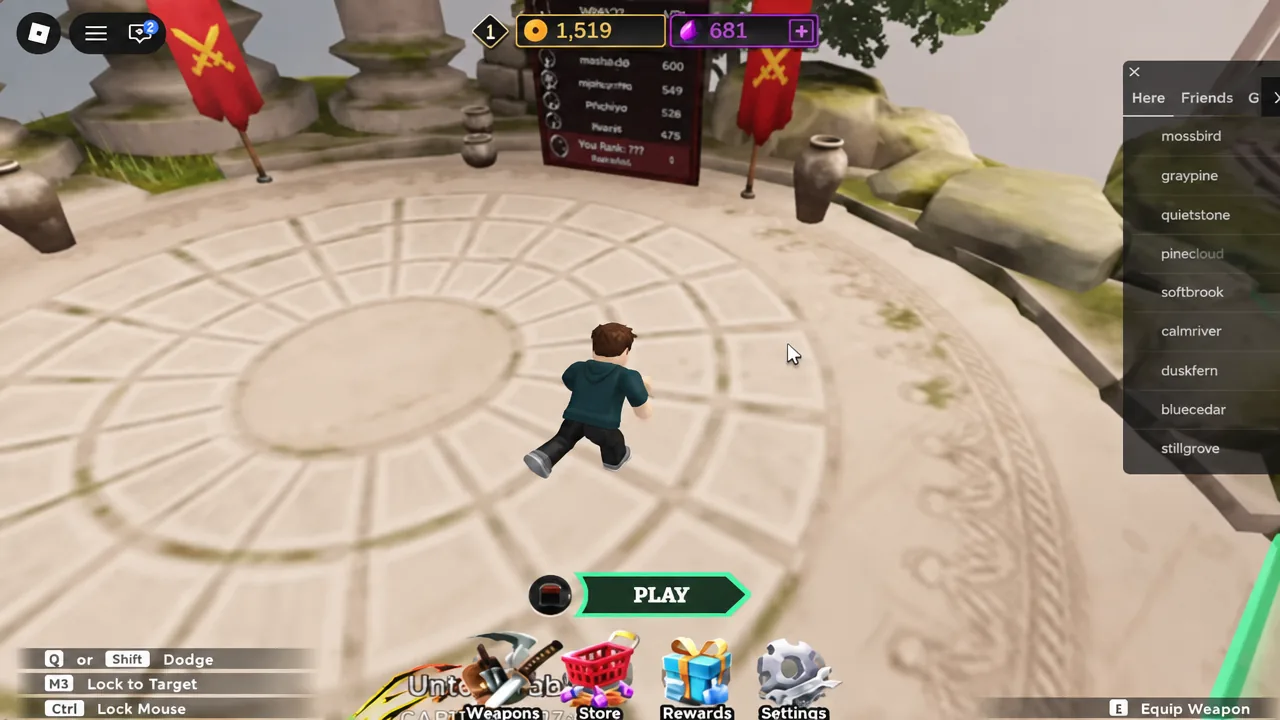
Dueling Grounds keeps almost everything important outside the arena. Codes, patch notes, bug reports, and answers to “why did that parry not land” all live in the game’s Discord server, and there’s no button inside the match lobby that takes you there. The invite sits on the Roblox experience page, a short scroll below the Play button.
Quick answer: Leave the game, open the [💙UPD] Dueling Grounds ⚔️ experience page on Roblox, scroll down to the Social Media section, click the Discord icon, then click Continue on the “Leaving Roblox” pop-up.
Where the Dueling Grounds Discord link is stored
The link is attached to the Roblox listing for the experience, not to the game client. That means you have to exit the match — or open Roblox in a second tab or on another device — to reach it. From the in-game lobby, the Weapons, Store, Rewards, and Settings buttons won’t help you here.
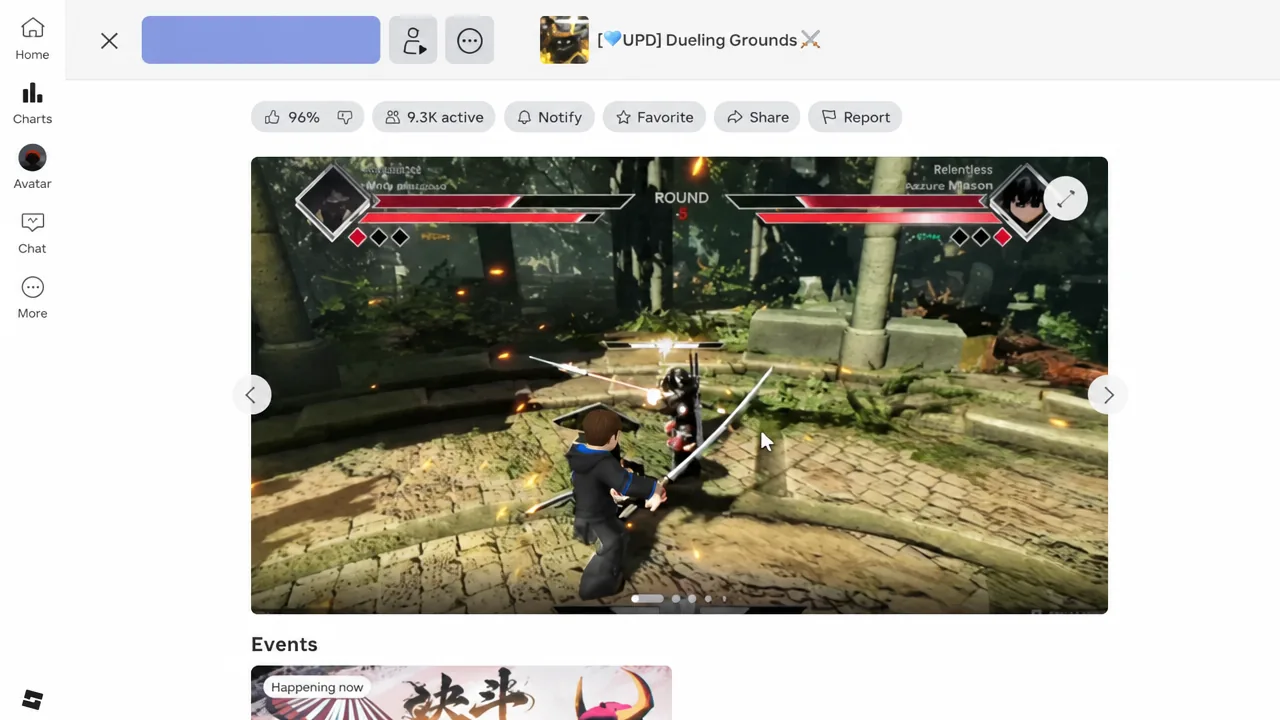
Before you click anything, make sure you’re on the right listing. Fan-made copies of popular fighting games are common on Roblox, and they carry their own (unofficial) Discord links. The real Dueling Grounds experience page is easy to identify by its page details.
| Page detail | What it should read |
|---|---|
| Experience name | [💙UPD] Dueling Grounds ⚔️ |
| Genre | Action — Battlegrounds & Fighting |
| Maturity | Moderate |
| Server size | 14 |
| Created | 10/28/2025 |
![The [💙UPD] Dueling Grounds ⚔️ experience page, with the Play button at the top — the Discord link sits further down this same page.](https://static.allthings.how/wp-content/uploads/2026/09/how-to-join-discord-server-in-dueling-grounds-roblox-4300002476.webp)
Join the Discord server from the Roblox game page
This is the safest route, because the link is published by the developers on their own listing. You’ll need a free Discord account first; the invite will simply bounce you to a sign-up screen if you don’t have one.
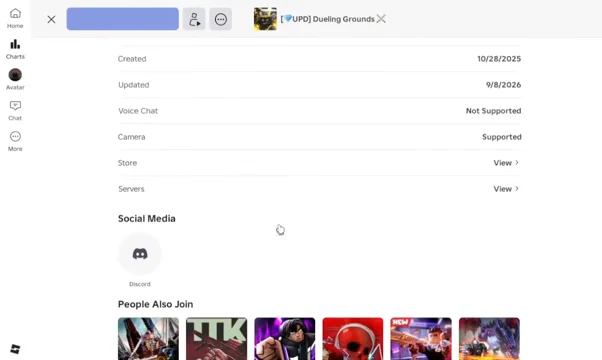
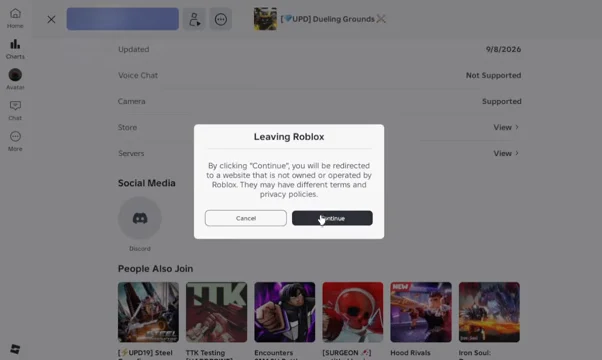
Use the direct Discord invite link instead
If you’re already sitting in Discord, skip the Roblox detour entirely. The community server has a vanity invite, which is the same destination the icon on the experience page points to.
Note: there’s a separate support server for account problems — lost progress, scam reports, and similar complaints. It’s a different server from the main community hub, so joining one doesn’t get you into the other.
How to confirm you joined the right server
You’ve joined successfully when the server name reads Dueling Grounds in your server list and the full channel list loads instead of a single locked rules channel. If you only see the rules or verification channel, the join isn’t finished — react or click through whatever the welcome message asks for.
Member count is the other sanity check. The official server runs into the tens of thousands. A near-identical server name with a few hundred members is a copycat, and any codes posted there are not going to redeem.
Why the invite fails to open
There are only a handful of reasons the link doesn’t work, and each has a specific fix.
| Problem | Fix |
|---|---|
| Nothing happens after clicking the icon | You dismissed the “Leaving Roblox” dialog with Cancel. Click the icon again and choose Continue. |
| Invite says expired or invalid | Go back to the Social Media row on the experience page and use the icon there, which always points at the current invite. |
| Discord asks you to log in | You need a free Discord account. Sign up, verify the email, then reopen the invite. |
| Only one channel is visible | Verification isn’t complete. Follow the prompt in the rules or welcome channel. |
| Redirect blocked on mobile | Copy the invite link and paste it into the Discord app using Join a Server. |
What the Dueling Grounds Discord channels are for
The server is unusually tidy for a Roblox community, which makes finding the useful channels quick. These are the ones worth pinning.
| Channel | Use it for |
|---|---|
| #codes | Working codes posted by the developers, usually for Coins and Gems. |
| #general | Finding people to duel and general chat. |
| #questions | Asking for help from other players and moderators. |
| #faq | Checking whether your question already has an answer. |
| #bug-reports | Sending glitches straight to the developers. |
One thing you won’t find anywhere: a Trello board. Dueling Grounds doesn’t run one, so anything advertised as an official Trello for the game is fan-made. Mechanics, weapons, titles, and currencies are documented on the game’s wiki instead, and everything time-sensitive goes through Discord.
The whole process takes about a minute once you know the invite isn’t hiding somewhere in the lobby UI. Bookmark the experience page rather than the invite itself — if the server ever rotates its link, the icon under Social Media updates with it, while a saved invite in your browser history won’t.