Facecard Makeup Showdown keeps its brushes and palettes front and center, but four of its most useful options sit in a smaller sub-menu called TOOLS. Some of them change paint that is already on the face, one adds new shapes, and one is locked behind a paywall. Here is how each one behaves and how to practice with them without a round timer running.
Quick answer: Open the MAKEUP tab, click TOOLS, then pick Blender, Wipe, Shape Stamps or Rhinestones. Blender and Wipe need no colour. Rhinestones requires VIP.
Facecard Makeup Showdown Tools menu: the four options
The left side of the editor has three main tabs, MAKEUP, SCULPT and STYLE. Under MAKEUP you get a row of sub-tabs: BASE, CHEEKS, EYES, LIPS, TOOLS, LASHES and SETTING. Clicking TOOLS lists four options.
| Tool | What it does | Picks a colour? | Access |
|---|---|---|---|
| Blender | Works on existing paint | No | Free |
| Wipe | Erases painted layers | No | Free |
| Shape Stamps | Places preset shapes | Yes | Free |
| Rhinestones | Stick-on face gems | — | VIP only |
When you select Blender or Wipe, the colour area shows “NO COLOUR NEEDED” along with a reminder that the tool acts on paint you have already applied. If nothing is painted in a spot, these two tools have nothing to work on there.
Practice the tools in Freeplay mode
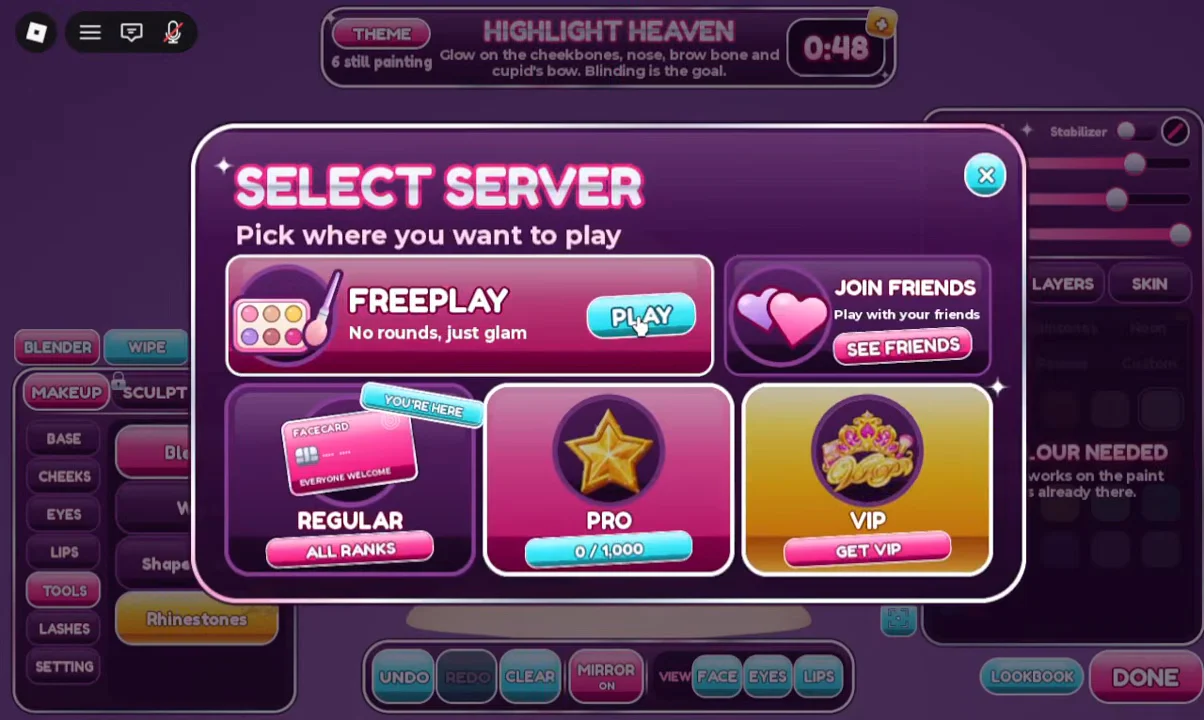
Regular rounds give everyone a theme and a countdown, which is a bad time to learn what an eraser does. Freeplay servers have no rounds and no timer, so you can test every tool at your own pace. If you are not in the game yet, launch Facecard Makeup Showdown on Roblox first.
How to use Wipe and Blender
Both tools edit paint that is already on the face, so you need something painted before you can see them work. Foundation is the easiest test because it covers a large area.
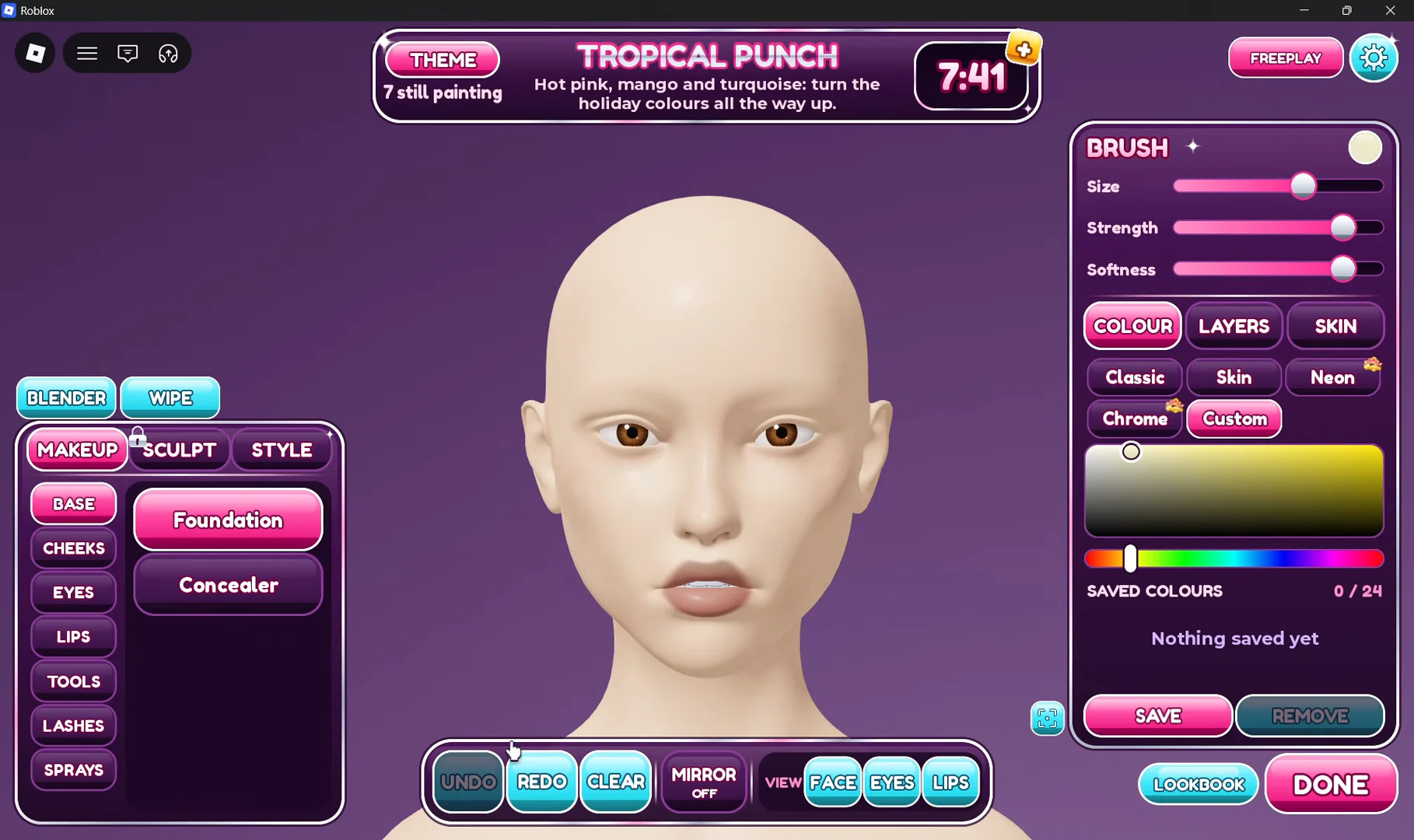
Blender is the other option in the same menu and also works without a colour. Select it and drag over existing paint. Its behaviour can be changed in the SETTINGS window, which has a toggle labelled BLENDER MODE BLUR with a NEW tag. The same window holds MUSIC and SOUND EFFECTS volume sliders (both default to 50%), a REDUCE FLASHES option for softer flashes and less shake, and a NAME TAGS toggle.
Wipe removes paint in specific spots. To undo a single stroke, use UNDO on the bottom bar. To reset the entire face at once, use CLEAR.
How to use Shape Stamps
Shape Stamps places preset shapes on the face with one click per stamp. Unlike Blender and Wipe, it uses the normal colour palettes. Four shapes are available:
- Circle
- Heart
- Star
- Sparkle
Choose a shape, then pick a colour from any palette tab: Classic, Skintones, Neon, Chrome, Powder or Custom. Neon and Chrome are VIP palettes. Adjust the stamp’s size before you place it. Sizing works through the brush panel in the top-right corner, which also has Strength, Softness and a Stabilizer toggle.
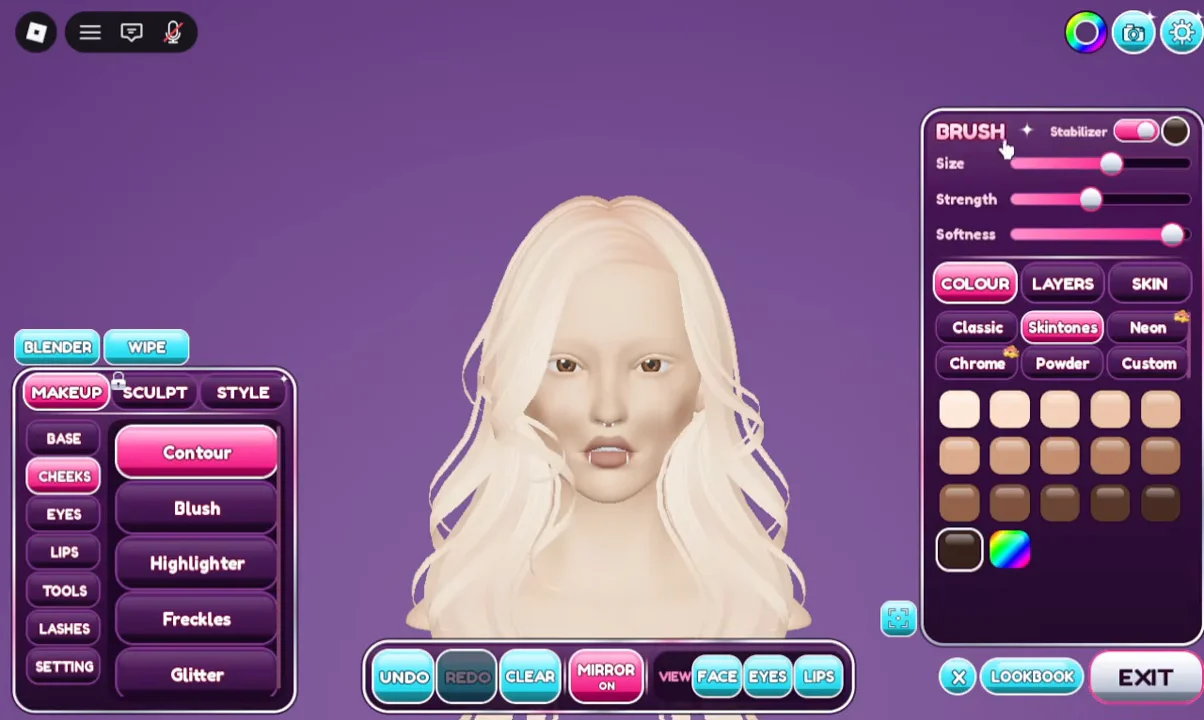
Click anywhere on the face to drop a stamp. You can scatter several, for example pink circles across the cheeks, or place one on its own, such as a single small circle in the middle of the forehead for a bindi-style dot. With MIRROR ON active on the bottom bar, your work is reflected onto the other side of the face. If the stamps go in the wrong place, UNDO removes the most recent one and CLEAR resets the whole look.
Rhinestones: VIP requirement and price
Rhinestones appears in the TOOLS list for everyone, but selecting it without VIP does not open the tool. Instead you get a prompt explaining that stick-on face gems are a VIP perk, with a GET VIP button and an option to gift VIP to a friend.
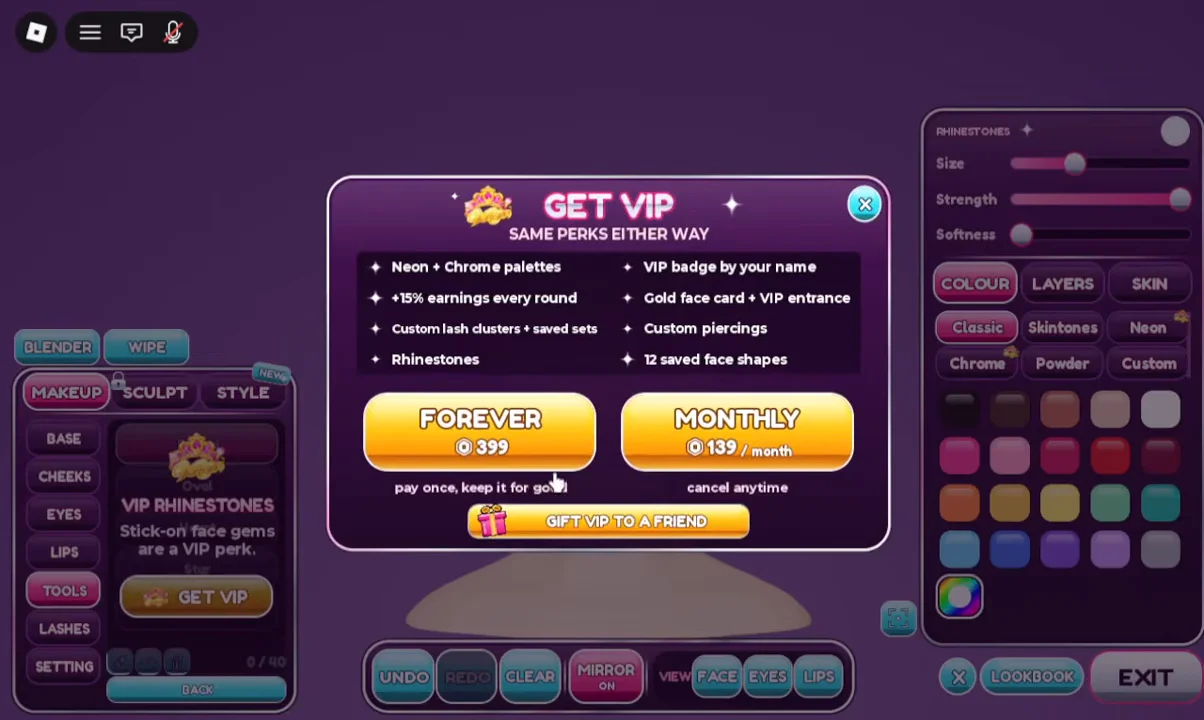
| VIP option | Price | Terms |
|---|---|---|
| FOREVER | 399 Robux | One payment, permanent |
| MONTHLY | 139 Robux per month | Cancel anytime |
Along with Rhinestones, VIP includes the following:
- Neon and Chrome palettes
- 15 percent more earning points
- Custom lash clusters and saved sets
- A VIP badge by your name, a gold face card and a VIP entrance
- Custom piercings and 12 saved face shapes
Once VIP is active, Rhinestones opens as a normal tool rather than the purchase prompt. That is the quickest way to confirm the perk applied to your account. Every other option in the TOOLS menu (Blender, Wipe and Shape Stamps) stays free in both Freeplay and timed rounds.