The first time you launch Phantom Blade Zero on PC, the game stops on a full-screen “Compiling Shaders…” screen. It stays there for a long time, and the percentage barely moves. It looks broken, but it isn’t.
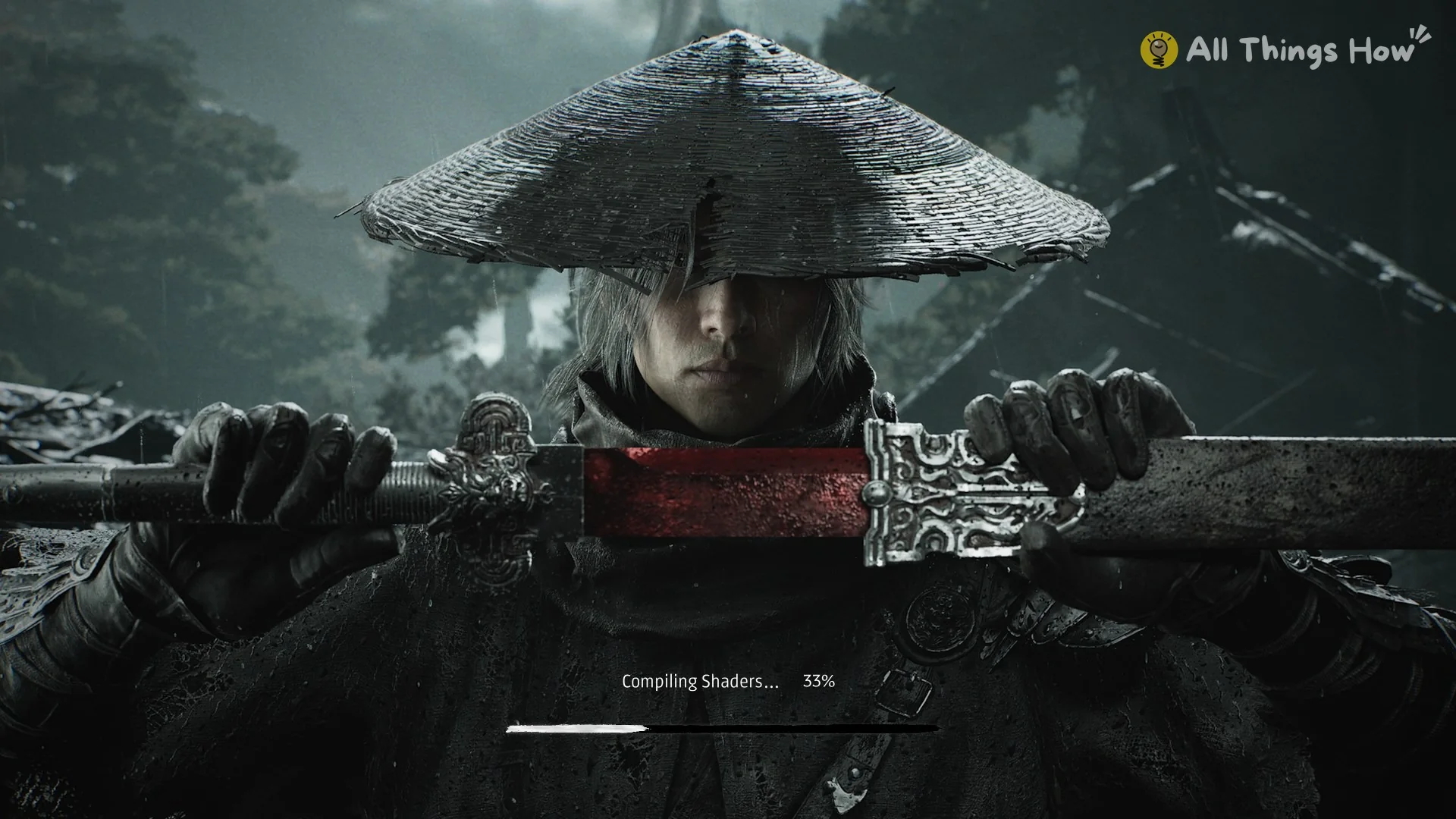
Quick answer: This is a slow, one-time step on first launch. Let it finish. On an Intel Core i7-9700K, the compile was at 33% after about 18 minutes.
What the Phantom Blade Zero shader compile screen looks like
After Steam’s controller notice and the studio splash, the game switches to full screen on its title art. The art shows a swordsman in a straw hat holding a red-bladed sword. Over it sits the text “Compiling Shaders…” with a percentage and a thin progress bar underneath.
Until compilation finishes, you cannot do anything else: there are no menus or settings to open, and no way to cancel the process.
How long compiling shaders takes on PC
These timings were recorded on a PC equipped with an NVIDIA GeForce RTX 2060, an Intel Core i7-9700K with 8 cores and 8 threads, and an NVMe SSD holding the game.
| Time since launch (i7-9700K) | Progress |
|---|---|
| About 3 minutes | 7% |
| About 6 minutes | 16% |
| About 18 minutes | 33% |
| By about 55 minutes | Done (game on its first-run screens) |
On this CPU, the full compile lands somewhere between roughly 20 and 55 minutes. The counter doesn’t climb at a steady pace. It can hold on a single number for several minutes, and that pause is what makes the screen look frozen.
Why your PC feels frozen during the compile
Phantom Blade Zero compiles shaders on the CPU, keeping every CPU thread at 100% for the whole process. On an 8-thread chip, its process consumed about 14,600 CPU-seconds in the first 55 minutes after launch, while the graphics card remained almost idle.
The game also runs at High priority (as shown in Task Manager), so Windows favors it for CPU time over other processes. Other software and network links to the PC may become extremely slow or unresponsive. The game continues running and finishes compiling without intervention.
What to do while Phantom Blade Zero compiles shaders
- Leave it running, even if the percentage stays still for several minutes.
- Don’t force-close the game. It hasn’t crashed.
- Before the first launch, close heavy programs like browsers with lots of tabs, downloads, and streaming or video apps.
- If your CPU falls below the minimum, check the Phantom Blade Zero PC system requirements.
Keep your PC usable by lowering the game’s priority
If you need to use your PC while the compile runs, you can drop the game from High to Normal priority. This only changes how Windows splits CPU time between programs. It doesn’t change anything in the game.
The game starts at High priority each time, so you’ll need to repeat this on later launches if you want the same effect.
How to tell the shader compile finished
Once the compile is done, the progress screen goes away and the game moves through its first-run screens in this order. After the title screen, set up graphics with our best PC settings for Phantom Blade Zero.
- A Pre-Order Bonus notice, if you own it
- A photosensitive seizure warning
- A three-step Gamma Calibration
- A first-launch Language page
- The title screen menu with NEW GAME / SETTINGS / QUIT GAME