Quick answer: Every character has a main name and a secondary name, and the full combination must be unique in your region.
World of Warcraft: Forever handles names differently from a realm-based game. Your character’s full name has two parts, and the full name is checked against a much larger pool of players.
WoW Forever full names: Main name plus secondary name
The two parts work like a first name and a surname. On the character creation screen, the “Full Name” field has two boxes, “Type Main Name” and “Type Secondary Name”. Together they make up the name the game checks.
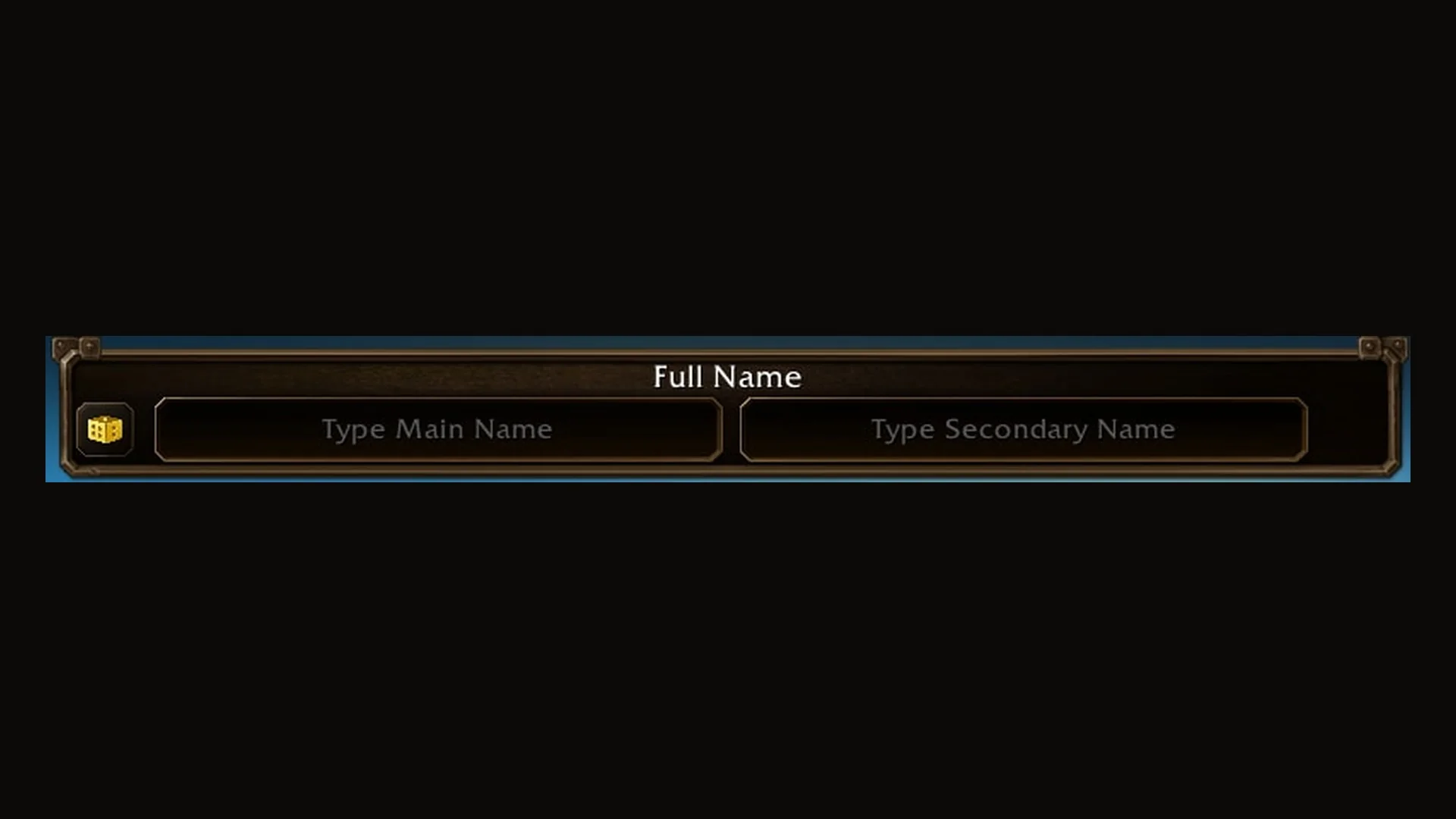
Uniqueness applies to the entire two-name pairing, not to each name on its own. You can use a first name that another character already has, as long as your complete names are different.
A secondary name might refer to a family, location, reputation, title-style identity, or another suitable term. For instance, Asha Brightvale, Thalen Brightvale, and Mira Brightvale could be a character family: each has a different first name and the same second name. A guild or adventuring group can follow a common naming pattern too, as long as every full pairing remains available in the region.
Unique across a region, not a realm
WoW Forever uses rulesets rather than traditional realms, which makes name availability broader in scope. Your complete character name must be different from every other name in your region, even if it is unused on your server.
How to hide your secondary name in WoW Forever
You can switch off your secondary name in the game world. The option is in the nameplate settings.
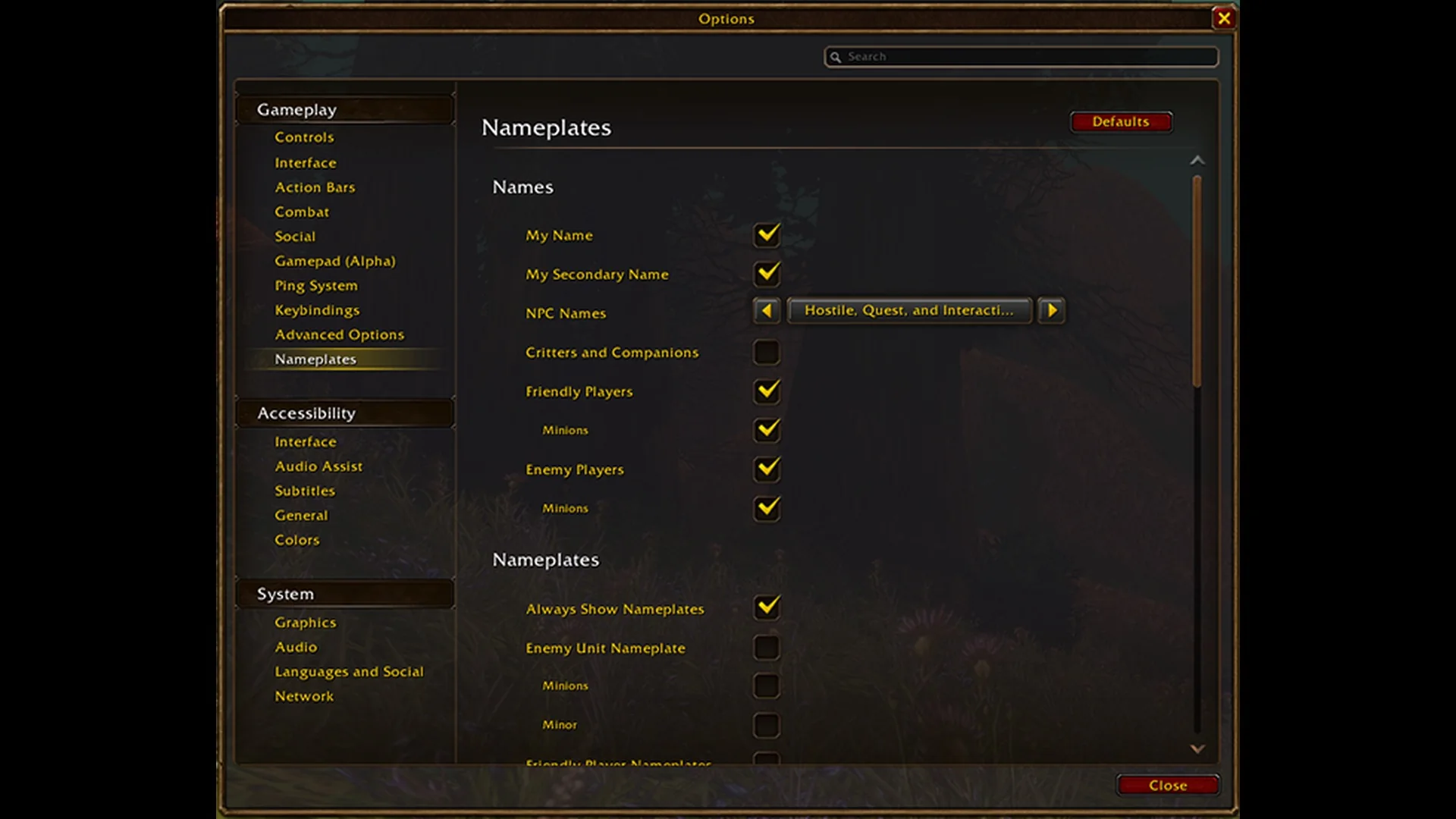
When the box is cleared, your secondary name no longer shows over your character in the world.
This setting doesn’t affect chat. Your secondary name still appears there.
Restricted names and full names that are already taken
Each name component must comply with the game’s naming code of conduct. Names may be blocked for:
- Certain names, words, spellings, and repeated-character patterns
- Names that could cause confusion
- Names that impersonate Blizzard or the World of Warcraft team
- Names that conflict with existing naming policies
The system may evaluate the two names as one, so dividing a restricted word between the main and secondary names may still fail. Roleplay and Roleplay PvP rulesets also enforce tight naming standards.
No particular name is assured to be available. If your chosen full name is already in use or fails the requirements, try another pairing. Replacing just the secondary name will often work, or you can try the in-game random name generator.