Gaming Guide

Plaid Fashion Dress To Impress: 2 Outfit Ideas (Brown Tartan Skirt and Corset, Pastel Plaid Sarong Set)

How to get plaid in Dress To Impress from the Patterns tab, plus two free Plaid Fashion looks: a brown tartan skirt with a black corset and chunky boots, and a pastel plaid sarong set with white sneakers and blonde braids.

How to get plaid in Dress To Impress from the Patterns tab, plus two free Plaid Fashion looks: a brown tartan skirt with a black corset and chunky boots, and a pastel plaid sarong set with…

Plaid fashion DTI rounds come with the hint, “Get creative with the plaid pattern!”, and it points to the key idea. Plaid is a design made from stripes crossing in multiple colors. In the Roblox fashion game Dress To Impress, it isn’t a standalone clothing item: find it under Patterns in the color panel and apply it to any part that can be recolored. Every piece below is free; other themes are in the Dress To Impress themes guide.

Quick answer: Put the brown tartan tile on the corset puff dress skirt with a black corset and chunky black boots. You can also put the pastel plaid tile on the top-shelf sarong with a white top and white sneakers.


How to apply plaid in Dress To Impress
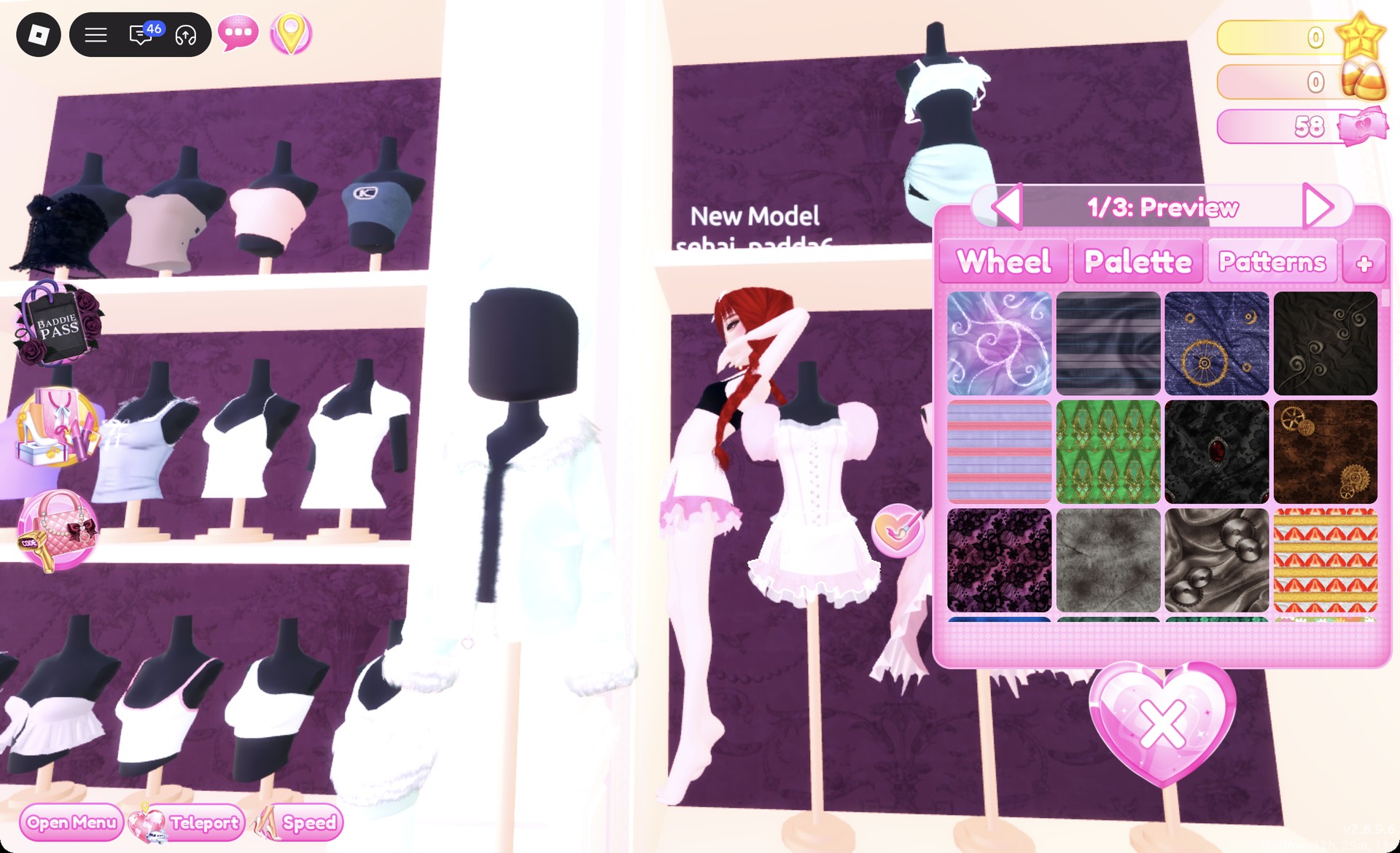
Click a piece in the Dressing Room so it starts previewing. The color panel opens beside it.
Use the arrows to step to the part you want to change. The panel labels each one, such as “1/3: Preview” or “1/1: Sarong”.
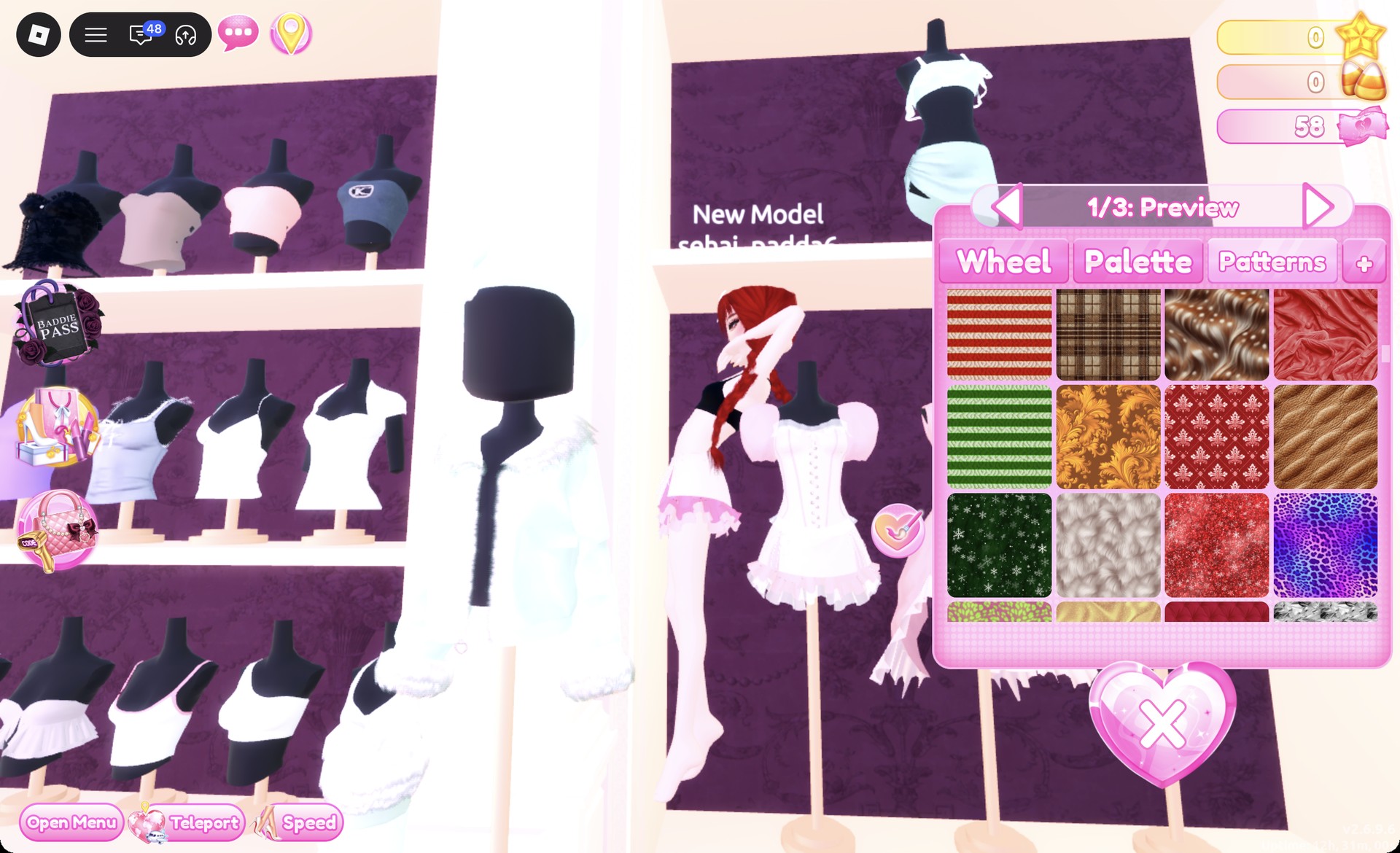
Open the Patterns tab and scroll down. The plaid tiles sit further down the list, below the first patterns.
Patterns tab at the top of the list in Dress To Impress
The Patterns tab opens at the top of the list; the plaid tiles are further down.
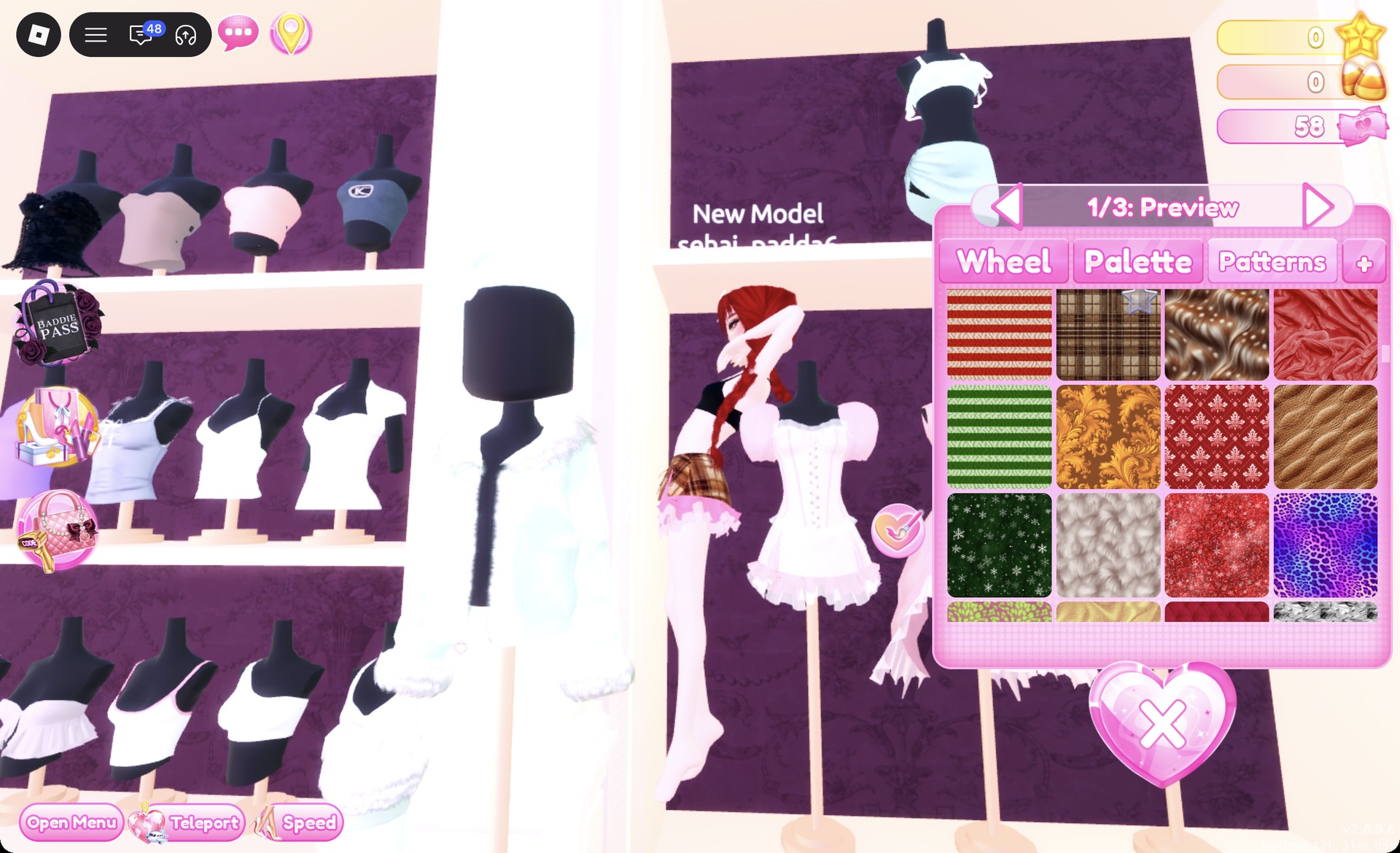
Select the plaid tile while the clothing piece remains in preview. A small star will mark your choice; it doesn’t lock the tile, and the pattern still applies as usual.
Brown and beige tartan tile on the Patterns tab in Dress To Impress
The brown and beige tartan tile (first row, second tile at this point of the list).
Press Put On, the heart-and-tick button to the left of the panel. The piece now shows on your avatar with the print.

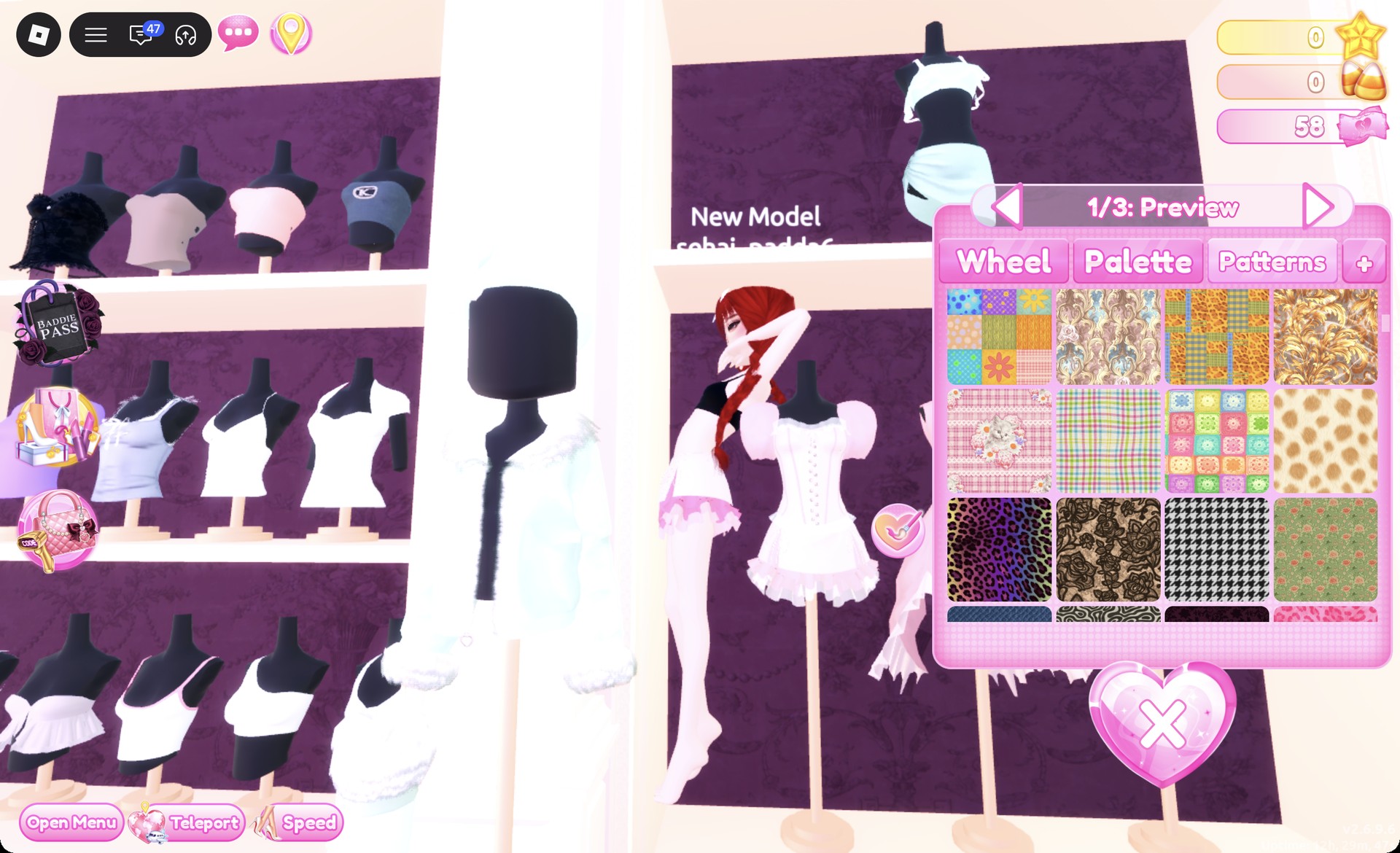
These are the plaid tiles on the Patterns tab:

  • A brown and beige tartan
  • A pastel pink, green, and yellow plaid
  • A pink plaid with a kitten print
  • A red, blue, and green tartan-style tile
  • A black and white houndstooth
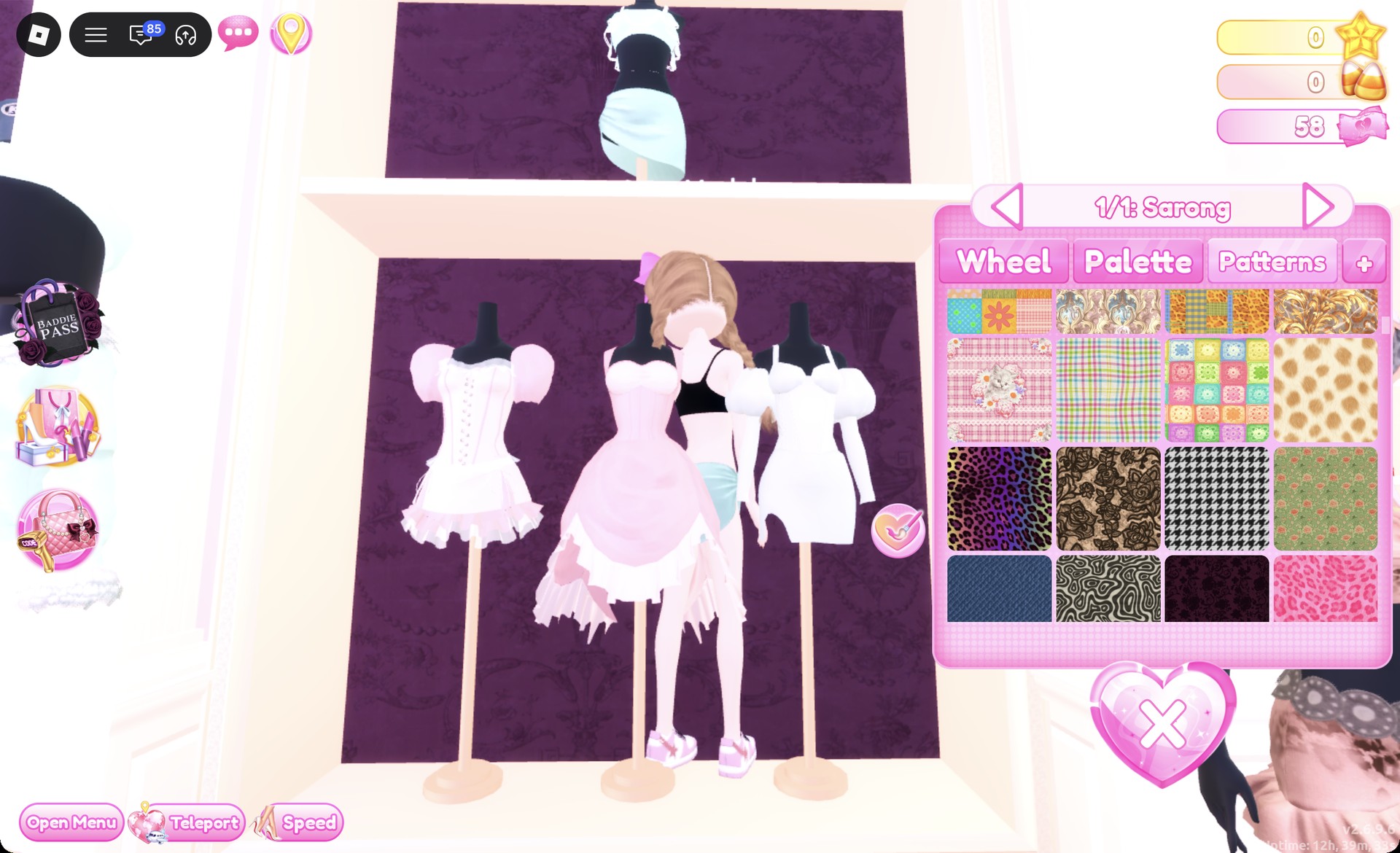
Pastel plaid and kitten plaid tiles on the Patterns tab in Dress To Impress
Further down: the pink kitten plaid and the pastel plaid side by side, the houndstooth below.

Choosing a Palette shade later for that same part will overwrite its pattern, so use solid colors only on different parts.

Palette shades below are identified by their positions in the Default palette, counting columns from the left and rows downward from the top. The eighth row goes from white through to black, with black on the final heart. To recolor something you already have on, open Wearing with the hanger button on the right and select the piece’s image.


Where to find hair, faces, clothes, and the runway

Since Dress To Impress doesn’t name its items, each piece below is identified by its location and appearance. The Teleport pin is in the screen’s upper-left corner.

WhatWhereHow to open it
HairLana’s Salon, left archHair chairs under the hood dryers, press E
FacesLana’s Salon, right archVanity seats, press E
Clothes and shoesDressing RoomTeleport pin, then “Dressing Room”
SkinSkin Tones boothSkin tab
RunwayFreeplay RunwayTeleport pin, then “Freeplay Runway”

The Hairstyles panel offers Feminine and Masculine; Bangs with Curly; Straight alongside Wavy; Updo and Locs; then Braids and Afro. Both looks share the same skin shade: the very pale swatch in position two of the Skin tab’s first row.


Plaid Fashion outfit 1: Brown tartan skirt and black corset

Start this look with the white corset puff dress found on the lower party-dress shelf. The skirt and corset are distinct pieces, and you color them separately.
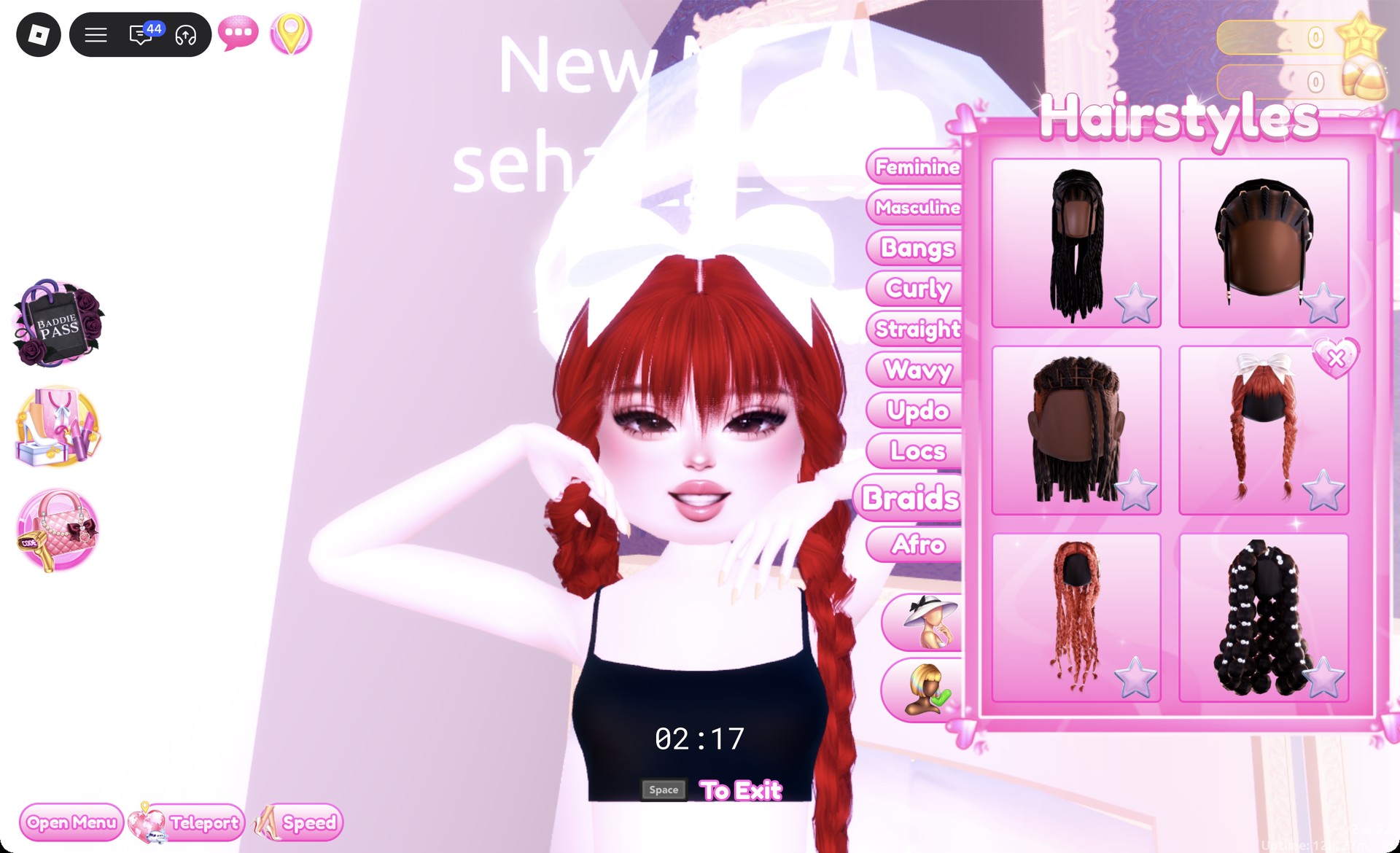
Sit in a hair chair and remove your current hairstyle with the X on its card. If you skip this, a new style goes on top of the old one.
Open the Braids tab and pick the right card in the second row. These are long red braids with straight bangs and a big white bow. Keep the default colors and press Put On.
Red braids with a white bow from the Braids tab in Dress To Impress
Braids tab, second row right card: red braids with bangs and a white bow.
At a vanity, open the Feminine tab and pick the middle card in the third row. It is a soft natural face with dark lashes, pink blush, and pink lips.
Click the skirt of the corset puff dress so the panel reads “1/3: Preview”. On part 1, choose the brown and beige tartan tile from the Patterns tab to get a brown plaid mini skirt.
Brown tartan pattern on the corset puff dress skirt in Dress To Impress
Part 1 of the skirt with the brown tartan tile picked (the star marks the chosen tile).
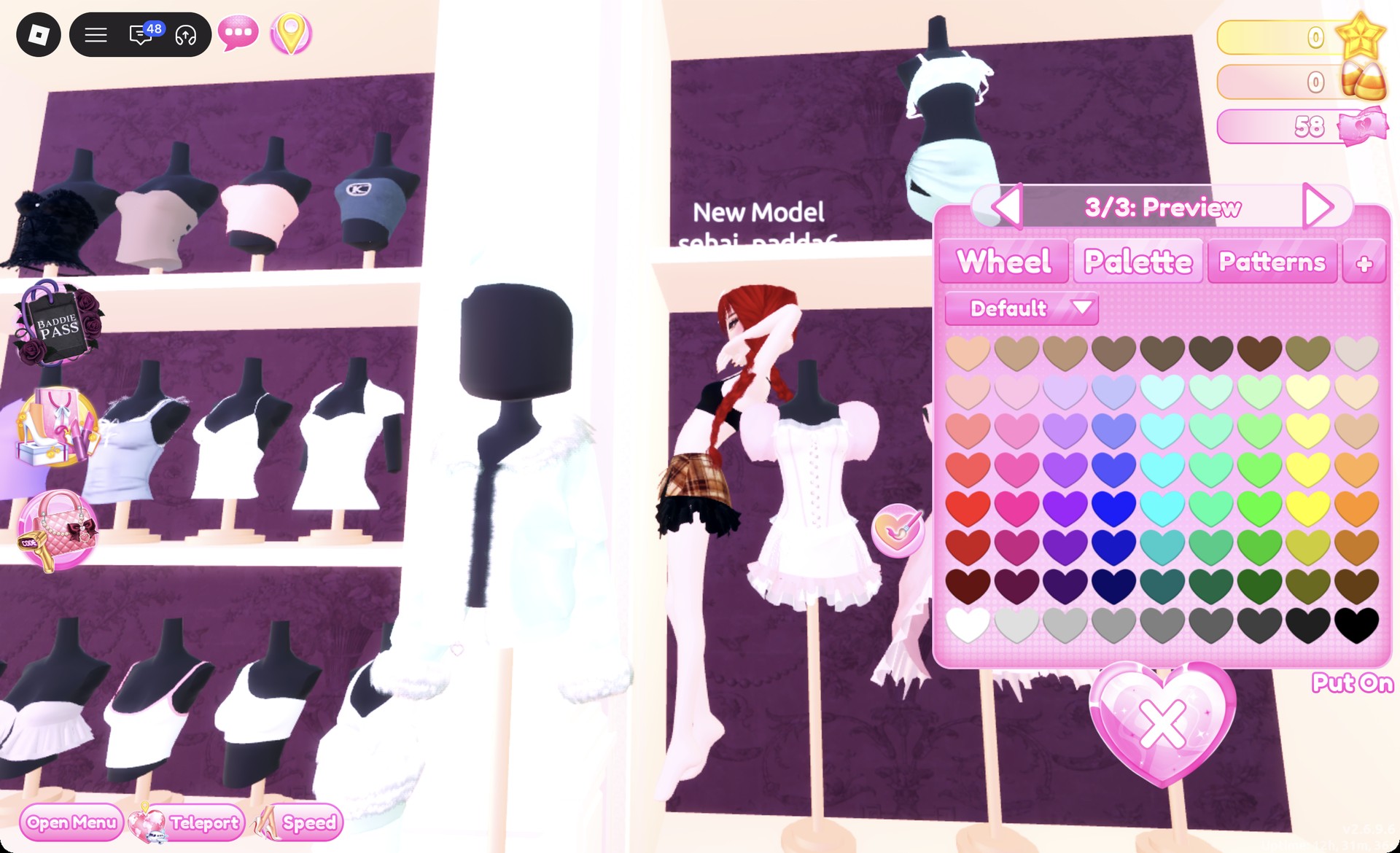
Step to parts 2 and 3 and set both to black (row 8, last heart). A black ruffle underskirt now shows at the hem. Press Put On.
Skirt parts 2 and 3 set to black in Dress To Impress
Parts 2 and 3 in black: a black ruffle under the plaid.
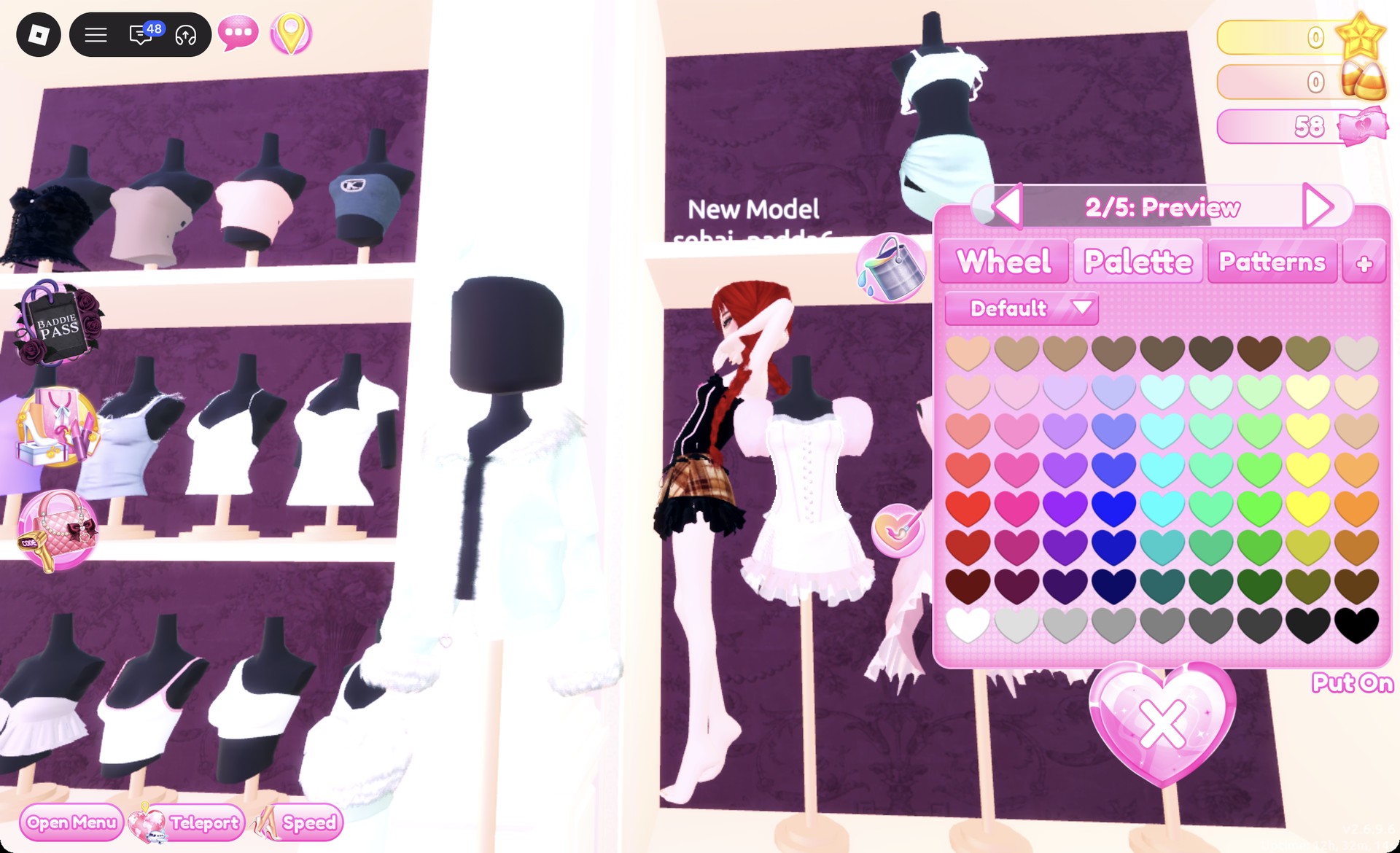
Click the corset of the same dress so the panel reads “1/5: Preview”. Set parts 1 and 2 to black for a black corset with white lacing, then press Put On.
Black corset with white lacing in Dress To Impress
The corset with parts 1 and 2 in black.
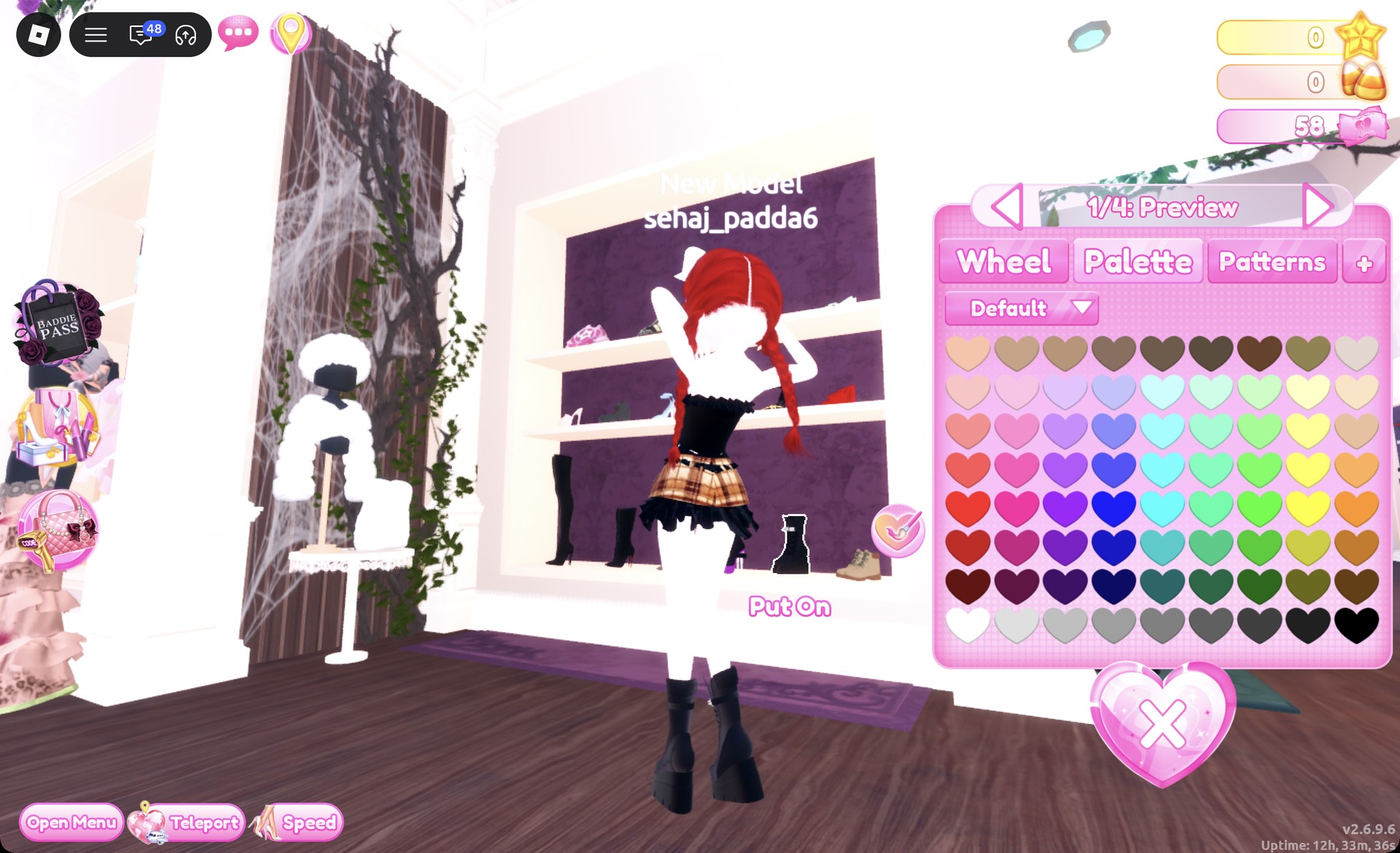
Select the chunky black platform boots with the white buckle strap from the shoe shelf’s lowest row. The panel shows “1/4: Preview”. Leave the black color as it is, then press Put On.
Chunky black platform boots on the shoe shelf in Dress To Impress
The chunky black platform boots, "1/4: Preview", default black.
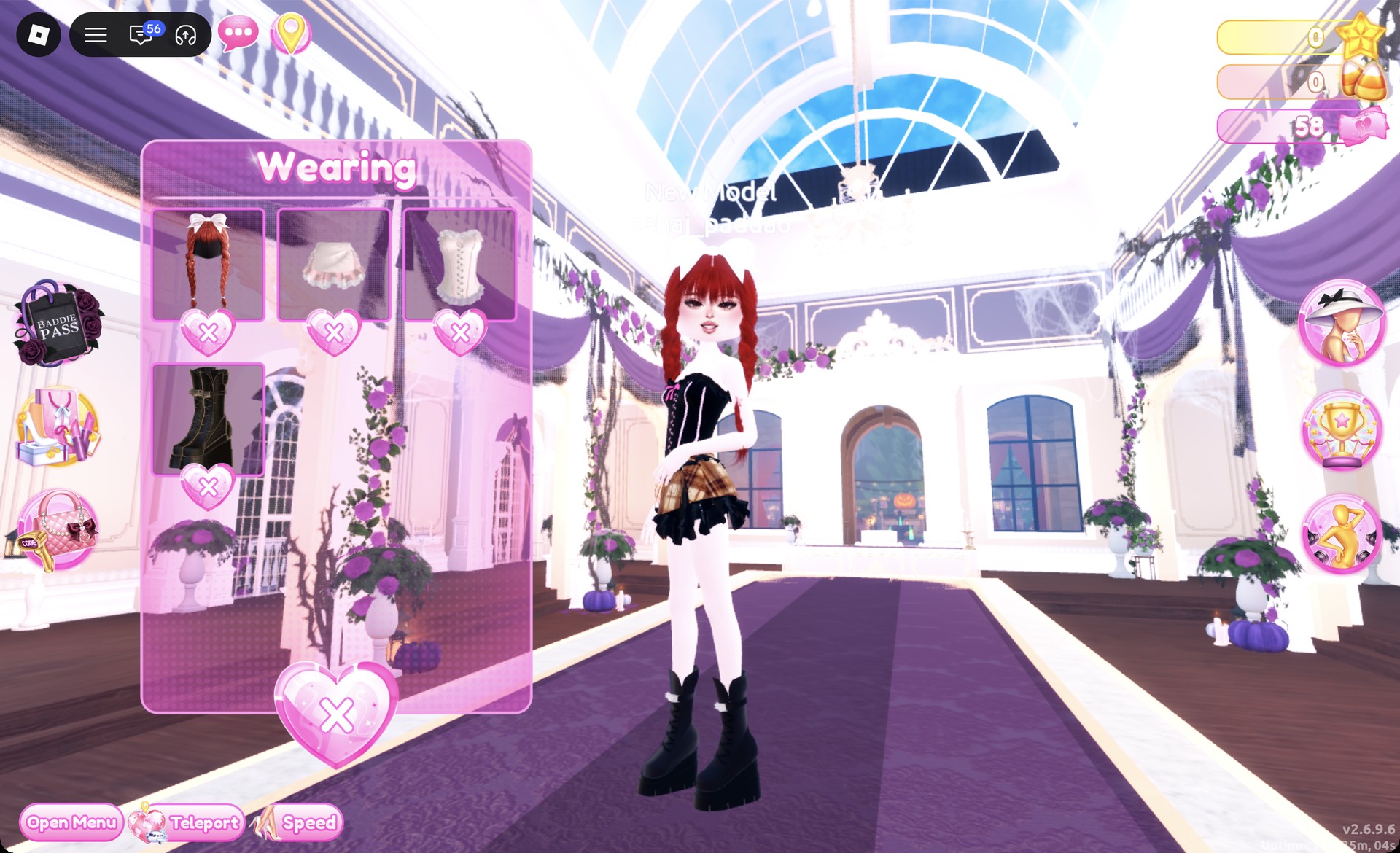
Open the Wearing panel to confirm the look. It should list the braids, skirt, corset, and boots.
Wearing panel with braids, skirt, corset and boots in Dress To Impress
The Wearing panel for look 1: braids, skirt, corset and boots.

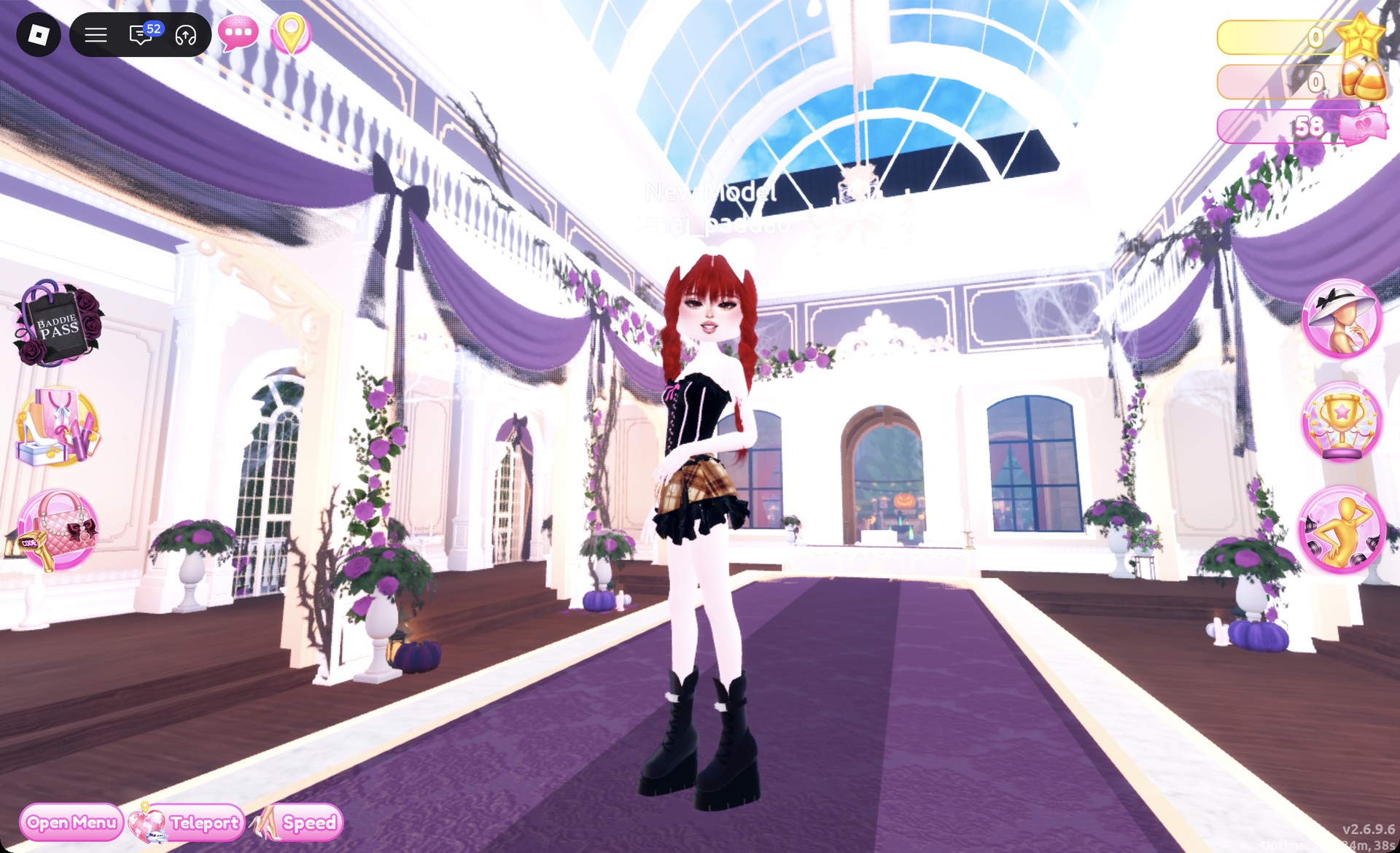
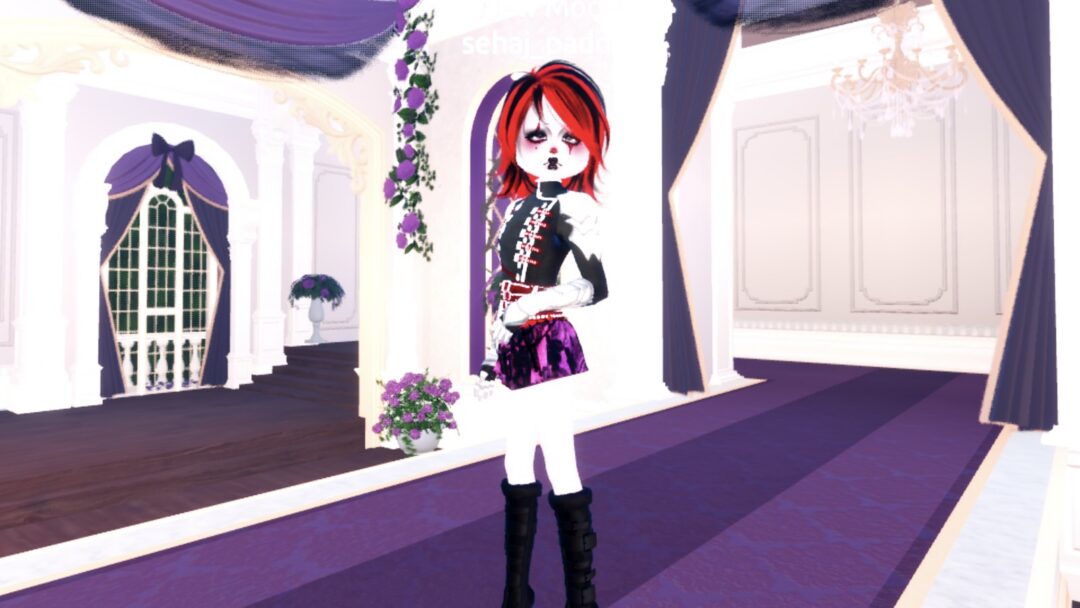
On the Freeplay Runway, the brown plaid skirt, black corset and chunky boots read clearly from the front.
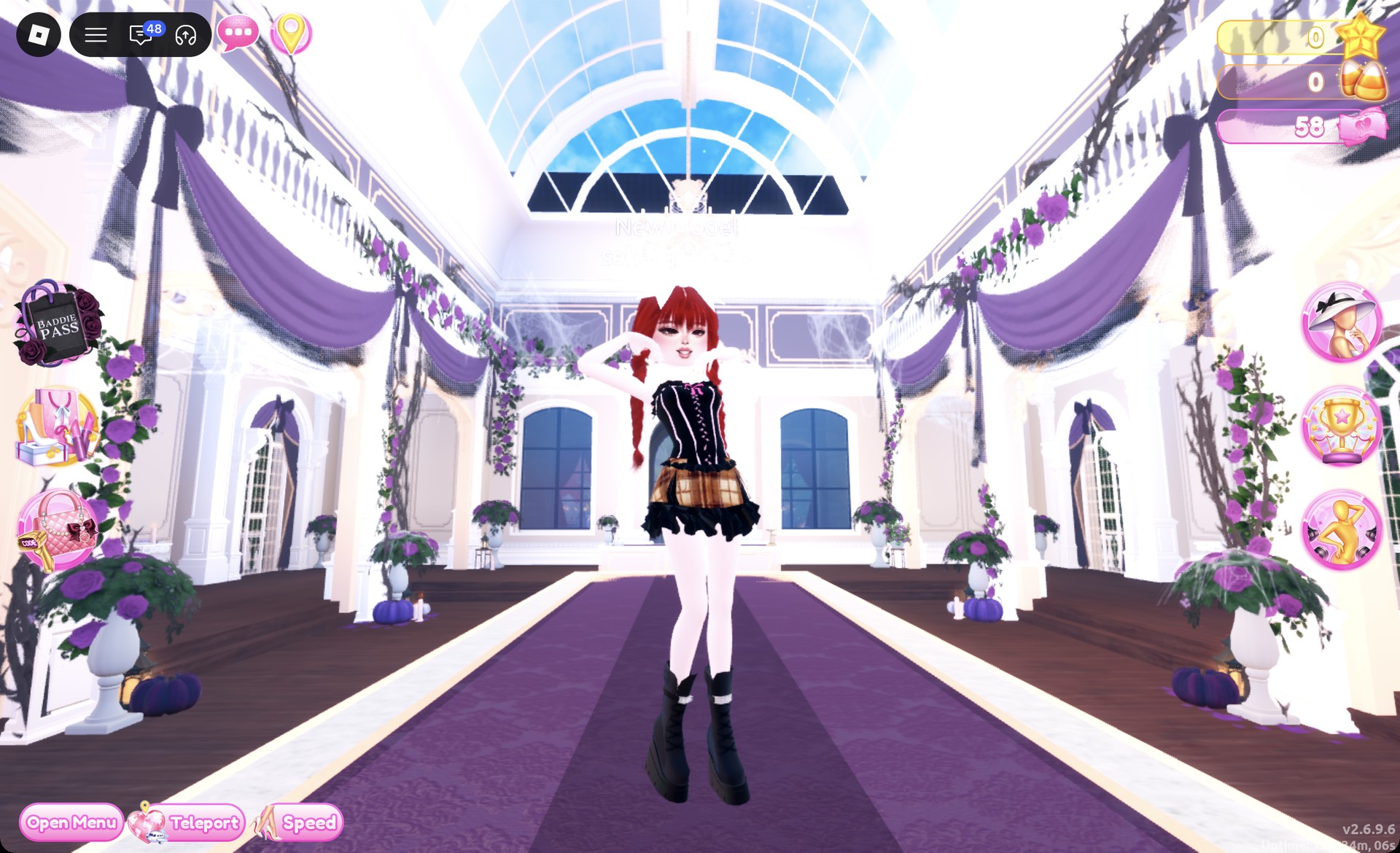
Brown tartan skirt and black corset look front view in Dress To Impress
Look 1 on the Freeplay Runway.

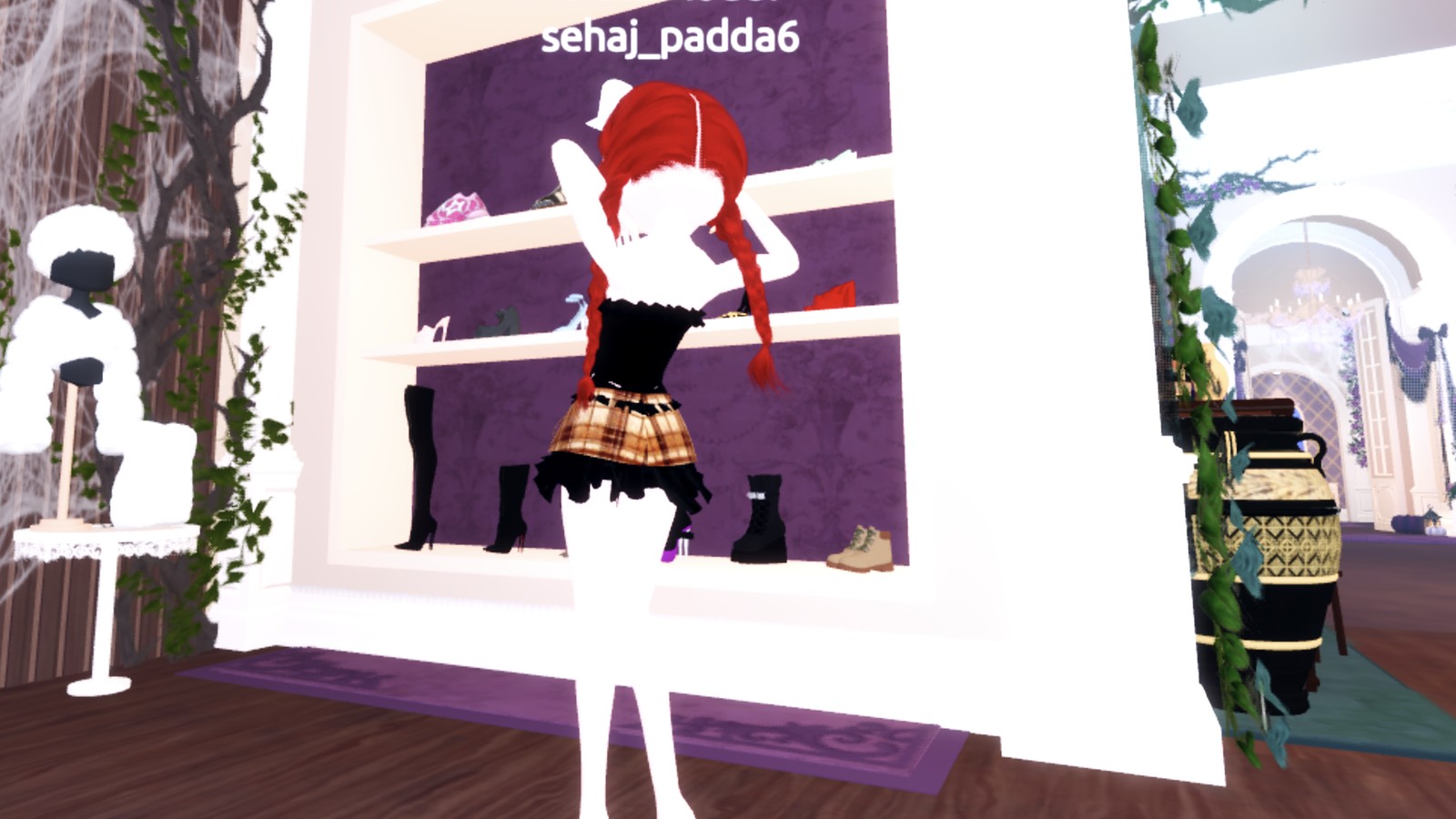
From behind, the red braids and the plaid skirt stand out.
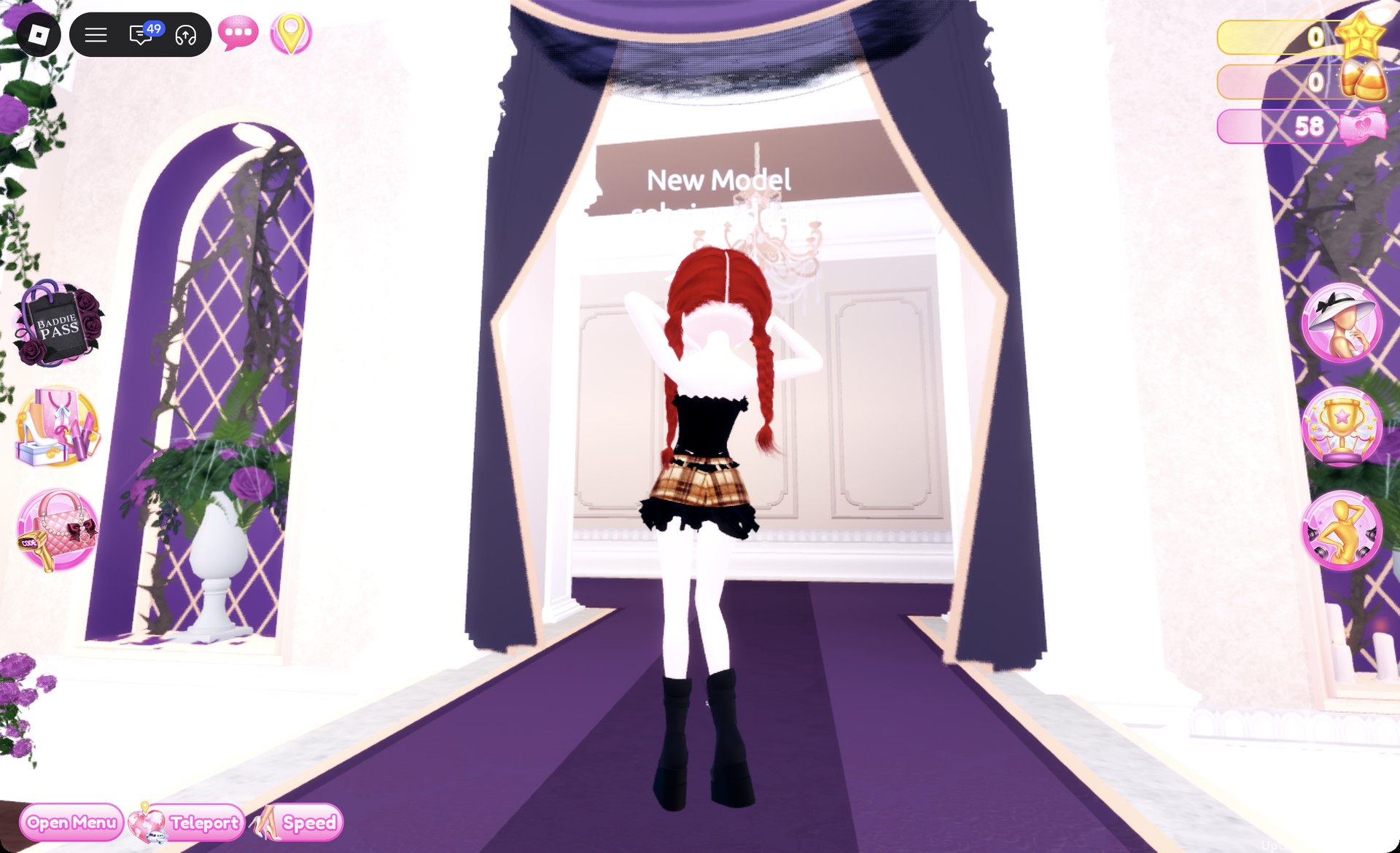
Brown tartan skirt look back view in Dress To Impress
From behind: red braids and the plaid skirt.

The Dazzle pose suits this outfit.

Brown tartan skirt look with the Dazzle pose in Dress To Impress
The Dazzle pose.

Plaid Fashion outfit 2: Pastel plaid sarong set

For the second look, use the party-dress unit’s upper-shelf two-piece, a separate item from the first look. It consists of a strapped crop top and a wrap sarong skirt. Keep the braids and face from look one, but change the colors.
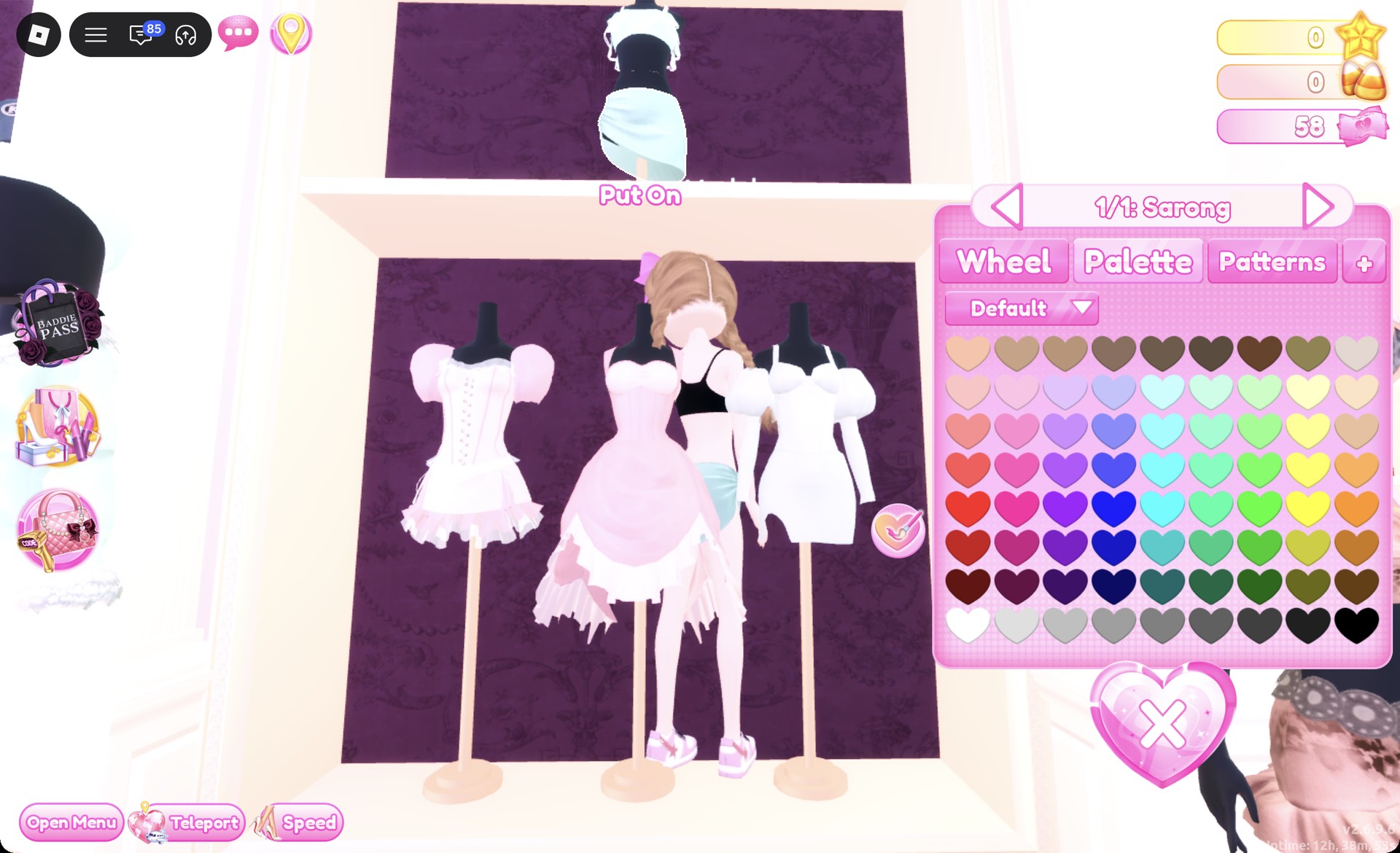
Top-shelf two-piece and the 1/1: Sarong panel in Dress To Impress
The two-piece on the top shelf of the party-dress unit; clicking the sarong opens "1/1: Sarong".
In the Wearing panel, take off the skirt, corset, and boots from the first look. Use the heart X under each picture.
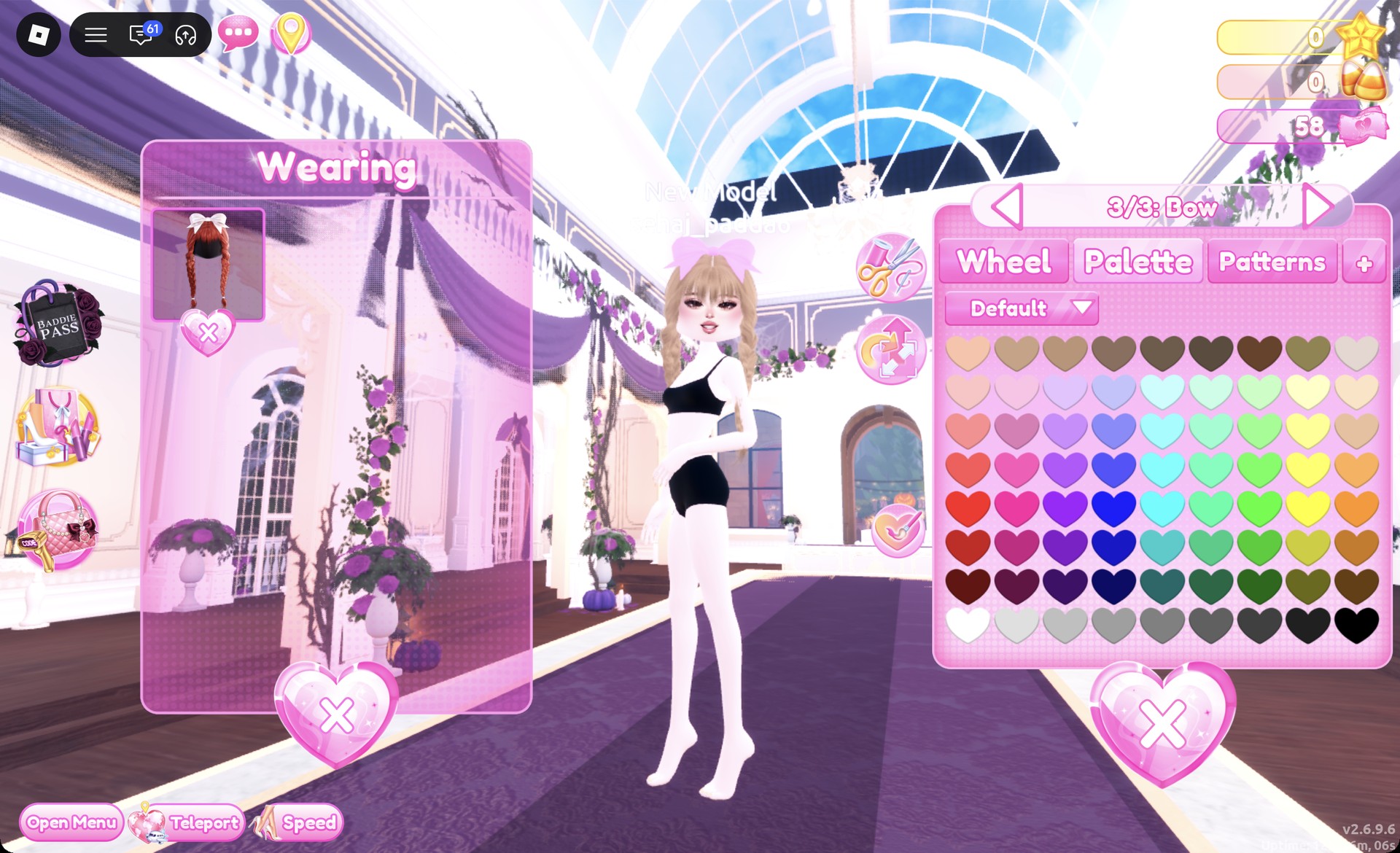
Click the braids’ picture in the Wearing panel to recolor them. Set “1/3” and “2/3” to Palette column 3, row 1, which is honey blonde.
Step to “3/3: Bow” and choose Palette column 2, row 3, a pastel pink. The result is honey blonde braids with a pink bow.
Braids recolored honey blonde with a pink bow in Dress To Impress
"3/3: Bow" set to pastel pink, the braids honey blonde.
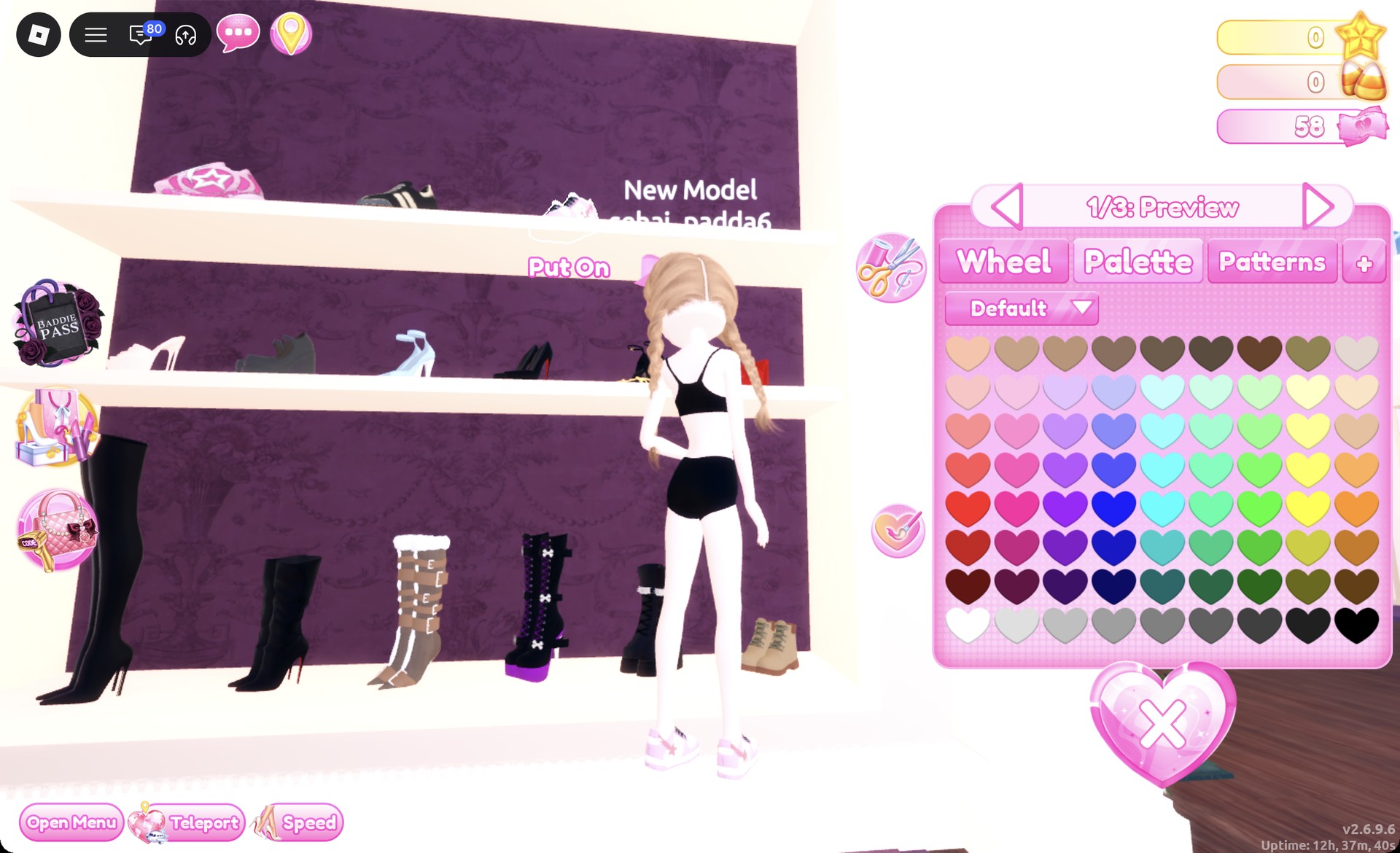
On the top row of the shoe shelf, click the white sneakers with pink accents. The panel reads “1/3: Preview”. Keep the default colors and press Put On.
White sneakers with pink accents in Dress To Impress
The white sneakers from the top row, "1/3: Preview".
Select the sarong on the mannequin at the top shelf and check that the panel reads “1/1: Sarong”. Open Patterns, choose the pastel plaid tile showing pink, green, yellow, and blue checks, and press Put On.
Pastel plaid tile picked for the sarong in Dress To Impress
The pastel plaid tile (second row, second tile here) for the sarong.
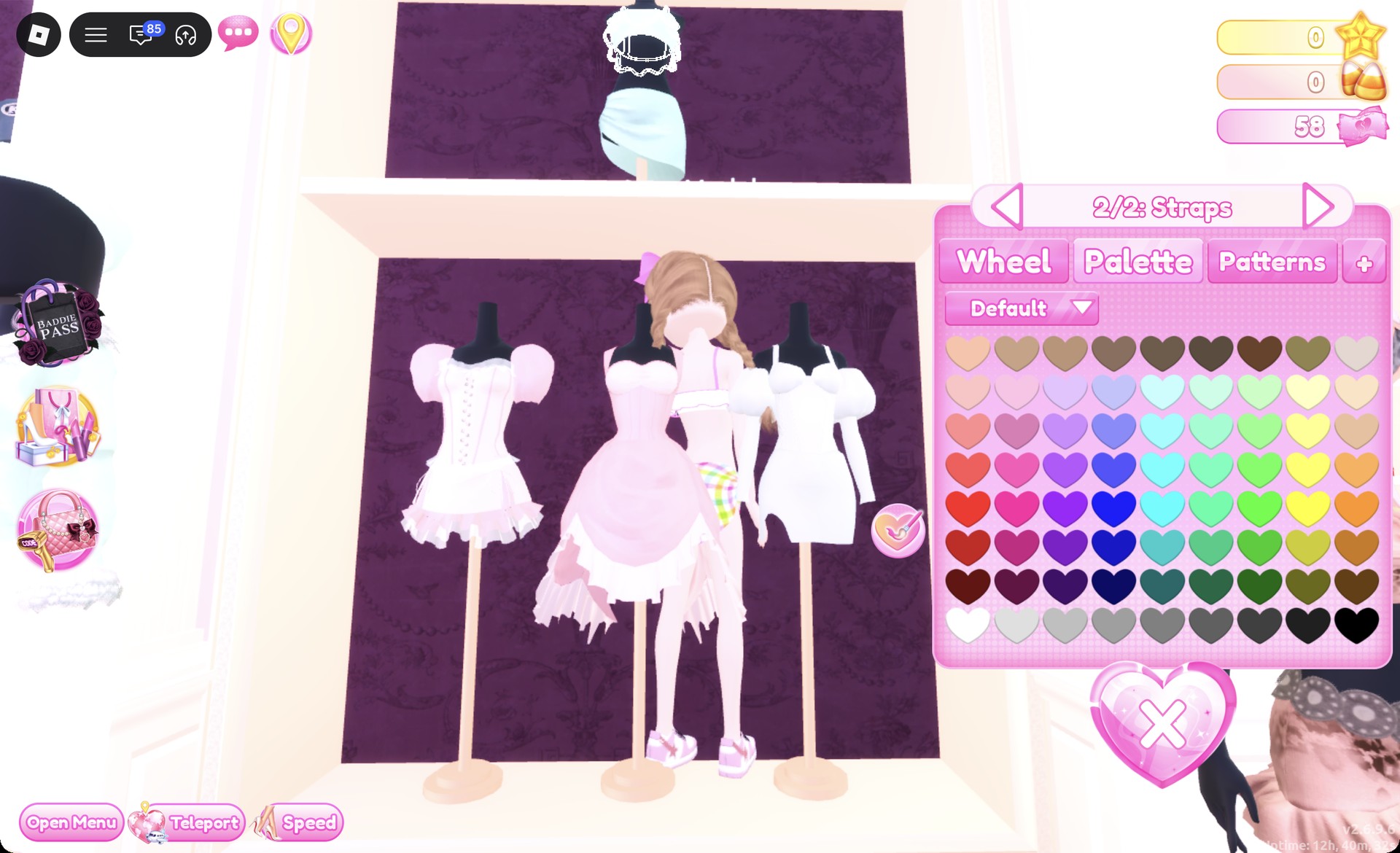
Click the top on the same mannequin. Set “1/2: Top” to white (row 8, first heart) and “2/2: Straps” to Palette column 2, row 3 for pastel pink. Press Put On.
Top 2/2: Straps set to pastel pink in Dress To Impress
"2/2: Straps" in pastel pink, the plaid sarong already on.
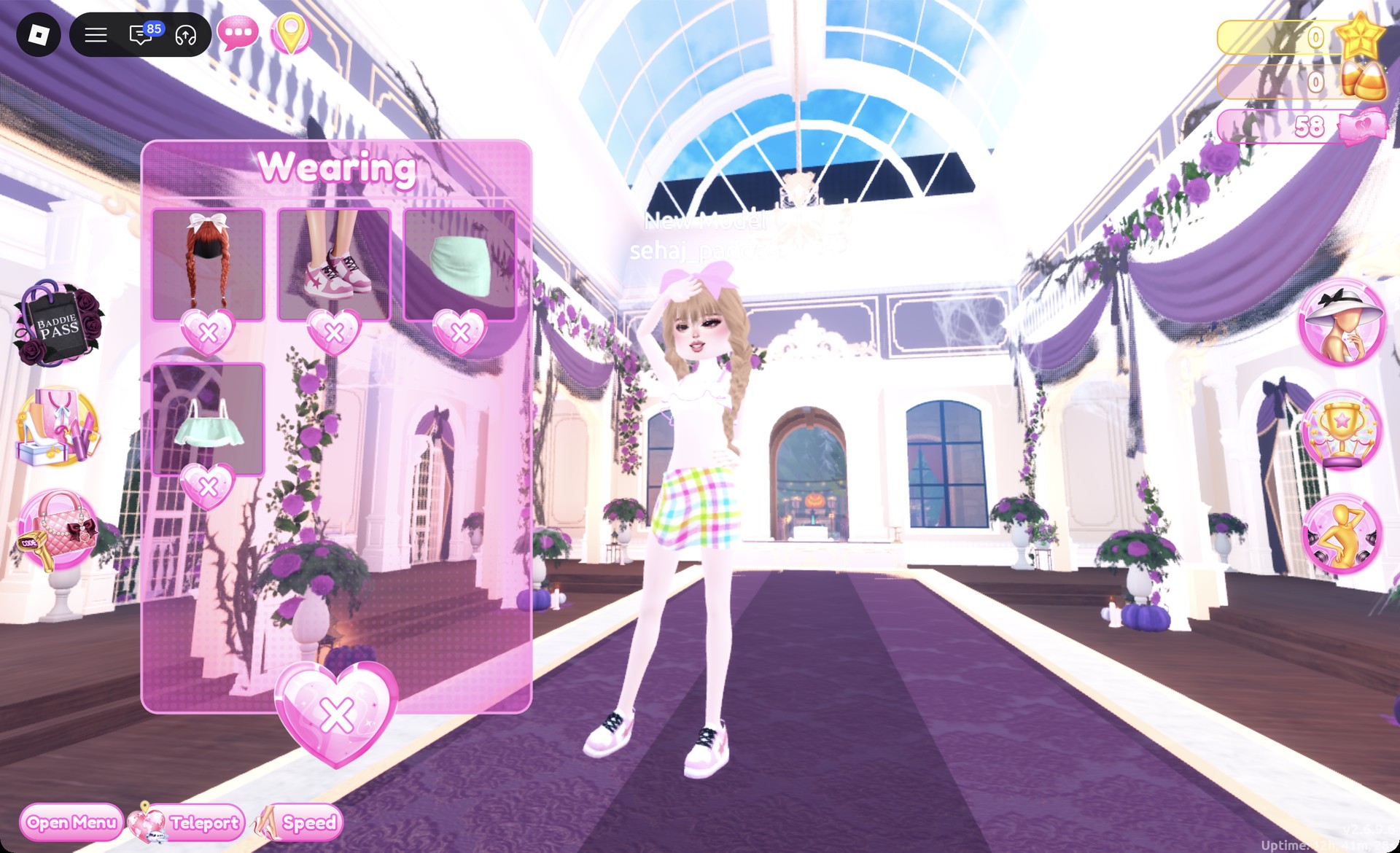
Leave the soft natural face as it is. Then check the Wearing panel to confirm the braids, sneakers, sarong, and top are all on.
Wearing panel with braids, sneakers, sarong and top in Dress To Impress
The Wearing panel for look 2.

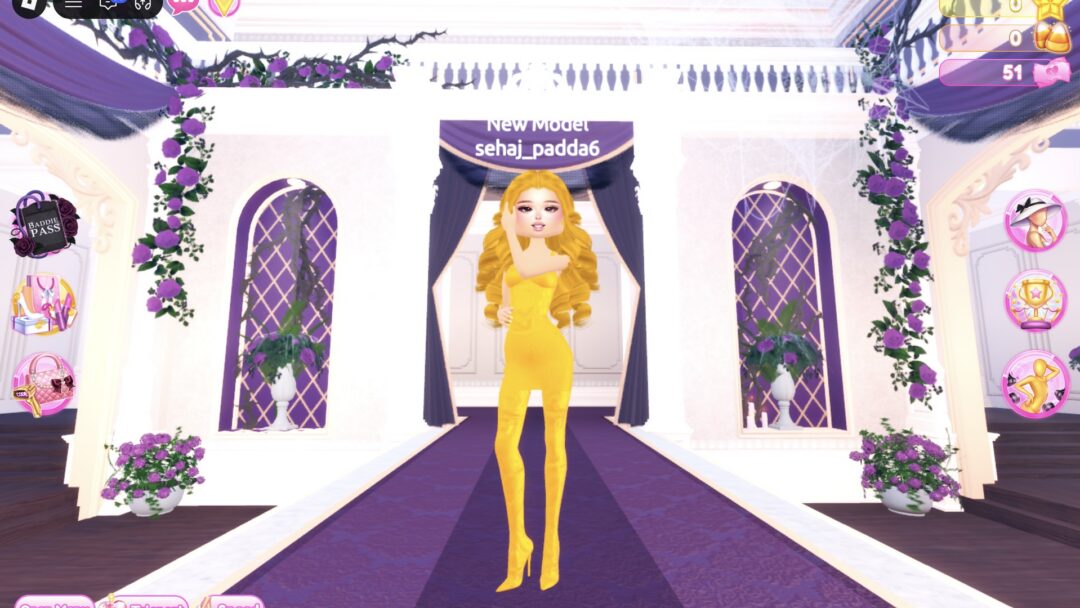
On the Freeplay Runway, the pastel plaid sarong, white top and white sneakers show from the front.
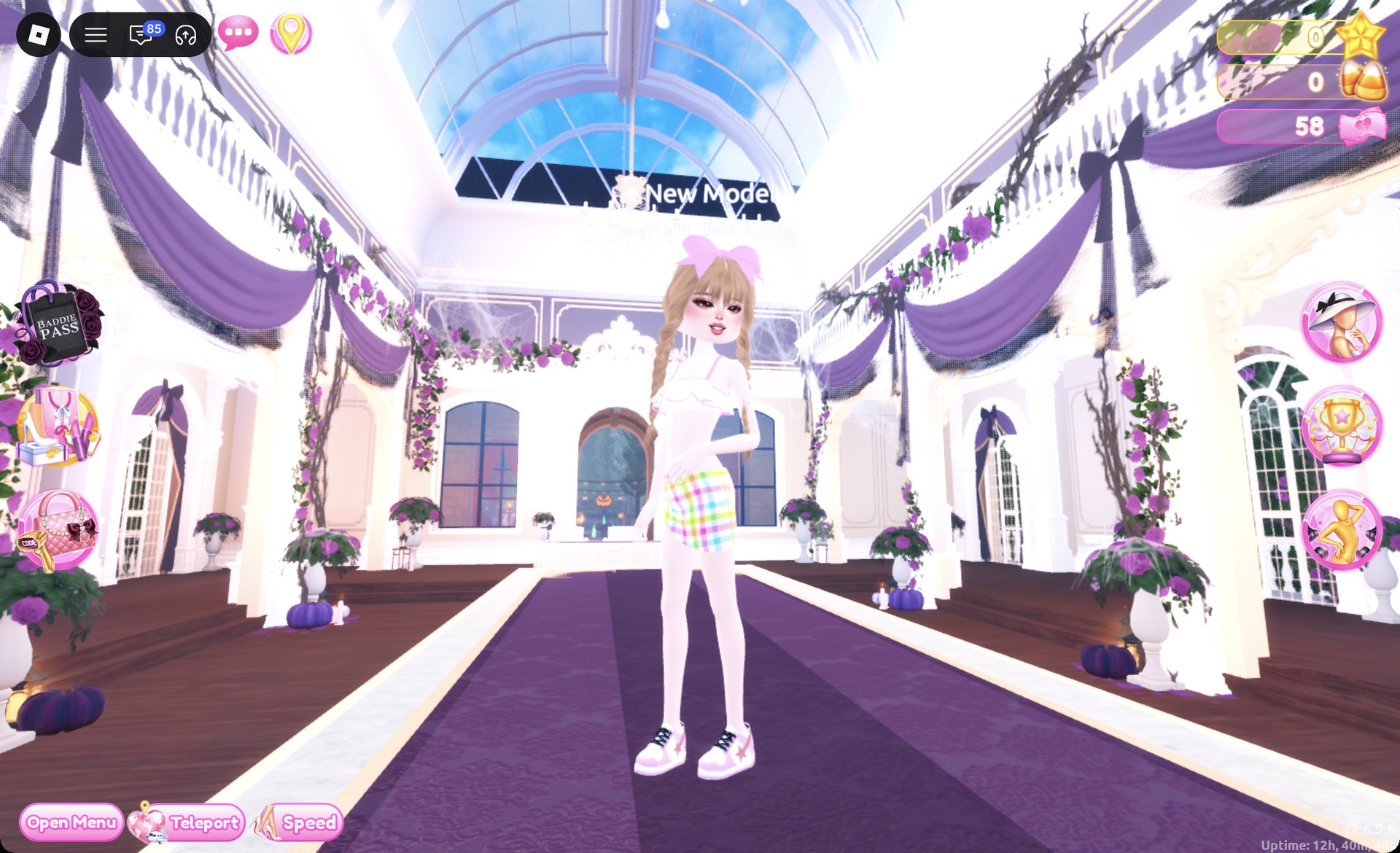
Pastel plaid sarong set front view in Dress To Impress
Look 2 on the Freeplay Runway.

From behind, the honey blonde braids and the pink bow stand out.
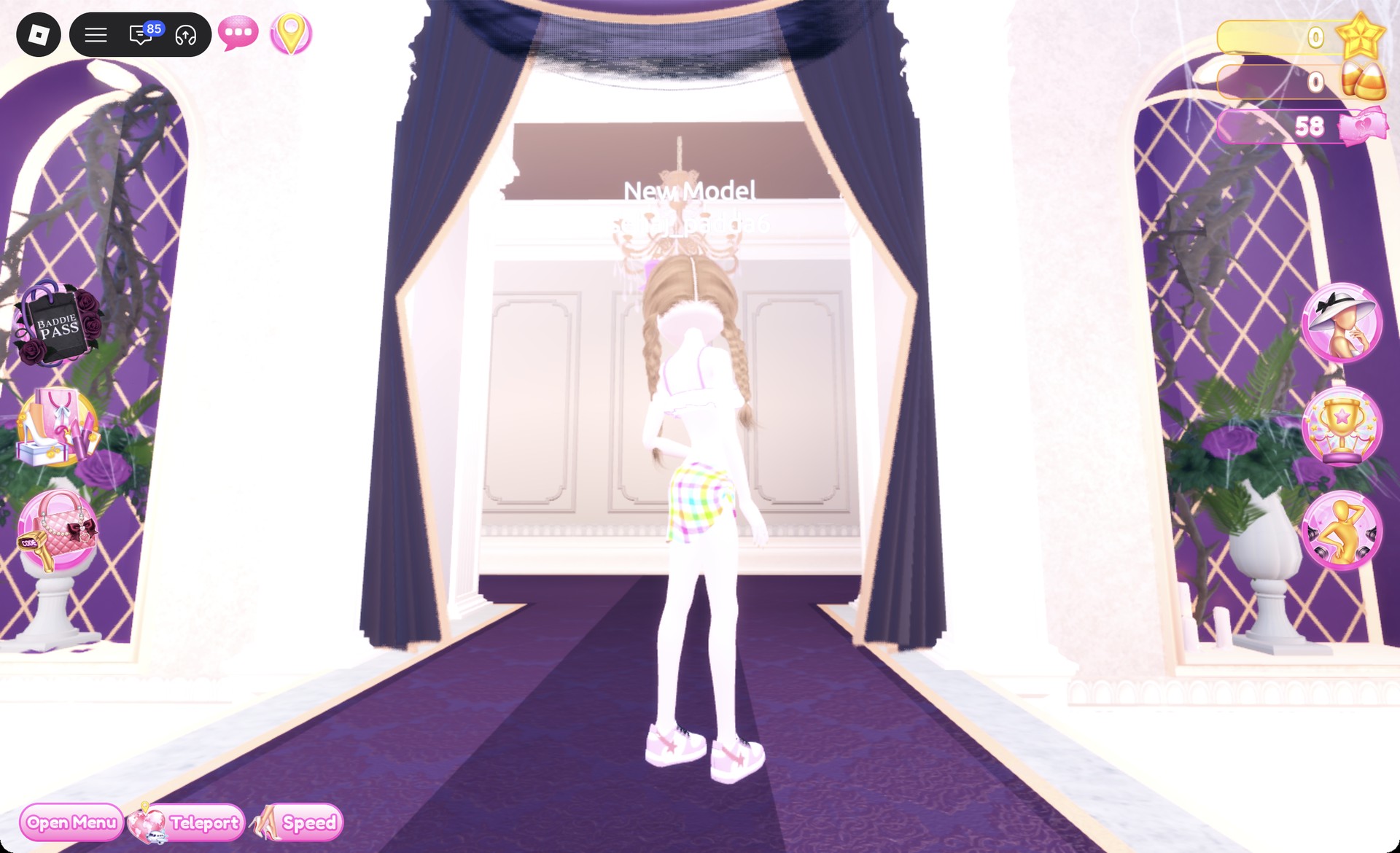
Pastel plaid sarong set back view in Dress To Impress
From behind: honey blonde braids and the pink bow.

The Pearly pose works here, with one hand raised to the forehead.
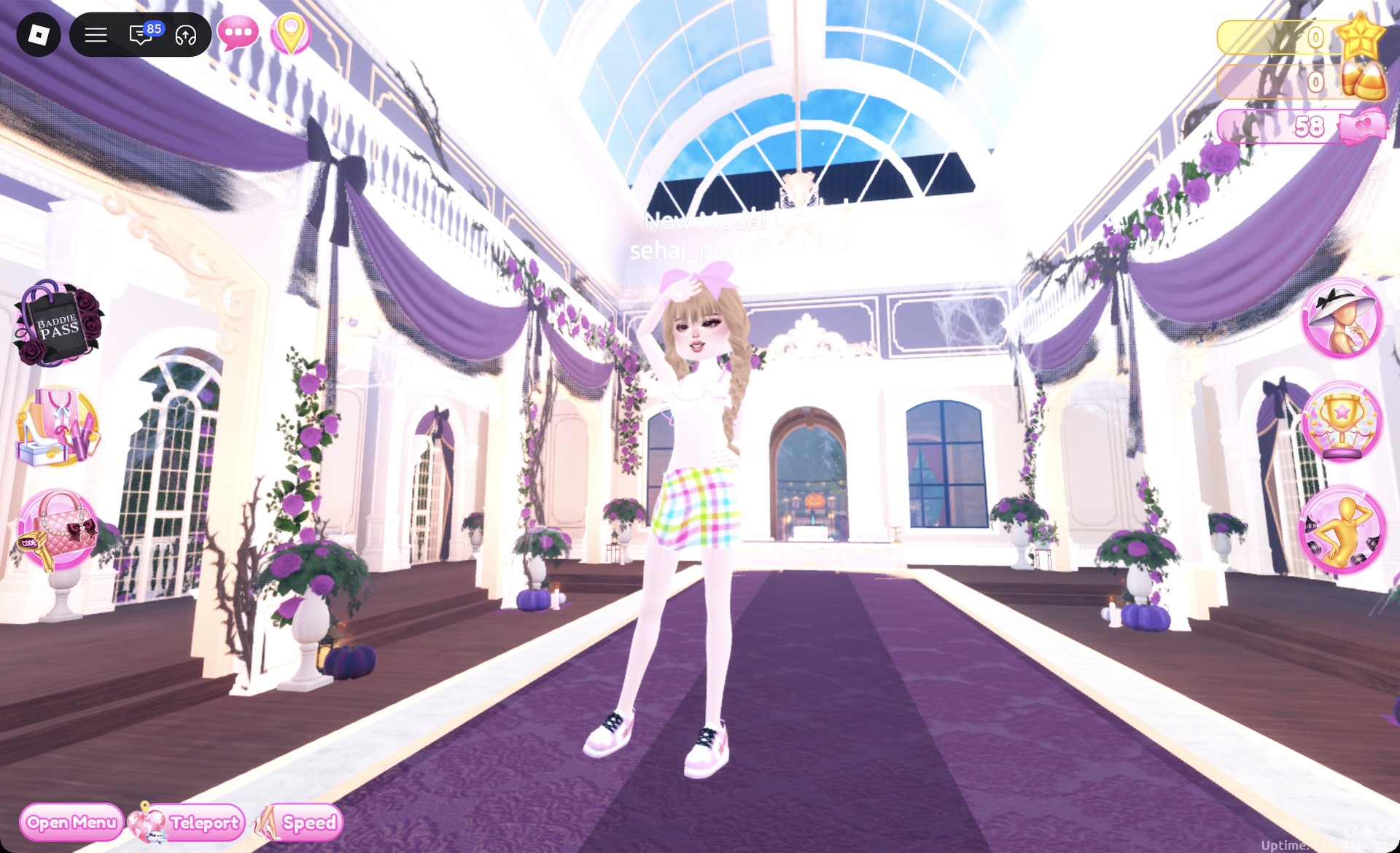
Pastel plaid sarong set with the Pearly pose in Dress To Impress
The Pearly pose.

Plaid Fashion DTI questions

How do I do Plaid Fashion without VIP?

Both looks above work without VIP. Every piece and every pattern tile in them is free, and neither outfit costs Robux or pink cash.

Which pieces work best with plaid?

Skirts show the print well. The corset puff dress skirt and the top-shelf sarong both display plaid across a wide area.

Can I put plaid on tops or shoes?

The Patterns tab is on the color panel of tops and shoes as well, so you can try plaid there. The two looks here keep it on the skirts, where it shows across the widest area.

What colors go with plaid?

Black and white pair with the brown tartan. White and pastel pink pair with the pastel plaid.

How do I get plaid in Dress To Impress?

Click a piece, step to the part you want, open the Patterns tab on the color panel and scroll down past the first patterns. The plaid tiles are further down the list: the brown tartan, the pastel plaid, the pink kitten plaid, a red, blue and green tartan-style tile and a black and white houndstooth.


More theme ideas that suit plaid

These guides use some of the same pieces, boots and colors:

Every theme built so far is listed in the Dress To Impress themes guide, and every pose name is in the Dress To Impress poses list.