Gaming Guide

Bonfire Babe Dress To Impress: 2 Outfit Ideas (Denim Mini With a Tan Fur-Collar Jacket, Rust Mini With Buckle Boots)

Two free Bonfire Babe outfit ideas for Dress To Impress (DTI): a navy denim mini with a tan fur-collar jacket and work boots, and a rust fitted mini with buckle boots, with every Dressing Room spot and color.

Two free Bonfire Babe outfit ideas for Dress To Impress (DTI): a navy denim mini with a tan fur-collar jacket and work boots, and a rust fitted mini with buckle boots, with every Dressing Room spot…

Bonfire Babe in Dress To Impress, the Roblox fashion game, asks for a cozy autumn campfire-night look. That means warm browns, rust and cream, denim, fur or fuzzy textures, boots, and flushed, warm makeup. Both bonfire babe dti outfits below use only free pieces, free colors and free materials. Each one starts from a different base piece in the Dressing Room. More themes are in the Dress To Impress themes guide.

Quick answer: Wear a navy denim mini, a cream top, a tan fur-collar jacket and tan work boots, or a rust mini dress with brown fur-cuffed buckle boots. Add long waves and the warm bronze freckled face.


Where to find hair, faces and clothes in Dress To Impress

  • Faces are in Lana’s Salon, right arch. Sit at a vanity seat, press E and open the Feminine tab.
  • Hair is in Lana’s Salon, left arch. Sit in a hair chair and press E for the Hairstyles tabs.
  • Clothes and shoes are in the Dressing Room. Use the Teleport pin at the top left and pick “Dressing Room”.
  • To check the finished look, use the Teleport pin again and pick “Freeplay Runway”.
  • For both looks, use the Skin tab at the Skin Tones booth and select the very pale swatch in row one, second from the left.

How recoloring works for Bonfire Babe pieces

Click a piece to preview it. While it’s previewing, use the arrows to step through its parts, pick a Palette color, then pick a material on the “+” tab. Go color first, material second, one part at a time. Finish with Put On, the heart-and-tick button to the left of the panel.

Anything you’re already wearing, hair included, can be recolored later. Open the Wearing panel with the hanger button on the right and click the piece’s picture.

A piece can preview in the last color you used, not its default, so set every part even if one already looks right.
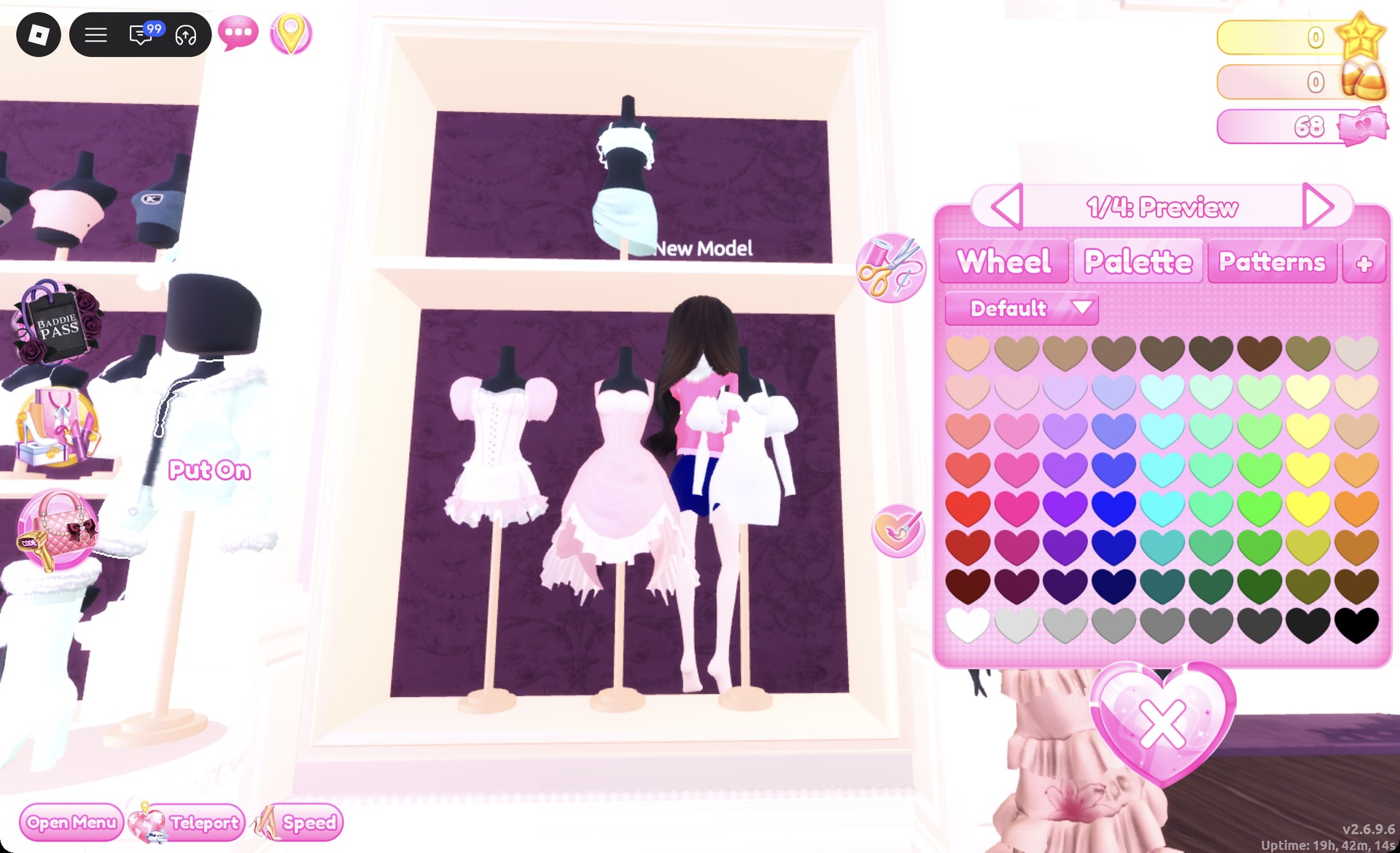
Jacket panel 1/4 previewing pink in Dress To Impress
The fur-trim jacket opened at "1/4: Preview" in pink, the last color used.

Every color below comes from the Default palette. Columns are counted from the left and rows from the top.

ColorPalette columnPalette row
Tan31
Brown41
Dark brown71
Navy47
Cream92
Rust96

Bonfire Babe look 1: Denim mini with a tan fur-collar jacket

Build this outfit around the two-piece set on the party-dress unit’s top shelf, then layer a fur-trimmed jacket over it.
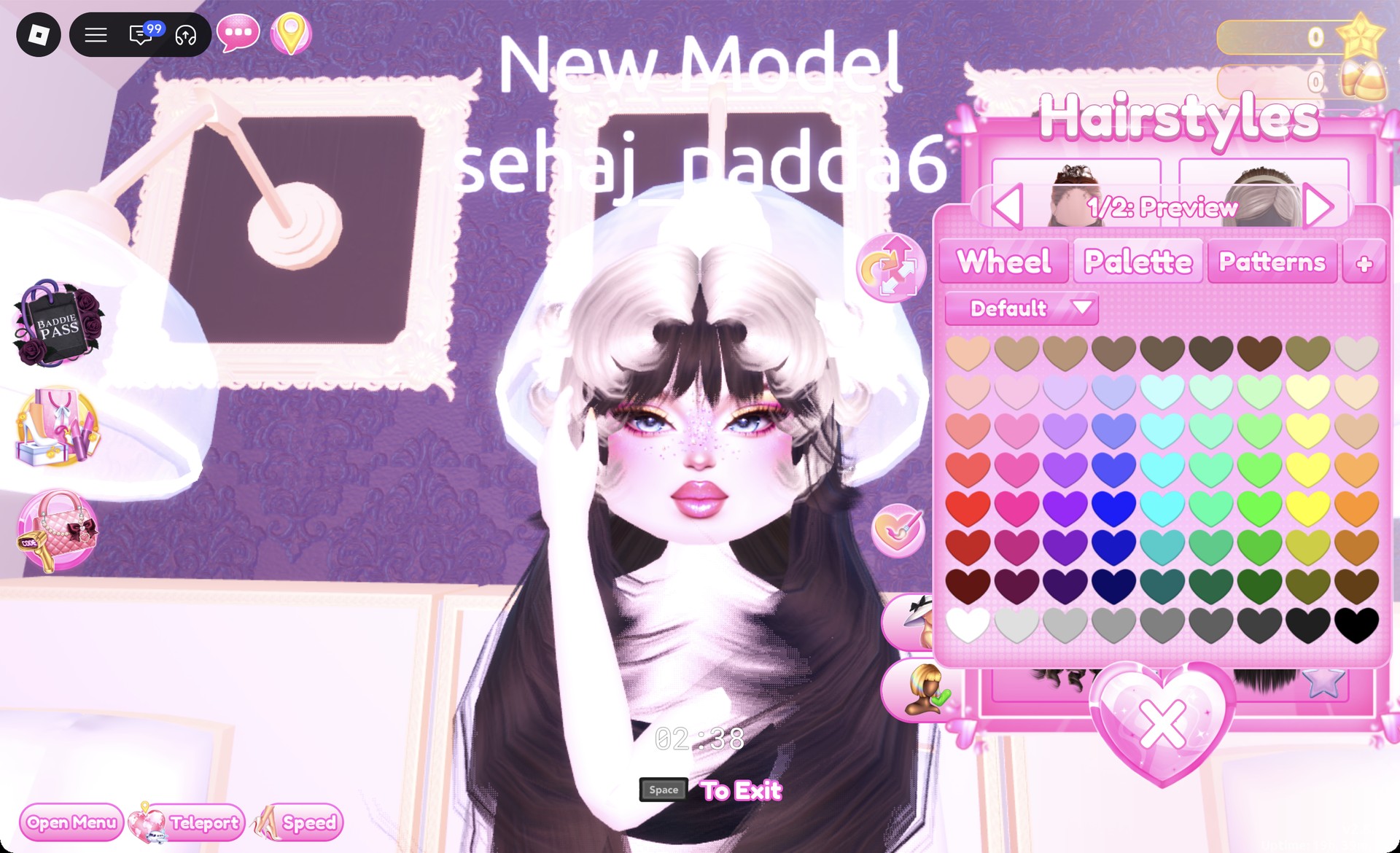
Sit at a hair chair, open Wavy, and select the left card in row two. This long, dark-brown wavy style has full bangs and is shown in panel “1/2: Preview”. Leave the color at its default.
Long dark brown waves with full bangs from the Wavy tab in Dress To Impress
Wavy tab, second row, left card: long dark brown waves with bangs.
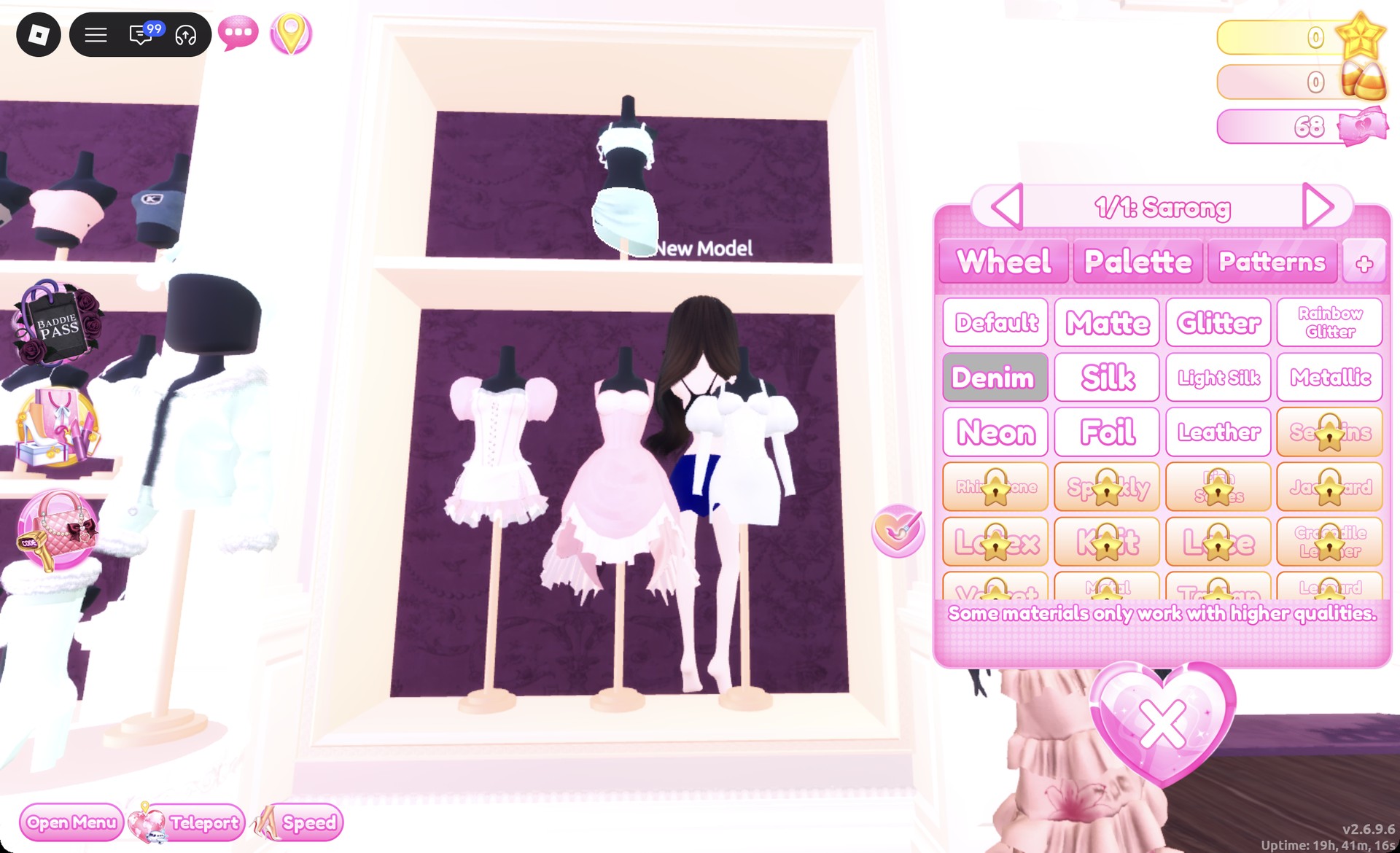
In the Dressing Room, click the wrap skirt of the top-shelf set to open “1/1: Sarong”. Set it to navy (column 4, row 7), then choose Denim on the “+” tab for a dark denim mini. Press Put On.
Wrap skirt recolored navy with Denim in Dress To Impress
"1/1: Sarong" in navy with Denim selected.
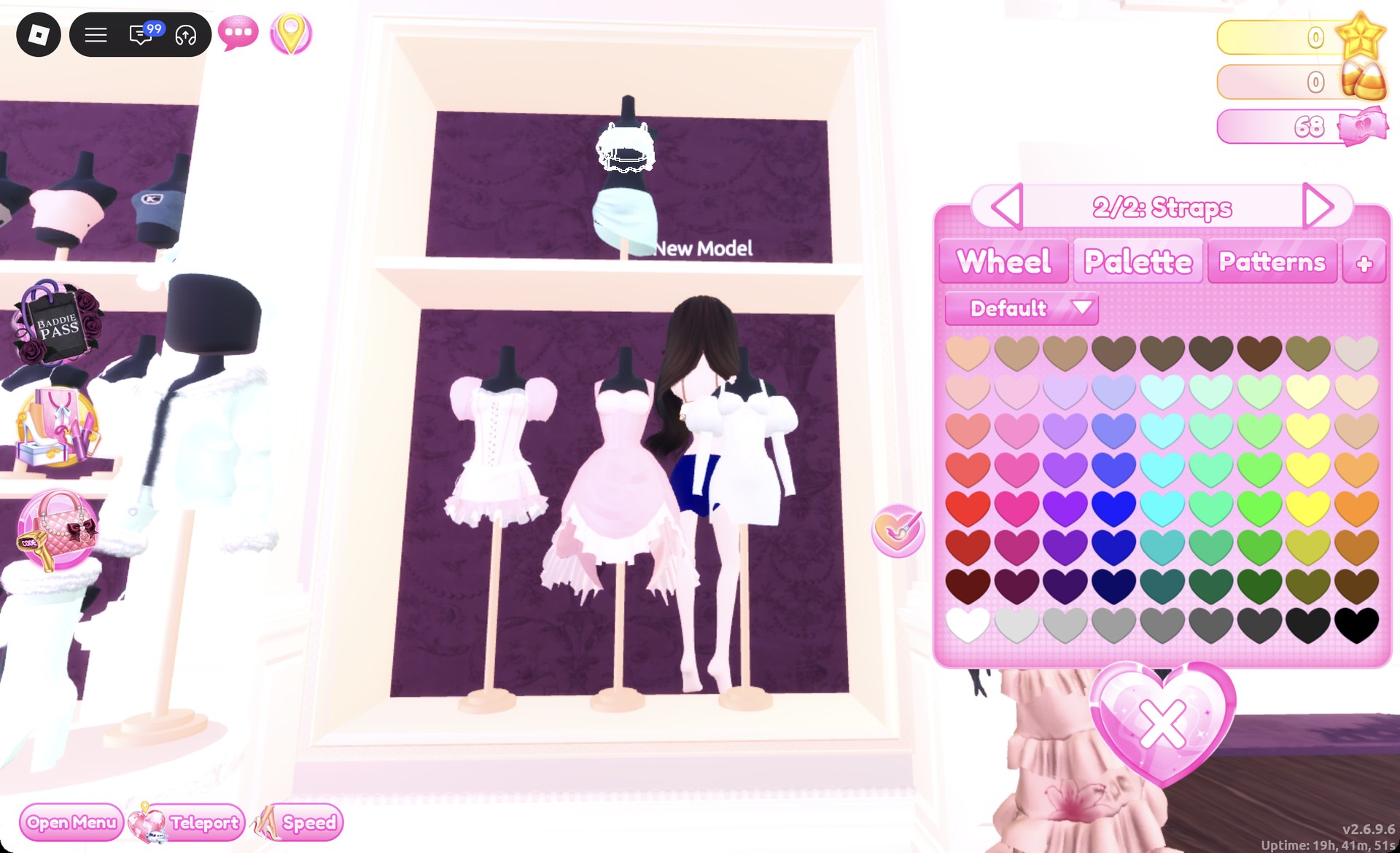
Click the top of the same set. On “1/2: Top” choose cream (column 9, row 2), then on “2/2: Straps” choose brown (column 4, row 1). Press Put On.
Top straps part 2/2 recolored brown in Dress To Impress
"2/2: Straps" in brown over the cream top.
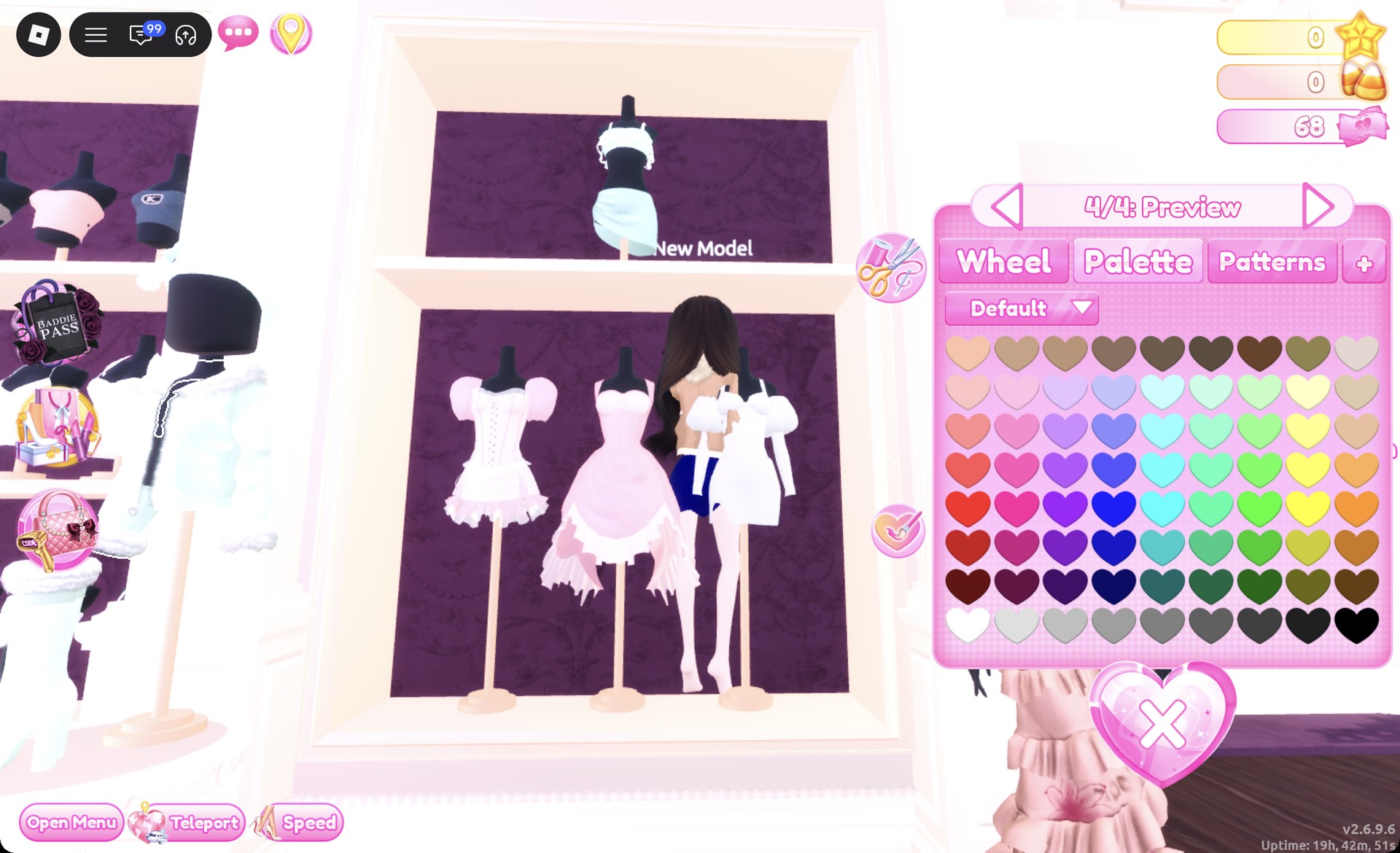
Find the white jacket with fur trim on a stand in front of the tops unit, just left of the party-dress unit. Click it to open “1/4: Preview”. Set part 1 to tan (column 3, row 1) and parts 2 to 4 to cream (column 9, row 2), which gives a tan jacket with a cream fur collar and cuffs. Press Put On.
Jacket part 4/4 cream with a tan body in Dress To Impress
The jacket at "4/4": tan body, cream fur collar and cuffs.
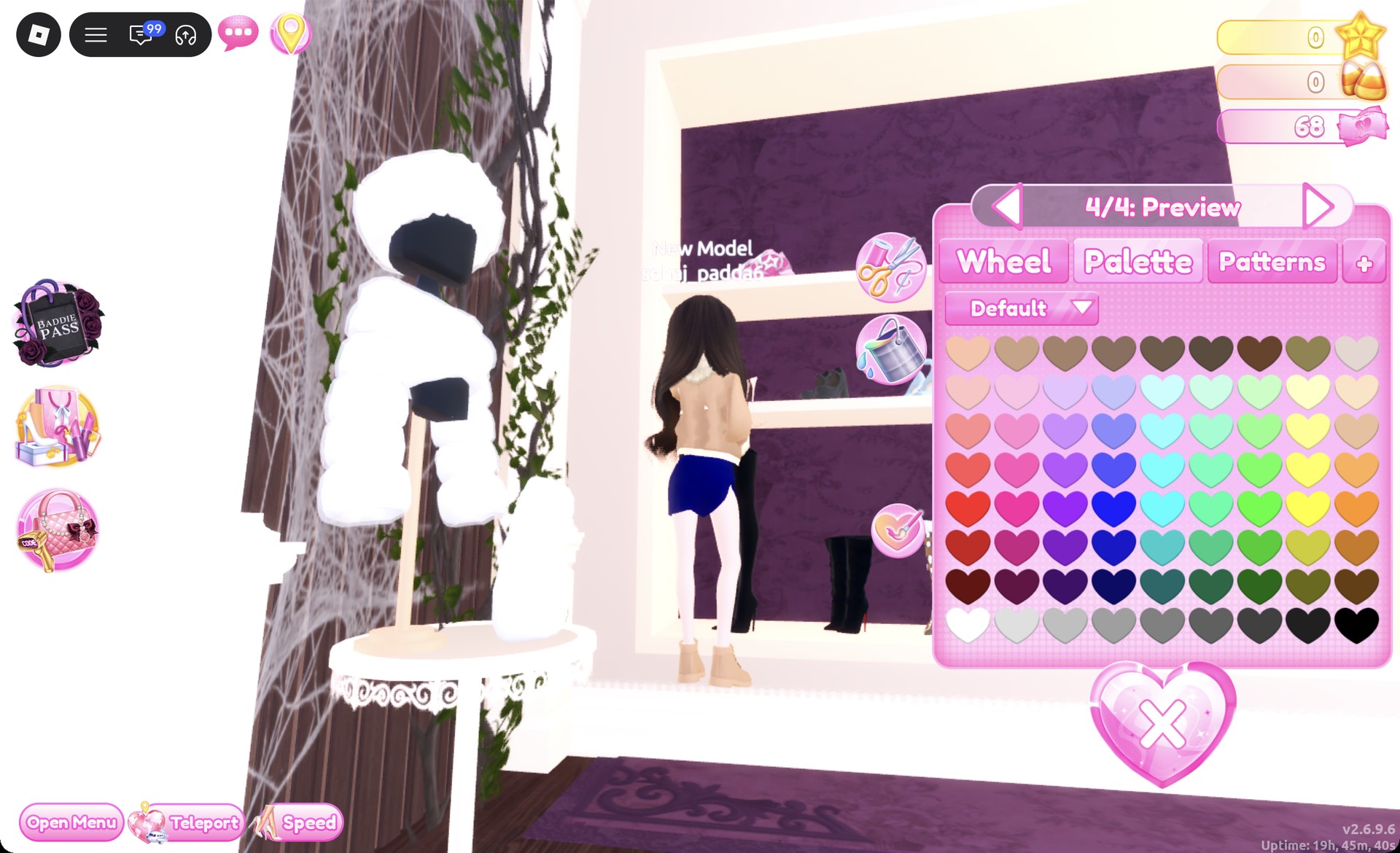
On the shoe shelf, go to the bottom row, far right, and click the work boots to open “1/4: Preview”. Set parts 1, 2 and 4 to tan (column 3, row 1) and part 3 to dark brown (column 7, row 1). Press Put On.
Work boots recolored tan on the shoe shelf in Dress To Impress
The work boots at "4/4", tan on the preview.
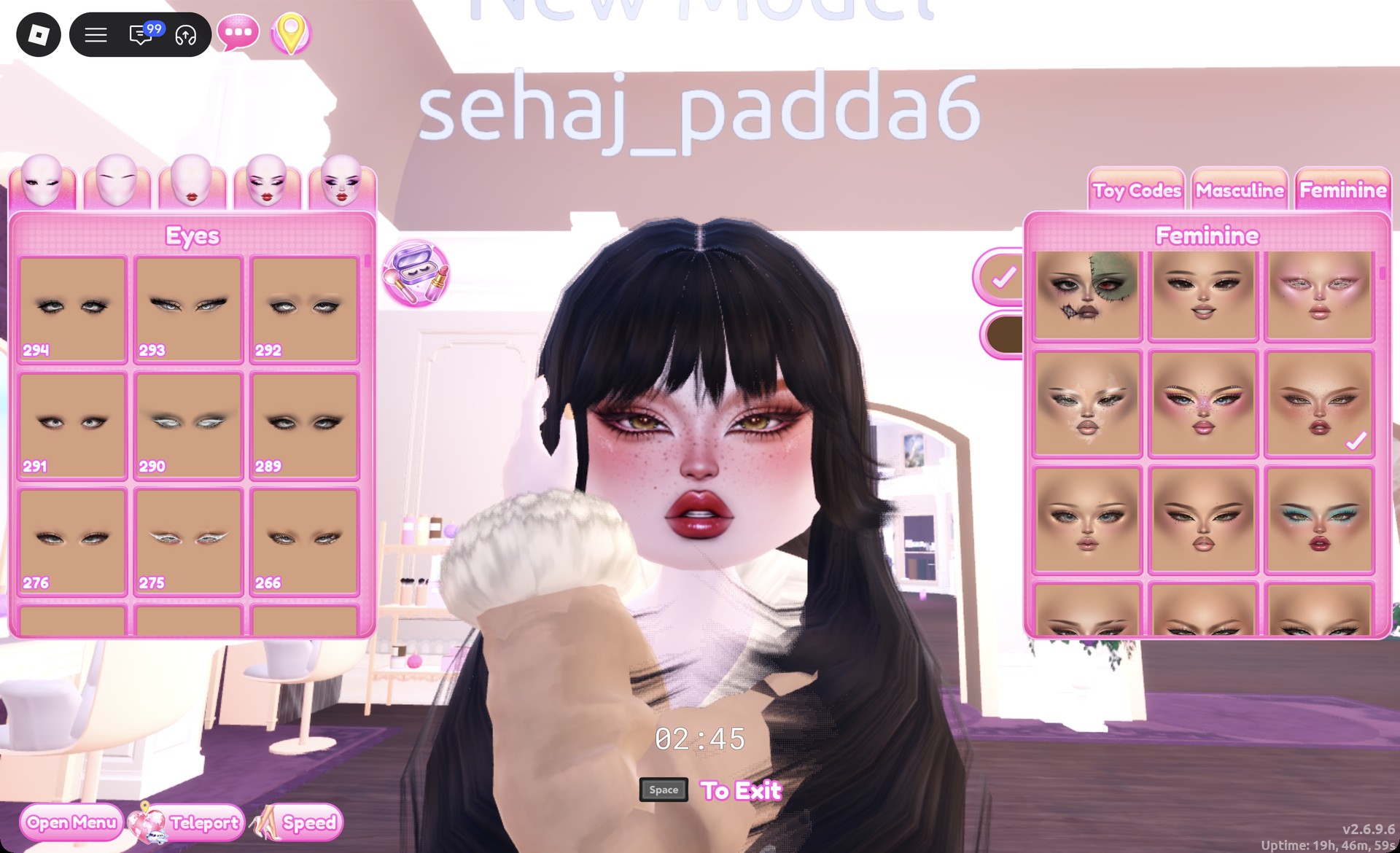
At a vanity, open the Feminine tab and scroll the cards down to the fourth row, right card. It has warm bronze and red eyeshadow, golden eyes, freckles, flushed cheeks and glossy deep red lips.
Warm bronze freckled face card on the Feminine tab in Dress To Impress
Feminine tab, fourth row, right card: the warm bronze face with freckles.

The Wearing panel should now list hair, skirt, top, jacket and boots.
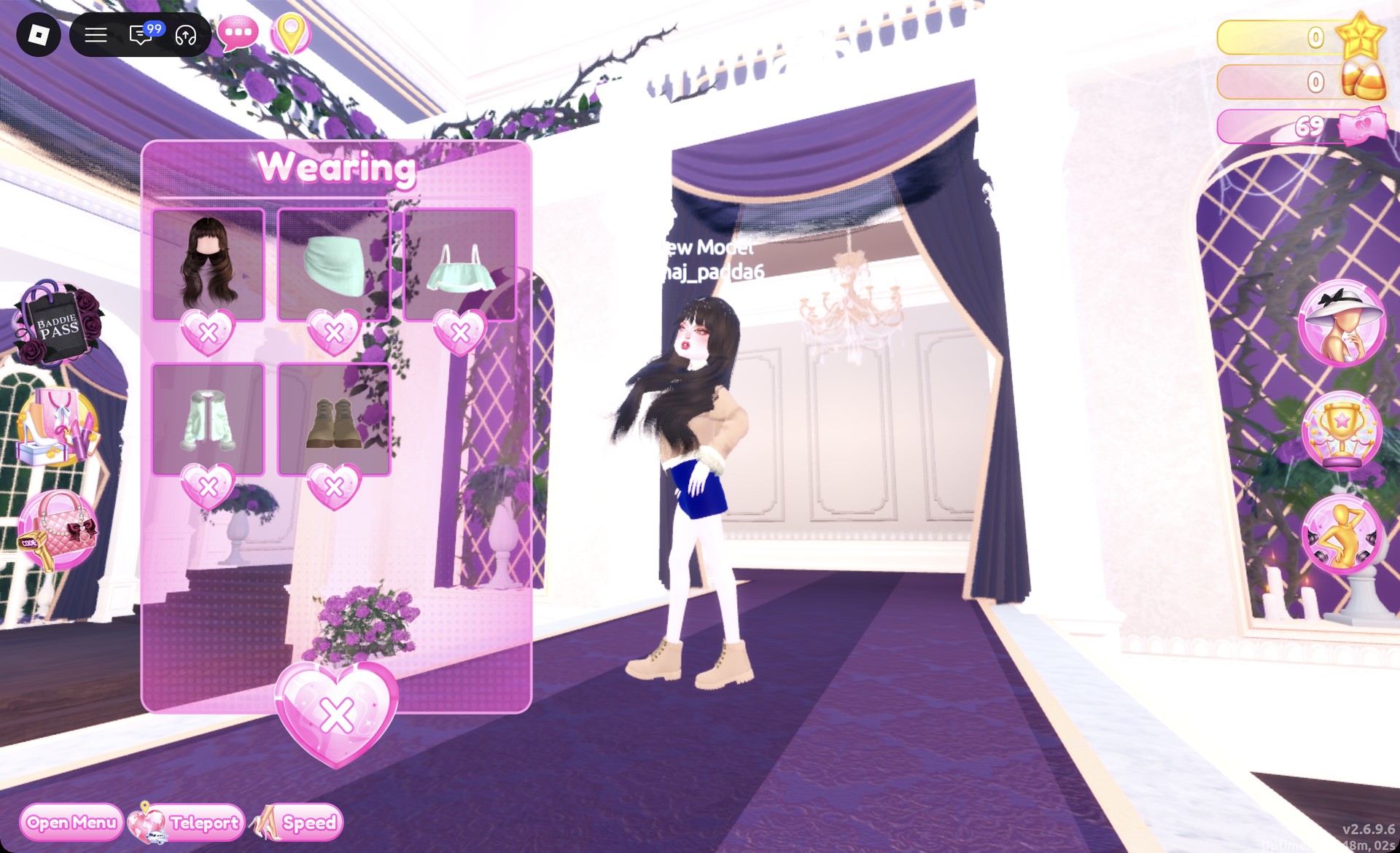
Wearing panel with hair, skirt, top, jacket and boots in Dress To Impress
The Wearing panel for look 1.

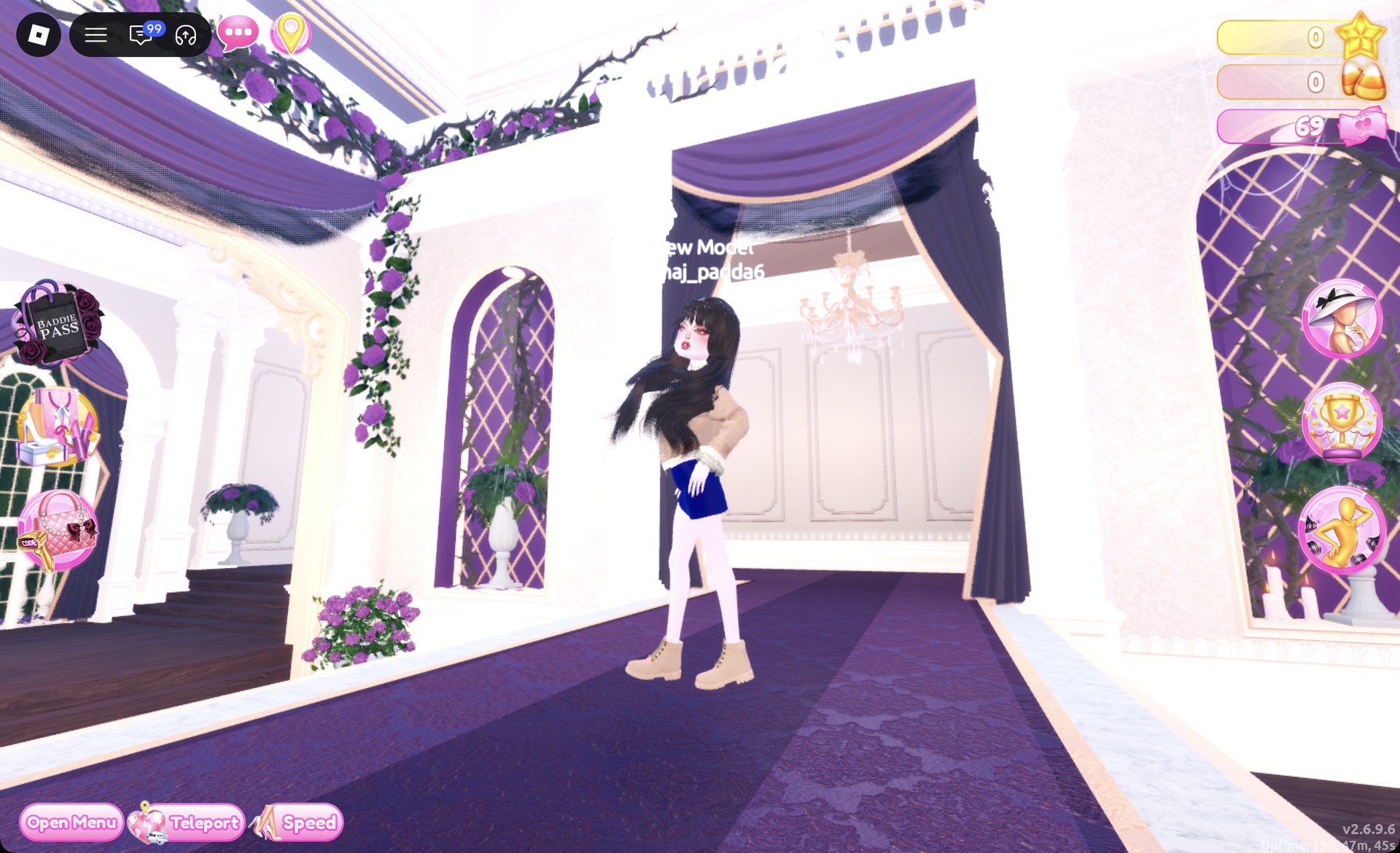
On the Freeplay Runway the outfit reads as a tan fur-collar jacket over a navy denim mini, with tan work boots and dark brown waves.
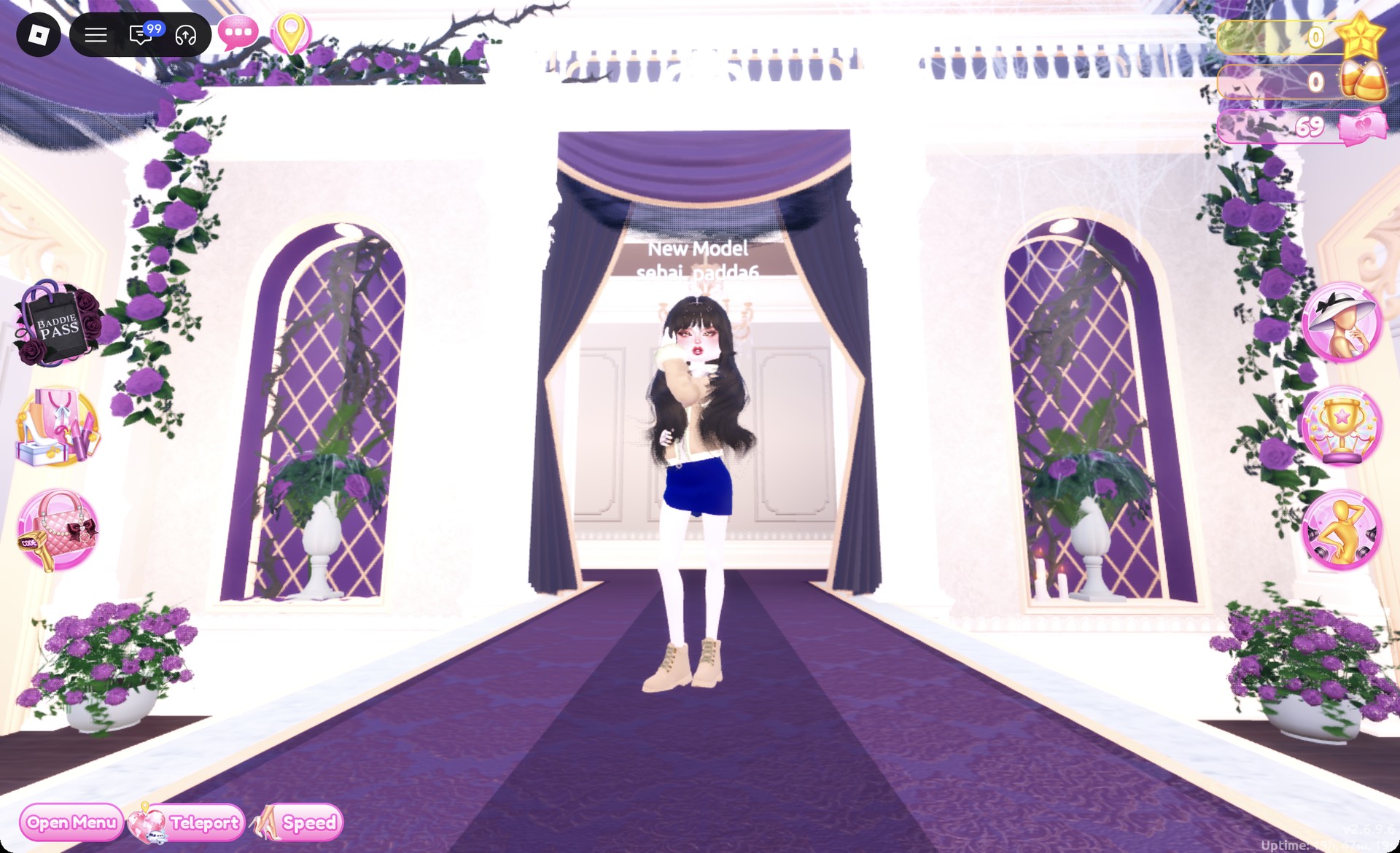
Tan fur-collar jacket with a navy denim mini on the Freeplay Runway in Dress To Impress
Look 1 on the Freeplay Runway.

The Lilac pose works well for it.

Bonfire Babe look 1 in the Lilac pose in Dress To Impress
Look 1 in the Lilac pose.

Bonfire Babe look 2: Rust mini with buckle boots

For the second look, replace the layered outfit with one dress. Start with the puff-sleeved, fitted white mini dress on the lower party-dress shelf’s right mannequin. Keep the same wavy hair and face; only the hair color changes.
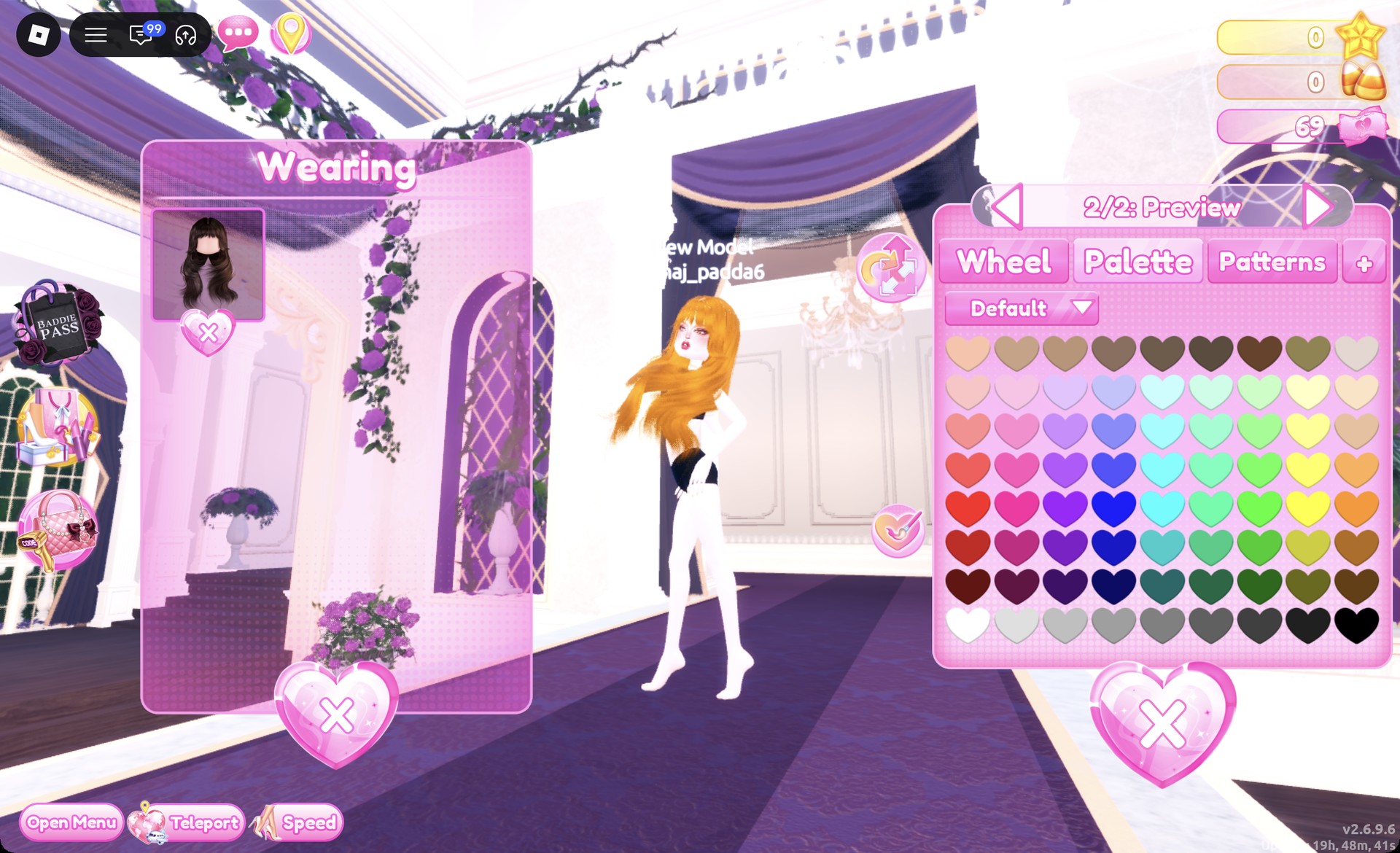
Open the Wearing panel and remove the skirt, top, jacket and work boots with the heart X under each picture.
Still in the Wearing panel, click the wavy hair’s picture. Set both parts to rust (column 9, row 6) for long copper waves.
Wavy hair recolored rust from the Wearing panel in Dress To Impress
The waves recolored rust from the Wearing panel: copper hair.
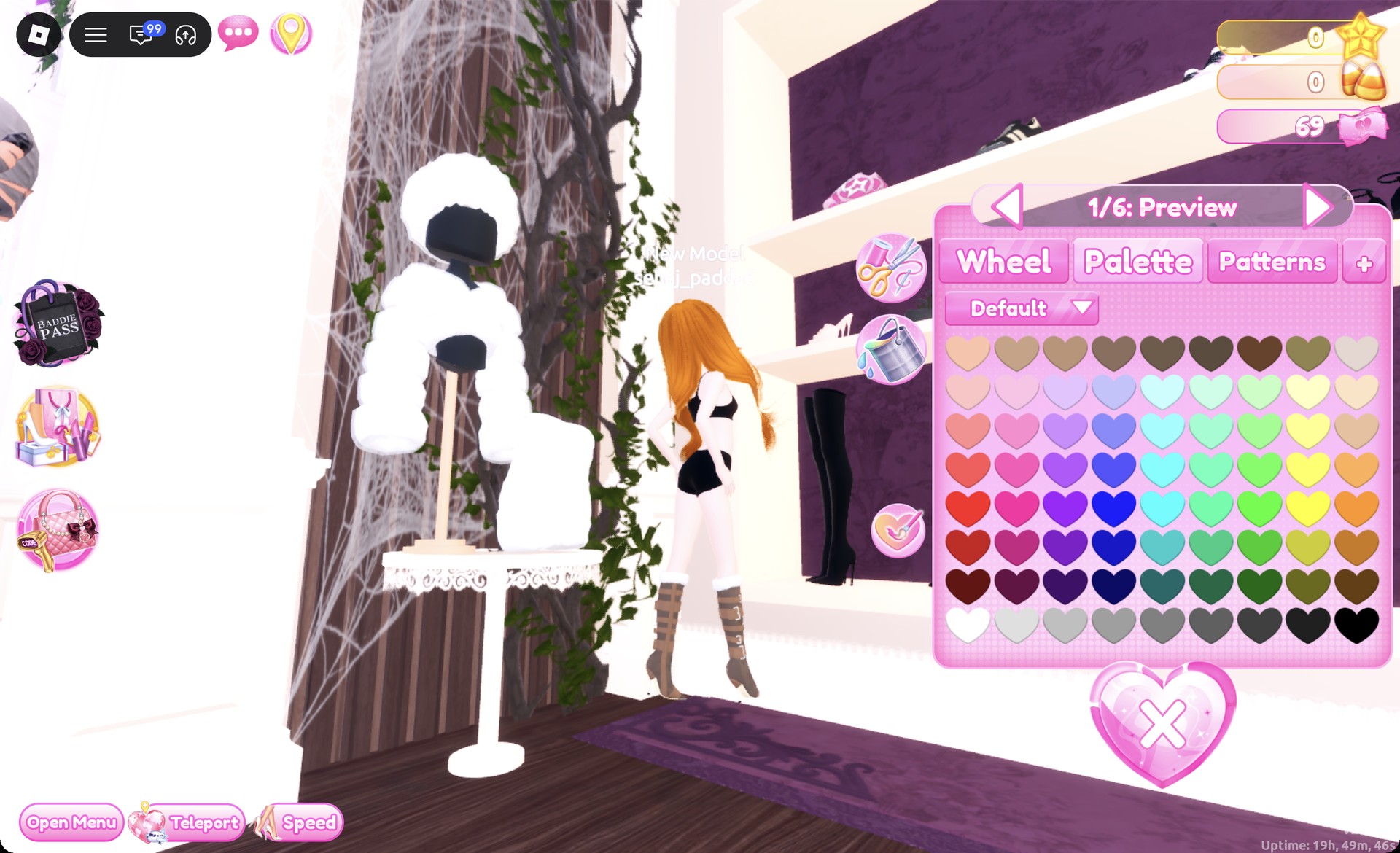
Select the brown boots with buckle details and cream fur cuffs from the shoe shelf’s bottom row to open panel “1/6: Preview”. Keep the default colors and press Put On.
Brown buckle boots with cream fur cuffs panel 1/6 in Dress To Impress
The brown buckle boots with fur cuffs, "1/6: Preview".
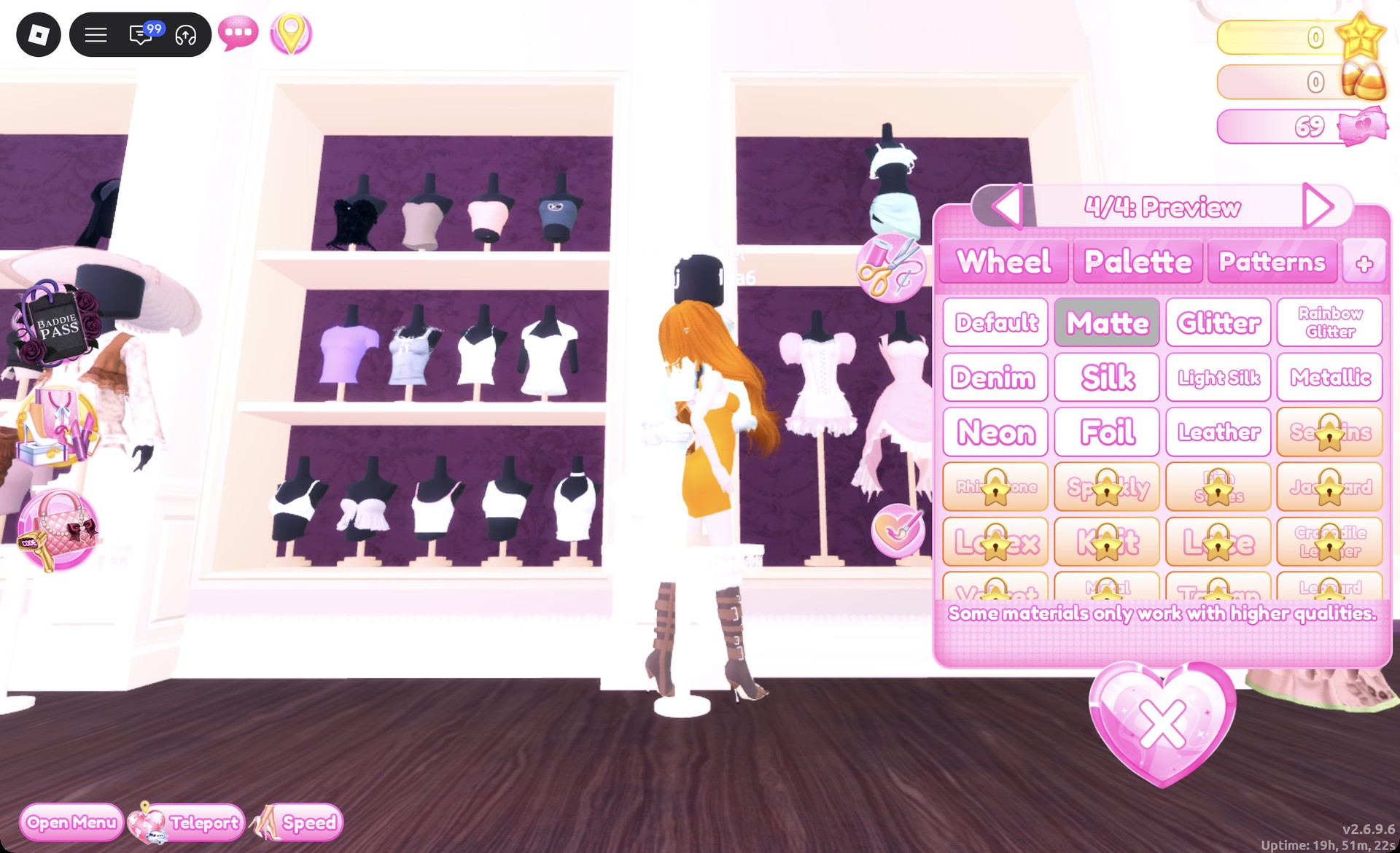
Click the white fitted mini to open “1/4: Preview”. Set all four parts to rust (column 9, row 6), then choose Matte on the “+” tab. Press Put On for a burnt-orange fitted mini.
Fitted mini part 4/4 rust with Matte in Dress To Impress
The fitted mini at "4/4" in rust with Matte selected.

Keep the warm bronze face from look 1. On the Freeplay Runway you should see the rust mini, copper waves and buckle boots.
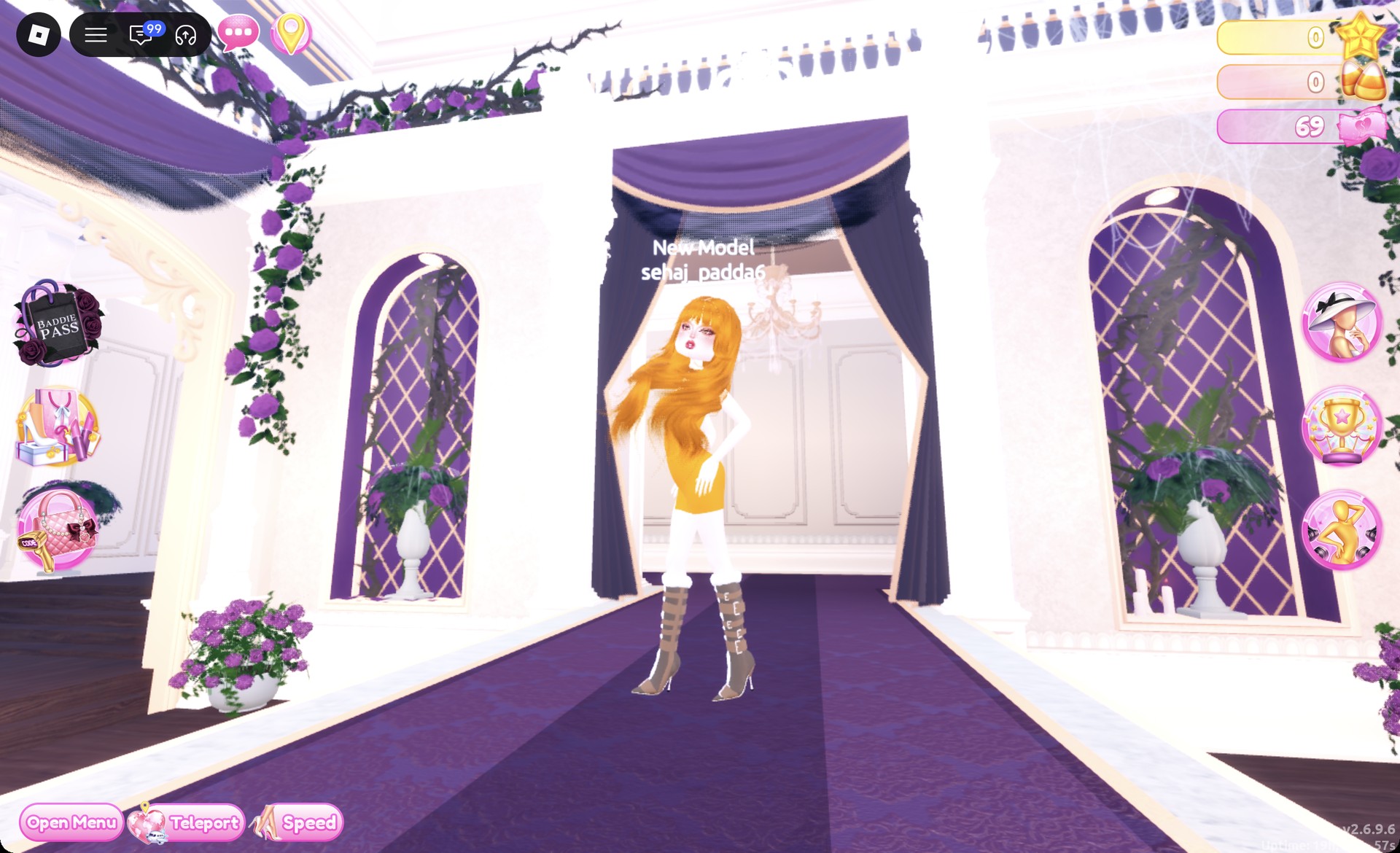
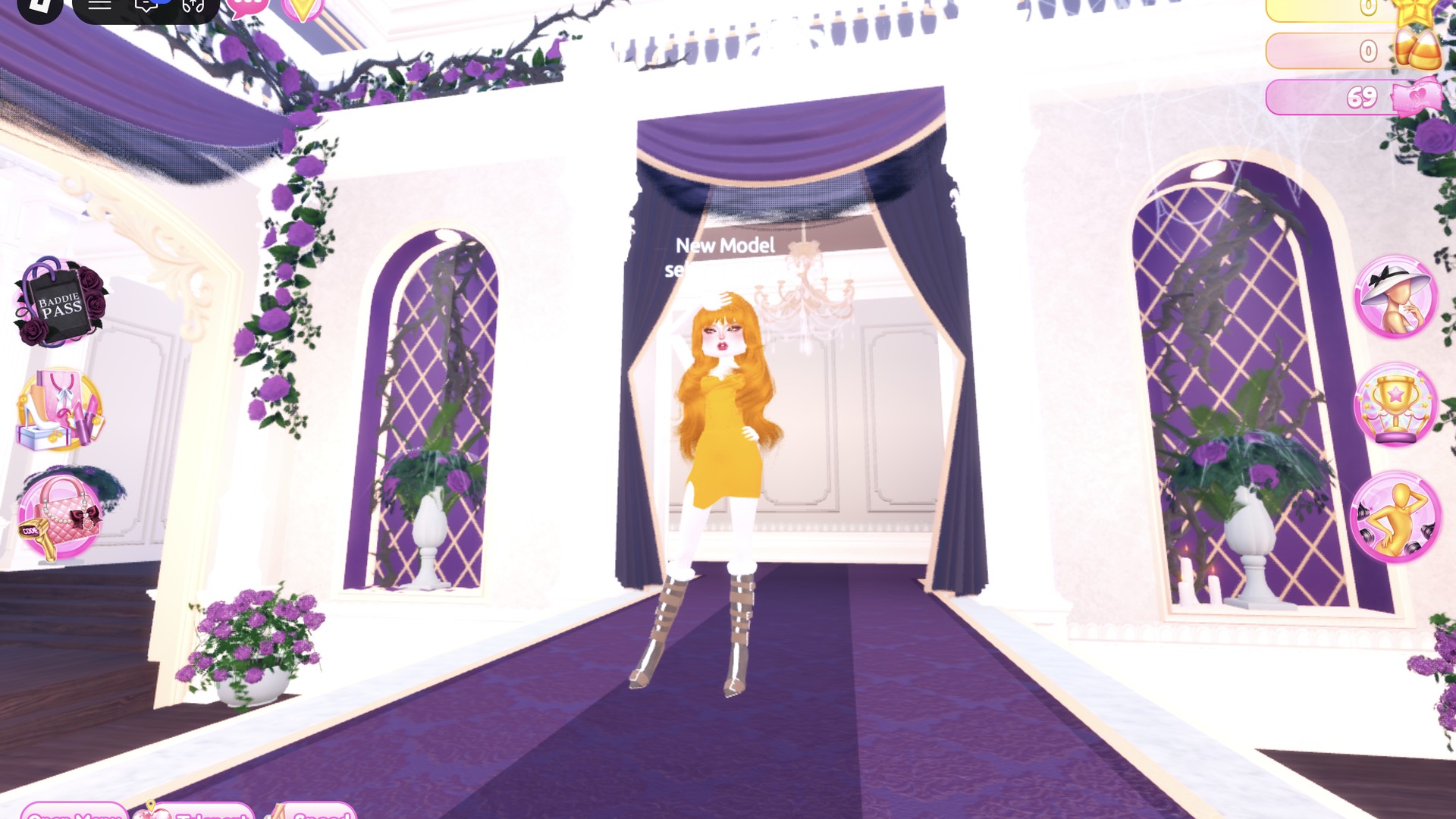
Rust mini with buckle boots on the Freeplay Runway in Dress To Impress
Look 2 on the Freeplay Runway.

Depending on the light, the dress shifts between burnt orange and mustard. The Pearly pose suits this one.
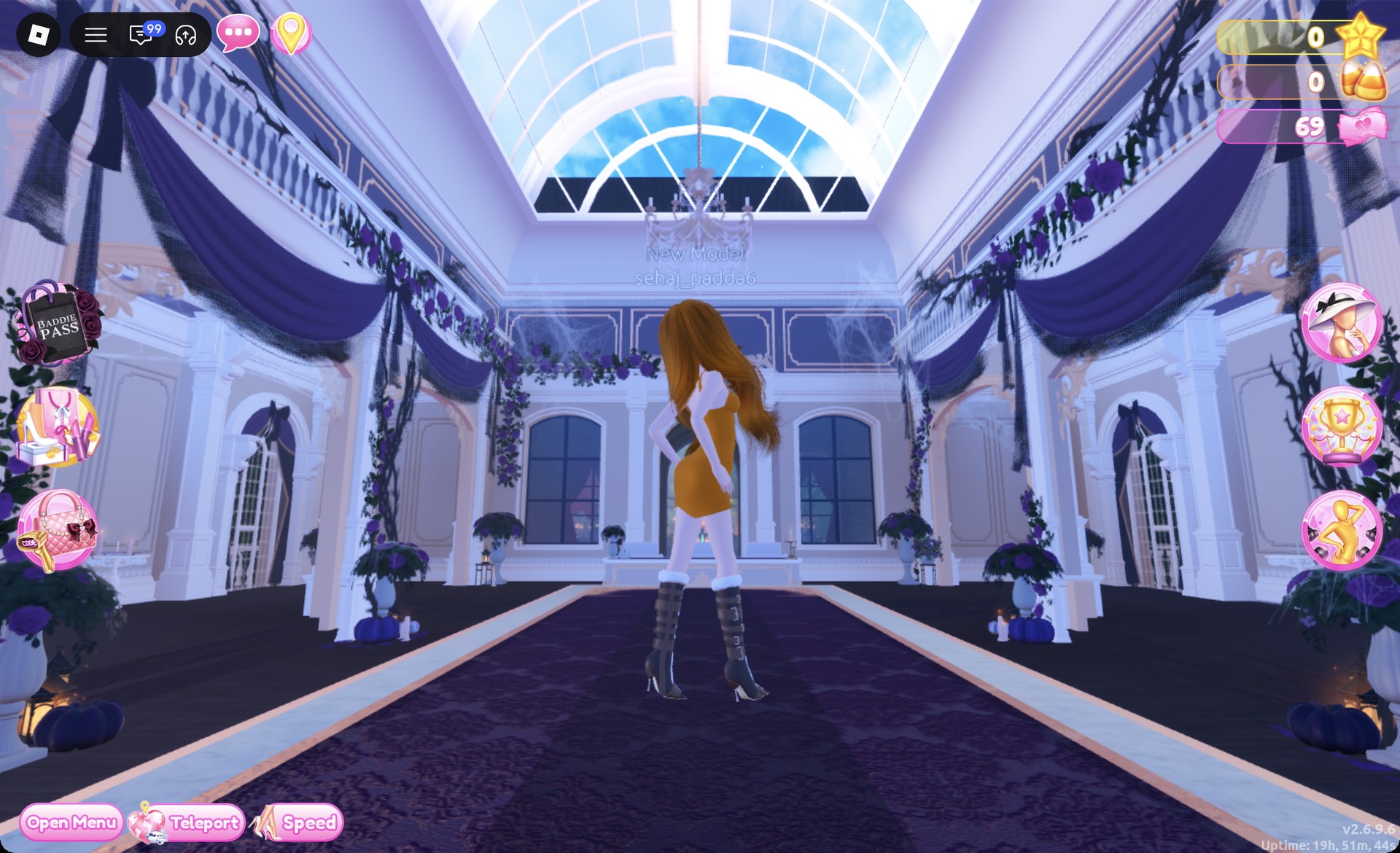
Back view of the rust mini and copper waves in Dress To Impress
From behind: copper waves, the rust mini and the buckle boots.

More cozy and autumn theme ideas


Bonfire Babe DTI FAQ

What is Bonfire Babe in DTI?

It’s a cozy autumn campfire-night theme built around warm browns, rust, cream and denim, finished with boots.

How do I do Bonfire Babe without VIP?

Both looks above work as written. Every piece, color and material in them is free, and neither needs Robux.

How do I make denim in Dress To Impress?

Pick the color first, then open the “+” tab and choose Denim. Navy under Denim gives the dark denim mini in look 1.

What hair and makeup fit Bonfire Babe?

Long waves in dark brown or copper, paired with the warm bronze freckled face card from the vanity’s Feminine tab.