Gaming Guide

Yallternative Dress To Impress: 2 Outfit Ideas (Black Cowboy Hat With a Band Tee, Tan Cowboy Hat With a Denim Corset Dress)

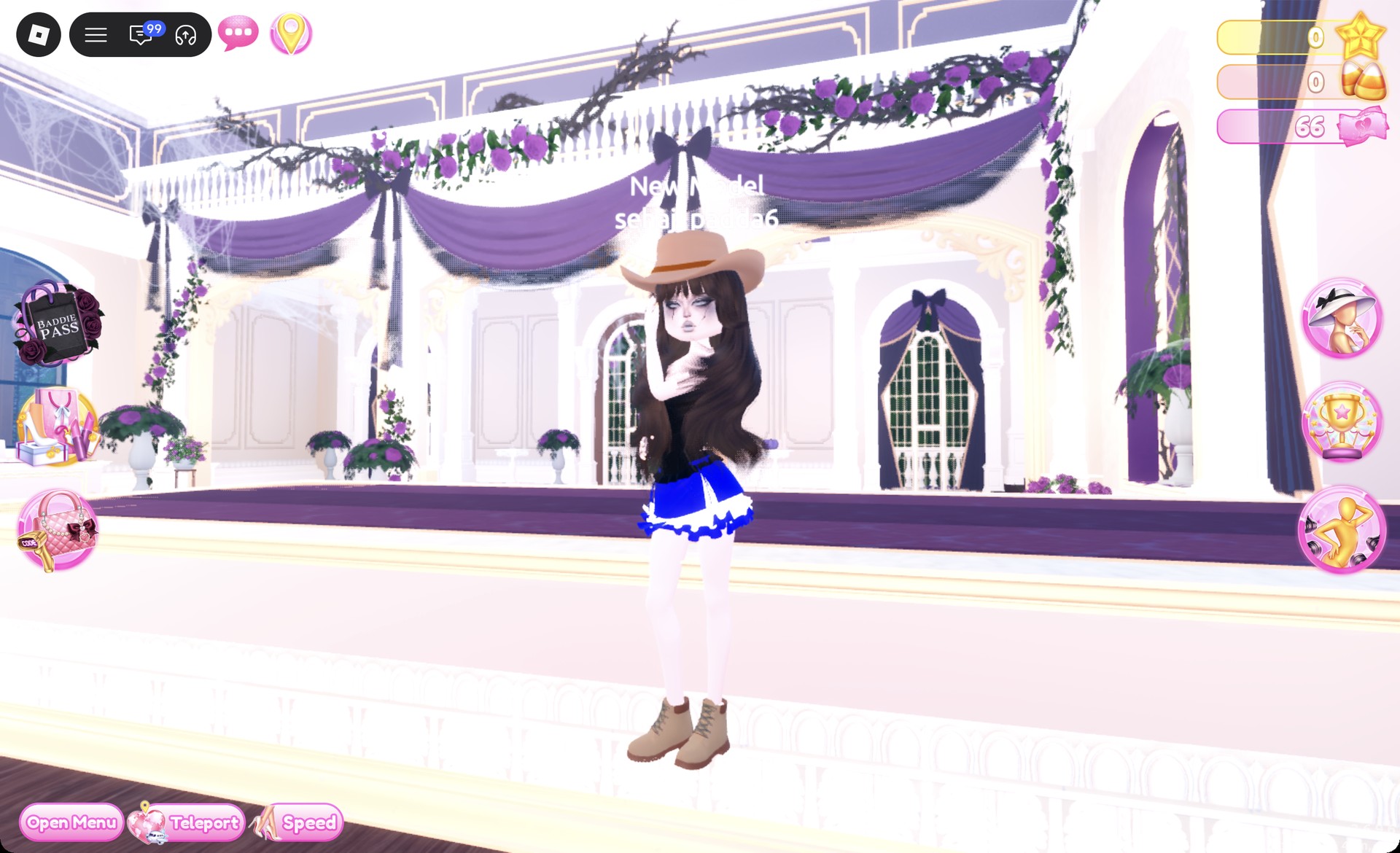
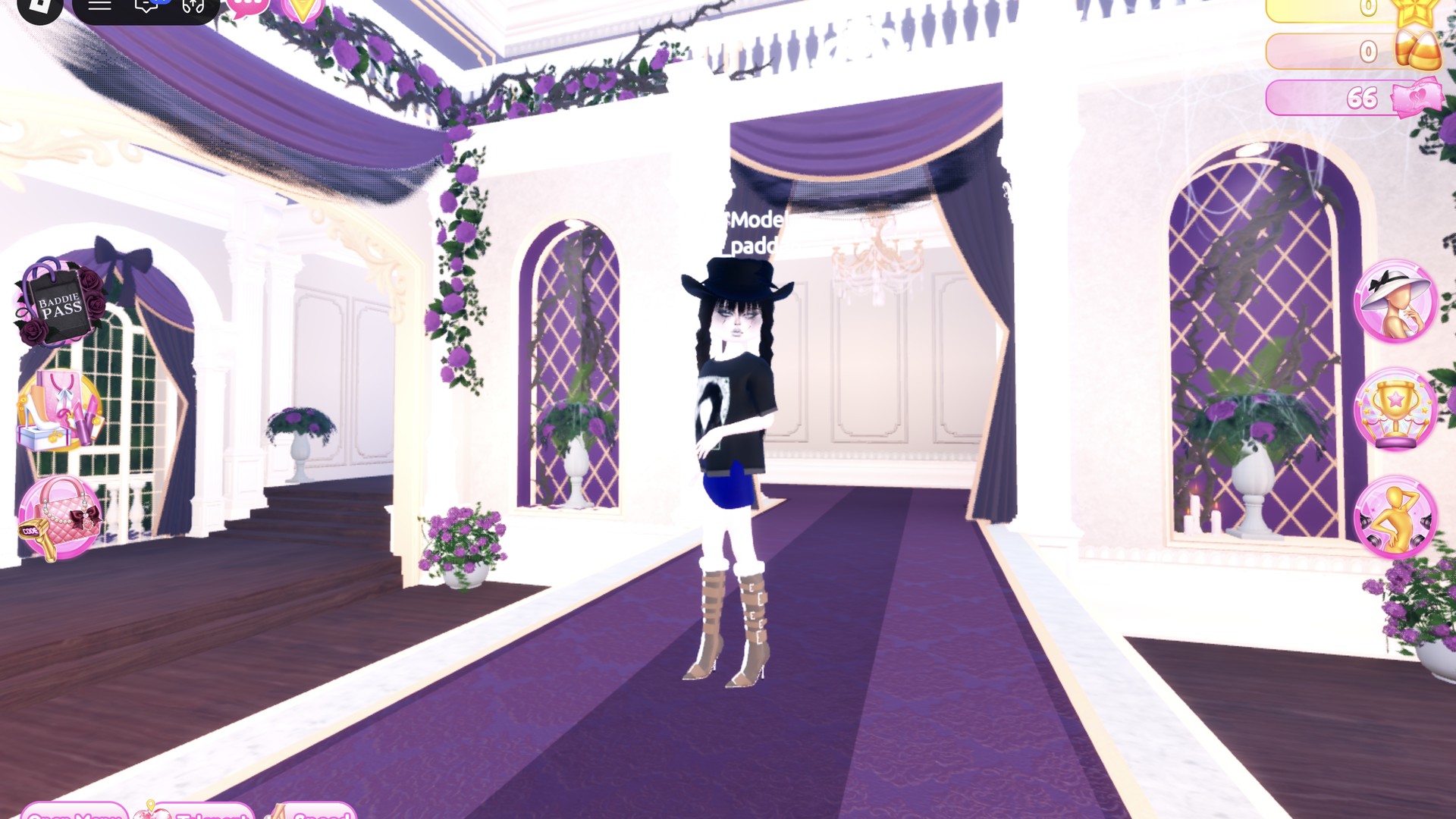
Two Yallternative outfit ideas for Dress To Impress from free pieces: a black cowboy hat with black braids, an oversized graphic tee, a dark denim mini and buckle boots, and a tan cowboy hat with a black leather corset and a denim ruffle skirt.

Two Yallternative outfit ideas for Dress To Impress from free pieces: a black cowboy hat with black braids, an oversized graphic tee, a dark denim mini and buckle boots, and a tan cowboy hat with a…

Yallternative is alternative country. In Dress To Impress, the Roblox fashion game, that means a cowboy hat and boots worn with black alt or grunge pieces and dark makeup. The round banner reads “Theme: Yall’ternative”, and the theme is live in real rounds. Both yallternative dti looks below start from a different base piece and share one cowboy hat. Every piece, color and material is free. More themes are in the Dress To Impress themes guide.
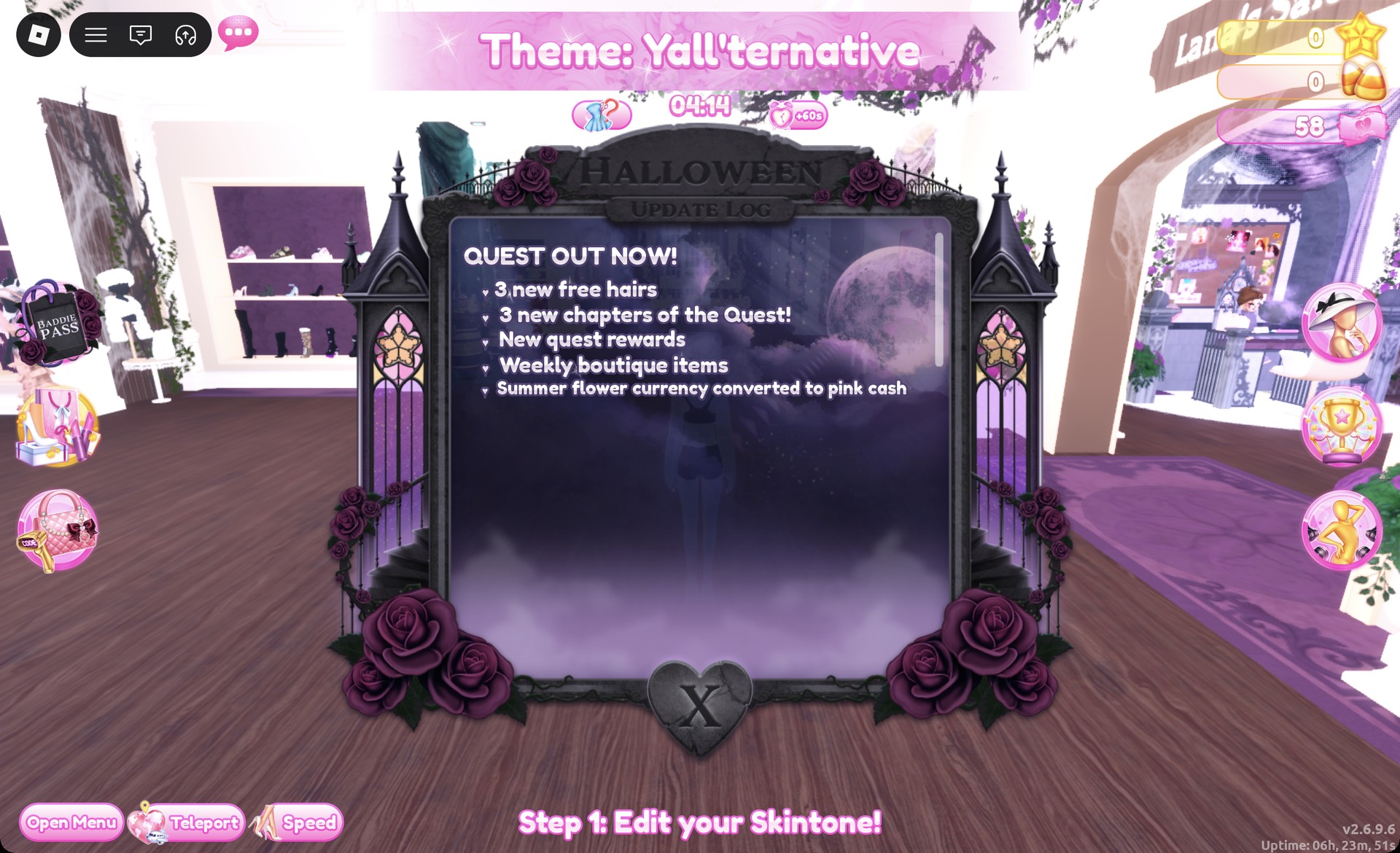
Theme: Yall'ternative banner with the round timer in Dress To Impress
The lobby banner during a real round: "Theme: Yall'ternative" with the timer under it.

Quick answer: Wear a black cowboy hat, black braids, an oversized black graphic tee, a dark denim mini and tan buckle boots. Or wear a tan cowboy hat, a black leather corset, a blue denim ruffle skirt and tan work boots.


Where the Yallternative pieces are in Dress To Impress

Dress To Impress doesn’t show item names, so every piece is identified by its shelf, its look and its color. Load into Dress To Impress on Roblox, then use the Teleport pin at the top left to pick “Dressing Room” for clothes and shoes. Pick “Freeplay Runway” when you want to walk the finished look.

What you needWhere it isHow to open it
Cowboy hatThe hat display is on the upper shelf beyond the Skin Tones booths.Click the brown hat with a band
Clothes and shoesDressing RoomClick a piece on its shelf
HairLana’s Salon, left archSit in a hair chair, press E
FaceLana’s Salon, right archSit at a vanity, press E
SkinSkin Tones boothSkin tab
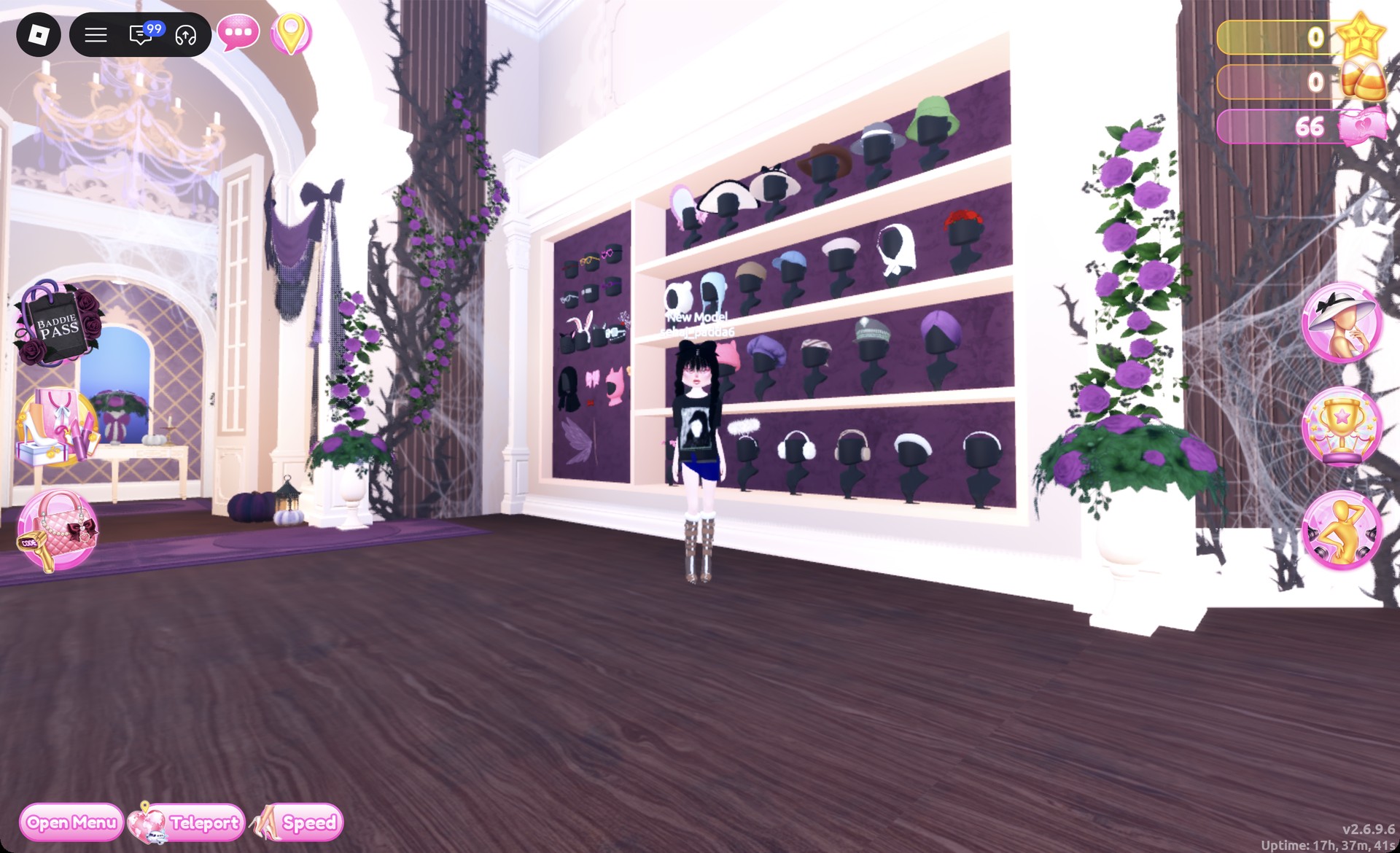
Hat wall past the Skin Tones booths in the Dressing Room in Dress To Impress
The hat wall: the cowboy hat with a band is on the top shelf.

How to recolor and make denim or leather

Click a piece to preview it. While it previews, use the arrows to step through its parts and pick a color from the Palette tab for each one. To change the fabric, open the “+” tab and choose a material such as Denim or Leather after you set the color. Then press Put On, which is the heart-and-tick button to the left of the panel.

Colors below are given as positions on the Default palette. Columns are counted from the left and rows from the top. Row 1 holds earthy browns and tans. Row 8 runs from white to black, and its last heart is black.

You can also recolor something you’re already wearing. Open the Wearing panel with the hanger button on the right and click the piece’s picture.

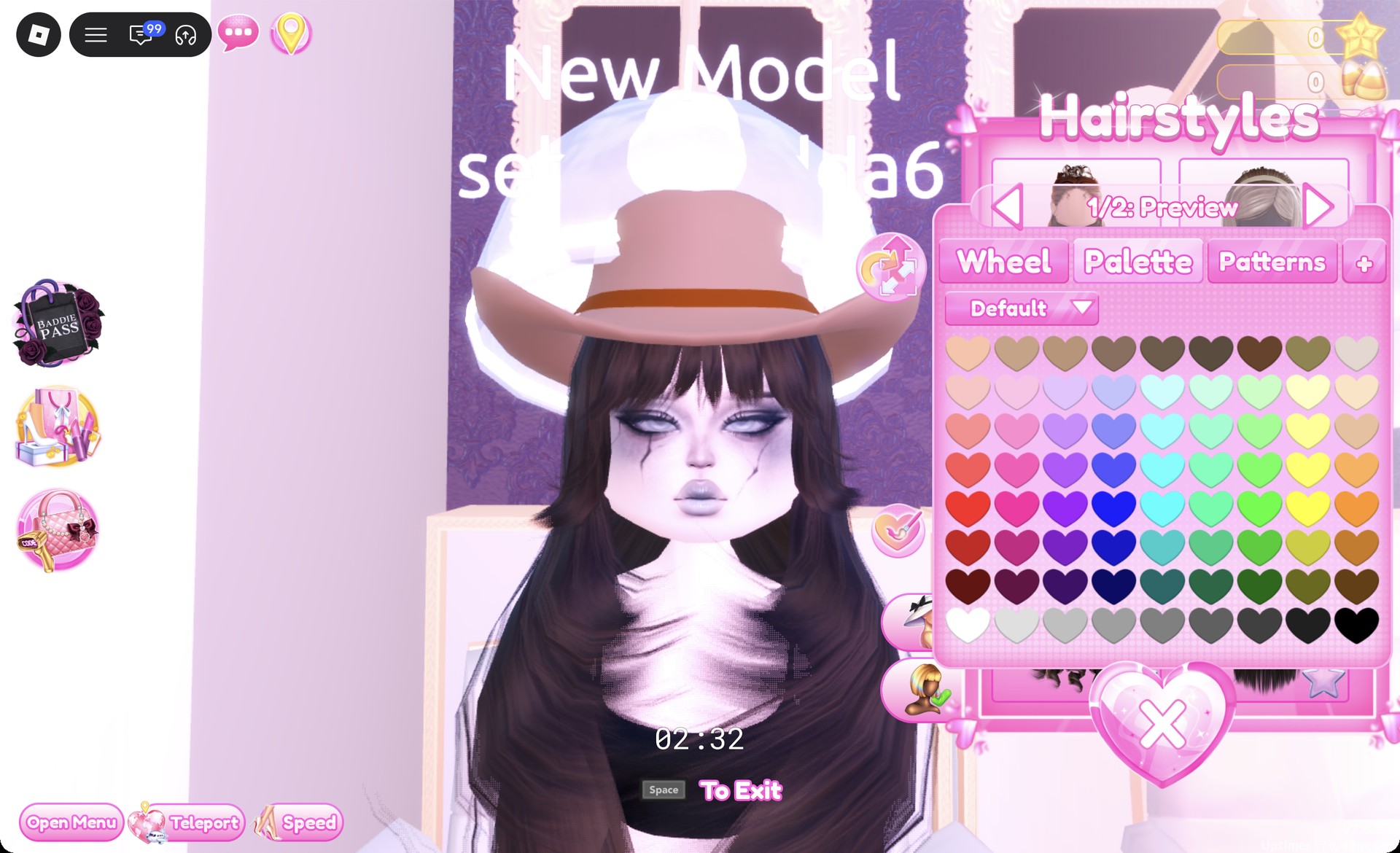
The cowboy hat preview can open in pink because it seems to carry over the last color used. Set its color before you press Put On.
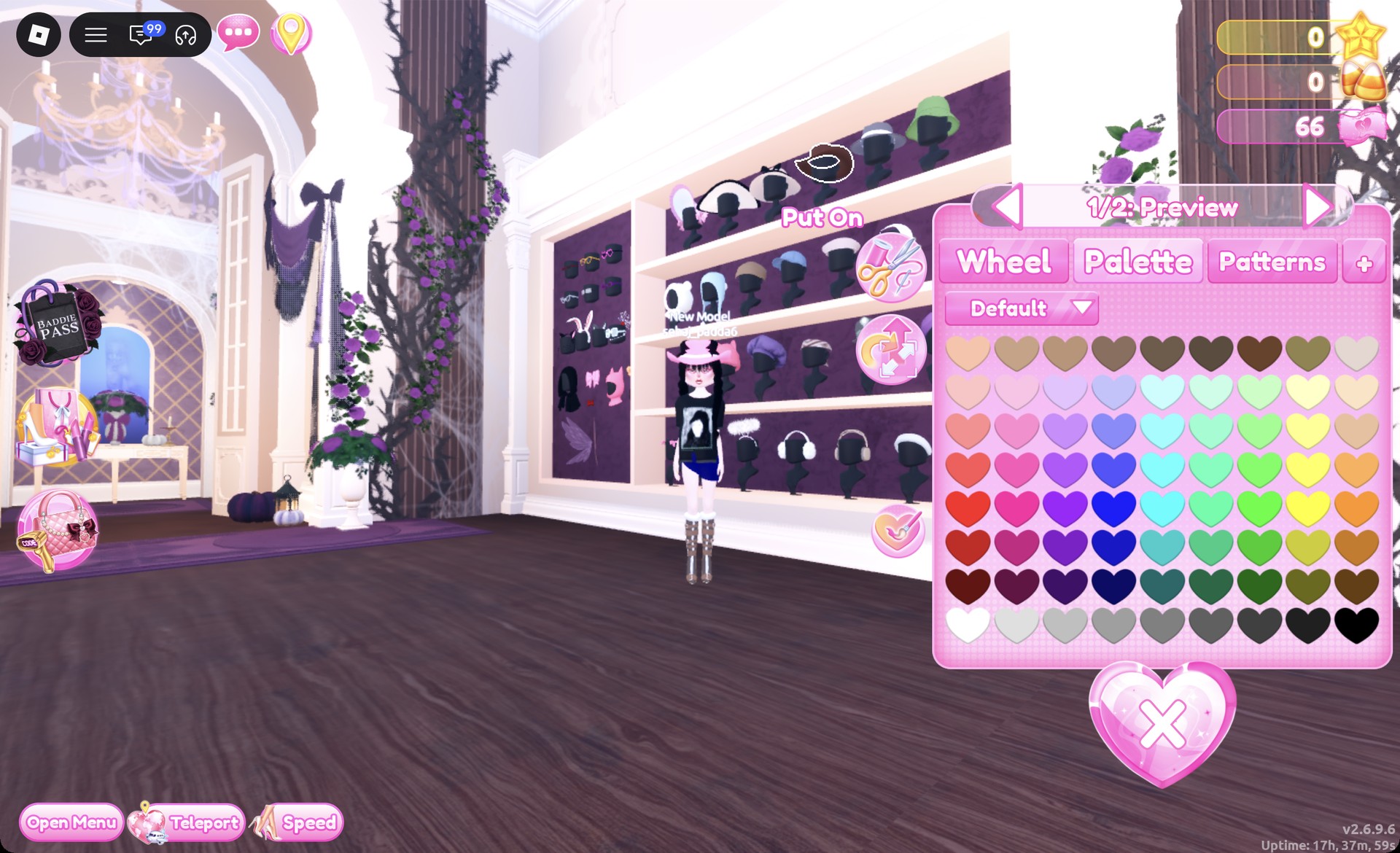
Cowboy hat panel 1/2 open on the hat wall in Dress To Impress
The cowboy hat's "1/2: Preview" panel: the preview opened in pink.

Skin and face for both looks

Both outfits use the same skin and face:

  • Skin: At the Skin Tones booth, open Skin and choose the very pale swatch in row one, slot two.
  • Face: vanity in Lana’s Salon, Feminine tab, second row, third card.
  • The card shows gray lips and smoky-gray eyes, with subtle dark crack lines.
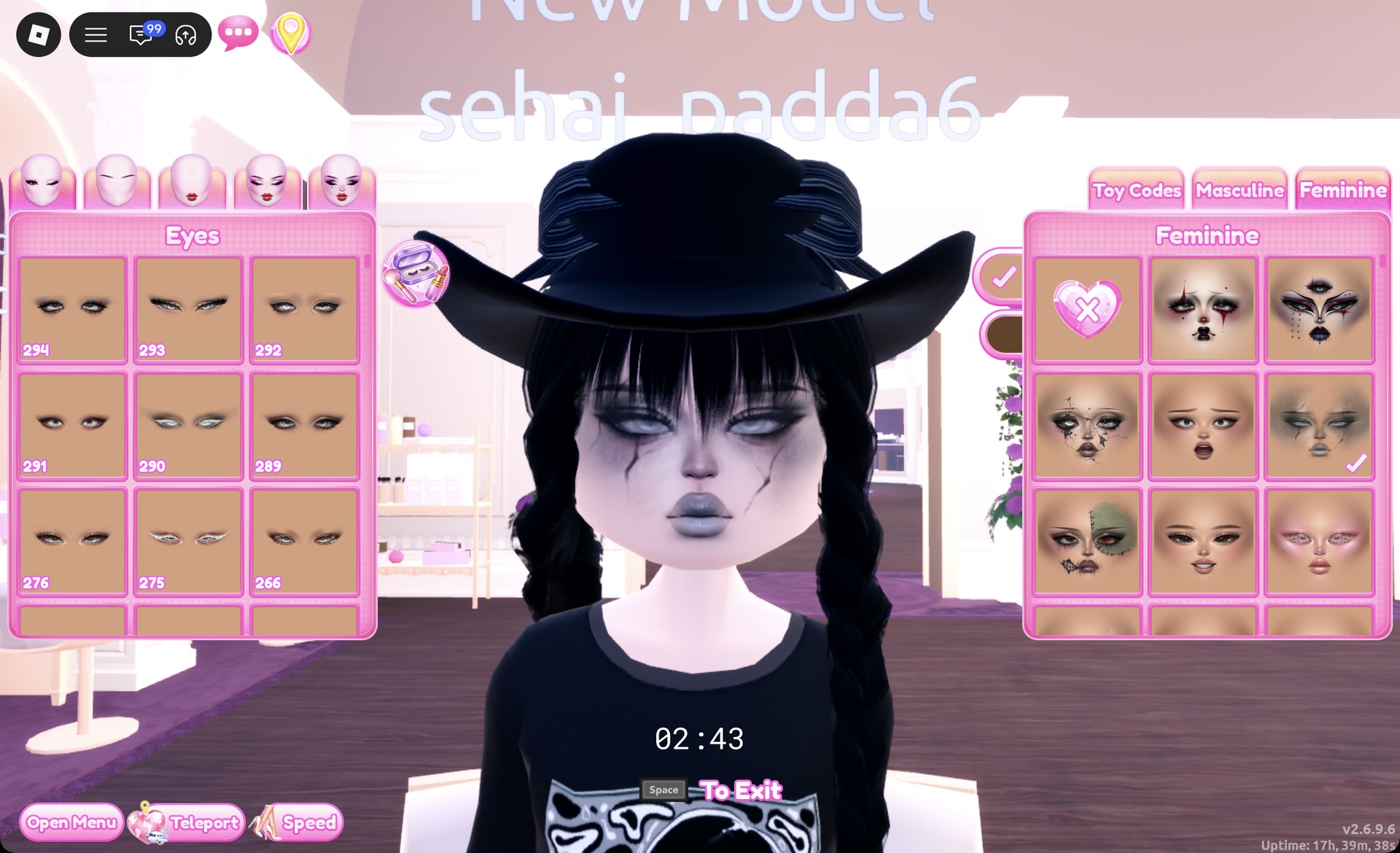
Smoky gray face card on the Feminine tab at the vanity in Dress To Impress
Feminine tab, second row, third card: smoky gray eyes and gray lips.

Look 1: Black cowboy hat with a band tee

This one starts from the oversized black graphic tee. Find the tops units across from the Halloween display. The tee sits on the lower shelf, on the third mannequin. It’s a loose black tee with a large printed picture on the front.
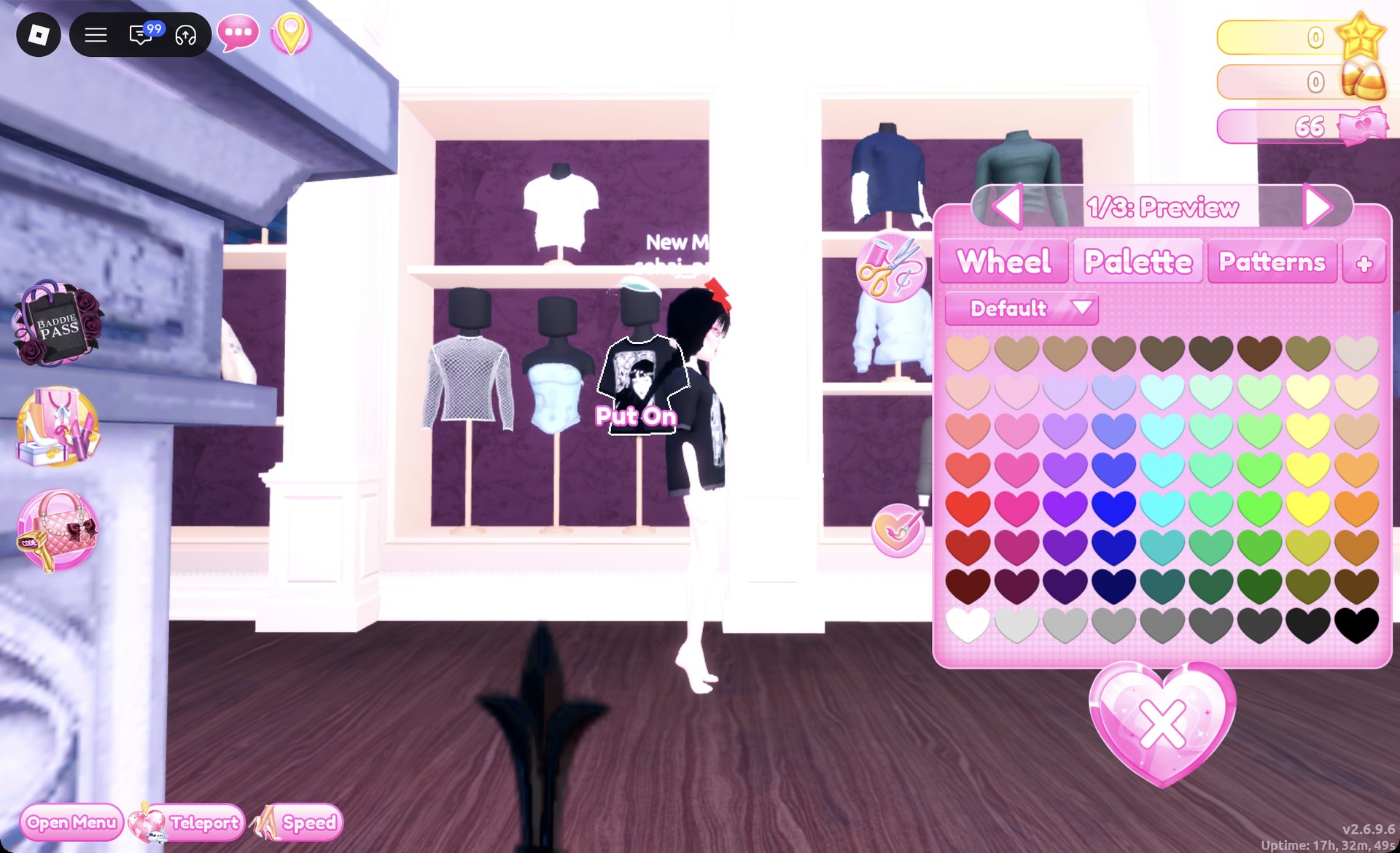
Click the black graphic tee to open the “1/3: Preview” panel. Keep its default colors and press Put On.
Oversized black graphic tee on the tops unit in Dress To Impress
The oversized black graphic tee with its "1/3: Preview" panel.
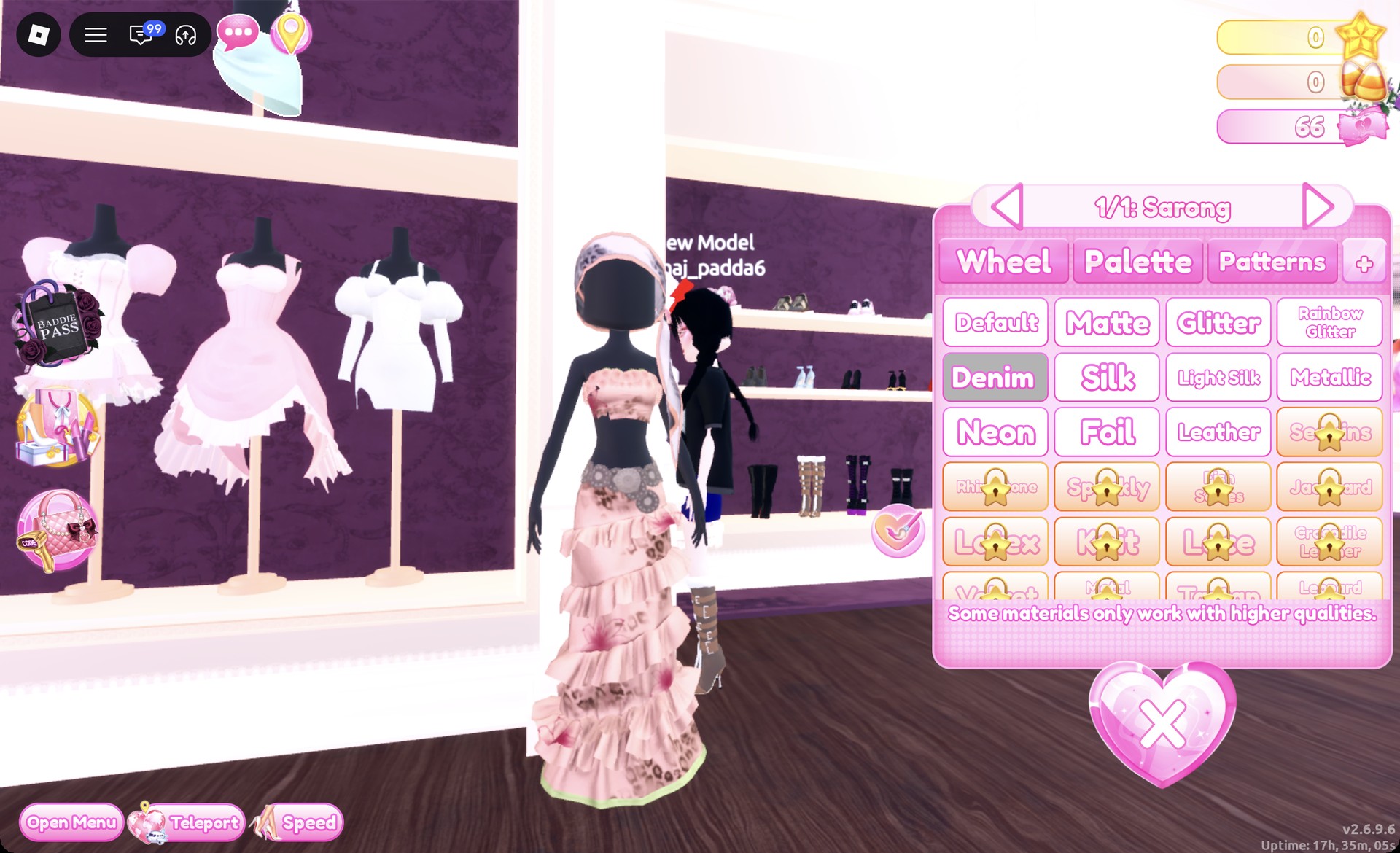
Go to the party-dress unit beside the shoe shelf and click the wrap skirt from the two-piece set on the top shelf. In the “1/1: Sarong” panel, pick Palette column 4, row 7 (navy), then Denim on the “+” tab. That turns it into a dark denim mini, so press Put On.
Wrap skirt recolored navy with Denim in Dress To Impress
"1/1: Sarong" in navy with Denim selected.
On the bottom row of the shoe shelf, click the tall tan boots with buckle straps and white fur cuffs. The panel reads “1/6: Preview”. Keep the default colors and press Put On.
Tall tan buckle boots with fur cuffs on the shoe shelf in Dress To Impress
The tall tan buckle boots with fur cuffs, "1/6: Preview".
At Lana’s Salon, open the Braids tab and pick the right card in the second row. That’s long braids with full bangs and a bow. Recolor the braids black and put them on.
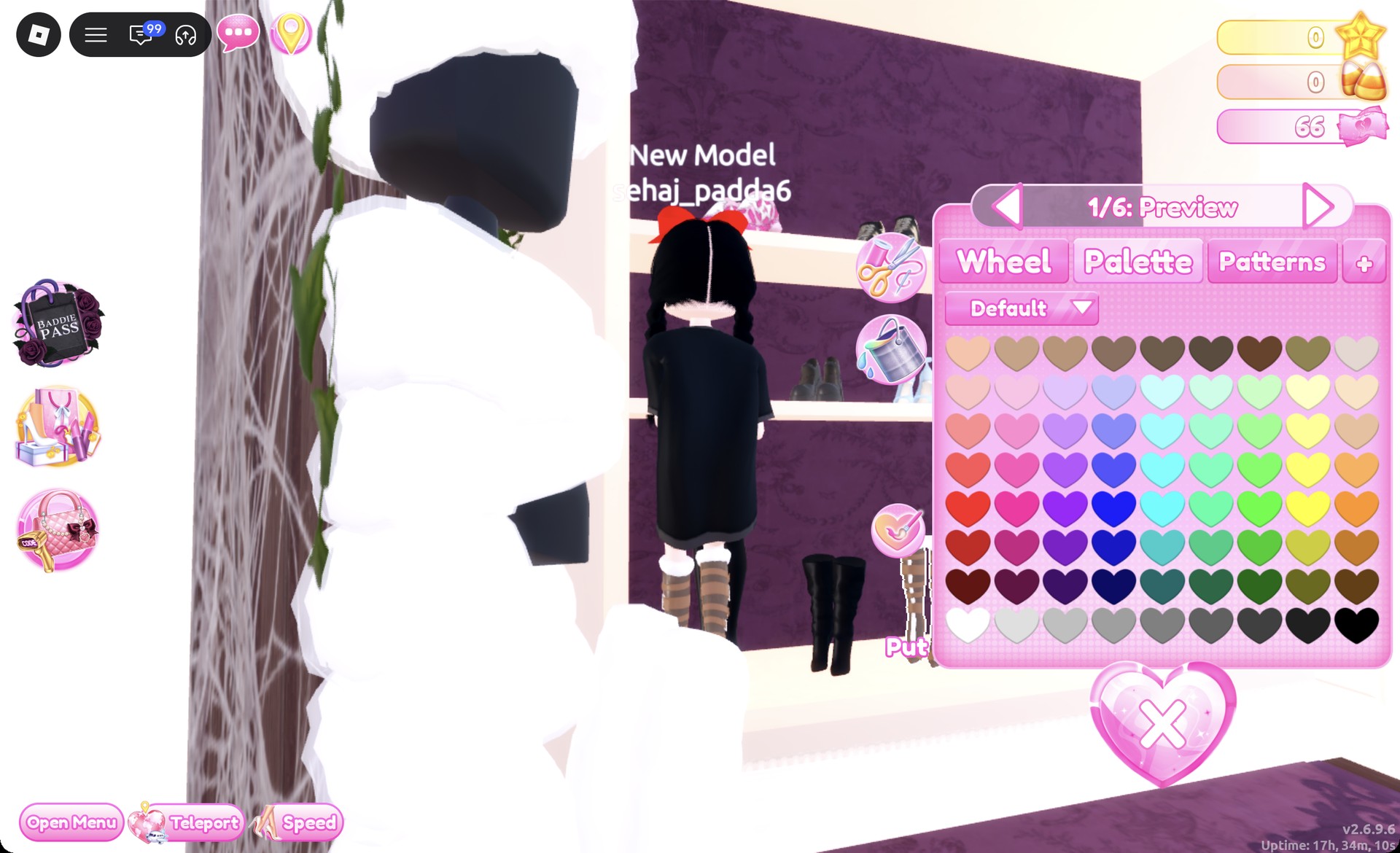
Open the Wearing panel, click the braids and step to the “3/3: Bow” part. Make it black too, so the bow doesn’t flash bright under the hat.
Braids bow part recolored black in the Wearing panel in Dress To Impress
"3/3: Bow" opened from the Wearing panel.
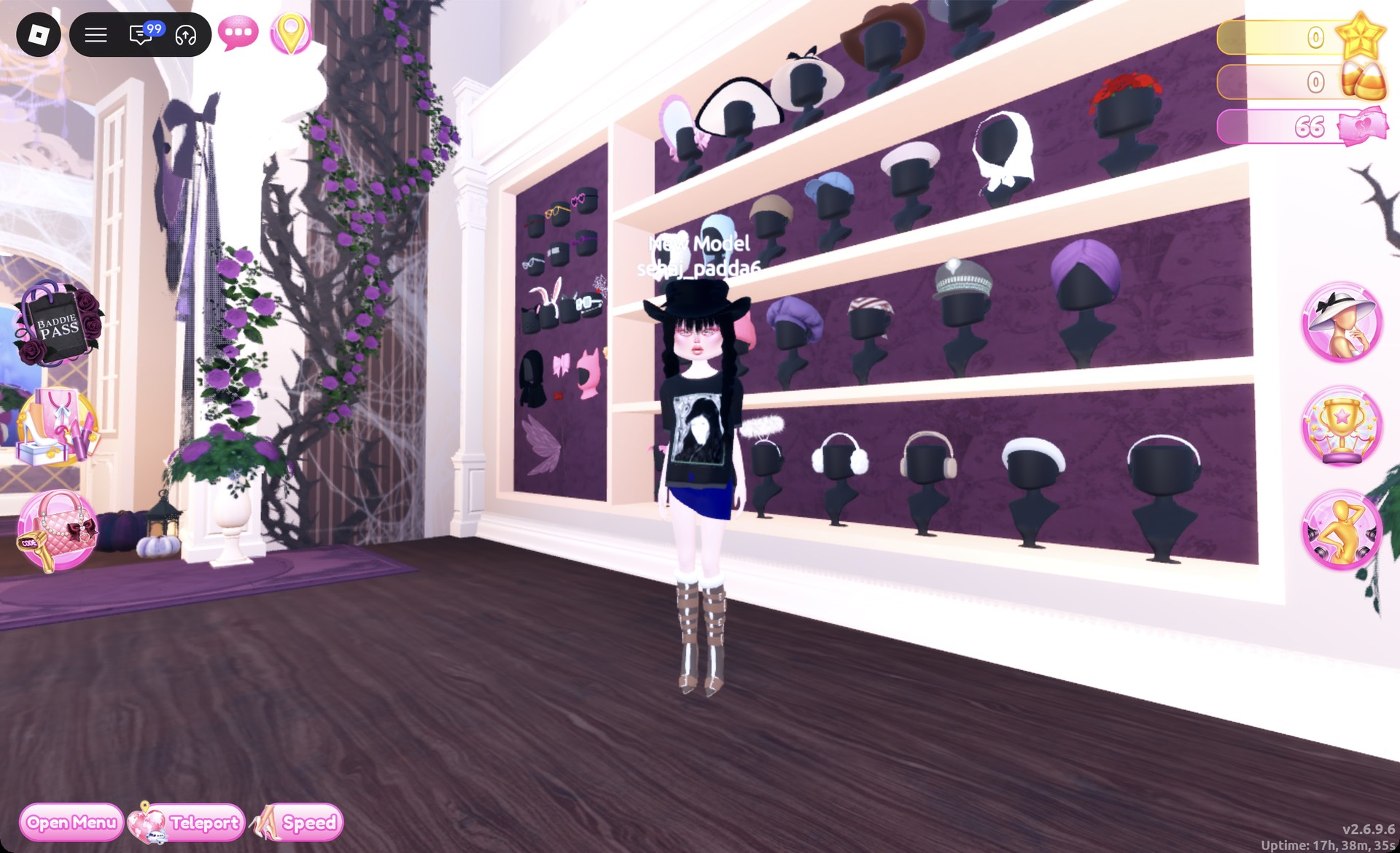
Beyond the Skin Tones booths, select the banded cowboy hat on the top shelf of the hat wall to open “1/2: Preview”. Set each of the two parts to the black final heart in Palette row 8, and check “2/2” too. Then click Put On.
Black cowboy hat worn over black braids in Dress To Impress
The black cowboy hat on, over the black braids and graphic tee.
Put on the smoky gray face if you haven’t already. Then teleport to the Freeplay Runway.

Done right, a black cowboy hat sits over black braids.
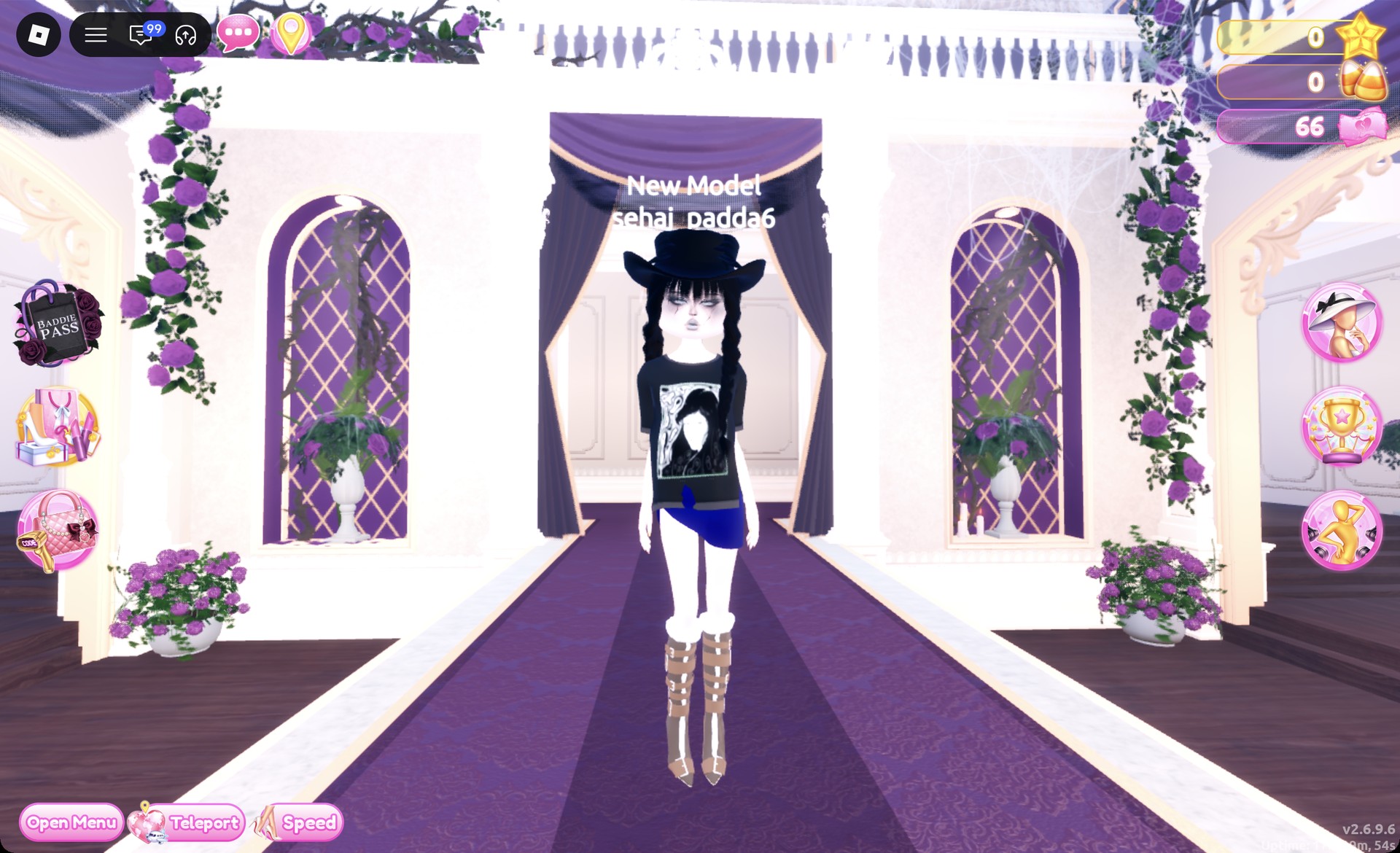
Black cowboy hat Yallternative look on the Freeplay Runway in Dress To Impress
Look 1 on the Freeplay Runway.

From behind, you see the hat, the braids, the tee and the buckle boots.
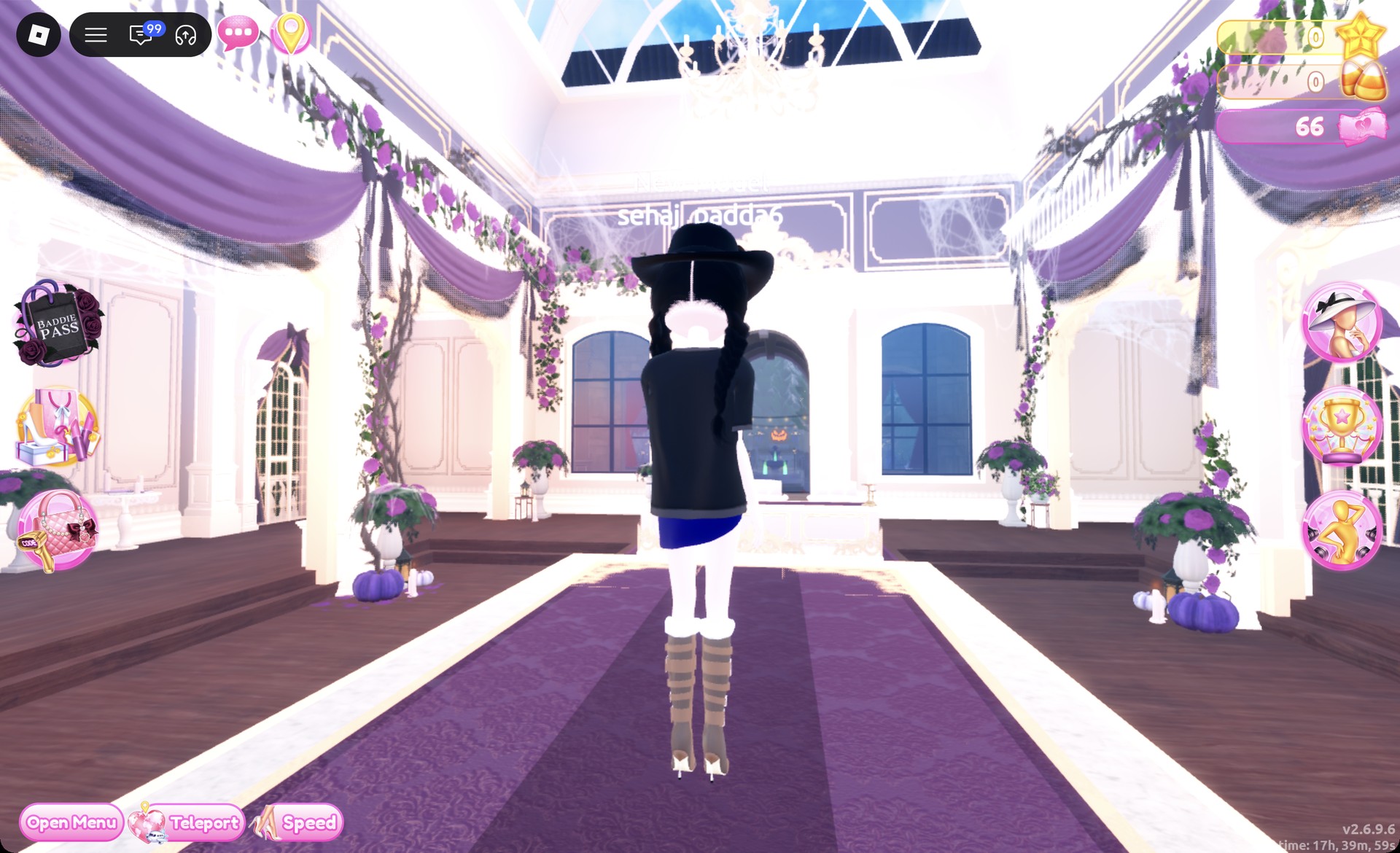
Back view of the black cowboy hat look in Dress To Impress
From behind: hat, braids, tee and buckle boots.

The Dazzle pose works well for this look.
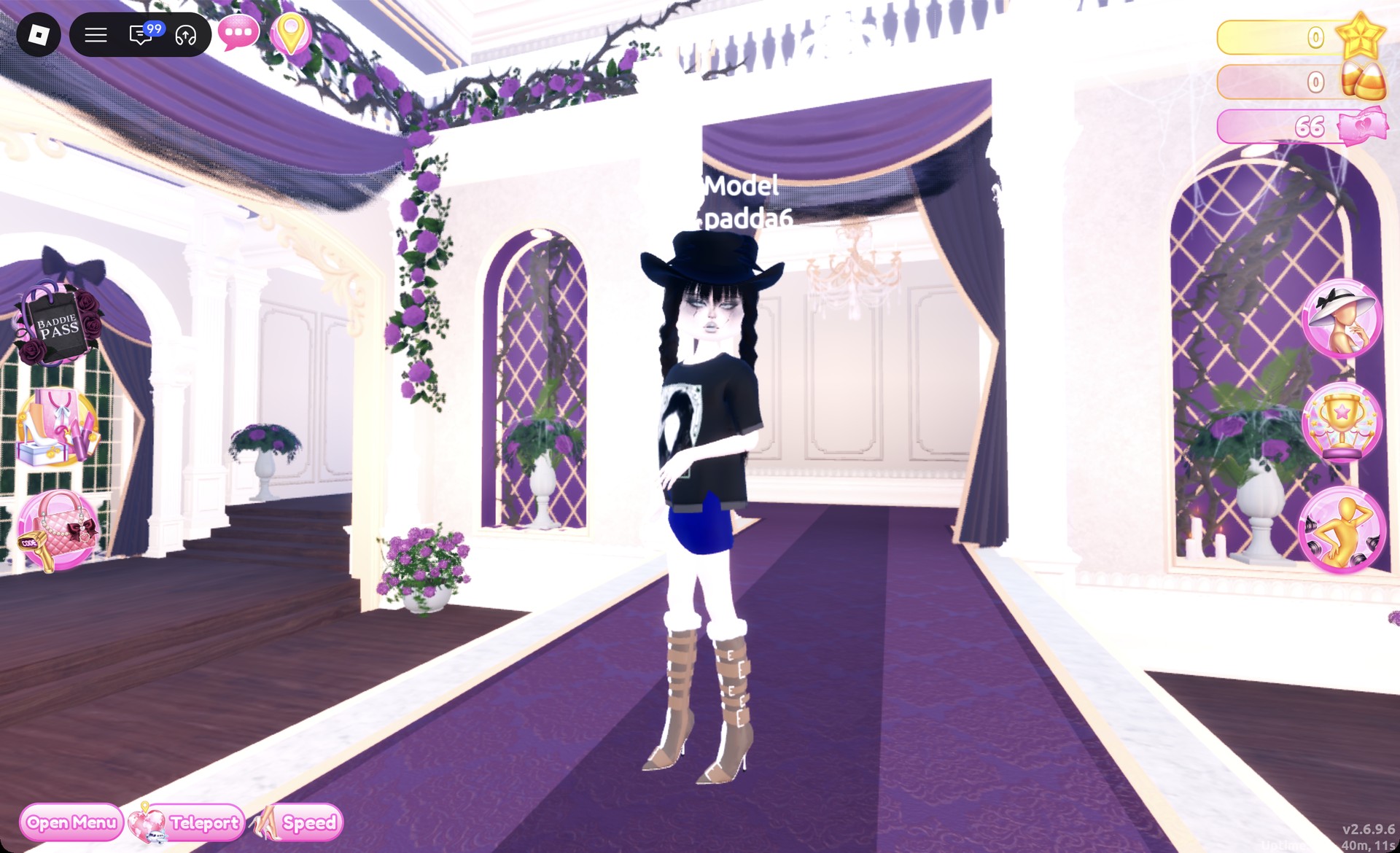
Yallternative look 1 in the Dazzle pose in Dress To Impress
Look 1 in the Dazzle pose.

Look 2: Tan cowboy hat with a denim corset dress

The second look is built from a different base, the pink corset dress with puff sleeves. It’s on the left mannequin of the lower party-dress shelf. It has a corset top and a short ruffled skirt, and you’ll restyle both halves. These steps start from Look 1.
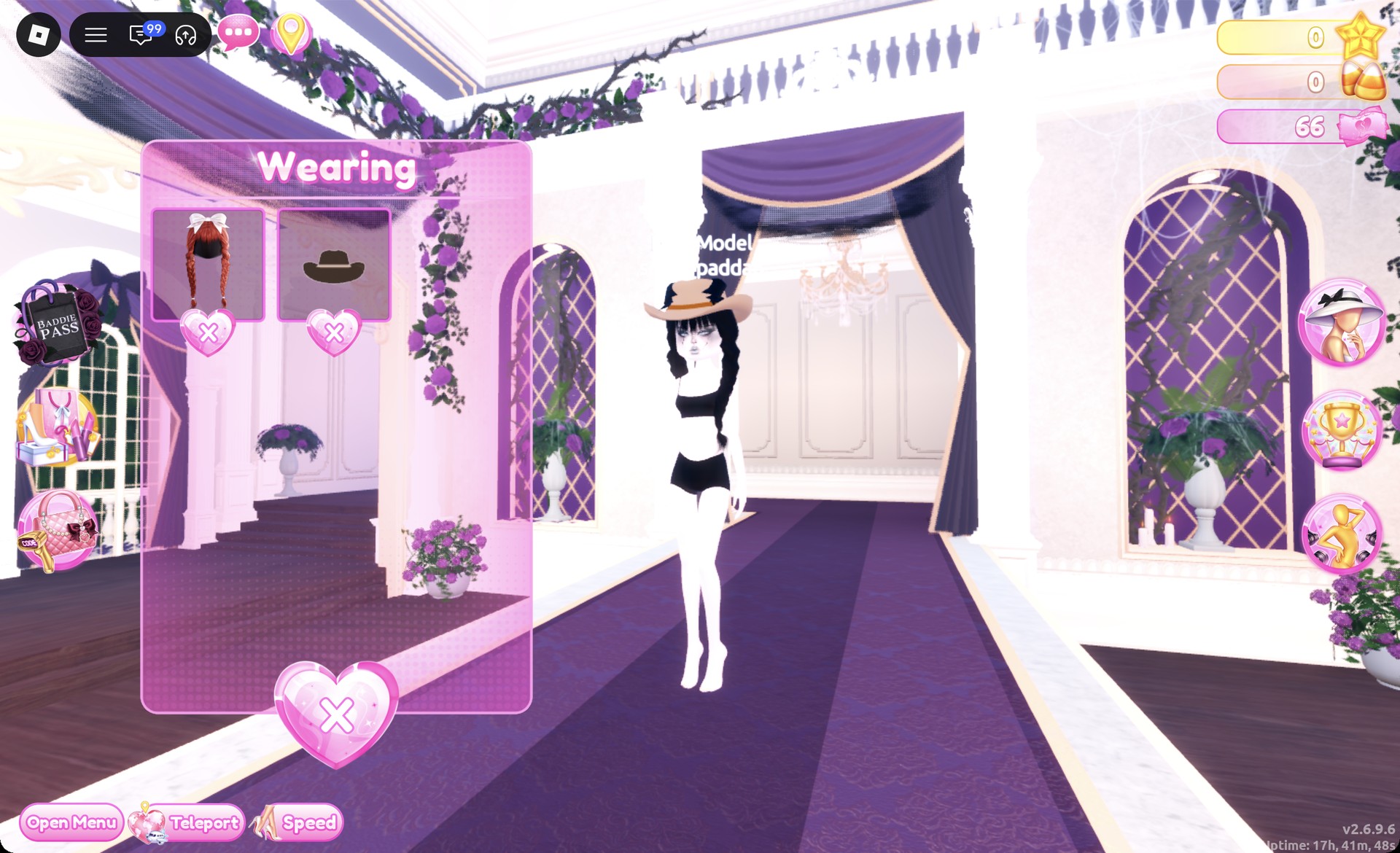
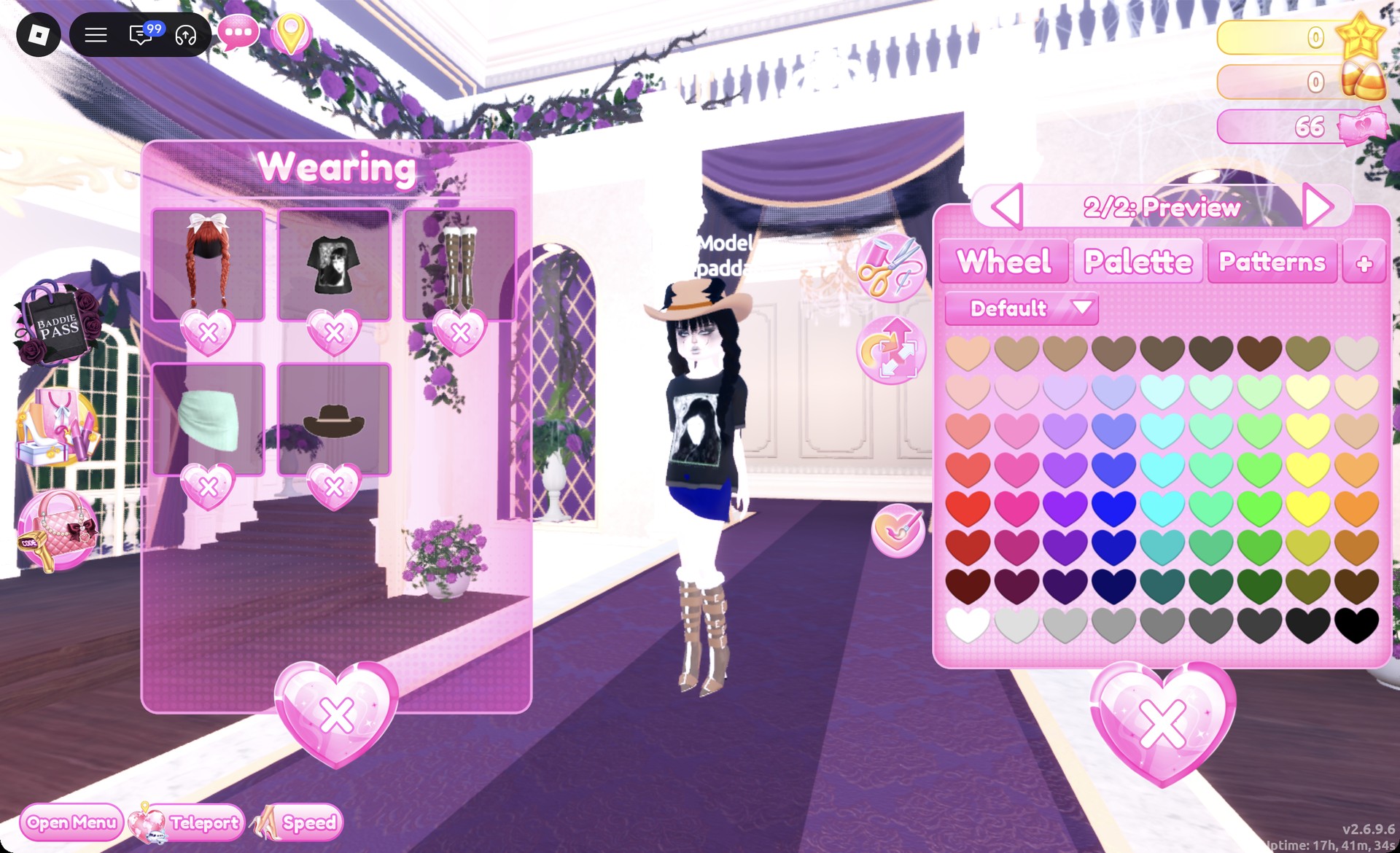
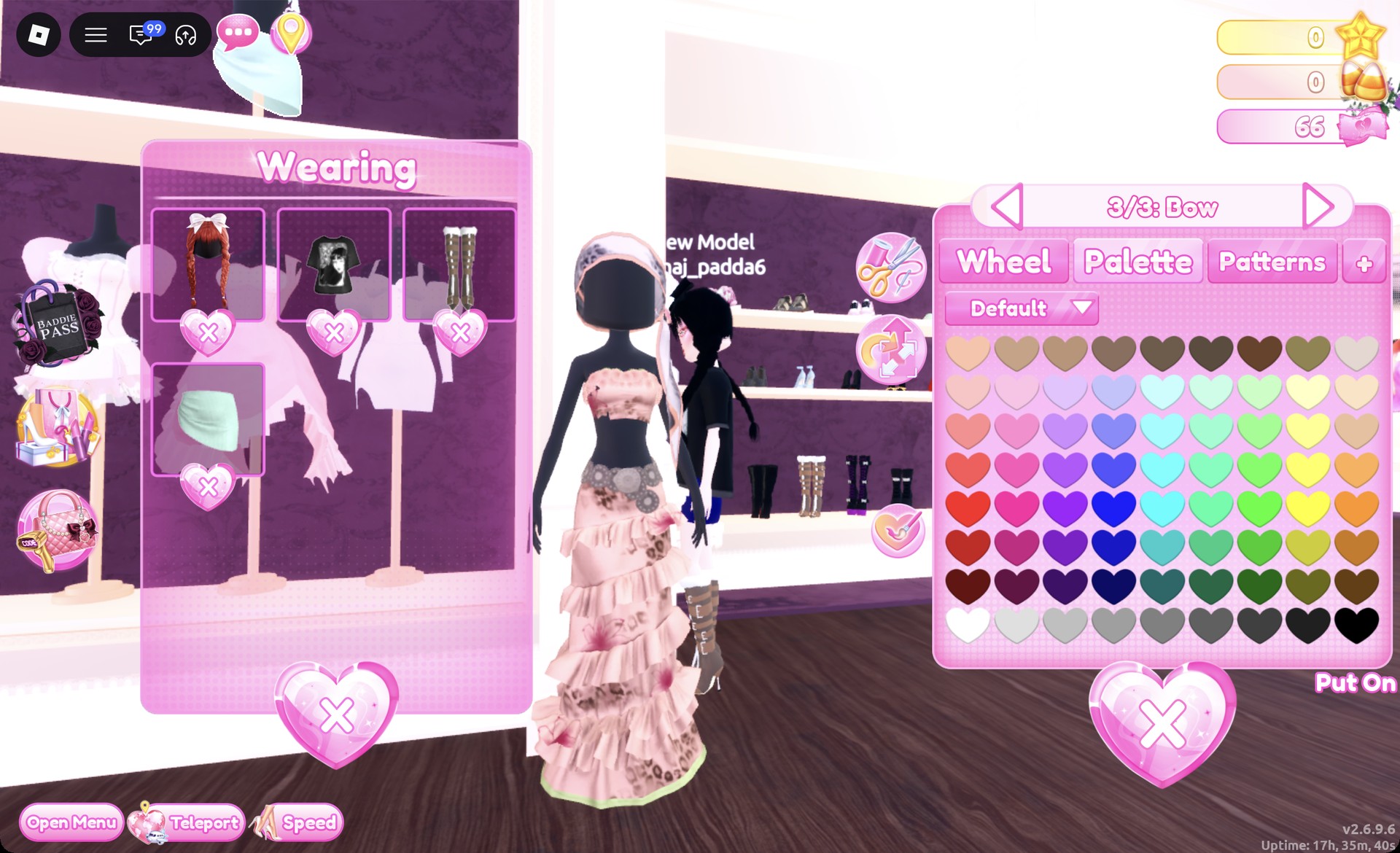
In the Wearing panel, remove the tee, the skirt and the boots with the heart X under each picture. Leave the cowboy hat on.
Wearing panel with only the hair and cowboy hat left in Dress To Impress
The Wearing panel with only the braids and the hat left on.
Click the hat in the Wearing panel to recolor it. Set part 1 to Palette row 1, column 4 (a light tan brown). Set part 2 to column 9, row 7 (dark brown).
Cowboy hat recolored tan from the Wearing panel in Dress To Impress
The hat recolored from the Wearing panel: tan with a dark band.
In Lana’s Salon, use the X heart on the braids’ card to remove them. Next, open Wavy and choose the second-row card on the left, showing long dark brown waves and curtain bangs (“1/2: Preview”). Leave the color unchanged and press Put On.
Long dark brown waves with curtain bangs under a tan cowboy hat in Dress To Impress
Wavy tab, second row left card: long dark brown waves under the tan hat.
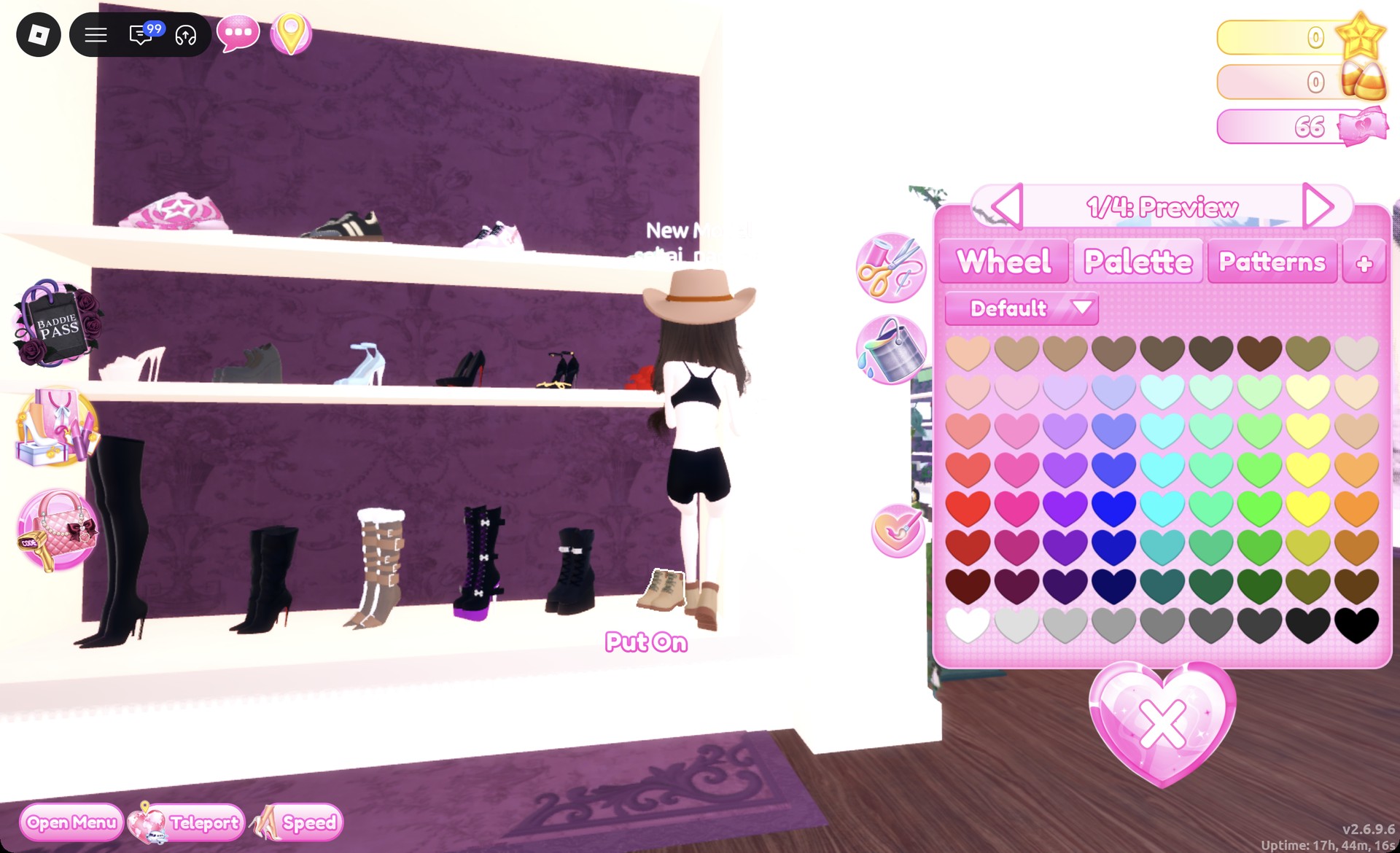
Back at the shoe shelf, click the tan lace-up work boots at the far right of the bottom row. The panel reads “1/4: Preview”. Keep the default tan and press Put On.
Tan lace-up work boots on the shoe shelf in Dress To Impress
The tan work boots, "1/4: Preview".
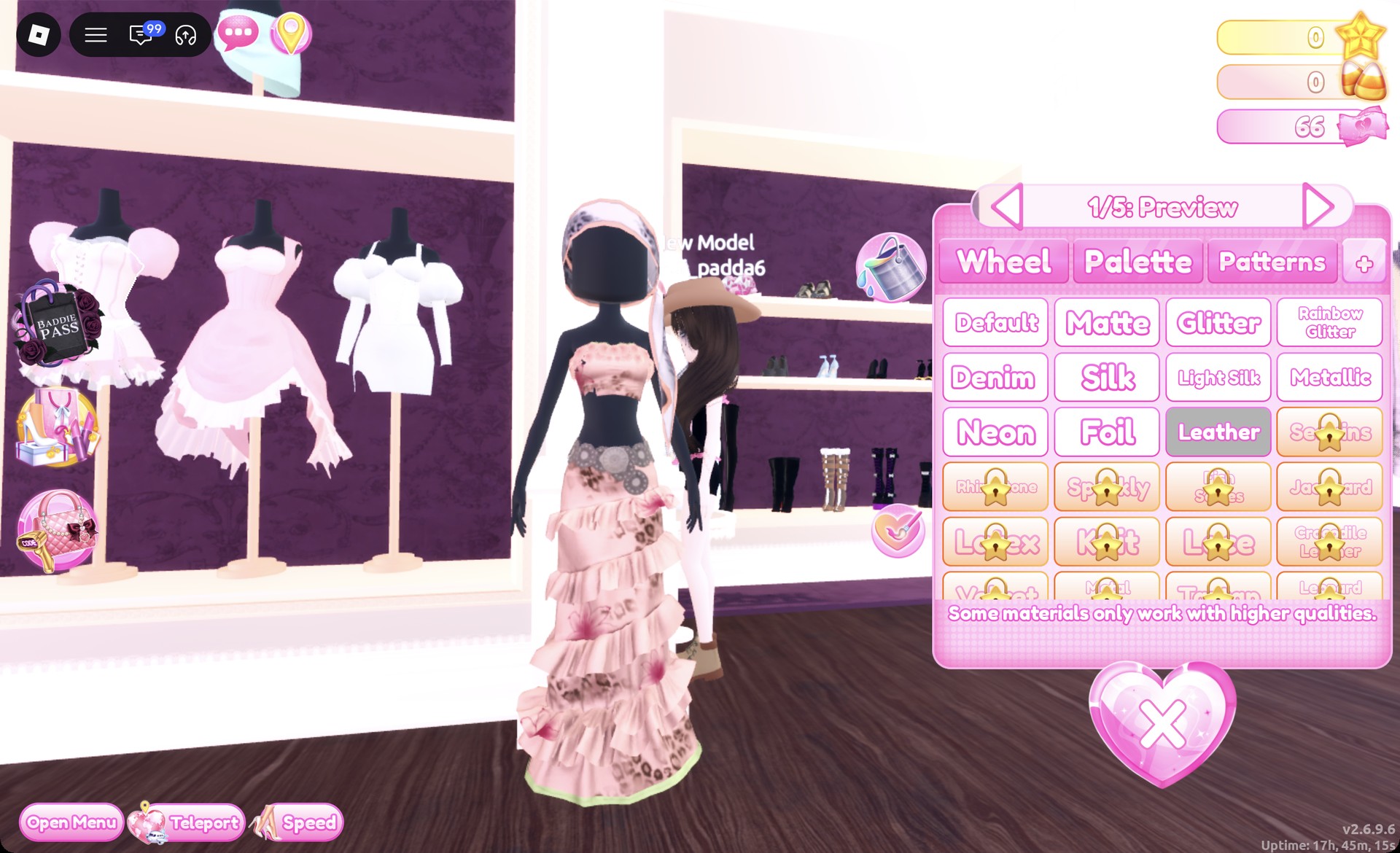
Click the corset on the pink dress to open “1/5: Preview”. Set parts 1 and 2 to the last heart on row 8 (black) with Leather on the “+” tab. Set parts 3, 4 and 5 to black, confirm “5/5” is black, then press Put On.
Corset recolored black with Leather in Dress To Impress
The corset's part 1 in black with Leather selected.
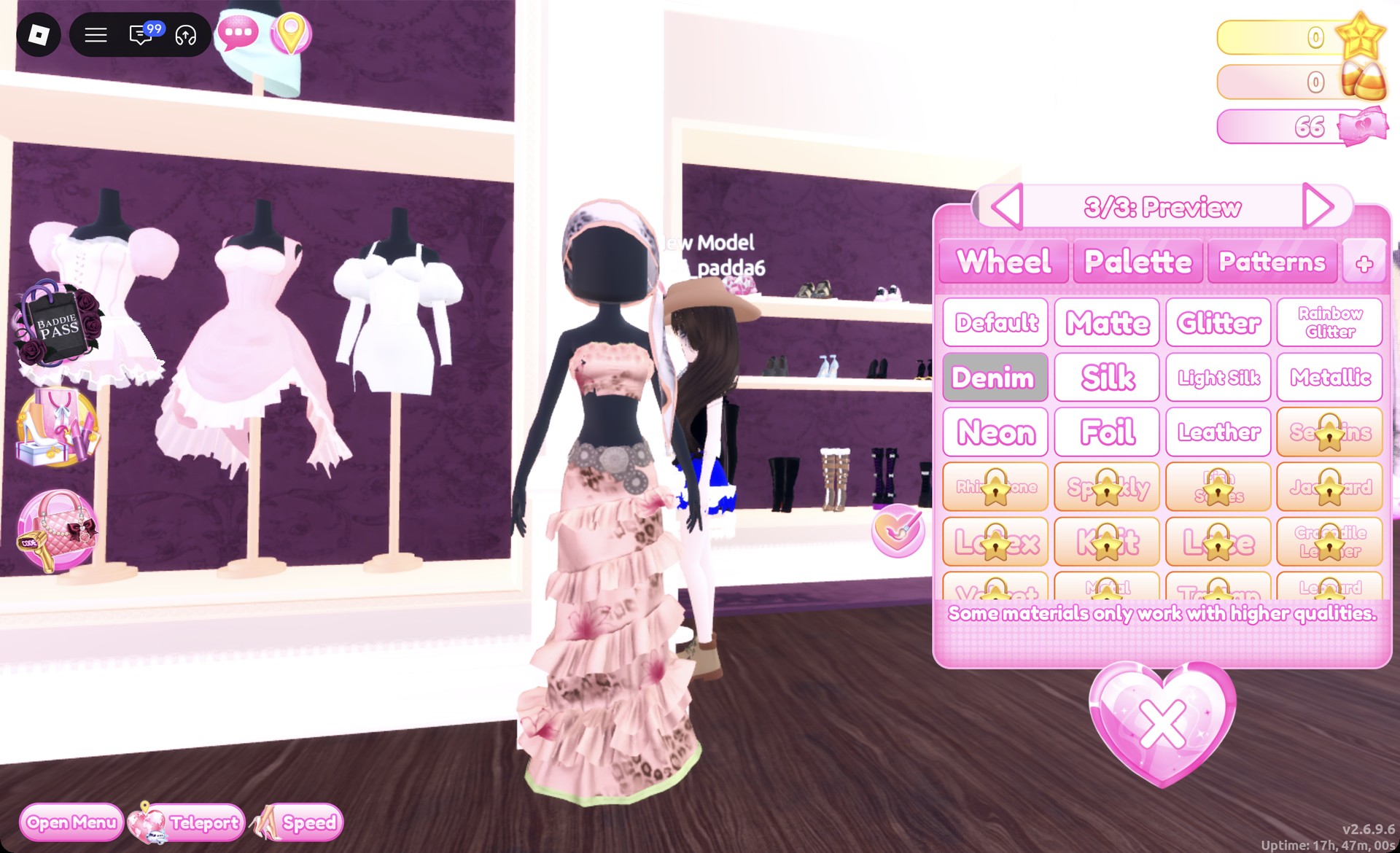
Click the skirt on the same mannequin to open “1/3: Preview”. Set parts 1 and 3 to Palette column 4, row 6 (blue) with Denim. Set part 2 to white (row 8, first heart) with the Default material, check “3/3,” then press Put On.
Corset dress skirt recolored blue with Denim in Dress To Impress
The skirt's "3/3" in blue with Denim.

Keep the smoky gray face and walk the Freeplay Runway. On the runway, the hat reads as tan with a brown band.
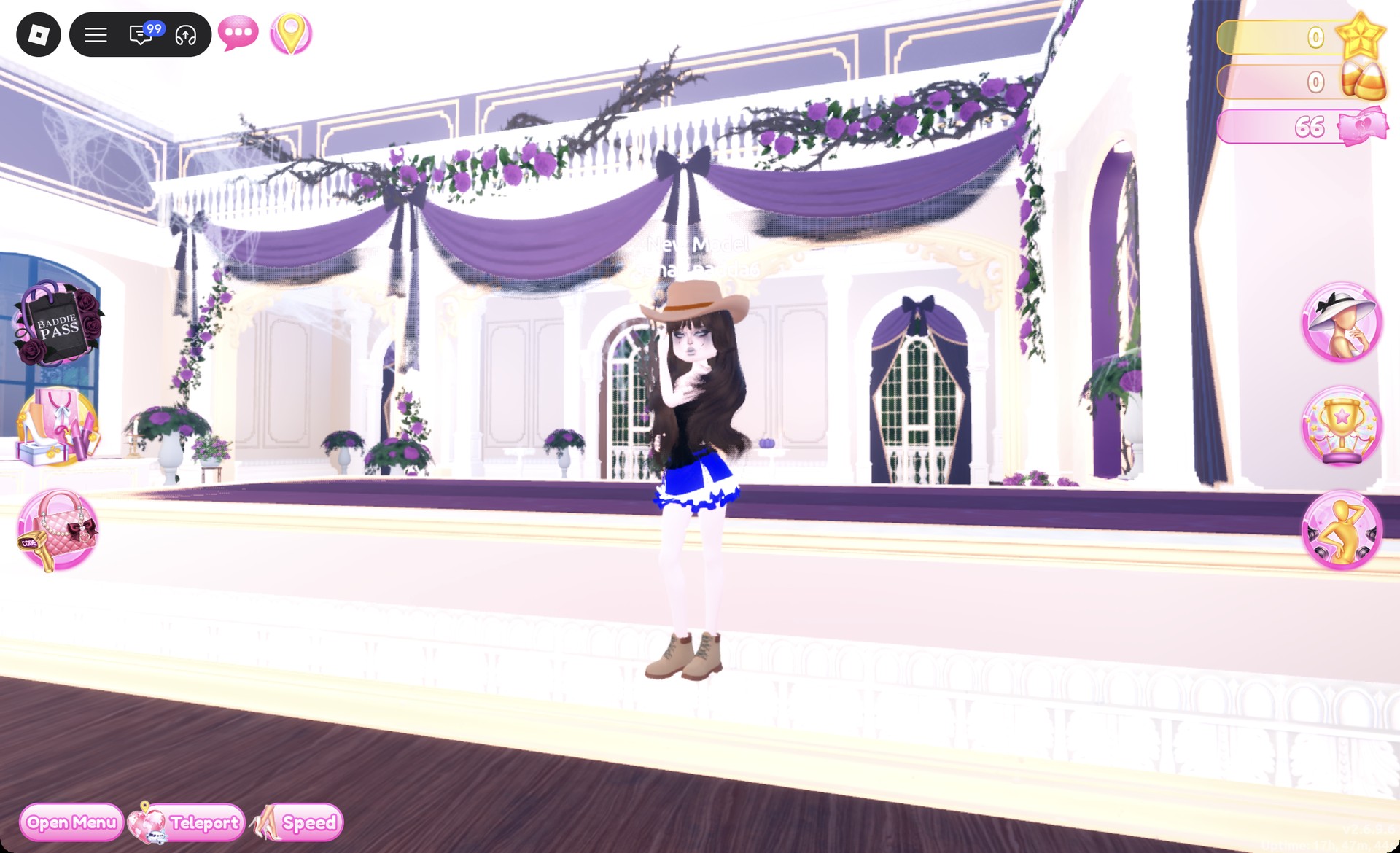
Tan cowboy hat with a denim corset dress on the Freeplay Runway in Dress To Impress
Look 2 on the Freeplay Runway.

From behind, you get a black leather corset back, the blue denim skirt with its white ruffle, and dark waves under the hat.
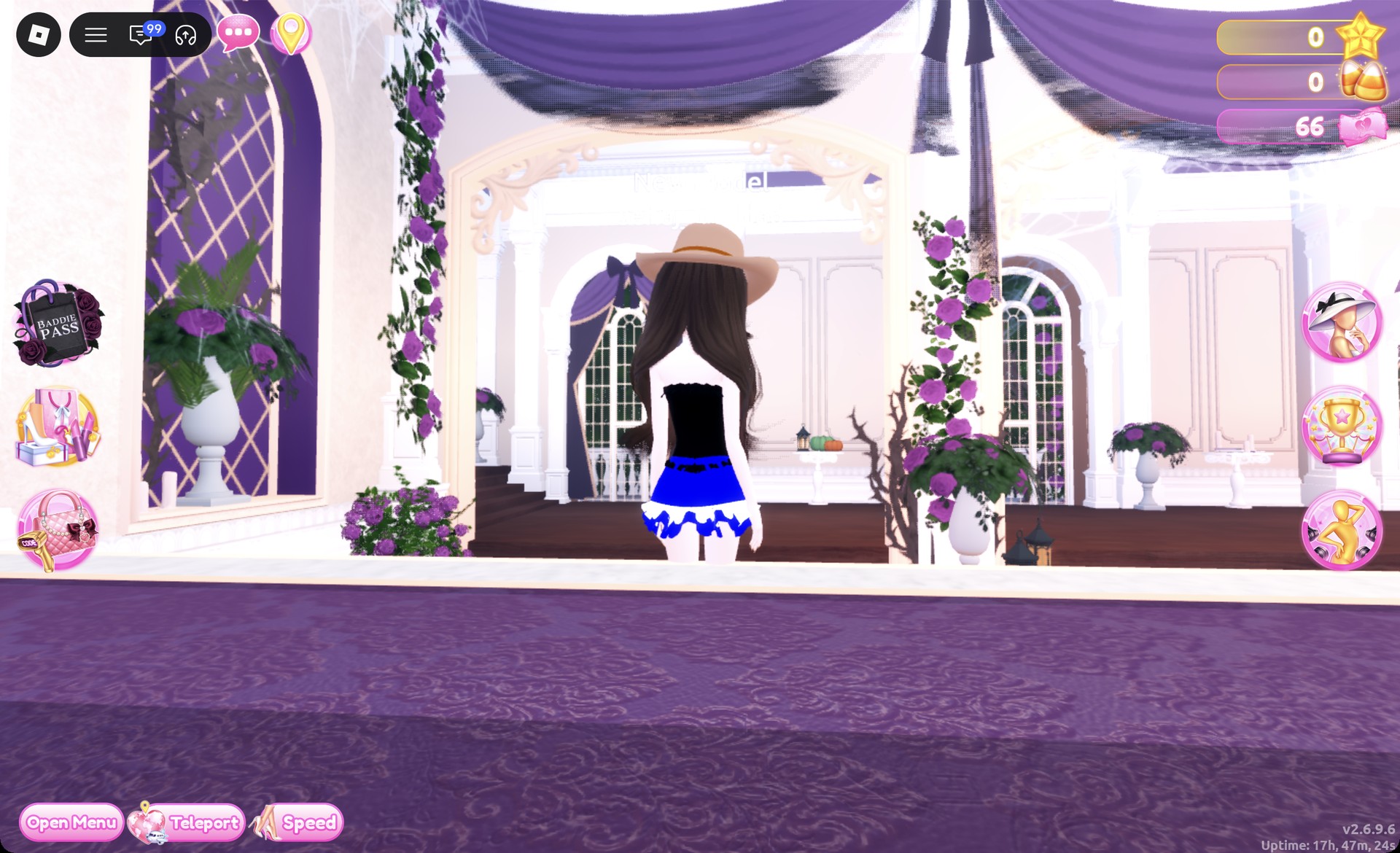
Back view of the black leather corset and denim skirt in Dress To Impress
From behind: black leather corset back, denim skirt with a white ruffle.

The Satin pose suits it.

Yallternative look 2 in the Satin pose in Dress To Impress
Look 2 in the Satin pose.

More country and alt theme ideas


Yallternative DTI questions

What hair and makeup fit Yallternative?

Long hair that hangs below the hat works best, such as black braids or long dark waves. For makeup, use the smoky gray face card from the vanity’s Feminine tab, second row, third card.

Can you do Yallternative in Dress To Impress without VIP?

Yes. Every piece, color and material in both looks is free, including Denim and Leather on the “+” tab. Neither outfit costs Robux.

Where is the cowboy hat in Dress To Impress?

On the hat wall in the Dressing Room, past the Skin Tones booths. It sits on the top shelf: a brown cowboy hat with a band that opens “1/2: Preview”. Recolor it before Put On, because the preview can open in pink.

How do you make denim or leather in Dress To Impress?

Pick the color on the Palette tab first, then open the “+” tab and choose Denim or Leather for that part. Repeat it for each part you want in that fabric.

What does Yallternative mean in DTI?

Alternative country: cowboy hats and boots, denim and western touches mixed with black grunge or emo pieces, band-tee style tops and dark makeup.