Gaming Guide

Acubi Dress To Impress: 2 Outfit Ideas (Gray Chain Mini With a White Tube Top, Black Mesh Long-Sleeve Layer)

Two Acubi outfit ideas for Dress To Impress (DTI): a gray chain mini with a white tube top and a black mesh long-sleeve layer, with pictures, colors and where to find every piece.

Two Acubi outfit ideas for Dress To Impress (DTI): a gray chain mini with a white tube top and a black mesh long-sleeve layer, with pictures, colors and where to find every piece.

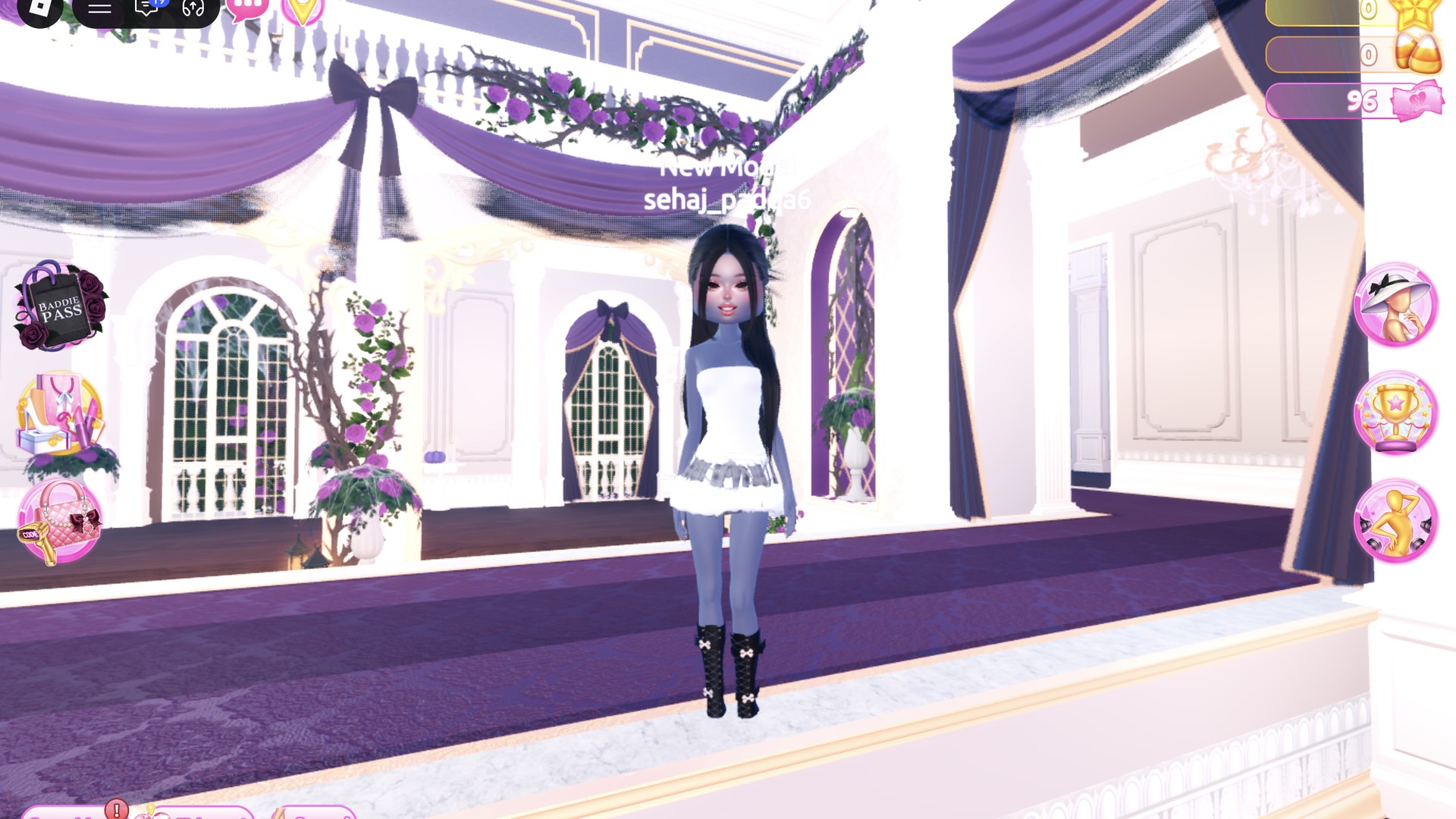
Acubi is a Korean-inspired streetwear style that stays minimal and muted. It sticks to grays, black and white, adds sheer or mesh layers and slim minis, and finishes with chunky boots and sleek dark hair. For acubi dti, Dress To Impress (the Roblox fashion game) gives you two fast ways to build it. One starts from a chain mini and the other from a black mesh top.

Quick answer: For Acubi, keep it muted and minimal: a gray chain mini with a light gray strapless tube top, black lace-up platform boots and long straight black hair, or a black sheer mesh long-sleeve top layered over a black crop top and shorts with a sleek black ponytail.

You can join the game from the Dress To Impress experience page on Roblox. Both looks also work in Freeplay Mode, so you can practice them before a round rolls Acubi. More themes are in the Dress To Impress themes guide.


Where to find each Acubi piece in Dress To Impress

Dress To Impress doesn’t show item names, so every piece below is identified by its location and its appearance. Clothes and shoes are in the Dressing Room. To get there, open the Teleport pin at the top left and pick “Dressing Room”. Hair and faces are in Lana’s Salon.

PieceWhere it is
Black pleated chain miniRound Halloween display, middle of the hall
Strapless tube topTops wall, right of the Halloween display
Black sheer mesh long-sleeve topTops shelf, left wall opposite the display
Black lace-up platform knee bootsShoe shelf, bottom row
HairLana’s Salon, hair chairs (press E)
FaceLana’s Salon, vanity mirrors (press E, Feminine tab)

On the Halloween display, a mannequin wears a chain-covered black pleated mini. The mesh top sits beneath a white crop top, with the pale blue corset and black graphic tee beside it. To enter the runway, open the Teleport pin and select “Freeplay Runway”.

A piece’s panel only opens when your character is standing right next to it. If a click does nothing, step closer.


How recoloring works on the Palette tab

Select an item to see it on your character, then switch to Palette. Use the arrows to cycle through that item’s sections and assign a color to each. To equip it, click Put On, the heart-and-tick control next to the panel.

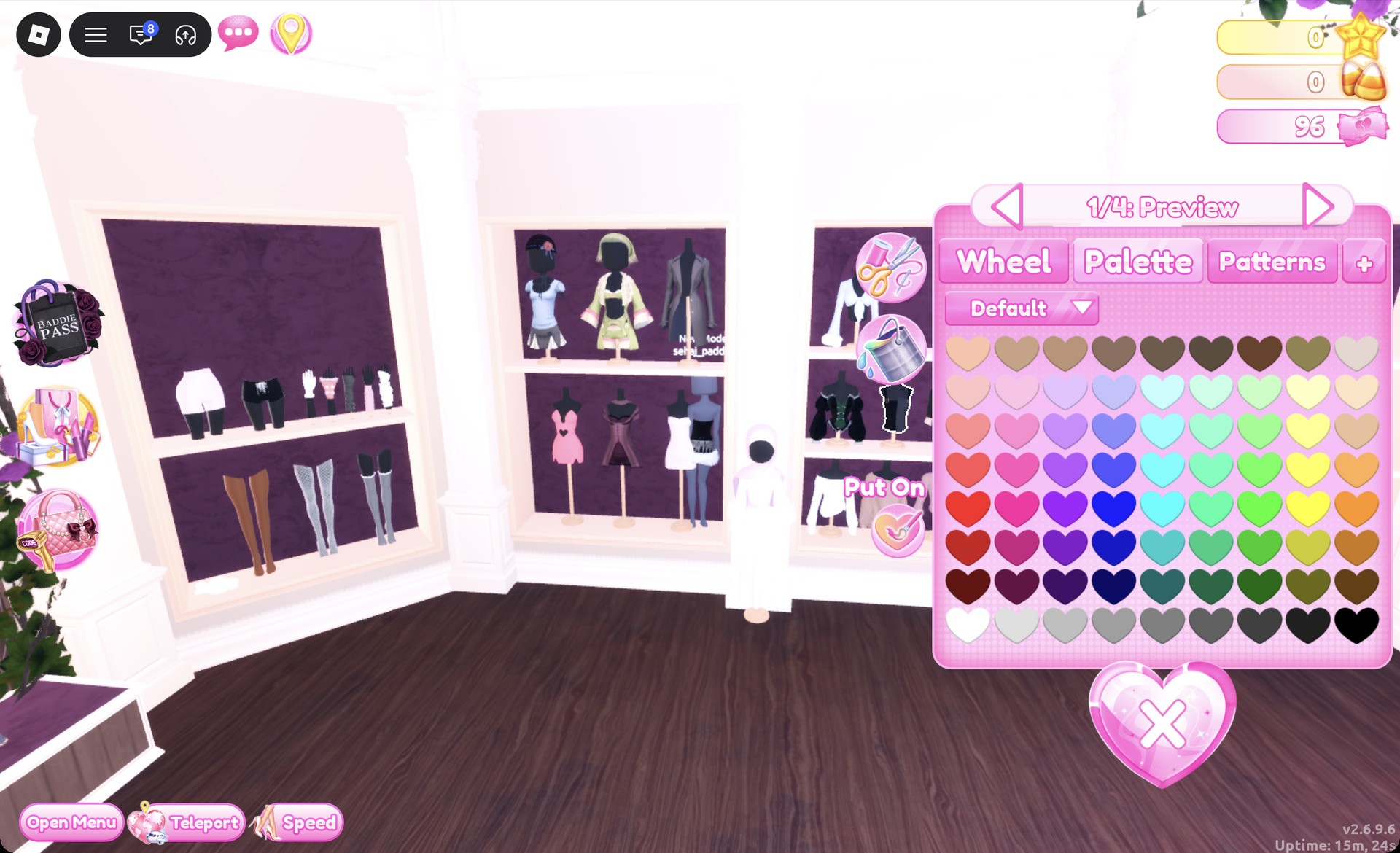
Use the Default palette for these positions, numbering columns from left to right and rows from top to bottom. The grayscale shades fill row 8, progressing from white at the left edge to black at the right. To recolor something you’re wearing, click the hanger button on the right to open Wearing, select the item’s image, then choose Palette.


Look 1: Gray chain mini with a white tube top
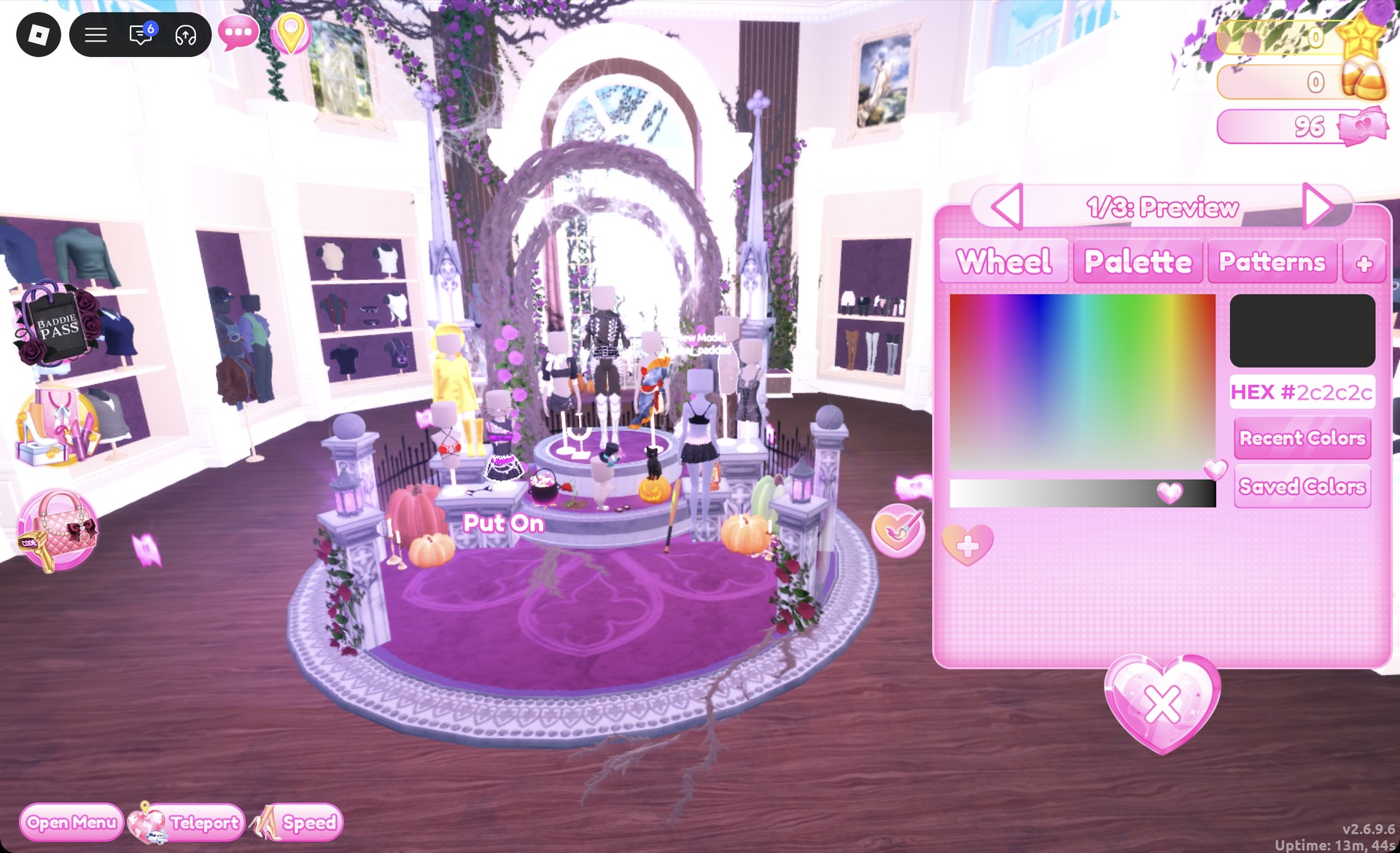
Step onto the circular Halloween display and select the chain-trimmed black pleated mini. Its panel is labeled “1/3: Preview”.
Black pleated chain mini panel 1/3 on the Halloween display in Dress To Impress
The chain mini on the Halloween display, "1/3: Preview".

Set each of its three sections to column 5, row 8, for mid gray, then click Put On.
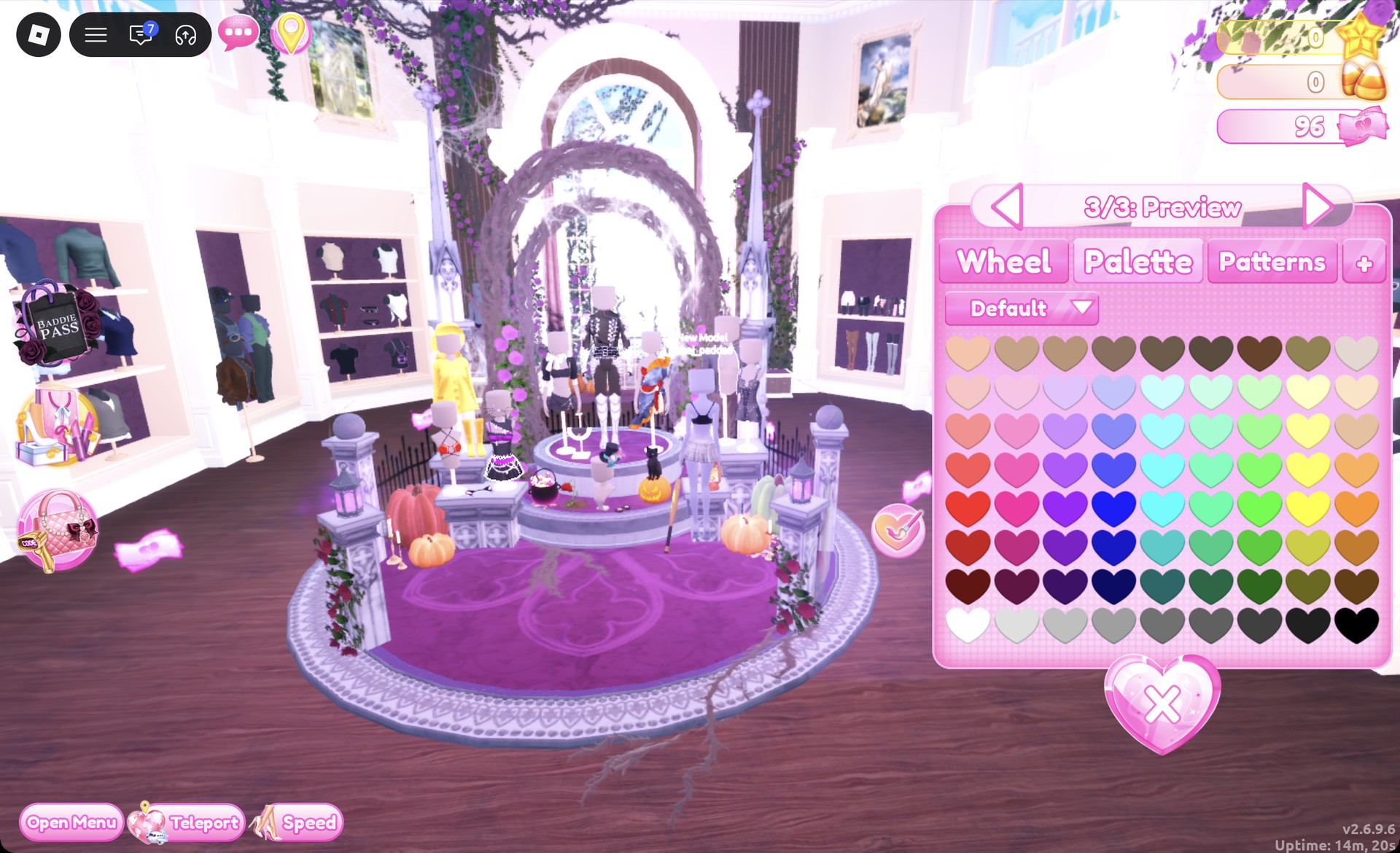
Chain mini recolored mid gray from the Default palette in Dress To Impress
The mini at "3/3", every part column 5, row 8.
Select the strapless tube top on the tops wall to the display’s right; its panel opens at “1/4: Preview”.
Strapless tube top panel 1/4 on the tops wall in Dress To Impress
The strapless tube top, "1/4: Preview".

Choose column 2, row 8 for each of the four sections. The light gray shade looks almost white. Click Put On.
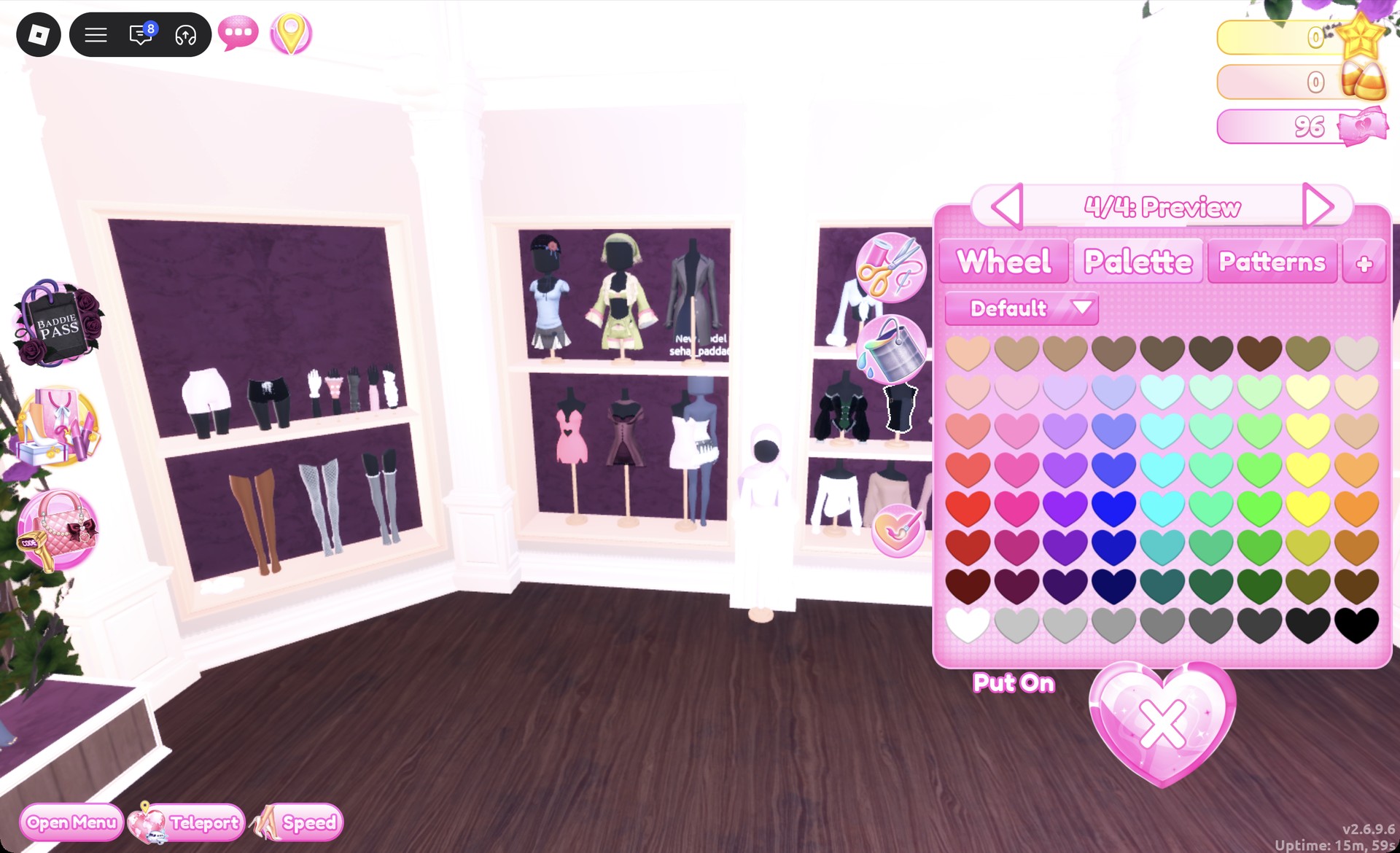
Tube top recolored light gray in Dress To Impress
The tube top at "4/4", every part column 2, row 8.
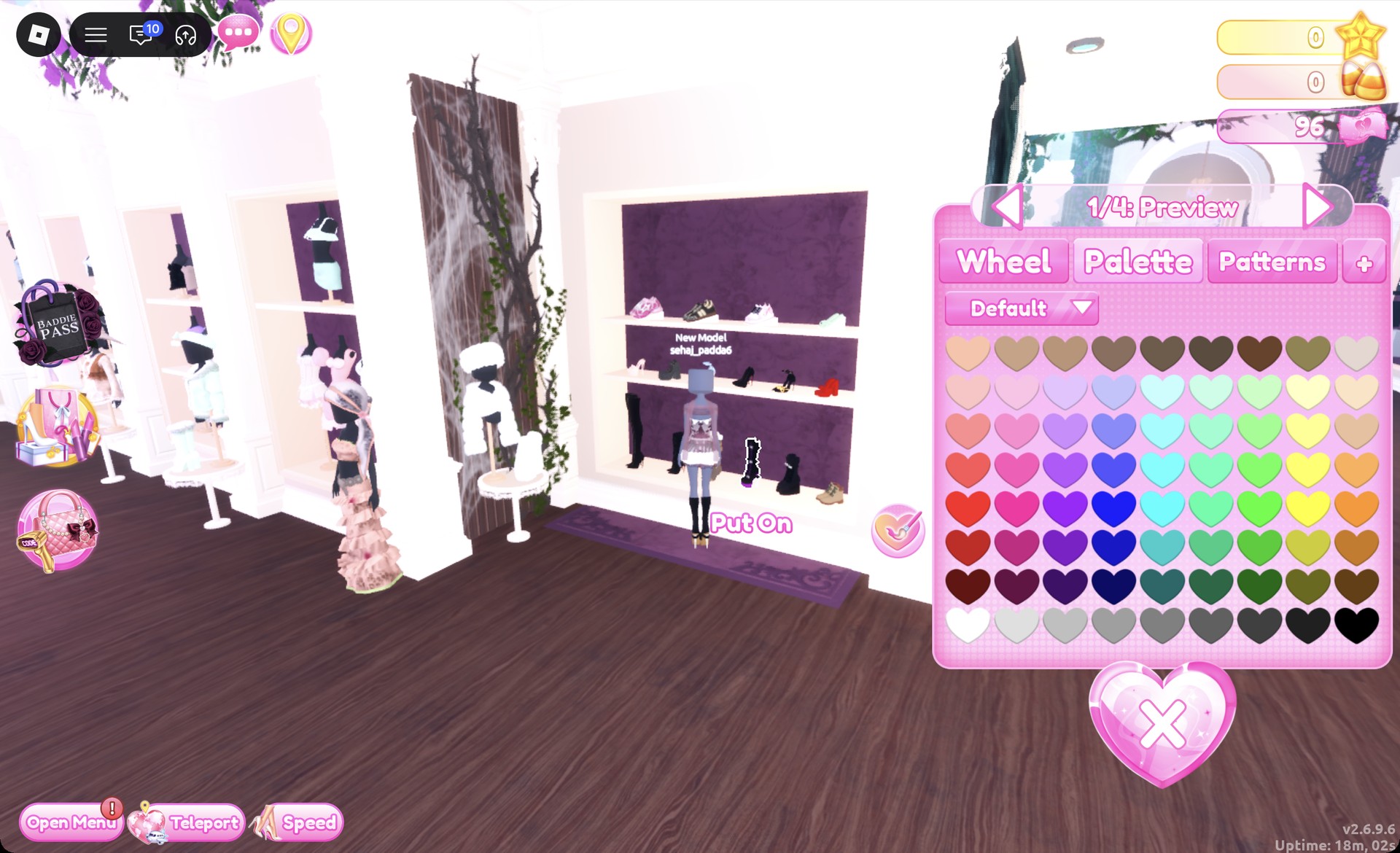
Select the black lace-up platform knee boots from the shoe shelf’s lowest row. Their panel reads “1/4: Preview”. Keep the default black color and click Put On.
Black lace-up platform knee boots panel 1/4 in Dress To Impress
The black lace-up platform knee boots, "1/4: Preview".
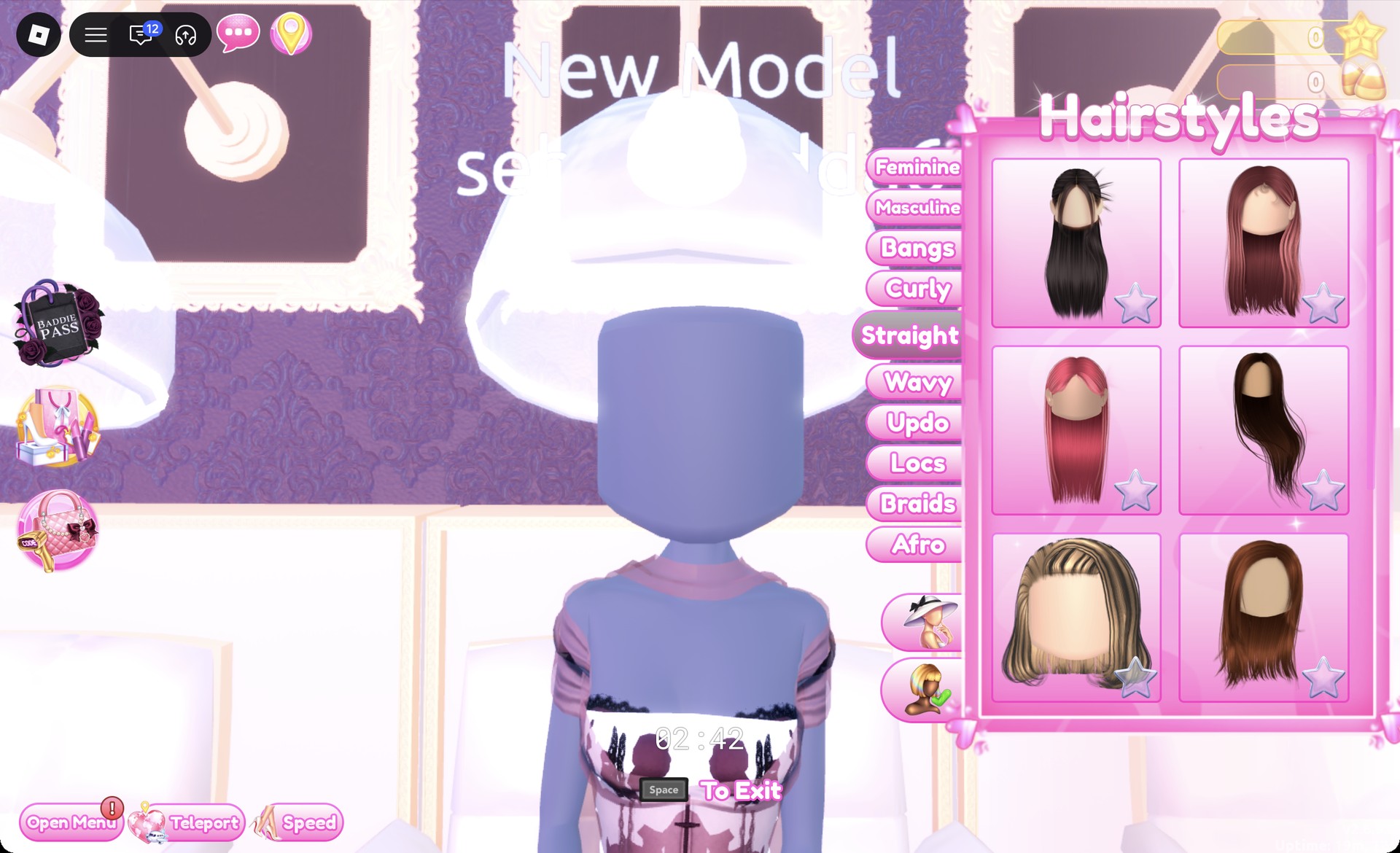
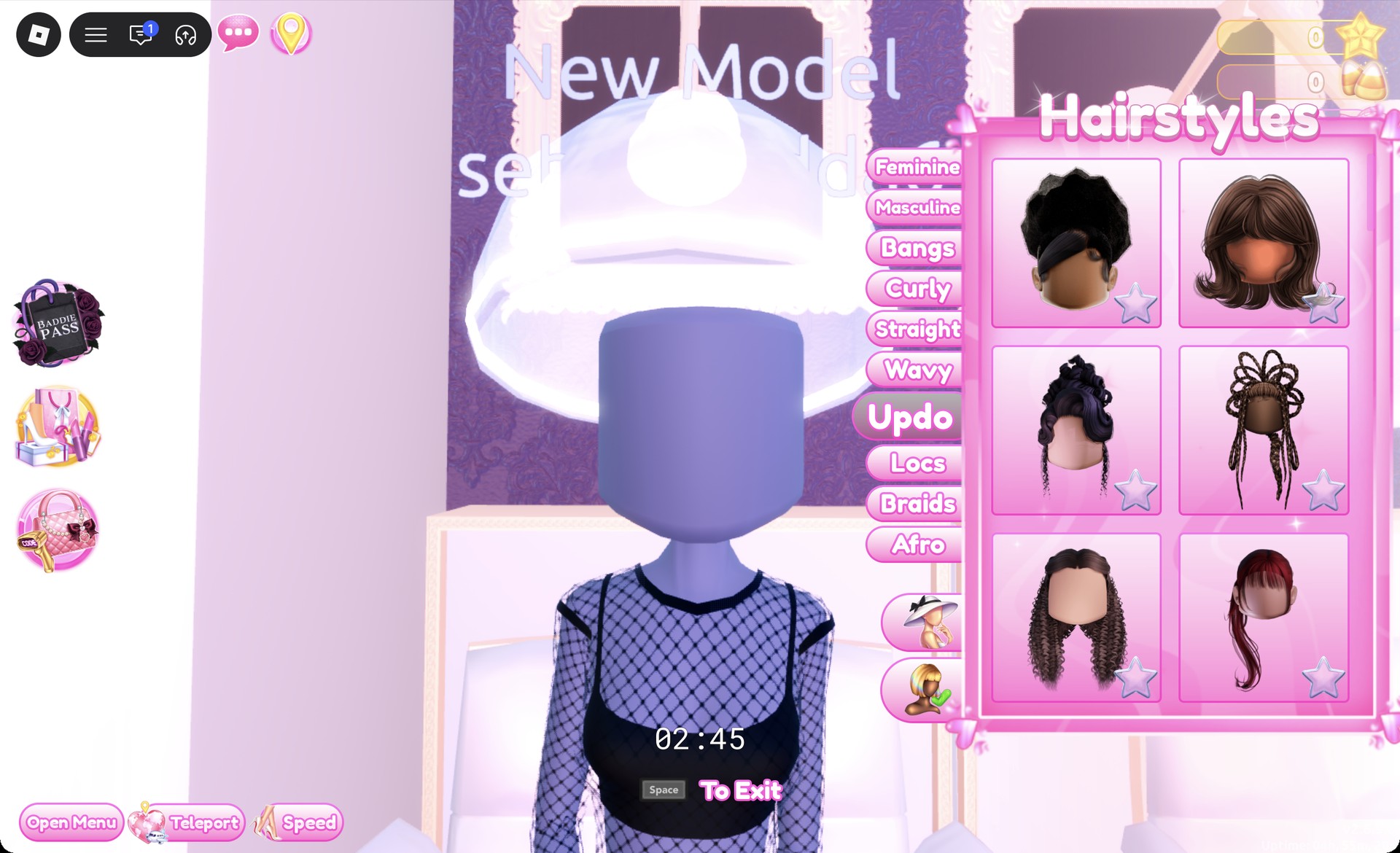
Take a seat at a hair chair in Lana’s Salon and switch to Straight.
Straight tab in the Hairstyles menu in Dress To Impress
The Straight tab: the long black hair is the left card in the top row.

Choose the leftmost card in the top row: long straight black hair parted in the middle (“1/1: Preview”). Leave the color at its default and press Put On.
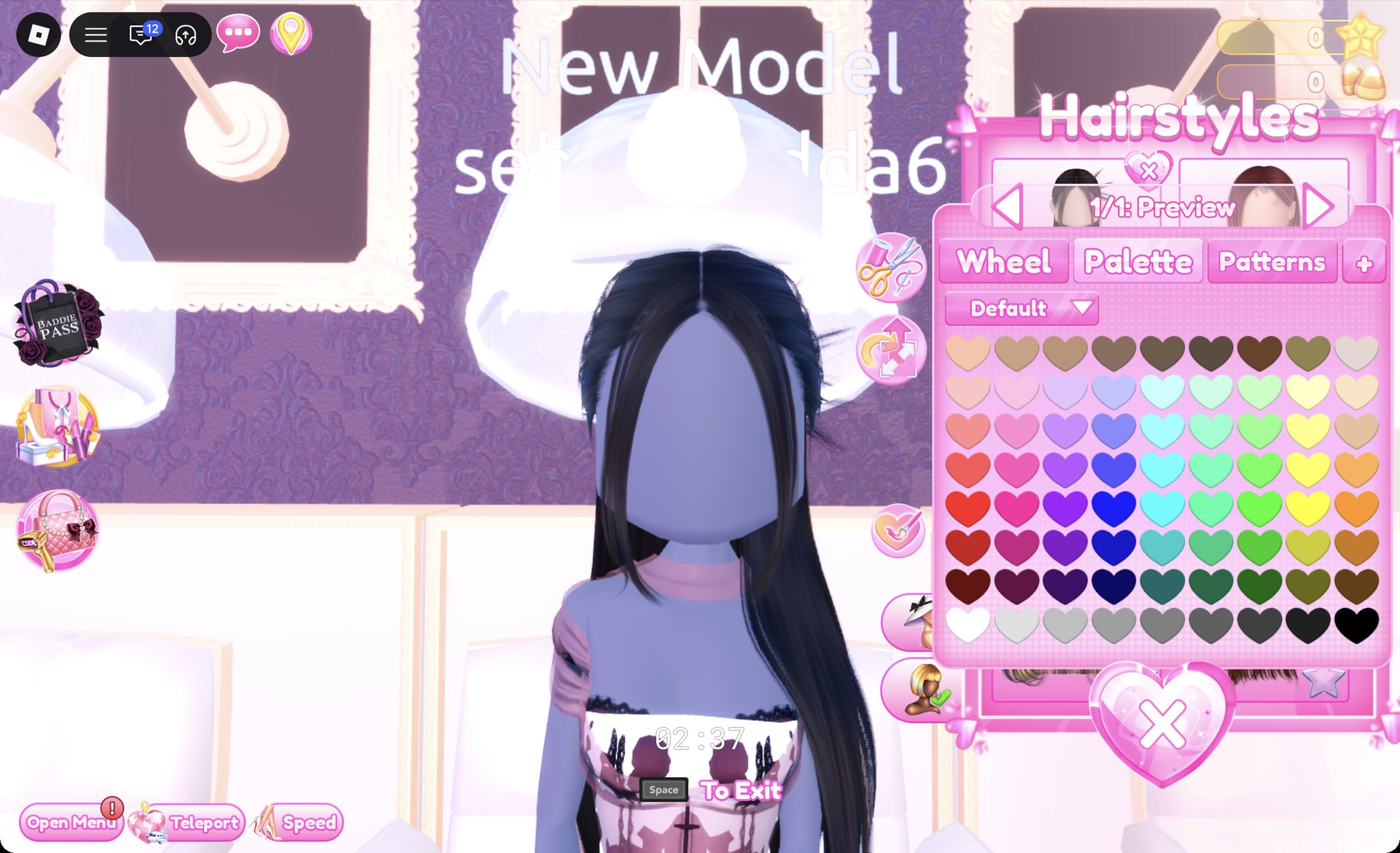
Long straight black hair with a middle part previewing in Dress To Impress
The long straight hair, "1/1: Preview".
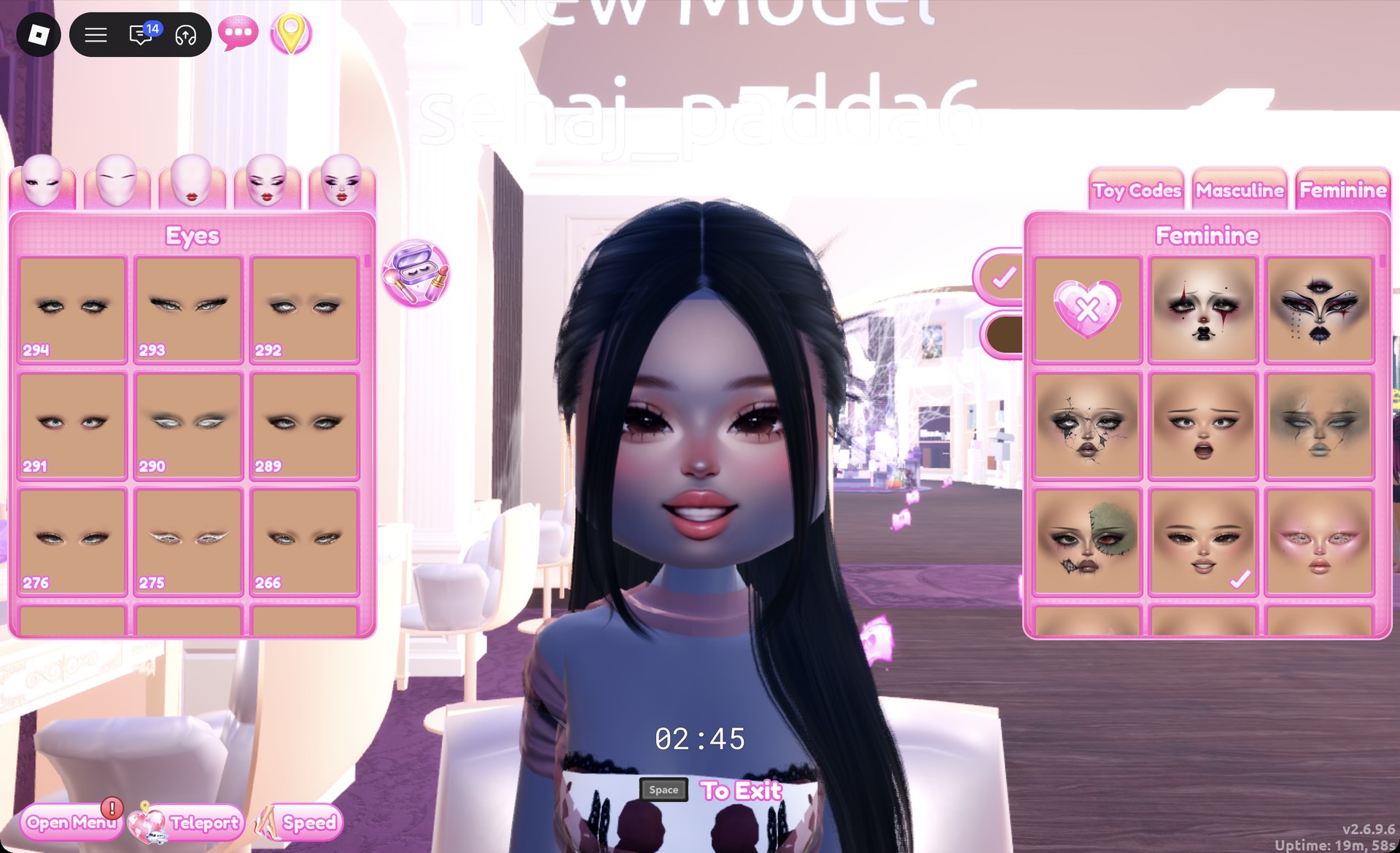
At a vanity mirror, switch to Feminine and select the center card in row three. It gives you a soft, natural-looking face with light pink lips.
Soft natural face card at the vanity in Dress To Impress
The soft natural face: Feminine tab, third row, middle card.
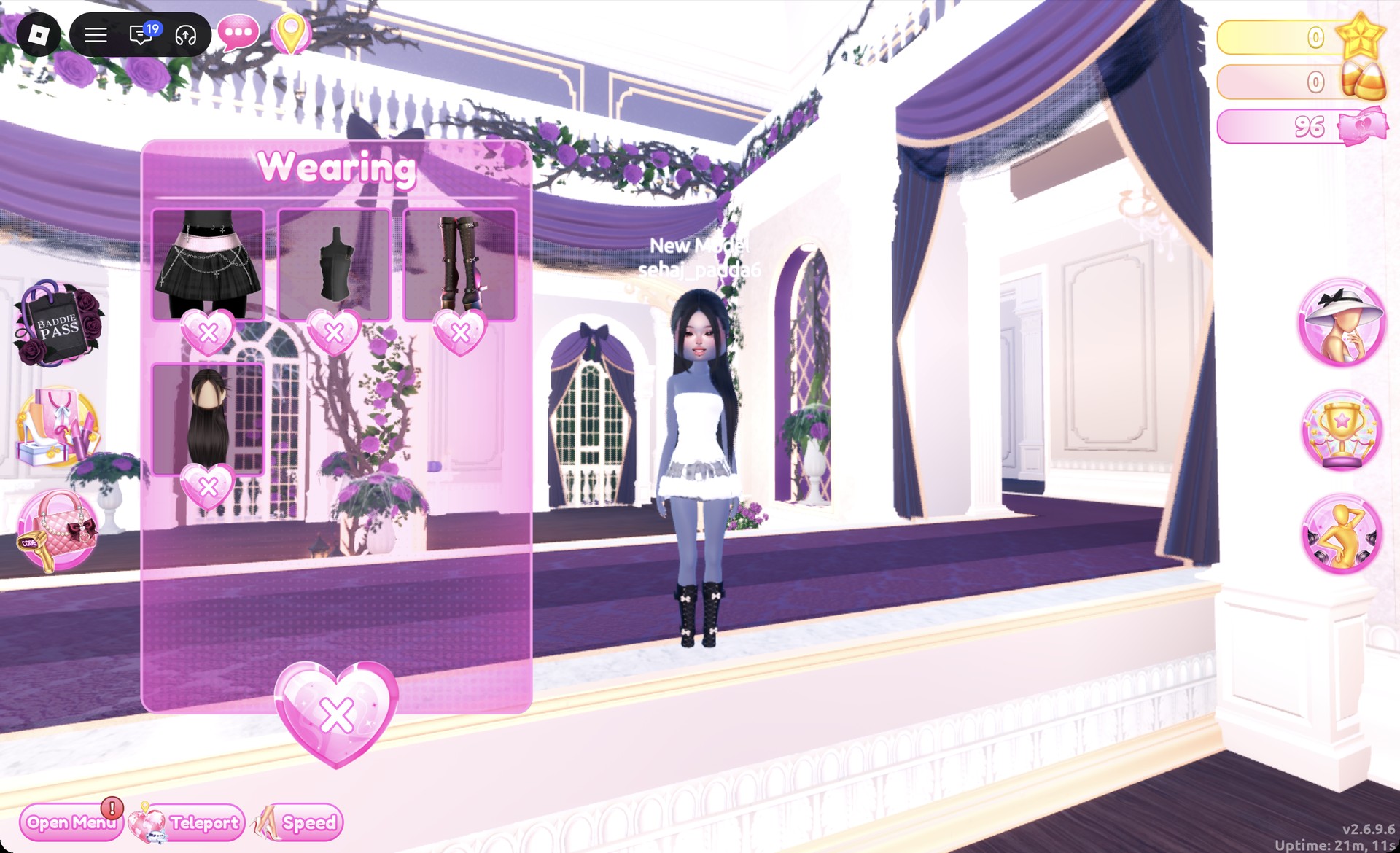
Open the Wearing panel and confirm it lists only the chain mini, the tube top, the boots and the hair. A stray click near the dress shelf can put on a black long-sleeve dress. To remove anything like that, press the X under its picture.
Wearing panel for the Acubi chain mini look in Dress To Impress
The Wearing panel for look 1: chain mini, tube top, boots and hair.
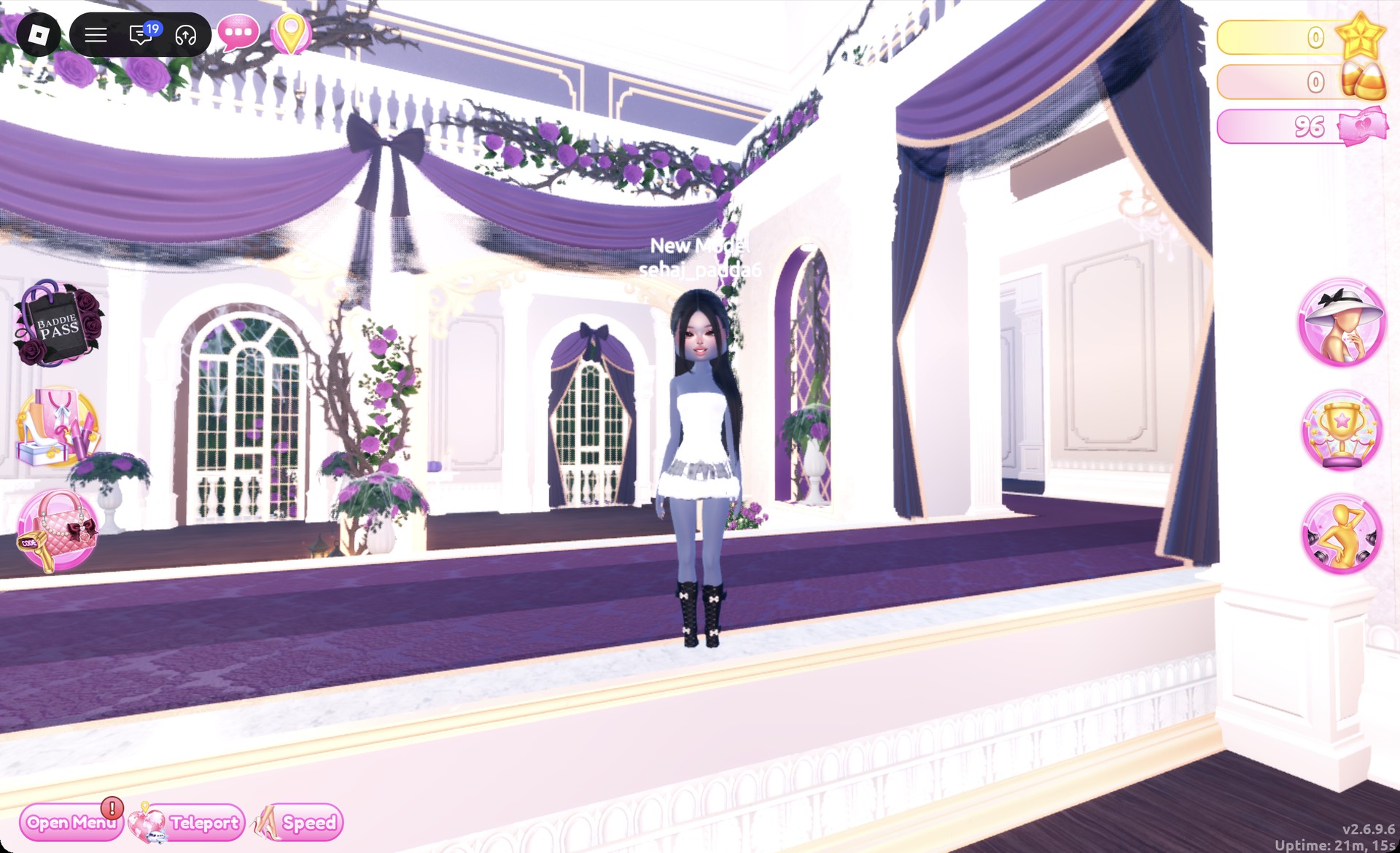
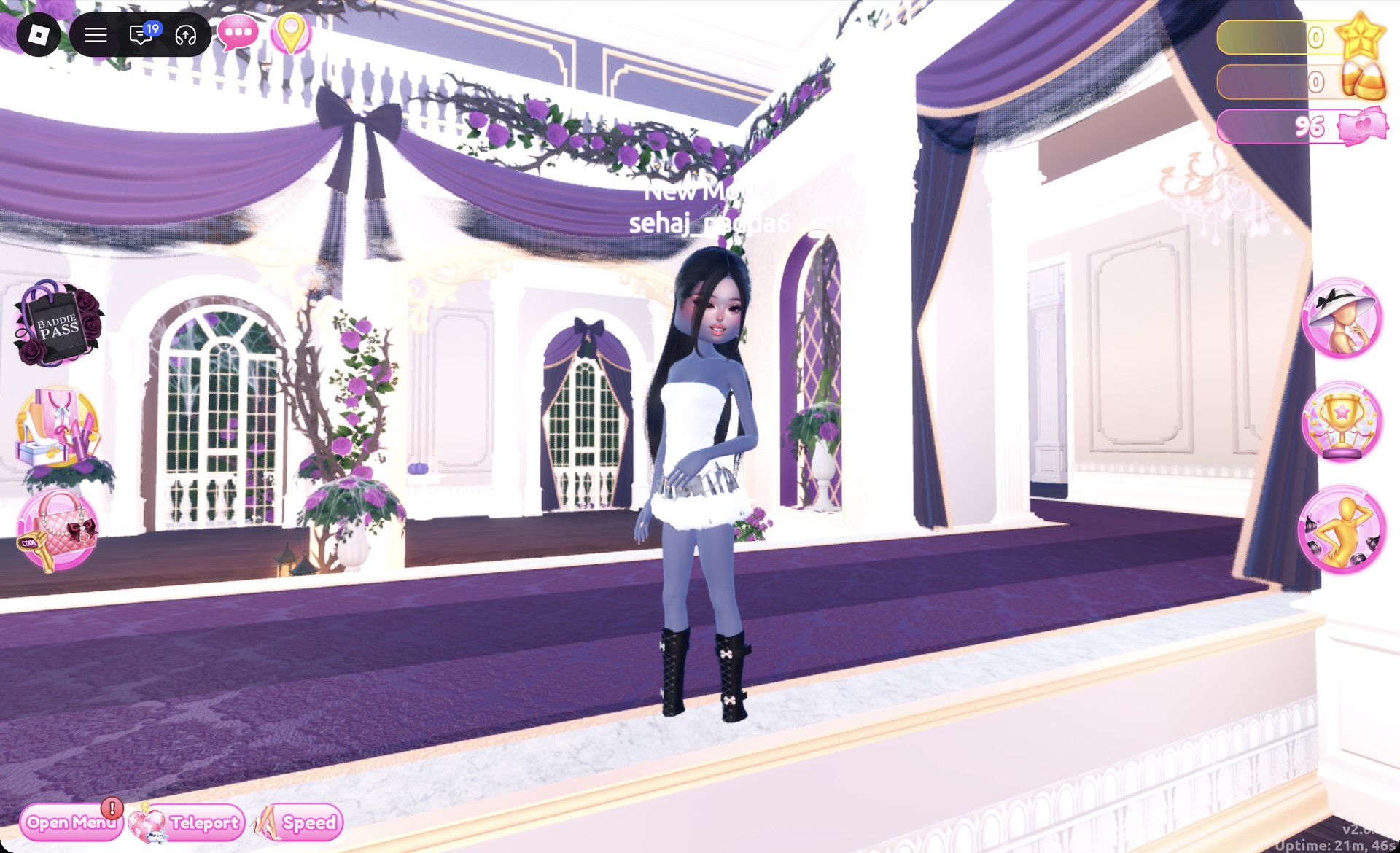
Teleport to “Freeplay Runway”. From the front, you’ll see the gray skirt’s pale ruffled hem beneath the near-white top, with the black boots grounding the outfit.
Acubi look 1 gray chain mini and white tube top on the Freeplay Runway in Dress To Impress
Look 1 from the front on the Freeplay Runway.

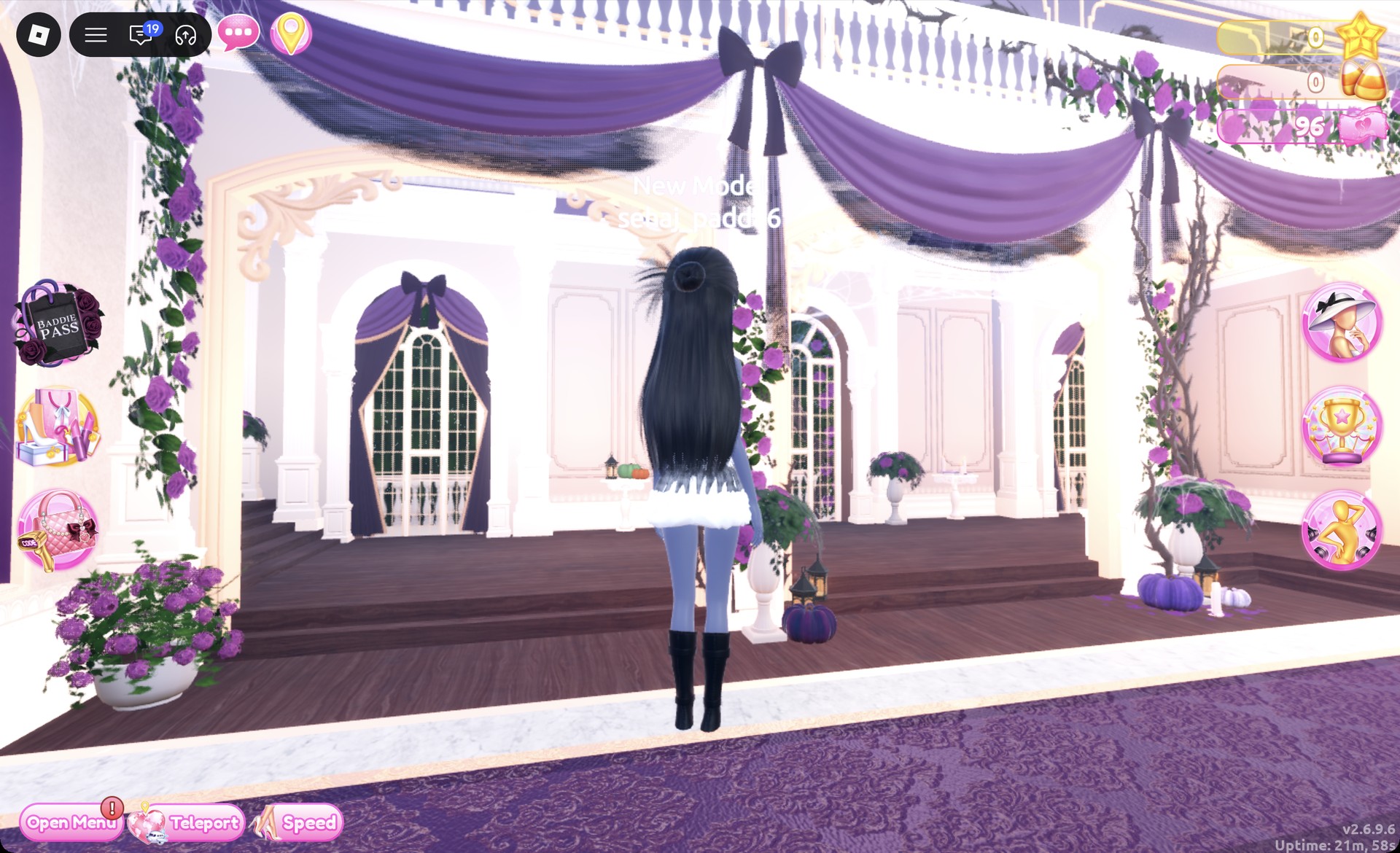
From behind, the long straight black hair falls over the tube top, with the gray mini and the lace-up boots below.
Back view of the Acubi gray chain mini look in Dress To Impress
From behind: long black hair over the tube top.

The Dazzle pose fits this look.

Acubi look 1 in the Dazzle pose in Dress To Impress
Look 1 in the Dazzle pose.

Look 2: Black mesh long-sleeve layer

Your outfit resets when you rejoin the game, so the second look may start from a clean character. It’s built around a different base piece from the first look.
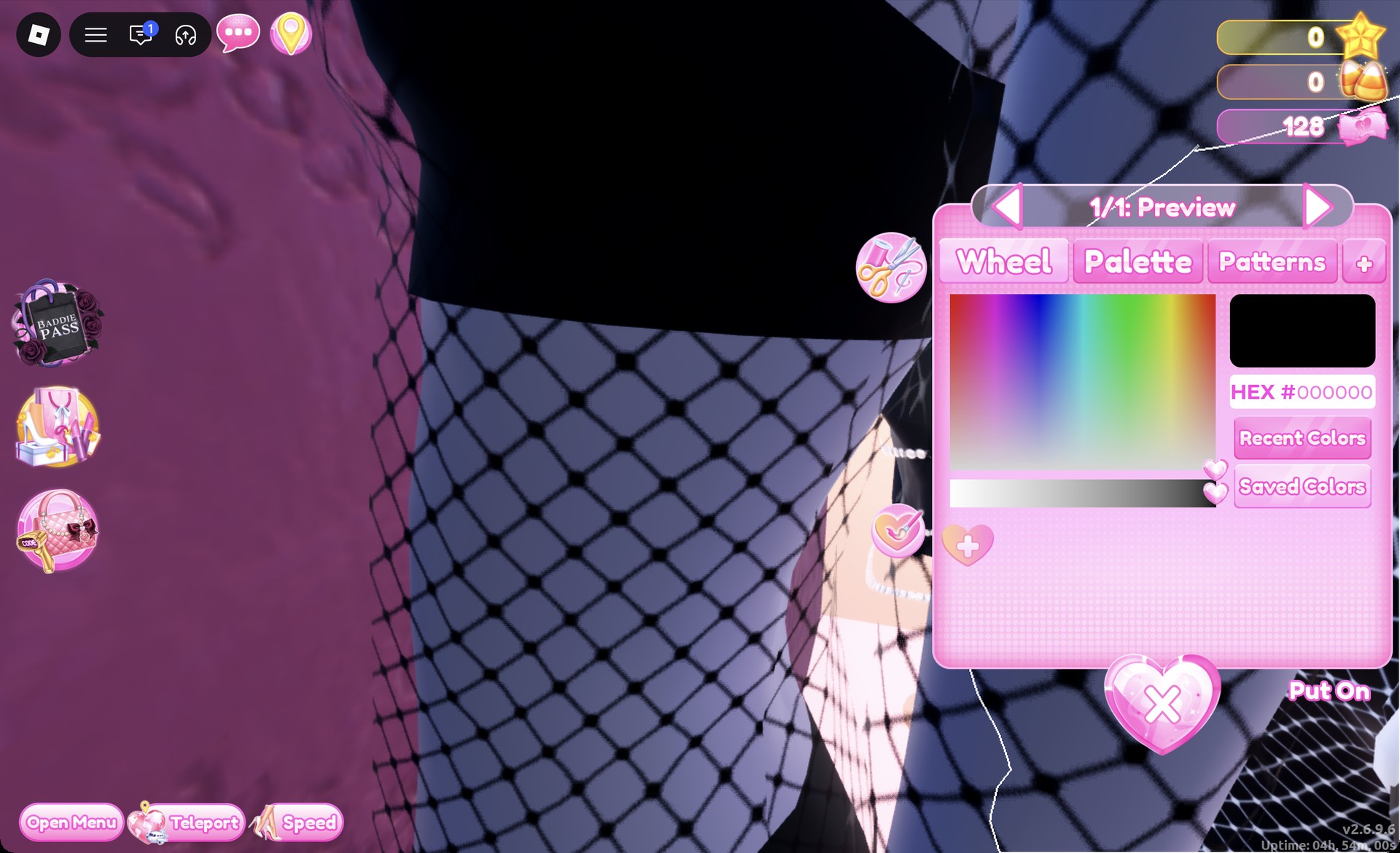
At the tops shelf lining the left wall across from the Halloween display, select the long-sleeve top in black sheer mesh. Its panel reads “1/1: Preview” and shows HEX #000000 as the default. Press Put On; it will sit over the character’s crop top and shorts, both black.
Black sheer mesh long-sleeve top panel 1/1 in Dress To Impress
The black mesh top, "1/1: Preview", HEX #000000.
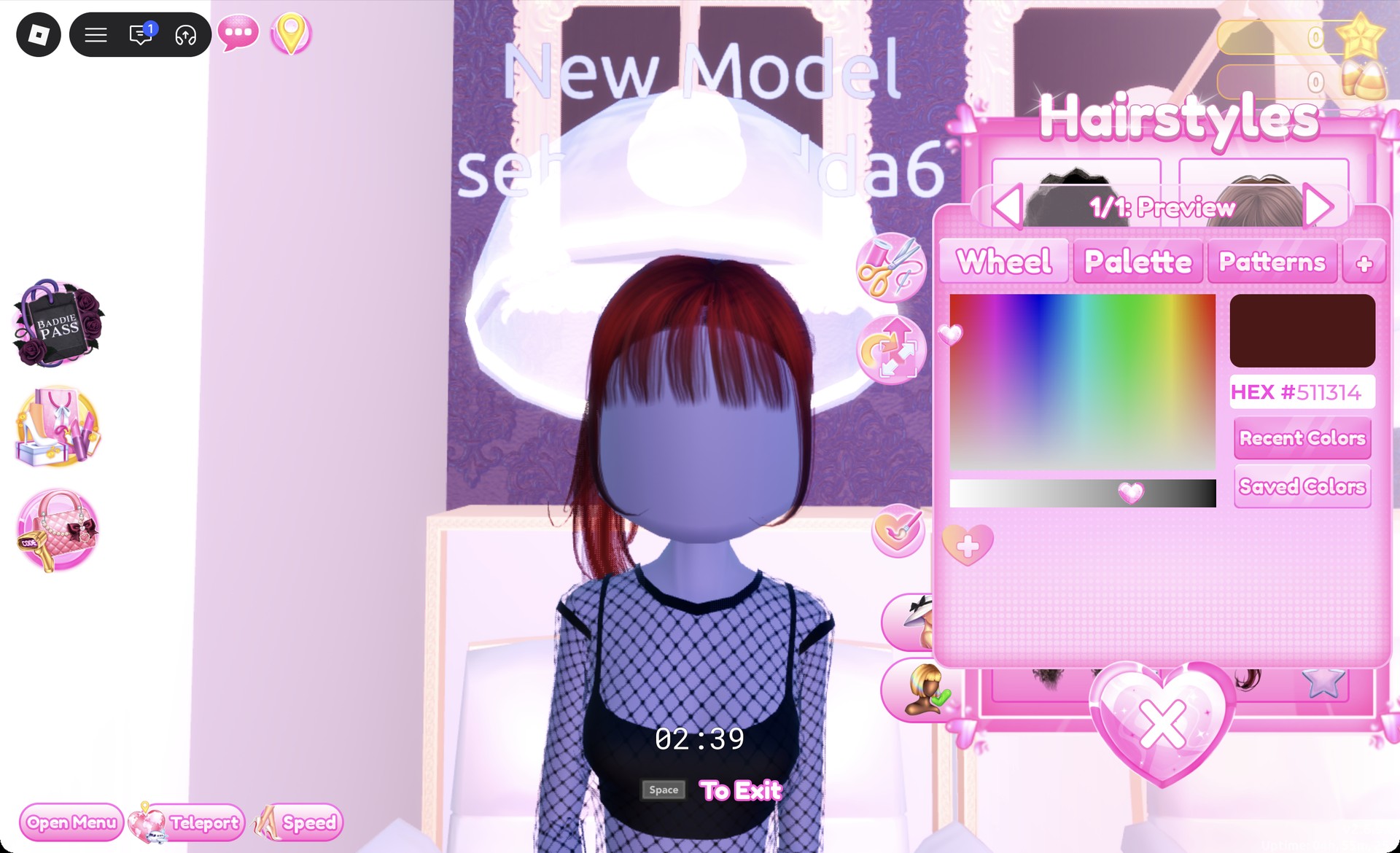
In a hair chair, open the Updo tab and pick the right card in the third row. It’s a ponytail with bangs at “1/1: Preview”. Press Put On.
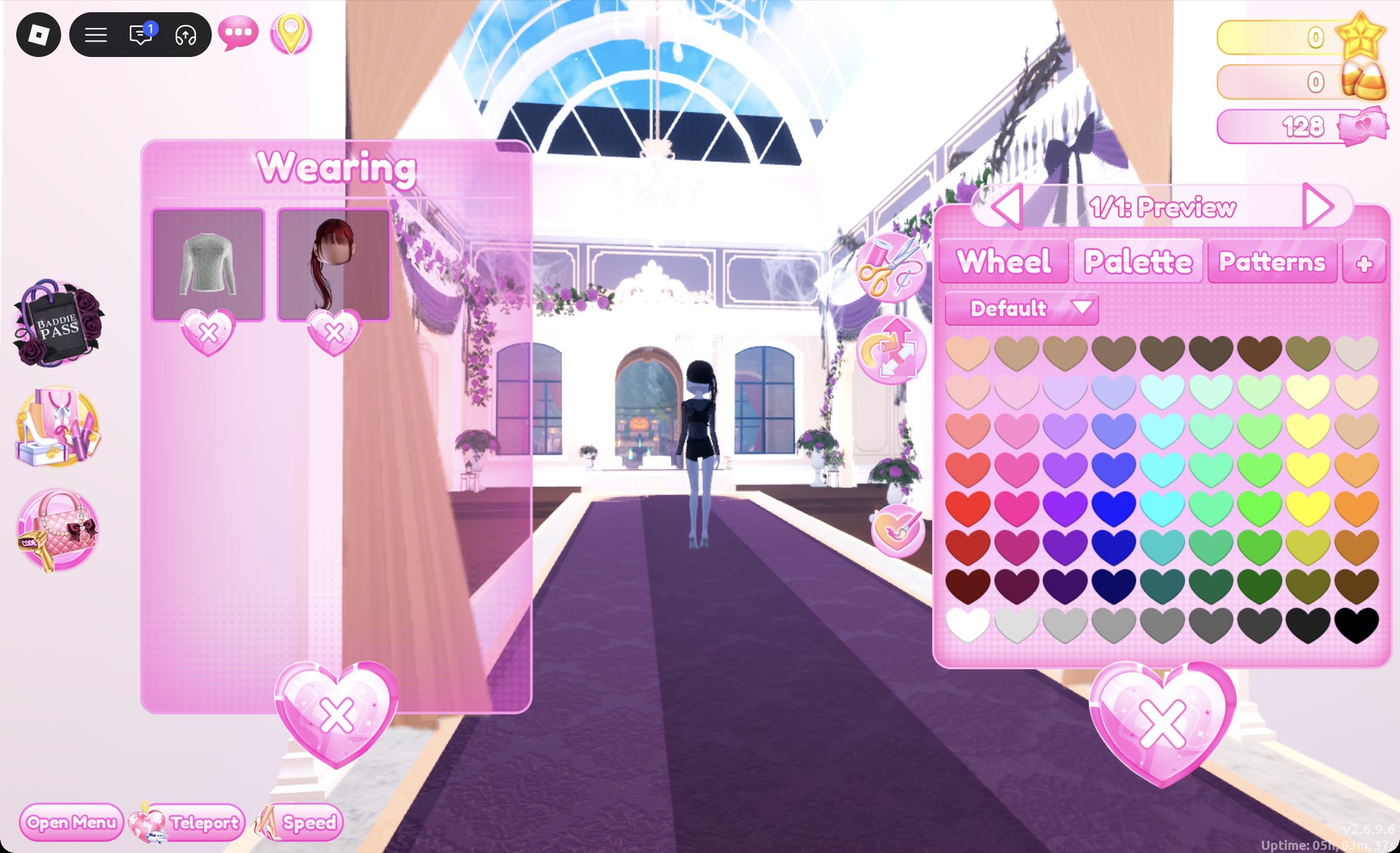
The ponytail comes out dark red, so recolor it. Open the Wearing panel, click the ponytail’s picture, go to the Palette tab and choose column 9, row 8 for black.
Ponytail recolored black from the Wearing panel in Dress To Impress
Recoloring the ponytail black from the Wearing panel.
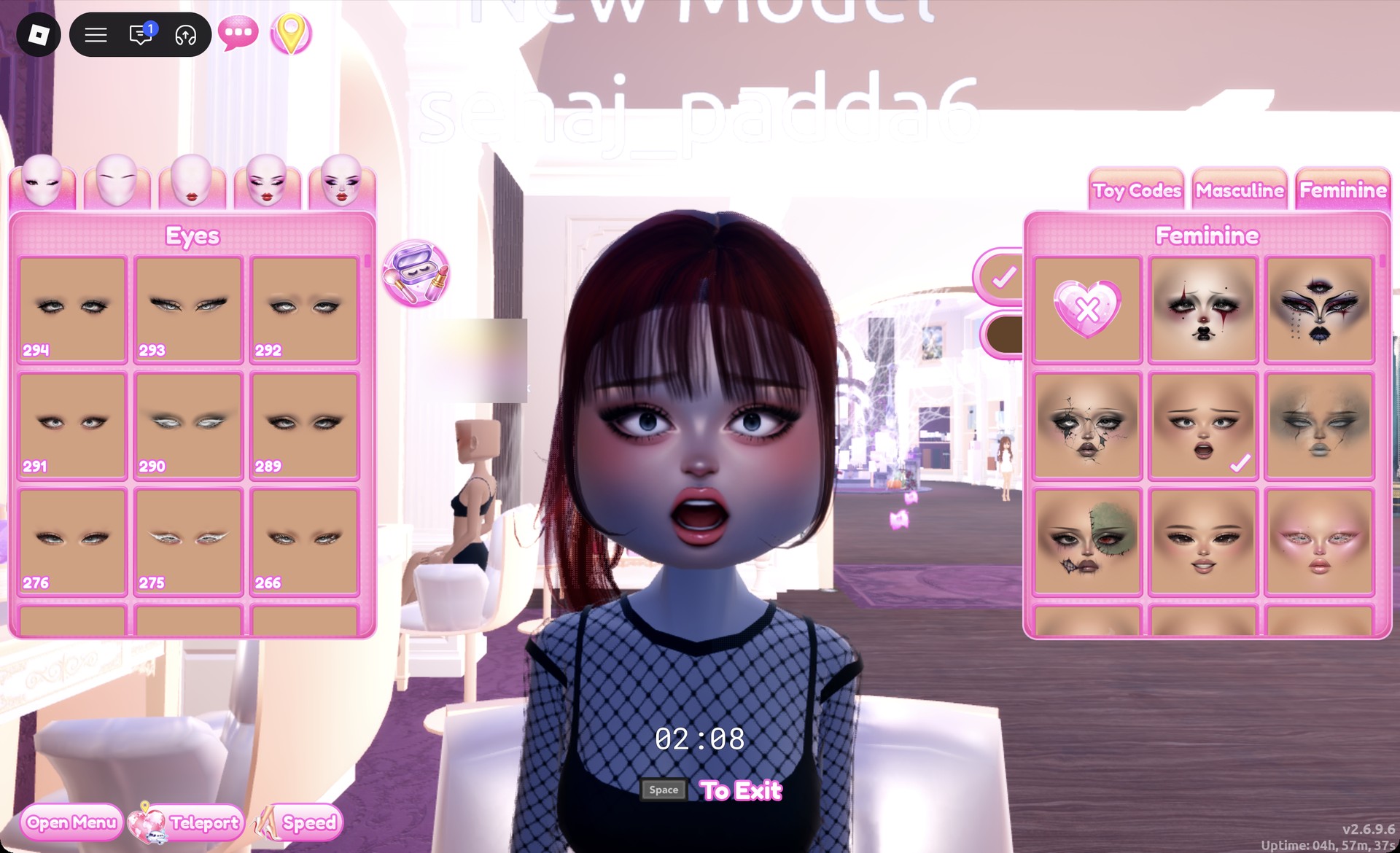
At a vanity mirror, open the Feminine tab and choose the middle card in the second row. It’s a doe-eyed face with rosy cheeks.
Doe-eyed face card at the vanity in Dress To Impress
The doe-eyed face: Feminine tab, second row, middle card.

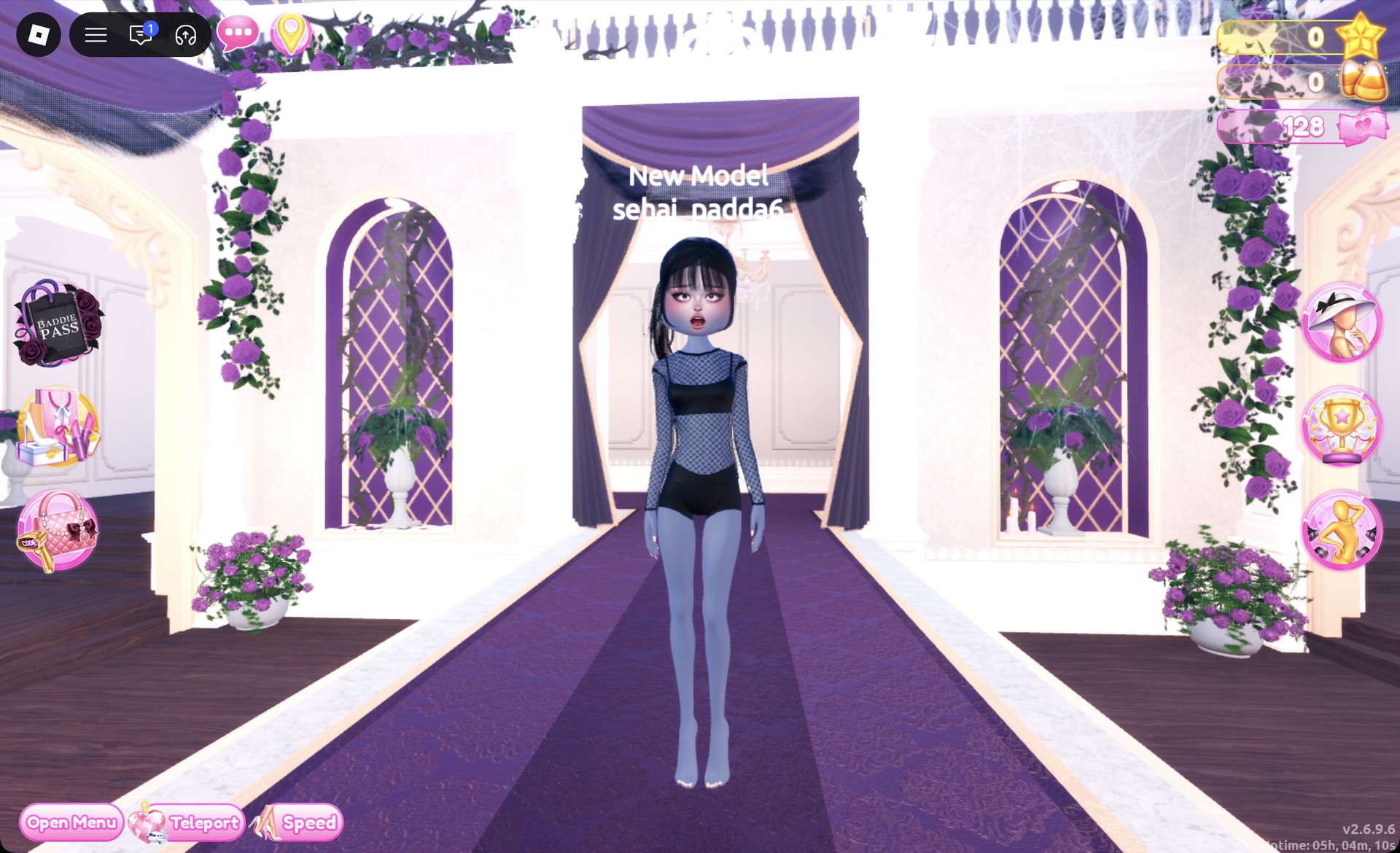
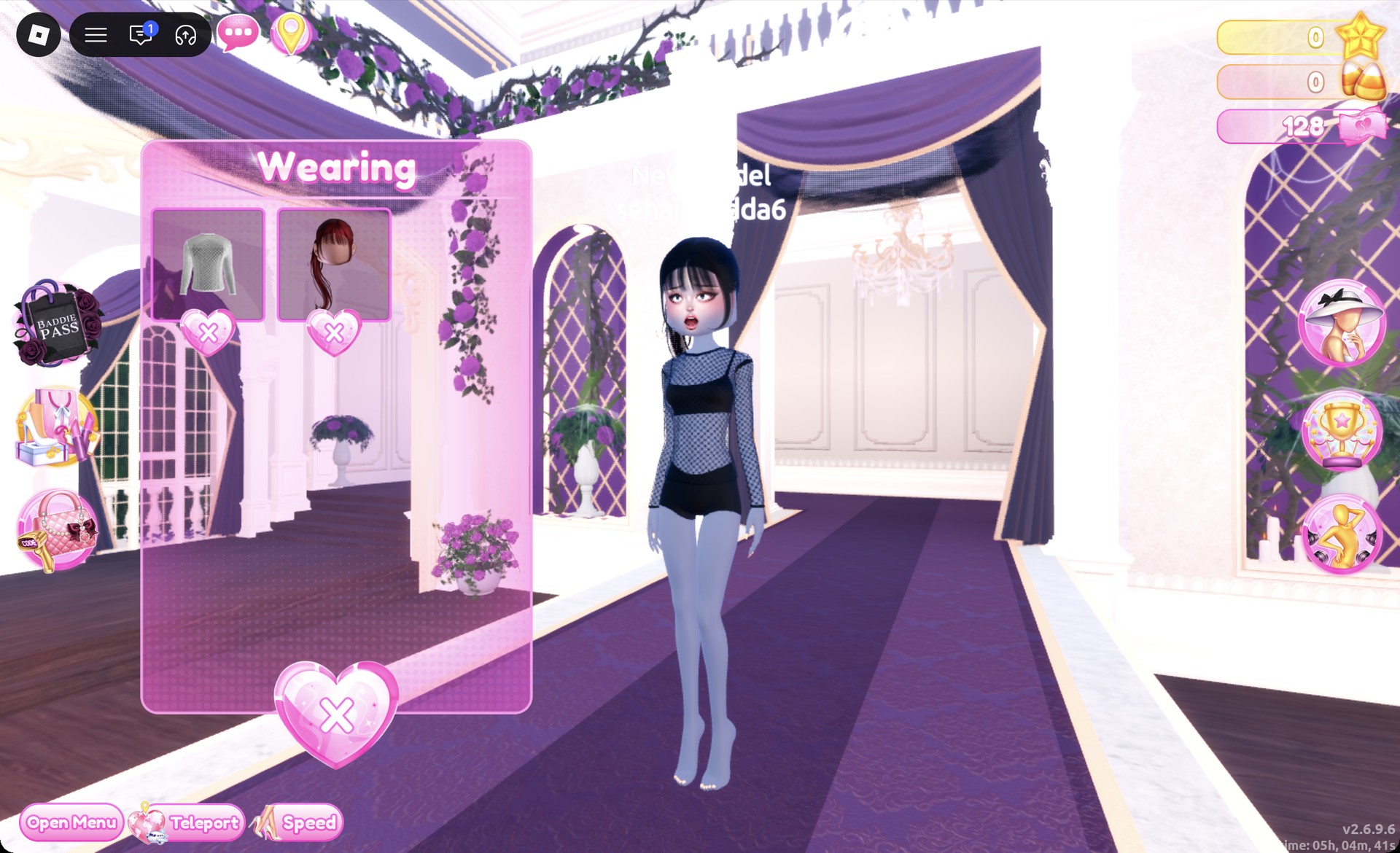
Once you’re done, the Wearing panel shows the mesh top and the ponytail.
Wearing panel for the Acubi mesh layer look in Dress To Impress
The Wearing panel for look 2: mesh top and ponytail.
Teleport to “Freeplay Runway”. From the front, the black mesh sleeves show over the black crop top and shorts; the character is barefoot in these pictures.
Acubi look 2 black mesh long-sleeve top on the Freeplay Runway in Dress To Impress
Look 2 from the front on the Freeplay Runway.

From behind, the black ponytail hangs down over the mesh top.
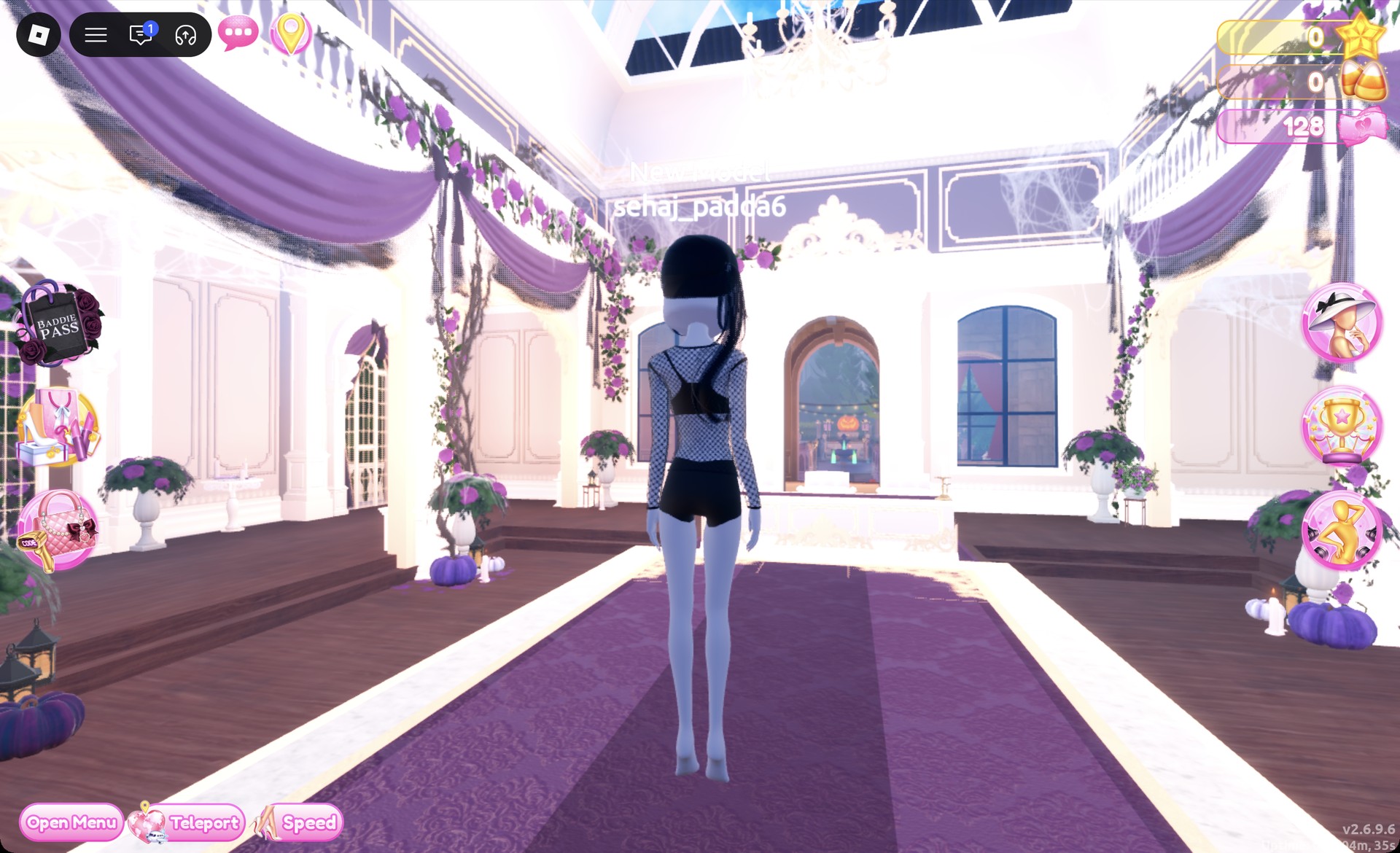
Back view of the Acubi black mesh layer look in Dress To Impress
From behind: the black ponytail over the mesh top.

The Lilac pose suits this look. Black boots or white sneakers from the shoe shelf are an optional addition.
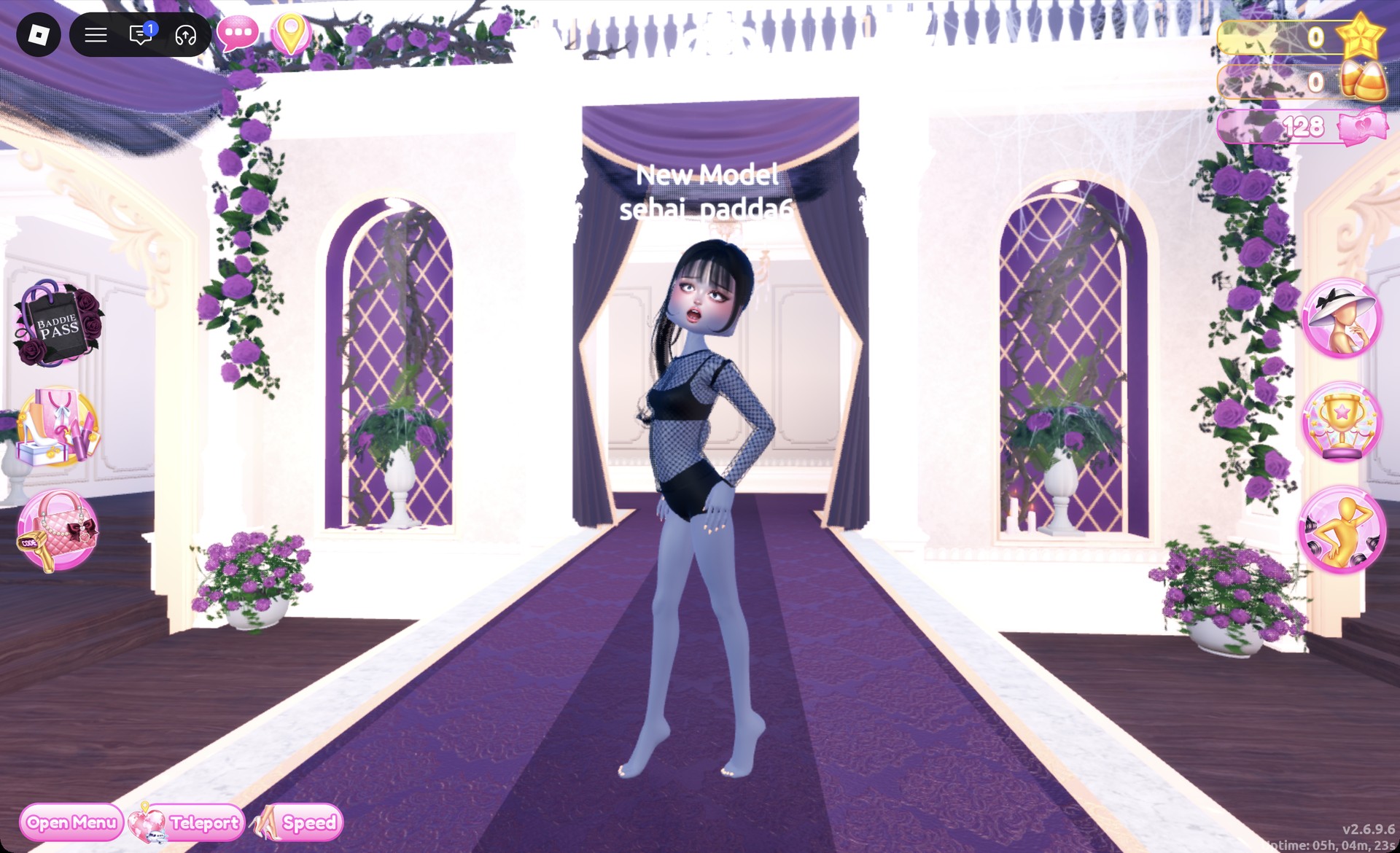
Acubi look 2 in the Lilac pose in Dress To Impress
Look 2 in the Lilac pose.

More minimal and streetwear theme ideas


Can you do acubi dti without VIP?

Yes. Neither look requires a purchase or any Robux. Every piece above comes from the regular Dressing Room shelves and Lana’s Salon, and you can get the right muted shades by recoloring with the Default palette.

What is the Acubi theme in DTI?

Acubi is a minimal, muted streetwear style: grays, black and white, sheer or mesh layers, slim minis, chunky boots and sleek dark hair. In Dress To Impress, recolor bright pieces to the gray and black hearts in row 8 of the Default palette to get the look.