
System slowdowns often result from cluttered storage, background processes, and unnecessary startup programs. Microsoft PC Manager, a free tool for Windows 10 (version 19042.0 and above) and Windows 11, consolidates several maintenance features into a single dashboard to address these issues directly. By focusing on targeted cleanup, startup management, and health monitoring, users can quickly regain lost speed and stability without relying on third-party utilities.
Optimizing System Performance with Microsoft PC Manager
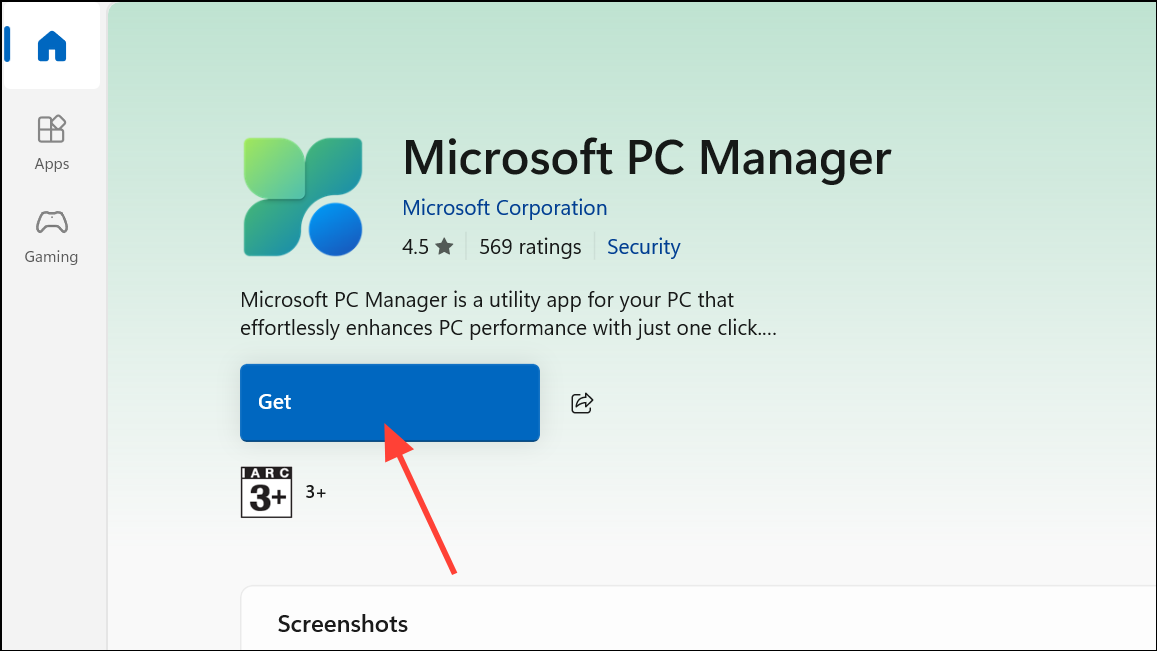
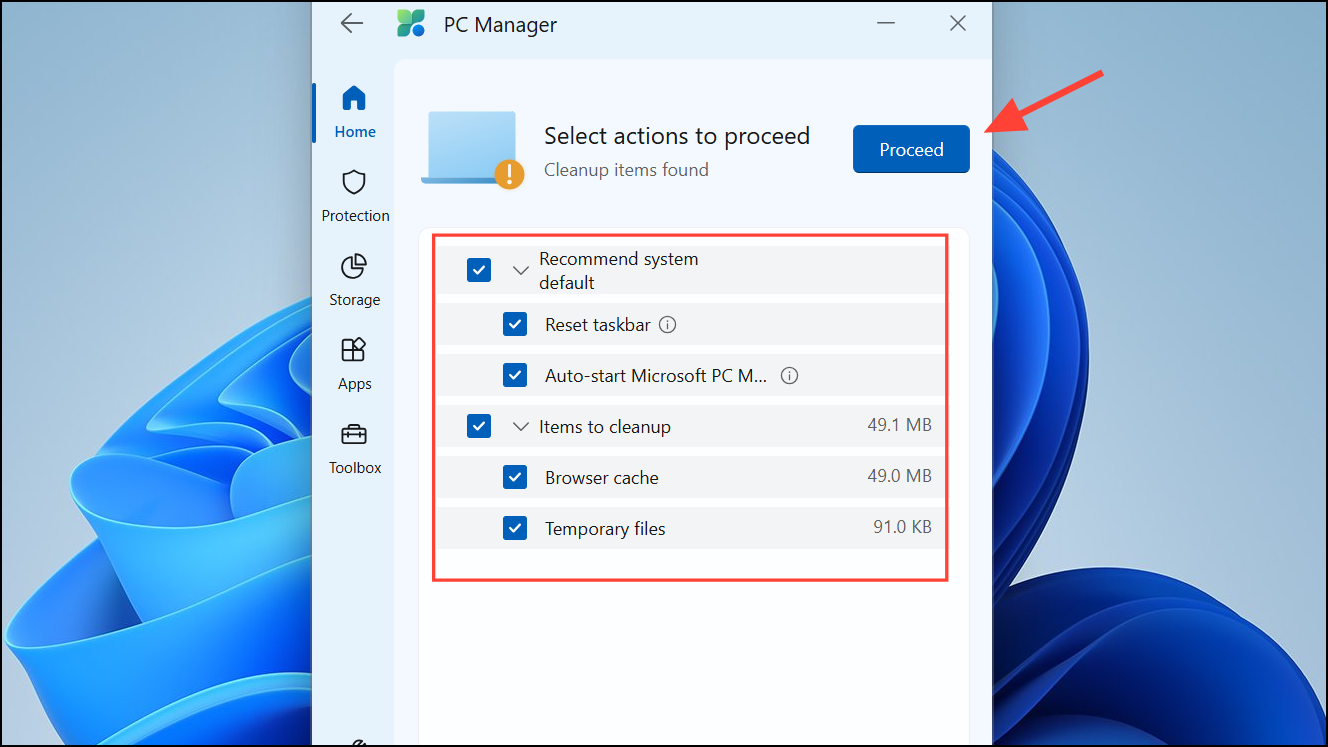
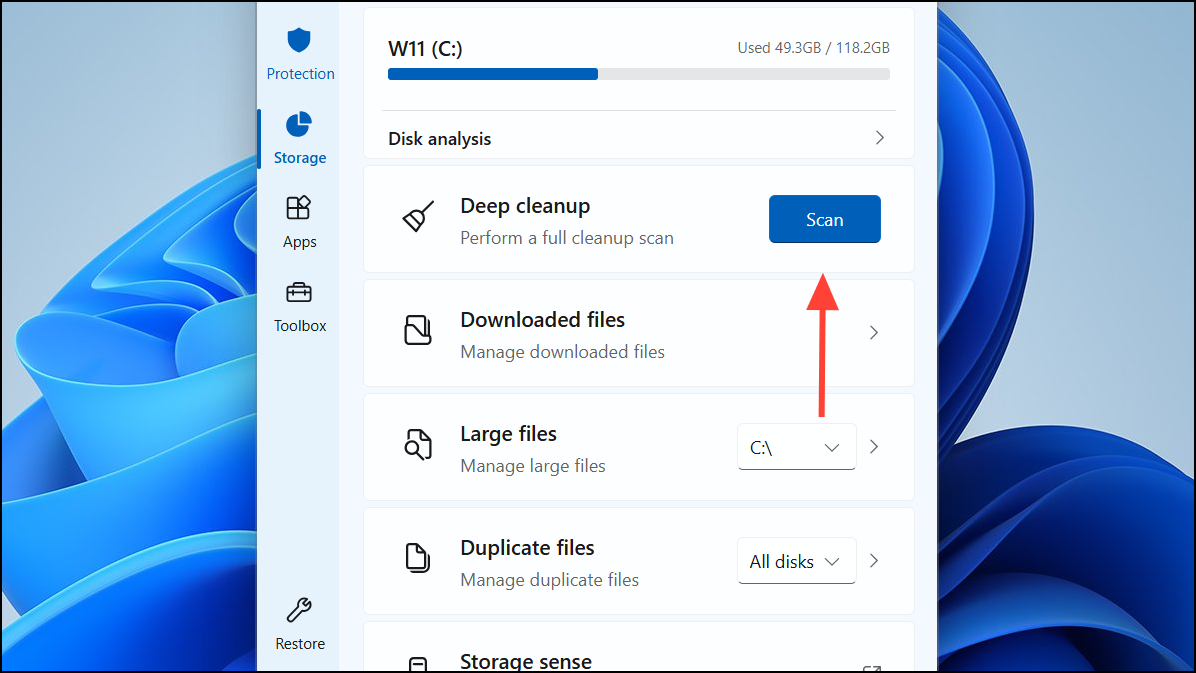
Boost button for immediate cleanup. This feature removes temporary files and cached data that accumulate during daily use. While the RAM reduction is temporary—usage may return to previous levels within minutes—junk file removal delivers a measurable improvement in available storage and can resolve short-term slowdowns.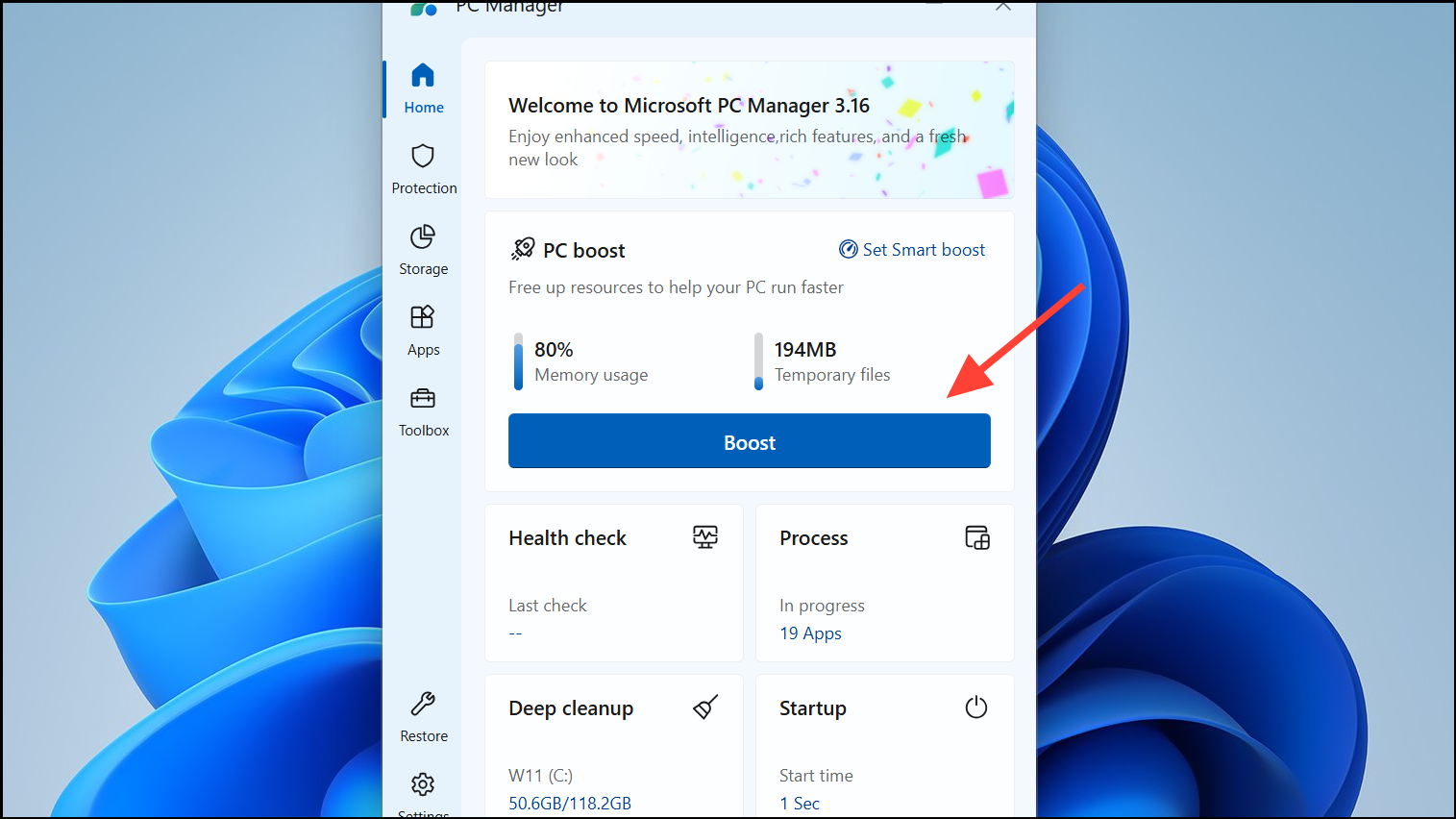
Additional Features and Considerations
PC Manager also includes pop-up management to reduce interruptions from ads and app notifications, contributing to a less distracting workspace. The Toolbox section provides shortcuts to Windows utilities (such as Notepad and Calculator), streamlining access for frequent tasks.
System protection features are present but focus mainly on restoring Windows defaults and resetting certain settings, like the default browser or taskbar widgets. This may feel restrictive if you prefer custom configurations, as some options nudge you toward Microsoft’s preferred apps and settings.
While the app’s interface is modern and user-friendly, some users report that core features—like Boost and deep cleanup—offer only short-term or marginal gains. For example, clearing Prefetch files may actually slow down app launches, and RAM optimizations are often fleeting. Most underlying functions are accessible through built-in Windows tools, though PC Manager simplifies access and combines them in one place.
Usage Cautions and Privacy Notes
Microsoft PC Manager relies on Windows Defender for antivirus scanning. If Defender is not present, virus scan features will not function. Some users express concern about the app’s origins (developed initially by Microsoft China), though it is now globally available and distributed via official Microsoft channels.
As with any system utility, avoid aggressive or unnecessary cleaning (such as deleting Prefetch files) unless you understand the implications. Always review what will be removed before confirming deep cleanup actions.
Microsoft PC Manager streamlines routine maintenance for Windows PCs, making it easier to free up space, manage startup items, and resolve simple issues. For most users, it offers a convenient, low-risk way to keep systems running smoothly, though experienced users may still prefer manual control or more specialized tools for advanced tasks.



