
Ubuntu Server virtual machines in Hyper-V may display the network is unreachable error when their network configuration does not allow access to external or local networks. This issue prevents updates, software installations, and communication with other devices. Correcting the network setup in Hyper-V and verifying Ubuntu’s network configuration restores full connectivity.
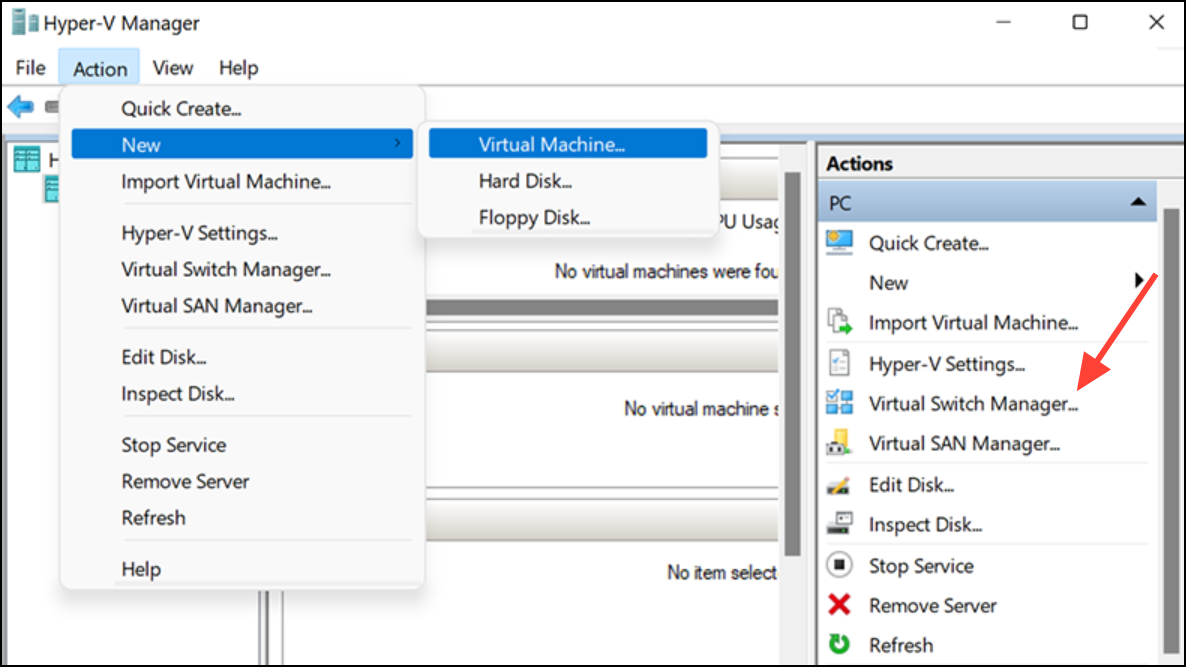
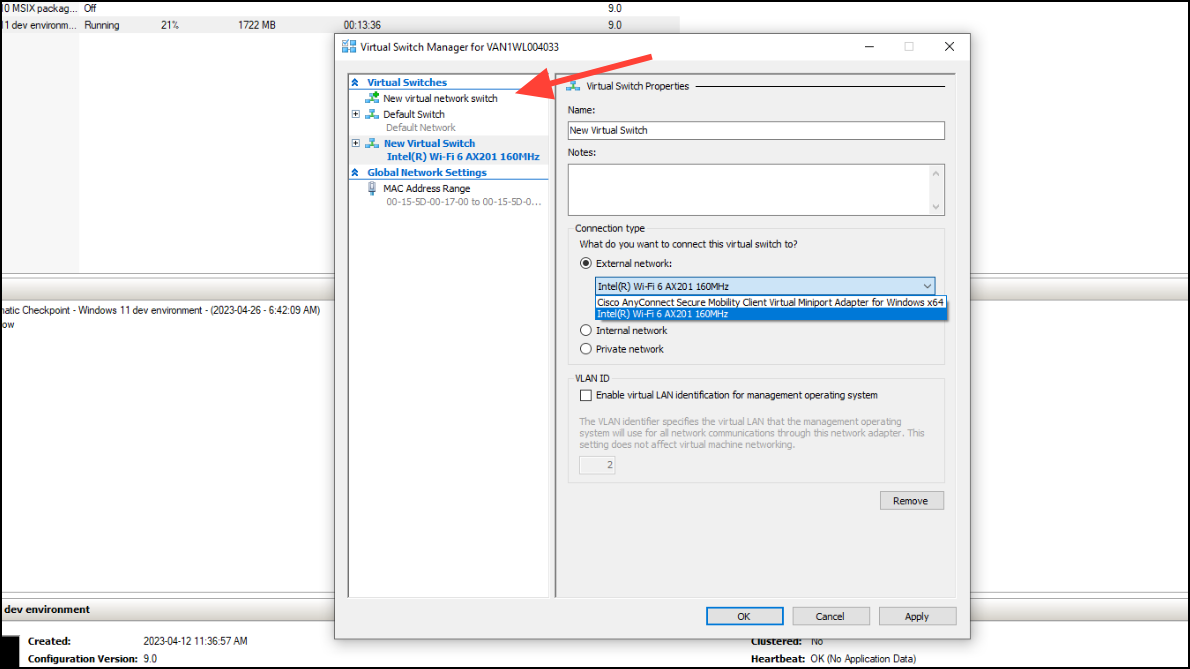
Configure Hyper-V Virtual Switch for Ubuntu Server
Set Up Network Configuration Inside Ubuntu Server
ip aThis command lists all network interfaces and their current status. Look for an interface like eth0 or ens33.
/etc/netplan/01-netcfg.yaml or a similar location. For DHCP, the configuration should look like:
network:
  version: 2
  ethernets:
    eth0:
      dhcp4: true
Replace eth0 with your network interface name if different.
sudo netplan applyThis command activates the updated network settings. Test connectivity by pinging an external address, such as:
ping 8.8.8.8If the ping succeeds, your network is functioning.
Check Firewall and Routing Settings
sudo ufw statusIf the firewall is active, ensure it allows outgoing connections or temporarily disable it for testing with sudo ufw disable.
ip routeThe output should include a line starting with default via followed by an IP address. If missing, add a default route with:
sudo ip route add default via [gateway_ip]Replace [gateway_ip] with your network’s gateway address.
Alternative: Use NAT or Internal Network for Isolated Environments
If you do not need your VM to access the broader network, configure a NAT or Internal virtual switch in Hyper-V. This setup restricts the VM to communicate only with the host or other VMs, which is useful for testing or isolated workloads. In Hyper-V Manager, create a new “Internal” or “Private” switch, assign it to your Ubuntu VM, and configure the VM’s network interface accordingly.
Restoring network access in Ubuntu Server VMs on Hyper-V requires correct virtual switch setup and in-guest network configuration. After making these adjustments, your server should regain full connectivity for updates and remote access.



