

The “Compress to…” entry in the Windows 11 context menu allows quick access to compress files and folders into a zip archive. While convenient for some, this option can clutter the right-click menu, especially for users who rarely use built-in compression or prefer third-party tools. Removing this entry can simplify the menu and make frequently used actions easier to find.
Remove “Compress to…” Entry Using Registry Editor
Win + R to launch the Run dialog, type regedit, and press Enter. If prompted by User Account Control, select “Yes” to continue.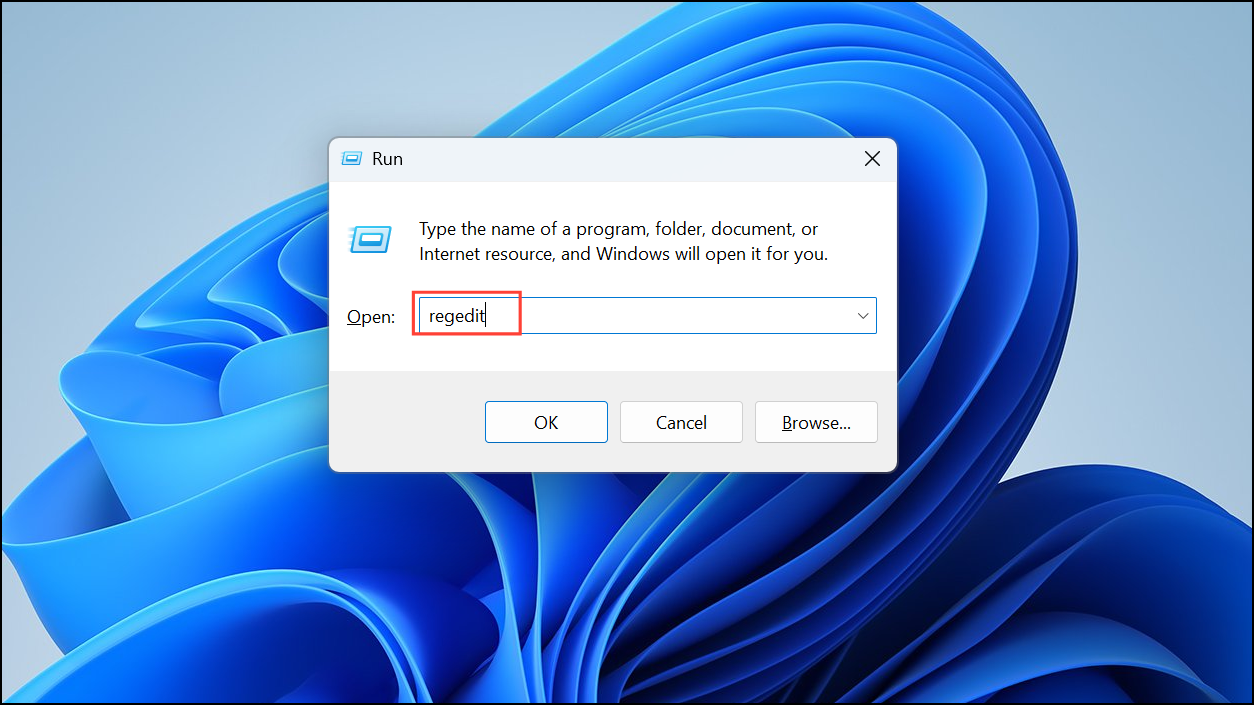
HKEY_CLASSES_ROOT\*\shellex\ContextMenuHandlers\This location contains the handlers responsible for various context menu entries for all file types.
{b8cdcb65-b1bf-4b42-9428-1dfdb7ee92af} or one labeled “Compressed (zipped) Folder”. This entry controls the built-in zip functionality.{b8cdcb65-b1bf-4b42-9428-1dfdb7ee92af} key (or “Compressed (zipped) Folder”) and select Delete. Confirm the deletion when prompted. This removes the handler responsible for the “Compress to…” option in the context menu.Disable Built-in Zip Functionality with Group Policy Editor (Windows 11 Pro and Above)
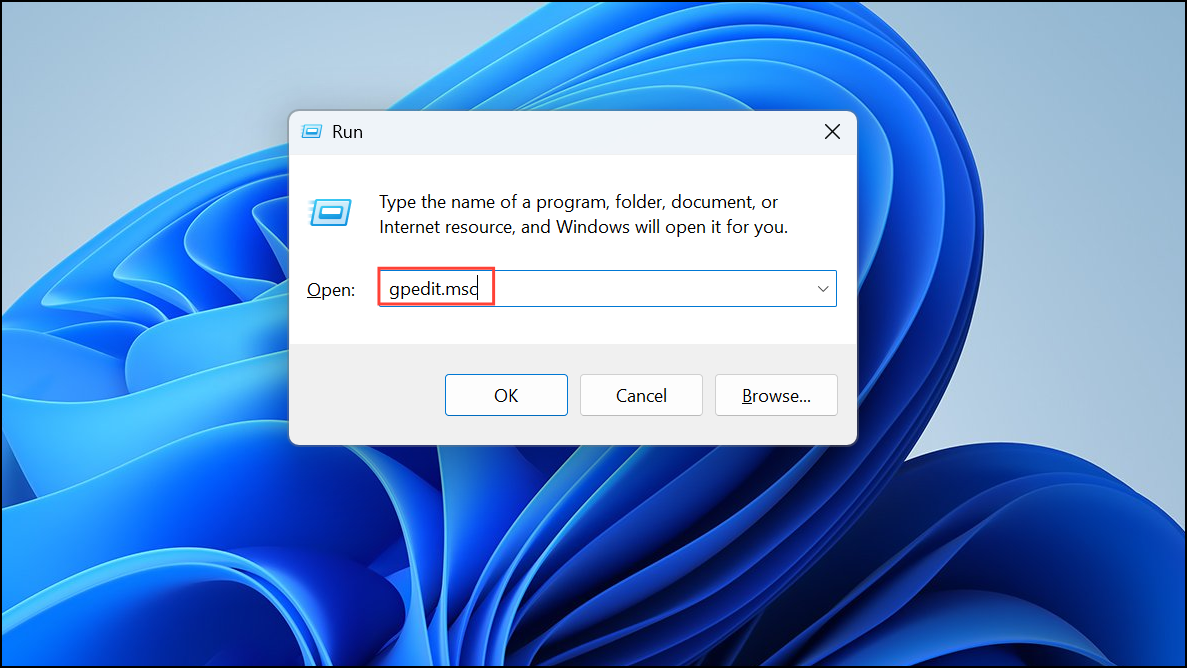
User Configuration > Administrative Templates > Windows Components > File Explorer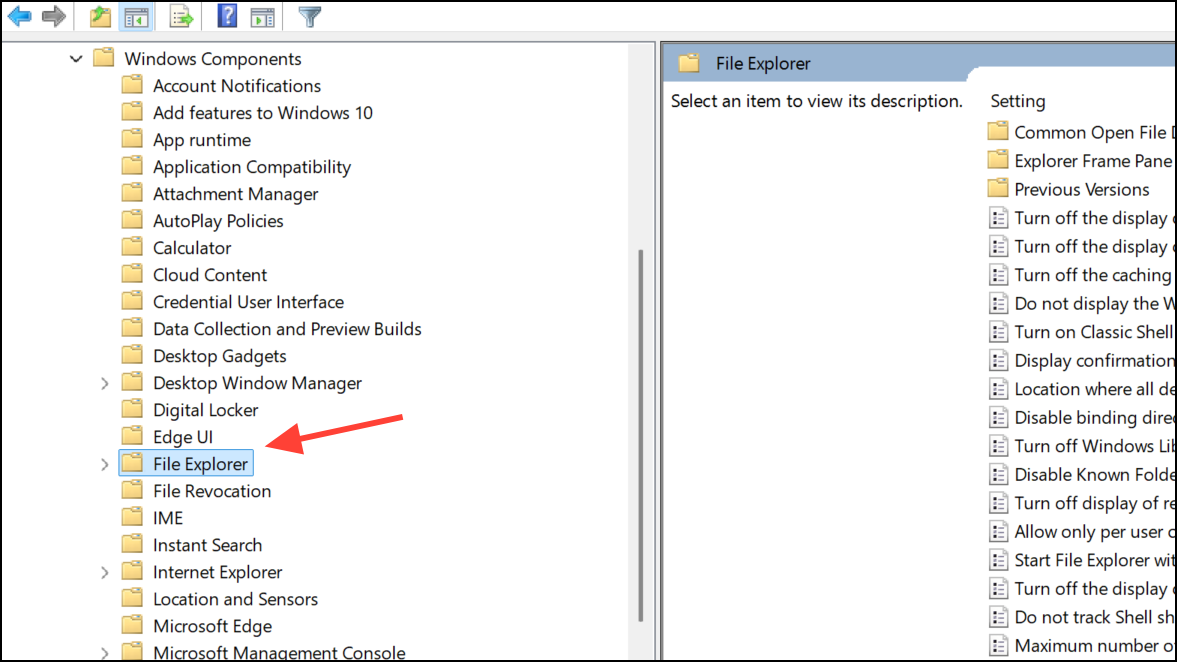
Restore the “Compress to…” Entry (Optional)
If you wish to restore the “Compress to…” context menu option, you can reverse the changes:
- For the registry method, recreate the
{b8cdcb65-b1bf-4b42-9428-1dfdb7ee92af}key underHKEY_CLASSES_ROOT\*\shellex\ContextMenuHandlers\and set its default value to{b8cdcb65-b1bf-4b42-9428-1dfdb7ee92af}. - For the Group Policy method, set the policy back to Not Configured or Disabled and restart your system.
Cleaning up your Windows 11 context menu by removing the “Compress to…” entry makes file management faster and less cluttered. If you ever need the feature again, you can easily restore it using the steps above.



