
The error message The type initializer for '<Module>' threw an exception commonly appears when launching applications that depend on the .NET runtime in Windows 11 24H2. This issue often stems from corrupted .NET installations, missing dependencies, or misconfigured system files, resulting in application startup failures and reduced productivity.
Repair or Reinstall the .NET Runtime
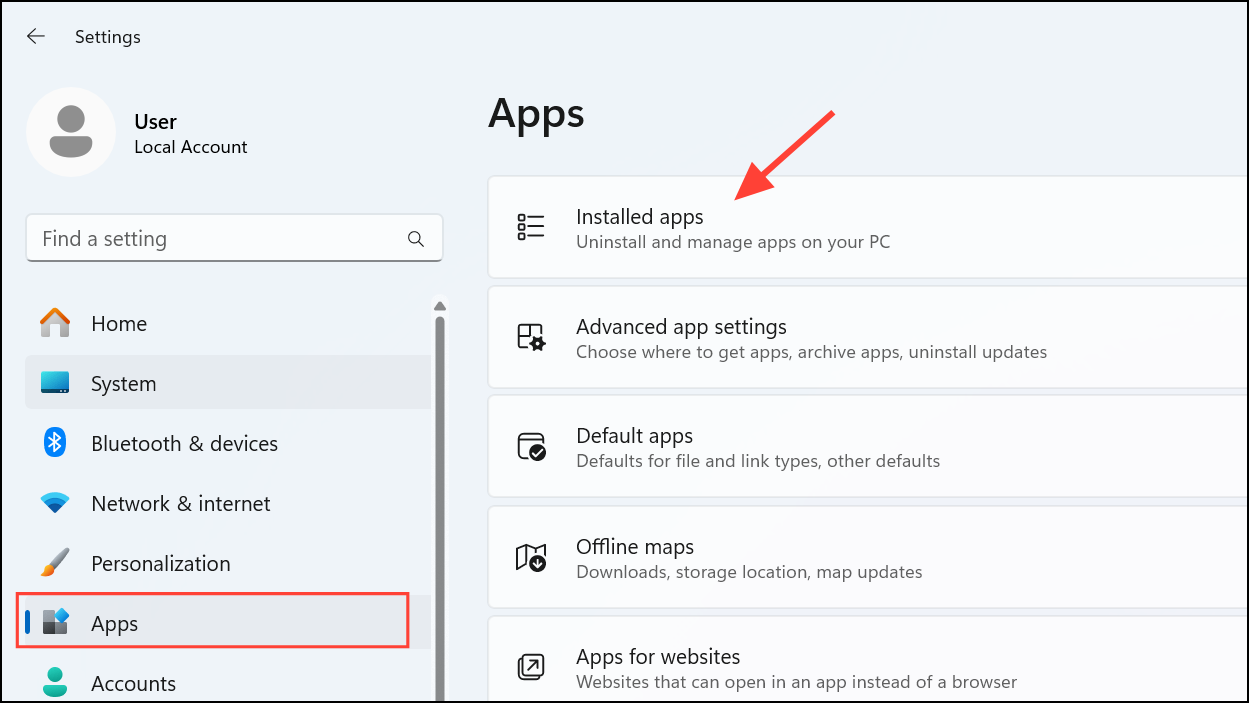
Microsoft .NET Runtime or Microsoft .NET SDK. Select the .NET runtime entry, click the three dots, and choose Modify or Repair if available. Follow the prompts to complete the repair process. This action restores missing or corrupted files and resets configuration settings, which often resolves module initializer exceptions.Fresh installation addresses underlying issues such as version mismatches and missing components that cause module initializer failures.
Check for Missing or Corrupted System Files
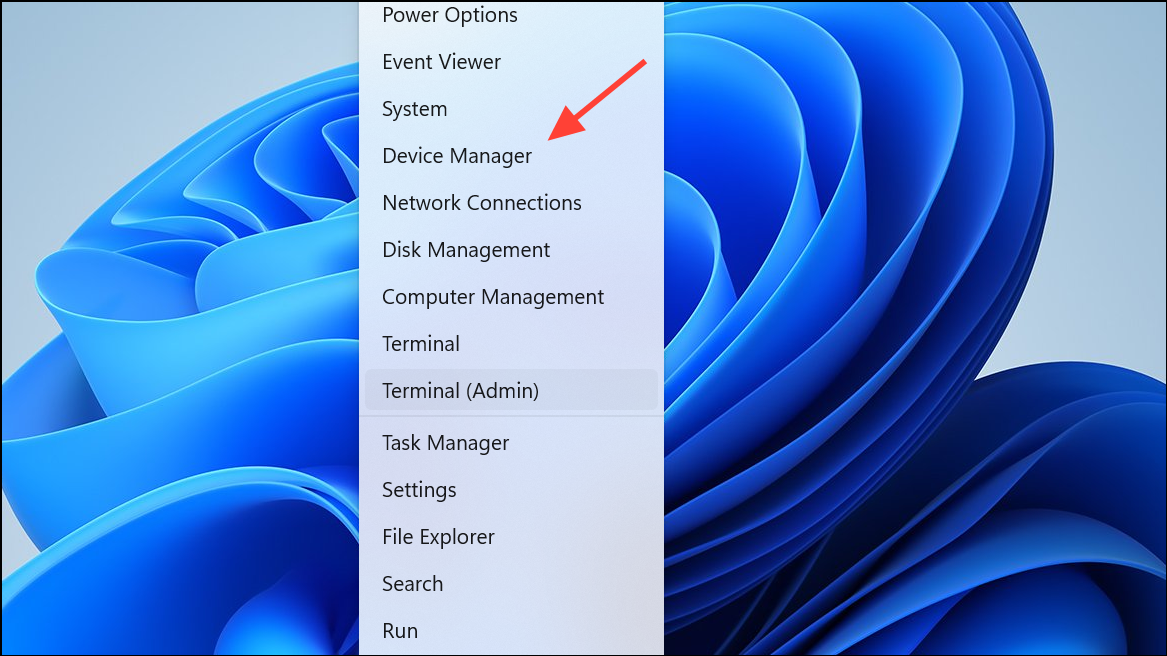
Command Prompt as an administrator by pressing Windows + X and selecting Terminal (Admin) or Command Prompt (Admin).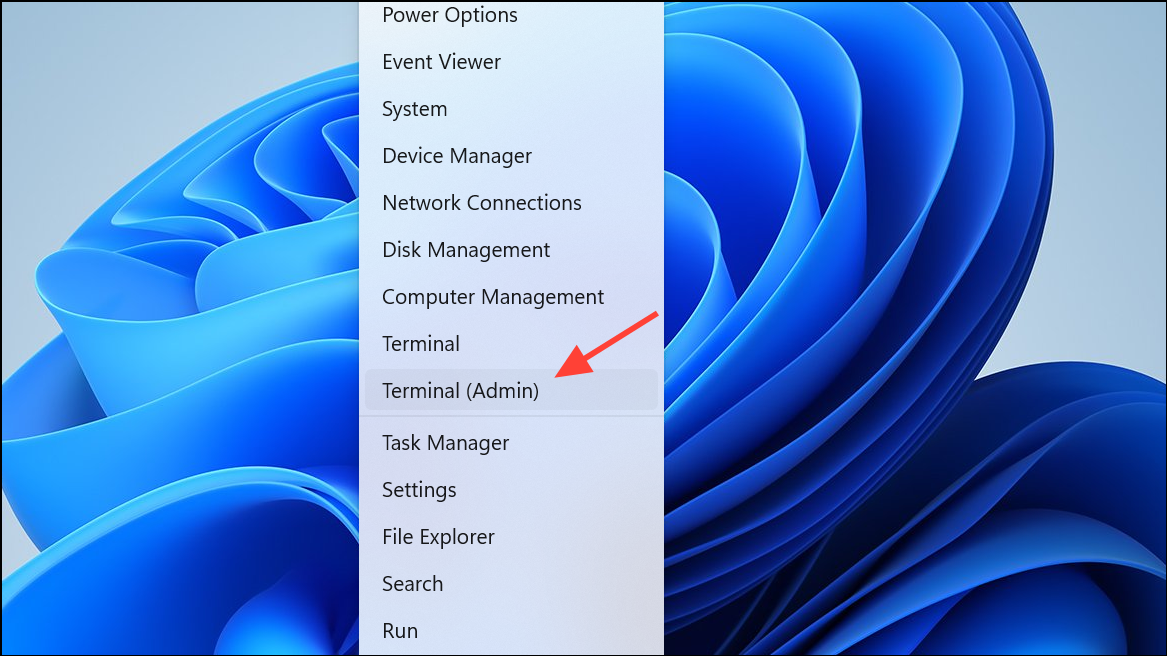
sfc /scannow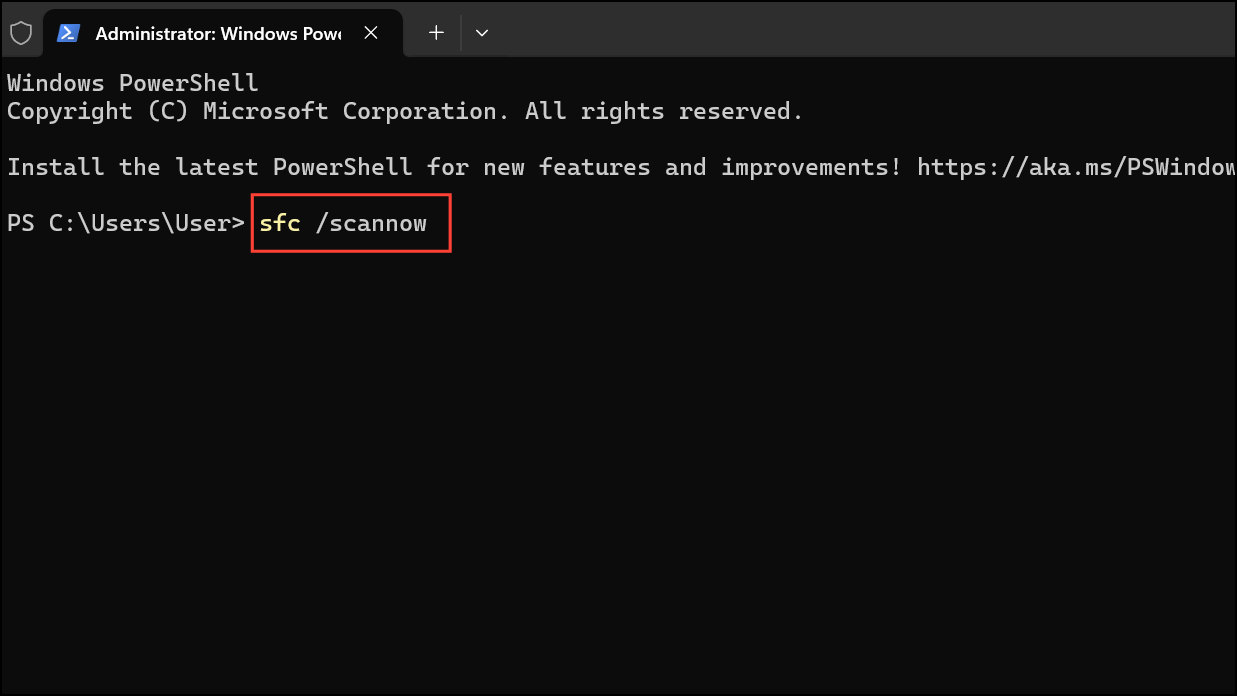
This scan detects and repairs corrupted system files that may interfere with .NET operations and application initializers.
DISM /Online /Cleanup-Image /RestoreHealth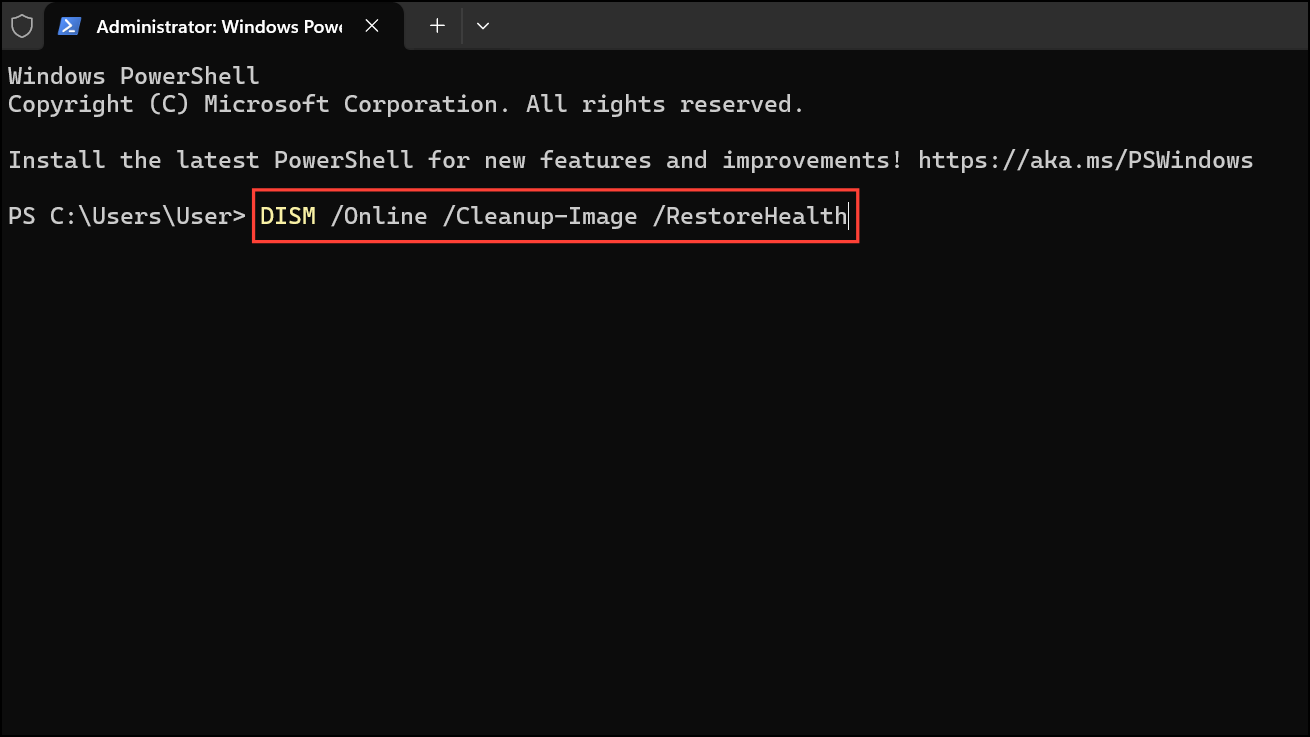
DISM repairs Windows system images and can resolve deeper corruption affecting application launches.
Update Windows 11 and Device Drivers
Settings > Windows Update and click Check for updates. Install all available updates, including optional and cumulative updates.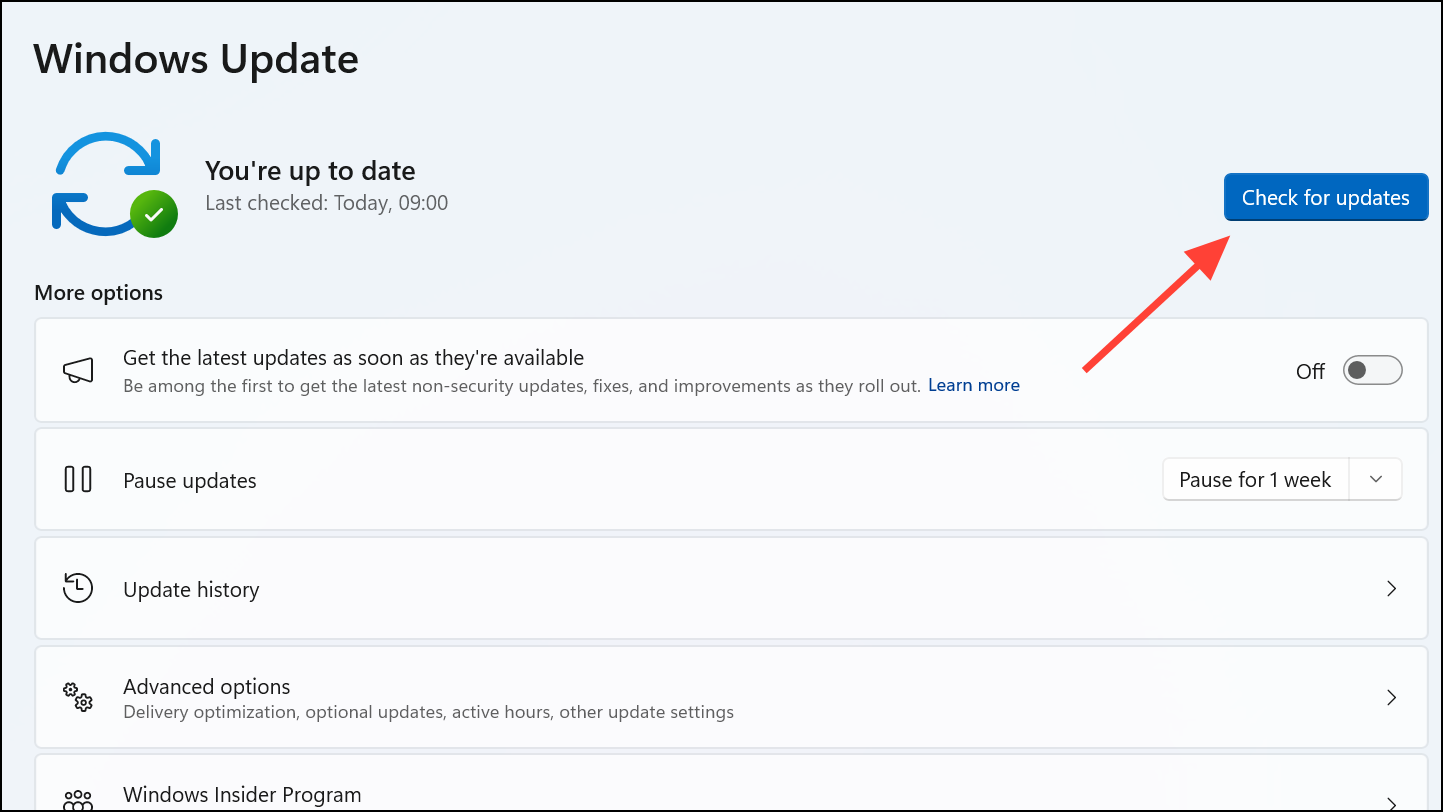
Update driver. Outdated or incompatible drivers can disrupt application dependencies and trigger initialization errors.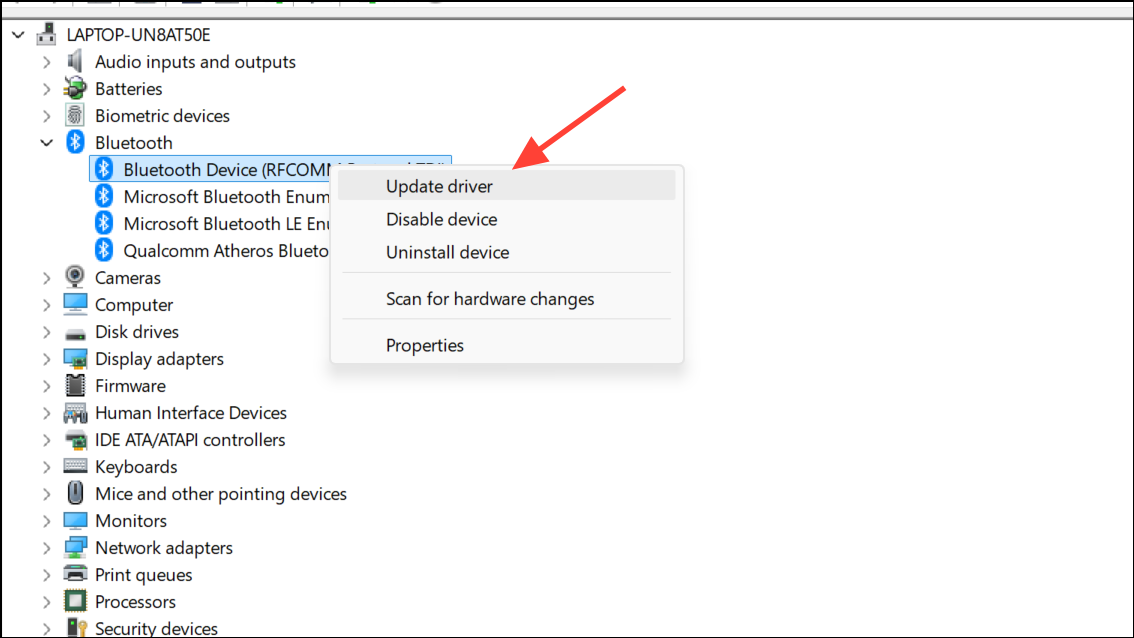
Keeping your system and drivers current ensures compatibility with the latest .NET runtime and application frameworks.
Check Application Dependencies and Configuration
Microsoft Visual C++ Redistributable packages, are installed. Some applications depend on specific versions that must be present for proper initialization.app.config or web.config, for errors or missing entries. Invalid configurations can lead to runtime exceptions during module initialization.By repairing .NET runtimes, checking system files, updating your system, and confirming all dependencies, you can resolve the module initializer exception and restore normal application functionality on Windows 11 24H2. If issues persist, contacting application support or reviewing event logs may provide further insight.



