

Error 0x800704CF typically appears when attempting to connect to Microsoft Store apps, Office, Outlook, or other Microsoft services in Windows 11. It displays the message: “You’ll need the internet for this. It doesn’t look like you’re connected to the internet.” This error persists even when your internet connection is active and working fine on other applications. Common causes include network adapter issues, incorrect TCP/IP configurations, VPN conflicts, or corrupted Microsoft Store settings.
Follow the methods below to resolve error 0x800704CF and restore connectivity to your Microsoft Store and related apps.
Run Network and Internet Troubleshooters
Windows provides built-in troubleshooters that automatically diagnose and fix common network-related issues. To run these troubleshooters, follow these steps:
Win + R to open the Run dialog box, type control.exe /name Microsoft.Troubleshooting, and press Enter.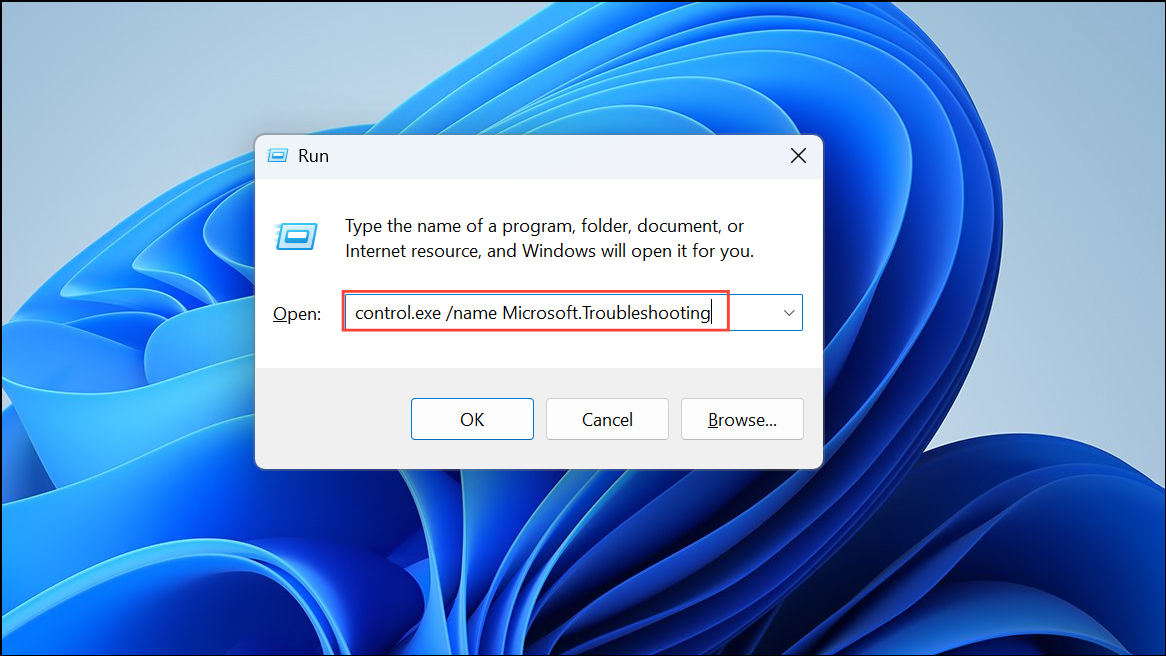
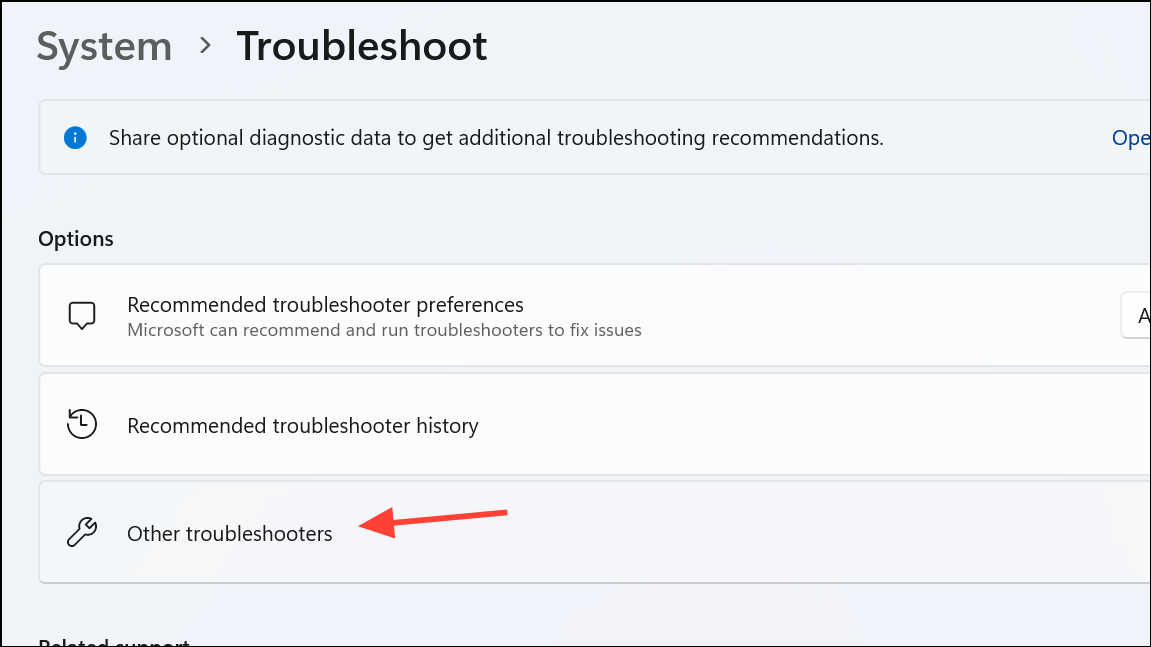
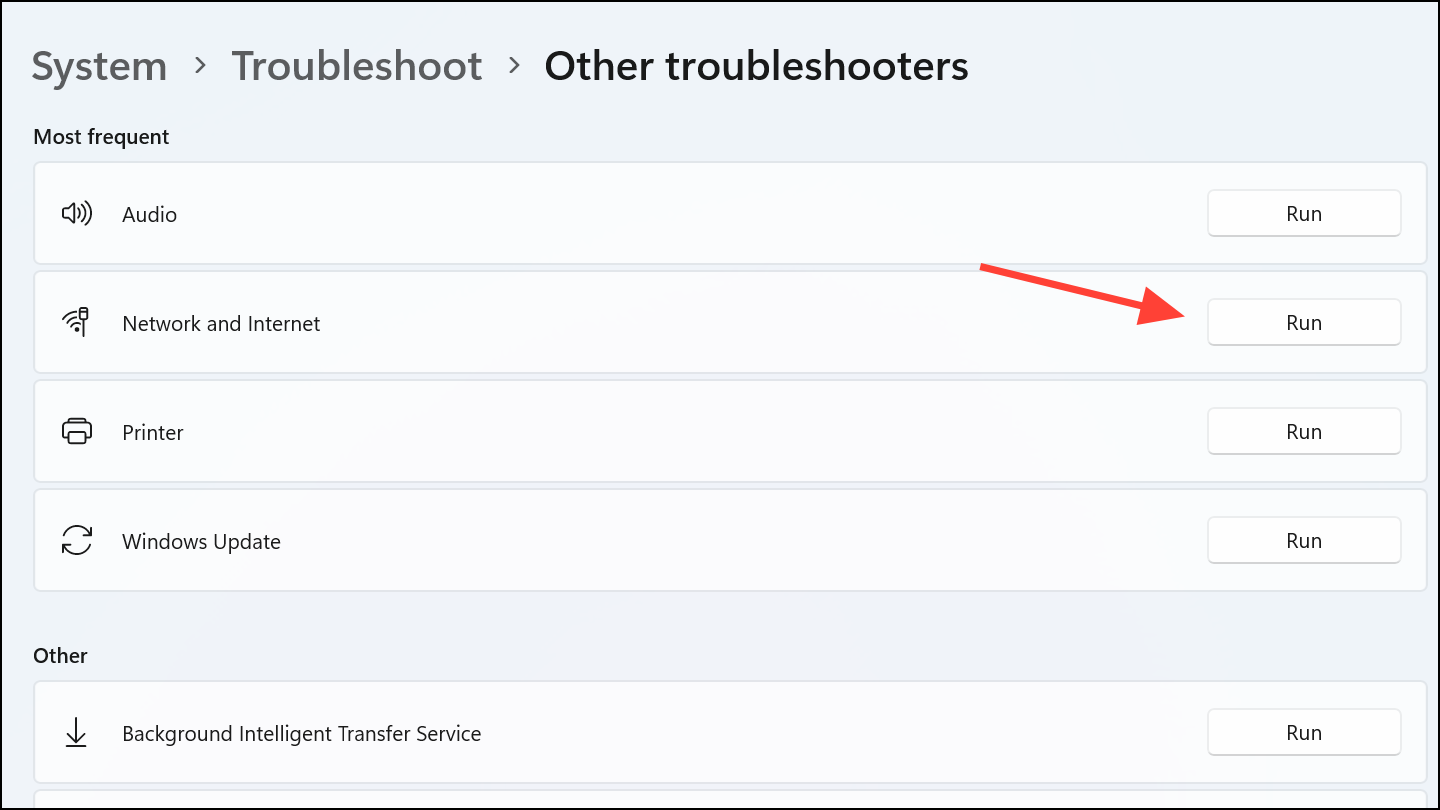
Reset TCP/IP and Winsock Settings
Misconfigured TCP/IP settings or corrupted Winsock entries can cause connectivity issues. Resetting these components can resolve error 0x800704CF:
cmd in the Windows search box, right-click Command Prompt, and select “Run as administrator.”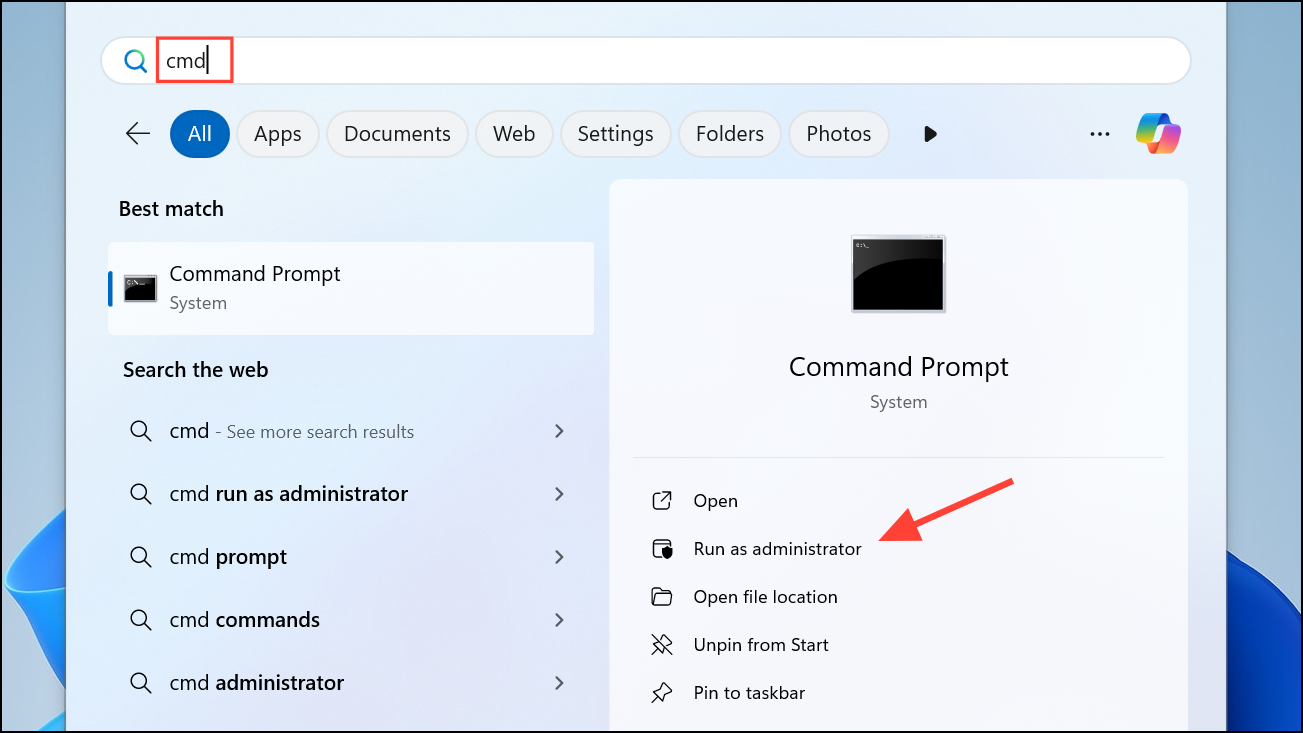
netsh winsock reset
netsh int ip reset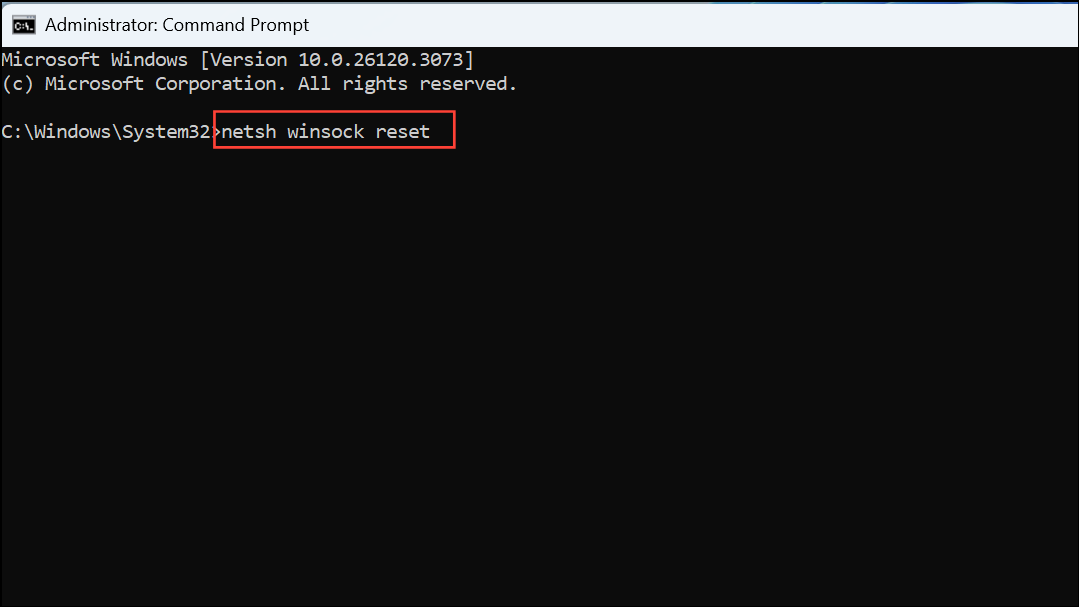
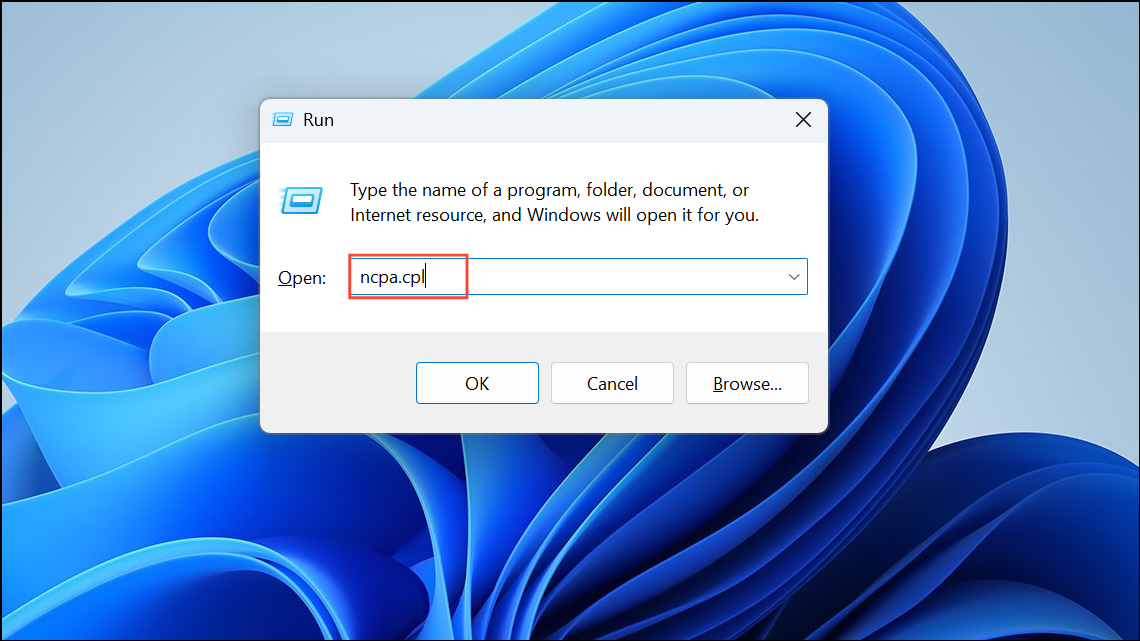
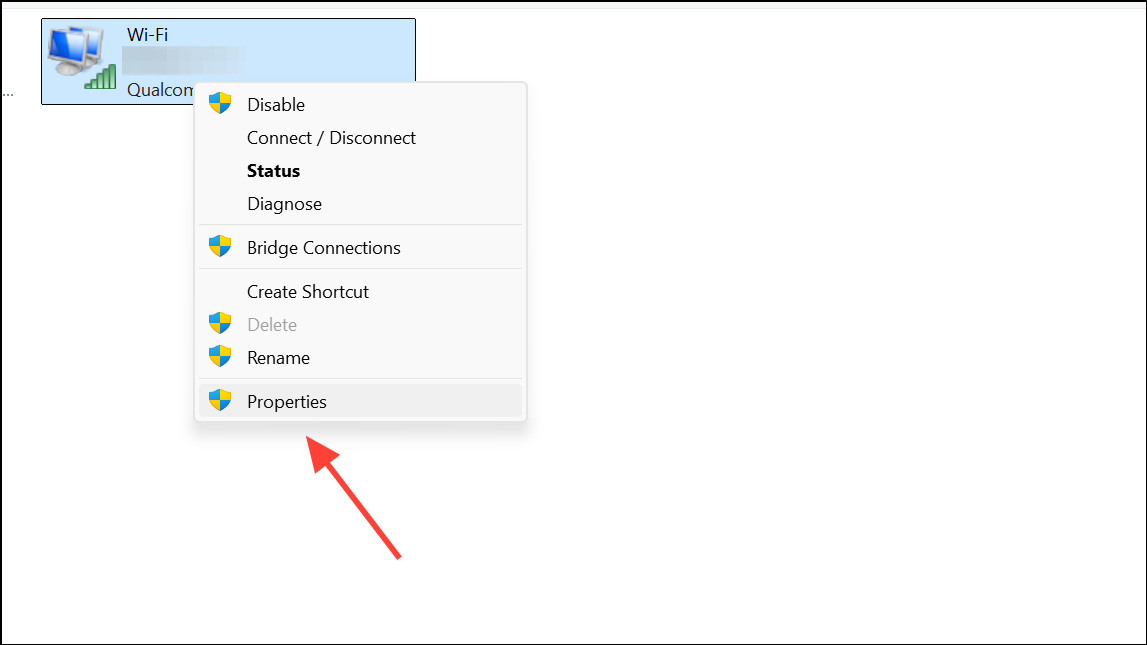
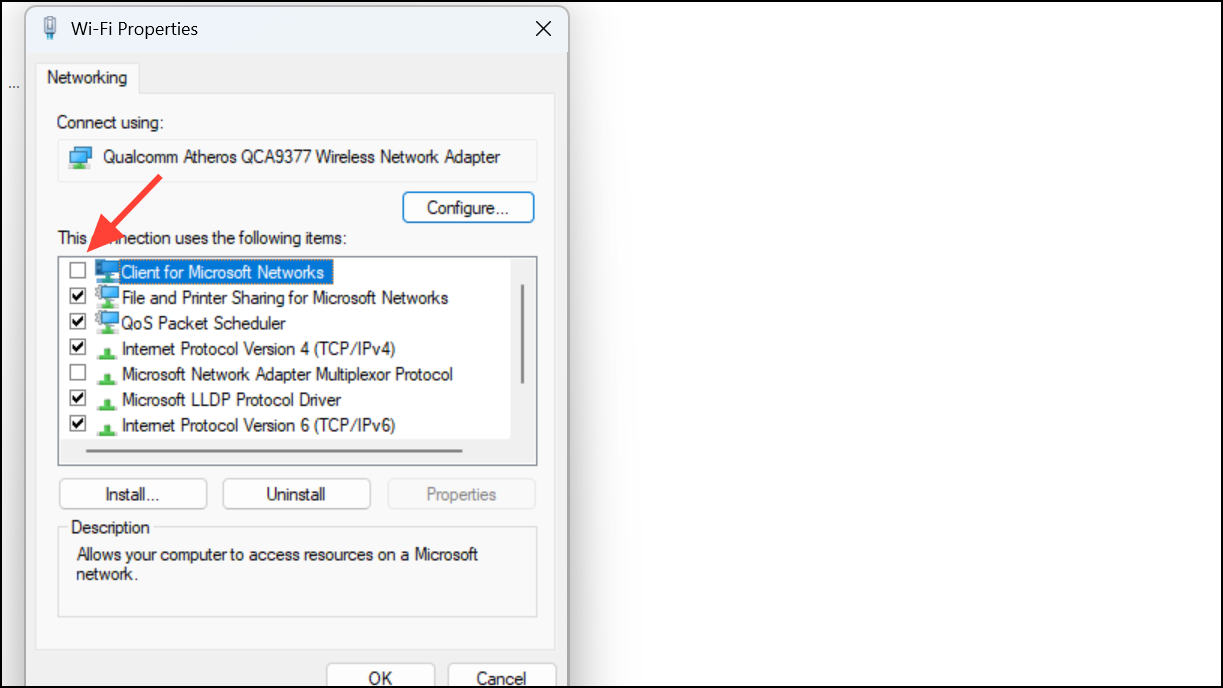
Disable Client for Microsoft Networks
Sometimes, the “Client for Microsoft Networks” feature interferes with connectivity. Disabling this component can resolve the issue:
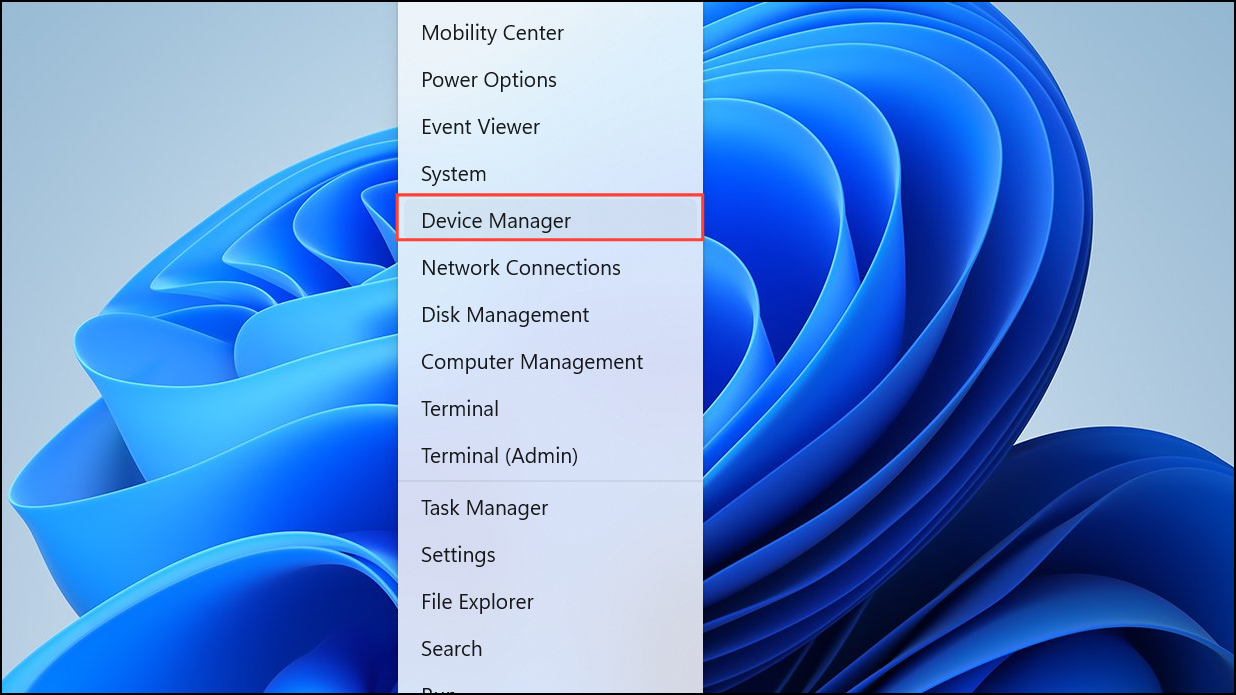
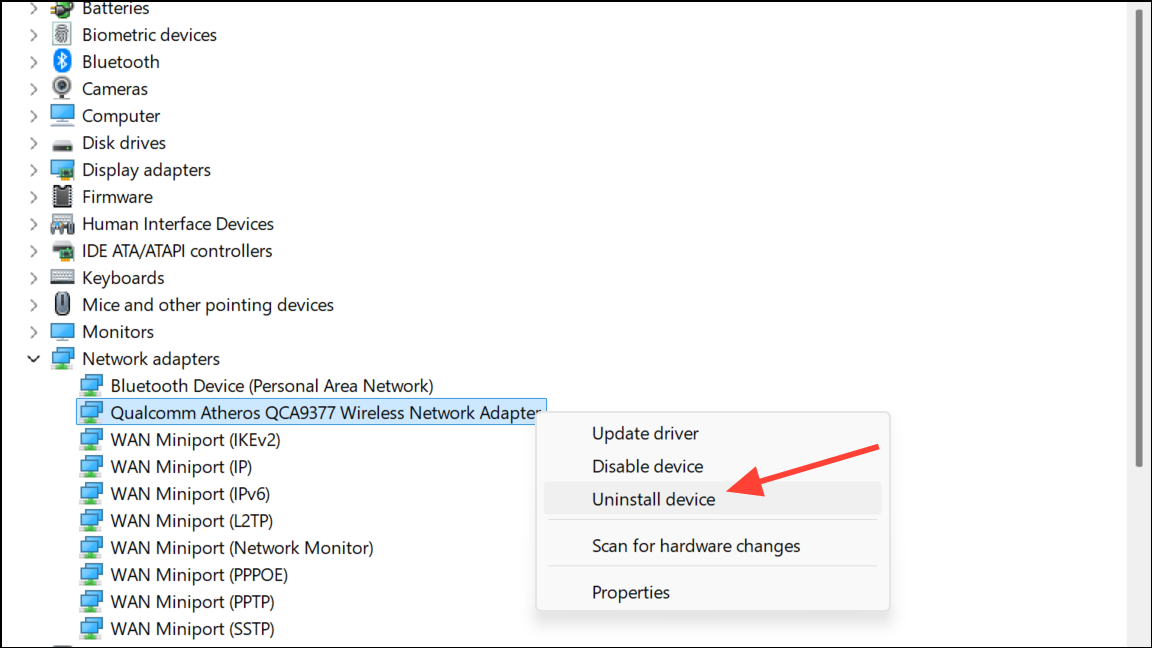
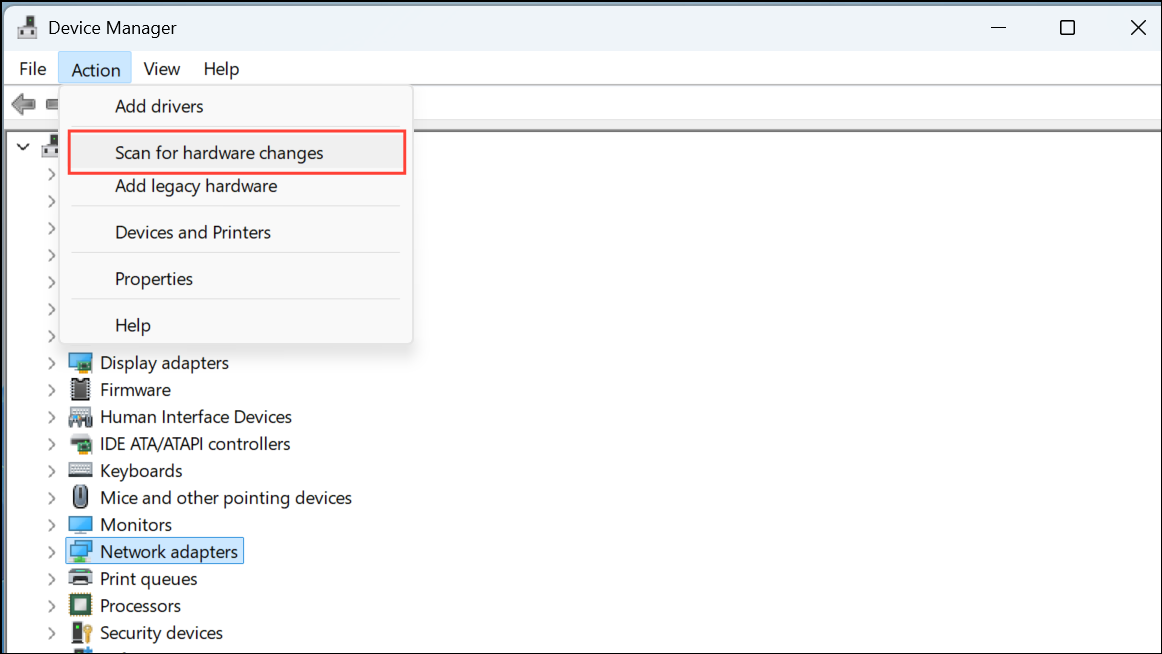
Reinstall Network Adapter Driver
Corrupted or outdated network adapter drivers can lead to error 0x800704CF. Reinstalling these drivers can resolve connectivity issues:
Reset Microsoft Store App
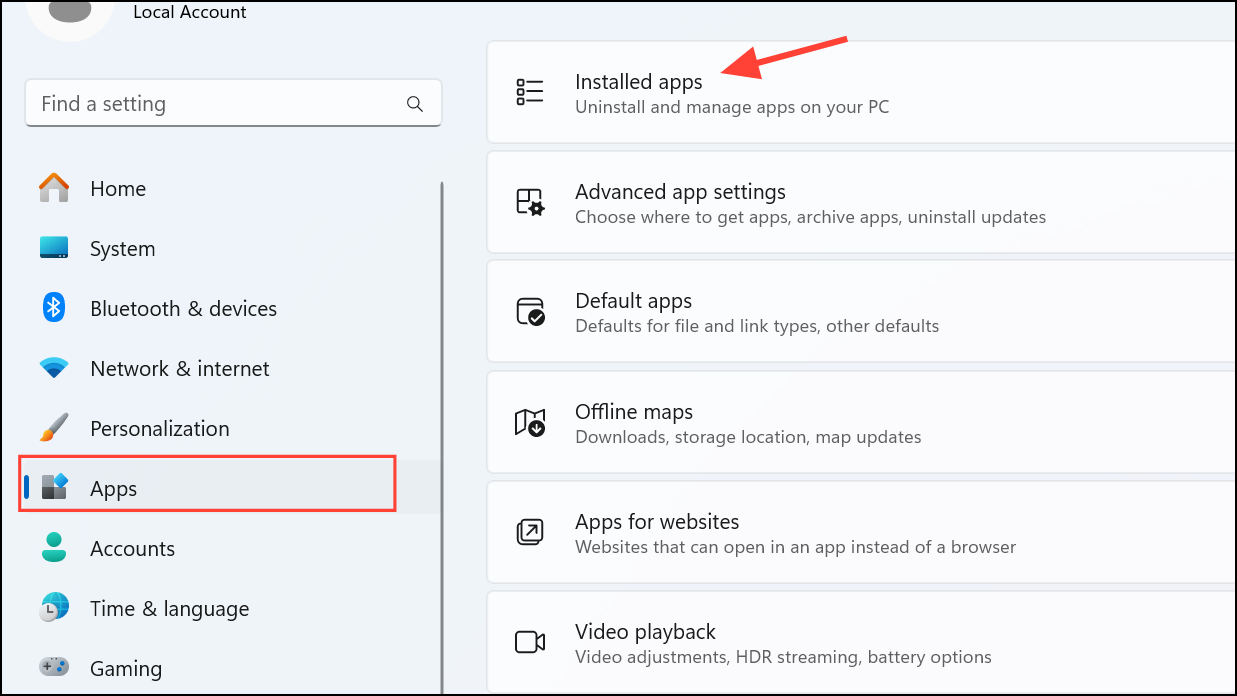
If the issue persists specifically with Microsoft Store, resetting the app can help:
Disable VPN and Proxy Settings
VPNs or proxy servers can sometimes block Microsoft Store connections. Temporarily disabling these can resolve the error:
netsh winhttp reset proxy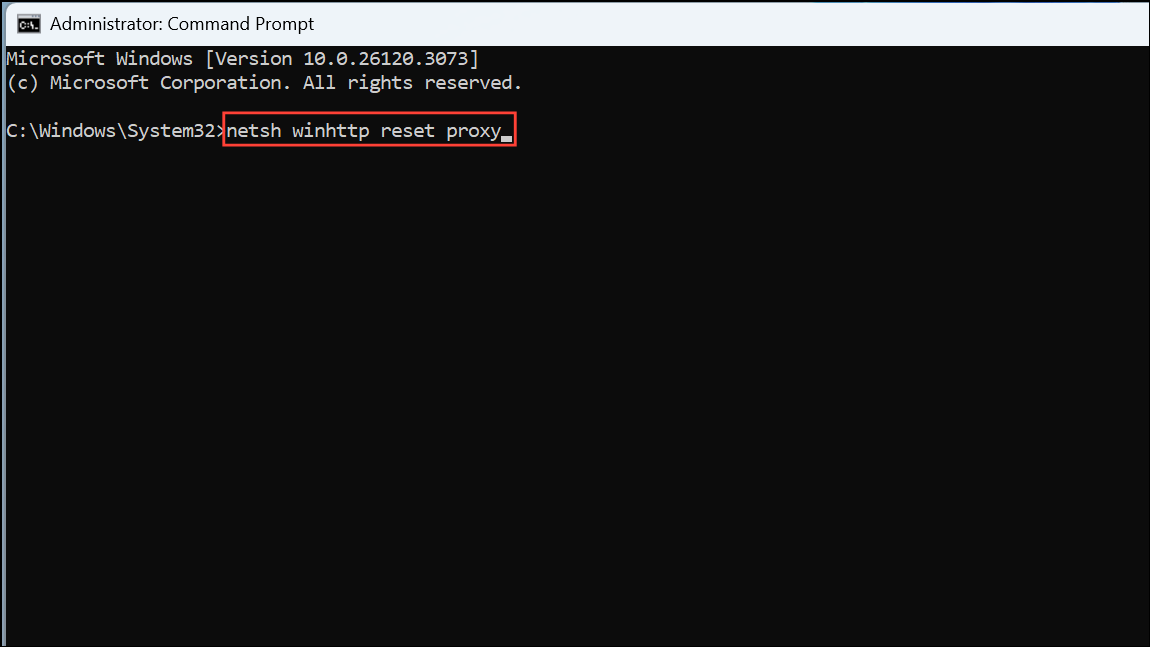
Create a New User Account
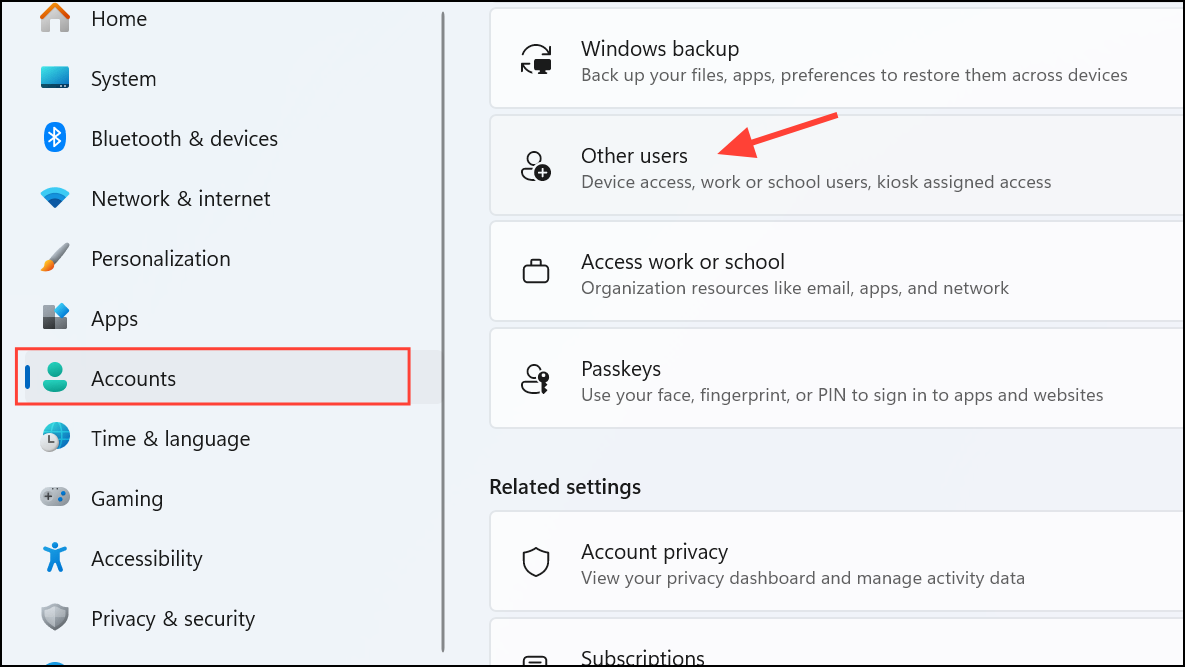
If none of the above methods work, the issue may be specific to your current user profile. Creating a new user account can bypass corrupted profile settings:
After applying these solutions, error 0x800704CF should no longer appear, and your Microsoft Store and related apps should connect normally. If the problem continues, consider contacting Microsoft Support for further assistance.



