
Typing python in your Windows 11 command prompt may result in an error message like “Python is not recognized as an internal or external command.” This happens because Windows doesn’t know where to find your Python installation. To fix this, you need to add Python to your PATH environment variable.
Using System Properties to Add Python to PATH
C:\Users\YourUsername\AppData\Local\Programs\Python\Python311 (for Python 3.11). If you’re unsure, open File Explorer and search for python.exe. Once found, click on the address bar at the top of File Explorer and copy the full path to your Python installation.Win + S and type Edit the system environment variables, then press Enter. This opens the System Properties window. Now click on the Environment Variables button at the bottom.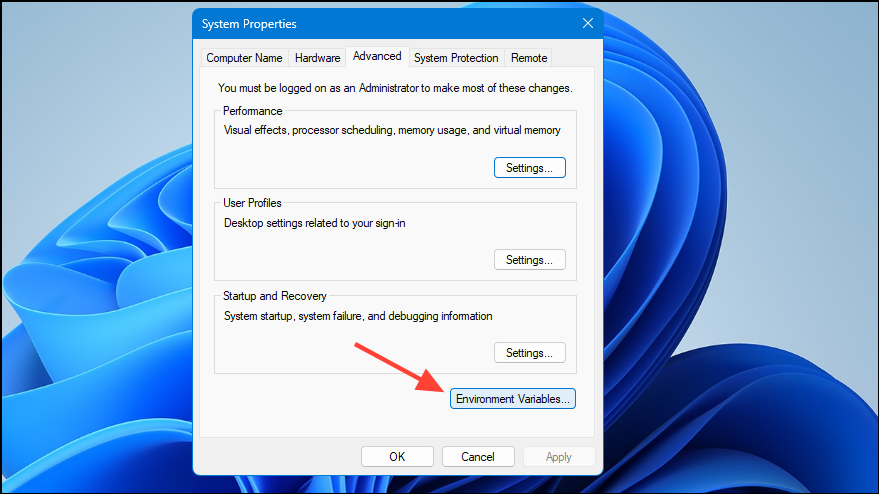
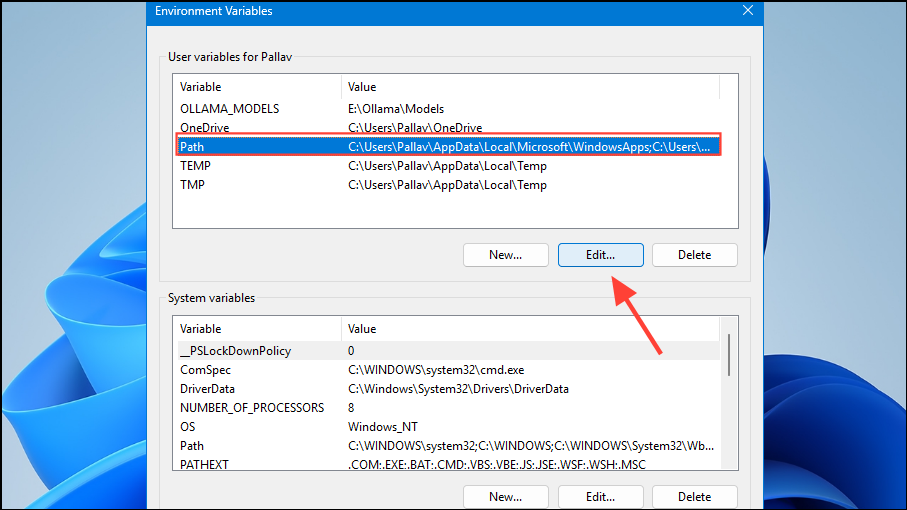
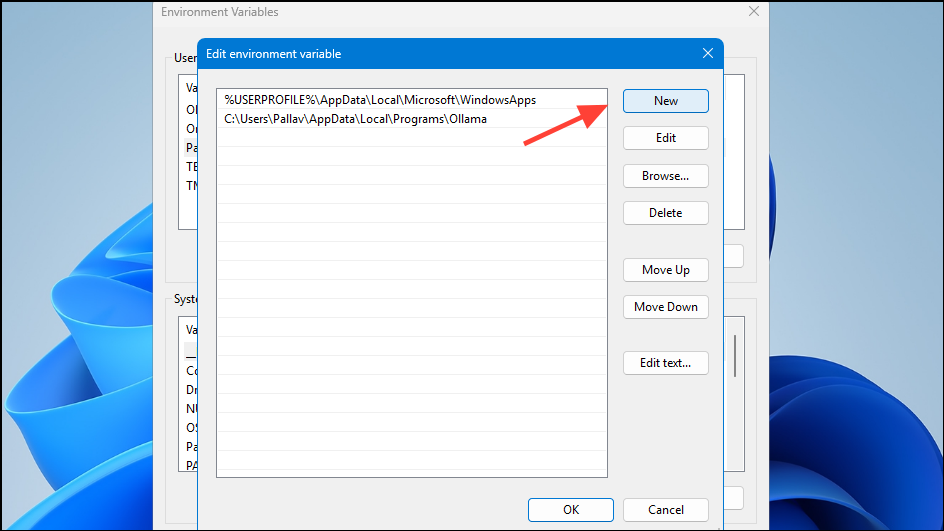
Scripts directory located inside your Python installation folder. Typically, this will look like C:\Users\YourUsername\AppData\Local\Programs\Python\Python311\Scripts.python --version into the command prompt to verify the installation was successful.Add Python to PATH Automatically During Installation
If you haven’t yet installed Python or prefer a simpler approach, you can automatically add Python to PATH during the installation process.
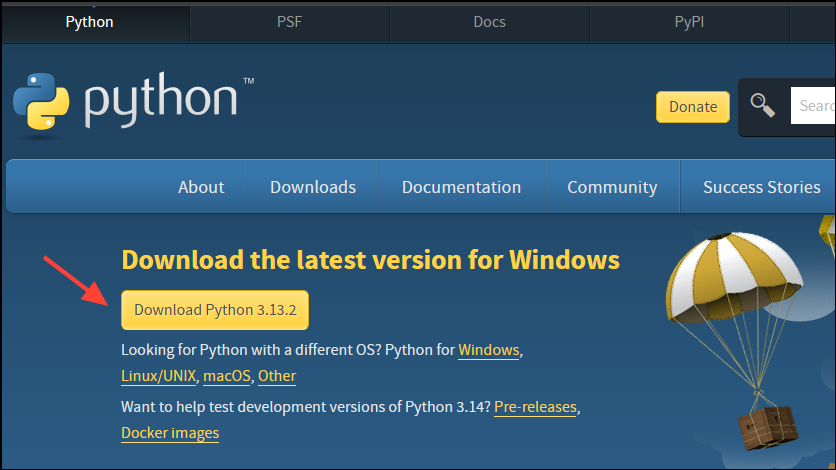
python --version to confirm Python is correctly added to your PATH.Using the Command Line to Edit PATH (Advanced Method)
If you’re comfortable with command-line operations, you can add Python to PATH directly from the command prompt.
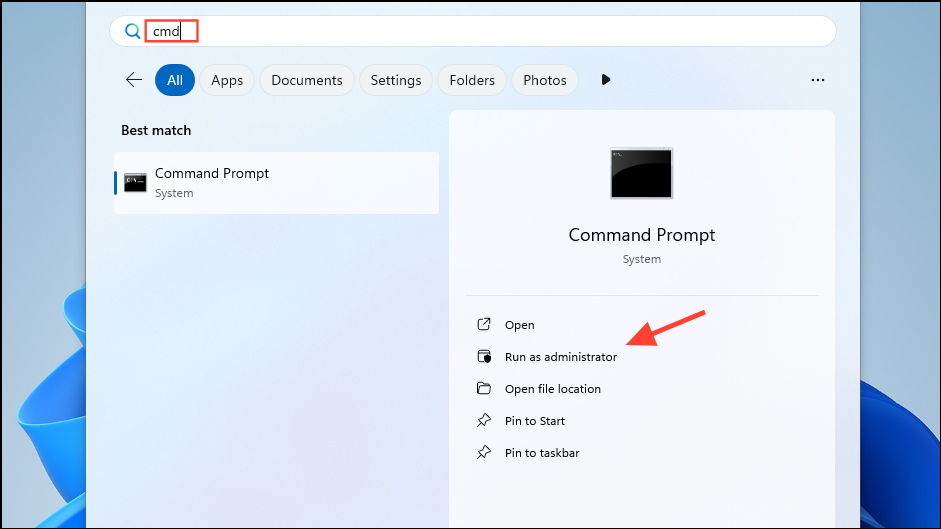
setx PATH "%PATH%;C:\Users\YourUsername\AppData\Local\Programs\Python\Python311;C:\Users\YourUsername\AppData\Local\Programs\Python\Python311\Scripts" /M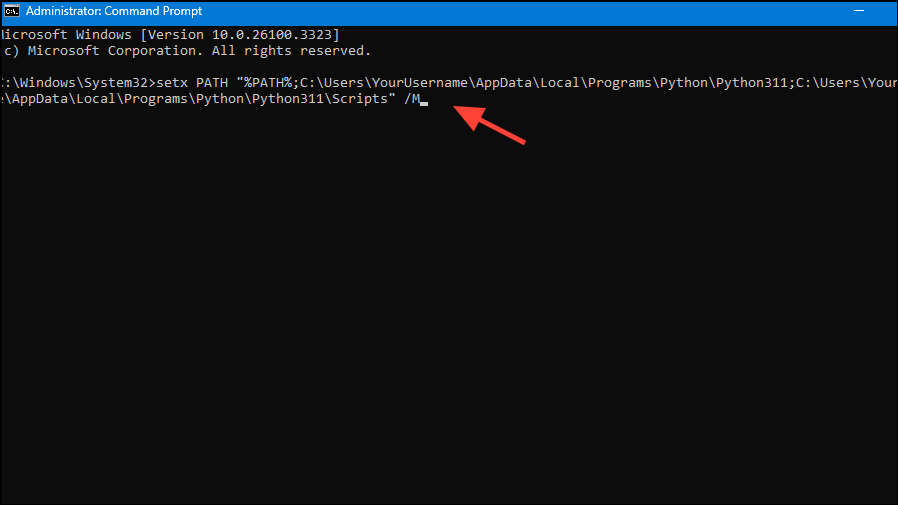
This command permanently adds Python and its Scripts directory to the system-wide PATH variable. After running this command, restart your command prompt window to apply the changes.
With Python properly added to your Windows 11 PATH, you can now run Python commands from any command prompt without specifying the full path. Happy coding!



