

Windows Recall is a new AI-driven feature introduced with Microsoft’s Copilot+ PCs, designed to enhance user productivity by keeping track of your activities. While it can be a powerful tool for quickly accessing previously used files, websites, and applications, it may raise privacy concerns for some users. If you’re worried about certain activities being recorded, you can customize Recall to exclude specific apps and websites from its snapshots.
Learn how to turn off Windows Recall AI Feature in Windows 11 Copilot Plus PCs
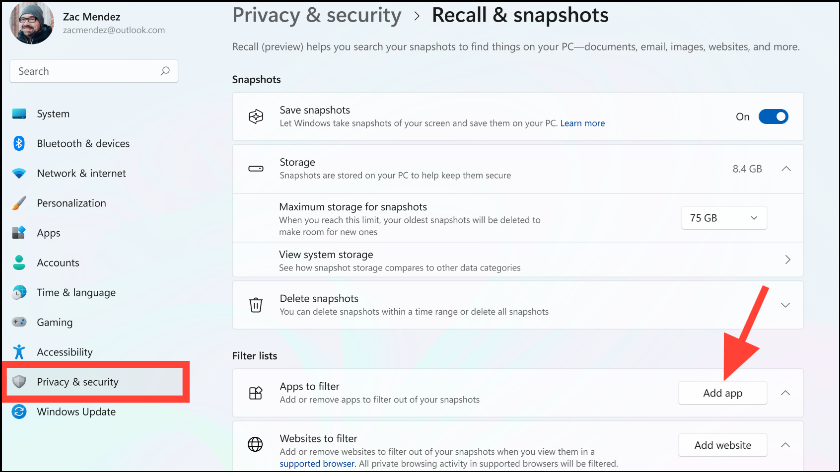
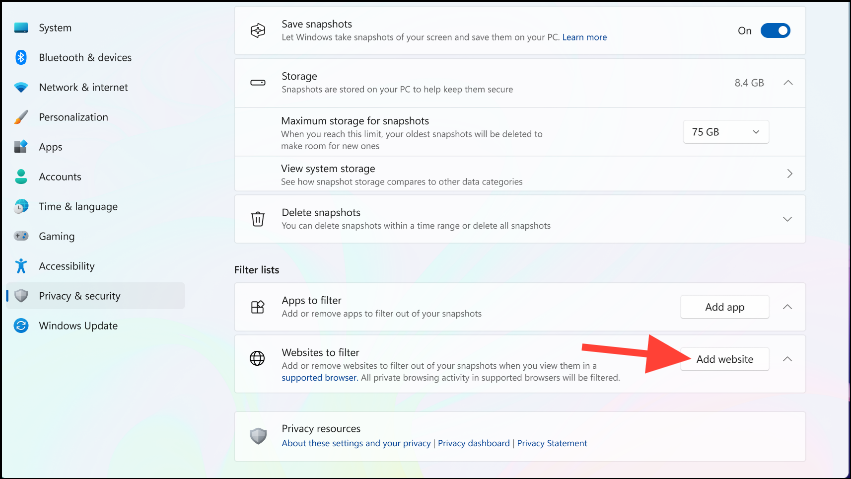
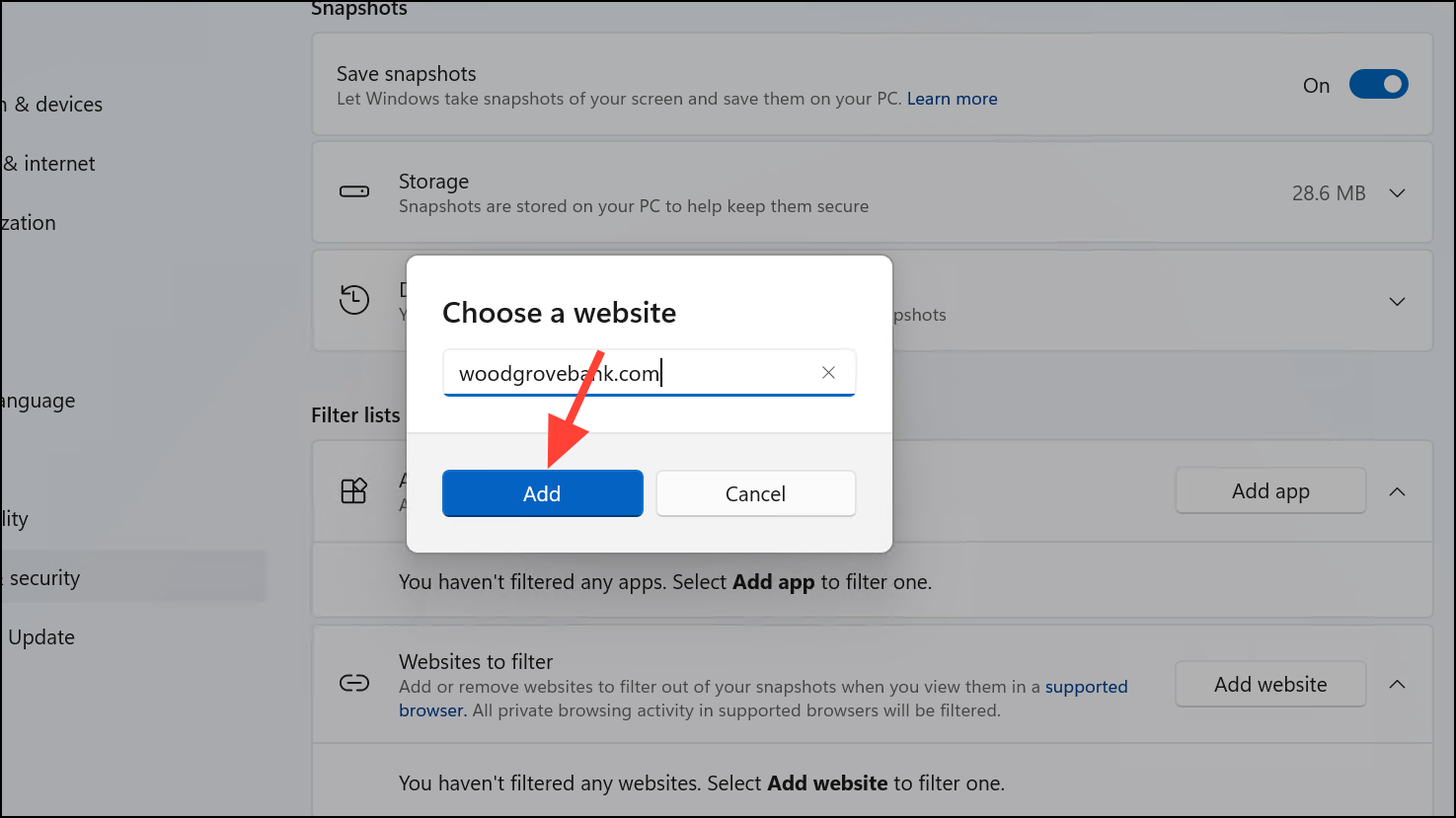
Keep in mind that website filtering in Recall is supported when using browsers like Microsoft Edge, Firefox, Google Chrome, and Opera. These browsers allow Recall to block activity for specific websites and will not take snapshots when private browsing modes are active. For other Chromium-based browsers, Recall will stop taking snapshots during private browsing sessions, but specific website filtering isn’t supported. If you’re using a different browser and want to prevent Recall from capturing any activity, you can add the browser itself to the list of apps to filter out.
By customizing which apps and websites Recall monitors, you can maintain your privacy while still benefiting from its convenience. Excluding sensitive applications and sites—such as banking platforms or pages displaying personal information—ensures that your confidential data remains secure and isn’t inadvertently stored in Recall’s activity logs.



