

Windows 11 introduces the ability to set Windows Spotlight images as your desktop background, bringing a new and refreshing look to your workspace every day. These high-quality images from around the world can enhance your user experience with minimal effort. Here’s how you can enable Windows Spotlight for your desktop background.
Enabling Windows Spotlight for desktop background
Windows + I on your keyboard.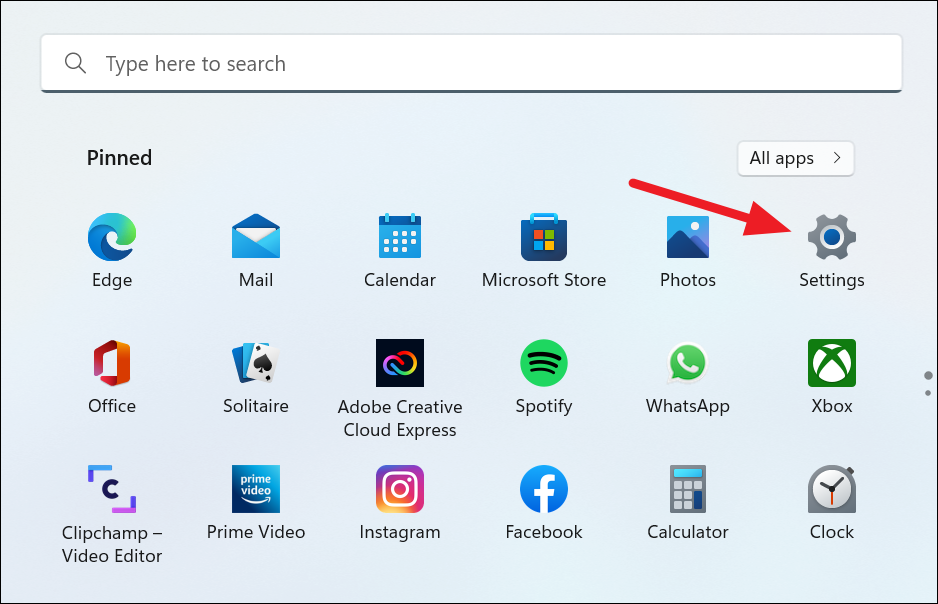
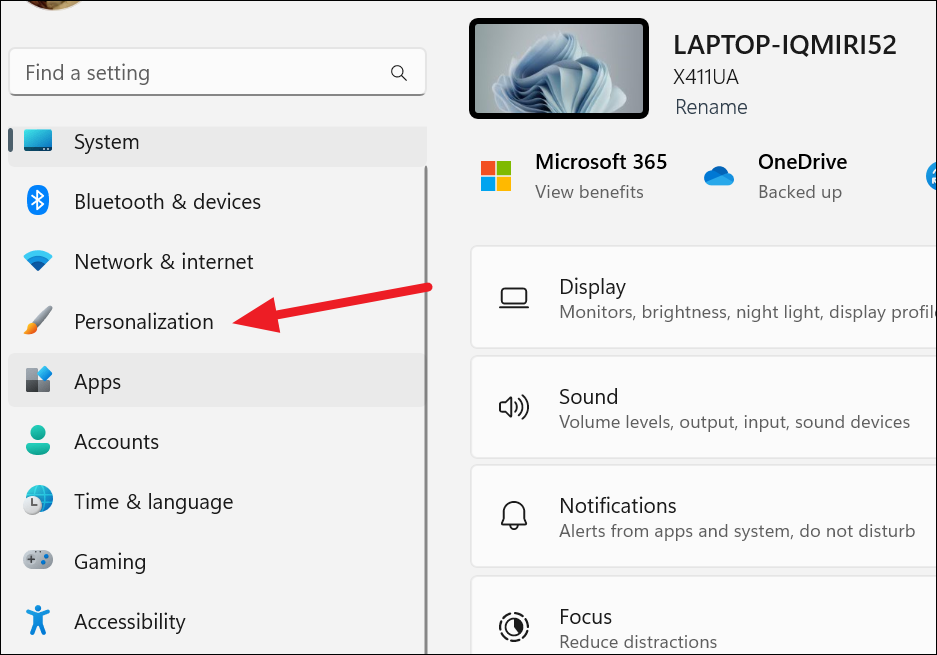
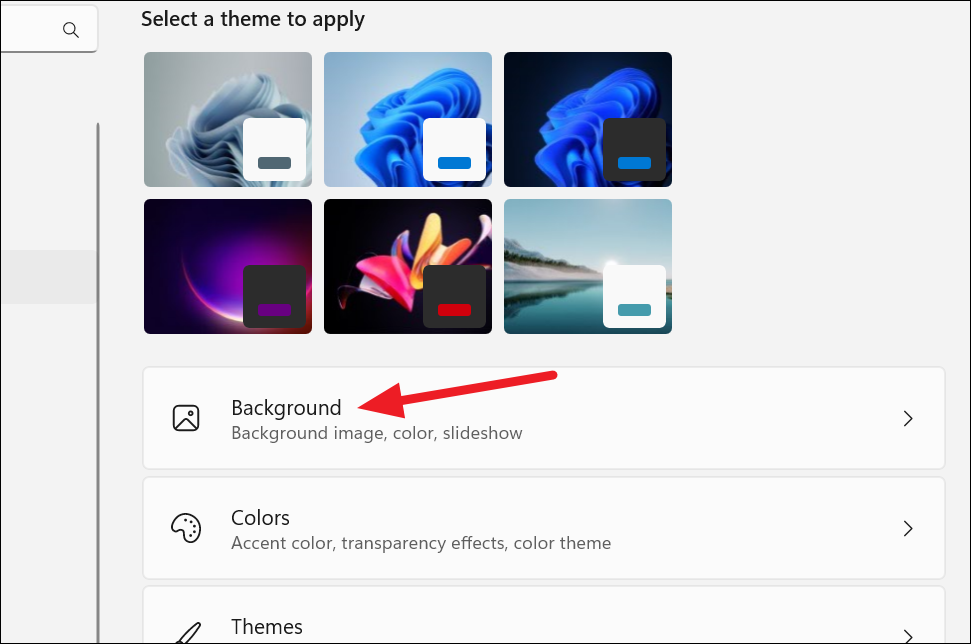
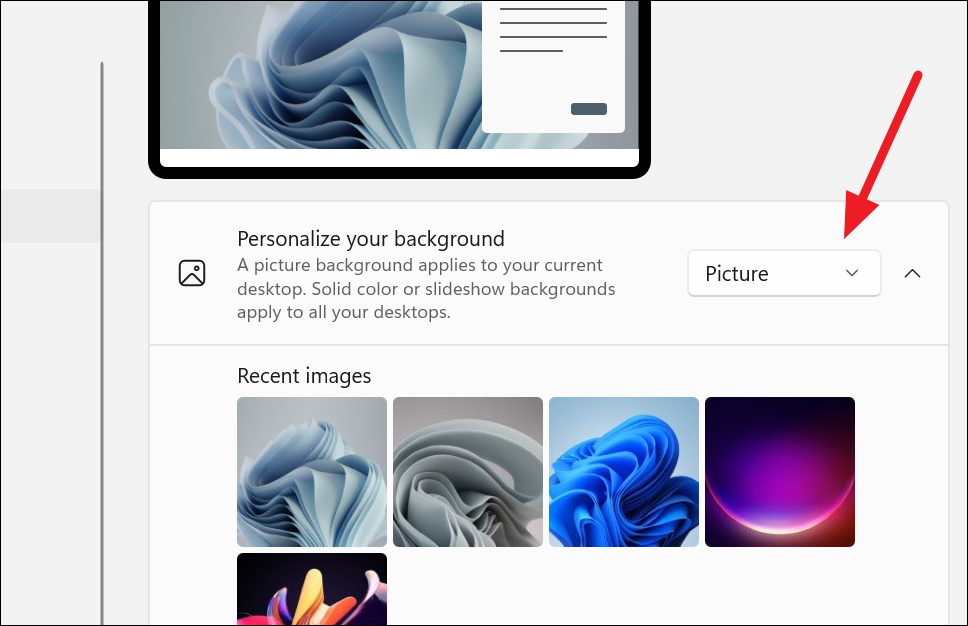
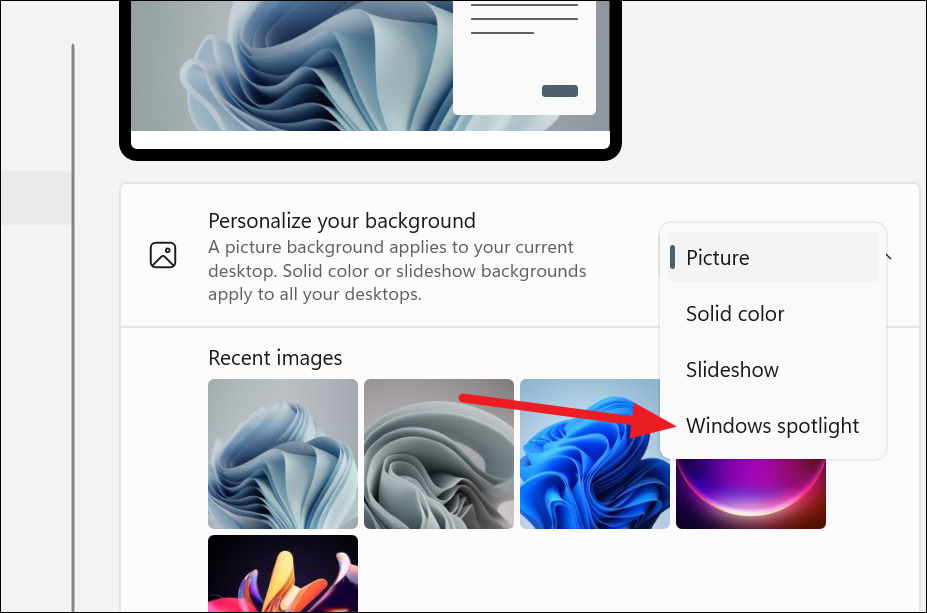
Windows Spotlight for desktop backgrounds is available to all Windows 11 users as of the latest updates. Ensure your system is up to date to access this feature.
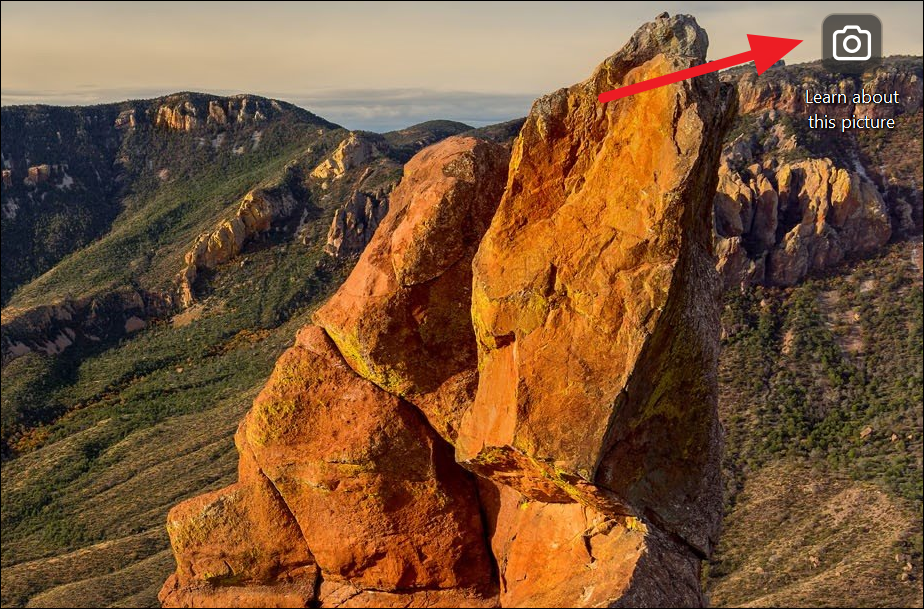
Once you select Windows Spotlight, your desktop background will immediately change to a Spotlight image.
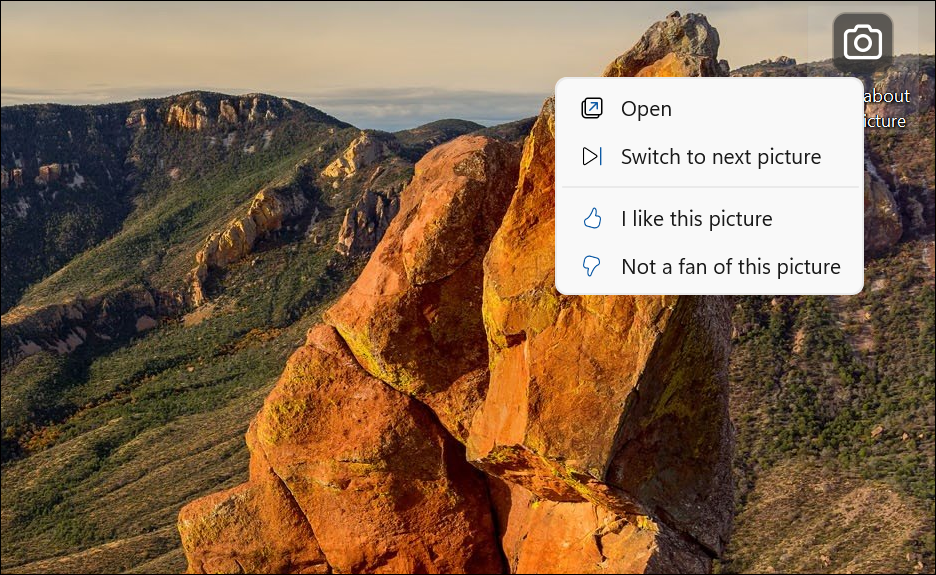
A context menu will appear with the following options:
Open: Opens more information about the current wallpaper, similar to double-clicking the camera icon does.
Switch to next picture: Changes your desktop to the next image in the Windows Spotlight collection.
I like this picture: Signals Windows to show similar images in the future.
Not a fan of this picture: Tells Windows not to show similar images again and immediately changes to a new background.
By enabling Windows Spotlight for your desktop background, you can enjoy a new and captivating image every day, making your Windows 11 experience more dynamic and engaging.



