
The Calculator app in Windows 11 is a versatile tool that goes beyond basic arithmetic. It offers various modes like Scientific, Programmer, Date calculation, and even includes features like Graph plotting and unit conversion for Currency, Volume, and Length. With such functionality, keeping the Calculator accessible can significantly enhance productivity.
When working with other applications, constantly switching back and forth to the Calculator can be inconvenient. Thankfully, Windows 11 has introduced a native ‘Always on Top’ feature for the Calculator app, eliminating the need for third-party tools and making calculations more seamless.
Use the ‘Keep on Top’ Button or a Keyboard Shortcut to Pin the Calculator
Keeping the Calculator always visible is straightforward. You can pin it on top of other windows with just a click or a simple keyboard shortcut.
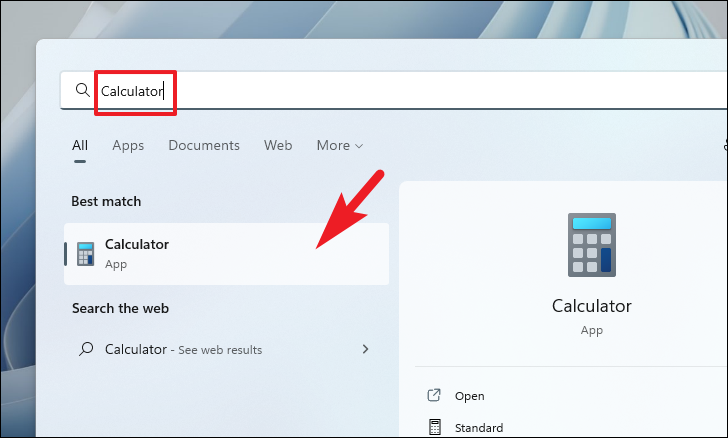
Alt + Up Arrow keys simultaneously to achieve the same effect.The ‘Keep on top’ feature is only available when the Calculator is in ‘Standard’ mode.
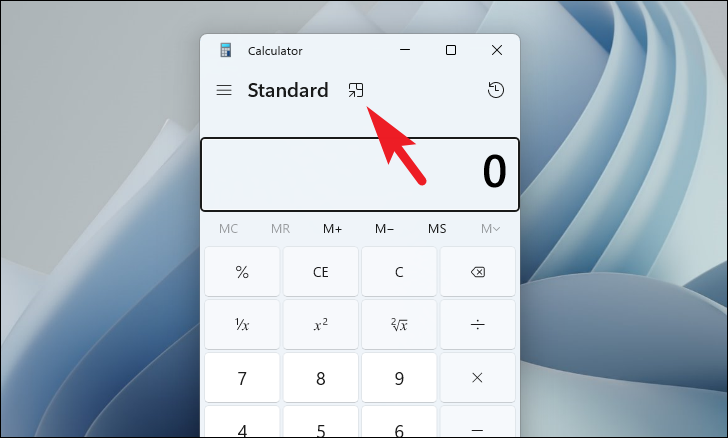
Alt + Up Arrow together to unpin it.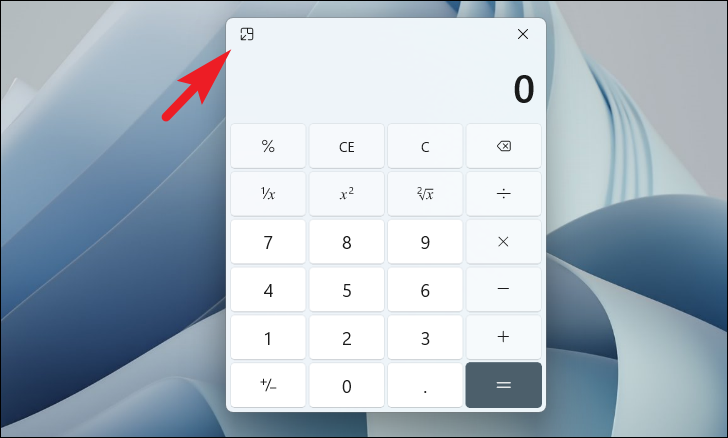
The Calculator interface changes when ‘Keep on top’ mode is activated.
By utilizing the ‘Always on Top’ feature in Windows 11’s Calculator app, you can keep your calculations within easy reach and streamline your workflow.



