Aniimo is playable start to finish alone, but a lot of it is built for company. Idyll runs on host-owned worlds rather than one shared map, so you never bump into strangers while exploring — someone has to invite you in. The whole system hangs on two things: a friend connection and a matching server region.
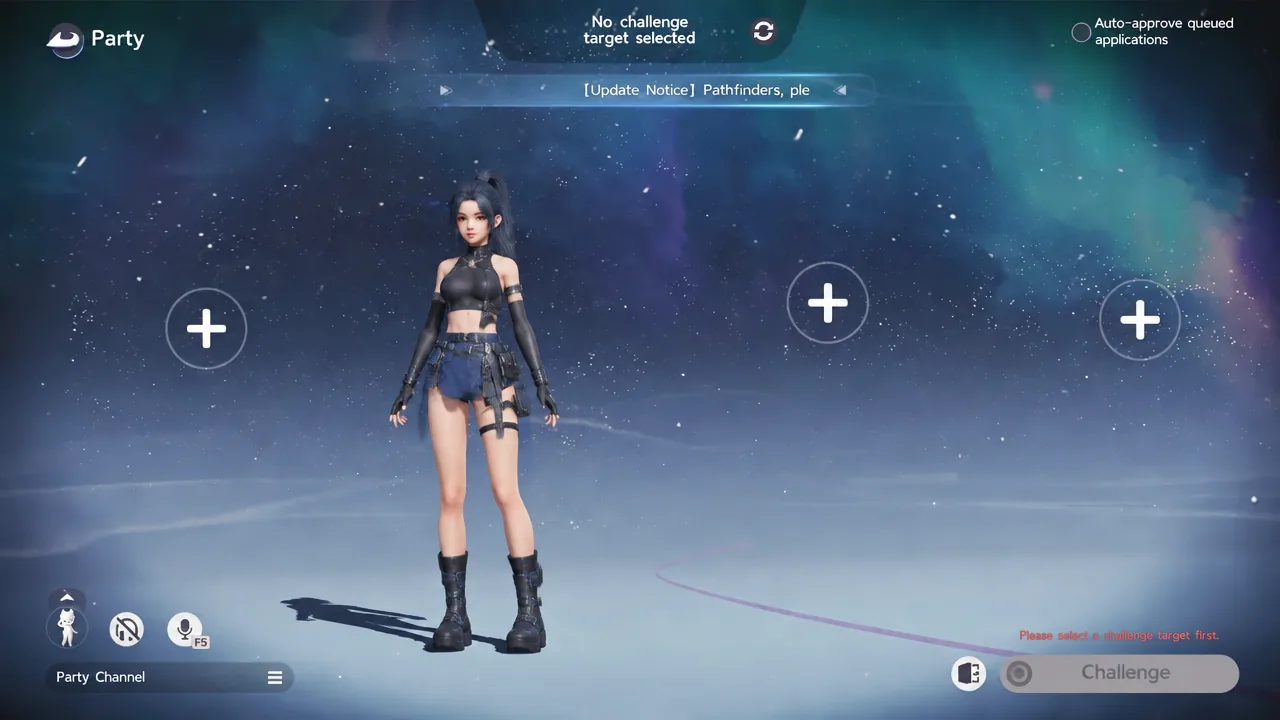
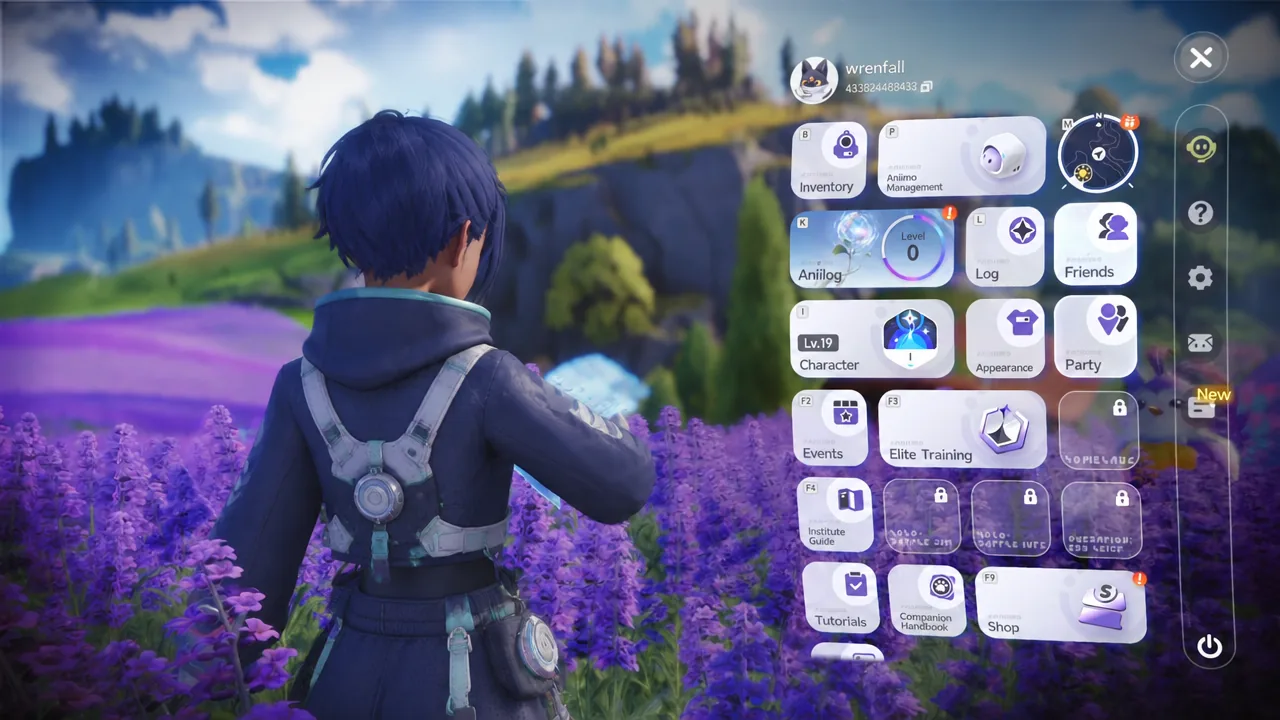
Quick answer: Open the menu, pick Friends, add the player by UID, then open Party, click an empty “+” slot and send the invite. Both accounts must sit on the same regional server.
Requirements before you can invite anyone
Co-op is gated behind the opening of the campaign. The Friends feature does not exist in the menu until the story unlocks it, so a brand new Pathfinder cannot send or accept anything yet. Push through the tutorial in Starfall Valley first, learn catching with Aniipods and the Twining mechanic, and the social options appear on their own.
- Story progress far enough to unlock the Friends menu.
- The same regional server on both accounts — Europe with Europe, America with America. Cross-region play is not supported.
- A stable connection, particularly for whoever hosts.
- Each other’s UID or exact nickname.
Crossplay itself is fine. PC, console and mobile players can share a world, and account-based progression carries your caught Aniimo, inventory and unlocks between devices. Region data is the part that stays separate, so pick a region early and stick to it.
If a friend’s name never shows up in search, check the server region before anything else. It is the single most common reason two accounts cannot see each other.
Find your UID and add a friend
Your UID is a long numeric string sitting in the top-right corner of the screen next to your name and level. It stays visible when the menu overlay is open too, which makes it easy to read out or screenshot for someone. Searching by nickname works, but UID is the reliable route when names overlap.
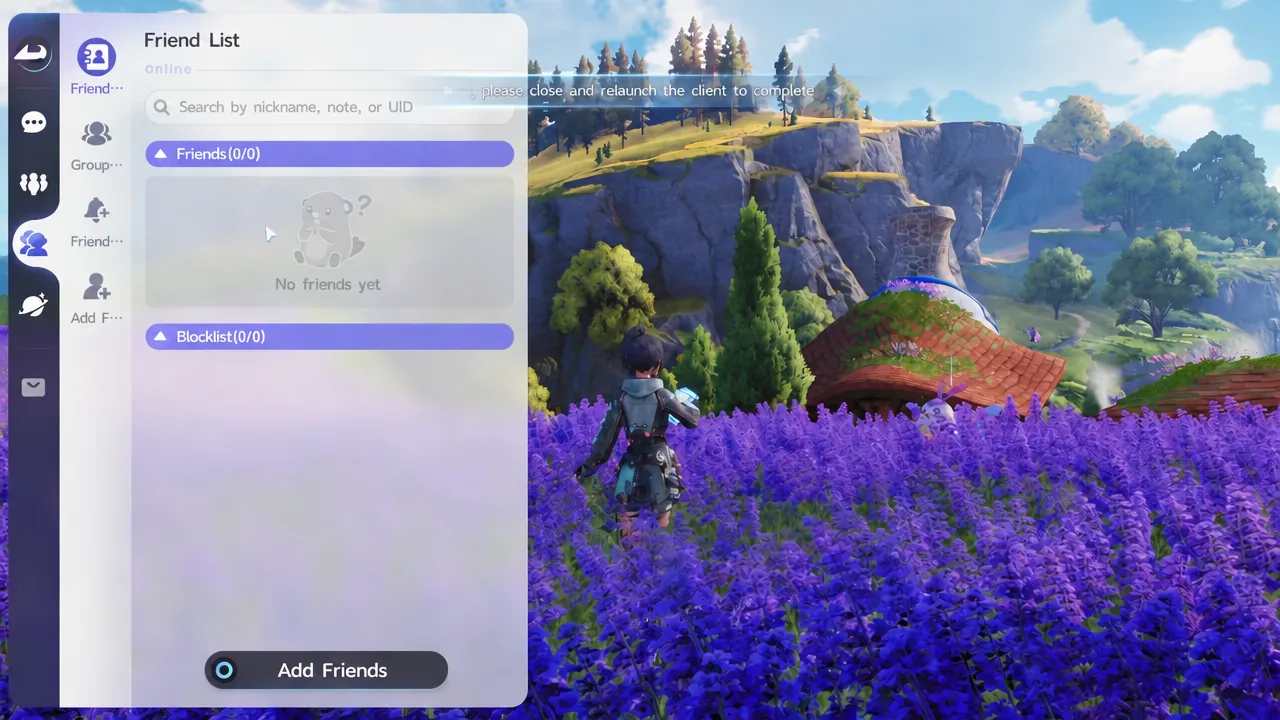
Outposts and other public spots are full of real players. Walking up to someone there and adding them is faster than hunting for a UID in chat.
Host a party and invite friends into your world
A world holds four players in total, host included. That is one owner and three guests, not four guests, so a group of five needs a second session.
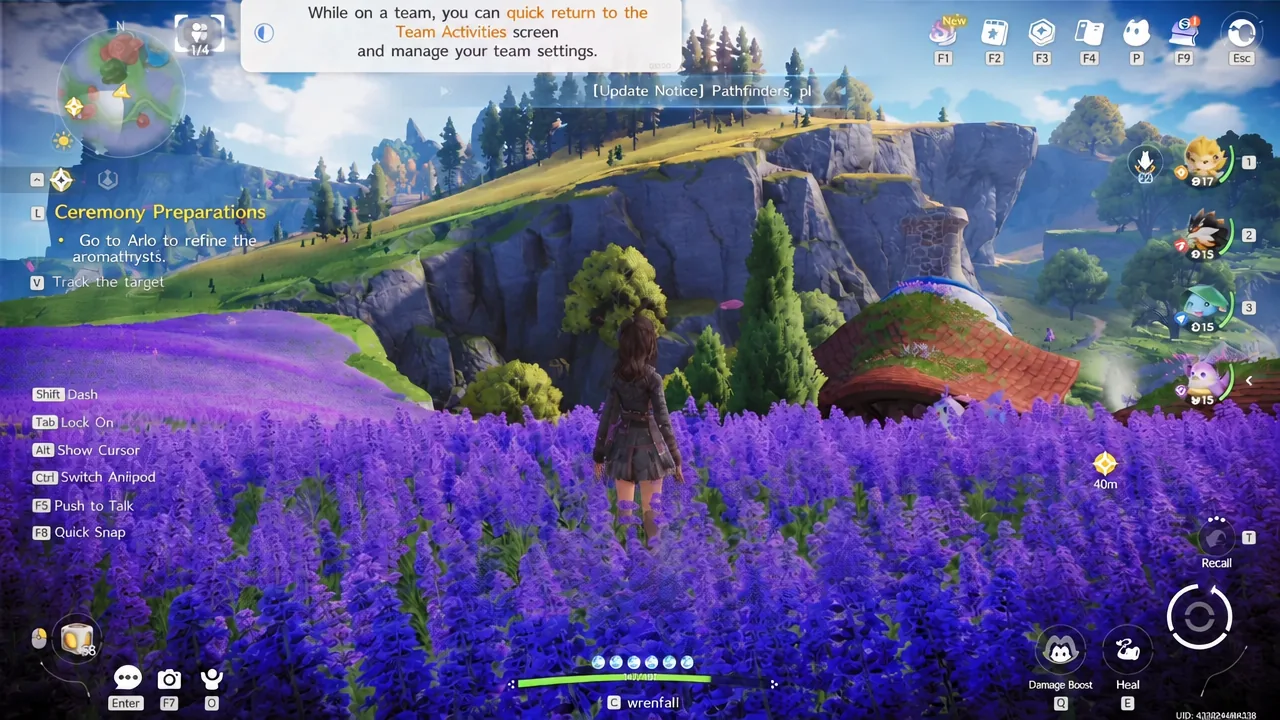
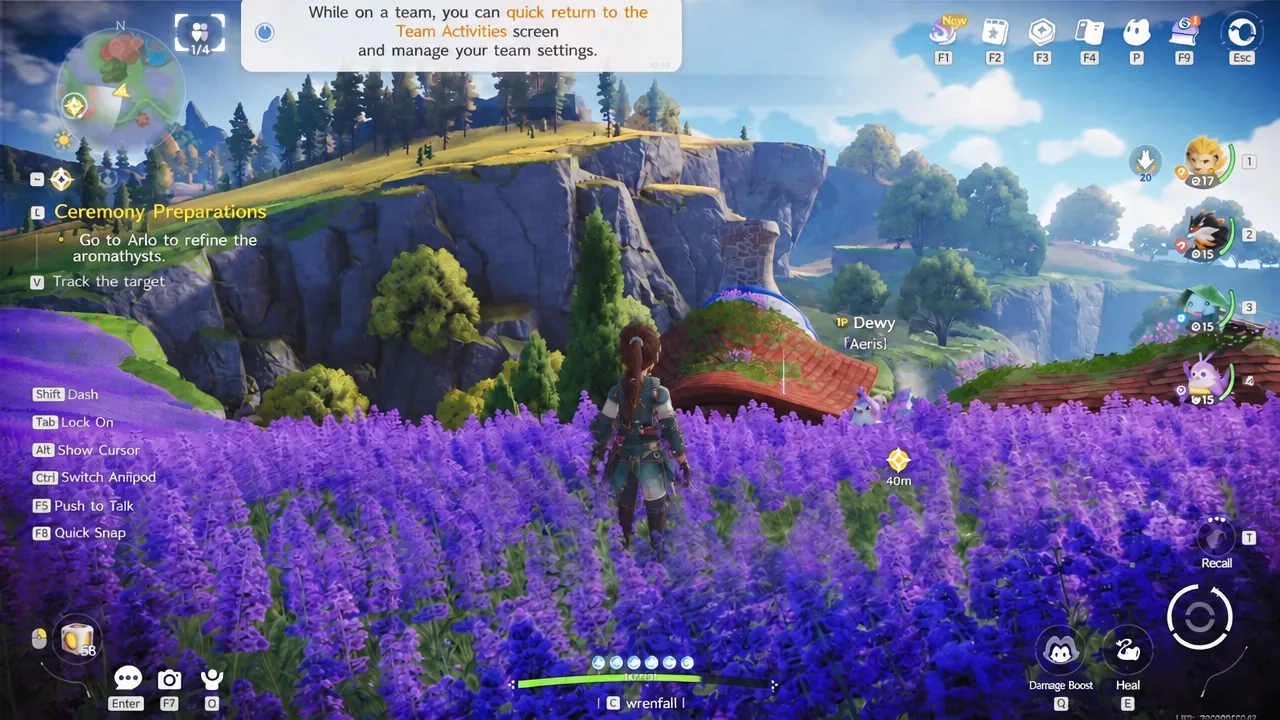
Joining works the same way in reverse. Accept the invite when it appears, or search the host’s UID yourself if the session is not listed. Voice chat is built in, with a Push to Talk prompt on screen, which saves a lot of typing during boss fights.
Before you join anyone, sort your roster order. In two-player sessions only the first two Aniimo in each player’s lineup enter the shared team, so a perfectly built fourth slot never gets used.
How to confirm the session worked
You know the invite landed when the guest’s name and level fill one of the numbered party slots and their character appears beside you in the host’s world. Until that happens, nothing is shared.
Verifying rewards is the part people skip. Guests should check their own inventory or journal before leaving an area rather than trusting the pickup animation, because a chest opening on the host’s screen does not guarantee the same chest is gone in your world. The same goes for waypoints: open your own map later and confirm the fast-travel point actually unlocked for you.
What guests keep and what stays with the host
This is the rule that catches most groups out. World state belongs to the host. Quests, structures and exploration progress save in the host’s world only, and the main story cannot be played co-op at all — it advances alone.
| Activity | Guest result |
|---|---|
| Main story quests | Not available in co-op |
| Side quests and world progress | Host only |
| Wild catches | Kept by each player |
| Boss fights | Both can fight and attempt the catch |
| Chests and gathering | Eligible loot, verify it landed |
| Waypoints | Check your own map afterwards |
The practical fix is simple: put the least-progressed player in the host seat. Everyone else joins down, helps them catch up, and loses nothing they were going to keep anyway. Treat any quest step a guest completes as one they still owe at home.
Co-op content worth building a session around
Creatures you can only catch in someone else’s world
Two Aniimo are locked behind multiplayer entirely. Fulmintis and Dazmand cannot be caught in your own world — you either find them in another player’s session or acquire them through a trade.
Fulmintis is the Electric DPS evolution of Wisptis, a stage 3 form that shows up as dex number 10003 in the Aniilog. Its kit runs from Lightning Rush and Lightning Blade Impact up to Thunder Lance, and it carries 130 attack and 130 magic attack at base.
The three Sanctums that need two players
Most Sanctums are solo puzzle rooms. Three of them require two challengers, and all three offer matchmaking from the door, so you can queue for a partner instead of organising a group.
| Sanctum | Region | Chests |
|---|---|---|
| Chasing Stormwinds | Berylline Causeway | 4 |
| Flaming Wings |  Sea of Flowers Sea of Flowers | 5 |
| Courageous Wit |  Zephyrus Landbridge Zephyrus Landbridge | 5 |
That is 14 chest slots between them, which is reason enough to keep one co-op partner on your list even if you play the campaign alone.
Social hubs, Homeland visits and Egg Heist
Astra city, outposts, campfires and RV parks are shared public spaces where you can see other players, duel them, shop and hatch eggs without an invite. Your Homeland is private by comparison, but friends can drop in — tilling the soil at another Pathfinder’s Home earns you a share of their harvest, and petting an egg in their Hatchinator shaves time off the incubation.
Egg Heist is the competitive end of it, a PvPvE run into the Lost Isles where teams race to grab rare Darkler eggs while fighting wild creatures and rival Pathfinders. It is late-game content: you need Veteran Pathfinder rank to queue, and it is the only mode with PvP.
Trading and friendship levels
There is no anonymous market. Trades run through the friend relationship, and your Affinity Level with that person decides how much you can swap — common creatures, Alpha catches, Sparkling catches and evolved stages all sit on that ladder. Higher friendship widens the range of forms you are allowed to offer, and a 30 day lock applies before the same creature can be re-exchanged.
Check name, form, Potential, personality and rarity on the trade screen before confirming. A matching species icon does not prove it is the copy you agreed on.
Gifts are the low-effort alternative. Sending eligible items and eggs through the friend system builds the relationship between sessions, which is useful when neither of you has a trade ready but you both want the wider swap list later.
Set expectations before you all pile into one world and the rest sorts itself out. Agree on a host, match your regions, keep your best two Aniimo at the front of the roster, and treat the session as a way to stack catches, bosses, chests and Sanctum runs rather than a shortcut through the campaign.