

Windows 11 introduces a built-in way to copy text from images or any part of your screen using the Snipping Tool’s text extraction capabilities. Previously, users relied on third-party utilities or PowerToys to perform optical character recognition (OCR) tasks. Now, this process is integrated directly into the Snipping Tool, enabling faster, more reliable text copying without extra installations or steps.
Extracting Text with Snipping Tool in Windows 11
Windows logo key + Shift + S for a quick snip, or by selecting the Snipping Tool from the Start menu. For users with the latest updates, pressing Shift + Alt + S brings up the capture bar, where text extraction is now available.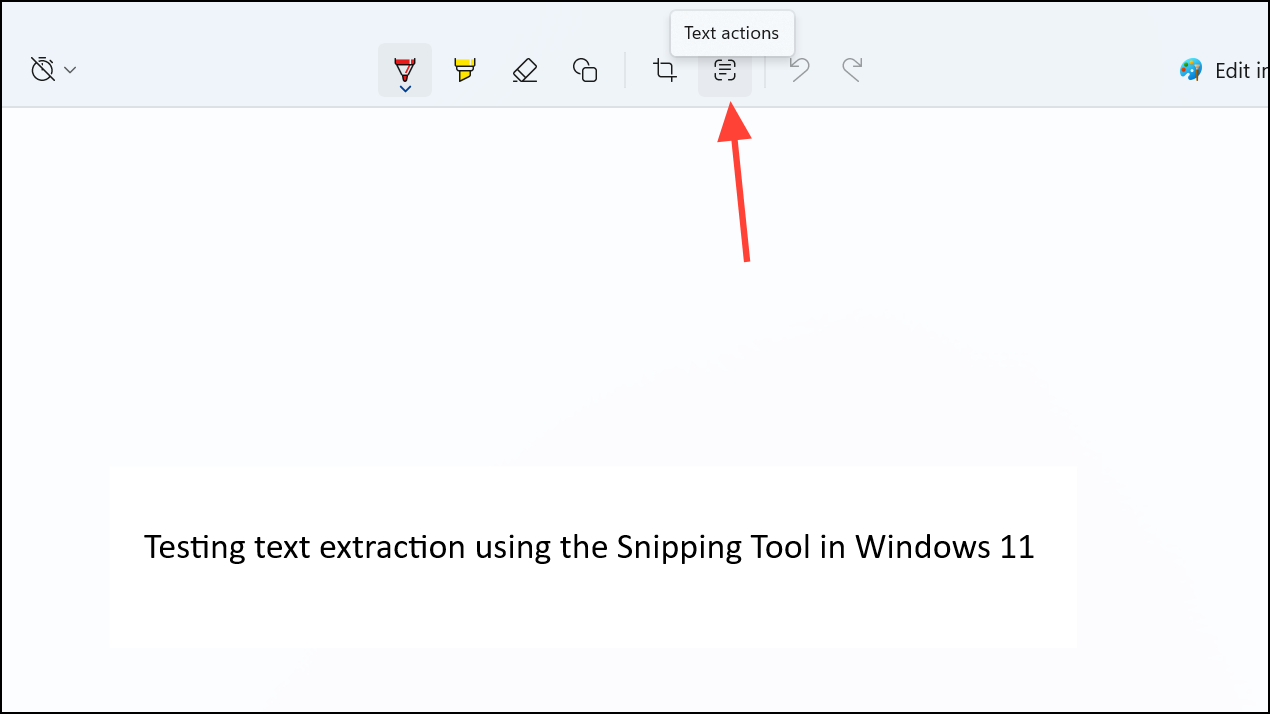
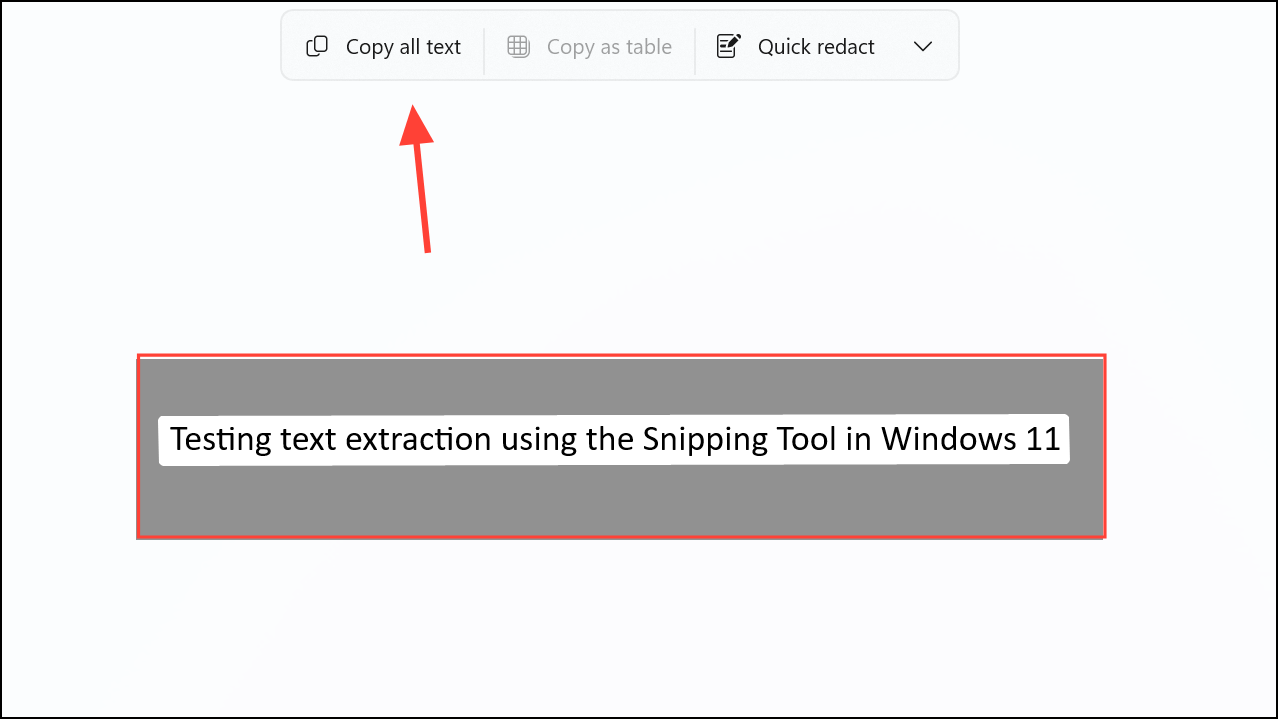
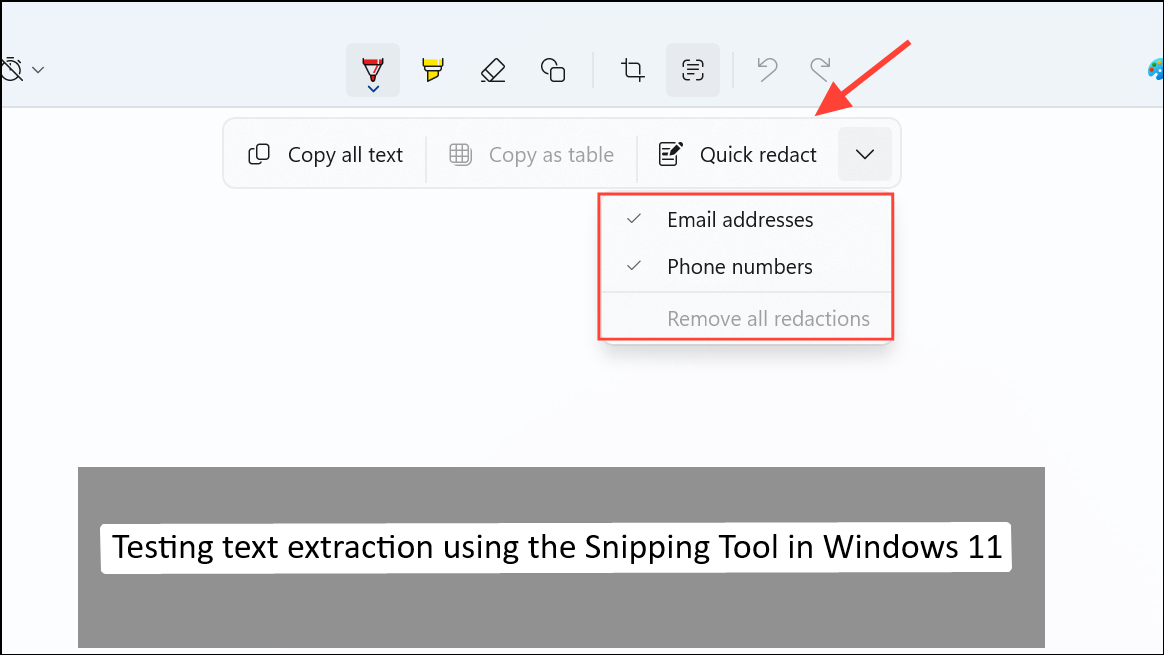
Recent updates have also introduced keyboard shortcuts for even quicker access: Microsoft is testing Shift + Alt + T to launch text extraction directly, bypassing the need to save a screenshot first. Check your Snipping Tool version to see if this shortcut is available.
Alternative Methods for Text Extraction on Windows
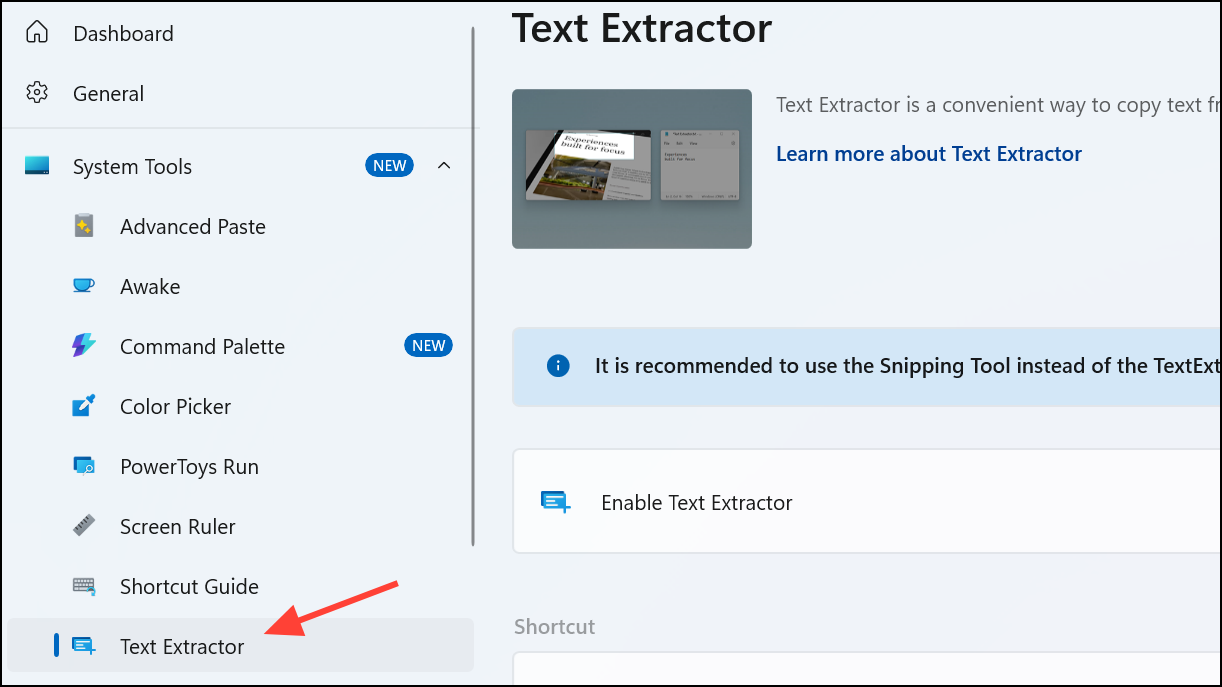
For users on older Windows versions or those needing different workflows, PowerToys remains a reliable option. PowerToys’ Text Extractor can be activated with Windows logo key + Shift + T and copies detected text directly to the clipboard in a single step. However, Microsoft is shifting focus to the integrated Snipping Tool, and PowerToys may eventually phase out this feature.
Other third-party tools such as ShareX, Greenshot, or Lightshot offer screenshot capabilities, but may lack built-in OCR. For those requiring advanced annotation or bulk text extraction, dedicated OCR software or PDF editors like Adobe Acrobat may provide more options, though these typically require extra installations and configuration.
Integrating text extraction into the Snipping Tool simplifies daily workflows, cutting down manual copying time and reducing reliance on third-party utilities. Keep your Windows 11 updated to access these features and streamline your text capture tasks.



