Resolve Windows 11 activation issues caused by hardware changes or license problems with easy-to-follow troubleshooting and support options.
Resolve Windows 11 activation issues caused by hardware changes or license problems with easy-to-follow troubleshooting and support options.
by Pallav Pathak
Error code 0x803FABB8 appears when Windows 11 cannot activate after significant hardware changes, such as replacing your motherboard, processor, or hard drive. This error signals that the system cannot validate your digital license or product key, often because the license is tied to previous hardware or is not transferable. Activation failures mean you lose access to key personalization settings and may see persistent reminders to activate Windows, which can disrupt daily use.
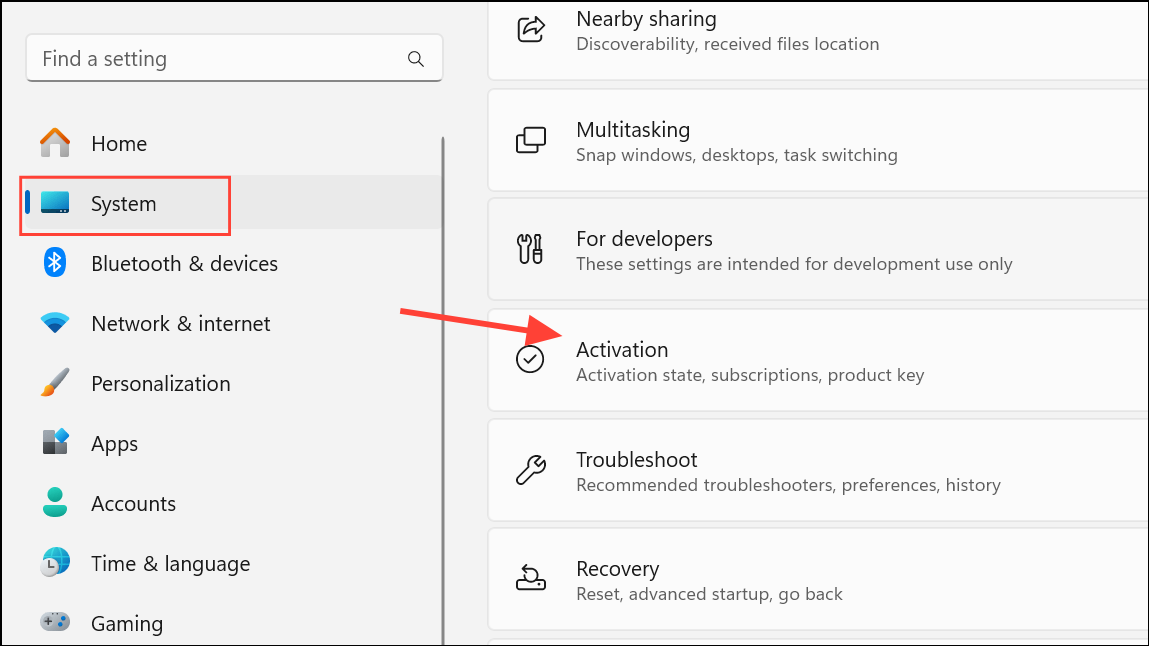
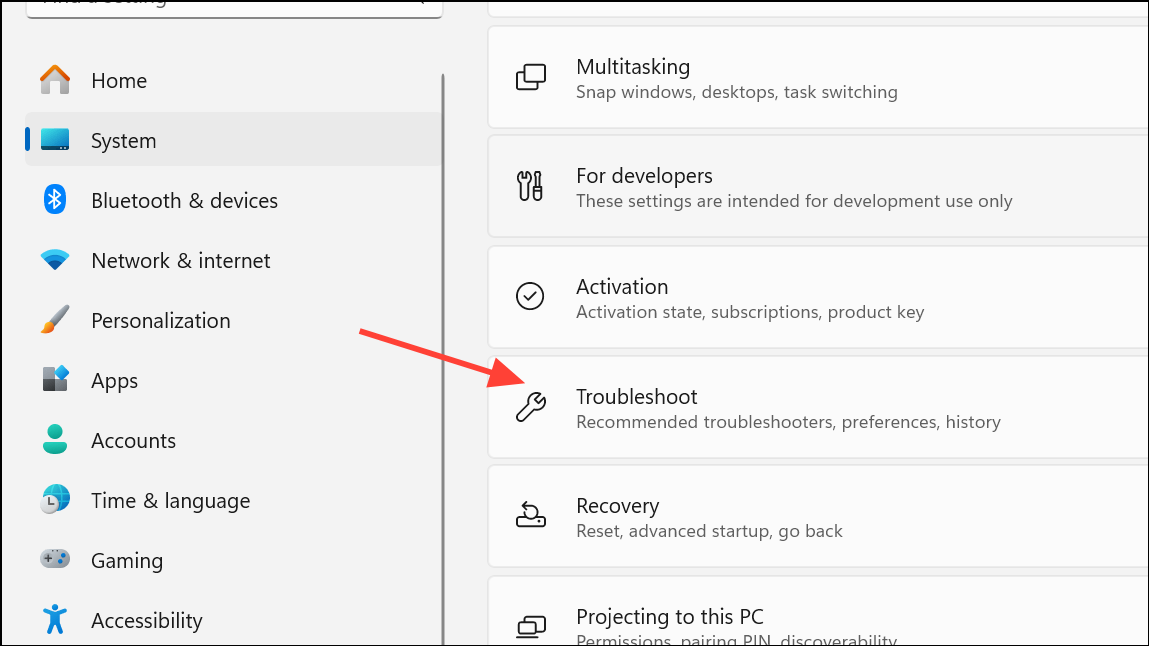
On the Activation page, look for a Troubleshoot button. Click it to launch the Activation Troubleshooter. This tool scans for activation problems and attempts to resolve them automatically. If you don’t find the Troubleshoot option within the Activation setting, try looking for it in the main System page.
If you recently changed your hardware, the troubleshooter may prompt you to confirm this. Select I recently changed hardware on this device. You’ll be asked to sign in with your Microsoft account. Make sure you use the same account that was linked to your digital license previously.
After signing in, review the list of devices associated with your account. Select the device you are currently using and follow the prompts to reactivate Windows. If activation succeeds, you’ll see a confirmation message.
The troubleshooter works only if your license is a digital license linked to your Microsoft account. If the troubleshooter cannot resolve the problem, proceed to the next method.
Verify Your License Type and Product Key
Windows licenses are either OEM (original equipment manufacturer) or Retail. OEM licenses are tied to the original hardware and cannot be transferred if you replace your motherboard or significant components. Retail licenses, purchased directly from Microsoft or authorized sellers, can be transferred to new hardware.
Check your license type. If Windows was preinstalled on your old device, it’s likely an OEM license and cannot be transferred. If you bought Windows separately, it’s likely a Retail license, which can be moved to new hardware.
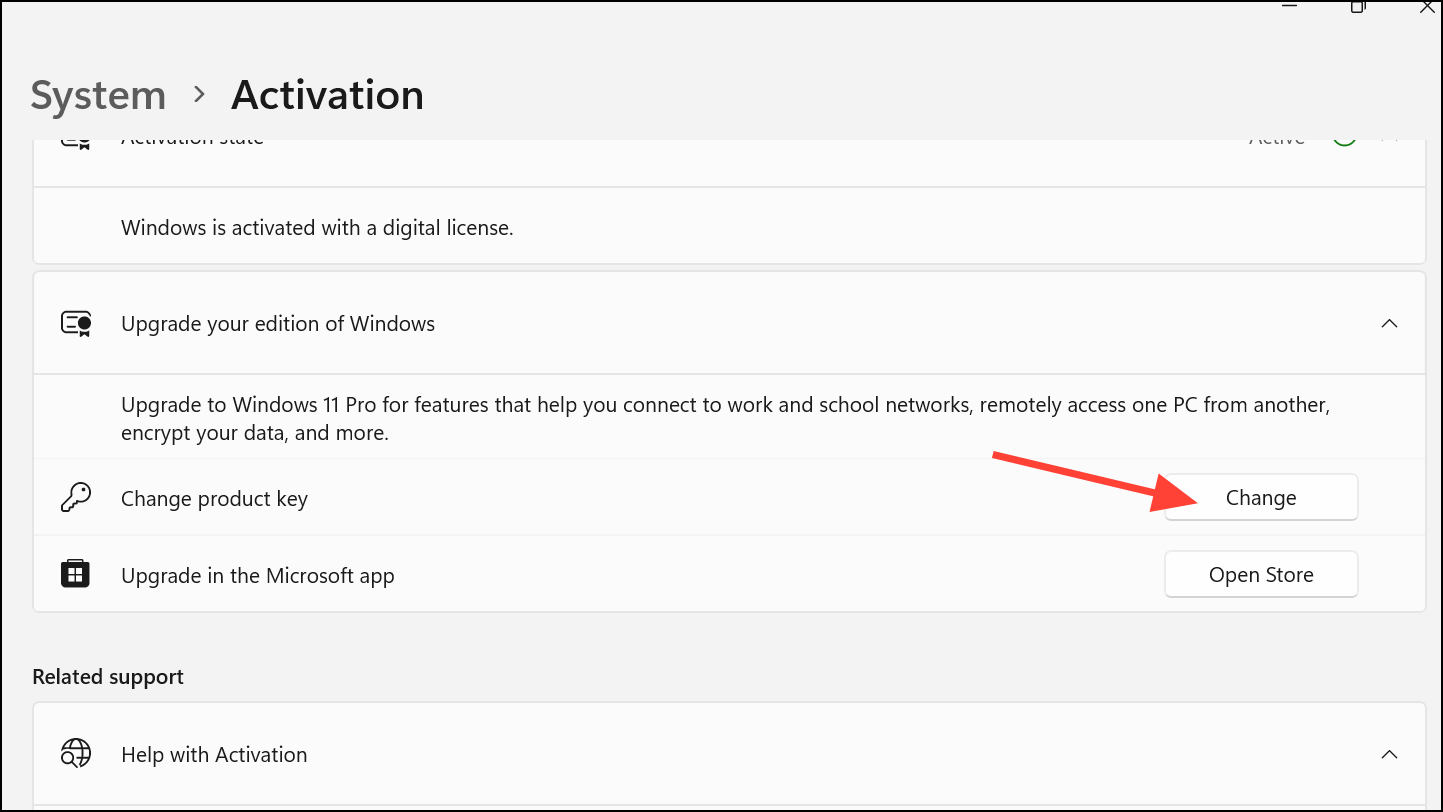
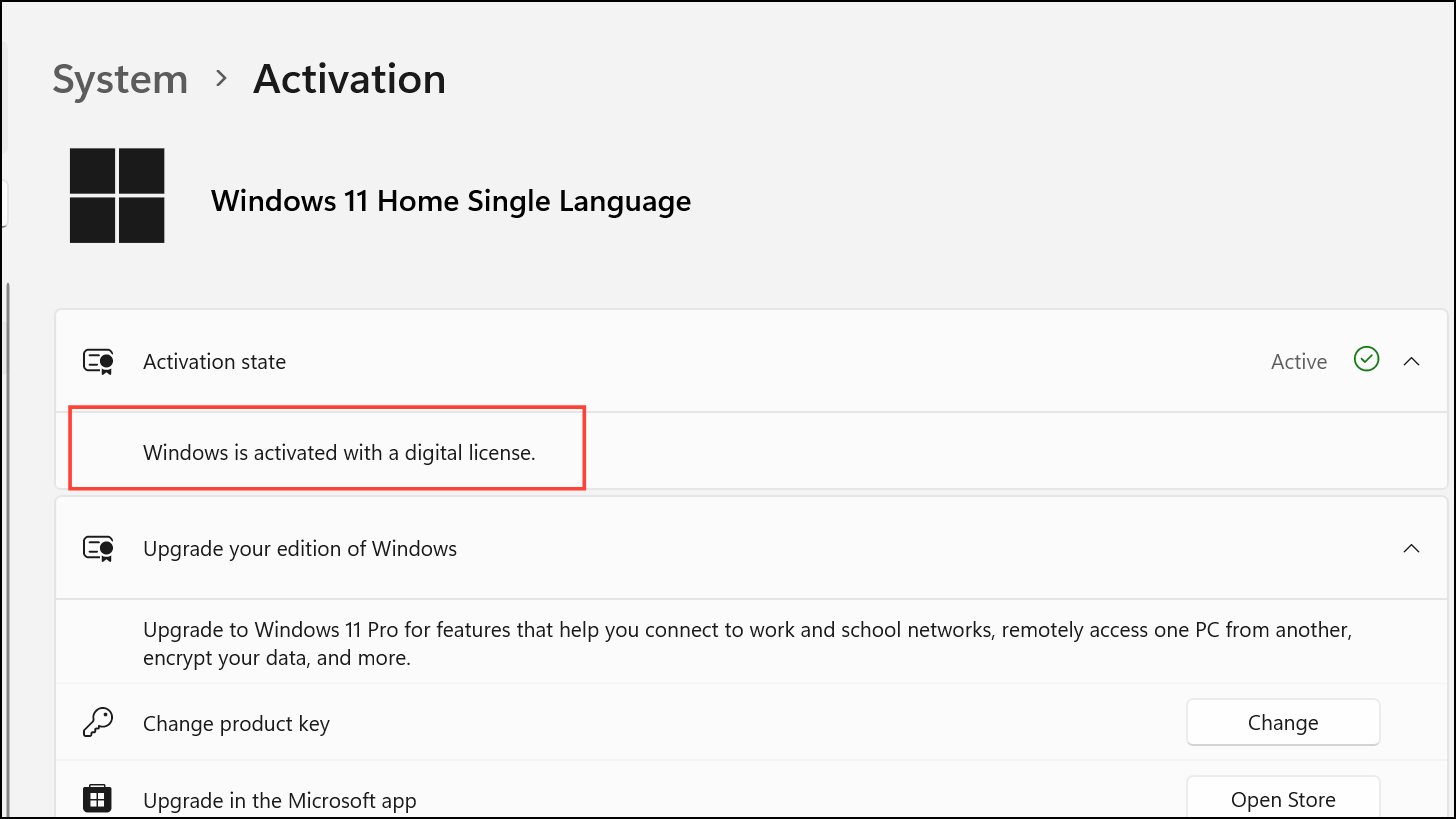
If you have a Retail license or a product key, enter it manually. In the Activation settings, expand the Upgrade your edition of Windows section, click Change product key, and enter your valid 25-character key. This step is necessary if the digital license cannot be validated automatically.
If you no longer have your product key, check your purchase confirmation email from Microsoft or the authorized retailer. You can also log in to your Microsoft account at account.microsoft.com and review your order history for digital licenses.
Reactivate Windows After Hardware Change
Significant hardware changes can cause Windows to lose track of your activation status, even if you use the same Microsoft account. The system may see your PC as a new device.
Make sure your Microsoft account is linked to your Windows license. In Settings > System > Activation, check if it says Windows is activated with a digital license linked to your Microsoft account.
If you see the error after a hardware change, use the Activation Troubleshooter as described above. When prompted, select the device name that matches your current hardware configuration. If multiple devices appear, choose the one that most closely matches your new setup.
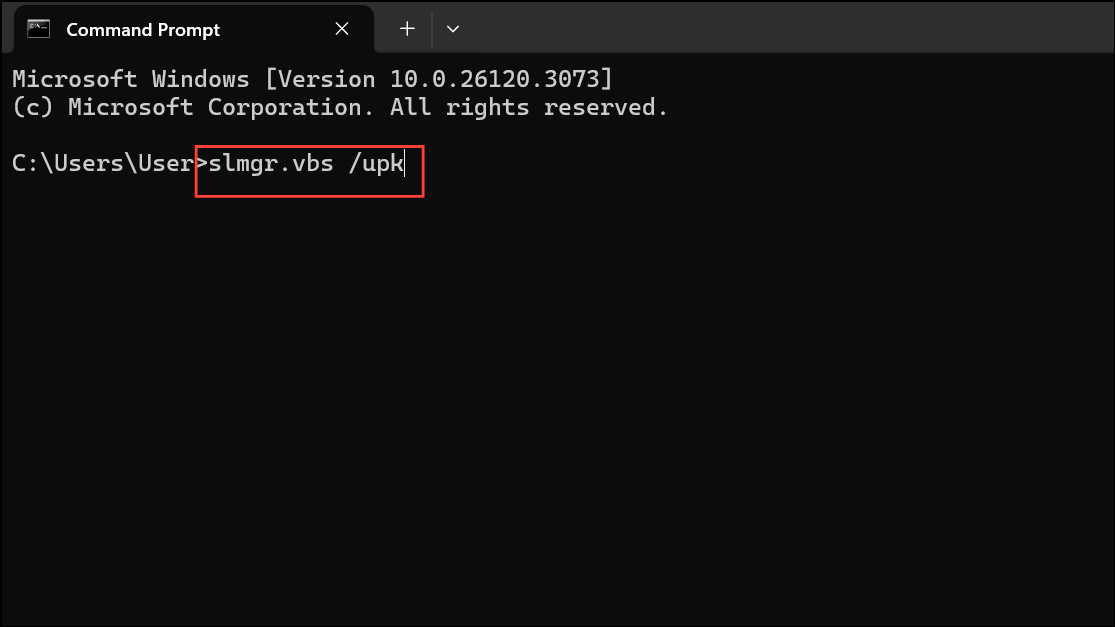
If you’re unable to activate using the troubleshooter, and your license is Retail, you may need to remove the license from your old device first. You can do this by formatting the old drive or uninstalling the product key using the Command Prompt:
slmgr.vbs /upk
This command uninstalls the product key from the current installation, freeing it for use on your new device.
Contact Microsoft Support
If none of the above steps restore activation, Microsoft Support can help verify your license and resolve complex activation issues.
Be prepared to provide details about your license type, Microsoft account, and recent hardware changes. Support agents may request proof of purchase or additional verification.
Microsoft can manually reactivate your license if you meet the eligibility requirements, especially for Retail licenses. For OEM licenses, you will likely need to purchase a new Windows license if the motherboard has been replaced.
Additional Notes and Maintenance Tips
Link your Microsoft account to your Windows license before making hardware changes to simplify reactivation.
Keep a record of your product key and purchase confirmation emails in a secure location.
Retail licenses allow unlimited transfers between devices, but only one device can be activated at a time.
OEM licenses cannot be transferred to new hardware; activation will fail if the motherboard is replaced.
If you see persistent activation errors after following these steps, avoid using third-party activation tools, as they can risk your system’s security and violate Microsoft’s terms of use.
Fixing error 0x803FABB8 in Windows 11 typically comes down to running the Activation Troubleshooter, confirming your license type, or contacting Microsoft for help. Keeping your license details handy and linking your account in advance streamlines future hardware upgrades.