
Windows 11 activation error 0xC004F200 appears when the system cannot validate your Windows license. This often happens after hardware changes like replacing the motherboard, or if Windows detects a non-genuine product key. The error can prevent access to personalization settings and may display a watermark on your desktop, signaling that your copy of Windows is not activated or genuine. Addressing this issue restores full system functionality and ensures your device receives important updates and security patches.
Run the Windows Activation Troubleshooter
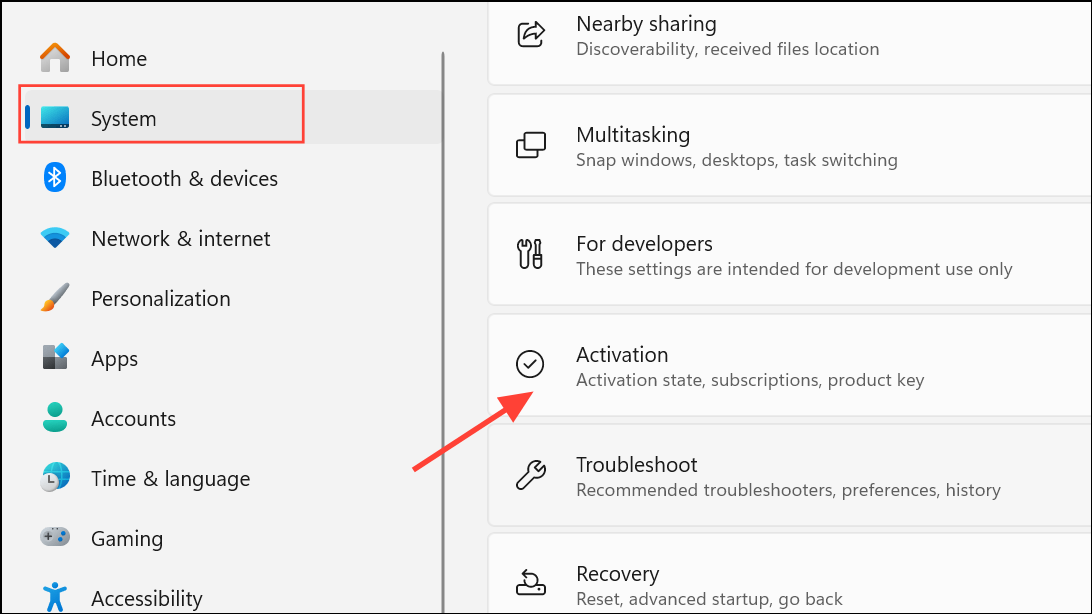
Troubleshoot option. Click this button. The troubleshooter will scan for activation issues and attempt to resolve them automatically.I changed hardware on this device recently. You may need to sign in with your Microsoft account to match your digital license with your current hardware. This step is crucial if you’ve replaced your motherboard or other major components.Check Windows Activation Status Before Activating Office
Attempting to activate Office before Windows is activated can trigger error 0xC004F200. Make sure Windows is activated before proceeding with Office activation.
Activation in the search box and select See if Windows is activated from the results.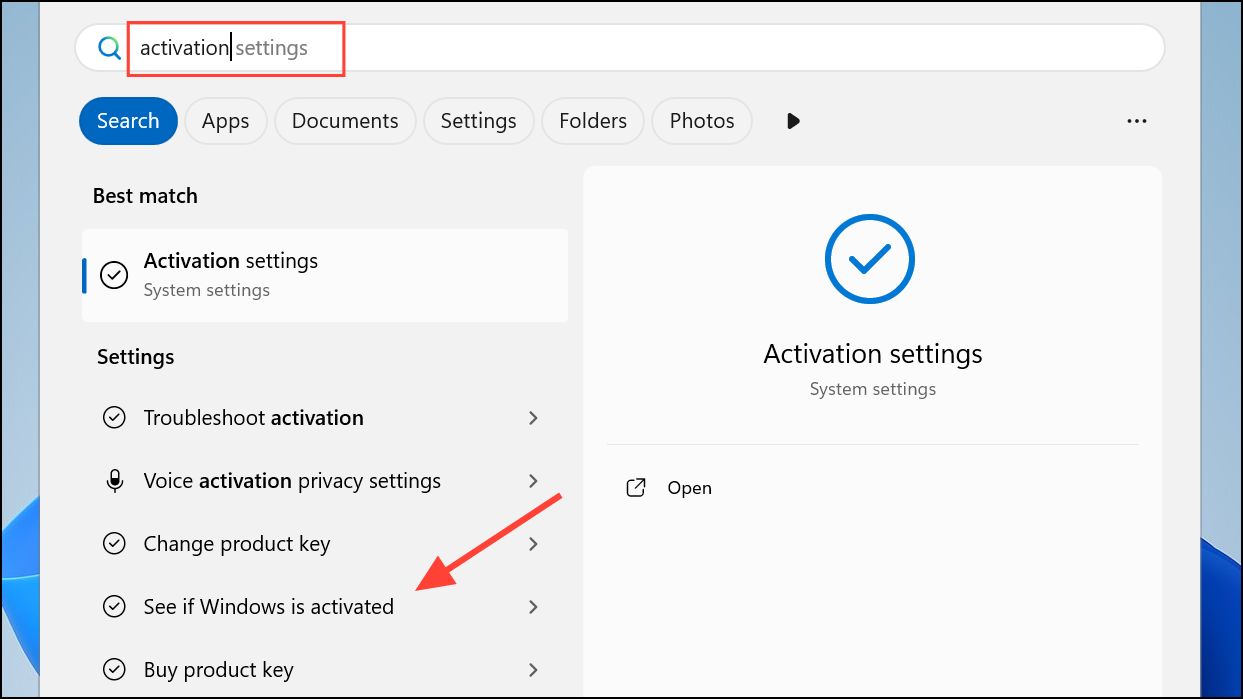
Windows activation, verify the message states Windows is activated. If it is not, complete the activation process using the troubleshooter or by entering a valid product key.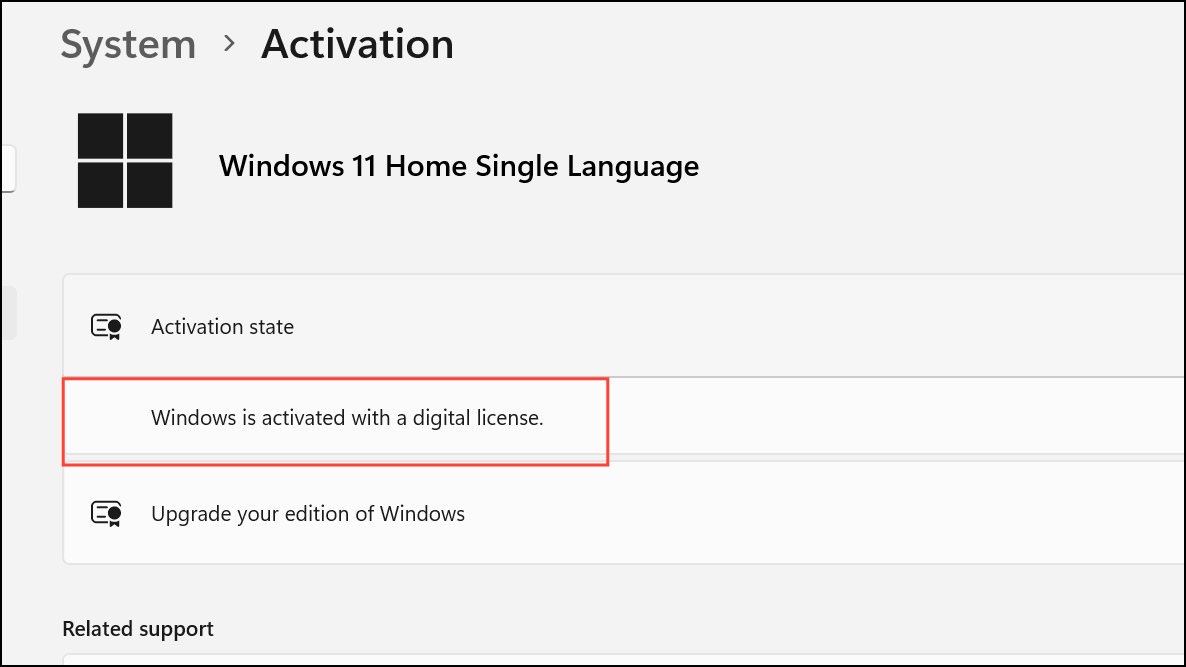
Change the Windows Product Key
Using an invalid or previously used product key can result in the activation error. Entering a valid product key can resolve the issue if the troubleshooter does not work.
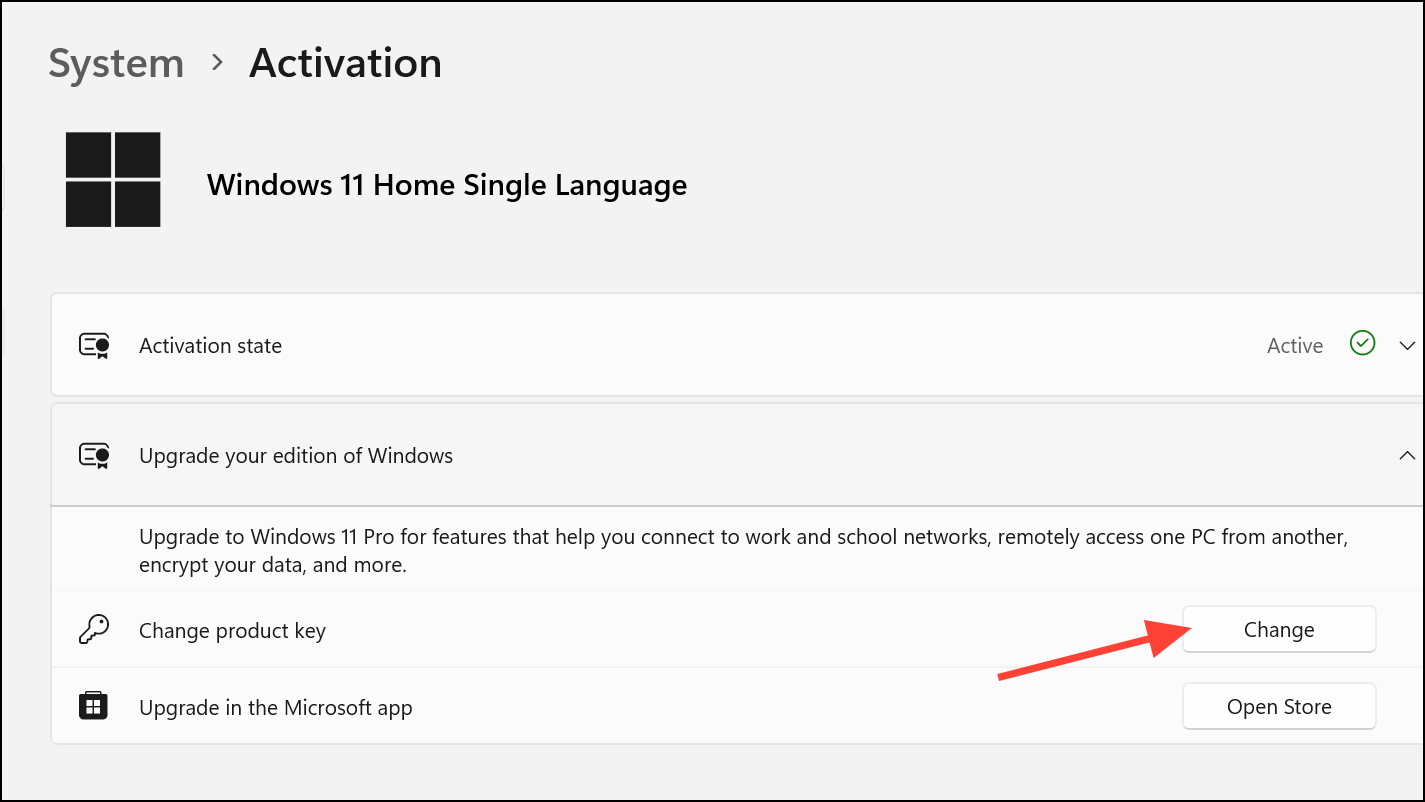
Digital Content or Product Keys. If you cannot locate your key, check your email (including spam folders) for the original purchase confirmation.Uninstall Recent Windows Updates
Some Windows updates can cause activation or validation errors. Removing a problematic update can restore activation status.
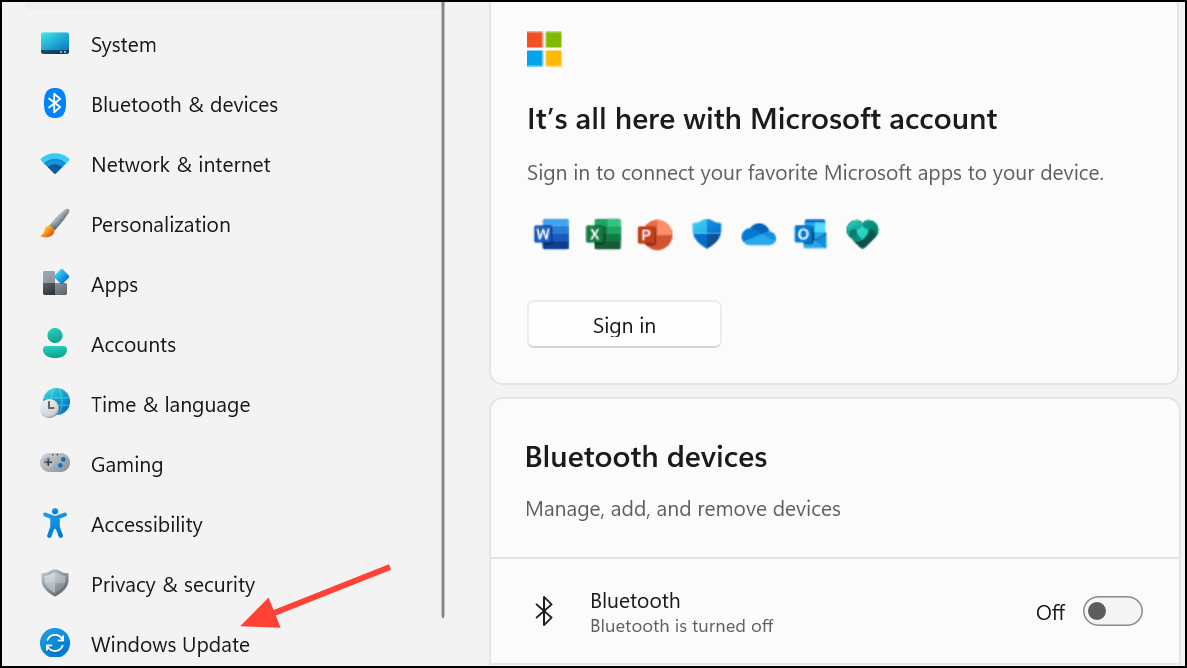
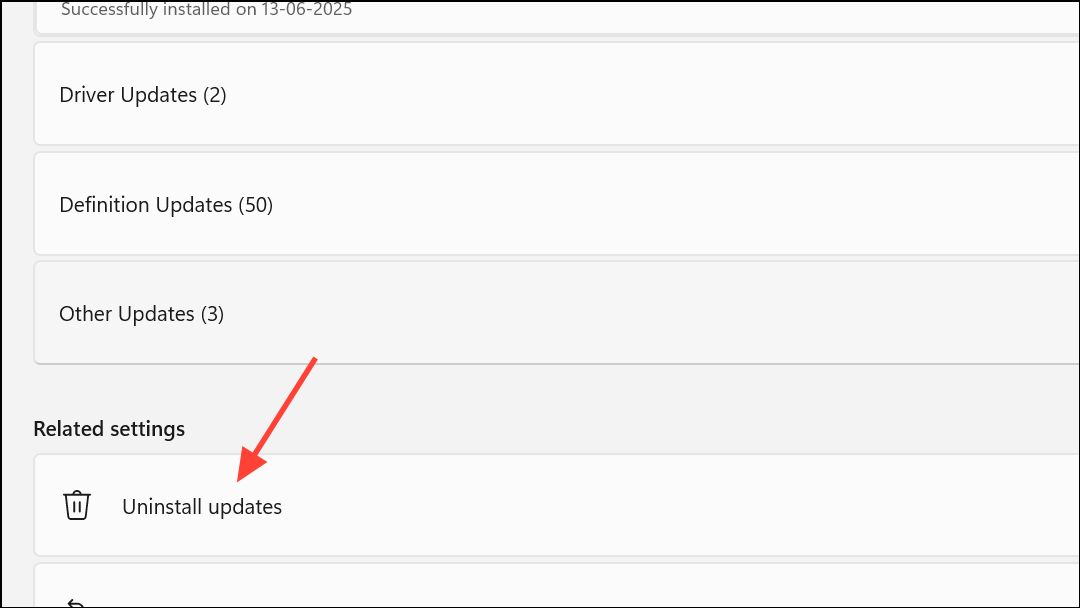
Uninstall.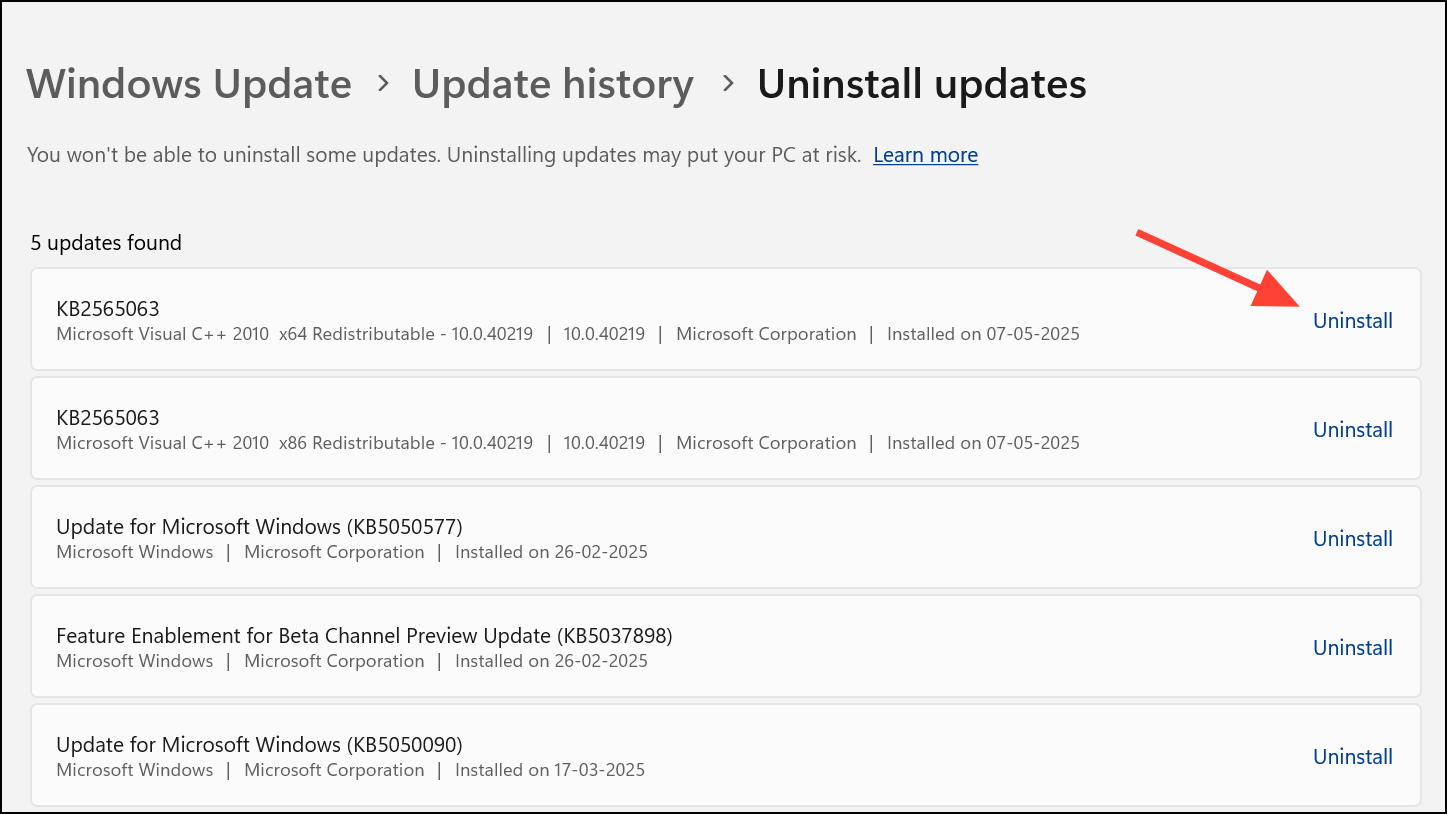
Contact Microsoft Support for License Transfer
Retail licenses purchased directly from Microsoft or authorized retailers can be transferred to new hardware. If the troubleshooter and product key entry do not resolve the error, Microsoft Support can help transfer your license.
Get Help app in Windows to start a chat or phone session.Check for Embedded BIOS Keys on Prebuilt Systems
Some prebuilt PCs store the Windows product key in the motherboard’s BIOS. If you reset or reinstall Windows, the system should automatically detect and use this key. For custom builds, this key may not be present.
wmic path softwarelicensingservice get OA3xOriginalProductKey
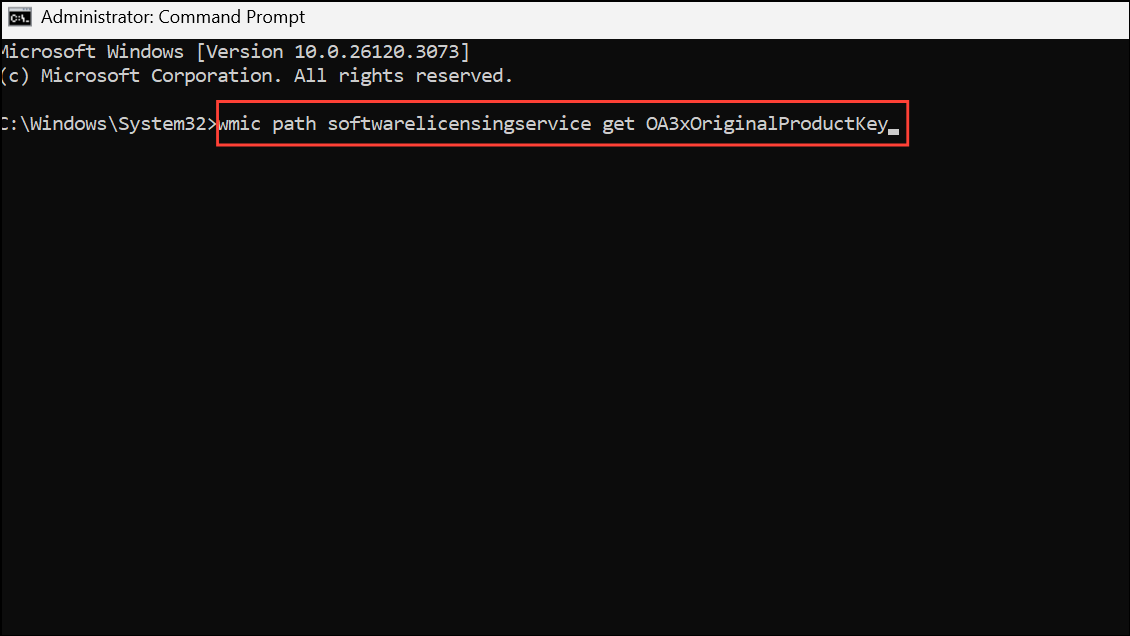
Change product key section in activation settings. If no key is shown, your system likely does not have a BIOS-embedded key.Resolving activation error 0xC004F200 restores Windows 11’s full capabilities and keeps your system secure. If you still run into issues, Microsoft Support can provide direct help for unique cases.



