
Activation error 0xC004F078 in Windows 11 occurs when the operating system cannot complete the activation process, often due to hardware changes, invalid product keys, network connectivity issues, or interference from security software. This error prevents users from accessing personalization features and may display persistent activation notifications on the desktop. Addressing the underlying causes restores full system functionality and compliance with Microsoft’s licensing requirements.
Re-enter the Windows Product Key
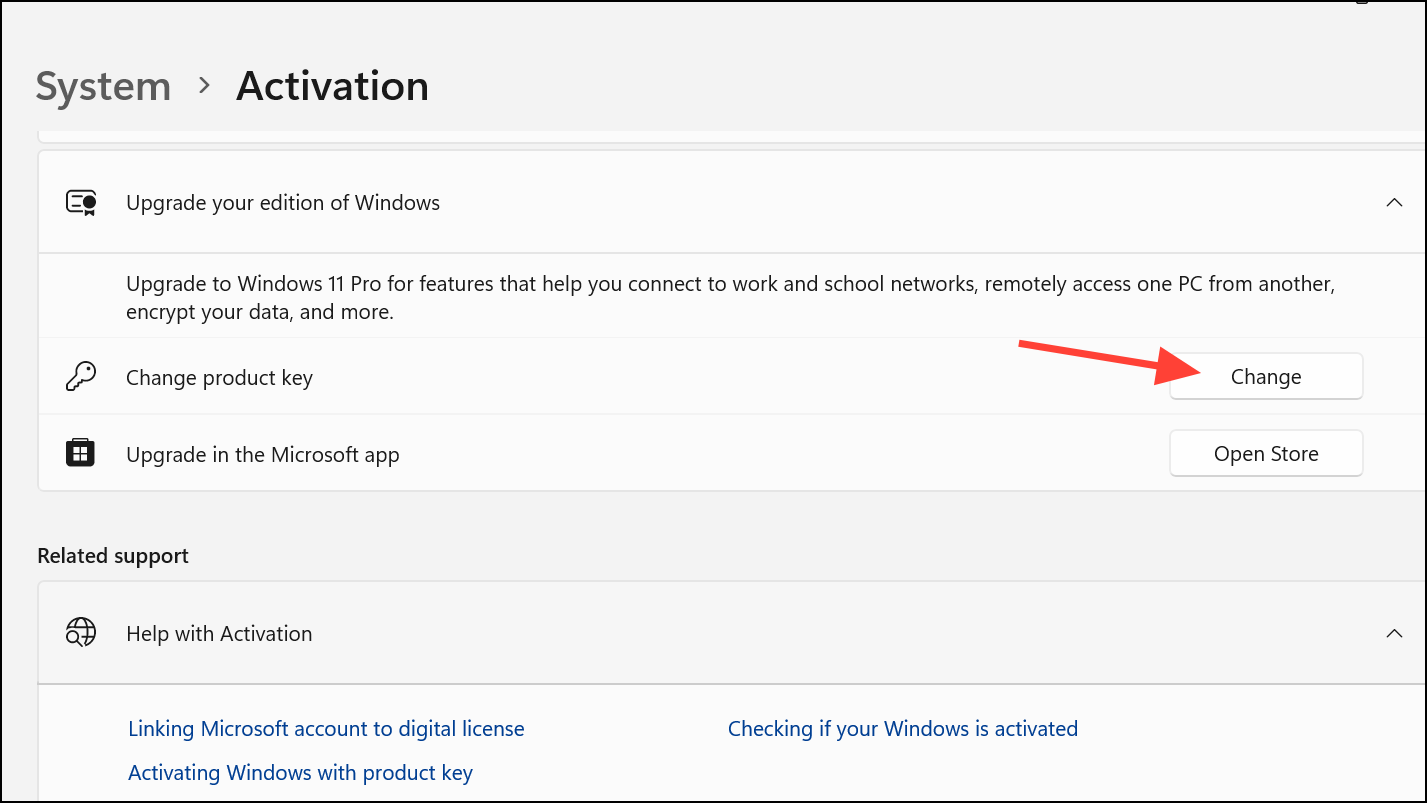
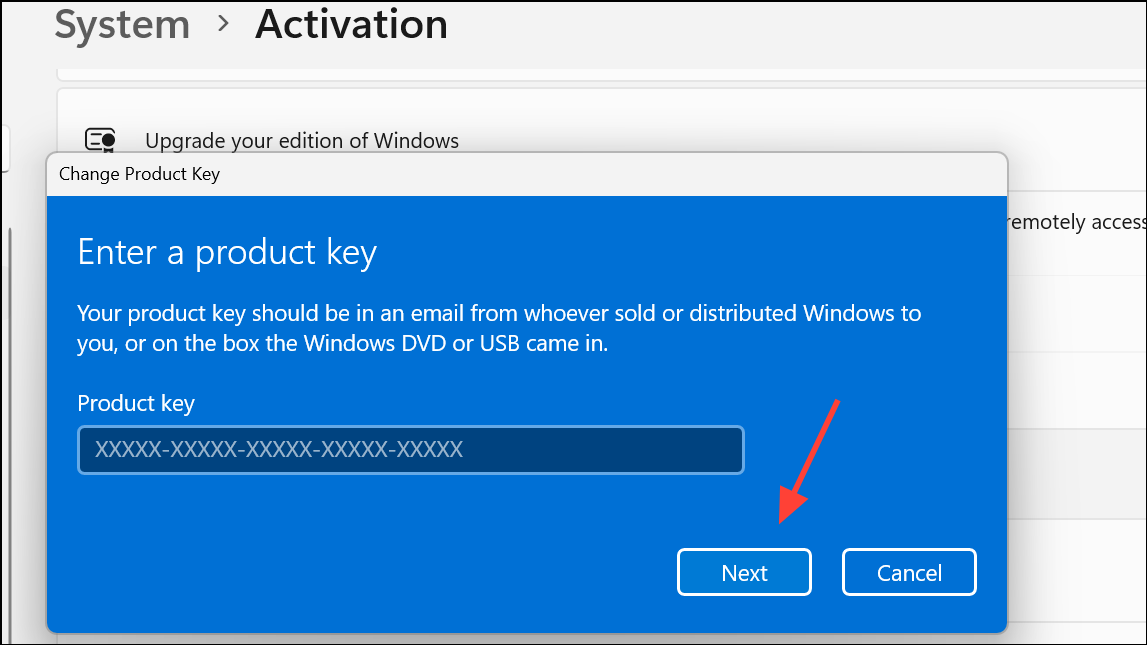
Incorrect or outdated product key entries are a frequent cause of activation failures. Re-entering your product key can resolve mismatches or errors introduced during an upgrade or reinstallation.
Windows + I on your keyboard.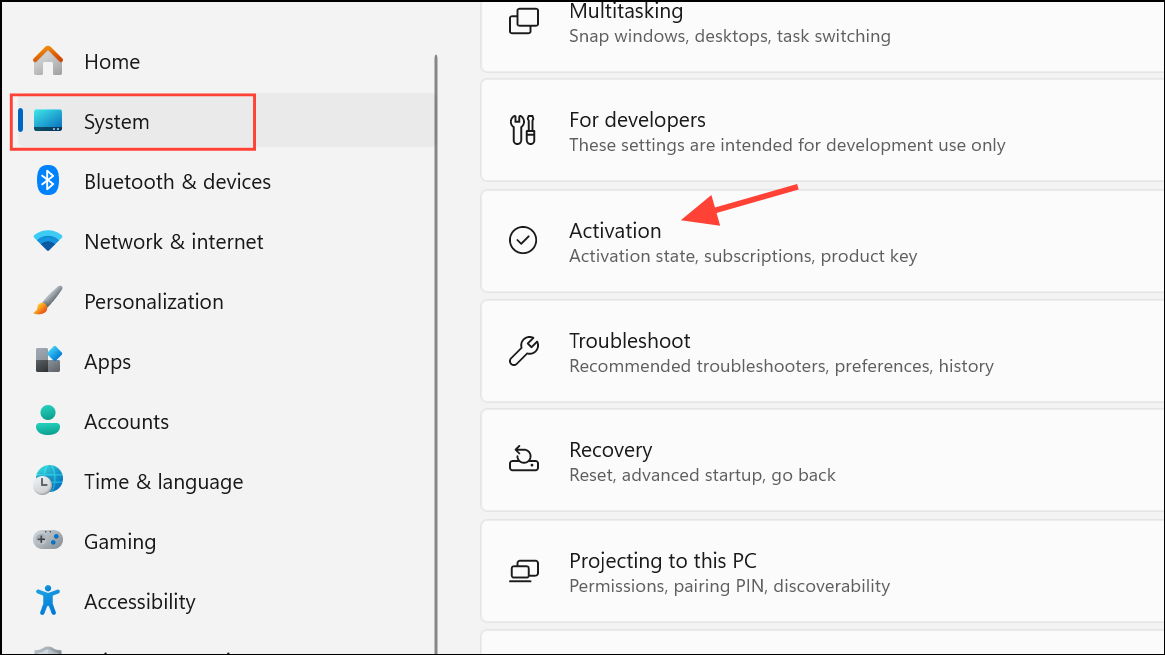
Run the Windows Activation Troubleshooter
The built-in Activation Troubleshooter diagnoses and resolves common activation issues by checking license status and repairing system files related to activation.
Check Network Connection and Firewall Settings
Activation requires a stable internet connection to reach Microsoft’s activation servers. Network interruptions or restrictive firewall settings can block this communication.
troubleshoot in the Start menu search, selecting Other troubleshooters, and running the Network & Internet troubleshooter.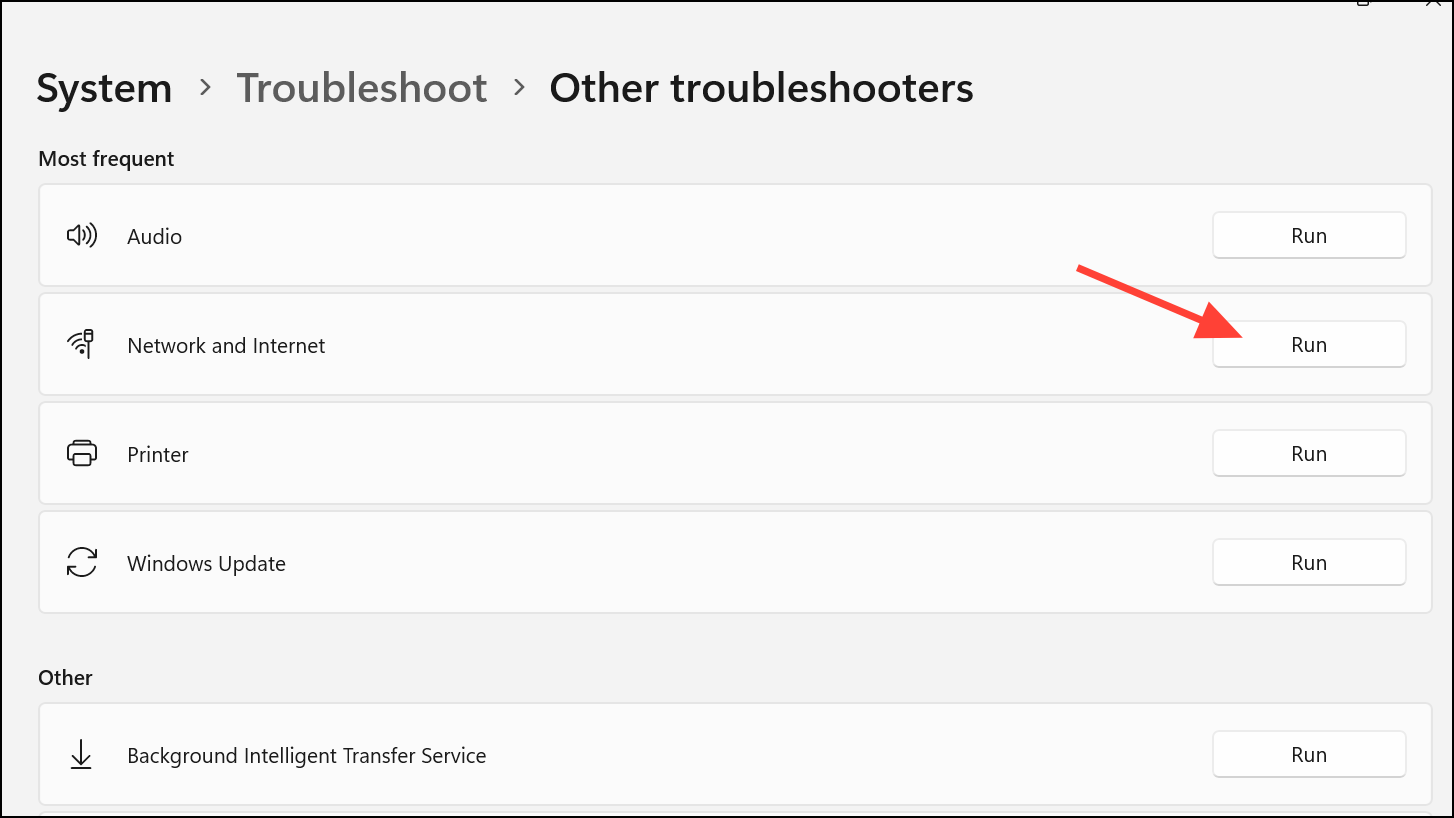
Activate Windows via Command Prompt
Advanced users can use the Command Prompt to input or validate activation keys and force Windows to attempt activation, especially when graphical methods fail.
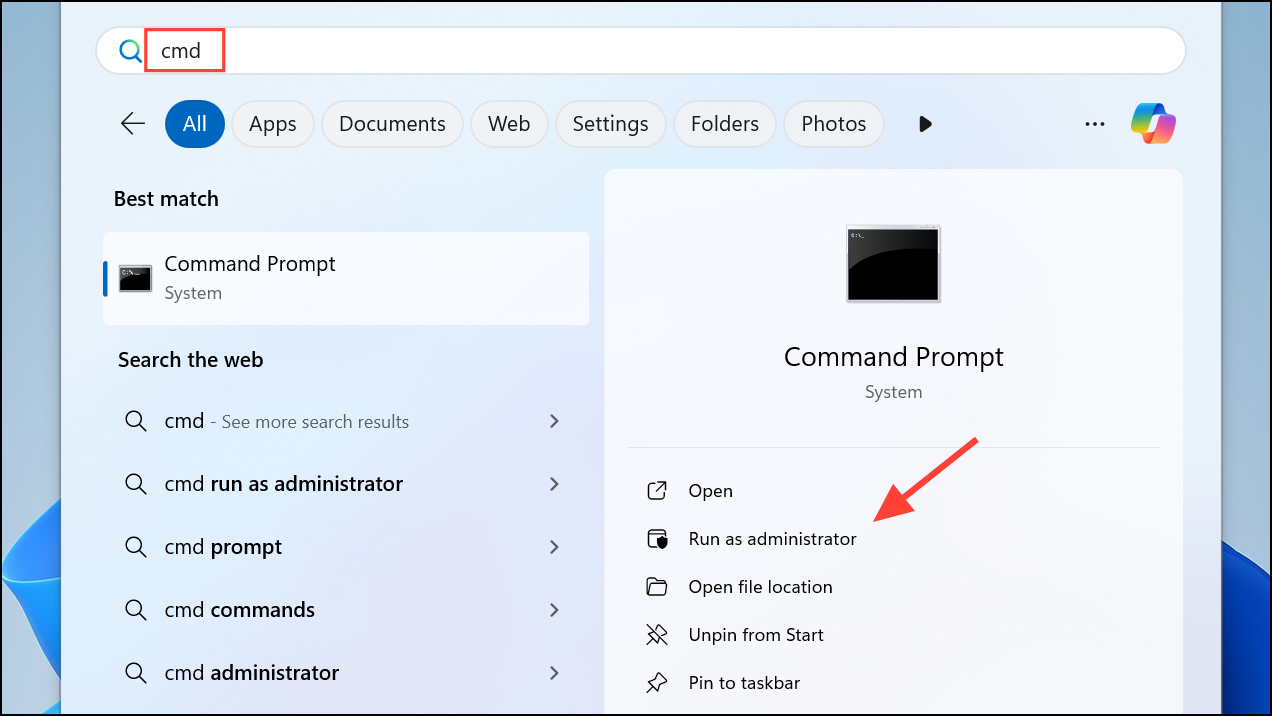
XXXXX-XXXXX-XXXXX-XXXXX-XXXXX with your key:slmgr /ipk XXXXX-XXXXX-XXXXX-XXXXX-XXXXX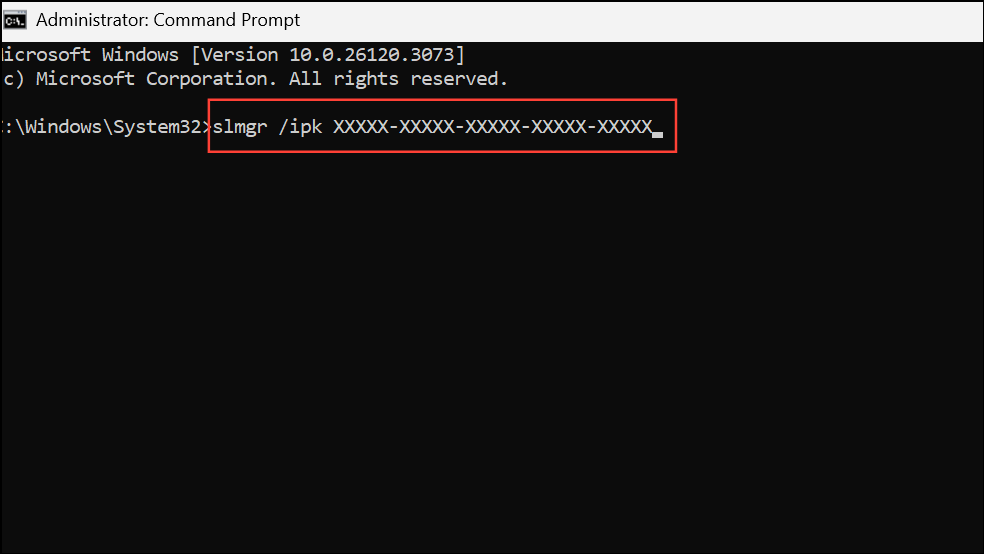
slmgr /ato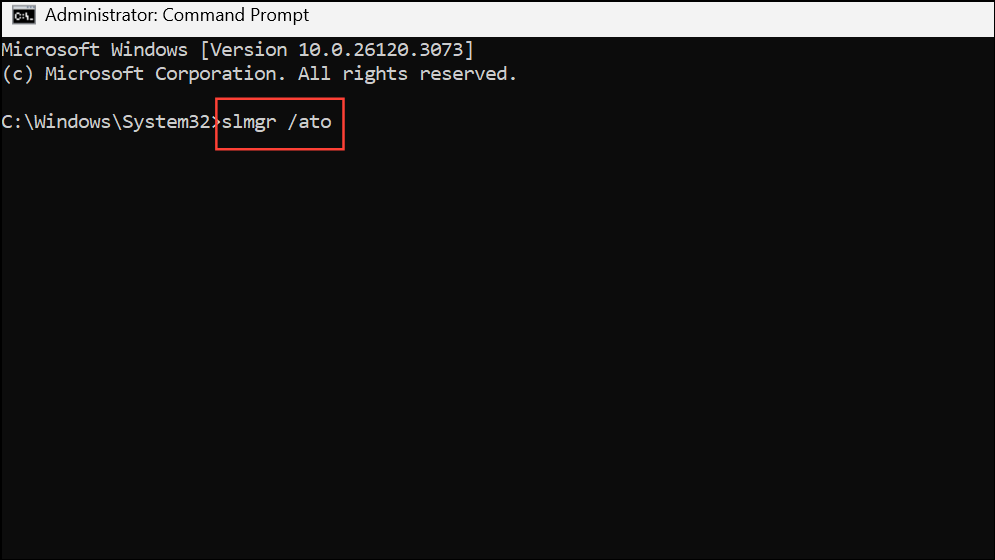
slmgr /xpr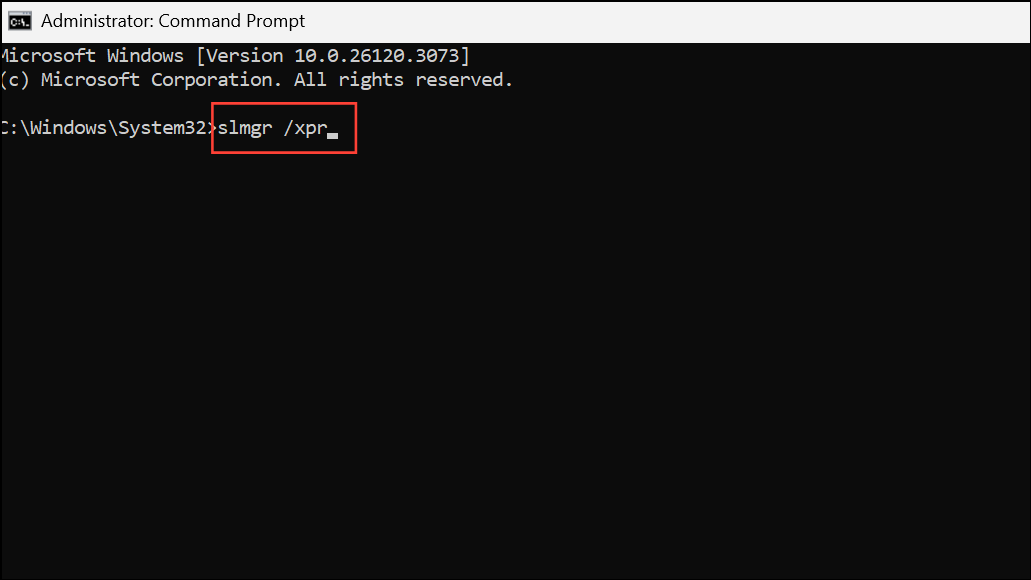
wmic path softwarelicensingservice get OA3xOriginalProductKey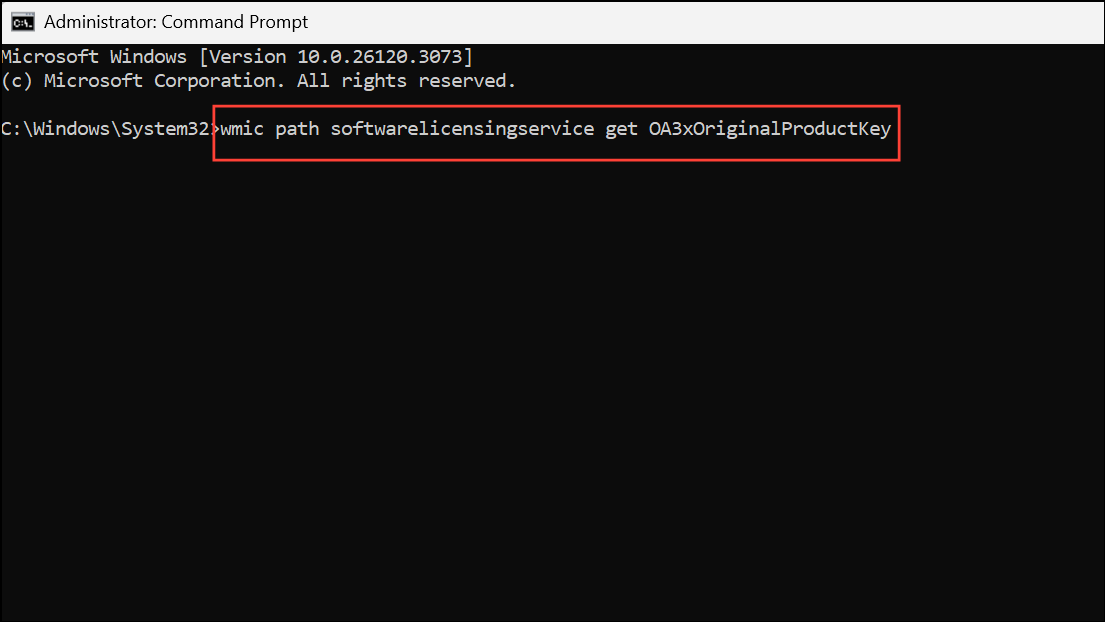
These commands can bypass certain UI-related issues and directly interact with the licensing subsystem.
Reactivate After Hardware Changes
Significant hardware modifications, such as replacing the motherboard, can invalidate your digital license. Windows 11 links activation to your device’s hardware profile, so reactivation may be necessary after upgrades.
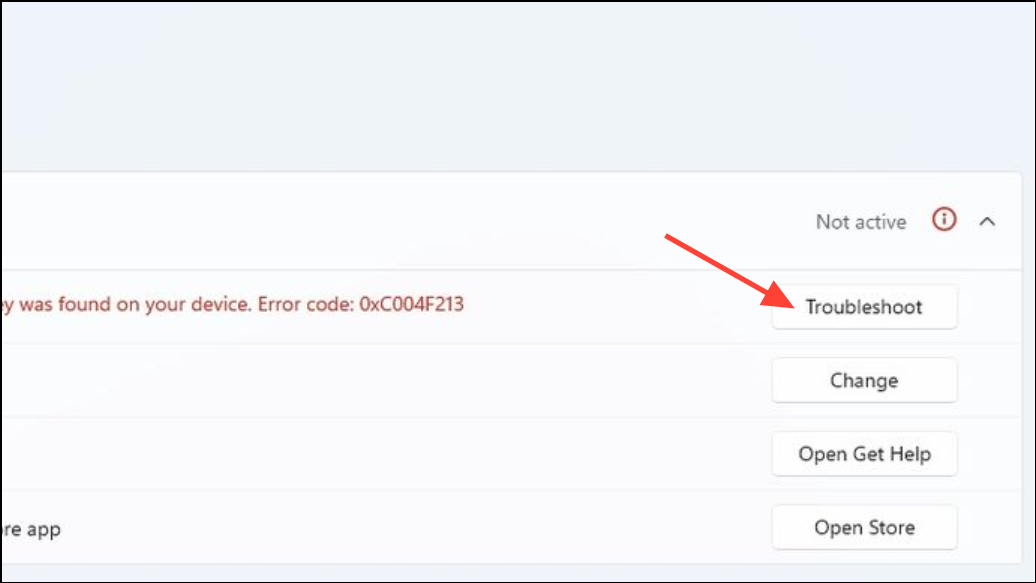
This process allows Microsoft to reassign your license to the new hardware configuration, restoring activation status.
Update Windows 11
Outdated Windows installations may lack critical activation components or security updates required for successful activation.
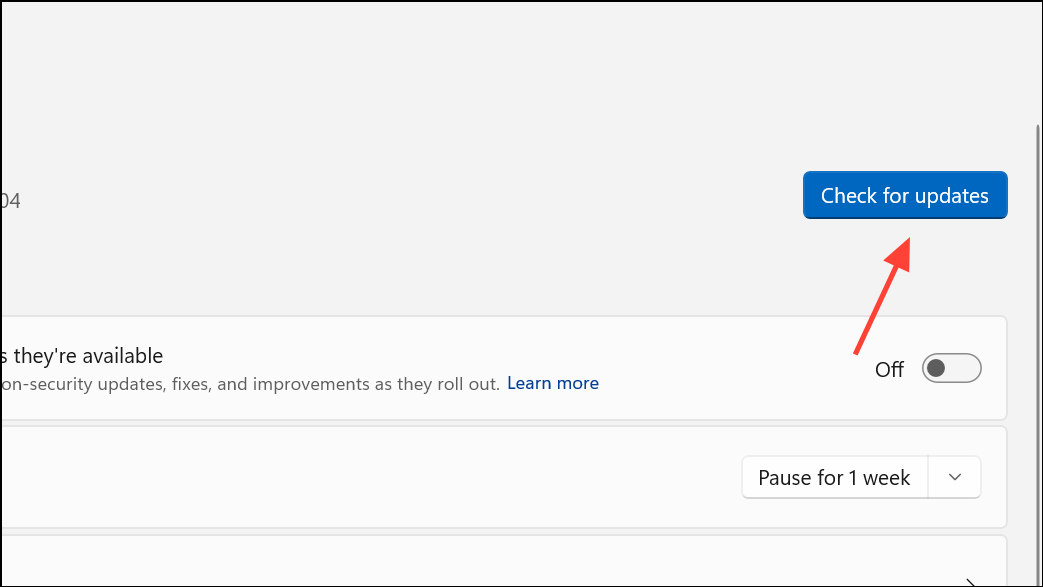
Keeping Windows current ensures compatibility with Microsoft’s activation servers and can resolve issues caused by missing updates.
Contact Microsoft Support
If none of the above methods succeed, Microsoft Support can provide personalized assistance. Support agents can verify your product key, help resolve license mismatches, or escalate complex activation issues.
Visit the official Microsoft support website or use the Get Help app on Windows 11 to start a support request. Be prepared to provide your product key, Microsoft account details, and a description of any hardware changes or upgrades.
Resolving error 0xC004F078 restores your Windows 11 system’s activation status and unlocks all personalization and security features. Regularly updating your system and keeping your product key information secure can help prevent future activation issues.



