

A Windows 11 system displaying the error “The Boot Configuration Data file is missing some required information” with error code 0xc0000034 indicates a critical problem with the boot process. This error prevents the PC from loading Windows, typically showing a blue or black recovery screen. The underlying cause is usually a missing or damaged Boot Configuration Data (BCD) file, which Windows relies on to locate and start the operating system. Restoring normal boot functionality requires rebuilding or repairing the BCD file using recovery tools or manual commands.
Repair Using Automatic Startup Repair
F12 or Esc during startup to access the boot menu, then selecting the USB or DVD drive.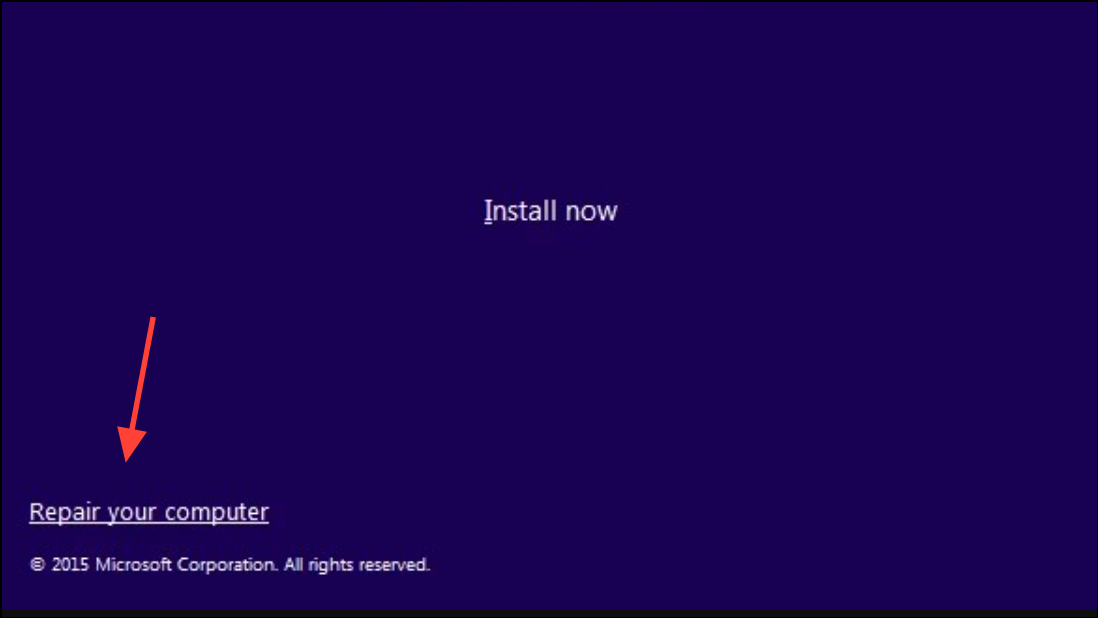
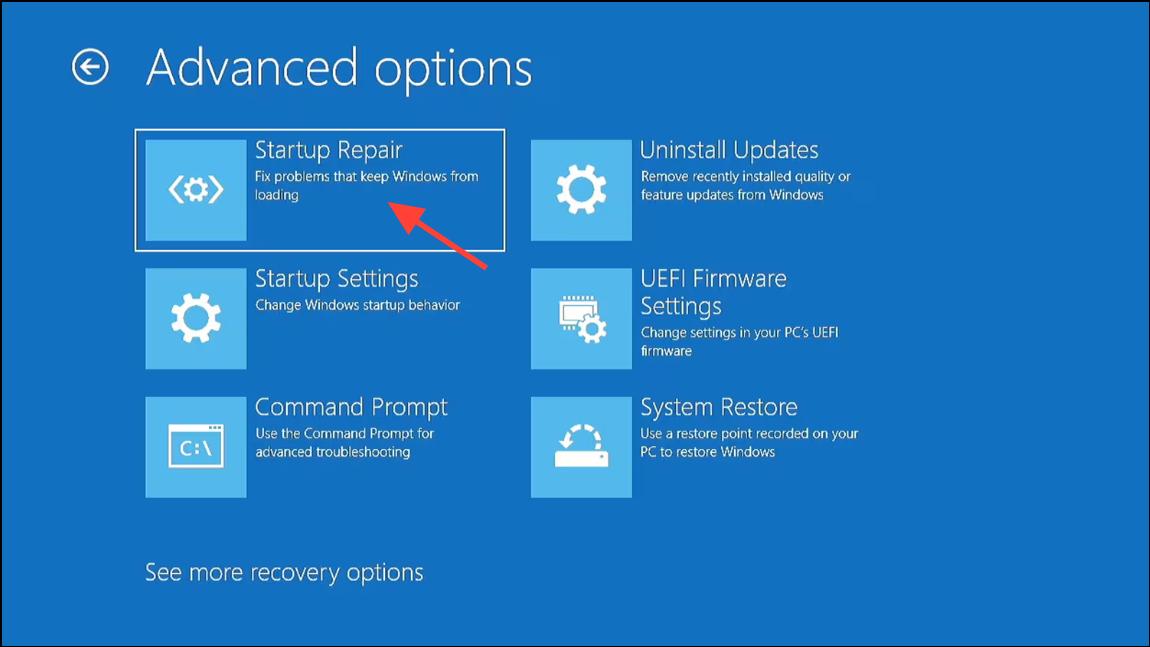
Rebuild the BCD File Manually with Command Prompt
If automatic repair does not resolve the error, manually rebuilding the BCD can restore boot functionality.
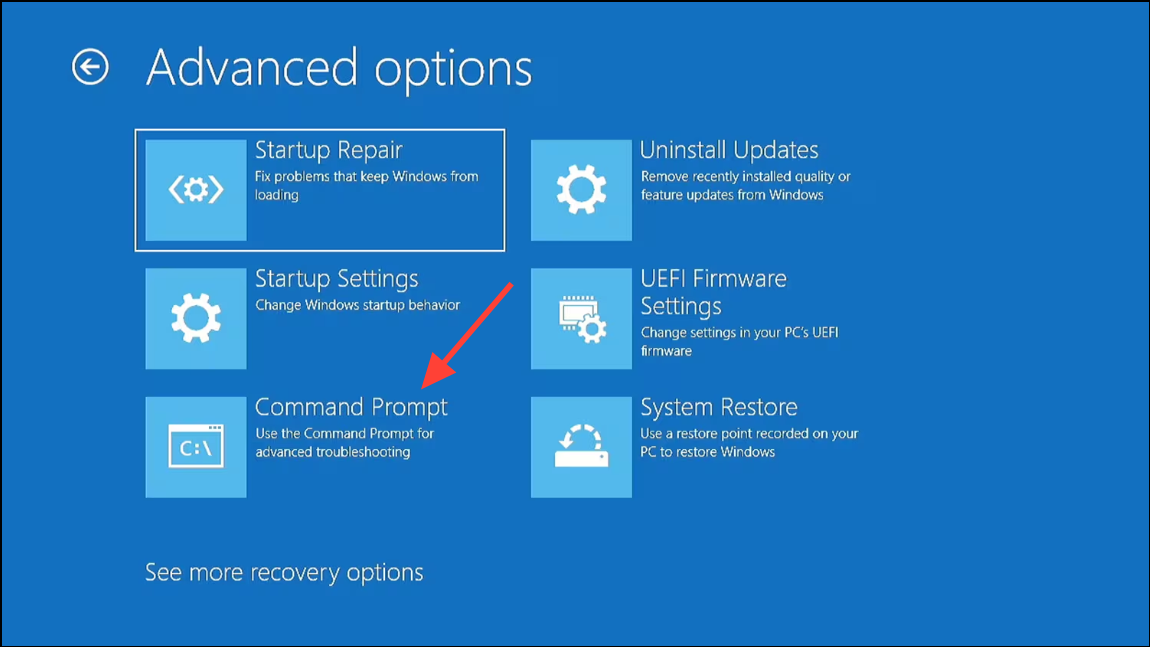
Enter after each:bootrec /fixmbr
bootrec /fixboot
bootrec /scanos
bootrec /rebuildbcd
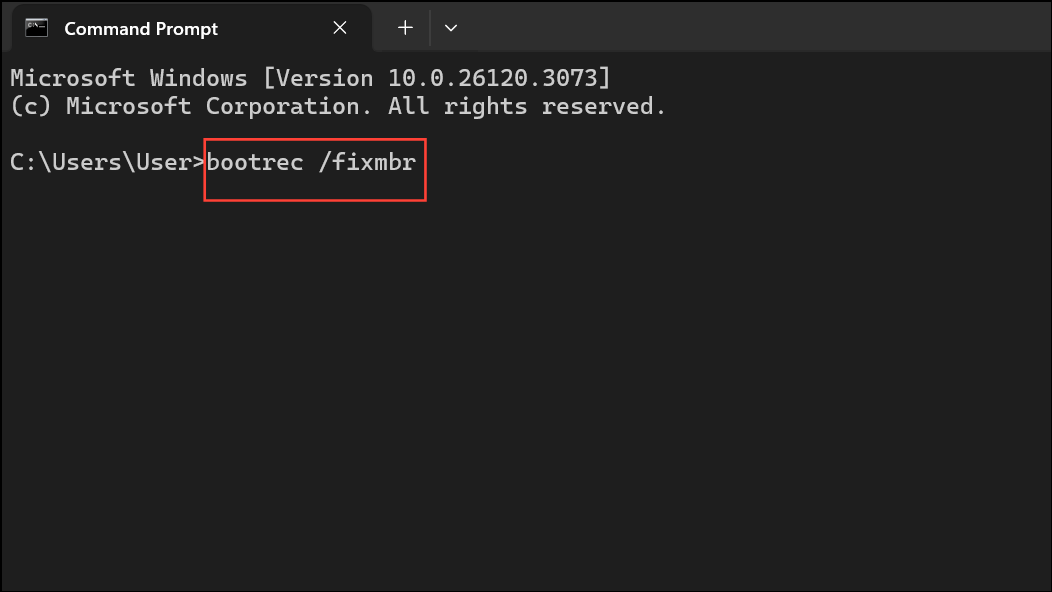
Each command targets a specific part of the boot process: /fixmbr writes a new Master Boot Record, /fixboot writes a new boot sector, /scanos scans for installed Windows systems, and /rebuildbcd rebuilds the BCD file from scratch. If prompted to add installations to the boot list, type Y and press Enter.
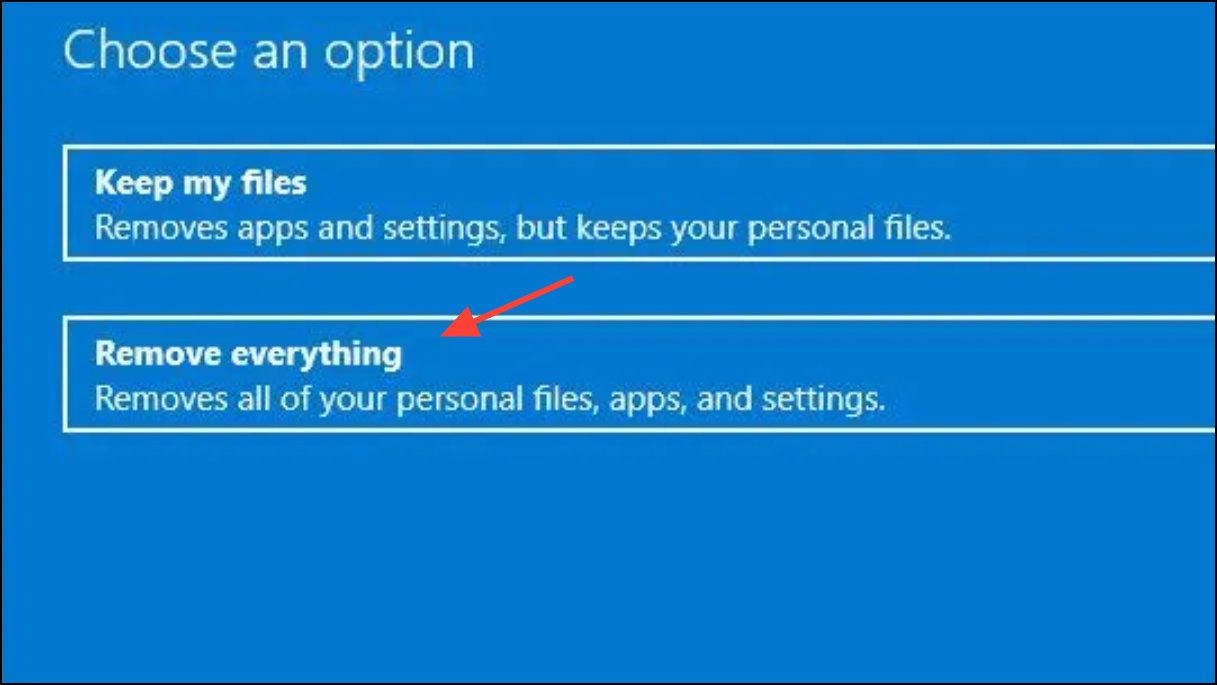
Refresh or Reset Windows 11
If the boot repairs do not work, refreshing or resetting Windows 11 can restore system files without affecting personal data (if you choose the “Keep my files” option).
Check for Hard Drive Issues
Corrupted sectors on the hard drive can also cause boot errors. To check and repair disk errors:
C: with the correct drive letter if your Windows partition is different:chkdsk /r /f C: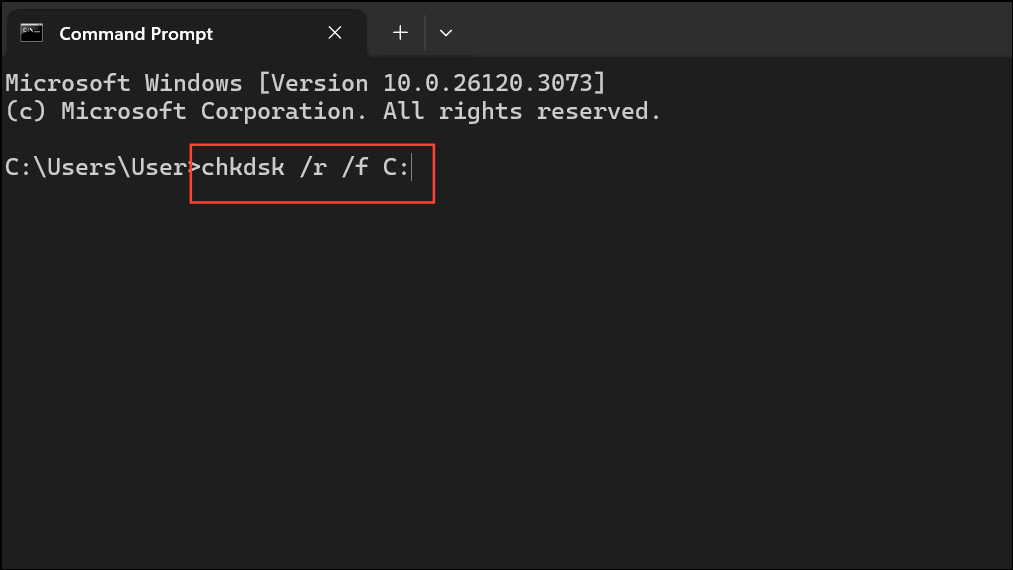
This scans for and repairs disk errors. Allow the process to finish, then restart the computer.
Recover Data Before Reinstalling Windows
If none of the above methods resolve the error, you may need to reinstall Windows 11. Before doing so, consider backing up important files. You can remove the hard drive and connect it to another computer, or use data recovery tools to copy files before proceeding with a fresh installation.
Always ensure you have a backup of your data. After restoring access to your system, consider setting up regular backups to prevent future data loss from similar boot issues.
Repairing the Boot Configuration Data file and resolving error 0xc0000034 restores your PC’s ability to start Windows normally. Taking time to back up your important files and keeping recovery media handy can save you from future boot problems.



