How to Fix “How to Get Help in Windows” Message That Keeps Popping Up in Windows 11
Follow these effective methods to permanently stop the "Get Help" window from interrupting your work in Windows 11
Follow these effective methods to permanently stop the “Get Help” window from interrupting your work in Windows 11
by Pallav Pathak
The “How to Get Help in Windows” pop-up window repeatedly appearing in Windows 11 disrupts workflow by opening unexpectedly, often without any user interaction. This issue typically happens due to accidental activation of the F1 key, malware infection, or a system glitch. Resolving it involves checking hardware, disabling specific keys, adjusting system settings, or removing possible malware infections. Follow the detailed methods below to stop this pop-up permanently.
Inspect your keyboard. A stuck or malfunctioning F1 key often triggers the “Get Help” pop-up. Carefully examine the key for any visible debris or damage. Use compressed air to clean around the key, ensuring it moves freely without sticking.
Test your system with another keyboard. Connect a different keyboard to your computer temporarily. If the pop-up stops appearing, your original keyboard is likely defective and requires replacement or repair.
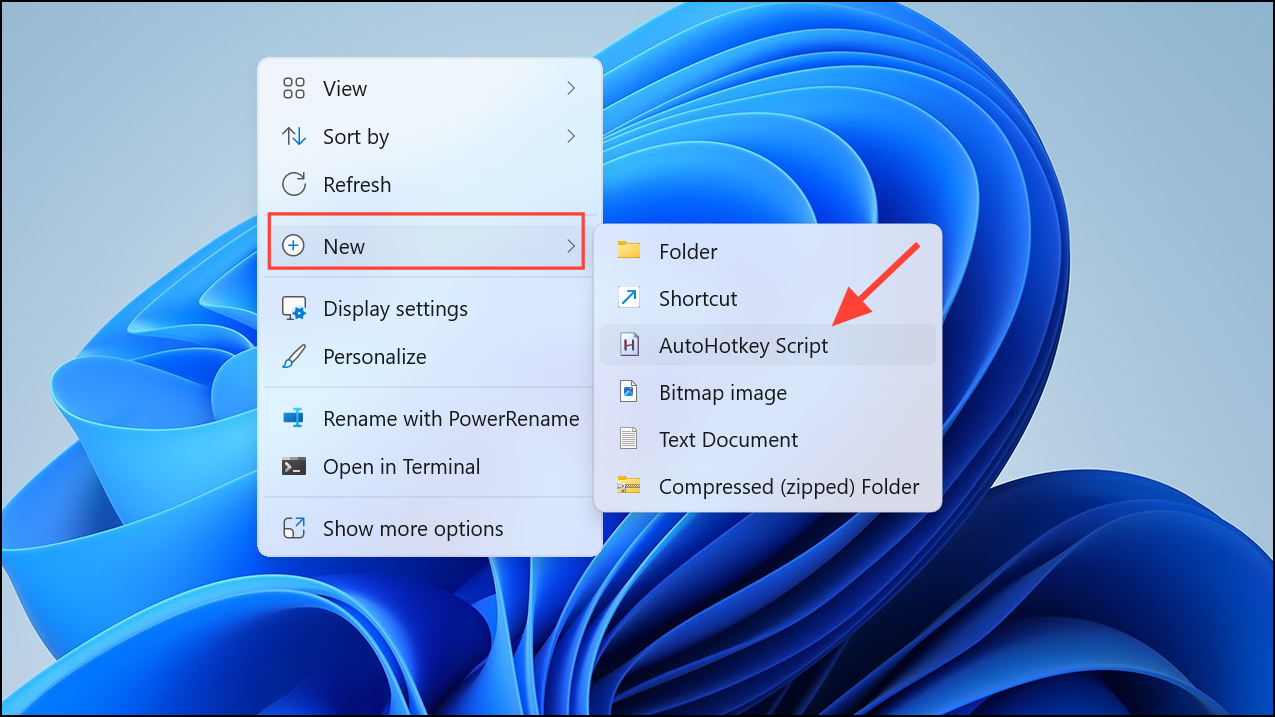
Disable the F1 Key Using AutoHotkey
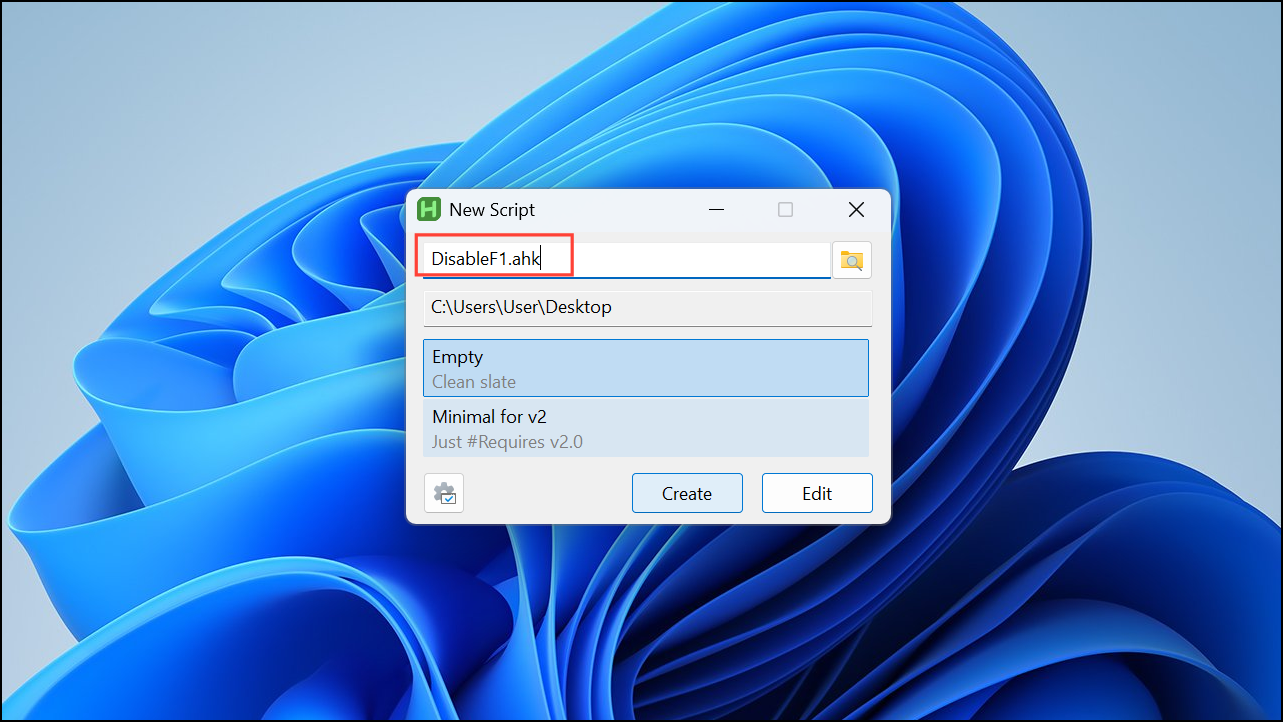
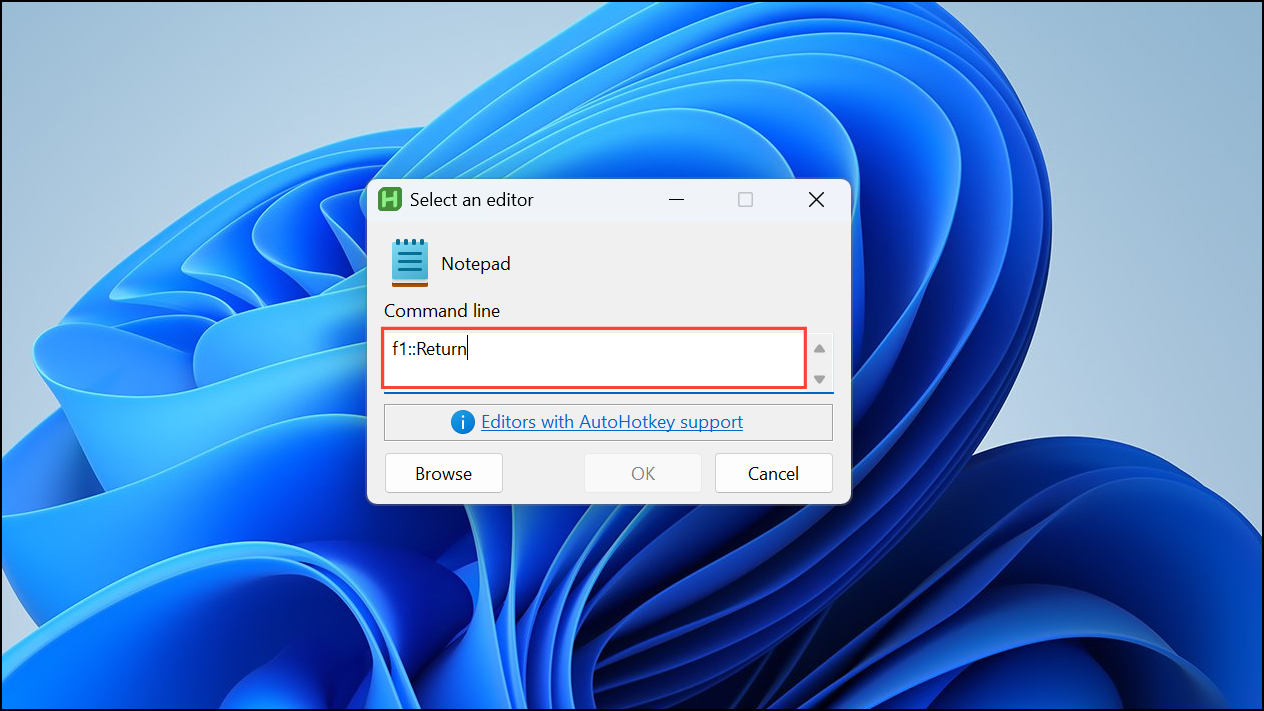
If your keyboard is fine, you can disable the F1 key to prevent accidental triggers. AutoHotkey is a lightweight scripting tool that lets you disable or remap keys easily.
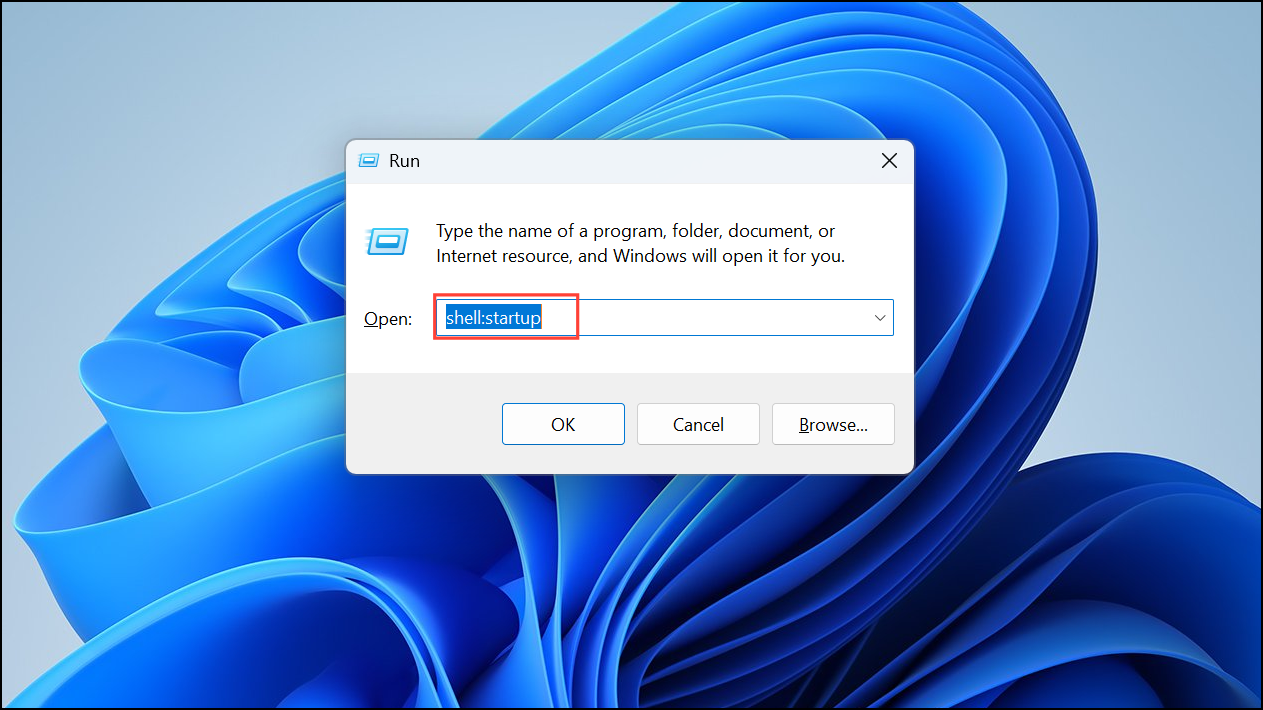
To ensure this runs automatically at startup, move the script to the Startup folder. Use Win + R to open the “Run” dialog, type shell:startup and press Enter. Then copy the script to the folder that opens).
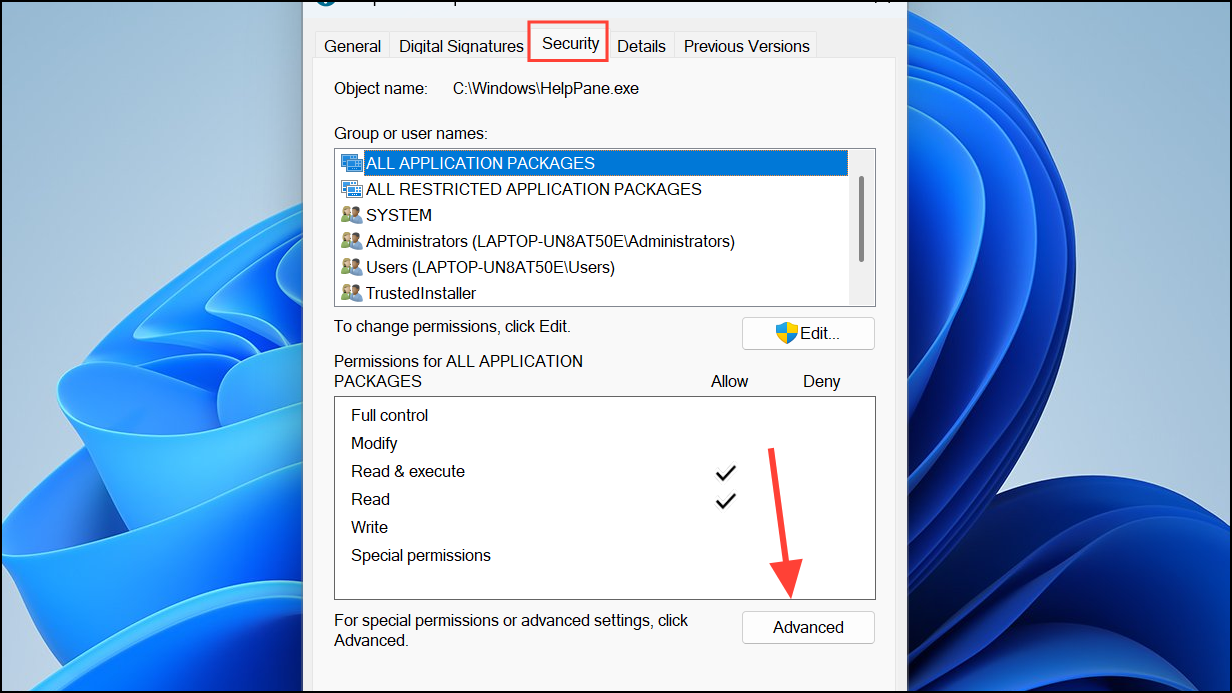
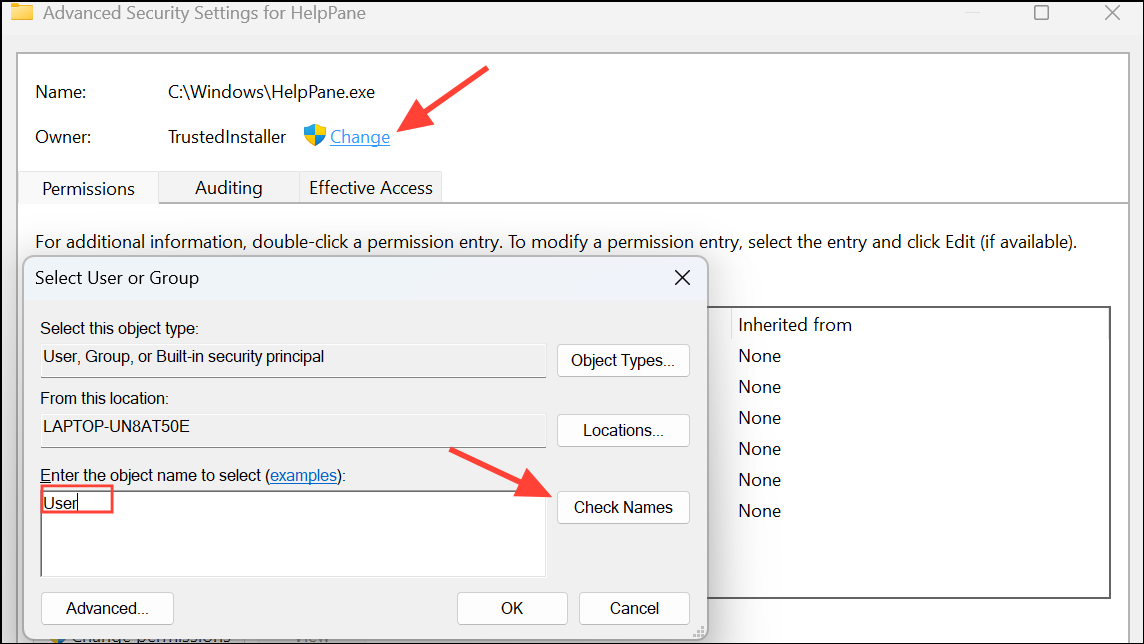
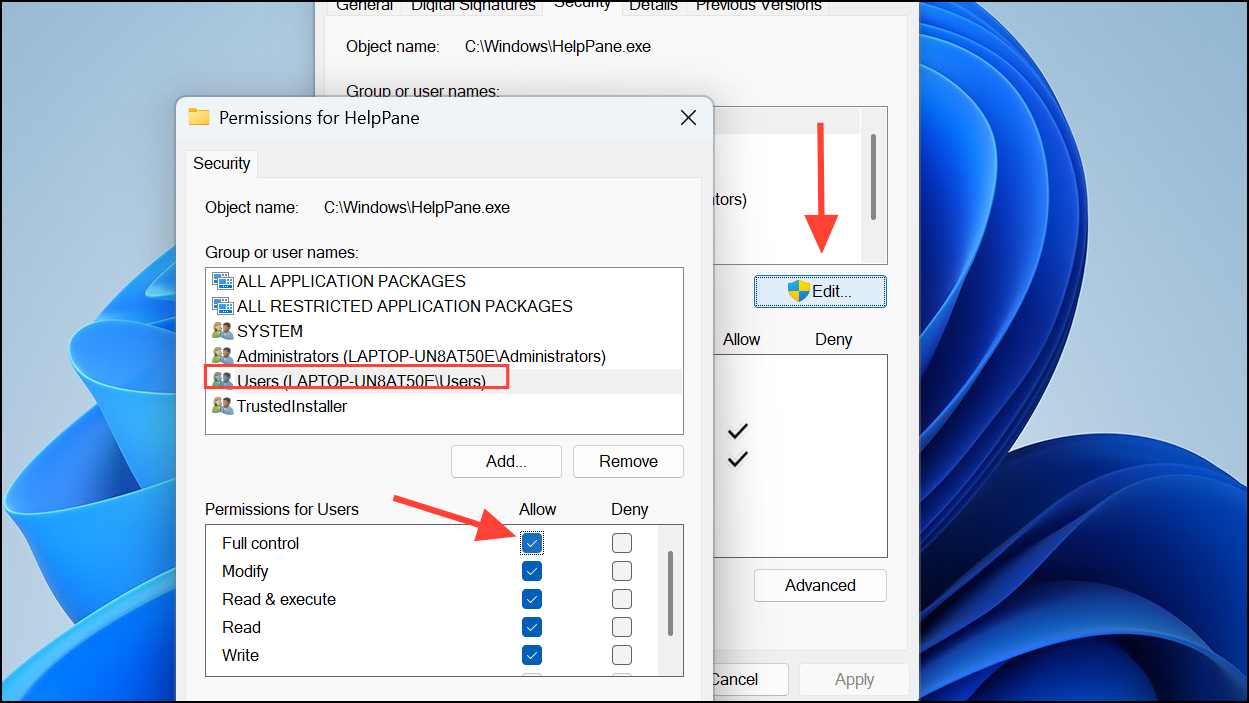
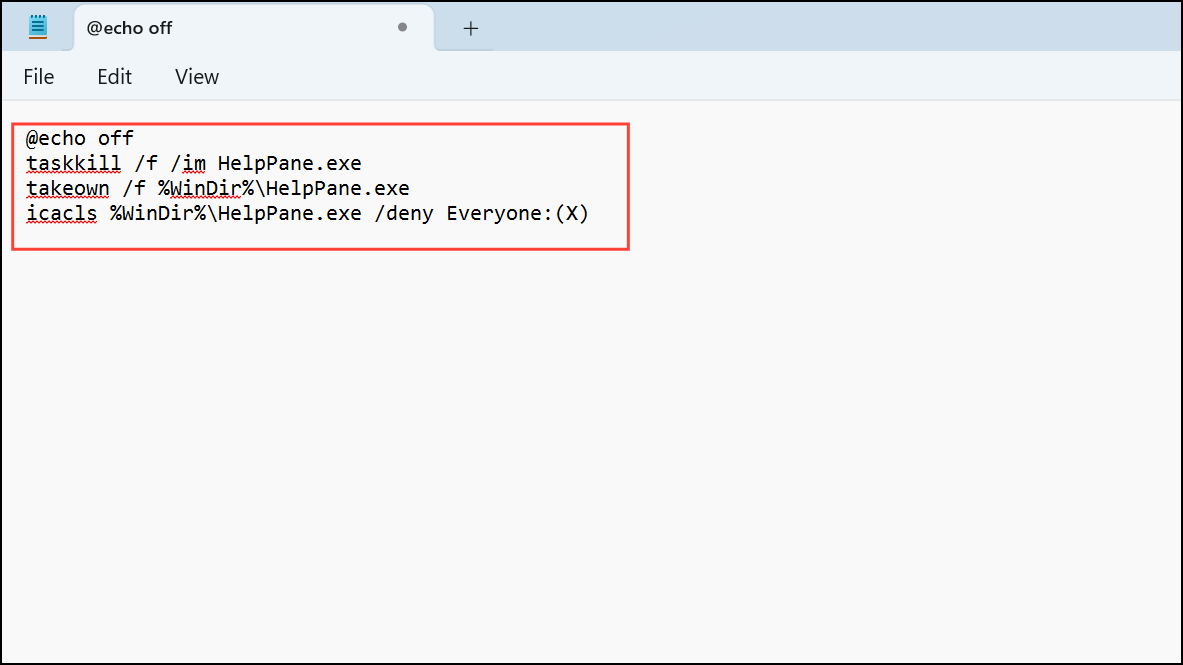
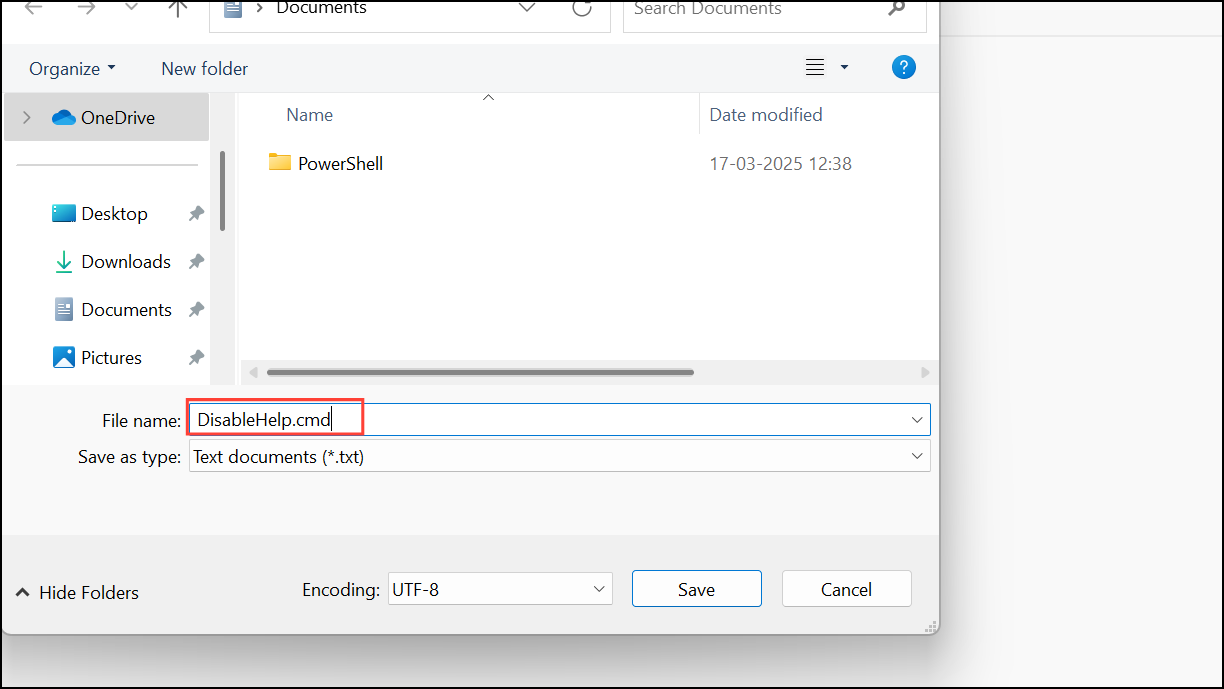
Rename the “HelpPane.exe” File
Renaming the Windows help executable file prevents the pop-up from appearing, as Windows will no longer find the file when triggered.
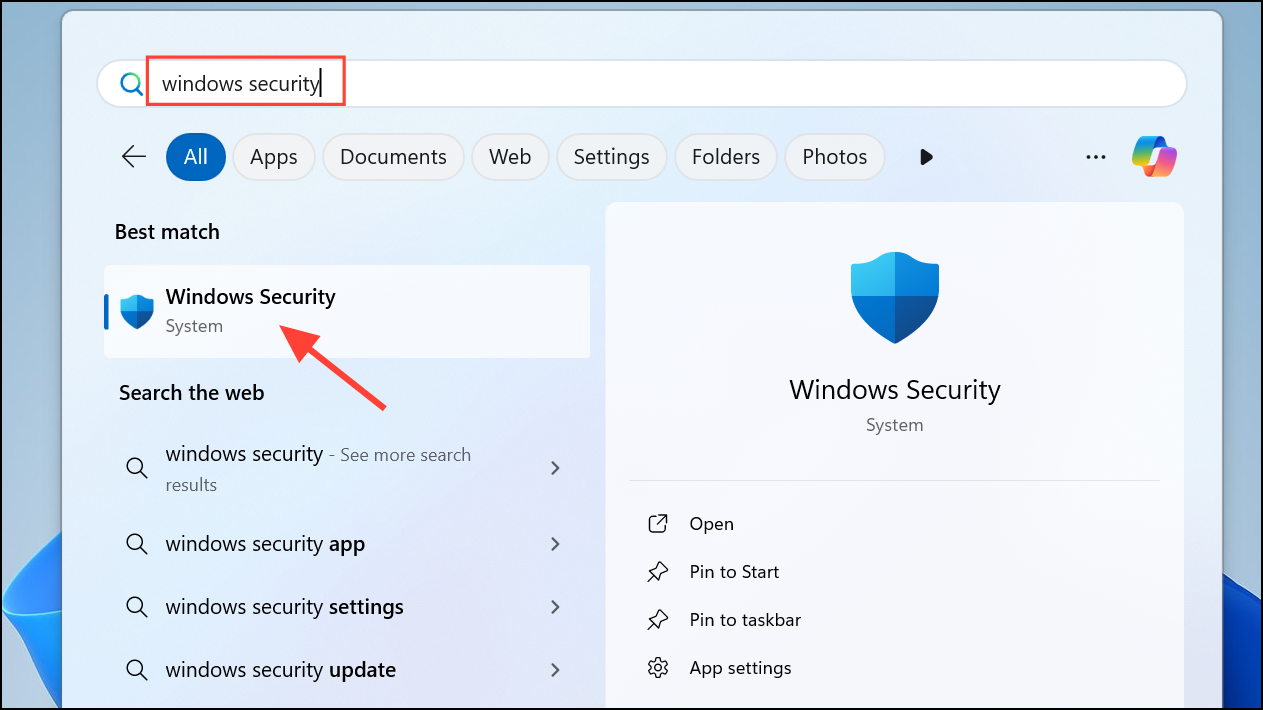
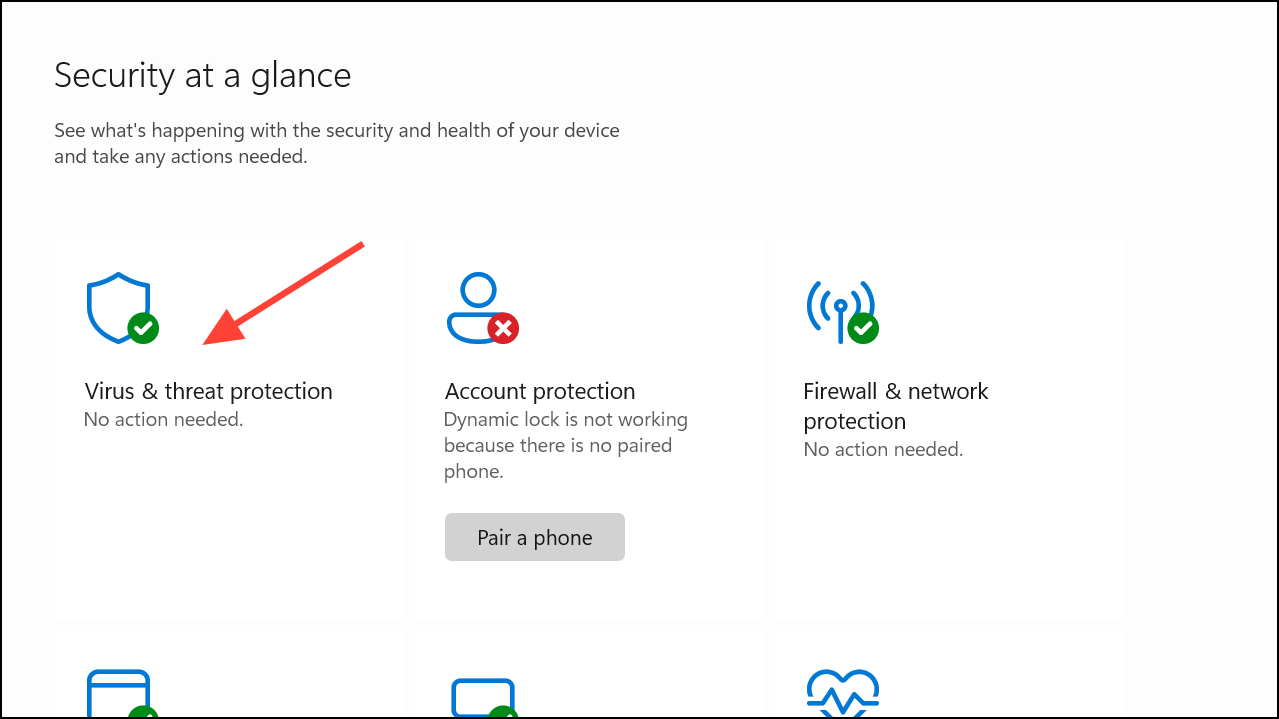
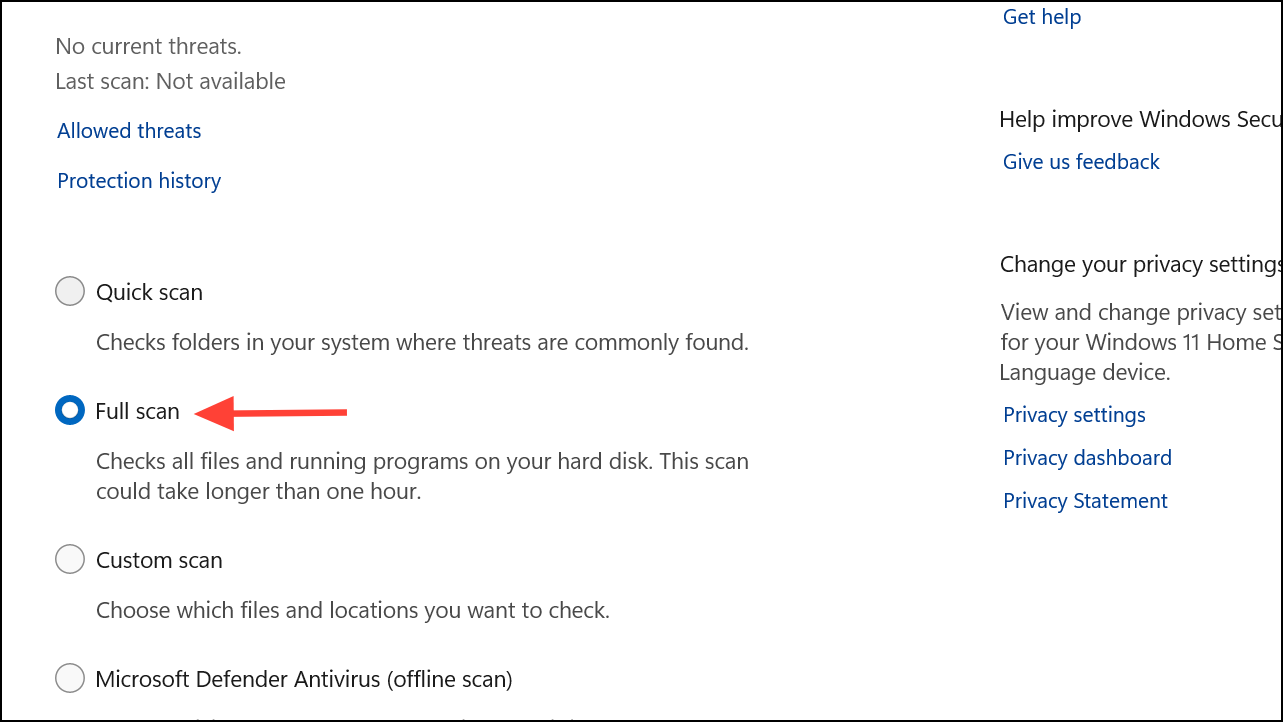
Select “Scan options,” choose “Full scan,” and click “Scan now.” Wait for the scan to complete, and follow any recommended actions to remove detected threats.
If you prefer third-party antivirus software, ensure it’s updated and perform a complete system scan.
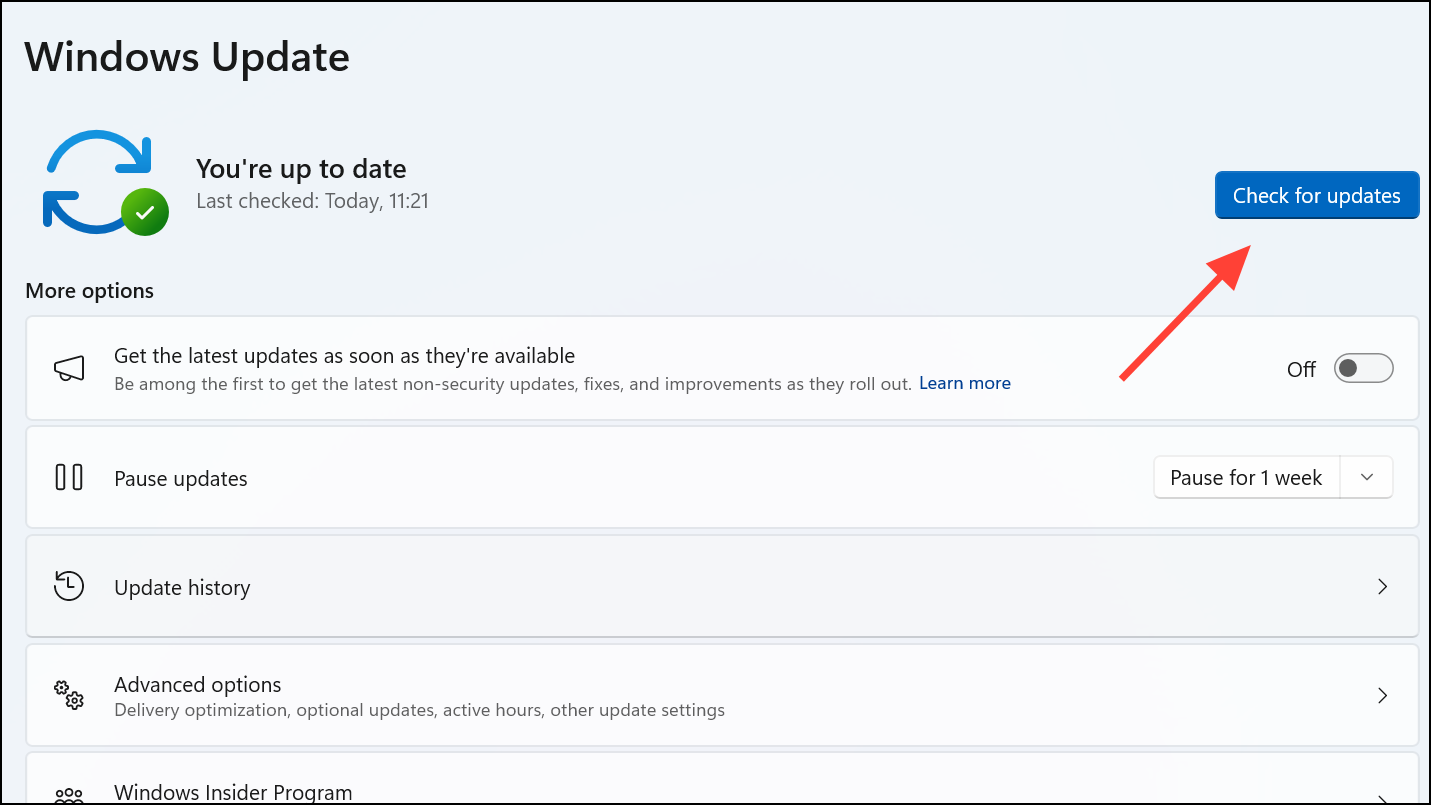
Perform a System Update
Windows updates often include patches for known glitches and bugs that trigger unwanted pop-ups.
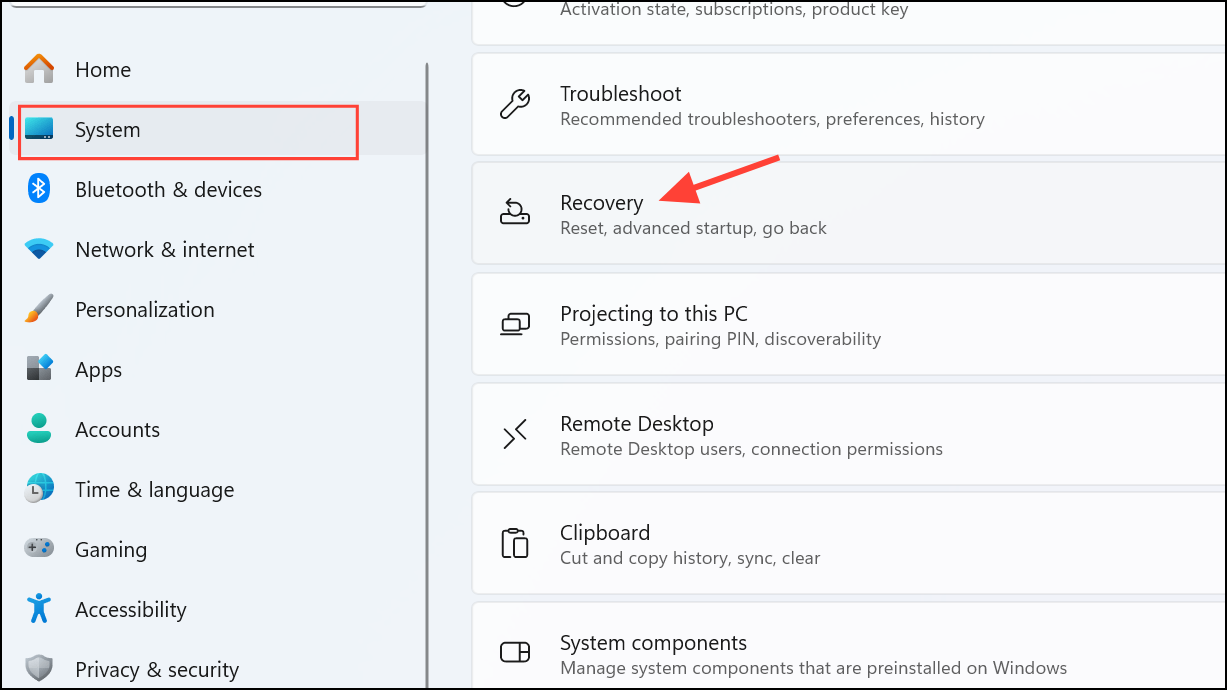
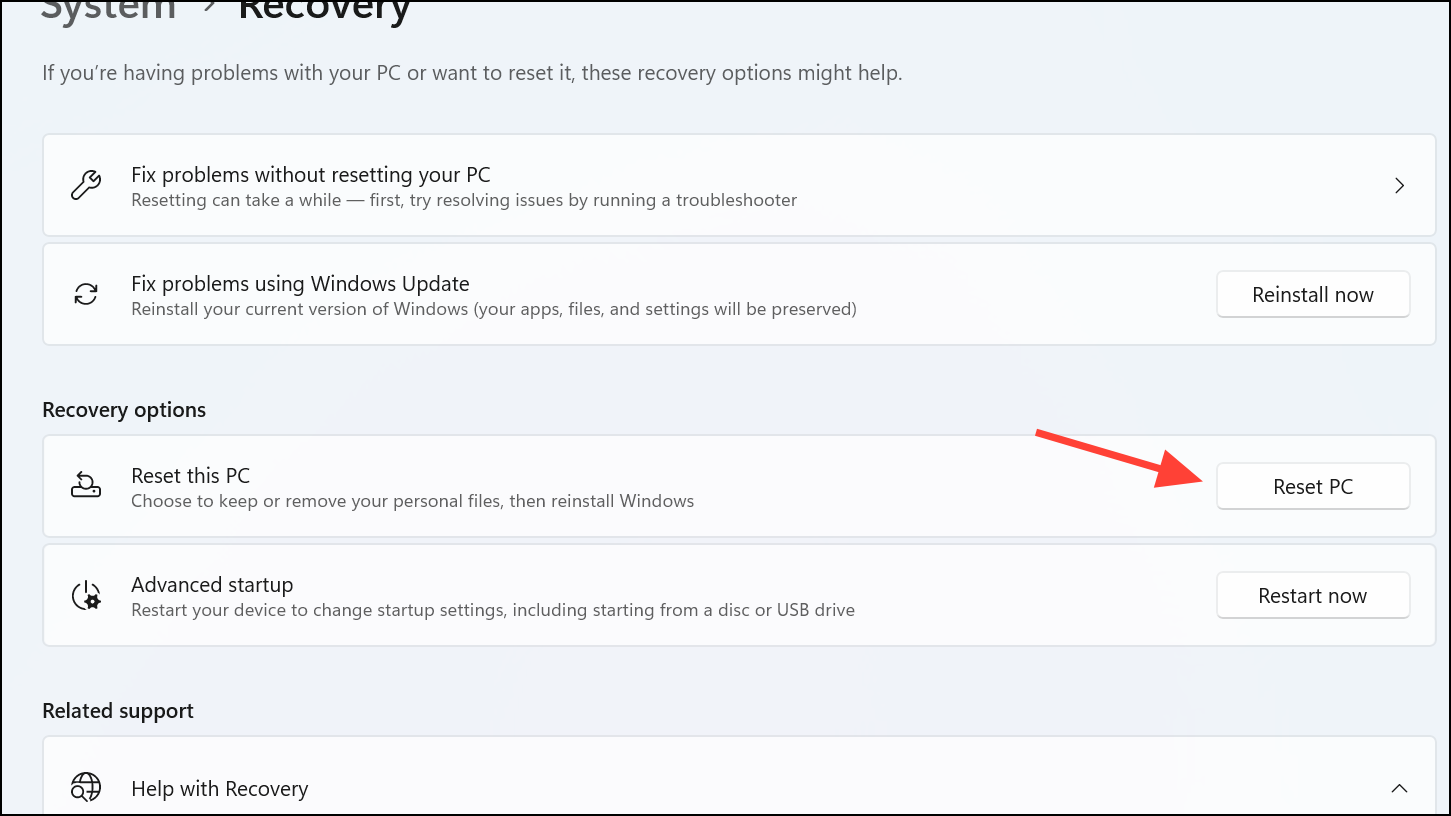
Choose “Keep my files” to retain personal data or “Remove everything” for a complete reset, then follow the on-screen instructions to complete the process.
With these detailed methods, you should be able to stop the “How to Get Help in Windows” pop-up permanently and return to a distraction-free computing experience.