Quickly change your keyboard language layout in Windows 11 with these straightforward methods.
Quickly change your keyboard language layout in Windows 11 with these straightforward methods.
by Pallav Pathak
Switching keyboard languages in Windows 11 allows you to type efficiently in multiple languages or use special characters specific to certain languages. Windows 11 provides several convenient methods to switch between keyboard layouts, each suited to different user preferences and needs. This guide explains how to install additional languages, switch between keyboard layouts, and remove languages you no longer need.
How to Install Additional Keyboard Languages in Windows 11
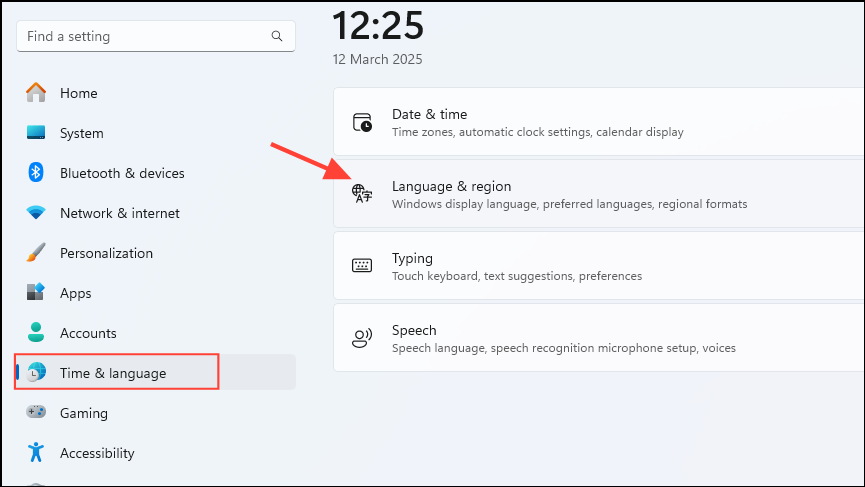
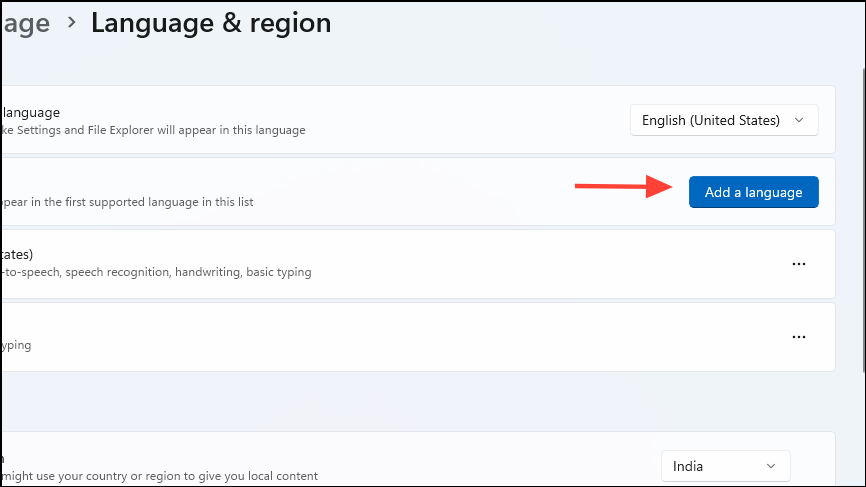
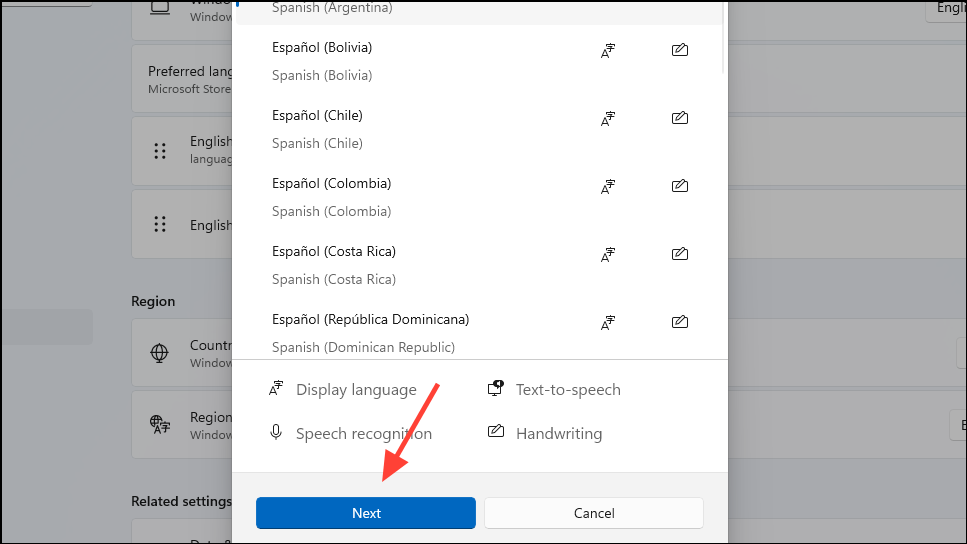
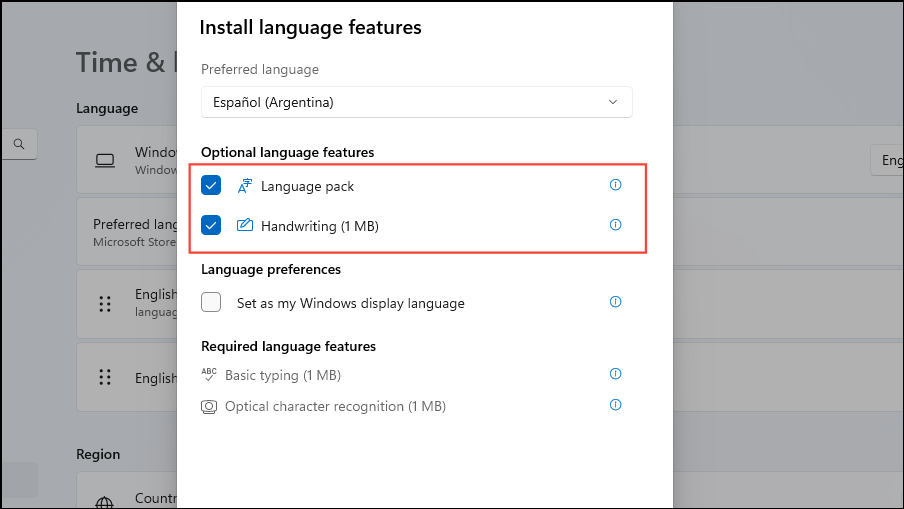
Before you can switch keyboard languages, you must first install the language pack you wish to use. Follow these detailed steps to add a new keyboard language:
Ensure “Language pack” is checked under Optional language features. You can also choose additional features like Text-to-speech or Speech recognition if needed. Click “Install” to begin downloading and installing the language pack.
Once the installation completes, the new language will appear under your Preferred languages list.
How to Switch Keyboard Language via Taskbar
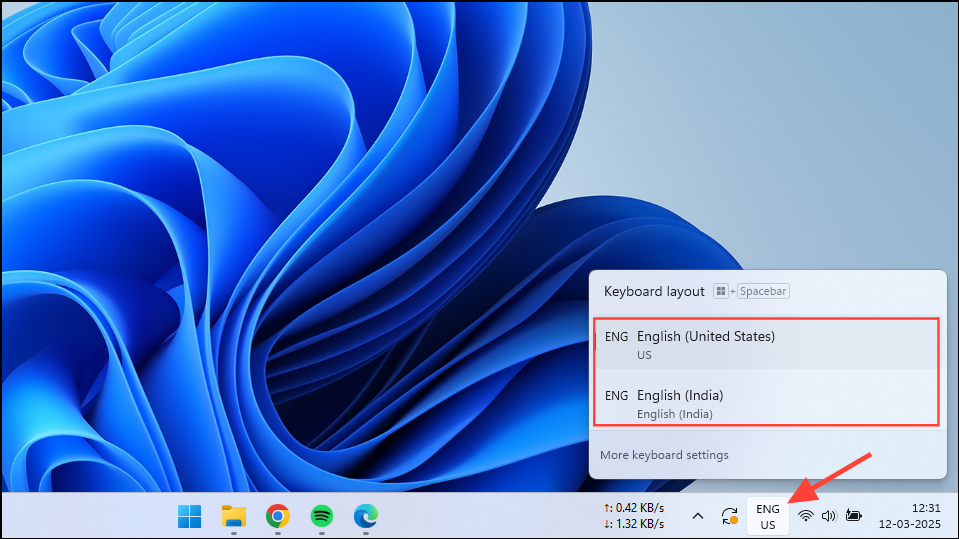
The quickest way to switch keyboard languages is using the language indicator located on the taskbar:
Select the language you wish to use by clicking on it. The keyboard layout will immediately switch to the selected language.
How to Switch Keyboard Language Using Keyboard Shortcuts
If you frequently switch between languages, keyboard shortcuts offer a faster method:
Press Windows + Spacebar to cycle through the installed keyboard languages. Each press of the spacebar while holding down the Windows key moves to the next available layout.
Alternatively, press Alt + Shift to toggle between languages quickly.
How to Change Keyboard Layout for a Specific Language
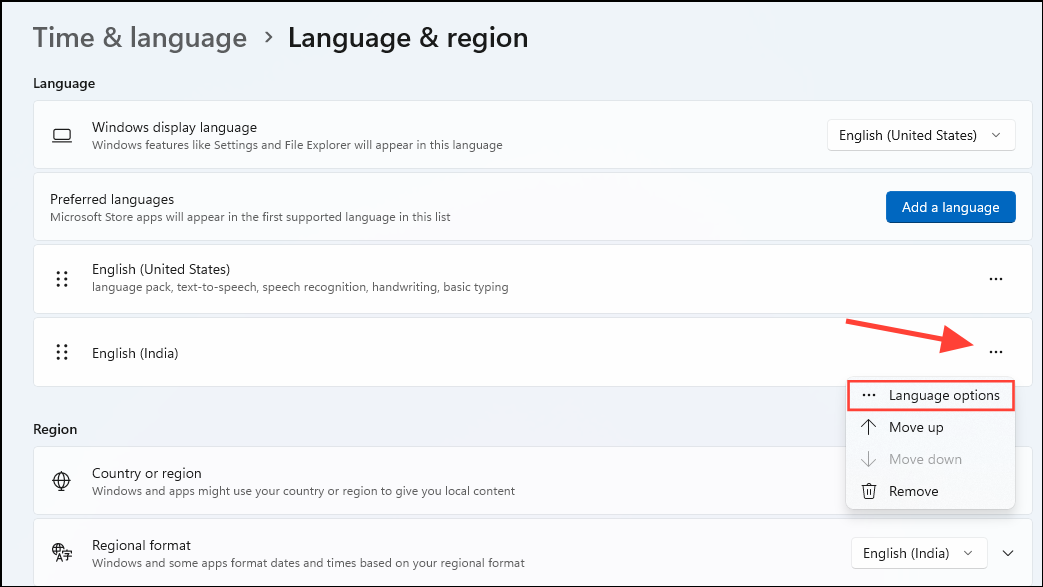
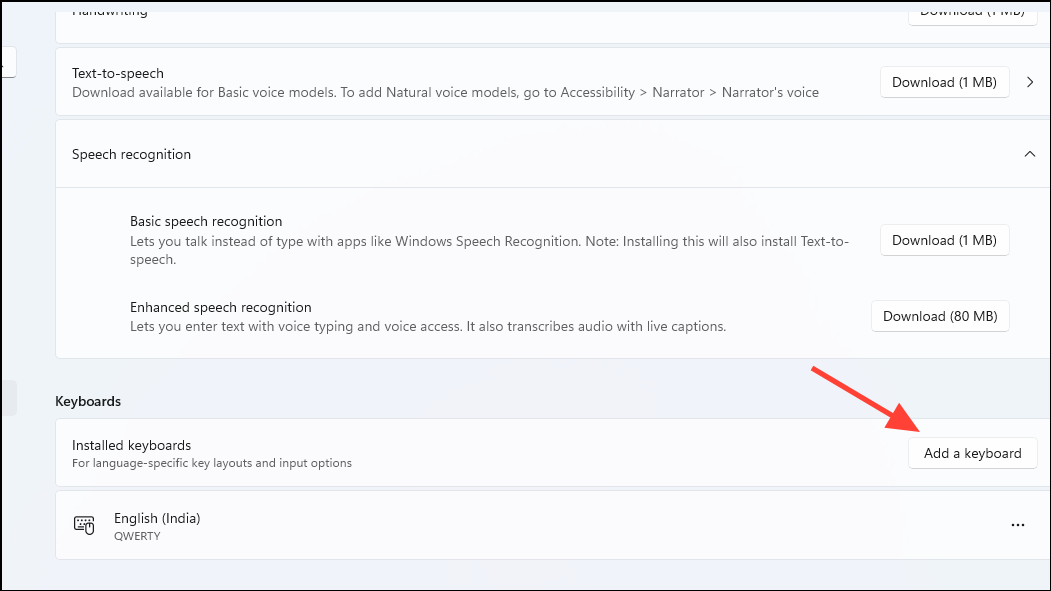
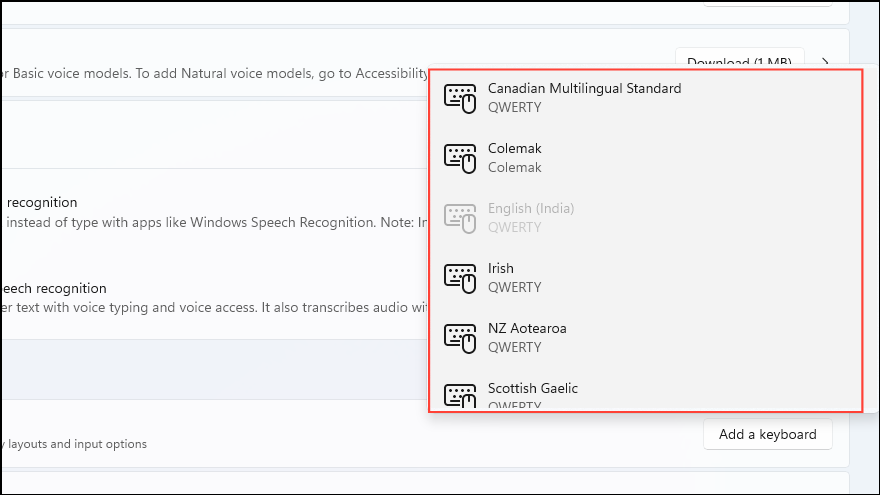
Sometimes, the default keyboard layout for a language may not suit your typing preferences. Follow these steps to install and select an alternative keyboard layout:
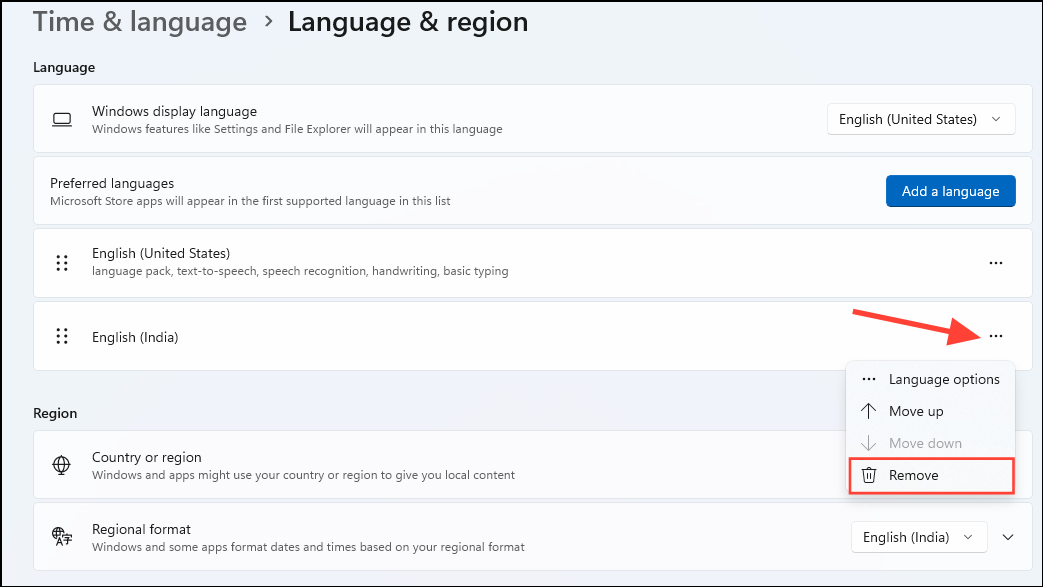
To remove a specific keyboard layout, click the three-dot icon next to the language, select “Language options”, and under “Keyboards”, click the three-dot icon next to the layout you want to remove and select “Remove”.
Note: You cannot remove the default or currently active keyboard layout. Switch to another layout first if the remove option is greyed out.
Now you’re all set to efficiently manage and switch keyboard languages in Windows 11, making multilingual typing simpler and more streamlined.