
The notification “Your version of Windows has reached the end of service” appears unexpectedly on some Windows 11 devices, even when the latest updates are installed. This misleading message can cause confusion among users who believe their systems are up to date.
This issue is often caused by a reporting bug introduced with a recent Windows update. While your device may be fully updated, the system incorrectly recognizes it as out of date. Fortunately, there are several methods to resolve this problem.
Method 1: Log Out and Restart Your System
Restarting your system can refresh system processes and clear temporary glitches that might cause the erroneous notification.
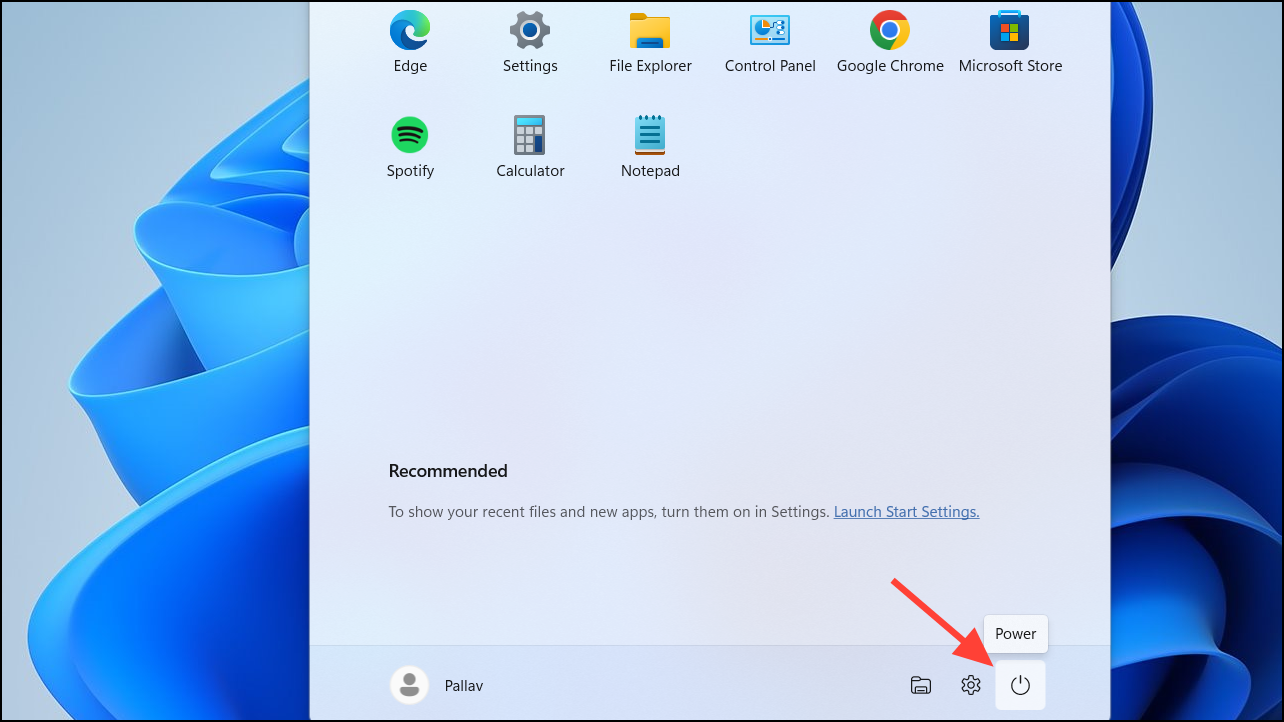
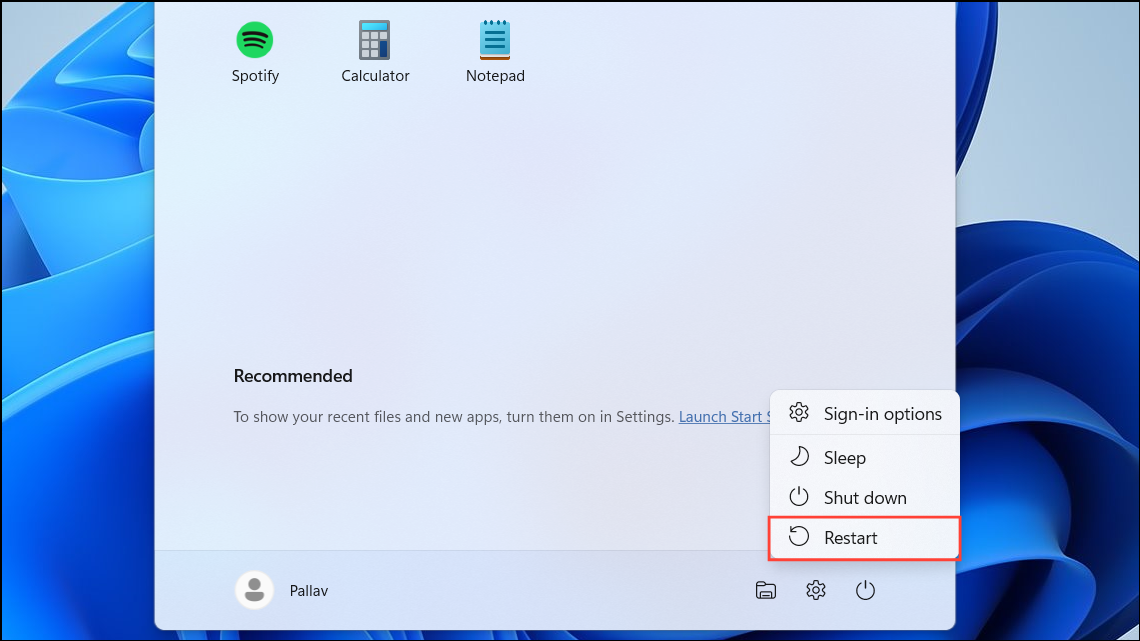
After the system restarts, check if the notification still appears. In many cases, this simple step resolves the issue.
Method 2: Manually Check for Updates
Manually checking for updates ensures that any pending updates are installed, which may correct the notification error.
Settings by clicking the Start button and selecting the Settings gear icon, or by pressing Windows + I on your keyboard.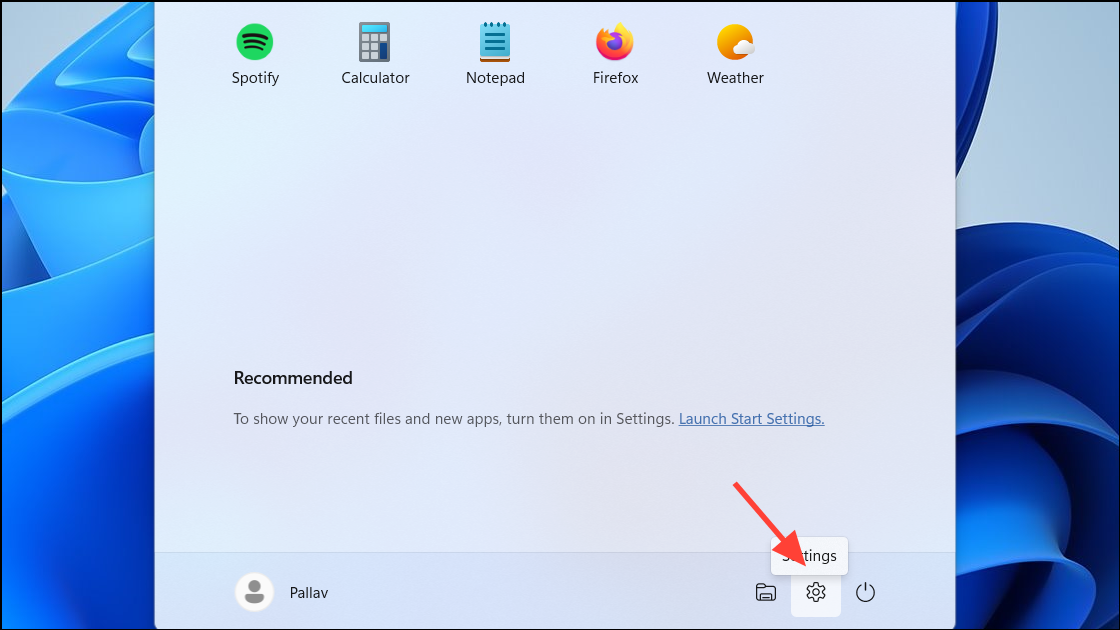
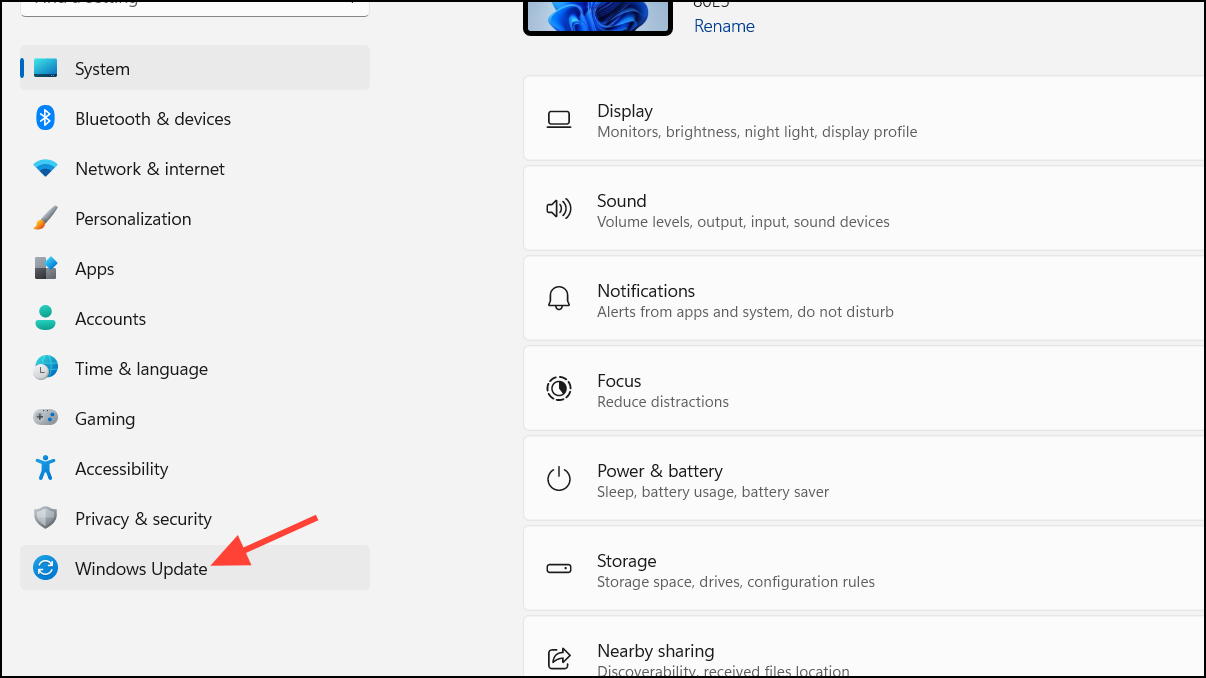
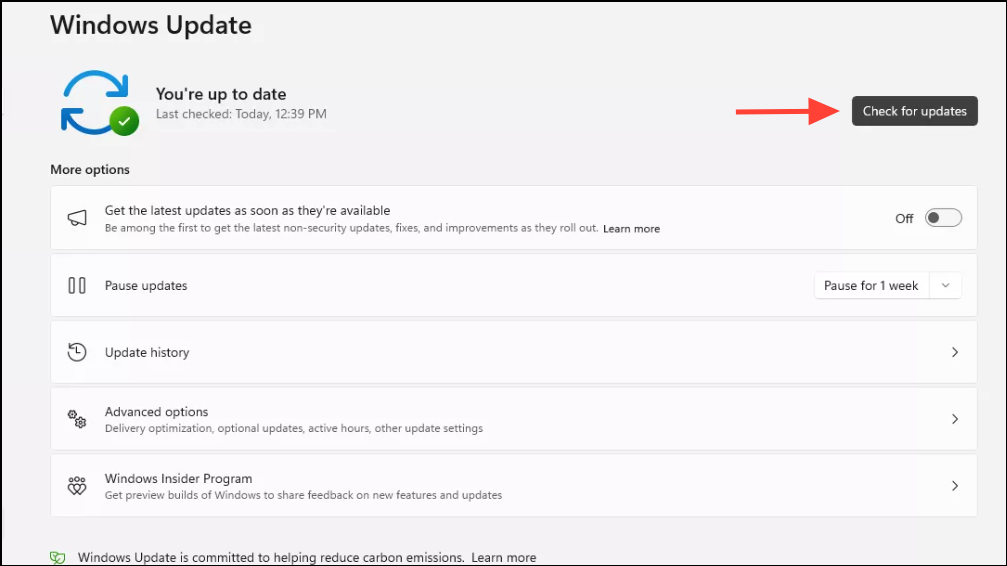
After installing updates, restart your computer if prompted, and verify whether the notification has been resolved.
Method 3: Wait for Microsoft’s Server-Side Fix
Since Microsoft is aware of this issue, they are deploying a server-side fix that will automatically correct the problem without user intervention.
During this time, avoid making significant changes to your system settings or attempting complex solutions, as the issue may resolve itself.
By following these steps, you can eliminate the incorrect end-of-service notification and ensure your Windows 11 device stays updated and secure.



