
System bloat, persistent ads, and intrusive telemetry often slow down Windows 11 and compromise privacy. Crapfixer 1.1 directly addresses these issues by providing a focused set of tools to clean, optimize, and customize your operating system. With its latest release, Crapfixer introduces a streamlined workflow that replaces manual registry edits and scattered scripts with a single, user-friendly interface.
Optimizing Windows 11 with Crapfixer
Analyze button. Clicking this initiates a rapid system scan. Crapfixer reviews your Windows 11 environment and generates a contextual list of tweaks, highlighting areas such as telemetry, ads, unnecessary background services, and, recently, AI features like Copilot.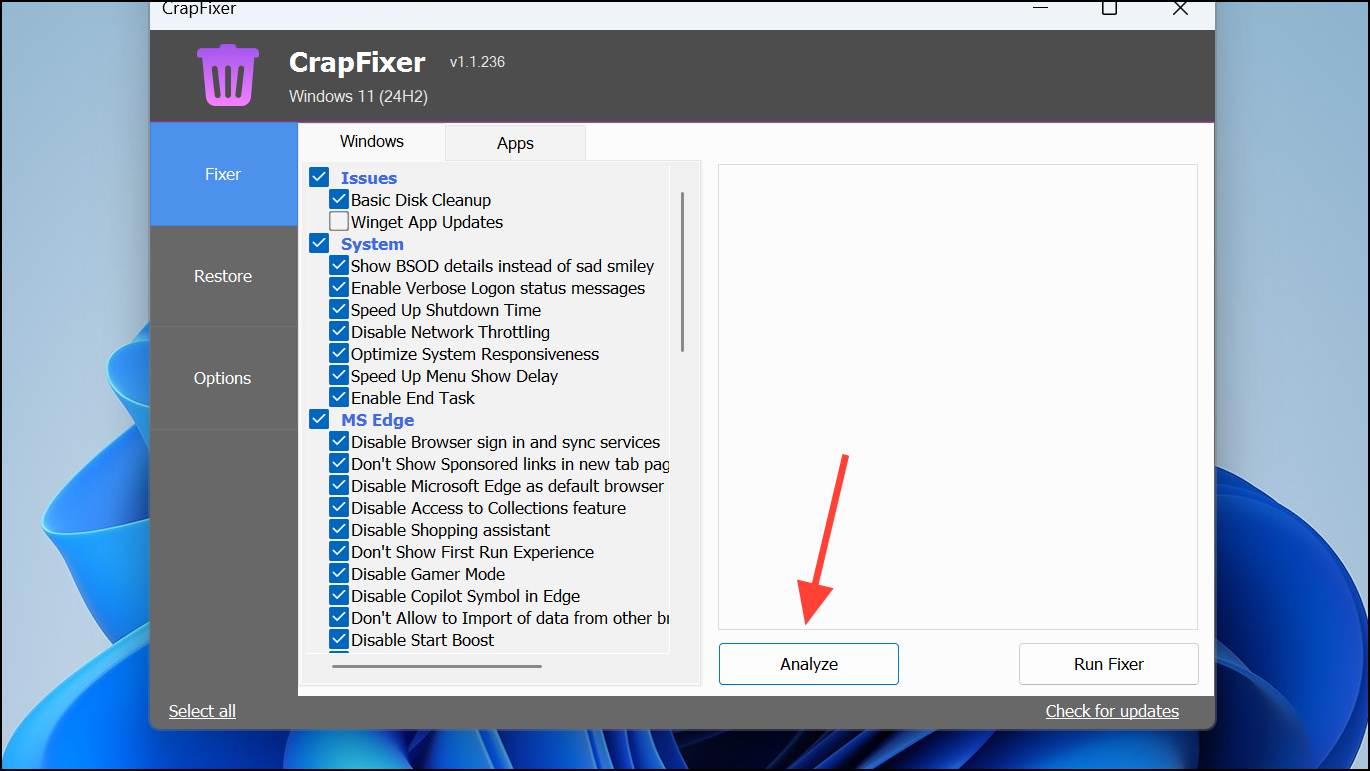
- Disable telemetry and data collection services to reduce background reporting.
- Remove ads and promotional tiles from the Start Menu, File Explorer, and Edge browser.
- Completely hide or remove the Copilot AI assistant from the taskbar and context menus.
- Turn off “tips and tricks” pop-ups and other distractions.
- Stop unwanted startup applications and background processes that slow down boot times.
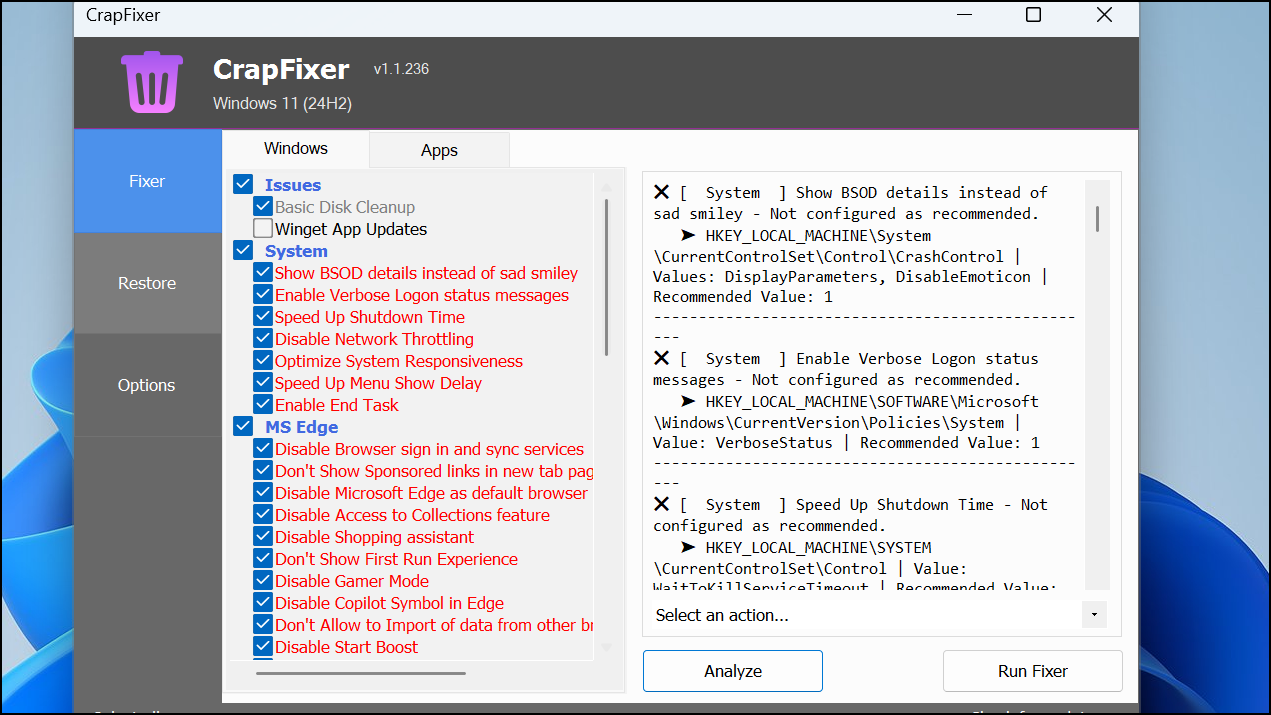
Run CFixer button. You can accept all recommended actions or selectively toggle specific items based on your needs. Crapfixer’s modular design gives you the freedom to control each change individually, which is especially helpful for power users and cautious beginners alike.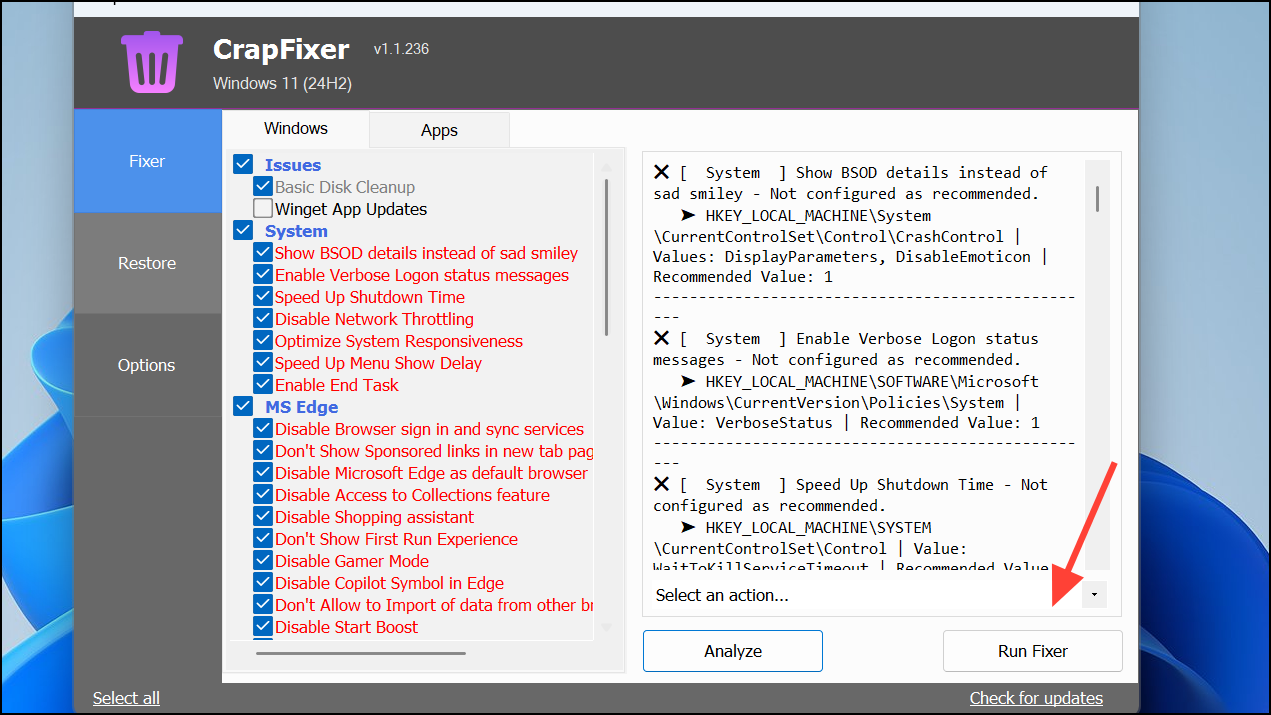
Ctrl + C to copy the log, then paste it into Crapfixer’s online Log Analyzer (accessible via the app or directly at the provided web address). This tool offers a clear breakdown of modifications and can assist with further support or forum discussions.Comparing Crapfixer to Other System Tools
Crapfixer distinguishes itself by focusing on Windows 11’s most pressing annoyances: bloatware, forced ads, and privacy concerns. While tools like Winhance offer deep visual customization and BleachBit specializes in cleaning junk files and privacy traces, Crapfixer prioritizes clarity and user control over Microsoft’s increasingly complex system settings. Its one-click workflow, contextual recommendations, and transparent logs simplify the process of regaining a streamlined, less intrusive Windows experience.
Technical Notes and Safety Considerations
Crapfixer operates by editing Windows registry entries and managing background services. Its actions are logged and reversible, minimizing the risk of system instability. However, certain advanced tweaks—such as disabling core update services or deeply integrated cloud features—may have side effects. To safeguard your system:
- Create a system restore point before making widespread changes.
- Read each tweak’s description and only disable features you understand.
- Use Crapfixer’s logs to track and, if necessary, revert modifications.
- Download Crapfixer only from official or reputable sources to avoid tampered versions.
Security experts note that while disabling telemetry boosts privacy, it may also limit diagnostic data that Microsoft uses for critical updates. Crapfixer’s default recommendations focus on safe, non-disruptive changes, leaving riskier tweaks as optional for advanced users.
Getting Started and Community Support
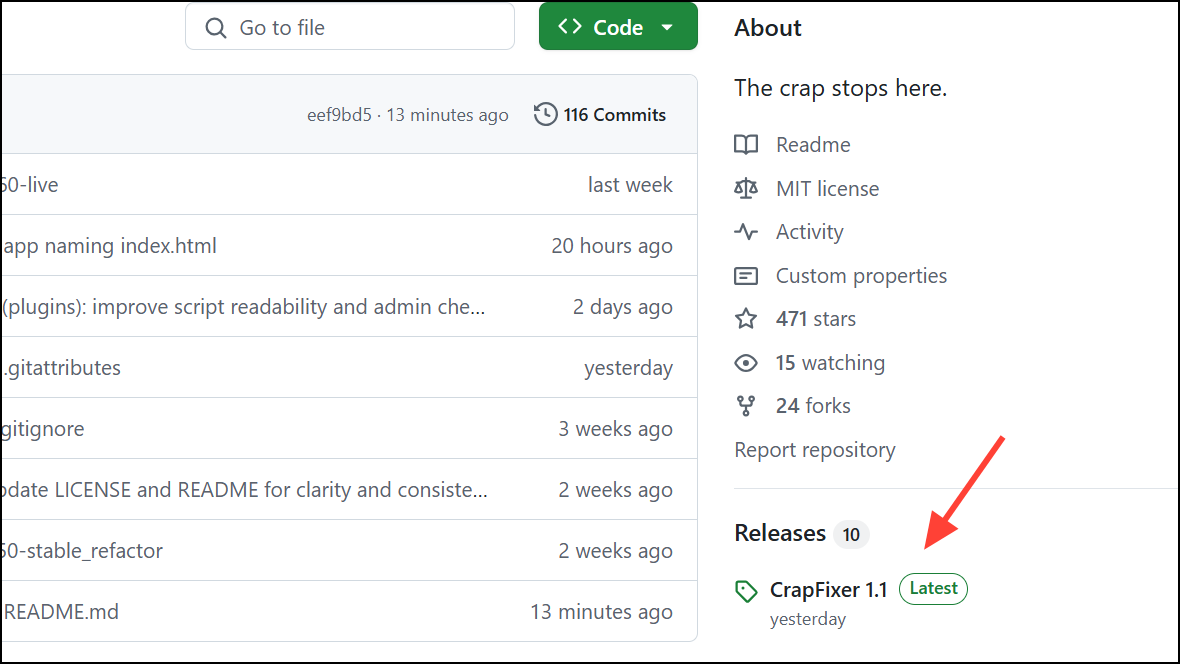
Crapfixer is open-source, with its code and updates available on GitHub. The developer maintains active changelogs and welcomes feedback through forums and GitHub issues. Its online Log Analyzer function also encourages community-based troubleshooting and support, reminiscent of classic tools like HijackThis.
For questions or troubleshooting, you can reference Crapfixer’s documentation, join community discussions, or consult the log analyzer for detailed breakdowns of your system’s state before and after applying tweaks.
Crapfixer 1.0 provides a practical, transparent way to clean up Windows 11, reduce clutter, and regain privacy control—no technical expertise required. With its reversible tweaks and log-based workflow, you can confidently shape your system to match your needs.



