Gaming News

Movie Premiere Dress To Impress: 2 Outfit Ideas (Black Glitter Gown With a White Fur Jacket, Silver Metallic Mini With a Platinum Updo)

Two Movie Premiere outfits for Dress To Impress, built step by step with free pieces: a black glitter tiered gown under a white fur jacket with a curly black updo, and a silver metallic mini with the same jacket and a platinum updo.

Two Movie Premiere outfits for Dress To Impress, built step by step with free pieces: a black glitter tiered gown under a white fur jacket with a curly black updo, and a silver metallic mini with…

Movie Premiere in Dress To Impress, the Roblox fashion game, is about red-carpet evening glamour for a film’s opening night: floor-length gowns, glitter or metallic fabric, fur wraps, stilettos, and polished updos. Both movie premiere DTI looks below use the same jacket, shoes, and face. The first is built on a long tiered skirt and the second on a fitted mini. Neither needs Robux. The Glitter and Metallic materials are free, and no star-locked material is used. More themes are in the Dress To Impress themes guide.

Quick answer: Pair a floor-length, tiered black glitter gown with a fluffy white fur jacket, black stilettos, and a curly black updo. For an alternate look, choose the silver metallic mini and make the updo platinum.


Where the Movie Premiere pieces are in Dress To Impress

  • The party unit, with three mannequins. The white fitted mini is on the right one.
  • A dressed mannequin wearing a long dusty-pink tiered skirt.
  • A fur stand holding a white fluffy jacket.
  • The shoe shelf.

Hair comes from the hair chairs in Lana’s Salon, and the face from the vanity mirrors there. Press E at either. When you’re done, the Teleport pin also leads to “Freeplay Runway”.

You need to be beside a piece to bring up its panel; move close to it before you click.


How recoloring works

Select a piece to preview it on your character. For each part, choose a shade from Palette and a material using the “+” tab beside Patterns. Switch between parts with the arrows, then select Put On—the heart-and-tick control beside the panel. To recolor an equipped item, open Wearing with the hanger icon on the right and click the item’s picture.

Colors below use the Default palette, counted by column from the left and row from the top. Row 8 runs from white on the left to black on the right, and row 2 holds pale pastels and creams.

PiecePalette positionMaterial
Tiered skirt (look 1)Column 9, row 8 (black)Glitter
Curly updo (look 1)Column 9, row 8 (black)Default
Fitted mini (look 2)Column 3, row 8 (light silver gray)Metallic
Curly updo (look 2)Column 9, row 2 (pale cream)Unchanged

Look 1: Black glitter tiered gown with a white fur jacket
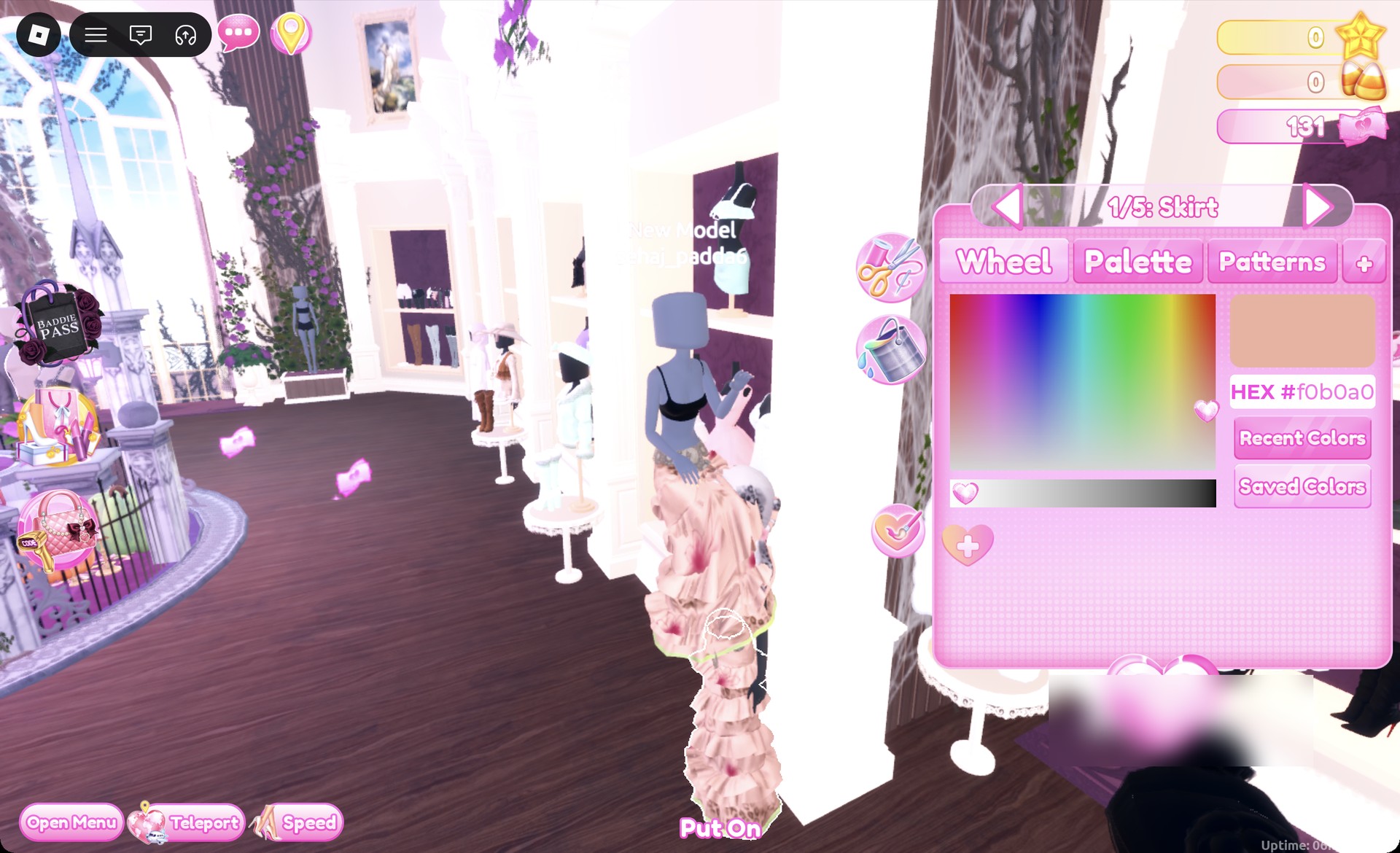
Go to the dressed mannequin between the party unit and the shoe shelf and click its long tiered ruffle skirt. The panel reads “1/5: Skirt” and opens on the Wheel tab in the default dusty pink, HEX #f0b0a0.
Long tiered skirt panel 1/5 on the Wheel tab in Dress To Impress
The long tiered skirt opens at "1/5: Skirt" on the Wheel tab, HEX #f0b0a0.
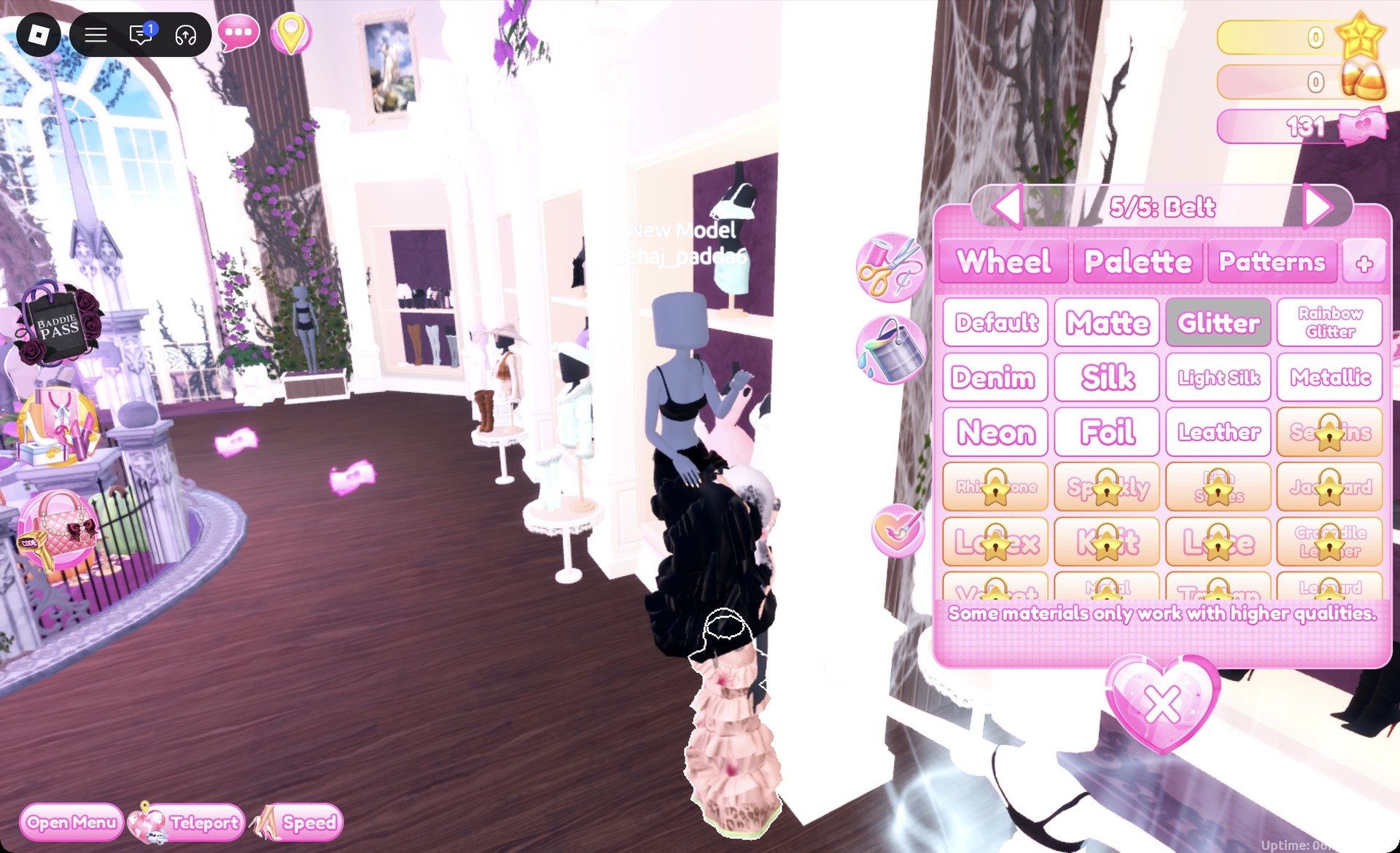
Set every part, through the last one labeled “5/5: Belt”, to Palette column 9, row 8 (black) with the Glitter material. Then Put On.
Tiered skirt part 5/5 Belt set to the Glitter material in Dress To Impress
The last part, "5/5: Belt", with Glitter picked.
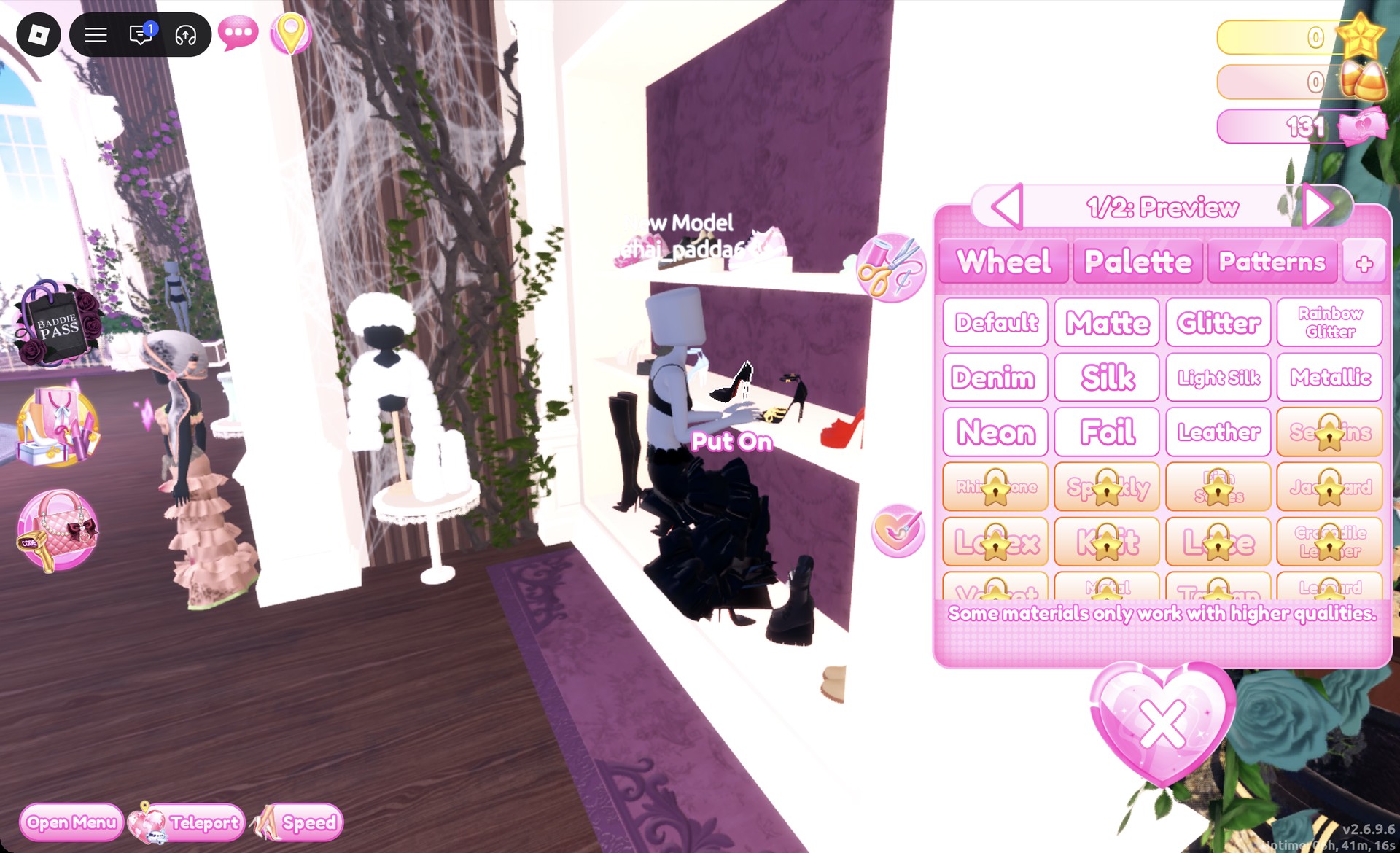
On the middle row of the shoe shelf, click the black stilettos, which have red soles. The panel reads “1/2: Preview”. Leave them in their default colors and Put On.
Black stilettos panel 1/2 on the shoe shelf in Dress To Impress
The black stilettos, "1/2: Preview".
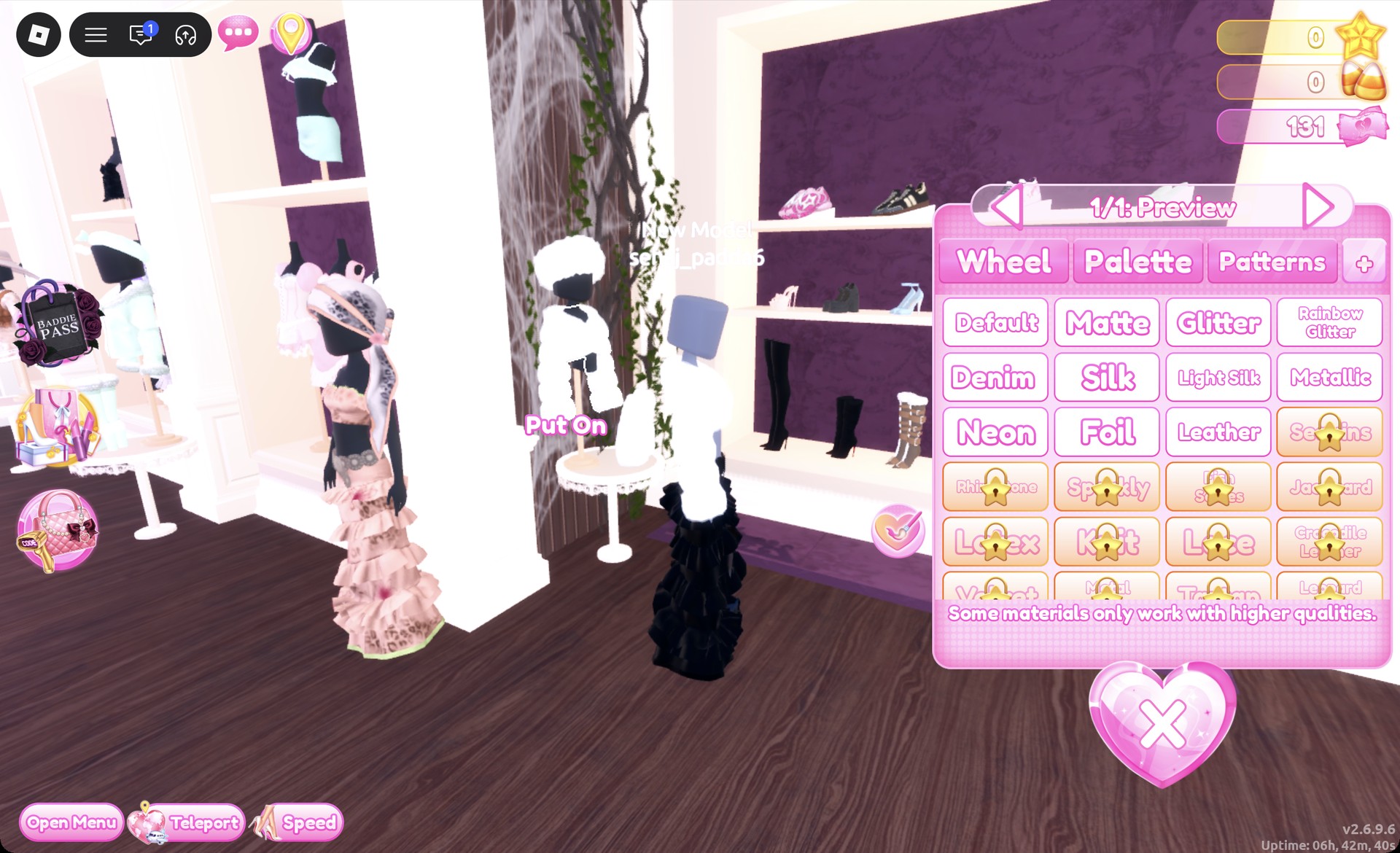
Click the fluffy white fur jacket at the fur stand beside the shoe shelf; its panel says “1/1: Preview”. Leave the color white and press Put On.
White fluffy fur jacket panel 1/1 at the fur stand in Dress To Impress
The white fur jacket, "1/1: Preview".

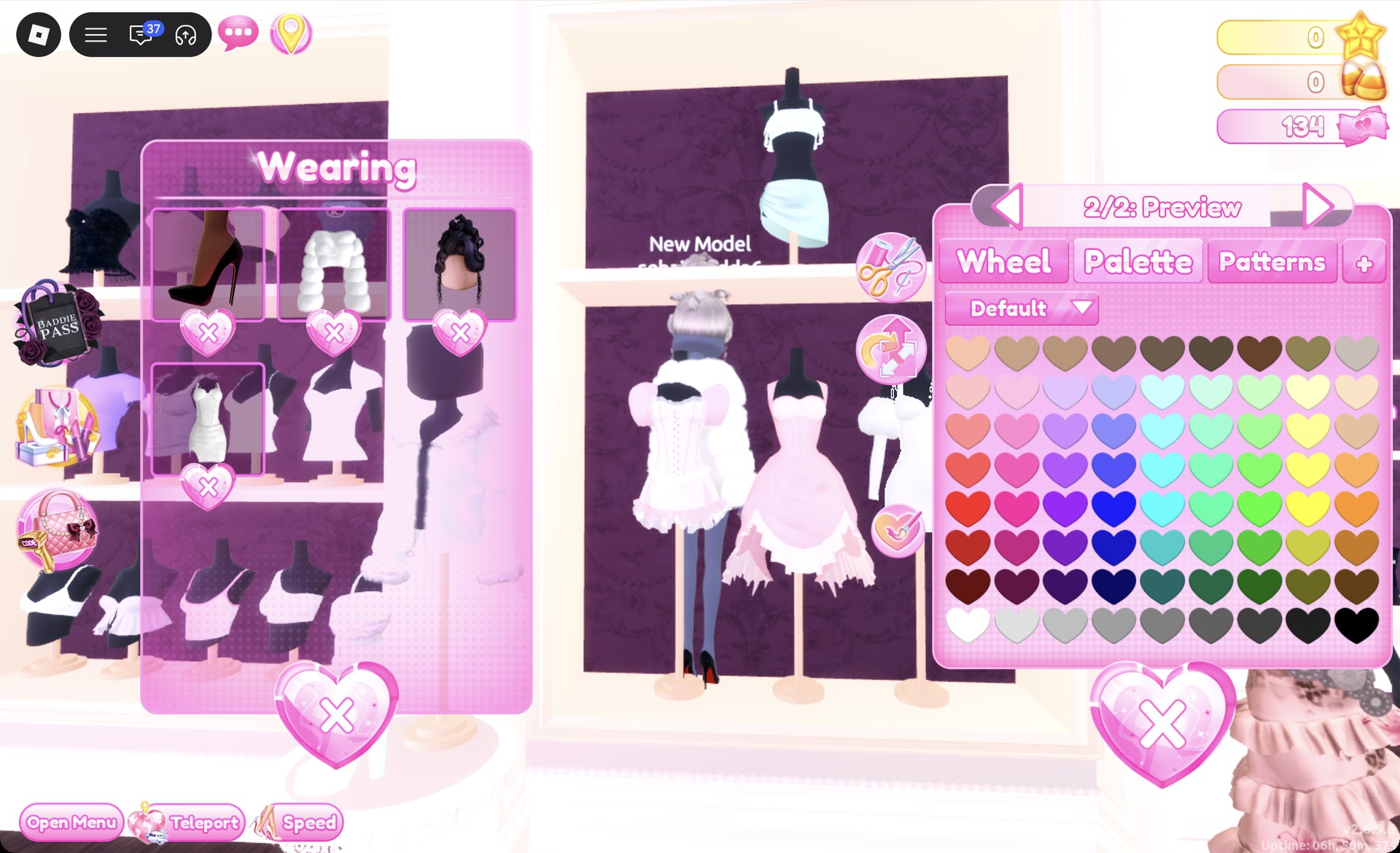
The Wearing panel will show the skirt, stilettos, and fur jacket.
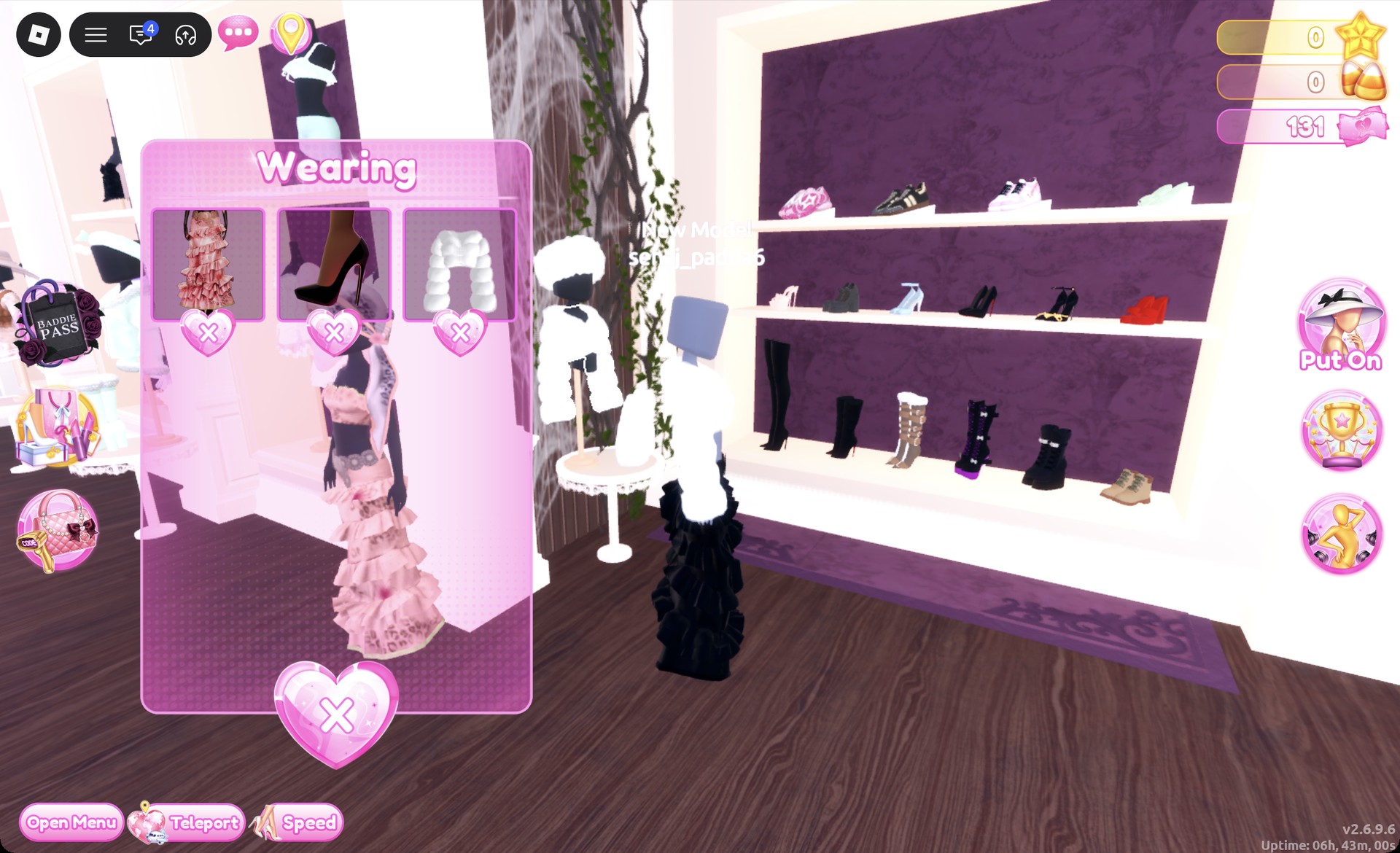
Wearing panel with the skirt, stilettos and fur jacket in Dress To Impress
The Wearing panel: skirt, stilettos and fur jacket.
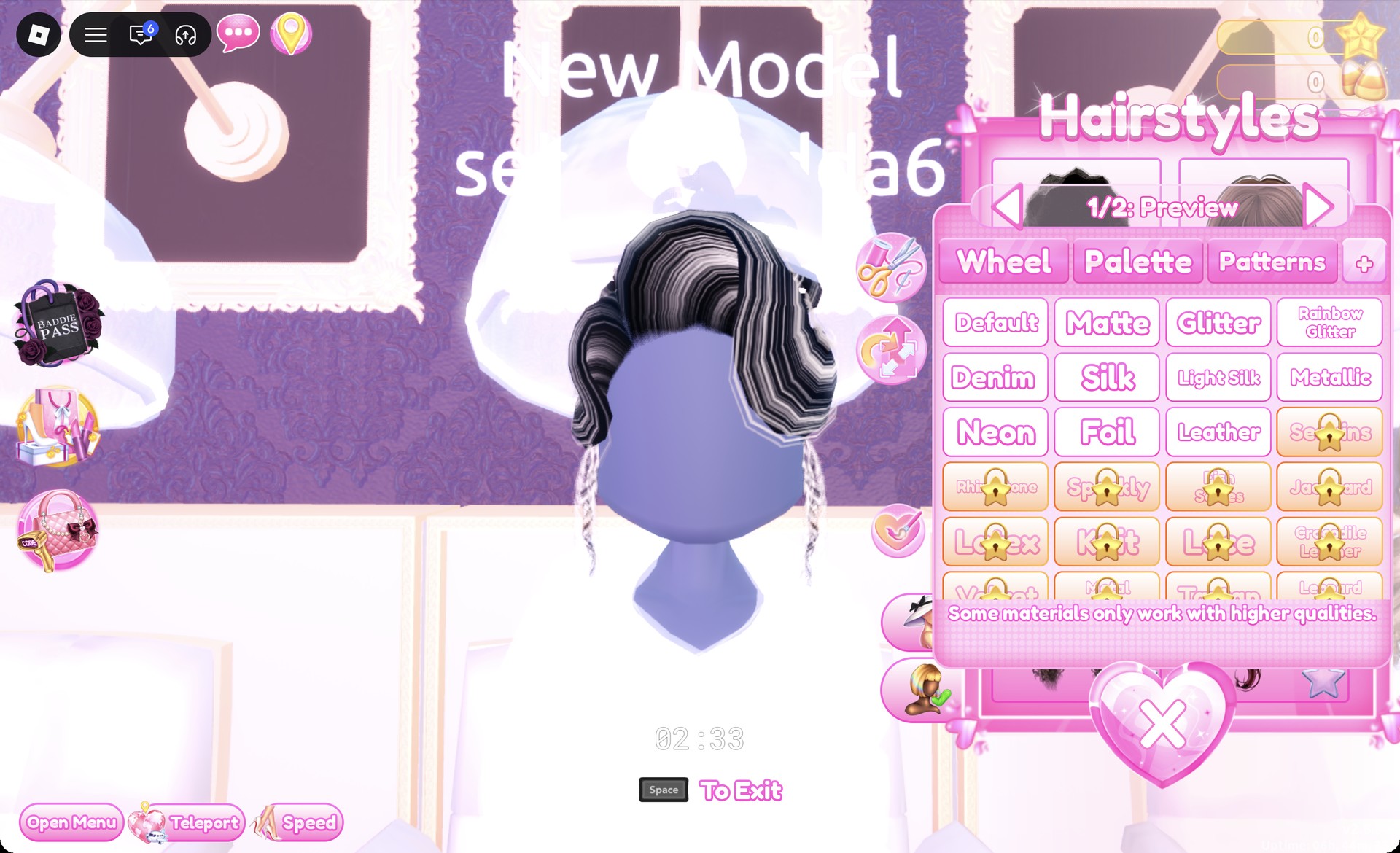
Take a seat at one of the hair chairs in Lana’s Salon. Under Updo, select the card at the far right of row two. This high curly updo has loose curled strands at the sides and previews with a black-and-white swirl pattern; the panel displays “1/2: Preview”.
High curly updo previewing with a black and white swirl in Dress To Impress
The high curly updo previews with a black-and-white swirl, "1/2: Preview".
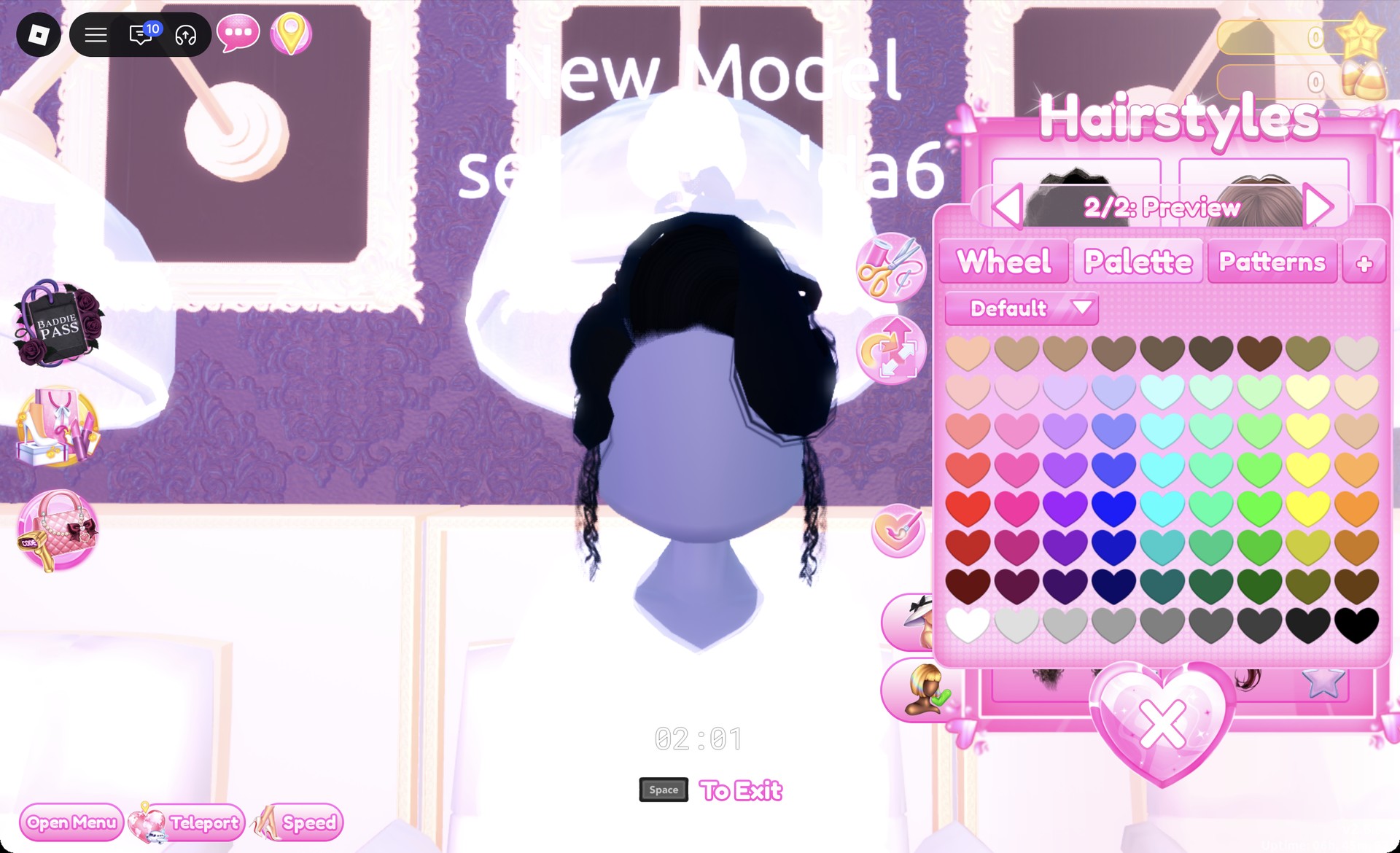
Set each of the two hair parts to Default material and choose Palette column 9, row 8 (black). Press Put On afterward.
Curly updo recolored black in Dress To Impress
The updo at "2/2", set to column 9, row 8: black.
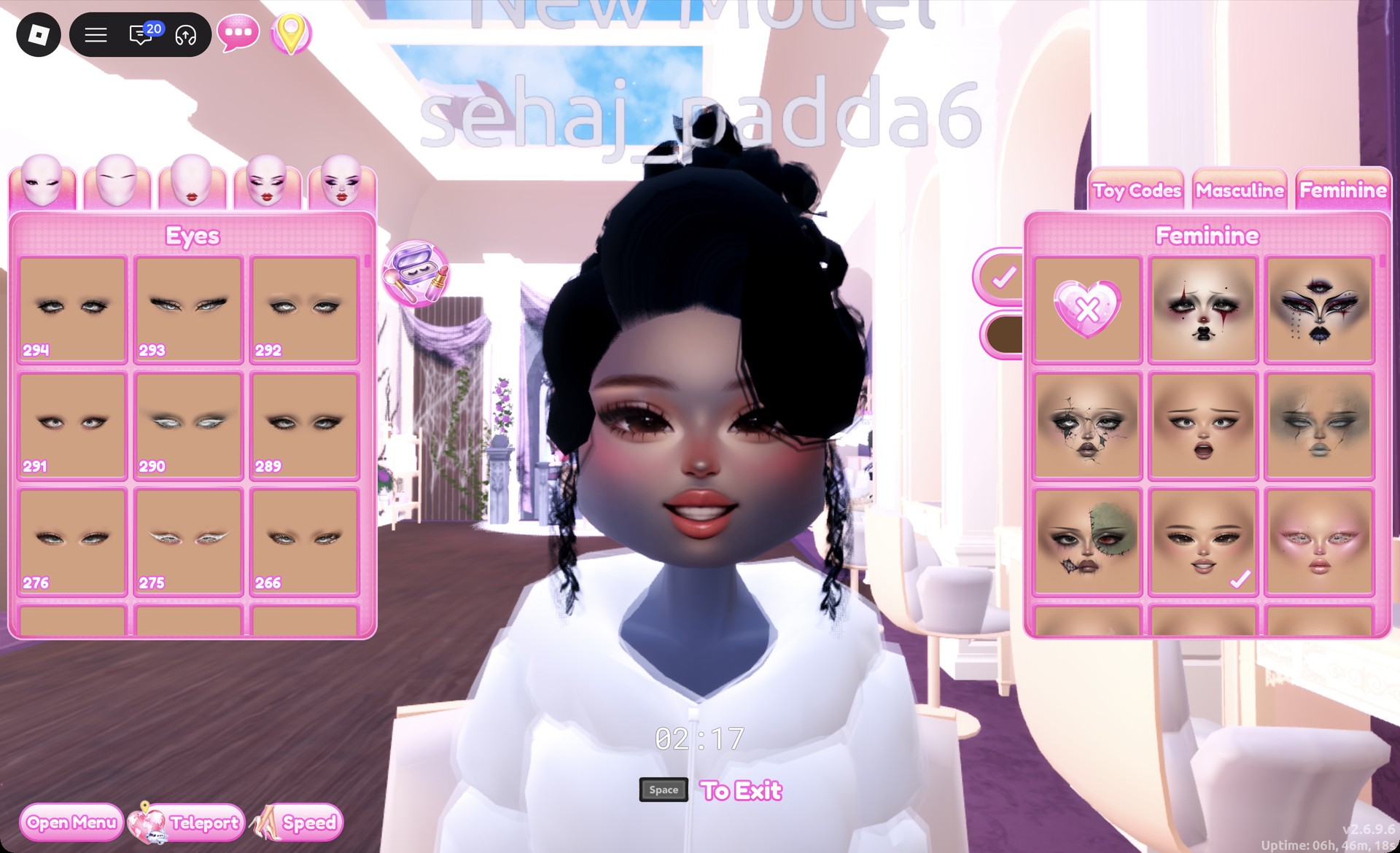
At a vanity mirror, open the Feminine tab and take the middle card on the third row. It’s a soft glam face with rosy cheeks and a red-brown lip.
Soft glam face card at the vanity in Dress To Impress
Feminine tab, third row, middle card.
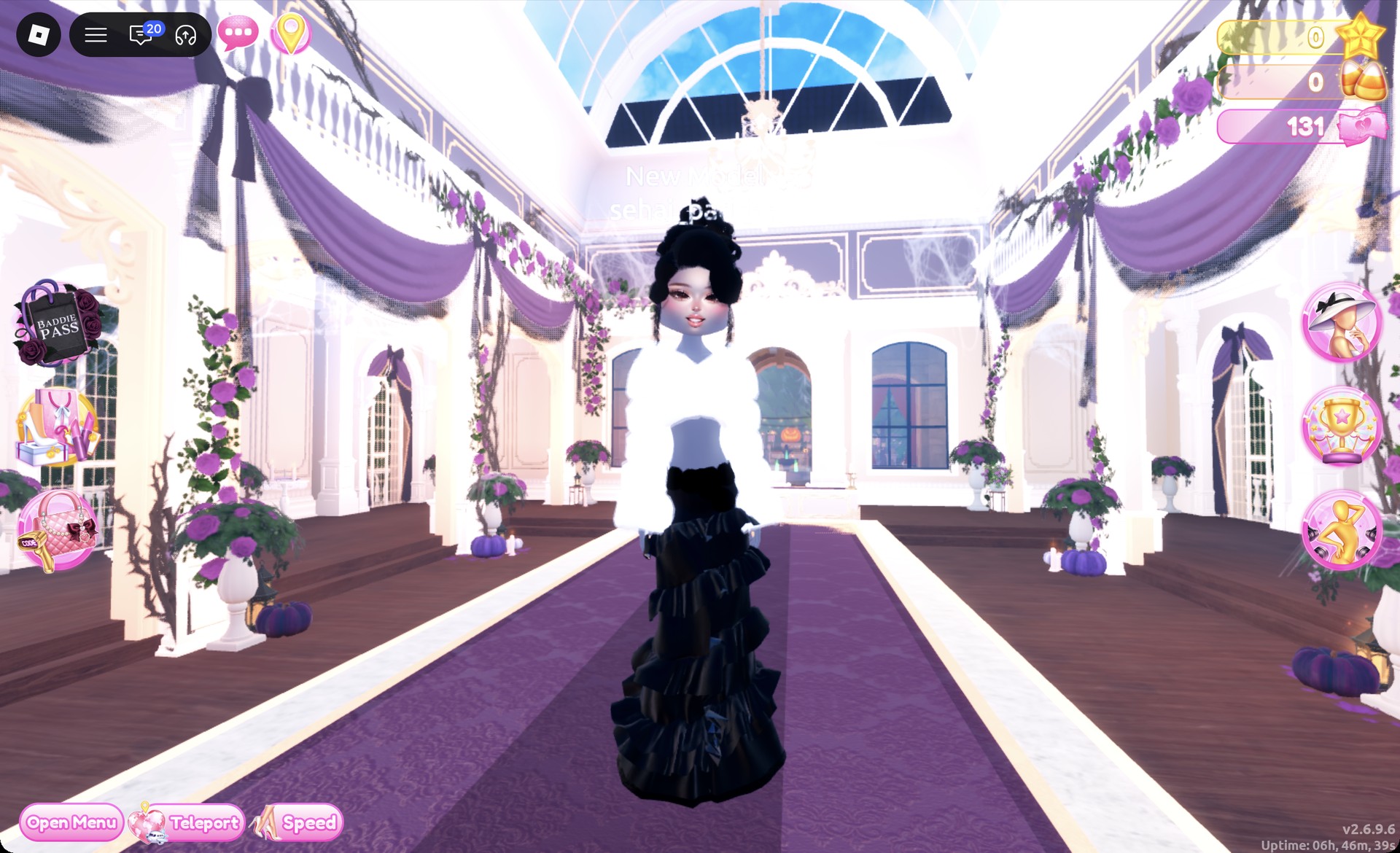
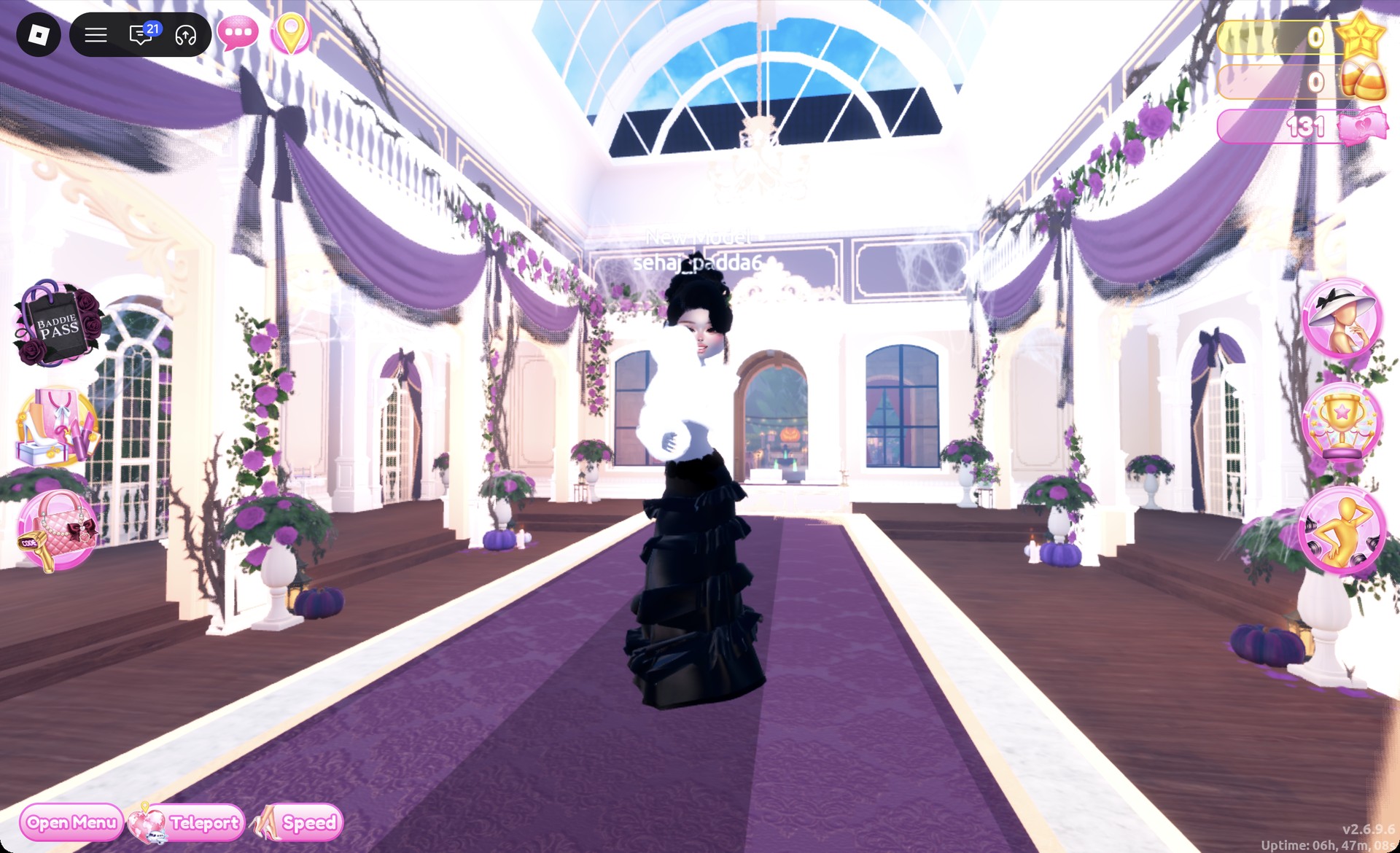
Teleport to “Freeplay Runway”. From the front, the white fur jacket sits over the long black glitter gown.
Movie Premiere look 1 black glitter gown and white fur jacket on the Freeplay Runway in Dress To Impress
Look 1 from the front on the Freeplay Runway.

From behind, the black glitter tiers fall to the floor below the fur jacket.
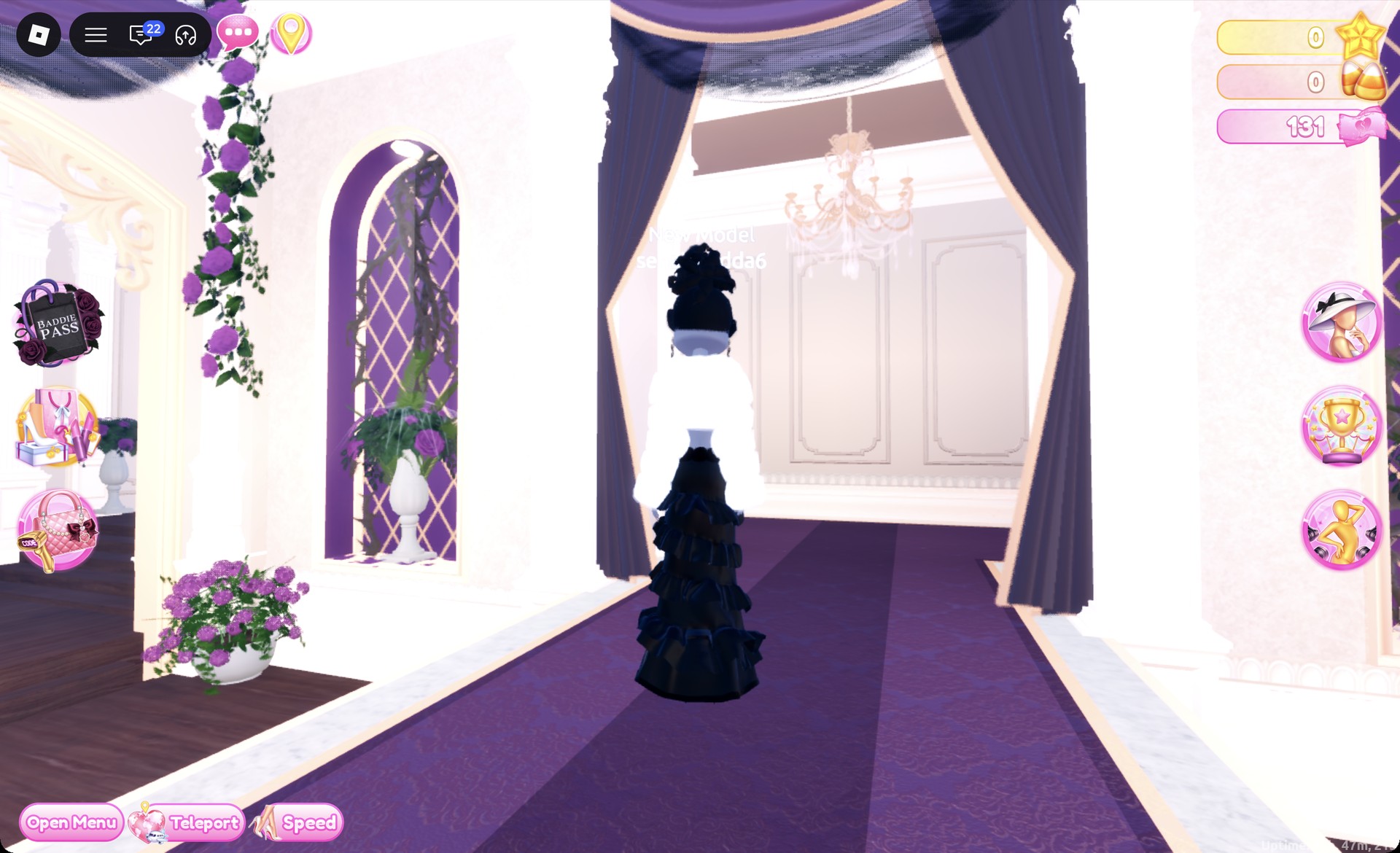
Back view of the Movie Premiere black glitter gown look in Dress To Impress
From behind: the black glitter tiers under the fur jacket.

The Wearing panel shows four pieces: skirt, stilettos, fur jacket, and updo.
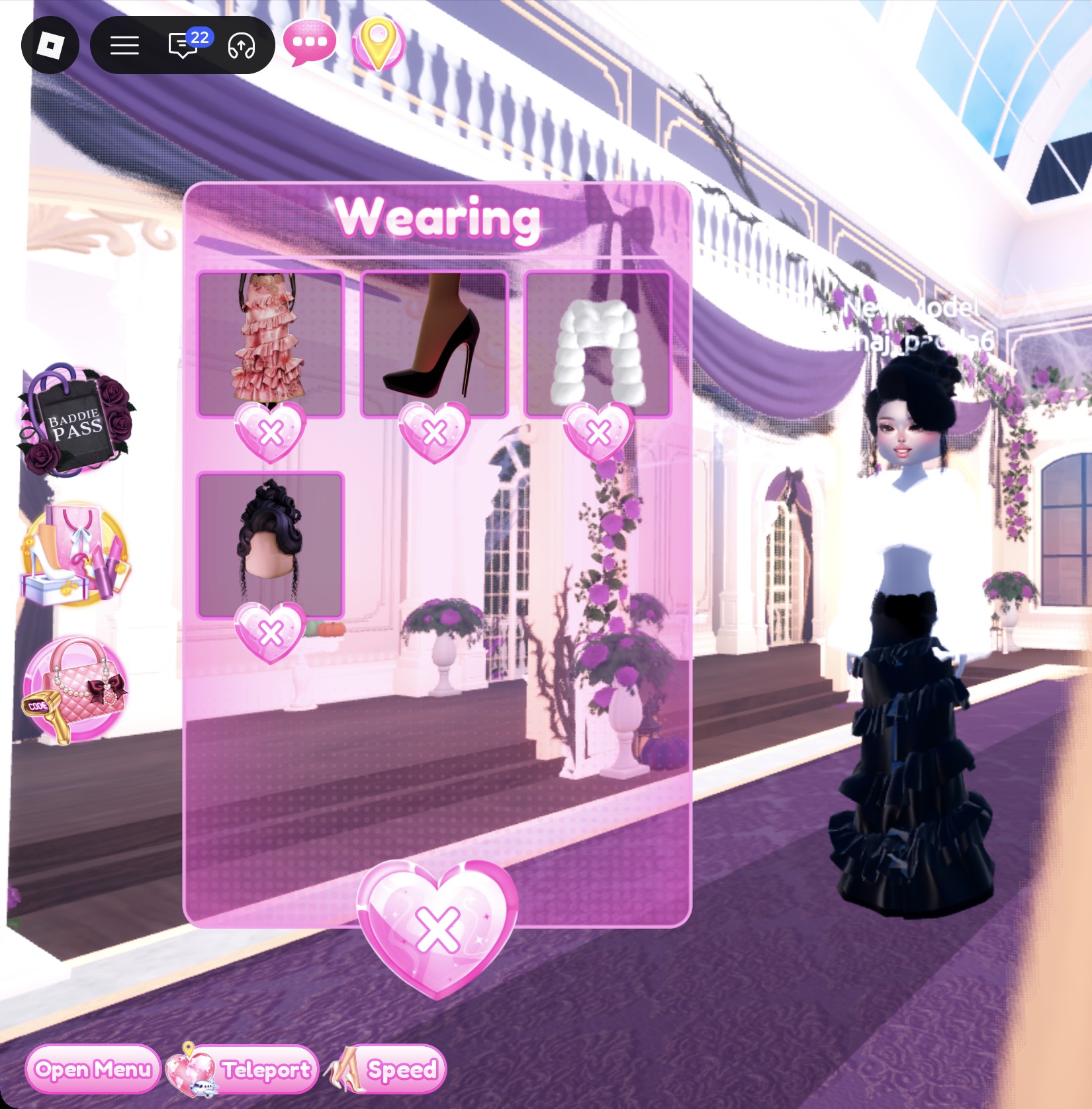
Wearing panel for the Movie Premiere gown look in Dress To Impress
The Wearing panel: skirt, stilettos, fur jacket and updo.

The Solo Satin pose suits it.
Movie Premiere look 1 in the Satin pose in Dress To Impress
Look 1 in the Solo Satin pose.

Look 2: Silver metallic mini with a platinum updo

This look starts from look 1. Keep the stilettos, the fur jacket, the updo, and the face.
Open the Wearing panel and press the X under the long skirt’s picture to take it off.
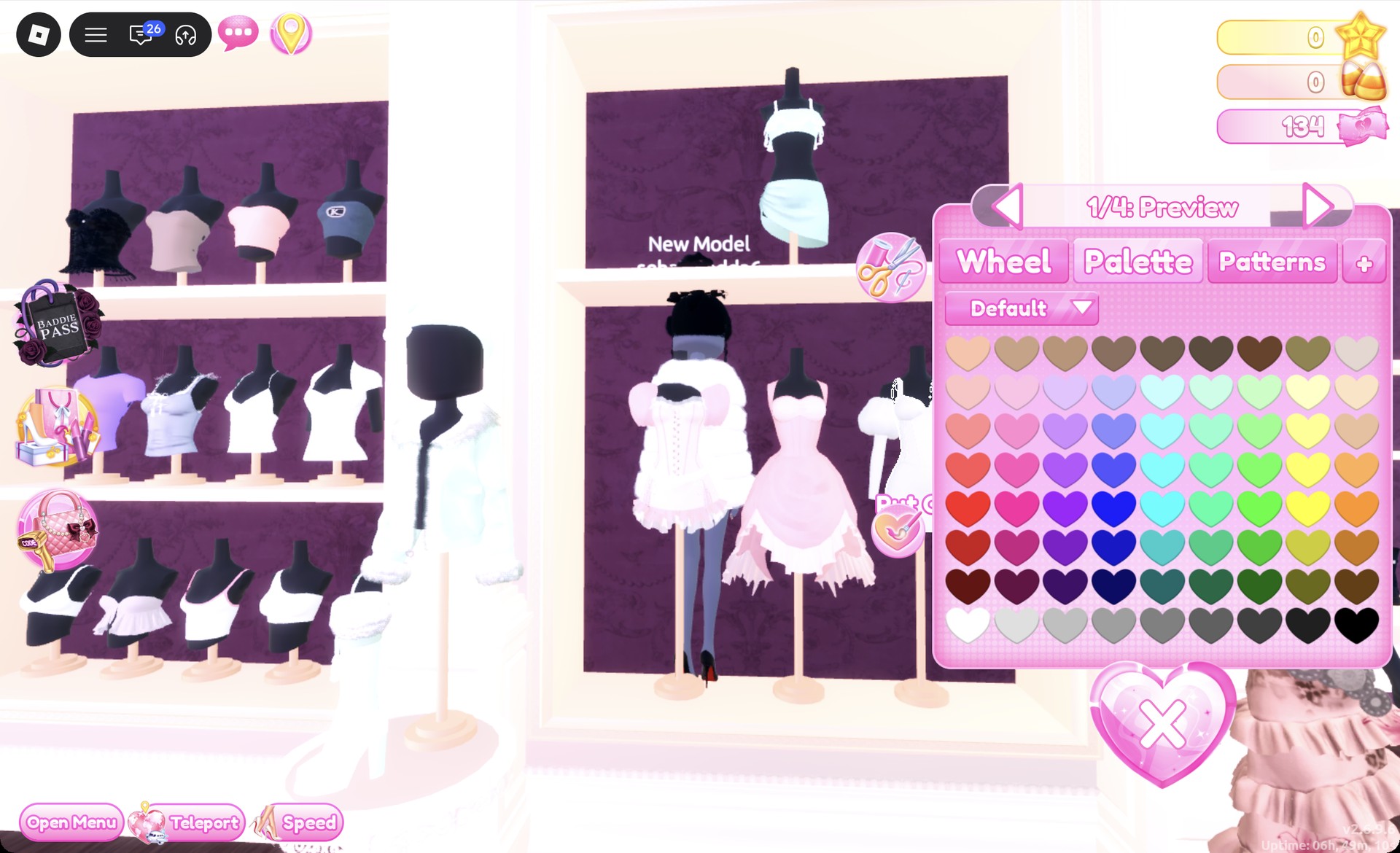
Go to the right mannequin on the party unit and click the white fitted mini. The panel reads “1/4: Preview”.
White fitted mini panel 1/4 on the party unit in Dress To Impress
The white fitted mini, "1/4: Preview".
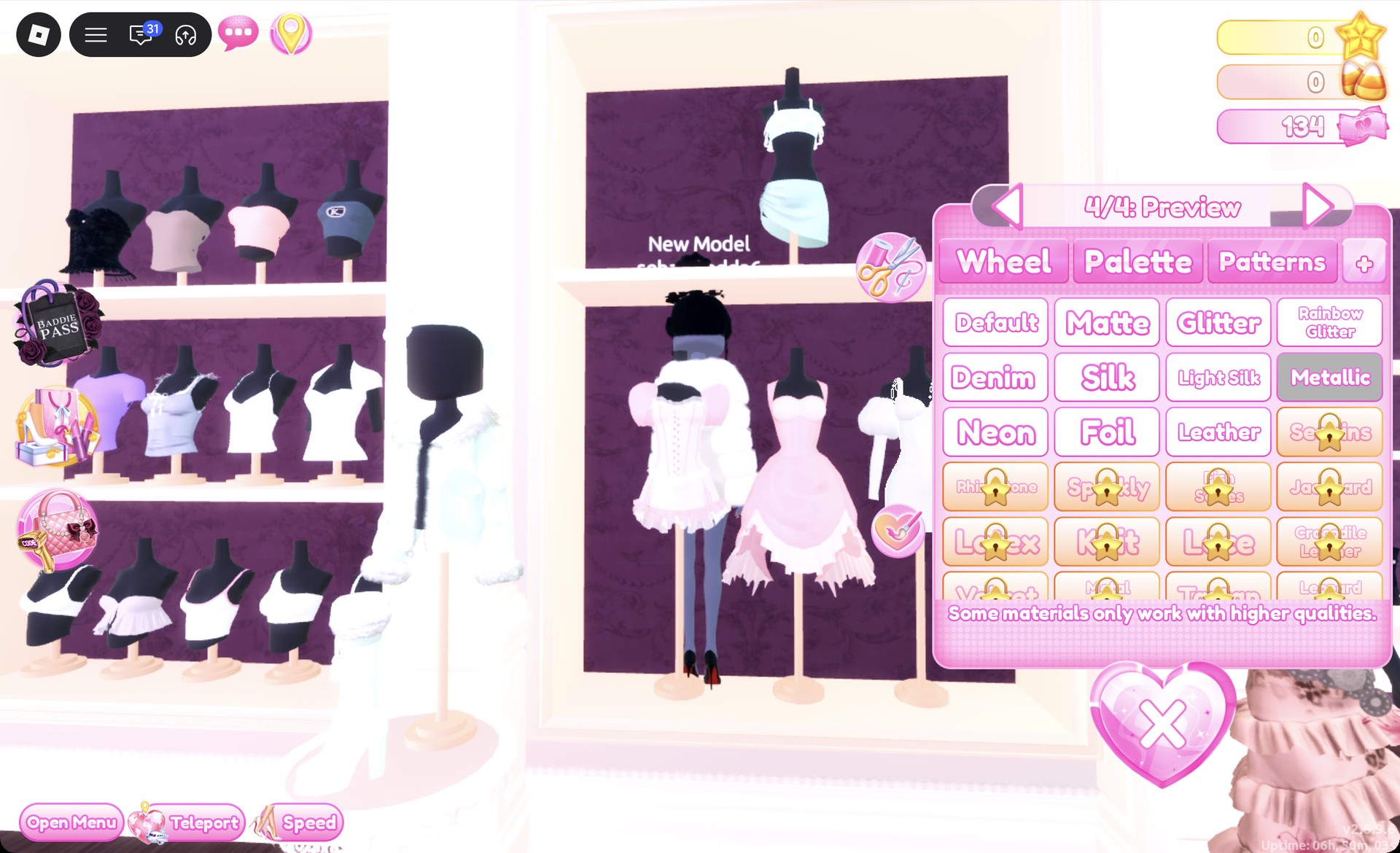
Set all four parts to Palette column 3, row 8 (light silver gray) with the Metallic material, then Put On. Under the jacket it reads as pale silver-white, and mostly the hem shows.
Fitted mini part 4/4 set to the Metallic material in Dress To Impress
The mini at "4/4" with Metallic picked.
Open the updo’s picture from the Wearing panel. For both parts, select Palette column 9, row 2; the pale cream shade gives the hair a platinum look.
Curly updo recolored platinum from the Wearing panel in Dress To Impress
The updo recolored from the Wearing panel: column 9, row 2.
Teleport to “Freeplay Runway”. From the front, the white fur jacket covers most of the silver mini, under the platinum updo.
Movie Premiere look 2 silver mini and white fur jacket on the Freeplay Runway in Dress To Impress
Look 2 from the front on the Freeplay Runway.

From behind, the platinum updo sits over the fur jacket, with the stilettos’ red soles showing.
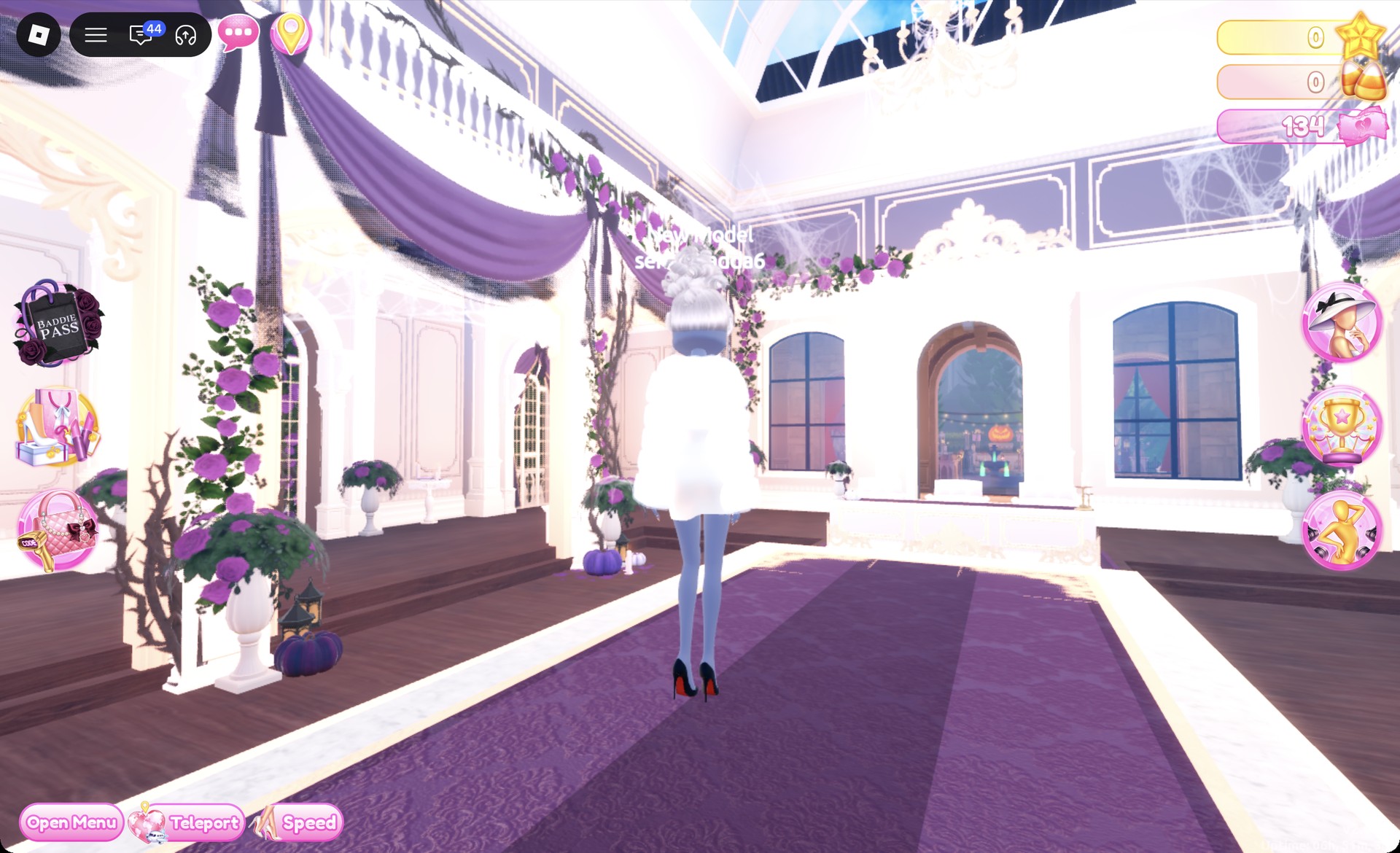
Back view of the Movie Premiere platinum updo look with red-soled stilettos in Dress To Impress
From behind: the platinum updo and the red soles.

The Wearing panel lists stilettos, fur jacket, updo, and mini.
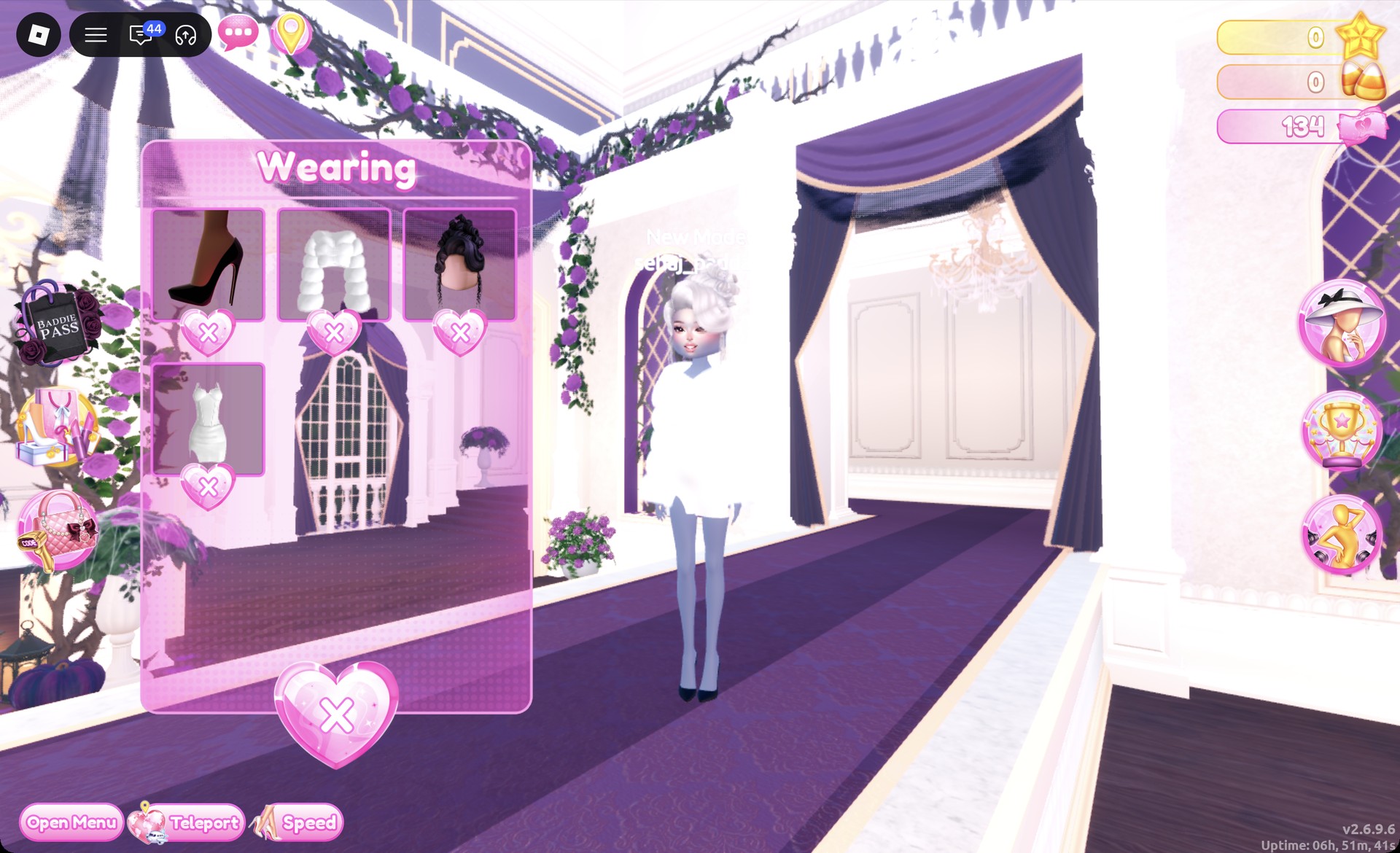
Wearing panel for the Movie Premiere silver mini look in Dress To Impress
The Wearing panel: stilettos, fur jacket, updo and mini.

The Solo Dazzle pose finishes it off.
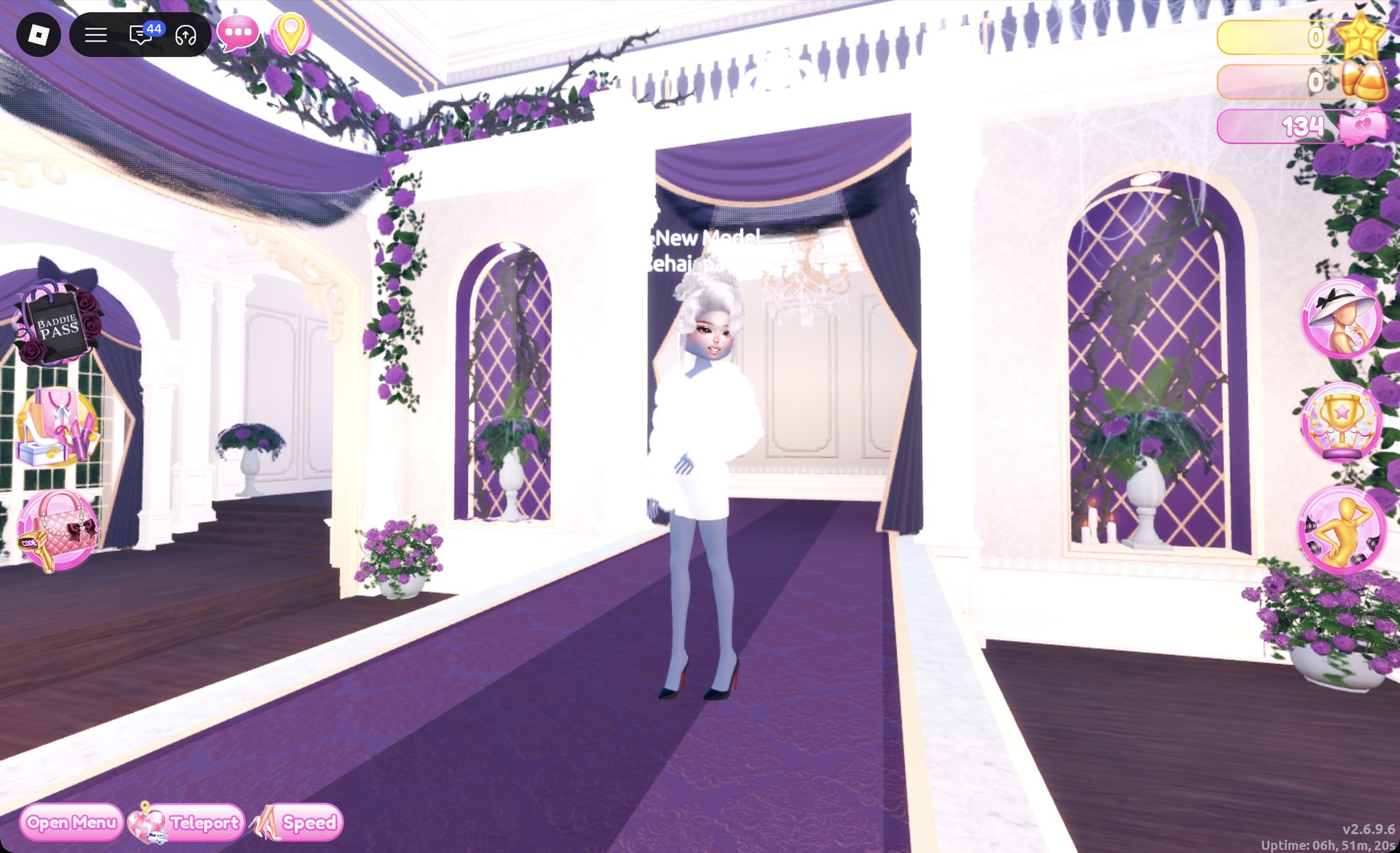
Movie Premiere look 2 in the Dazzle pose in Dress To Impress
Look 2 in the Solo Dazzle pose.

More red-carpet theme ideas

What is the Movie Premiere theme in DTI?

Movie Premiere is red-carpet evening wear for a film’s opening night: floor-length gowns, glitter or metallic fabric, fur wraps, stilettos and polished updos. In Dress To Impress, the free Glitter and Metallic materials on the “+” tab beside Patterns do most of the work, with black (column 9, row 8) and silver (column 3, row 8) from the Default palette.

Can you dress for Movie Premiere without VIP?

Yes. Both looks use only Dressing Room pieces, the hair chairs and the vanity mirrors, and the two materials used are not star-locked. Neither look costs any Robux.