Gaming Guide

Probably Stolen Beginner Guide: Running Day 1 and Saving to Pay Rent (Mark Up)

How the five-customer first day works, what each trade costs, and why you should hold back 200 credits for Day 7.

How the five-customer first day works, what each trade costs, and why you should hold back 200 credits for Day 7.

A customer at the window of the shop in Probably Stolen

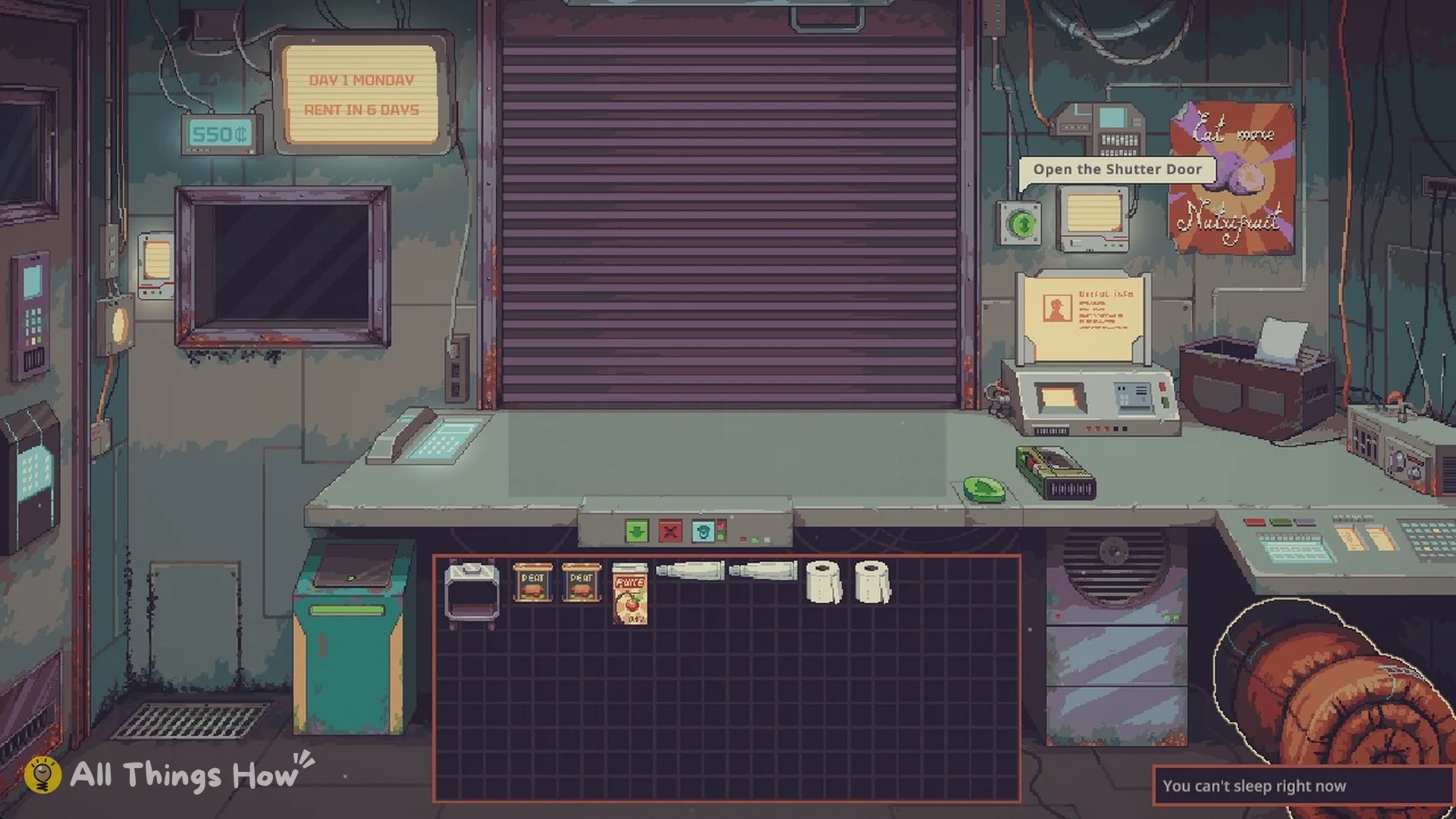
Probably Stolen: Cyberpunk Shopkeeper Sim puts you in charge of a space-station shop with little cash and rent approaching. On Mark Up (Normal), the opening shift is marked DAY 1 MONDAY; the wall display shows 550 credits and RENT IN 6 DAYS. This short, scripted day introduces the systems you’ll rely on for the rest of the week.

Quick answer: Open the shutter, serve all five customers, close the store, then sleep. On Mark Up, Day 1 ends at 598 credits, and you need 200 credits for rent on Day 7.


Probably Stolen shop layout: what the hint overlay labels

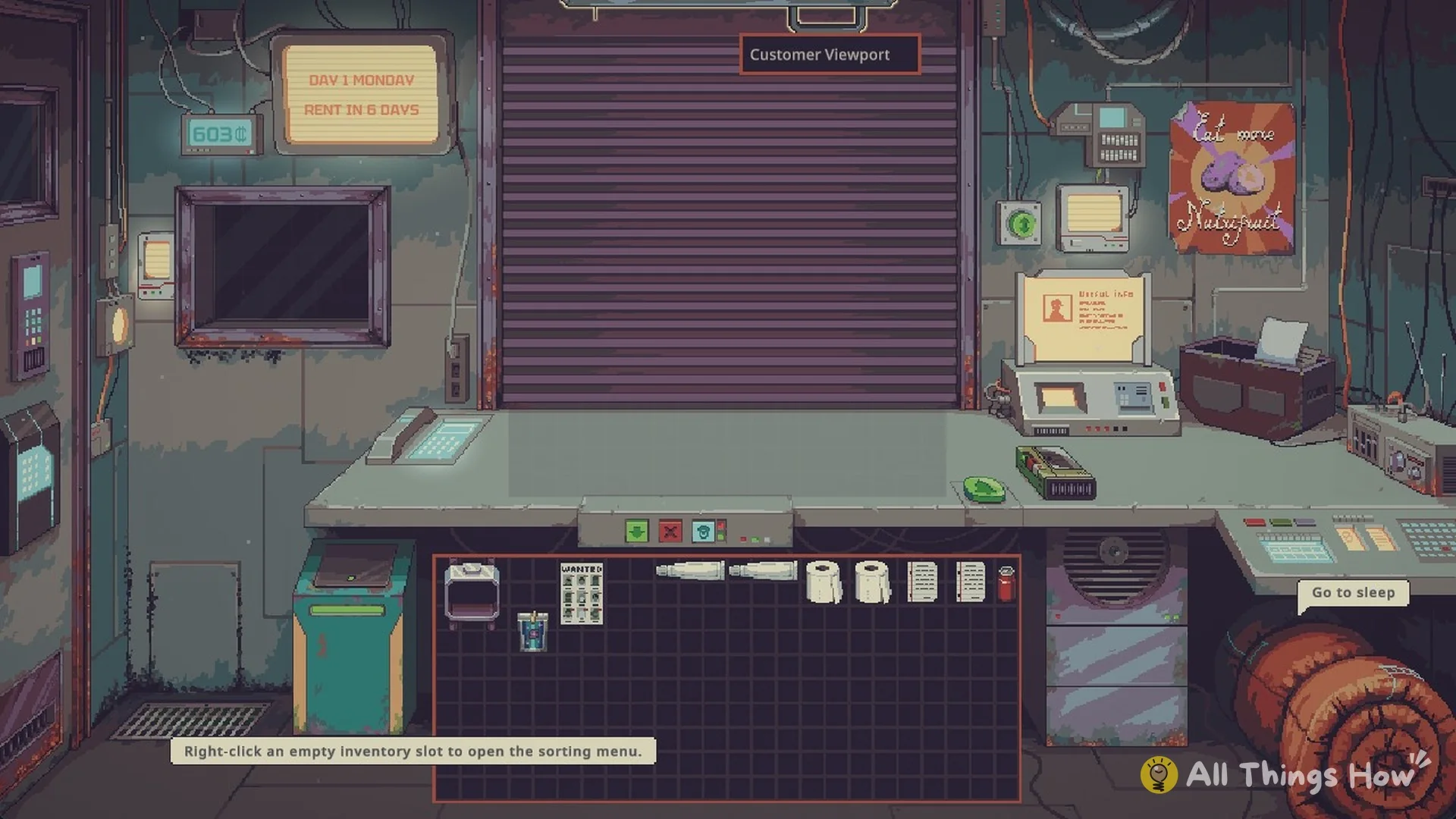
Press O to show or hide the hint overlay. It tags every working part of the shop, and it reminds you that “THE GAME WILL AUTOSAVE AFTER SLEEPING.”

  • Display Case and Telephone
  • Reputation Interface
  • Negotiation Counter and Negotiation Interface
  • Start/End Day, Customers Remaining and Call next customer
  • Conversation Recorder and Sleeping Bag
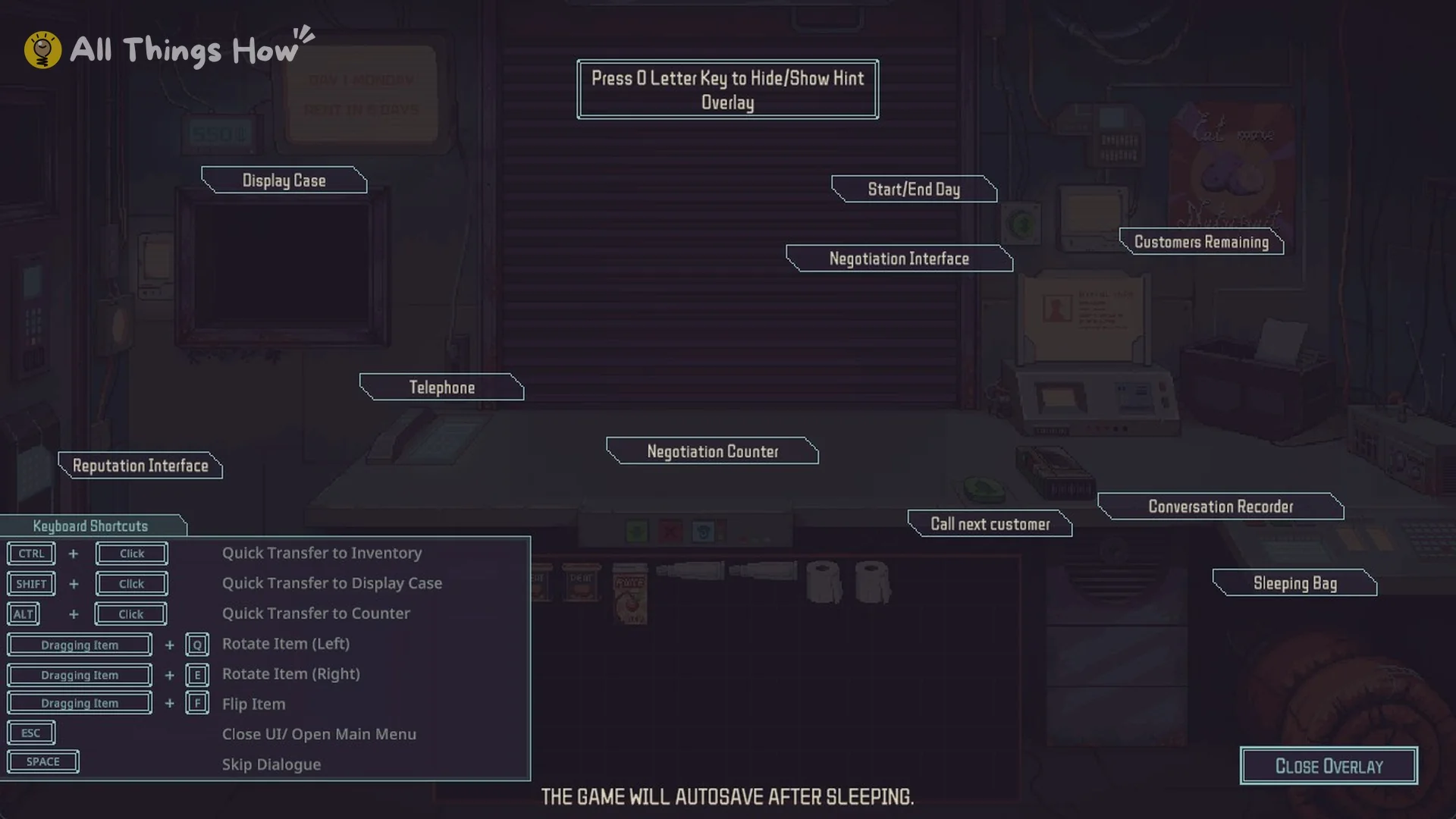
Hint overlay labelling the Display Case, Negotiation Counter, Sleeping Bag and other parts of the shop
Press O to show the hint overlay.

How to play Day 1 in Probably Stolen
Click the green button on the wall, which carries the tooltip “Open the Shutter Door”. The Customers Remaining screen then shows 5 customers in the queue. You can’t skip ahead, because the game blocks you with “You can’t end the day yet, there are important people in the queue.”
Wall button tooltip reading Open the Shutter Door on Day 1
The wall button opens the shutter.
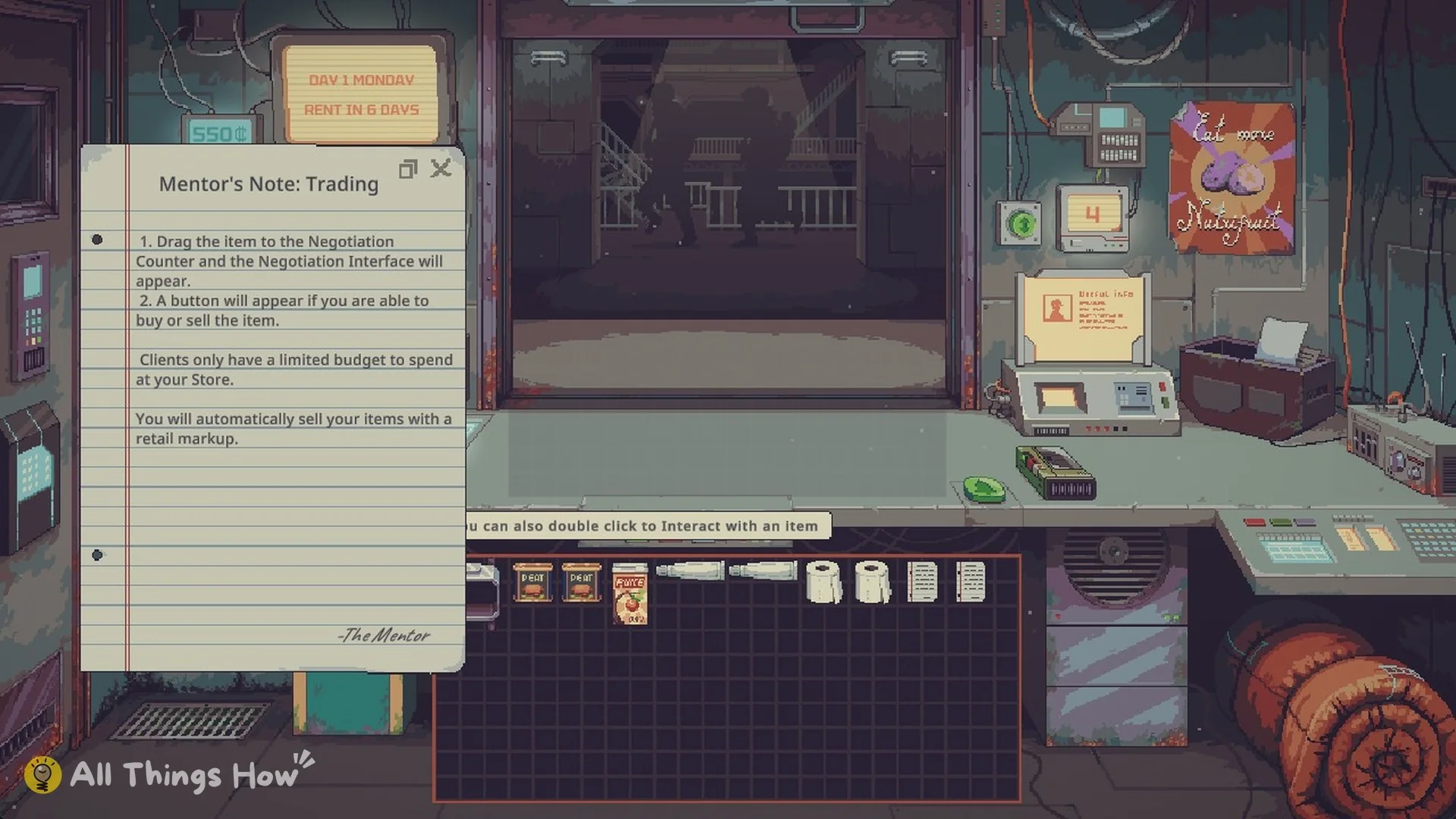
The Mentor is the first to arrive. Speak with him, then read the two notes he leaves on the counter. The trading note explains that placing an item on the Negotiation Counter opens the Negotiation Interface, where a button appears if a purchase or sale can proceed. It also notes that clients have limited budgets and that sales include an automatic retail markup. The food note describes Food as the station’s most frequently traded commodity and strongly recommends keeping it in stock. Shortages can also drive Food and water prices up sharply.
Mentor's Note: Trading explaining the Negotiation Counter and retail markup
Mentor’s Note: Trading.

The Mentor says to leave both sides of the counter clear, since items on the outside counter are vulnerable to theft.
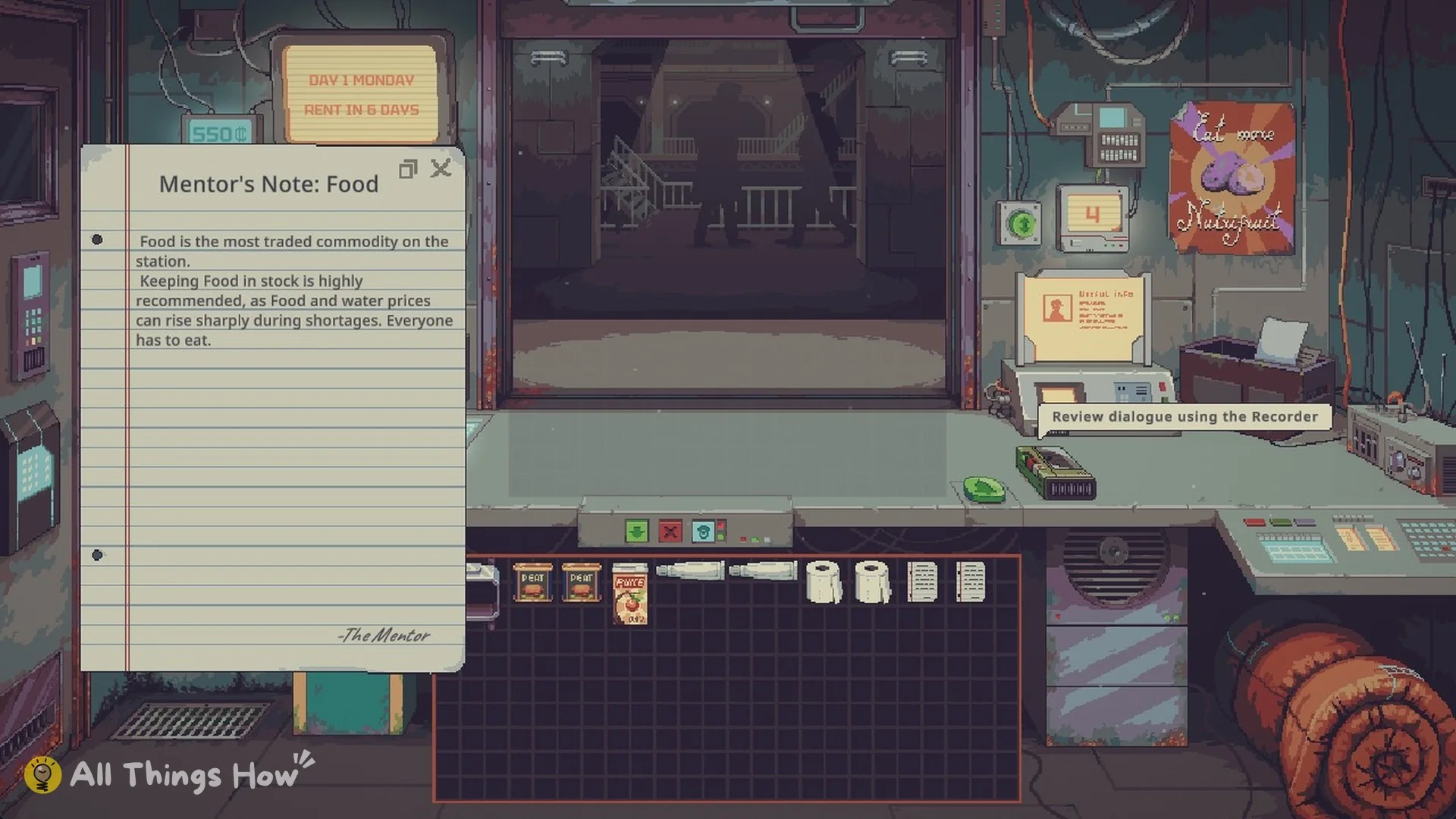
Mentor's Note: Food saying Food is the most traded commodity on the station
Mentor’s Note: Food.
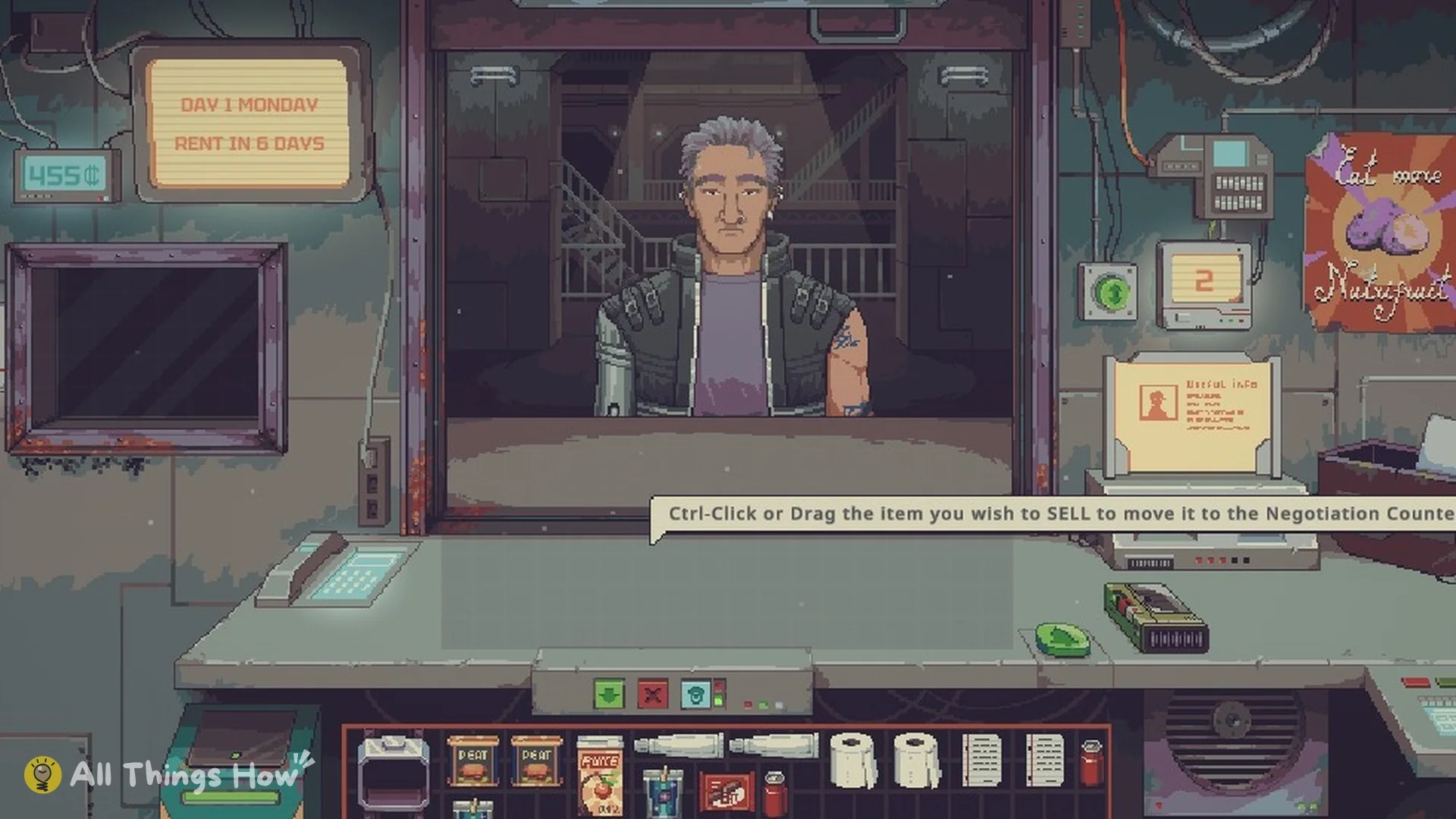
Call the next visitor with the counter’s green button. First look at the Negotiation Interface panel: it identifies the customer as SELLING, meaning you buy from them, or BUYING, meaning you sell to them.
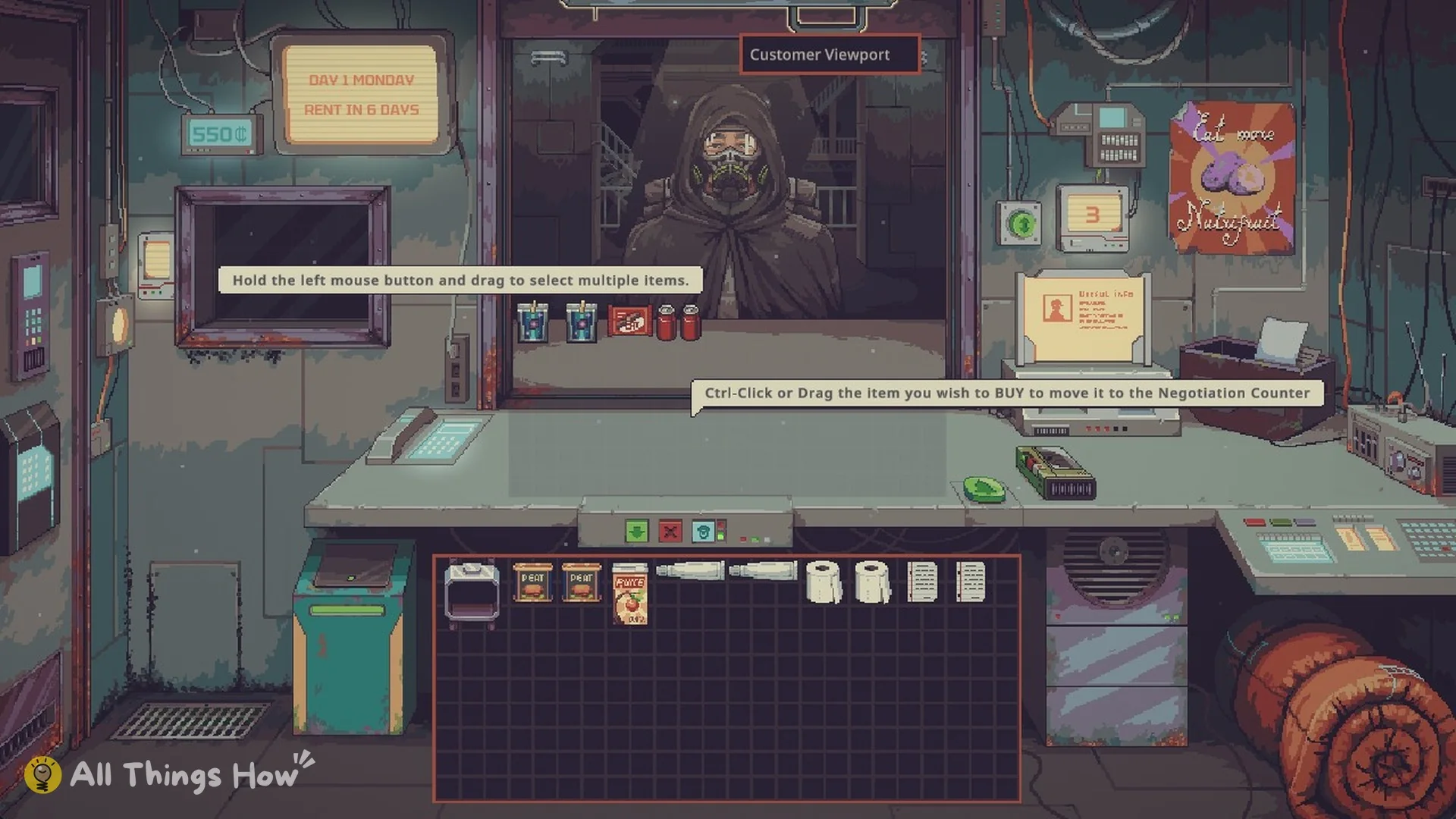
A Scavenger at the window with the hint to Ctrl-Click or drag items to buy
Call the next customer with the counter button.
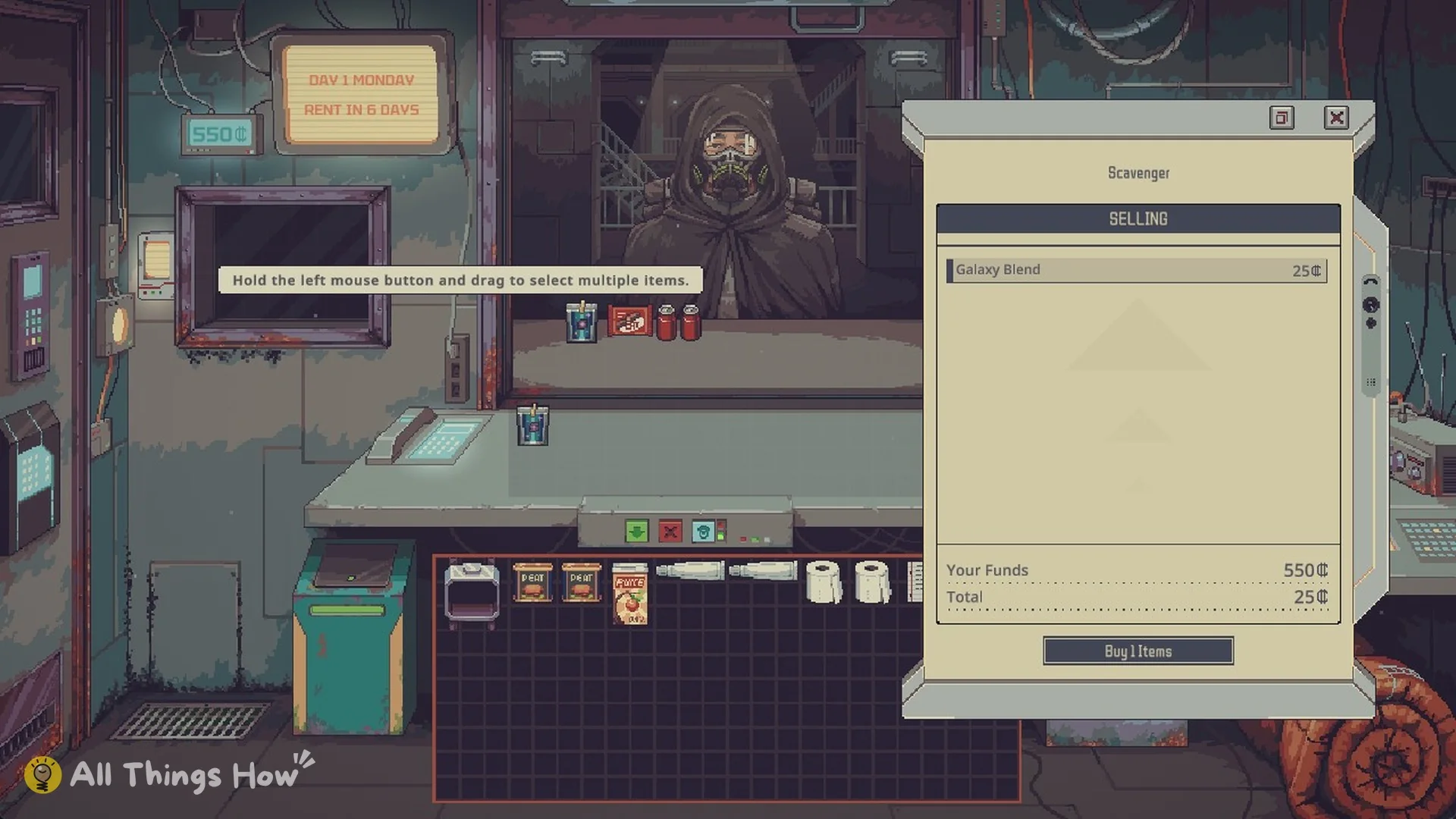
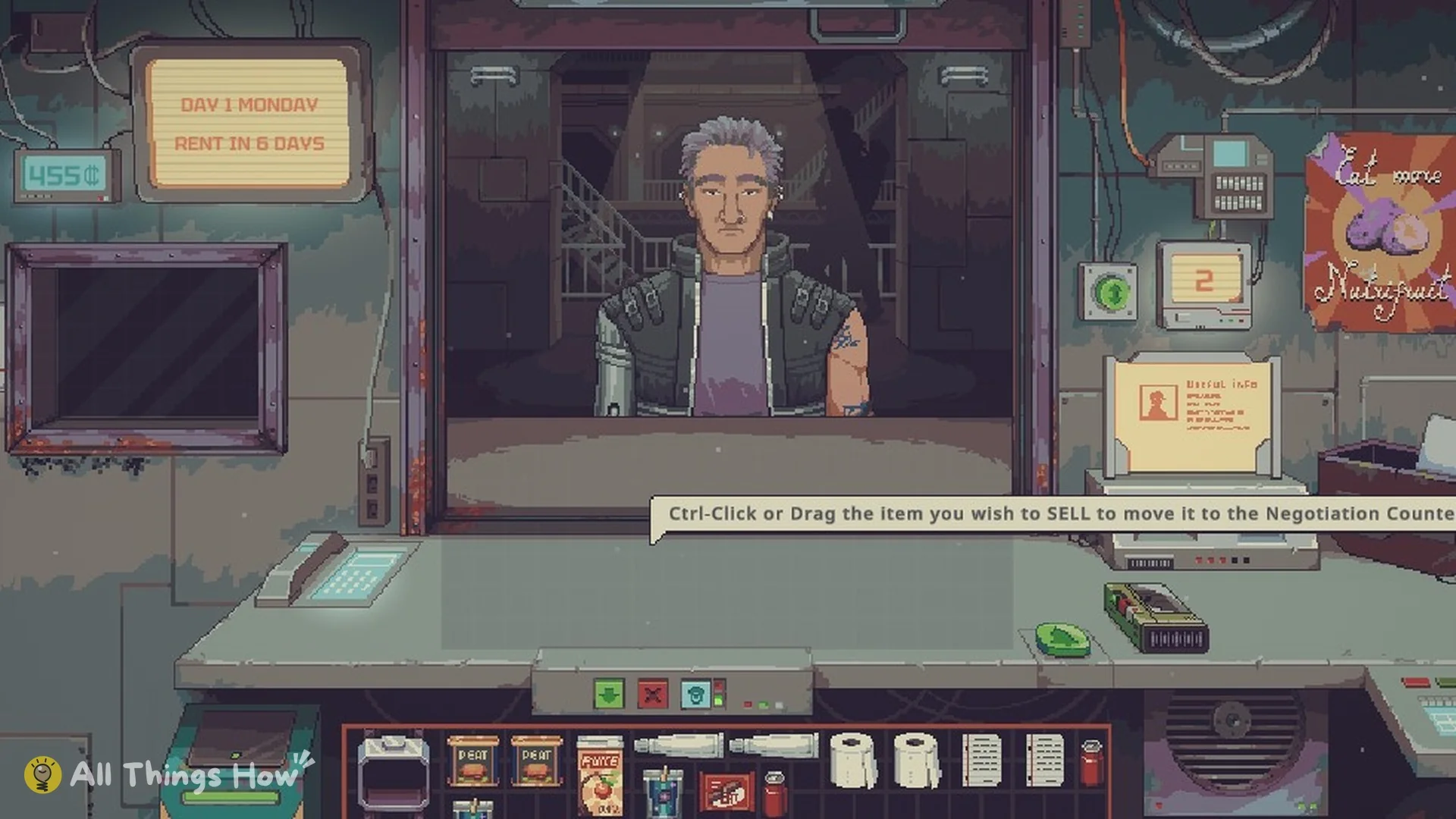
Buy from the Scavenger. The hint reads “Ctrl-Click or Drag the item you wish to BUY to move it to the Negotiation Counter”, and the panel lists Your Funds next to the Total. Move all five items over and press the button, which reads “Buy 5 Items”, to pay 95 credits.
Negotiation panel for a Scavenger who is SELLING Galaxy Blend for 25 credits
Buying from a Scavenger: the panel shows Your Funds and Total.
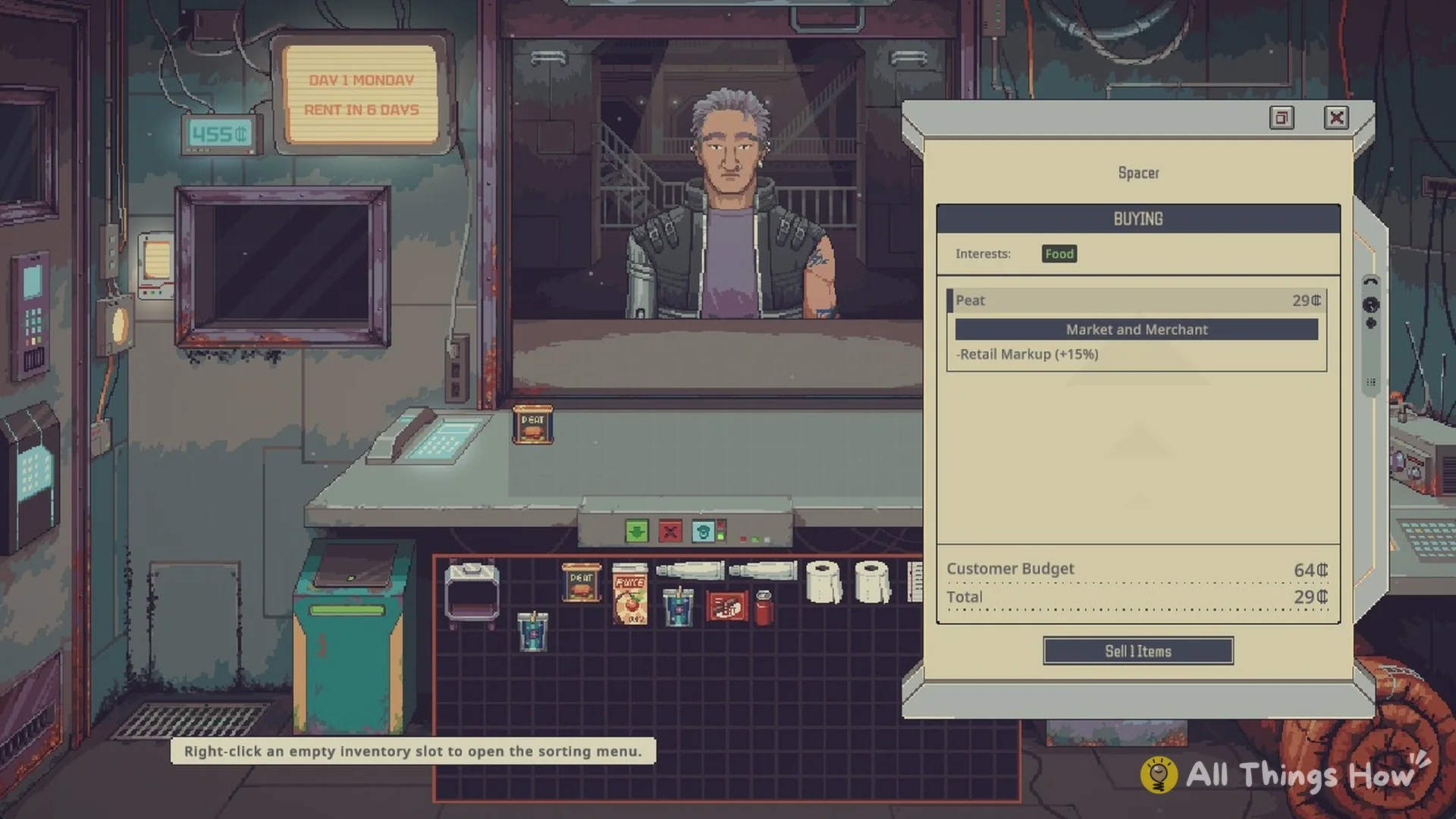
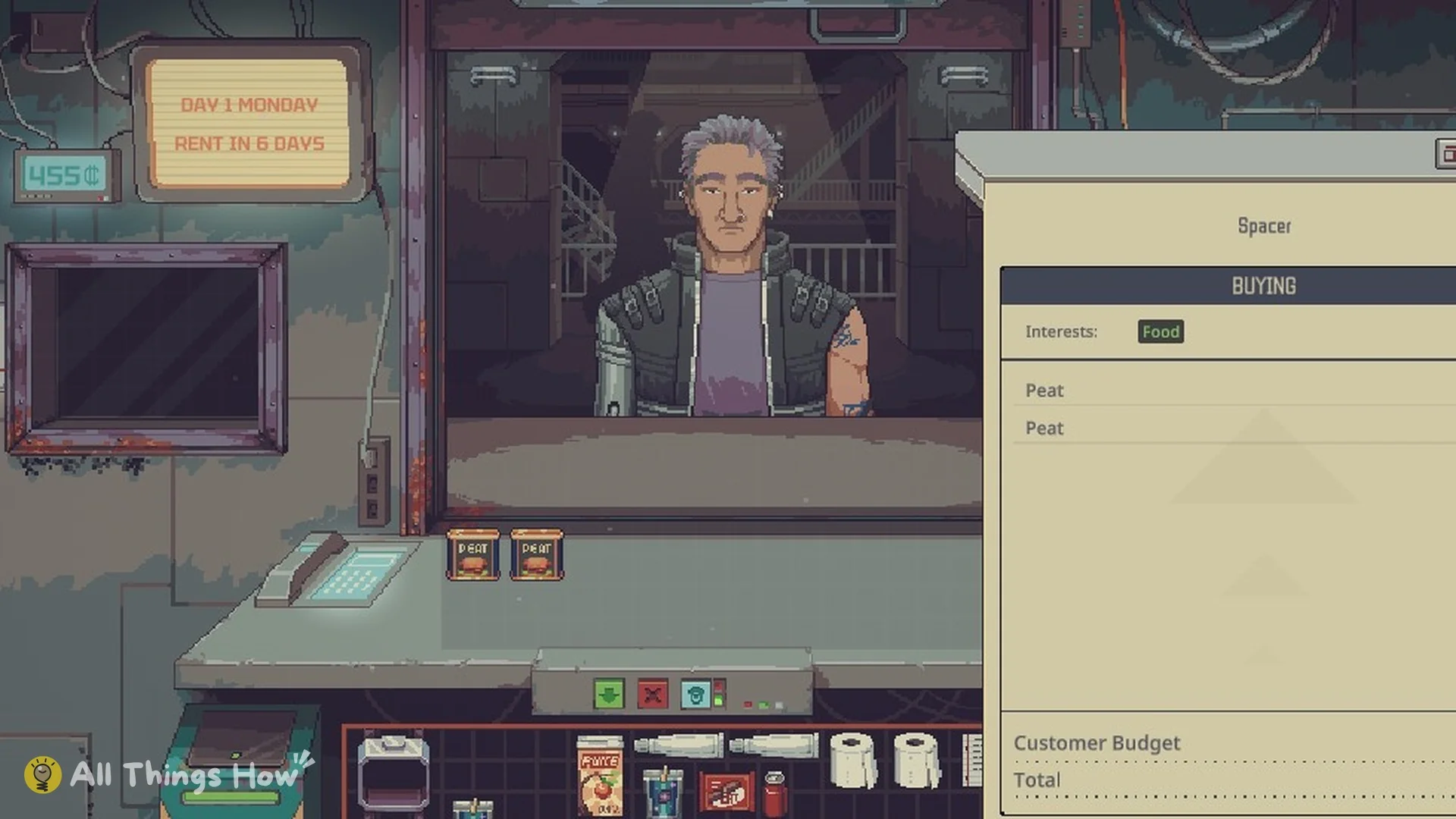
Sell to the two Spacers. This time the hint reads “Ctrl-Click or Drag the item you wish to SELL to move it to the Negotiation Counter”. Before you place anything, read each buyer’s Interests, Customer Budget and any restriction. The second Spacer, who says “I got 96 Credits.”, has the Variety restriction and won’t buy two of the same item.
Negotiation panel for a Spacer who is BUYING with Food interests and a 64 credit budget
Selling Peat with the 15% retail markup on Mark Up.
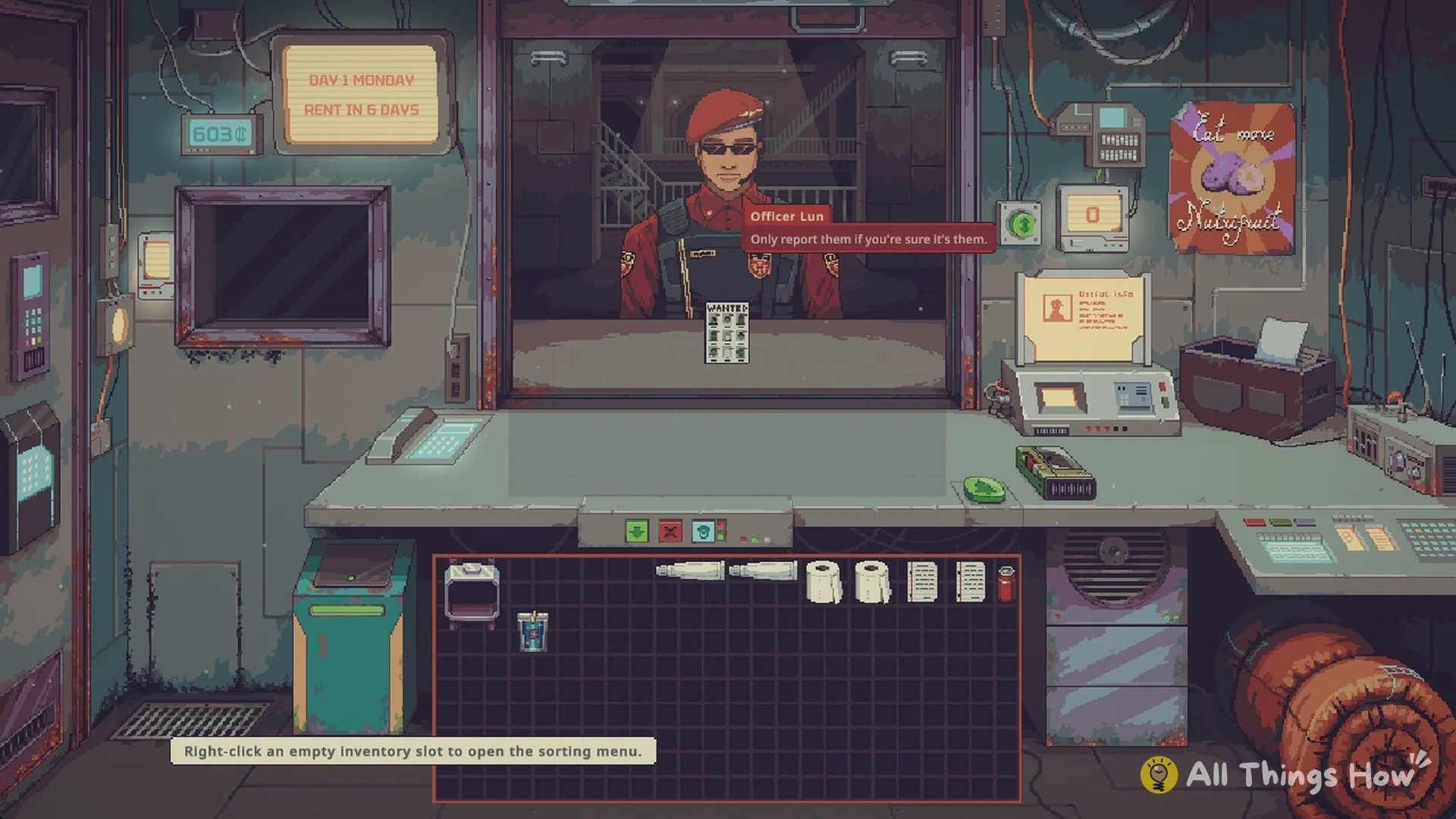
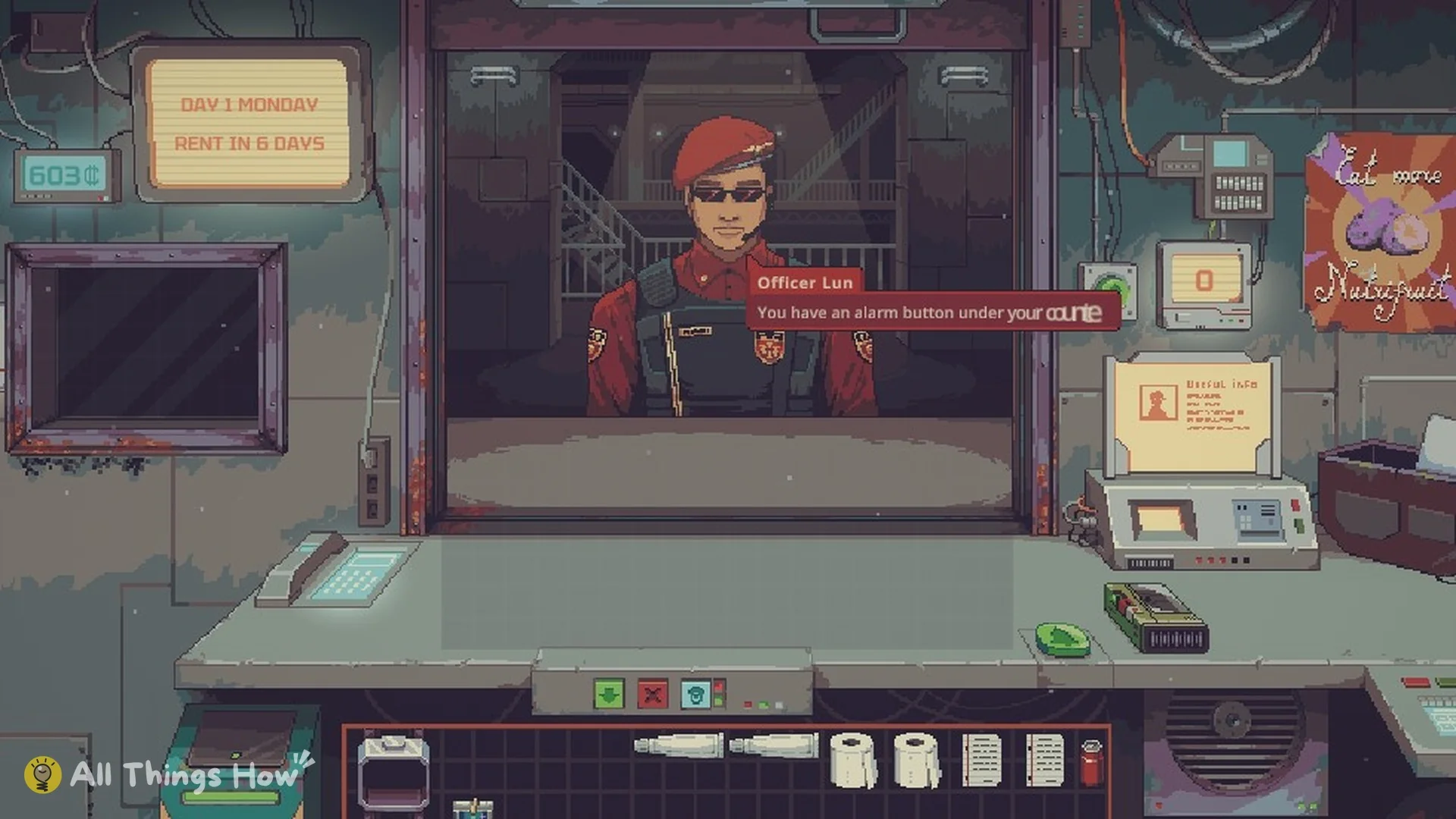
Officer Lun from the Security Department is the final person in the queue. He points out the alarm button beneath the counter, which alerts Security if someone from the Wanted list enters, and leaves the Wanted poster. Use the alarm only when you are certain you recognize the person; false reports bring a fine.
Officer Lun of the Security Department at the window
Officer Lun explains the alarm and the Wanted list.
Once nobody remains in the queue, press the wall button again; its label is now “Close the Store”. Before closing, the sleeping bag responds only with “You can’t sleep right now”.
Shop after closing with the Go to sleep prompt over the sleeping bag
Close the Store, then Go to sleep.
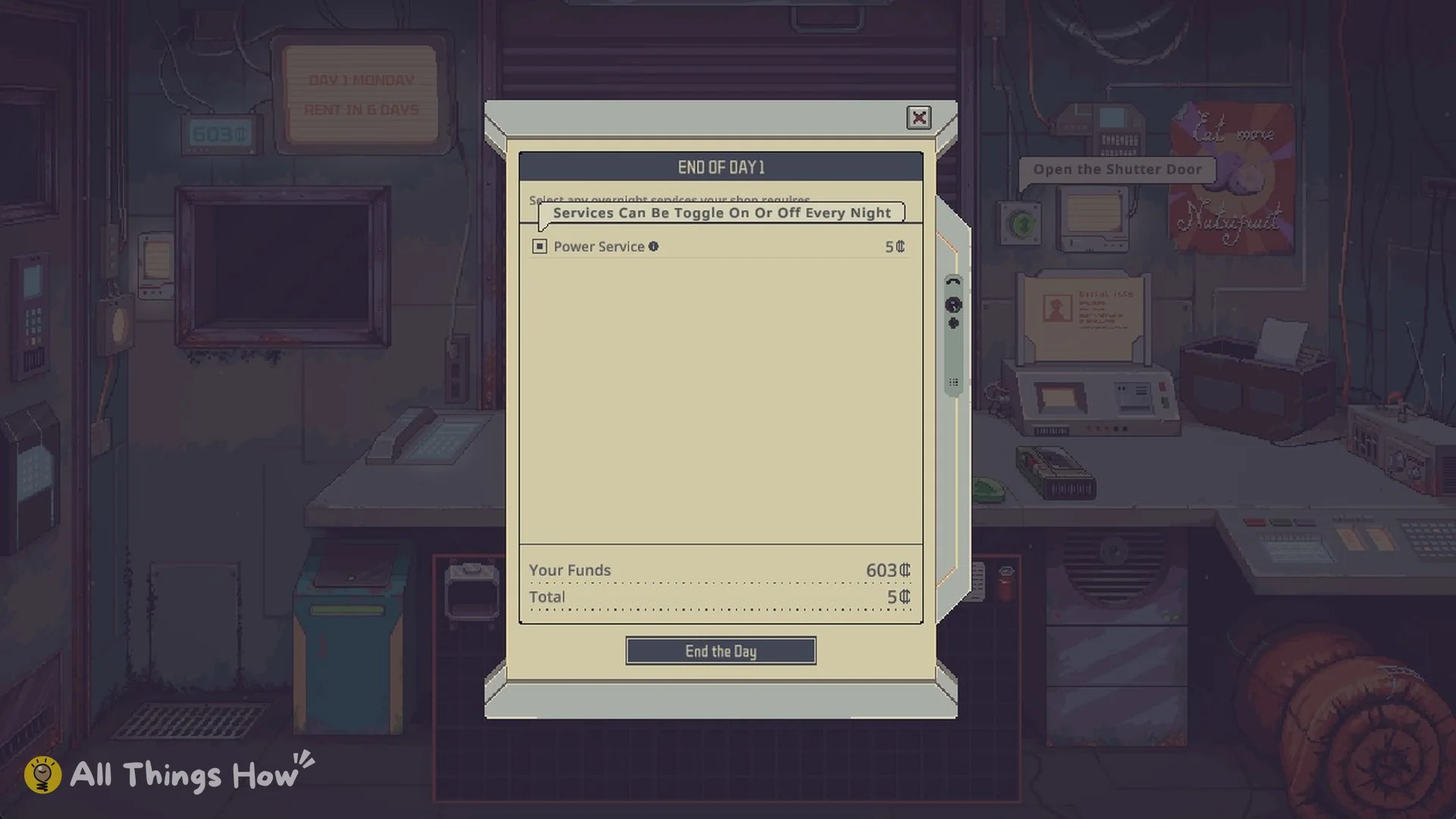
Click the Sleeping Bag (“Go to sleep”) to open the END OF DAY 1 panel. Power Service costs 5 credits, and the panel notes “Services Can Be Toggle On Or Off Every Night”. Press End the Day to finish.
End of Day 1 panel with Power Service 5 credits and End the Day
End of Day 1: Power Service costs 5 credits.

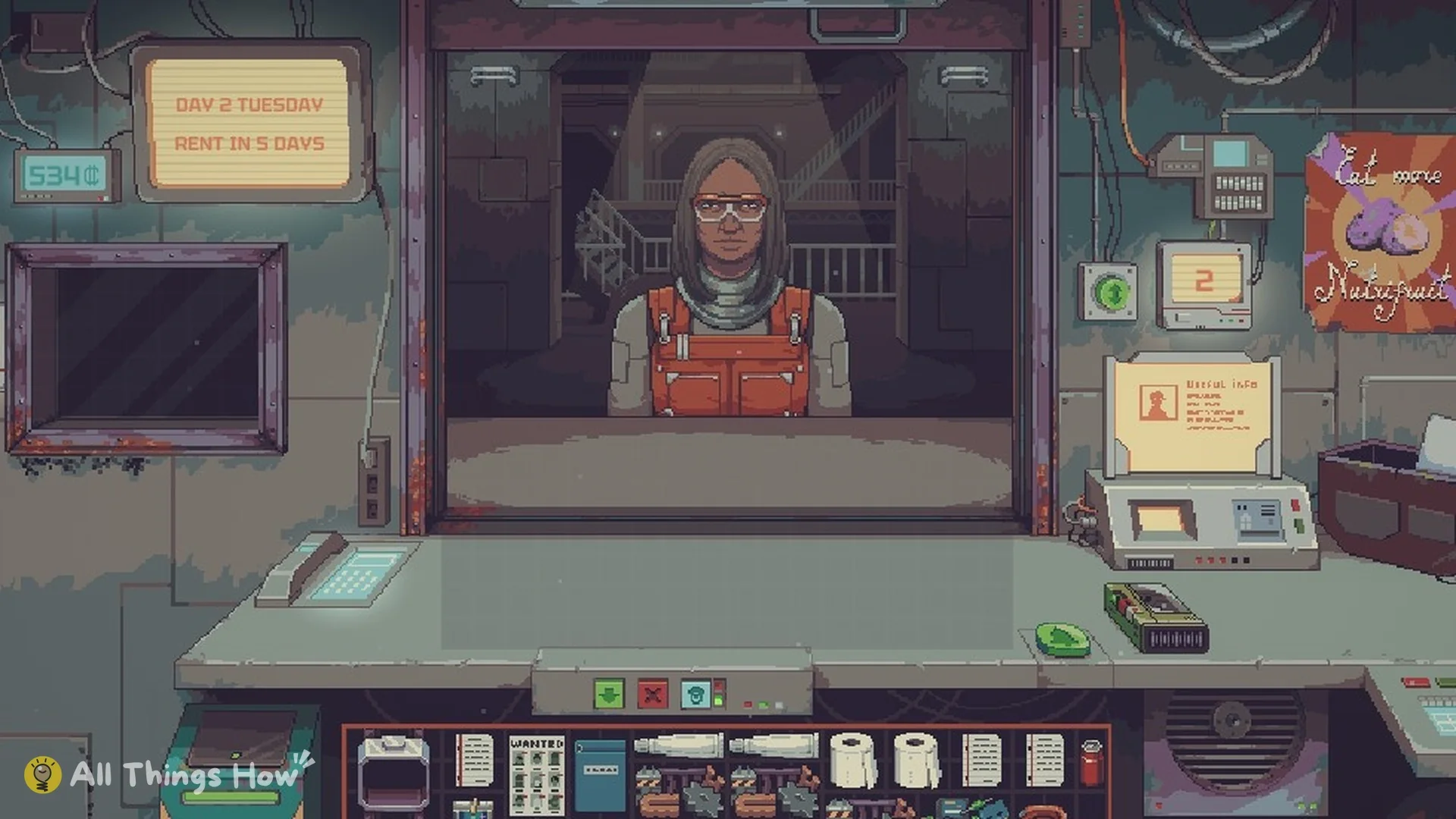
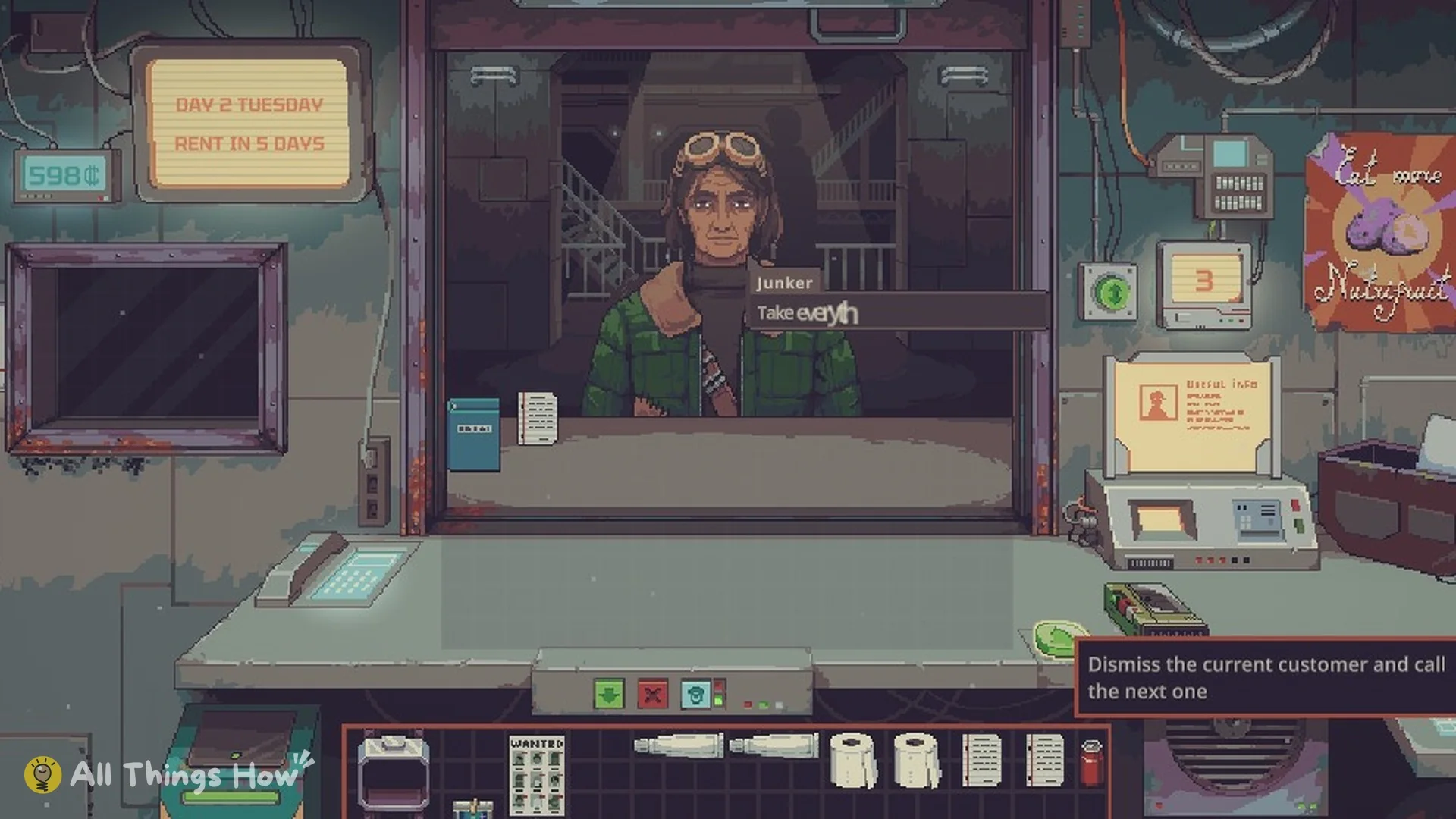
A properly completed day is confirmed by the Nightly Report message “The power bill has been paid.” and an autosave. Mark Up then starts Tuesday’s DAY 2 TUESDAY with 598 credits; RENT IN 5 DAYS is shown.
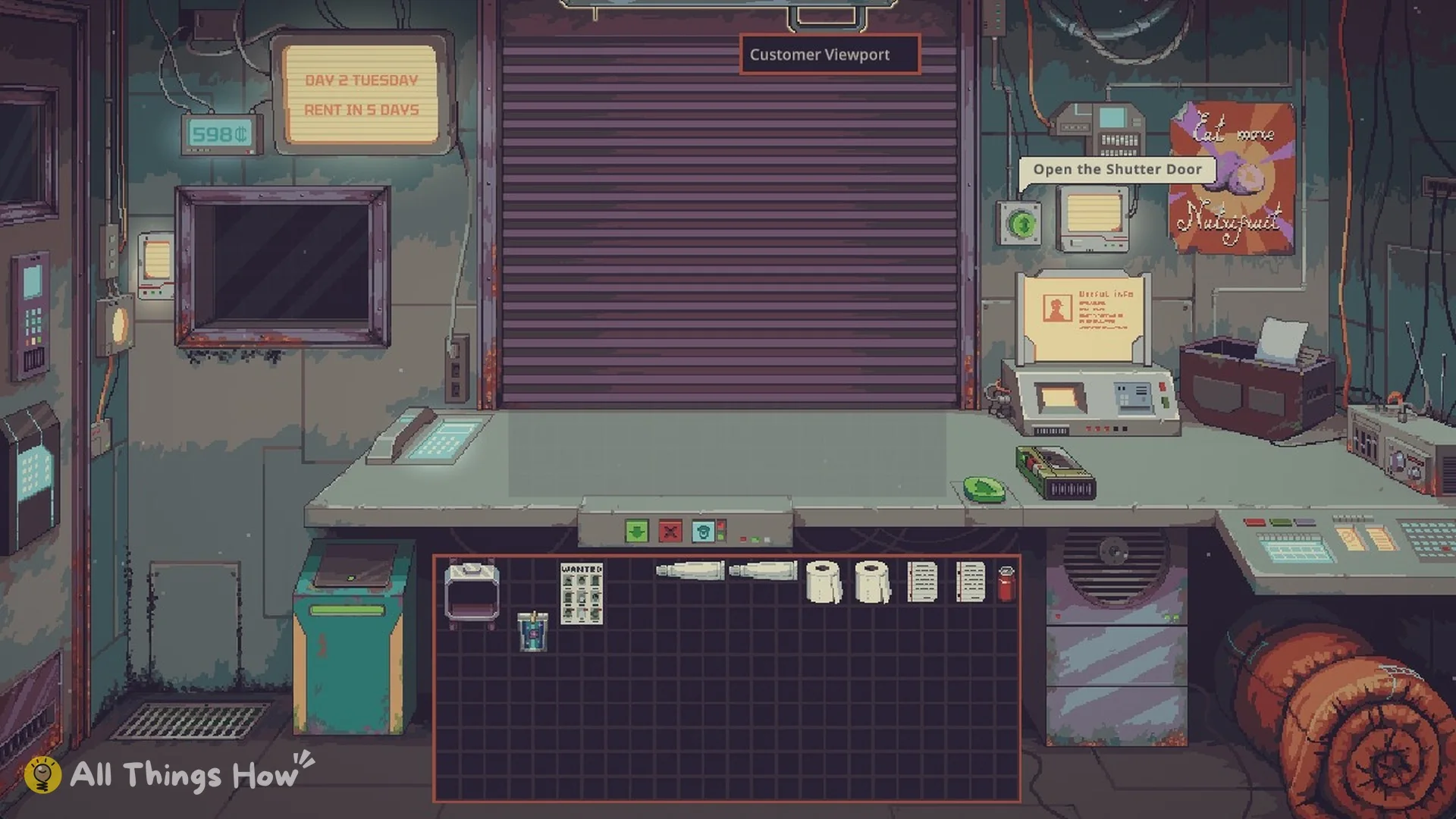
Shop on Day 2 Tuesday with 598 credits and Rent in 5 days
Day 2 opens with 598 credits.

Day 1 trades and credits on Mark Up

CustomerTradeAmountCredits after
Start of day——550
Scavenger (SELLING)You buy 5 items−95455
Spacer (BUYING, budget 64)Two Peat at 29+58513
Spacer (BUYING, 96 credits)Four different items+90603
OvernightPower Service−5598

The Scavenger sells Galaxy Blend at 25 (two of them), Soda at 15 (two), and a Cat Chocolate Bar at 15. The first Spacer is interested in Food, and Peat shows up at 29 with the line Market and Merchant, Retail Markup (+15%). The second Spacer wants Food and Beverage, so one each of Puice 18, Galaxy Blend 32, Cat Chocolate Bar 20 and Soda 20 fits both the budget and the Variety rule.
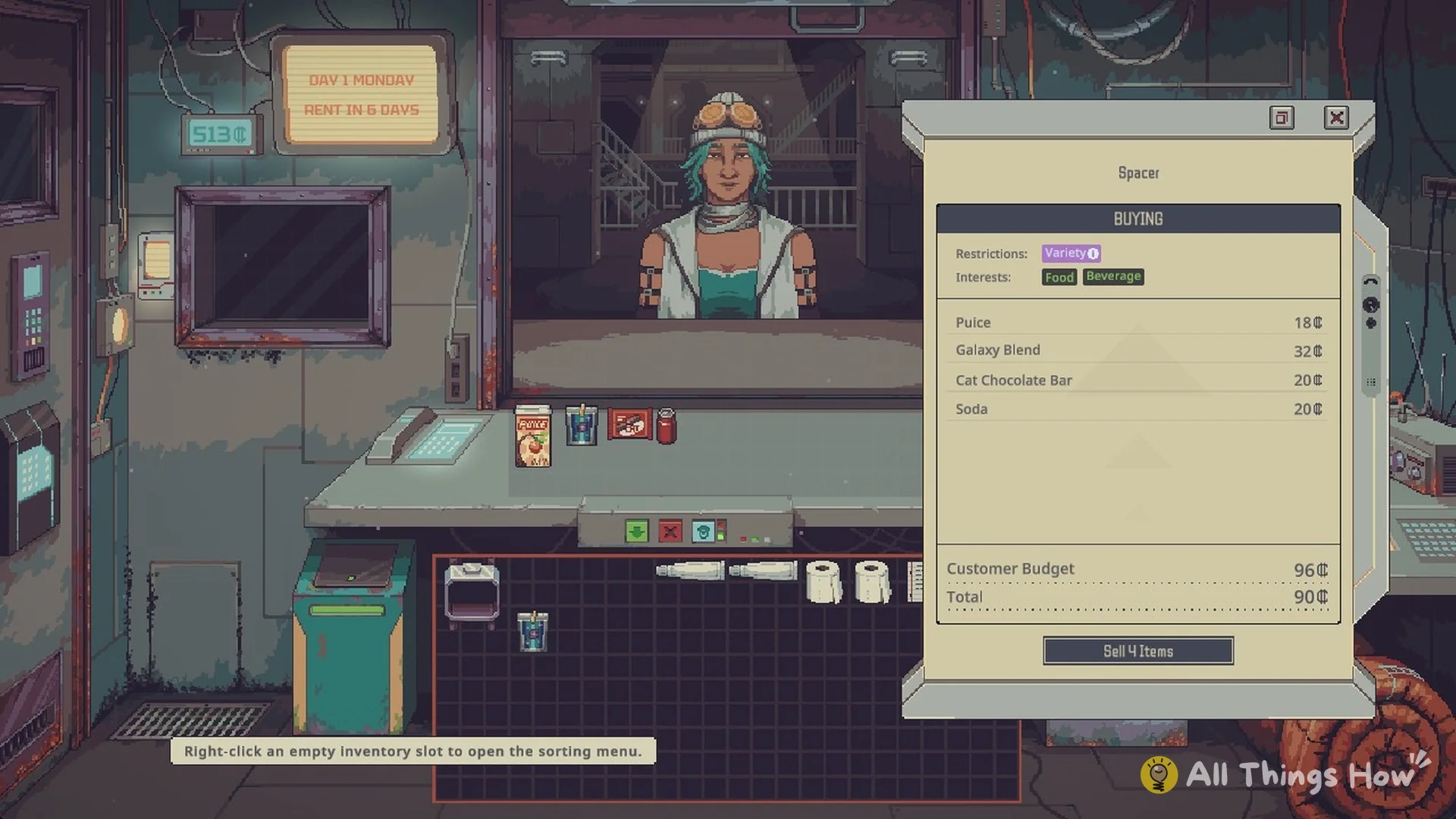
Negotiation panel for a Spacer with the Variety restriction and Food and Beverage interests
A buyer with the Variety restriction.

That Galaxy Blend is a good illustration of how money works here. You buy it for 25 and sell it for 32, because your own sales automatically get the 15% retail markup on Mark Up. If you buy below what you can resell, every trade puts you ahead. Food is also the category both Spacers came in for, which matches The Mentor’s advice to keep it on the shelves.


Paying rent: what the Nightly Report shows

The Calendar tab of the Nightly Report marks Rent Due on Day 7 and Day 14. It also spells out the bill with “The Landlord will come to collect 200 Credit in Rent in 5 Days” and notes “The current value of the property is 12000 Credits.”
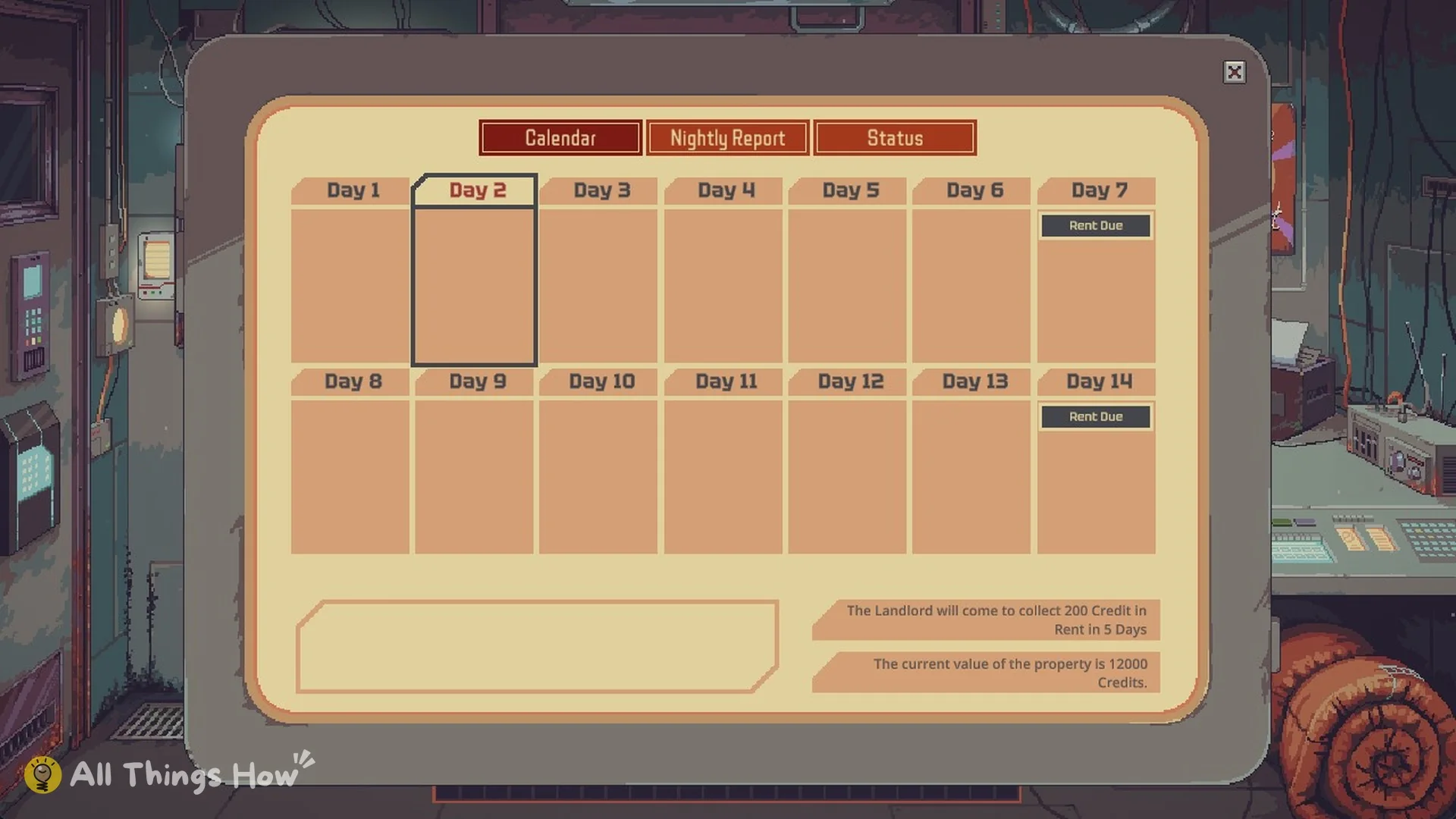
Calendar tab with Rent Due on Day 7 and Day 14 and 200 credit rent
Rent is due on Day 7 and Day 14.

The Status tab shows your current credit count of 598 Credits, an Estimated Total Wealth of 793 Credits, and your Active Perks. The report also rates Store Attractiveness at 250 on a bar that runs from 0 to 1000.
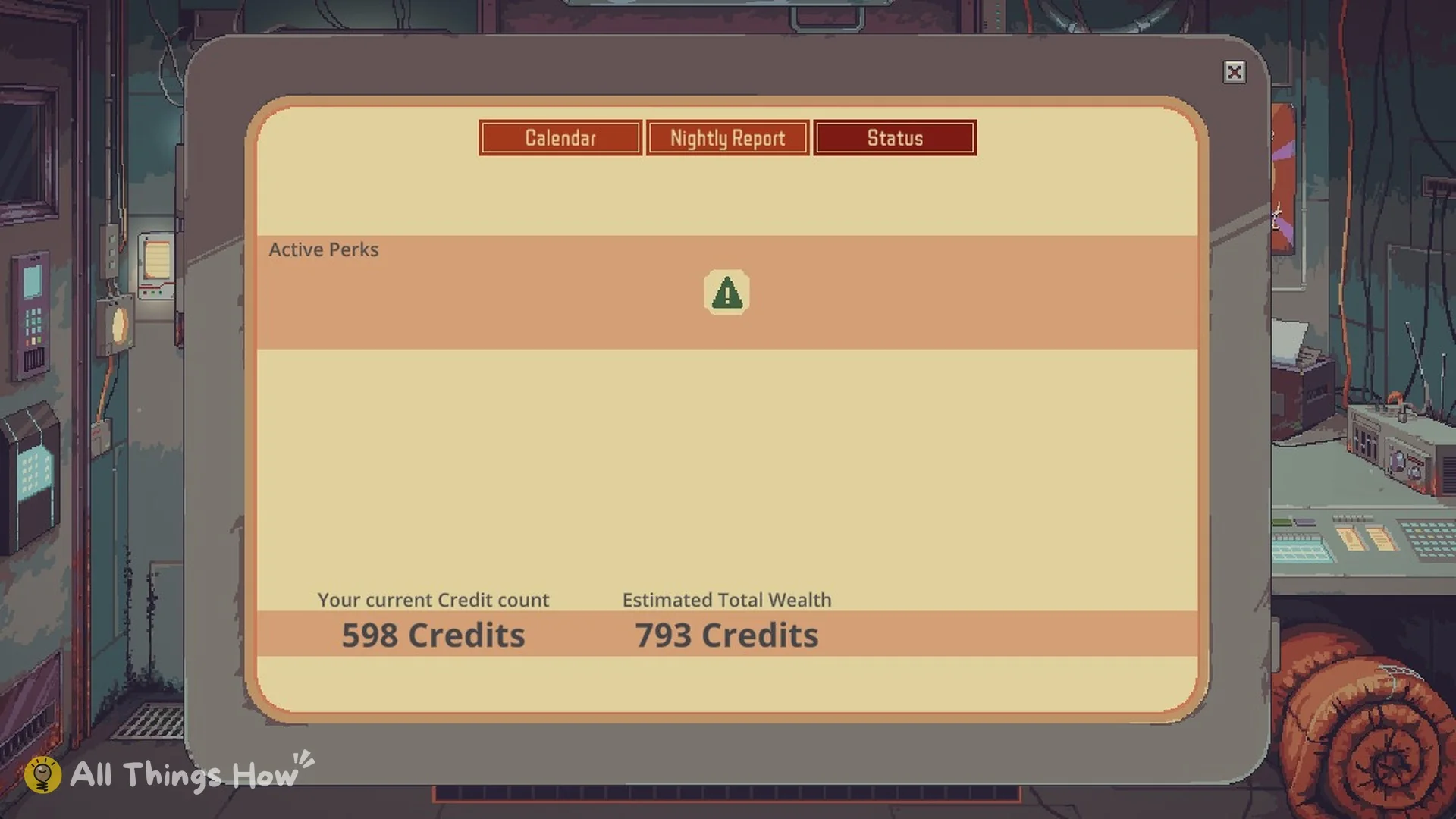
Status tab showing 598 credits and Estimated Total Wealth 793
Status after Day 1 on Mark Up.

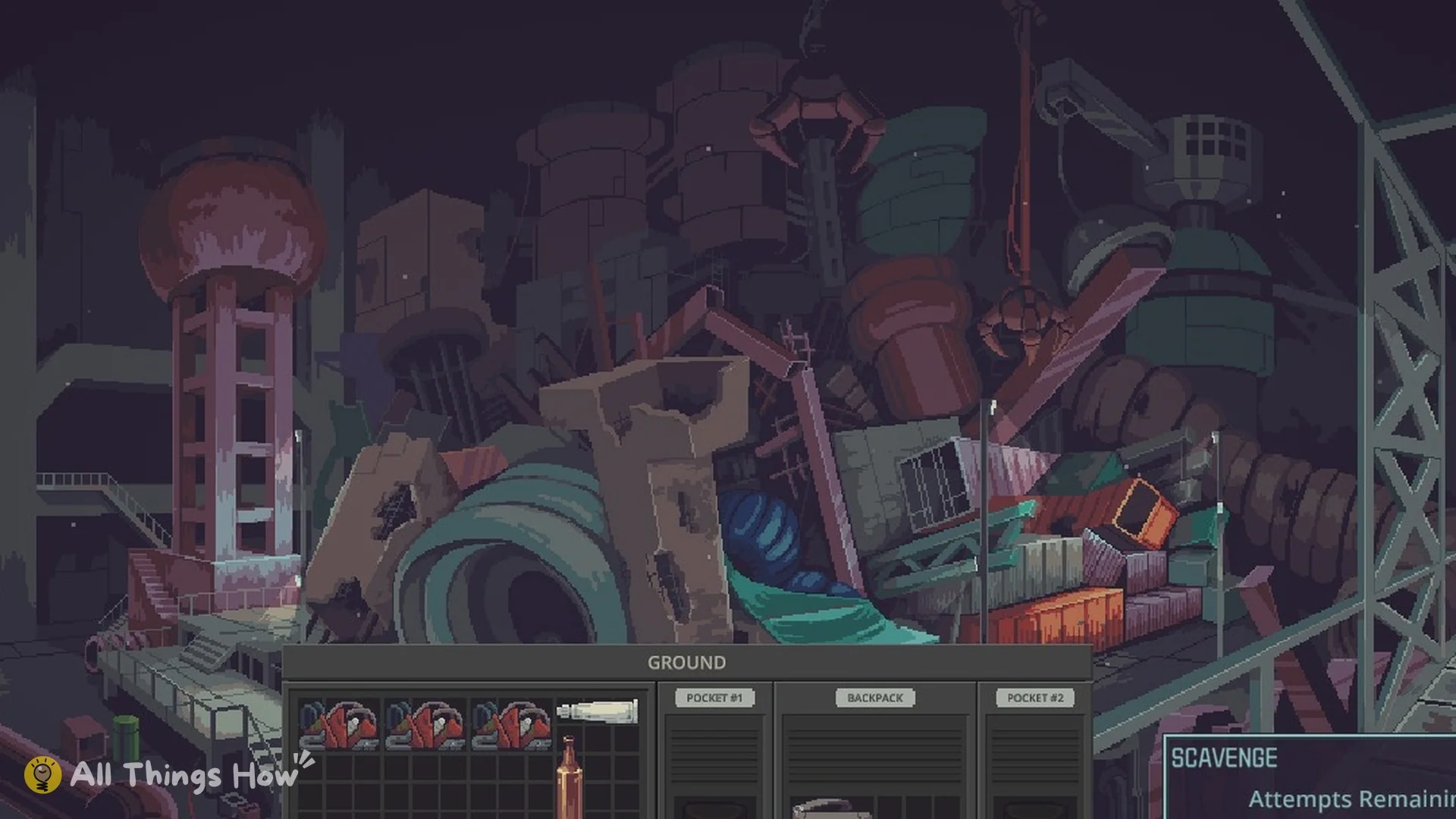
On Mark Up, set aside 200 credits for the Day 7 landlord visit before you spend on new stock. Our rent guide covers increases and the Landlord’s grace, and from Day 2 you can scavenge the Dumping Ground after closing.


Wanted poster bounties

Officer Lun’s poster lists nine names, each with its own bounty in credits, from Lou at 1500 down to Arthur Lafleur at 100. See the full Wanted list and how to report.


Probably Stolen shop controls

  • Right-click an item for its Interact Menu (Open, Use, Equip, Read, Toggle, Unload, Pin).
  • Double-click an item to interact with it.
  • Ctrl+click to quick-transfer an item.
  • Hold the left mouse button and drag to select several items.
  • Right-click an empty inventory slot for the sorting menu.
  • Press Esc to close a panel, and O to toggle the hint overlay.

Ctrl+click is the fastest way to fill the Negotiation Counter. Read the buyer’s Interests and restrictions before you load it up, keep the outside counter empty, and go into Day 2 with the Day 7 rent already set aside.