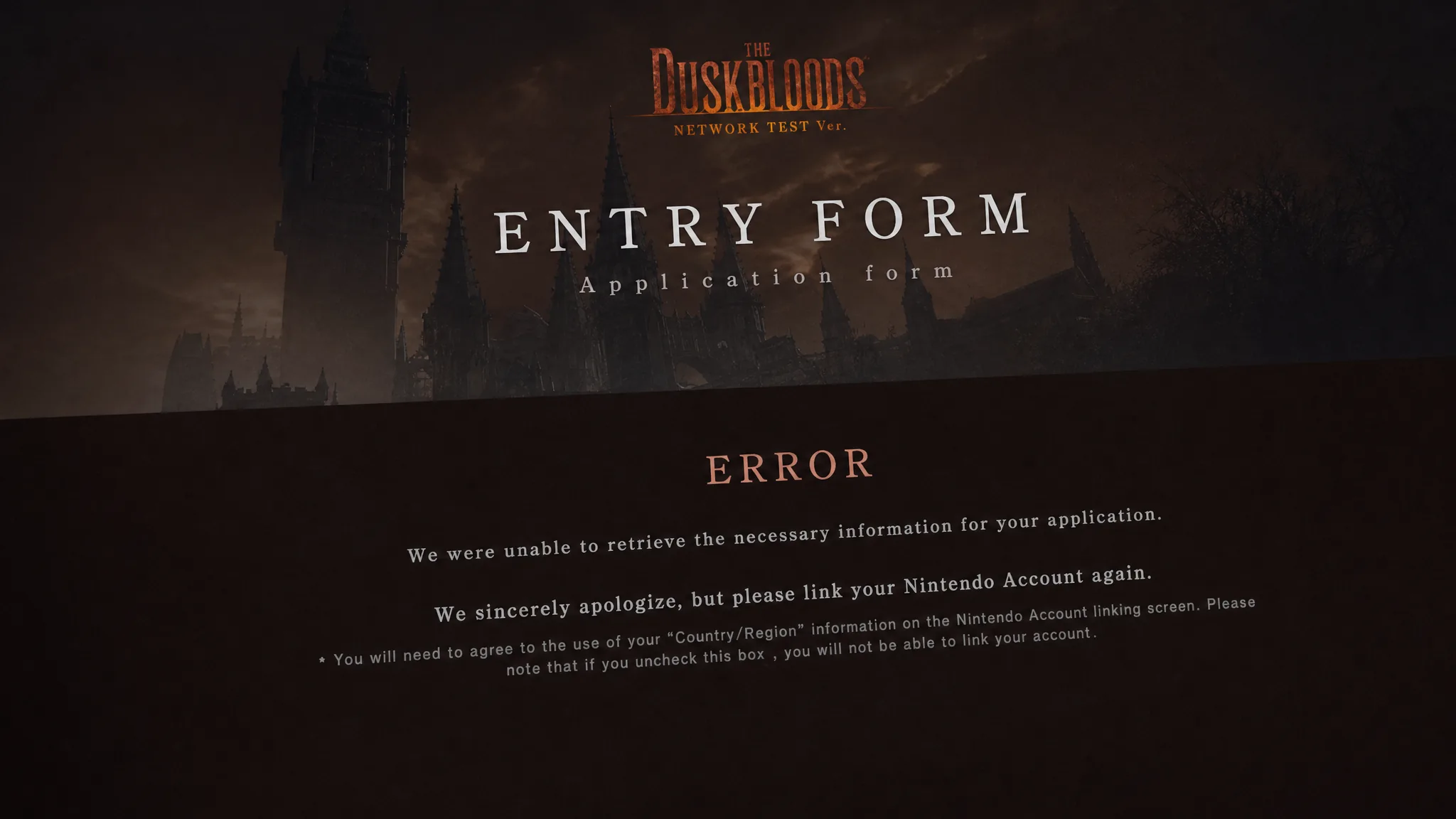
Signing up for The Duskbloods Closed Network Test can stall on a repeating error message right at the account-linking step. The cause is almost always one of two small settings that get skipped while rushing through the form. Both are quick to fix, and once corrected, the application goes through normally.
Quick answer: On the Nintendo account-linking page, open the details dropdown next to your username and tick the “Country/region setting” checkbox before pressing I Agree. Then confirm the region you selected on the application matches the region set on your Nintendo account.
What you need before signing up
The test is limited to Nintendo Switch 2 owners, and applications run entirely through the campaign page. Two account conditions must be in place, or the sign-up will not complete regardless of how the linking settings are configured.
| Requirement | Detail |
|---|---|
| Console | Nintendo Switch 2 (the game does not run on the original Switch) |
| Membership | Active Nintendo Switch Online subscription |
| Account | A Nintendo Account you can link during the application |
| Window | Registration closes July 28 at 6:59 AM PT |
Slots are handed out on a first-come, first-served basis, so it is worth clearing the error early rather than leaving it until the window closes. You can start the application on the official network test page.
Fix 1: Tick the Country/region checkbox
The most common trigger for the error is an unchecked country and region box on the Nintendo account-linking screen. A note under the Terms of Use spells it out: you must agree to the use of Country/Region information on the linking page, and the link will fail if that box is left unchecked. It is easy to miss because the text is small and sits below the terms.
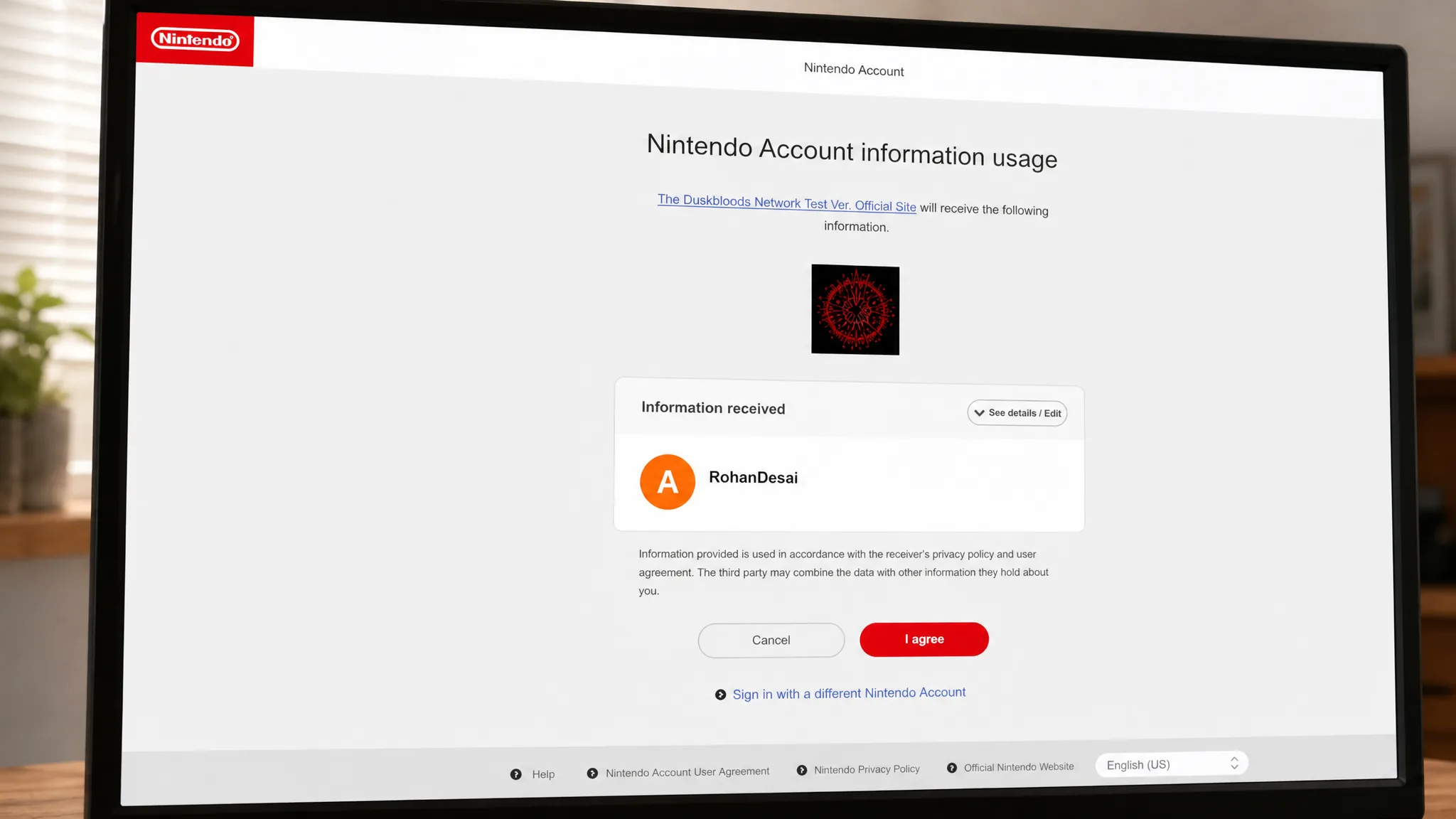
Fix 2: Match the region on both sides
The second cause is a mismatch between the region you pick on the application and the region set on your Nintendo Switch 2 account. When you begin, the form asks you to choose a region and language. If that choice does not line up with your Nintendo account settings, the link will throw an error even when the checkbox is correct.
How to confirm the sign-up worked
Once the checkbox is ticked and the regions match, pressing I Agree submits your application without bouncing back to an error. The error loop disappears, which is the clearest signal the link succeeded. Submitting only registers your interest, though, since it does not guarantee a slot.
Selected applicants are notified on August 7 at 6 AM PT, and chosen players receive a download code to redeem on their Switch 2. If you do not get an error but are unsure whether it went through, the confirmation on submission is the point to trust rather than resubmitting repeatedly.
Sign-up and test dates
The registration period is short, and the test itself runs across five four-hour sessions in late August. The times below are in Pacific Time.
| Event | Date and time (PT) |
|---|---|
| Sign-up opens | July 22, 7 AM |
| Sign-up closes | July 28, 6:59 AM |
| Selection announced | August 7, 6 AM |
| Session 1 | August 21, 3 AM – 7 AM |
| Session 2 | August 21, 7 PM – 11 PM |
| Session 3 | August 22, 11 AM – 3 PM |
| Session 4 | August 23, 3 AM – 7 AM |
| Session 5 | August 23, 7 PM – 11 PM |
The test supports up to eight players per multiplayer match, and FromSoftware has warned that bugs may appear since it runs on a pre-release build. Screenshots and streaming are prohibited, and the Switch 2 Capture button is disabled during play. The Duskbloods still has no confirmed release date, so the network test remains the earliest hands-on opportunity for now.