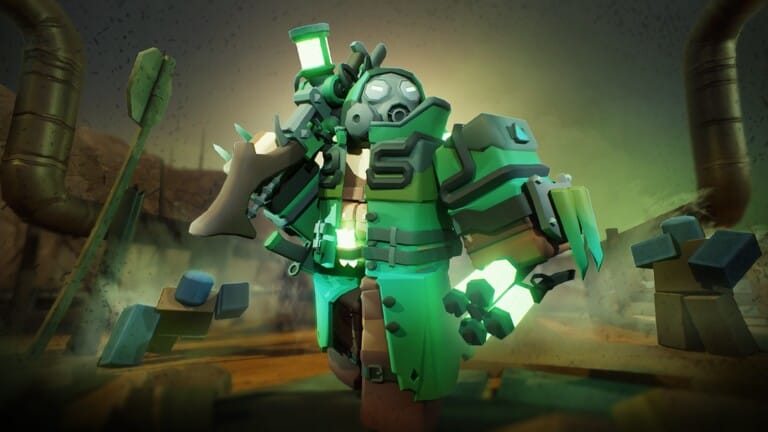
Update: We found 1 new Tower Defense Simulator code on May 19, 2026 and added it to the list.
Tower Defense Simulator codes can unlock skincrates, crates, coins, EXP, emotes, towers, and other rewards. Right now, there is one active manual code and a long list of older expired ones.
Tower Defense Simulator working codes
NOTESLA?NEW — 1 Premium Skincrate
Tower Defense Simulator expired codes
4BVisits— 1 Premium SkincrateEnterCodeHere— 1 Coin CrateEnter Code Here— 1 Coin Crate1POINT7MIL— Vendor Skin (Farm)MERRY2024— Cookie Scout and 1 Holiday CrateTDS5YEARS!— 1 Party SkincrateIMCONSUMING— 1 Mid Grade Consumable CrateMERRYXMAS2023— 1 Deluxe SkincrateQNJOU11— 1 Premium SkincrateHAPPYHALLOWEEN— 1 Halloween SkincrateNAMETAGSRCOOL— Follower NametagM3RRY2022TDS— Cookie Skin (Scout)9509253943— John Skin (Militant)JOHNRETURNS— John Skin (Militant)beachglad2022— Beach Skin (Gladiator)MERRY2021— Present Skin (Farm)robloxisback— 1 Premium Skincrate1BILLION— 1 Deluxe Skincratecelebration21— 1 Party SkincrateCOMMUNITY20— Community Skin (Minigunner)200KMAY— 500ROBLOXD1ED— 1 Premium SkincrateFIFTYK— 200BLOXY21— Bloxy Skin (Commander)delayed— 1 Premium Skincrateteleportfailed— 1 Premium Skincrateitwasmortar— 100imababy— 100roblox— 100newyear2021— 1 Premium Skincrate2spooky4u— 1 Spooky Skincrate30k— 1 Pumpkin Skincrate1pumpkin— 1 Pumpkin Skincrategems— 150launch— 2 Premium SkincratesDOUBLEBLOXIES— Kasodus Skin (Cowboy)ICYFREEZE— IcyTea Skin (Freezer)W33KLICODE— 65 EXPHAPPY3AST3R!— Spring Time Skin (Commander)SPR1NGM1L3ST0NE— Spring Time Skin (Slasher)T3MPLAR— 100 EXP5KMILESTONE— Twitter Skin (Minigunner)ELECTRO— 10002MOMENT— 100 EXPMOAREXP— 50 EXPSW33TXP— 50 EXPGAMERMODE0N— 50 EXPR3TR0— 50 EXPTRICKORTREAT— Halloween Skin (Hunter)B1RDHUNT3R— HunterTHANKYOU— 100 EXP3S8KZMC— 250 and 50 EXPSUMMER— 250120K— 100 and 60 EXPKITT3N— 100 and 60 EXPGOR1LLA— 250 and 25 EXPRAZ0RF1SH— 100 and 60 EXPLONGWAIT— 100, 50 EXP and Russian10KPLAYERS— 100 and 100 EXPHAPPY4TH— 84 EXP1MILVISITS— 500SF0TH— 350J0HNRBX— JohnFRIDAY— Unknown rewardJOHNROBLOX— Paintballer
How to redeem Tower Defense Simulator codes
How code rewards work in Tower Defense Simulator
Manual codes are created directly by the developers. These rewards can include Coins, Gems, EXP, towers, emotes, crates, and skins, though most manual codes are only redeemable for a limited time.
Some codes are also stock-limited rather than time-limited. Once those redemptions run out, the code stops working even if it was active for other players earlier.
Skin codes have one extra requirement. You must already own the matching tower before the skin can be redeemed.
Merchandise code rewards
Merchandise codes are separate from standard manual codes. These were unique single-use codes tied to specific products, and code generation for those items is unavailable.
Items tied to merchandise codes include rewards such as Plushie skins, boss-themed nametags and charms, and a small number of crate bundles. If a qualifying product was refunded, the associated reward could be revoked, and an unredeemed code tied to a refunded item could be voided.
Tower Defense Simulator also carries a warning around fraudulent or illegally obtained codes. Using or sharing those codes can lead to a ban from playing the game.