
Instructional, step-by-step articles.
Content Type: How-To
-

Palworld 1.0: How to Breed a Six-Skill Felbat with Legend
Use the Special Cake and a five-generation chain to pass down six breeding-exclusive attacks plus the Legend passive.
-

How to Beat Cruelty, the Final Boss in Survive Verity in Area 51
Everything you need to survive the Third Brother’s 500,000 HP fight and claim the 31 million coin payout.
-

Creatures of Sonaria: How to Get Kelvaris in the Summer Paradise Event
Finish the four Monster Kelp missions to unlock the Tier 5 land omnivore added in Week 2 of Summer Paradise 2026.
-

Ghost Recon Wildlands Last Rites: How to Complete Vow of Silence
Snatch the high-level cultist alive next to the mortar and interrogate him without tripping the traps that guard the grain facility.
-

Adopt Me: How to Get the 2026 Birthday Butterfly
Where to buy the Uncommon event pet, what it costs in Bucks, and how to build its Neon and Mega Neon forms.
-

GTA 6: An Extended Look Runtime and How to Watch on Netflix
Netflix support says roughly 20 minutes, an app timestamp says 30, and Rockstar has confirmed neither.
-

How to Unlock Every Costume Color in Marvel Tōkon: Fighting Souls
Every fighter carries nine color schemes, and each locked one has a fixed condition tied to story, practice, or the Ultimate Edition.
-

Pokémon Pokopia: How to Get Manaphy in Bubbly Basin
Manaphy only joins your Pokédex through the Expansion Pass, and only after you finish the Ocean Temple.
-
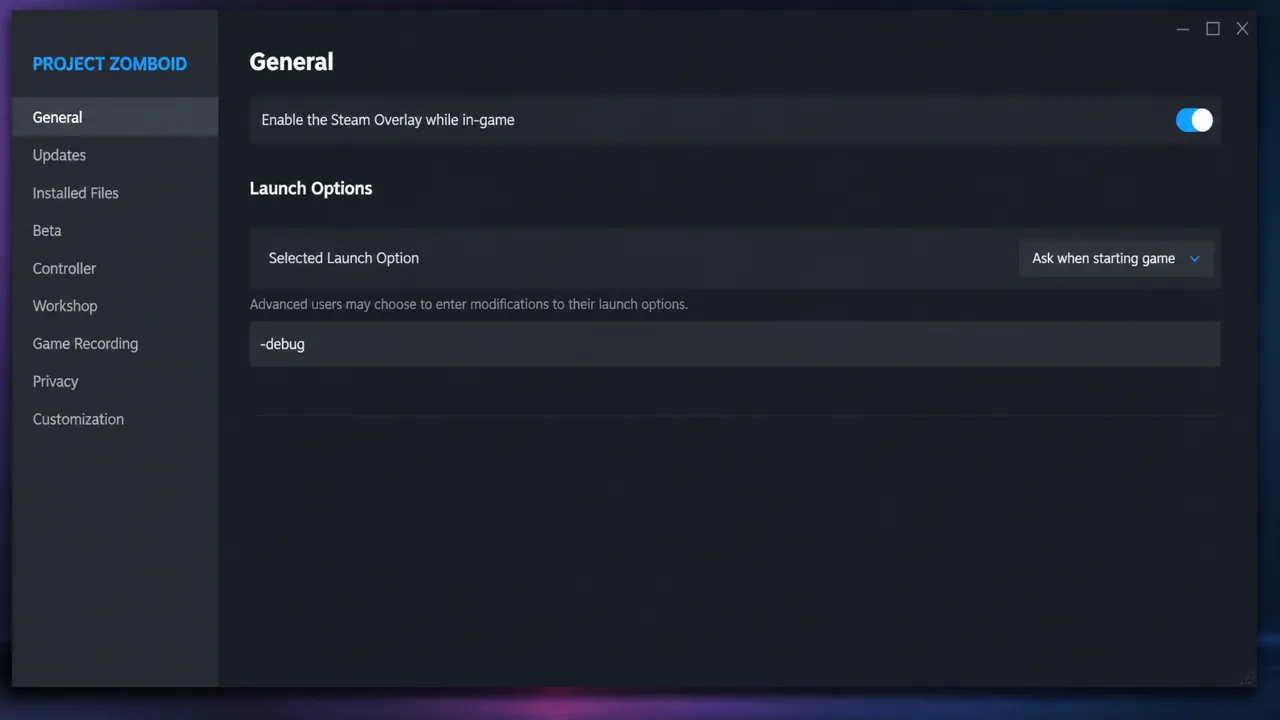
Project Zomboid: How to Enable the Debug Cheat Menu
Add one launch option, then use the ladybug icon to reach god mode, item spawning, and the full admin panel.
-

Fields of Mistria: How to Get Married and Have Children
Reach 10 hearts, craft the Engagement Ring, hold the wedding, then wait for the Great Bird’s Mystical Feather to start a family.