
In Call of Duty: Modern Warfare 4’s DMZ mode, the Orders page labeled DMZ ORDERS PG 4 lists Operation Rewards as order 01. Its three listed jobs all stem from one Dynamic Op: start it using a phone in Cheongun Village, complete the op, then open the crate it delivers.
Quick answer: Deploy into Hajin, activate the ringing Dynamic Op phone in Cheongun Village, complete Dead Man’s Cache, then open the Care Package crate that drops near you. That one run ticks all three tasks.
Operation Rewards tasks and what ticks each one
The order lists three tasks. Each one completes at a specific moment in the same Dynamic Op, so you can track your progress during the match.
| Task | Ticks when |
|---|---|
| Collect a Dynamic Op Phone in Cheongun Village | You activate the phone |
| Complete a Dynamic Op | OPERATION COMPLETE appears |
| Loot a Dynamic Op Crate | You open the Care Package |
The first task names Cheongun Village, so the phone has to come from there. The other two only ask for “a Dynamic Op” and “a Dynamic Op Crate,” but chaining them off the Cheongun Village phone keeps everything in one deployment. The same page also holds 02 PREPARATION and 03 WORK QUIETLY, and you can finish tasks on the page in any order.
Find the Dynamic Op phone in Cheongun Village
Complete Dead Man’s Cache
Dead Man’s Cache moves you across several areas, so follow the HUD line one objective at a time. The op starts in Cheongun Village and ends in Ijin Suburb.
- “Find Access to Enemy Comms Server,” in Cheongun Village.
- “Get the Bomb From the Safe,” in a house at Mujin Pass, with the safe in a bedroom.
- The remaining steps, which lead into Ijin Suburb, where the op finishes.
Finishing the final objective triggers a full-screen OPERATION COMPLETE / DEAD MAN’S CACHE display. On the HUD, OPERATION: DEAD MAN’S CACHE is followed by +7500, and 4575 XP appears; this fulfills “Complete a Dynamic Op.”
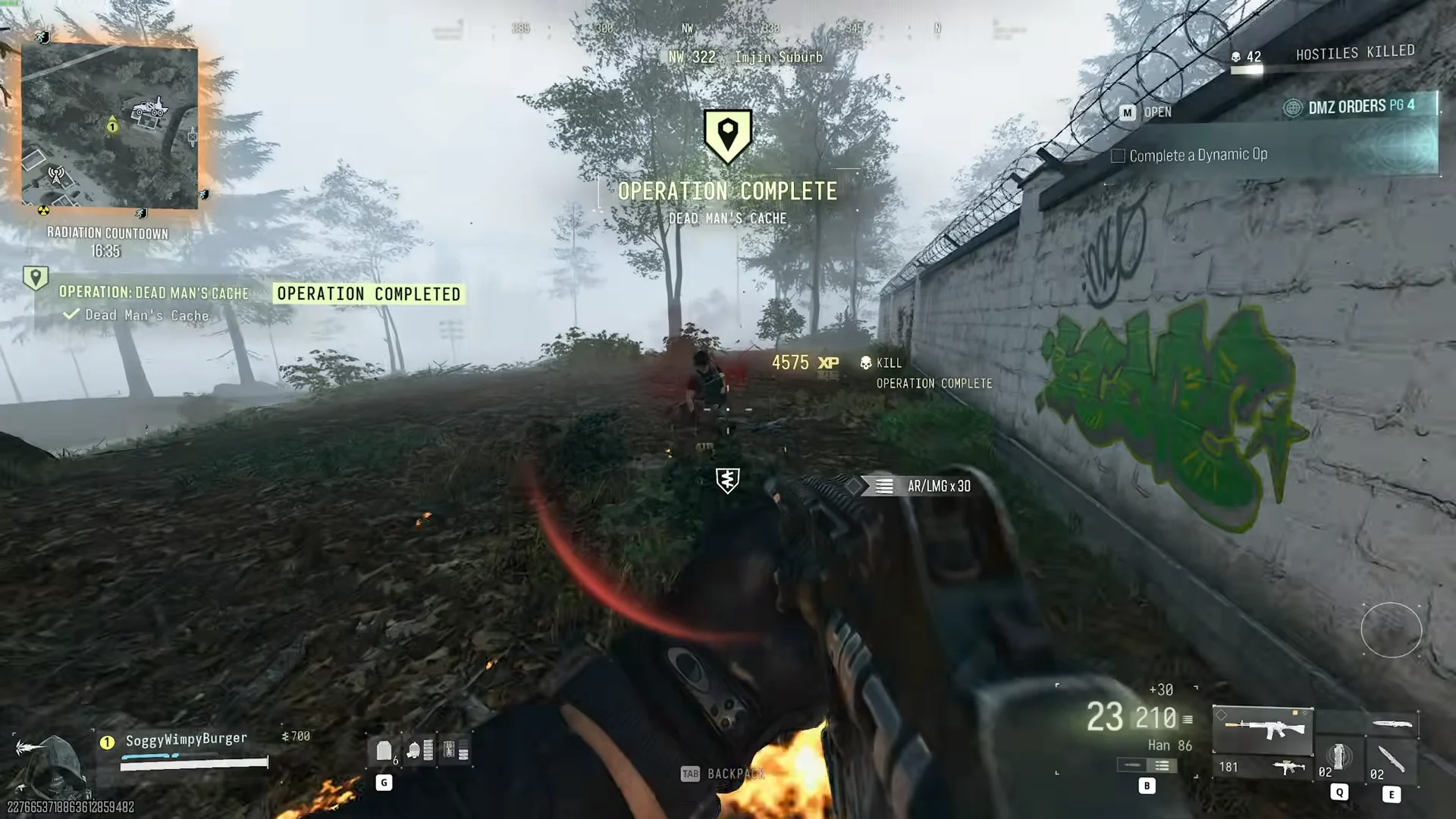
The Radiation Countdown keeps running under your minimap for the whole op, so pick up the phone with plenty of time left on the clock.
Loot the Dynamic Op Crate
As soon as the operation wraps up, a “Care Package” notice shows on the screen’s left, and the crate descends nearby. Smoke surrounds the two green crates when they touch down, making them easy to pick out.
Approach the drop and loot it. Its menu bears the title CARE PACKAGE LOOT CONTAINER; taking the contents grants 75 XP and displays a LOOTED tag. This completes “Loot a Dynamic Op Crate,” marking Operation Rewards finished.
The crate can hold Rigid Synthetics x1 and Pistol/SMG ammo x18. Keep the Rigid Synthetics: it combines with one other ingredient to make the Medium Backpack, which the Preparation order on this page tells you to print. The task registers during the match, but you must extract to retain anything taken from the crate.
DMZ ORDERS PG 4 rewards
Operation Rewards doesn’t pay out on its own. The page reward arrives once every task on DMZ ORDERS PG 4 is done, including Preparation and Work Quietly, and it shows up on the extraction screen.
| Reward | Amount |
|---|---|
| MEDIUM BACKPACK | x1 |
| AMMO BOX (Field Upgrade) | x1 |
| CASH | 20000 |
To launch directly into an op, select DYNAMIC OPERATIONS on the deployment screen. Cheongun Village can’t be selected there; deploy into Hajin and go to the village phone to complete the first task.