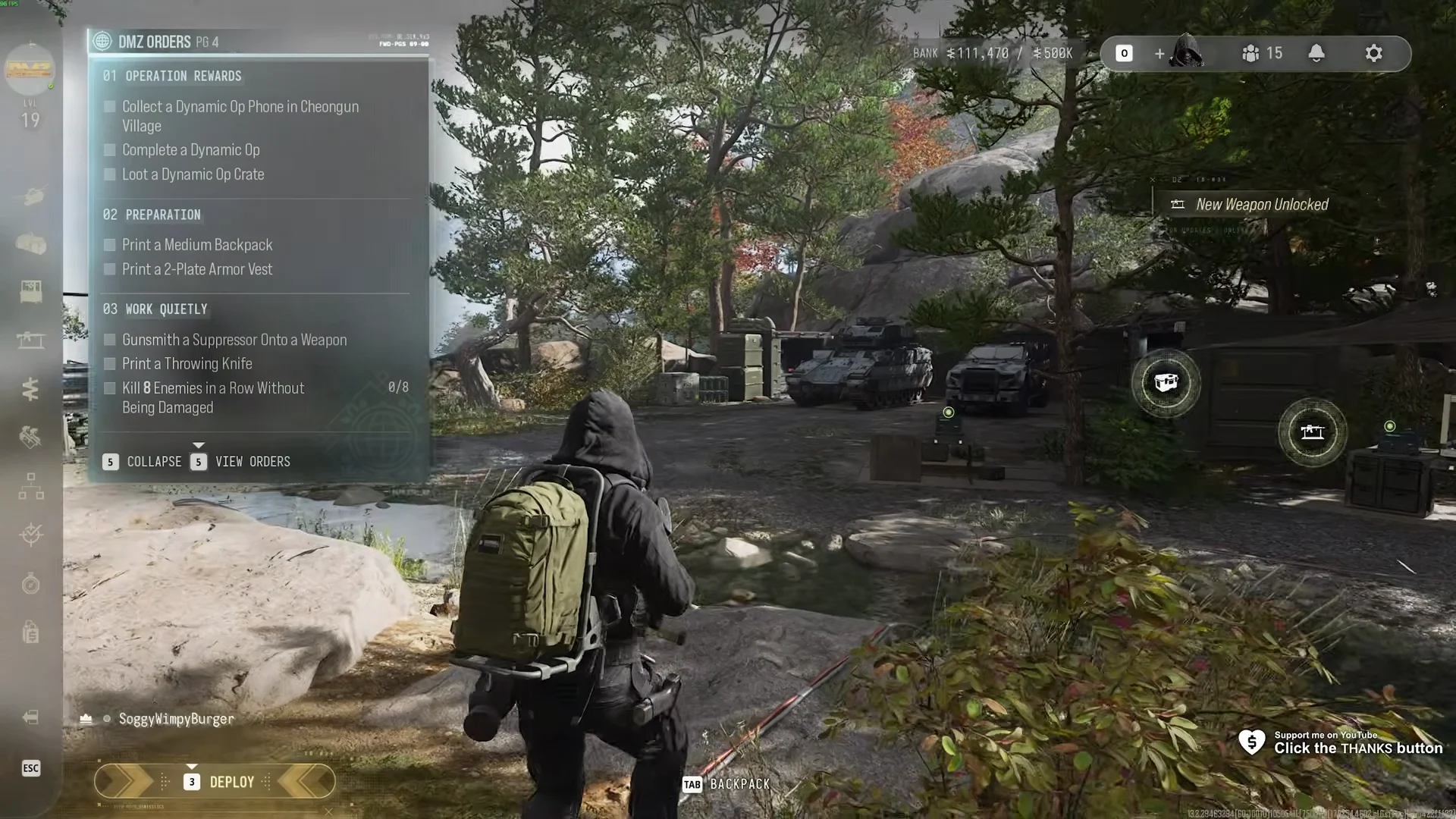
In Call of Duty: Modern Warfare 4’s DMZ, the Orders panel labeled DMZ ORDERS PG 4 has no chapter name under it. It holds three orders with eight tasks between them. Half of the page is FOB work you can do without deploying. The other half needs a trip into Hajin and a clean streak of kills.
Quick answer: Complete all eight tasks across Operation Rewards, Preparation, and Work Quietly, in any order. Four of them are done at the FOB. The page pays a Medium Backpack, an Ammo Box, and 20000 cash.
DMZ Orders Page 4 task list
These are the orders and tasks as the game lists them. The last column shows whether you can tick the task from the FOB or need to deploy.
| Order | Task | Where |
|---|---|---|
| 01 OPERATION REWARDS | Collect a Dynamic Op Phone in Cheongun Village | Deployed in Hajin |
| 01 OPERATION REWARDS | Complete a Dynamic Op | Deployed in Hajin |
| 01 OPERATION REWARDS | Loot a Dynamic Op Crate | Deployed in Hajin |
| 02 PREPARATION | Print a Medium Backpack | FOB 3D Printer |
| 02 PREPARATION | Print a 2-Plate Armor Vest | FOB 3D Printer |
| 03 WORK QUIETLY | Gunsmith a Suppressor Onto a Weapon | FOB Gunsmith |
| 03 WORK QUIETLY | Print a Throwing Knife | FOB 3D Printer |
| 03 WORK QUIETLY | Kill 8 Enemies in a Row Without Being Damaged (x/8) | Deployed |
There is a useful overlap between orders. The Dynamic Op crate you loot for Operation Rewards can supply a rare ingredient for the Medium Backpack in Preparation, so running the op first makes the printing go more smoothly.
Operation Rewards: one Dynamic Op clears all three tasks
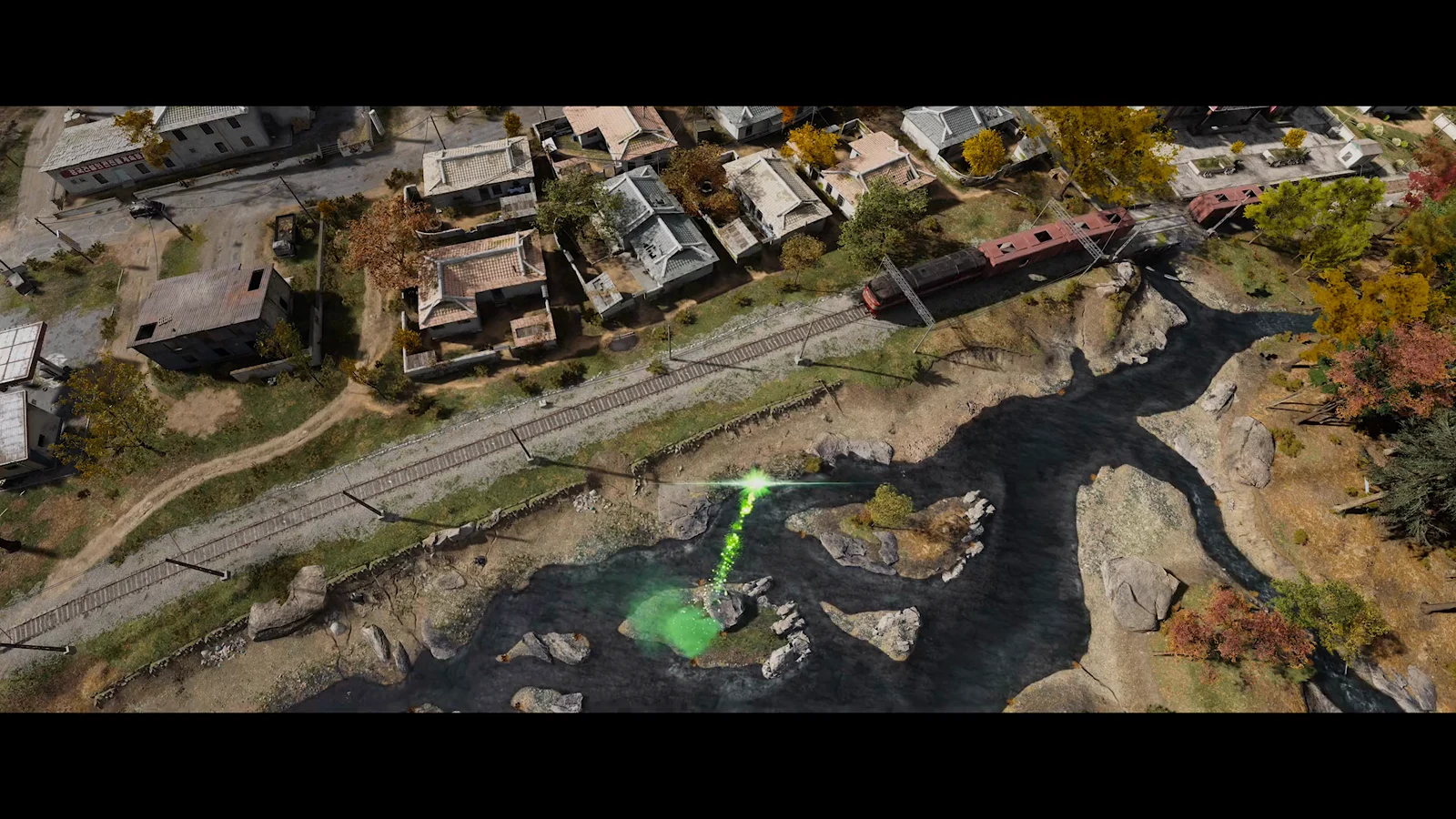
Deploy into Hajin and head to Cheongun Village, north of Mirae General Hospital. The village is marked THREAT: LOW. The Dynamic Op phone sits inside a building there. Activate it with [F] on the op card. Dead Man’s Cache is one op the phone can start.
Finish all steps of the op until OPERATION COMPLETE appears. Dead Man’s Cache gives 4575 XP and +7500 on completion. A CARE PACKAGE LOOT CONTAINER then drops nearby. Open it to tick the crate task. A single op started from the Cheongun Village phone covers the phone, the completion, and the crate. The Operation Rewards guide walks through each step of the op.
The Care Package can hold Rigid Synthetics x1, the rare ingredient the Medium Backpack needs. Extract to bring it back to the FOB.
Preparation: printing the Medium Backpack and 2-Plate Armor Vest
At the FOB, the 3D printer handles both Preparation jobs. Each recipe is RARE and calls for Synthetics plus one rare ingredient.
| Item | Category | Cost |
|---|---|---|
| 2-PLATE ARMOR VEST (RARE) | PLATE CARRIERS | Synthetics 50, Reactive Metals 5 |
| MEDIUM BACKPACK (RARE) | BACKPACKS | Synthetics 50, Rigid Synthetics 5 |
The vest’s description reads “A slightly more durable armor plate carrier with slots for 2 armor plates.” The backpack’s reads “A medium backpack with one secure slot.”
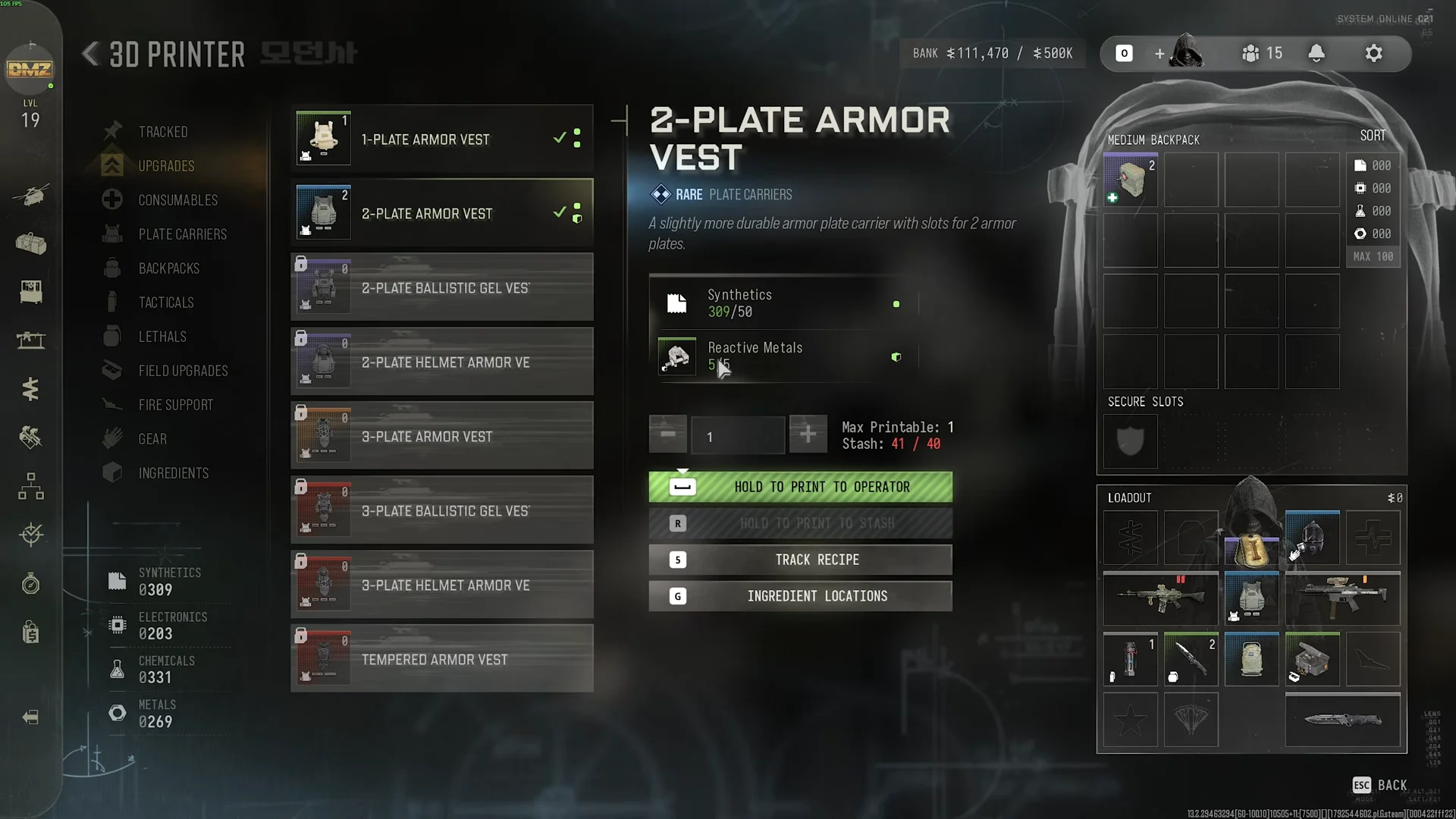
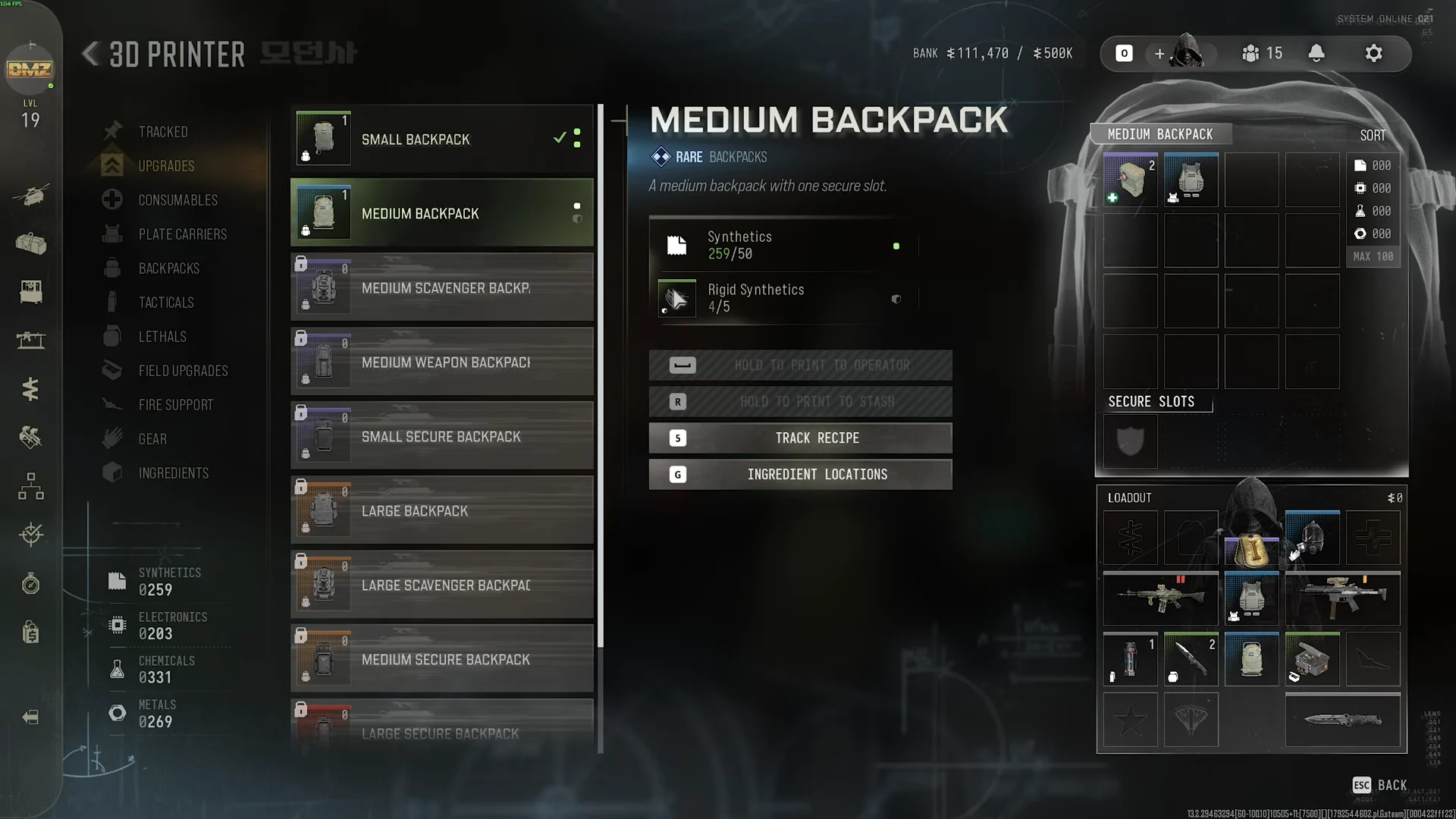
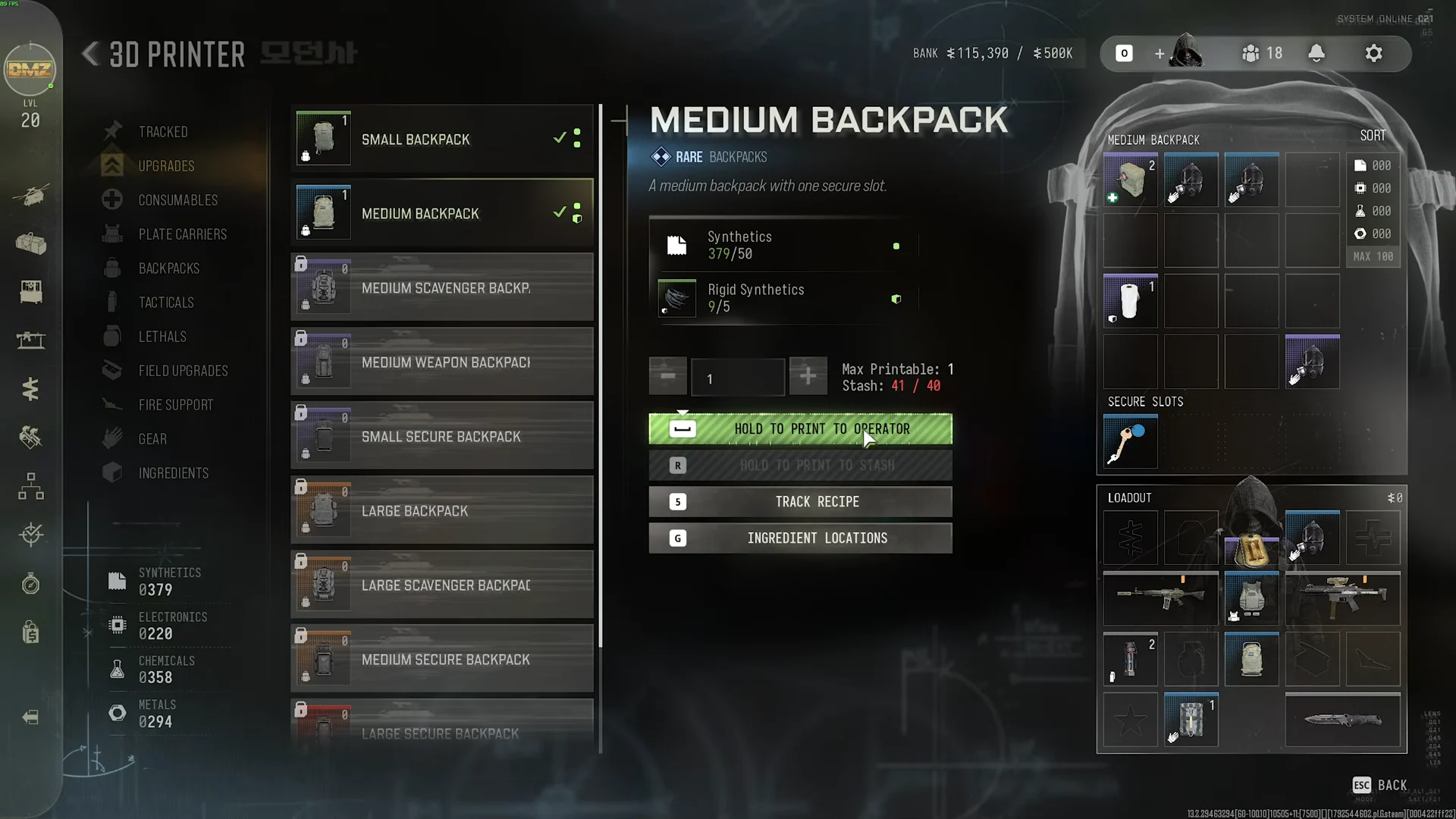
When stash usage exceeds its cap (for example, Stash 41 / 40), PRINT TO STASH is unavailable. Print to your operator instead.
Work Quietly: suppressor, Throwing Knife and the 8-kill streak
Two of the three Work Quietly tasks happen at the FOB.
- Suppressor: At GUNSMITH, select a weapon’s muzzle slot and purchase a suppressor—for example, XRK MIL-TAC SUPPRESSOR ($12,500) or MEIKO 30CAL-SP ($9,500). Add it to the build with ADD TO BUILD, then finalize with HOLD TO PURCHASE.
- Slot cost: Opening a new attachment slot adds its own cost, $1,000 for the first slot.
- Throwing Knife: At the 3D PRINTER, choose LETHALS and print a THROWING KNIFE for Chemicals 25 and Metals 25.
The streak objective requires 8 kills in a row without taking damage, with progress shown as x/8. Engage soldiers at medium-to-long range and prioritize headshots to take them down before they can return fire.
DMZ Orders Page 4 rewards and the Team Leader call
REWARDS FOR PG4 sits next to the page on the post-match summary. Clearing all eight tasks pays out the following.
| Reward | Type | Amount |
|---|---|---|
| MEDIUM BACKPACK | BACKPACK | x1 |
| AMMO BOX | FIELD UPGRADE | x1 |
| CASH | Cash | 20000 |
The completion cue is the DMZ ORDERS panel in the FOB’s upper-left changing to “AWAITING INCOMING ORDERS…” Soon after, a CALLER ID: TEAM LEADER card appears beneath DMZ ORDERS with the prompt [5] CONNECT. Press [5] to take the call.