Gaming Guide

Enshrouded: How to Get a Bigger Backpack (Tiny Backpack and Every Upgrade)

Craft the Tiny Backpack by hand for an extra row of 8 slots, then work up through three larger bags.

Craft the Tiny Backpack by hand for an extra row of 8 slots, then work up through three larger bags.

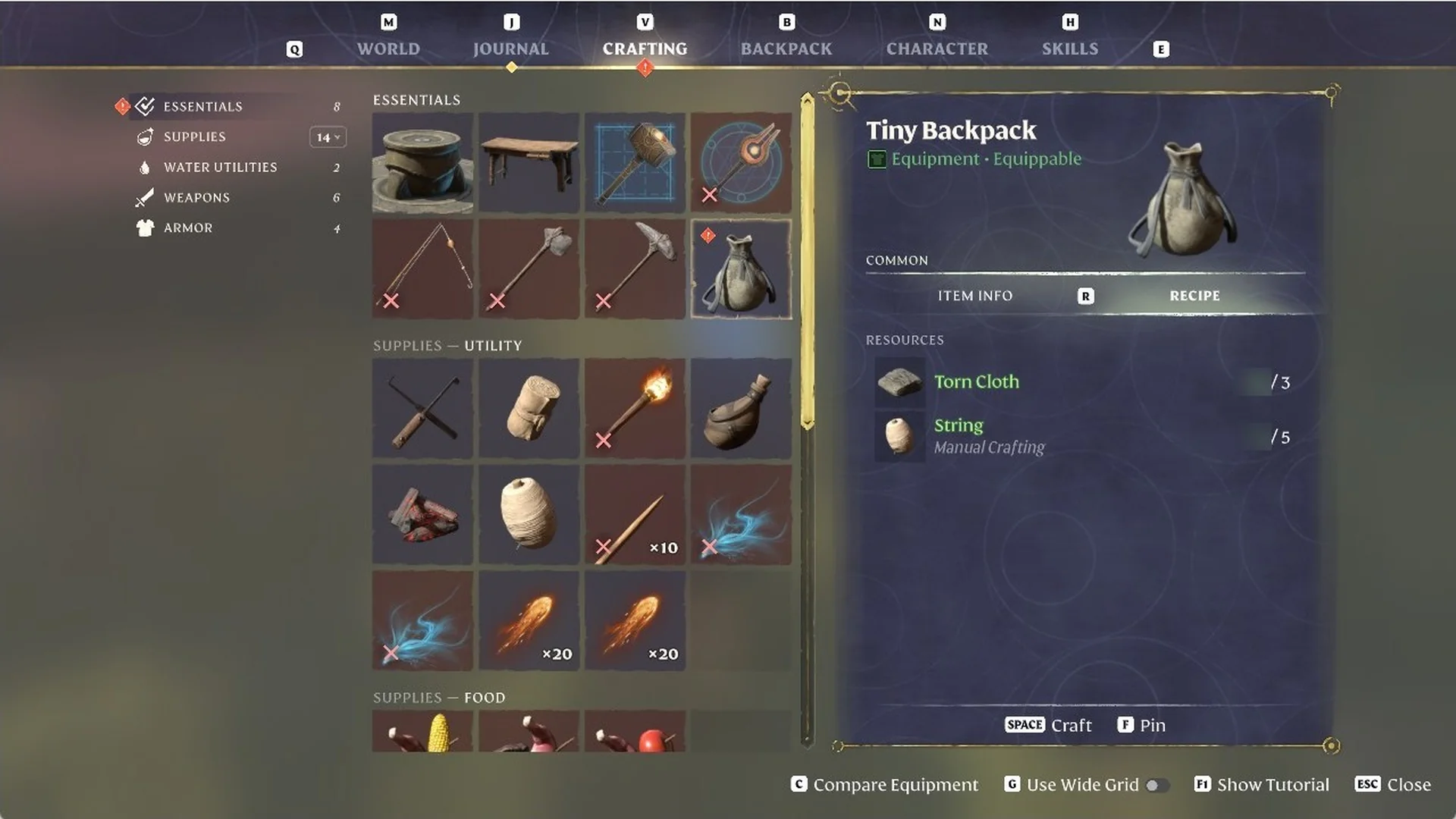
In Enshrouded, start by crafting the Tiny Backpack yourself: open CRAFTING, choose ESSENTIALS, and use Torn Cloth 3 and String 5 without a crafting station. It provides 8 extra slots—one additional row. Next, craft the Small Backpack at the Workbench; the Bard provides the Medium and Large Backpacks.

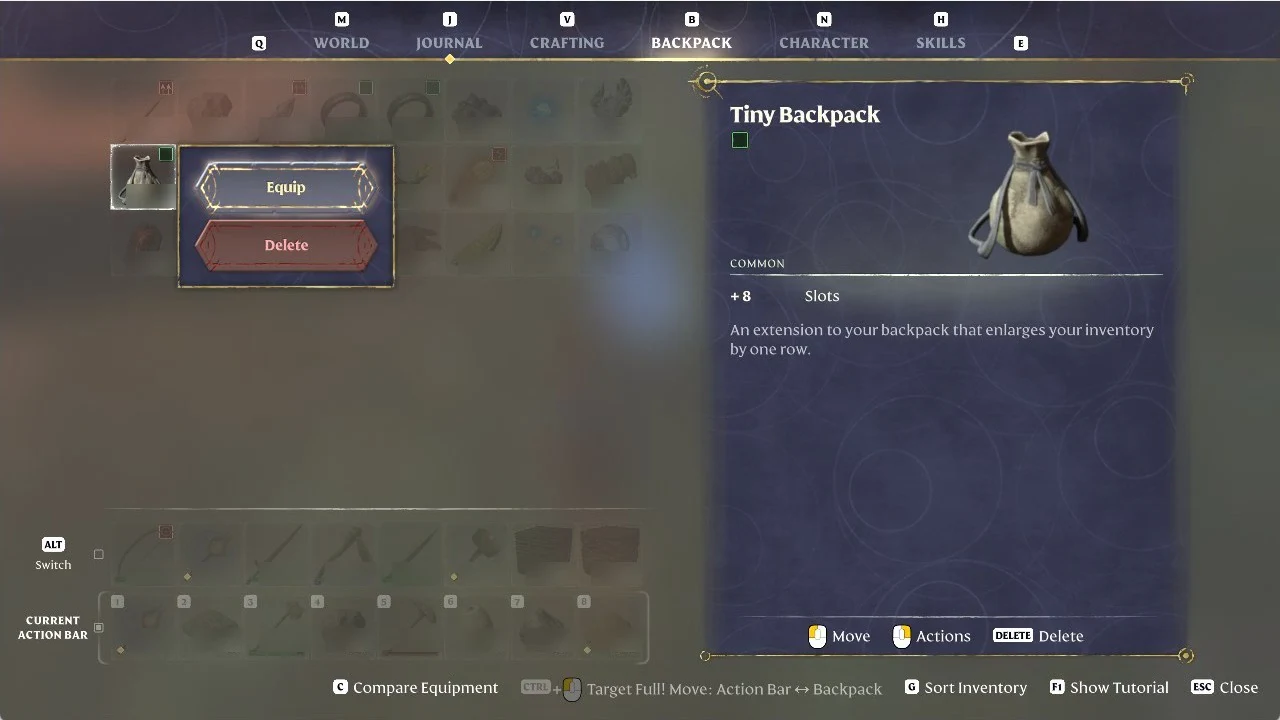
Quick answer: Press V, open ESSENTIALS, craft the Tiny Backpack with SPACE, then right click it in the BACKPACK tab and choose Equip. A fourth row of 8 slots appears.


Tiny Backpack recipe and what it does

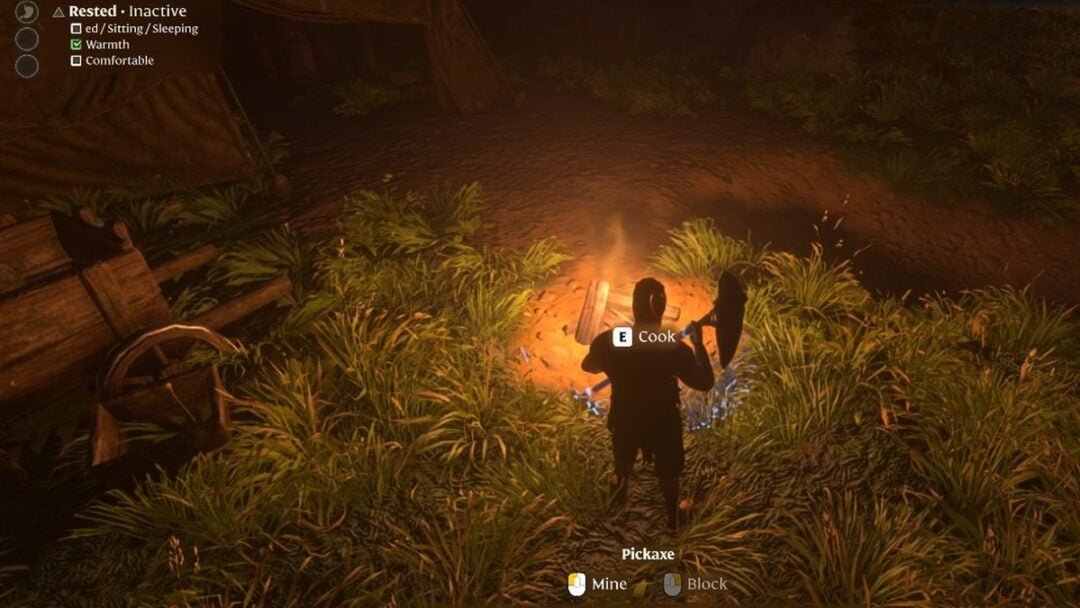
The starting backpack holds three rows of 8 slots. Once every slot is full, picking up more while you dig with the Pickaxe brings up a “Backpack full” note in the middle of the screen.
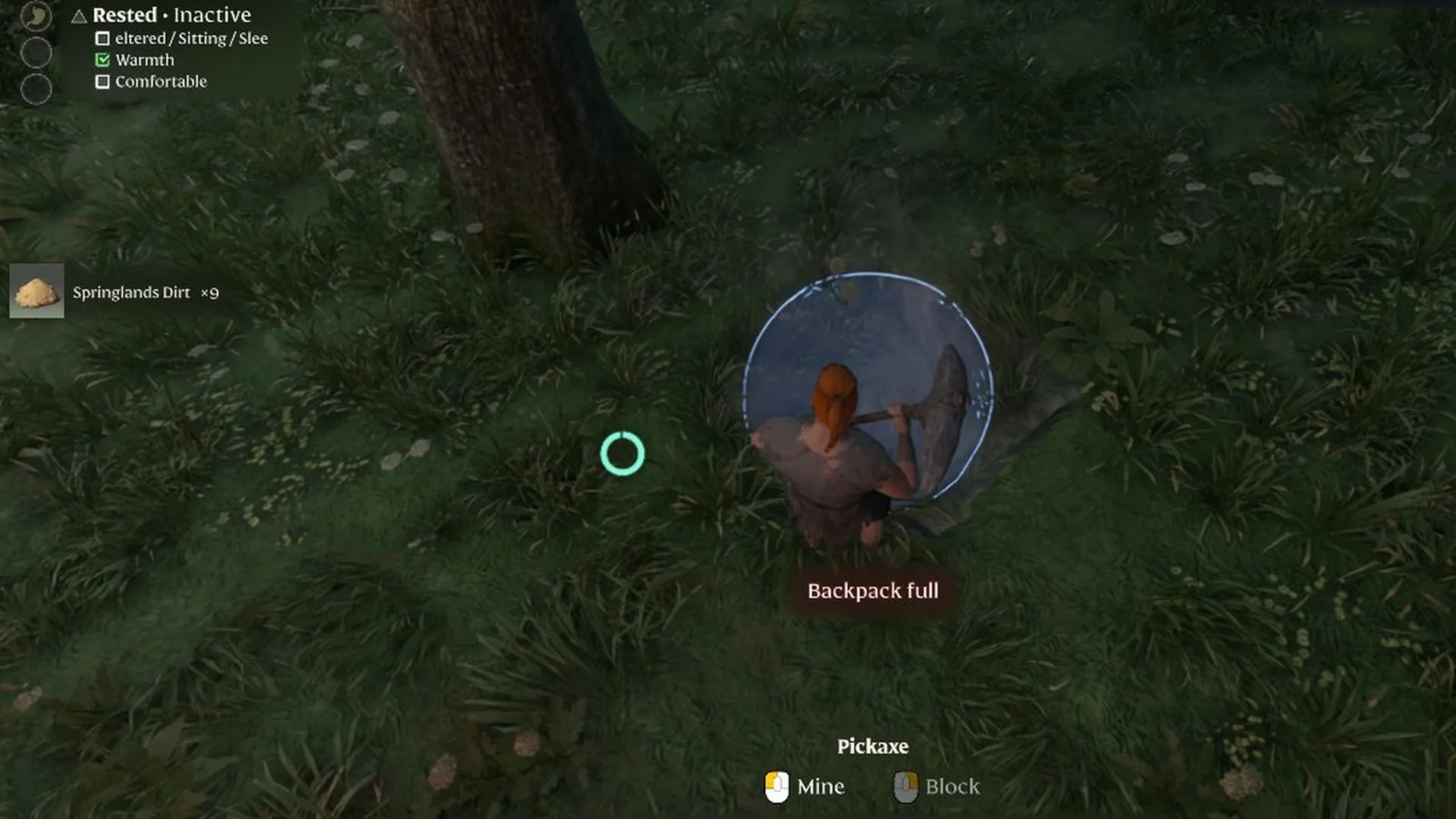
Enshrouded player holding a Pickaxe with a 'Backpack full' note and a 'Springlands Dirt' pickup note
A ‘Backpack full’ warning appears mid-screen while mining with the Pickaxe.

The Tiny Backpack fixes that without any building or travel. Bring these materials:

  • Torn Cloth 3
  • String 5 (the recipe card marks String as “Manual Crafting”)
  • One free slot in your backpack for the finished item

The item card lists it as Tiny Backpack, Equipment, Equippable, COMMON, with “+8 Slots” and the line “An extension to your backpack that enlarges your inventory by one row.”
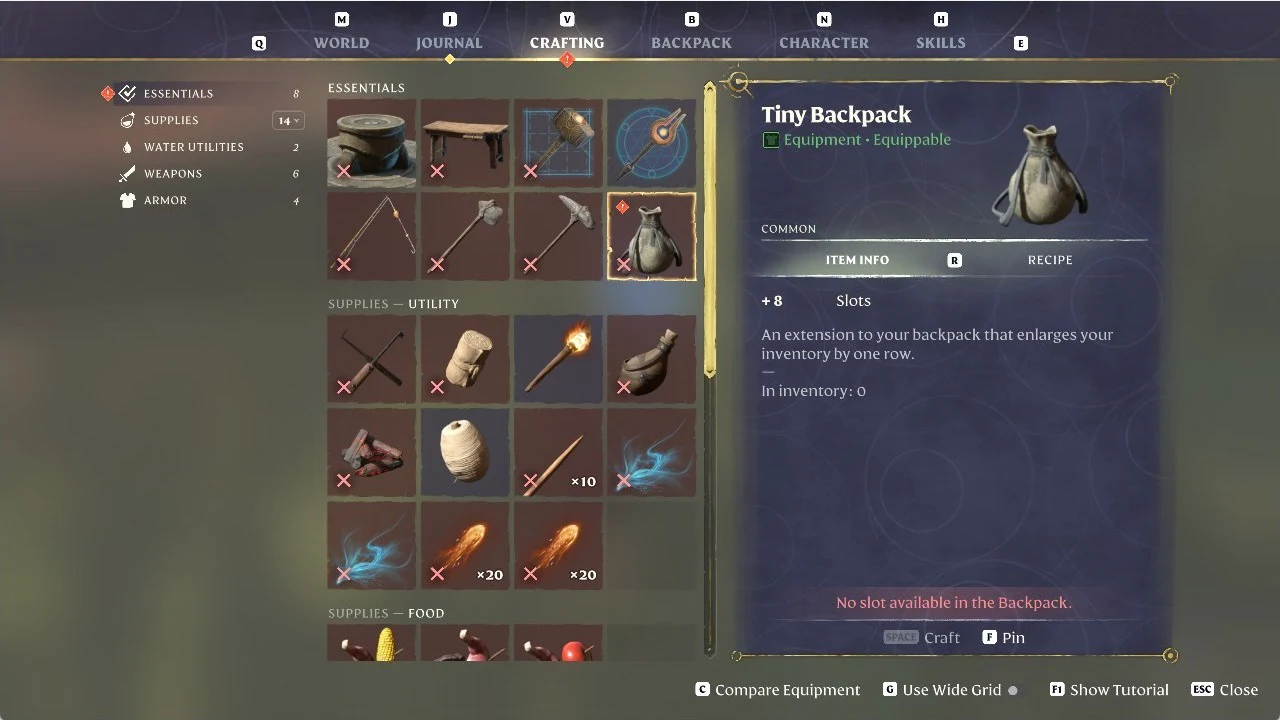
Enshrouded Crafting screen with the Tiny Backpack selected and crafting blocked by a full backpack
The Tiny Backpack in the Crafting screen, blocked because no backpack slot is free.

How to craft and equip the Tiny Backpack
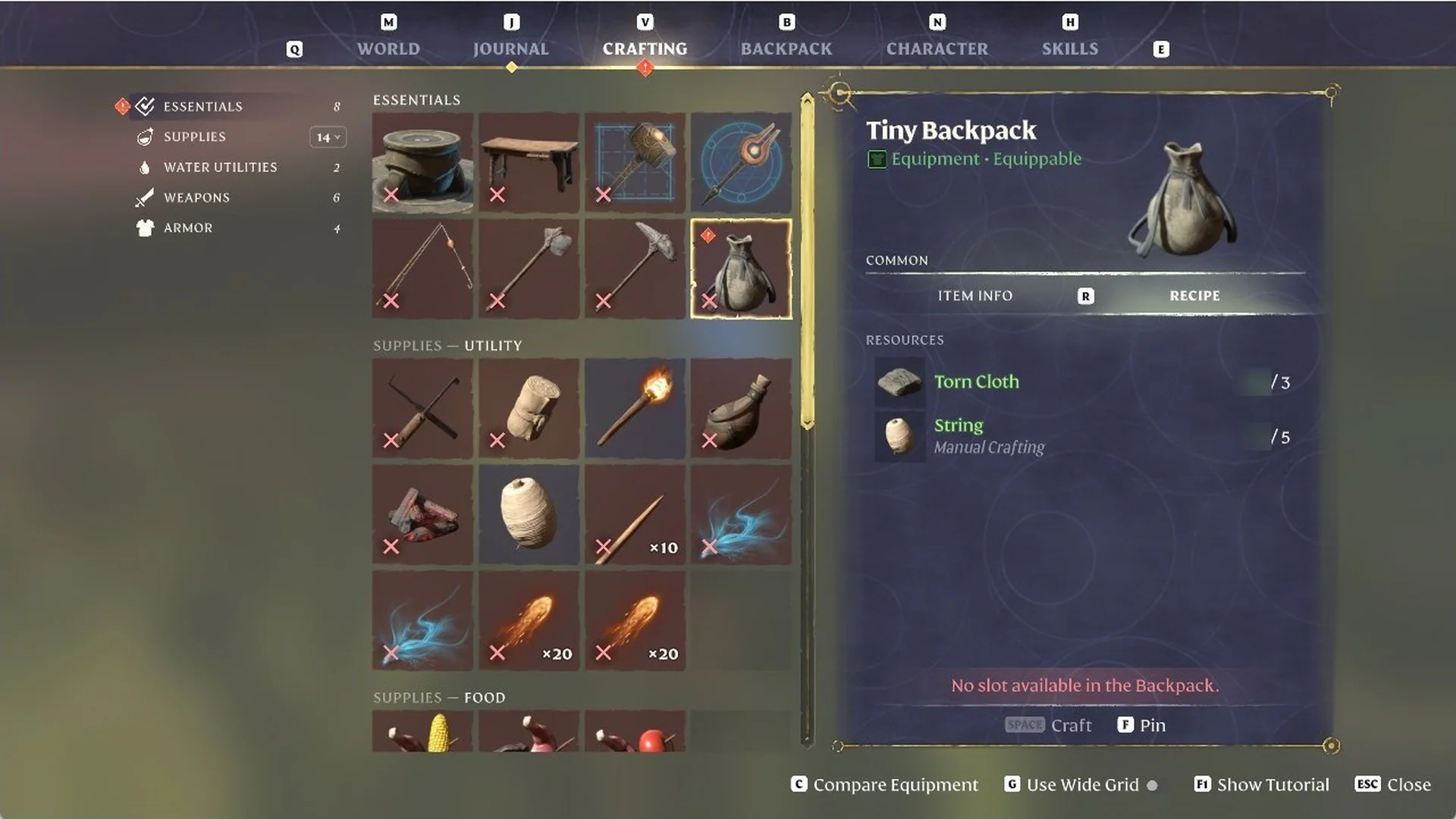
Press V to open the CRAFTING tab and go to ESSENTIALS. Select the Tiny Backpack, the bag tile in the second row. The ITEM INFO card shows its stats and “In inventory: 0” if you don’t own one yet.
Press R to switch the card from ITEM INFO to RECIPE and check that you have Torn Cloth / 3 and String / 5. If your backpack is full, the card shows “No slot available in the Backpack.” in red and SPACE Craft stays greyed out, even with enough materials.
Enshrouded Tiny Backpack recipe needing Torn Cloth and String, showing 'No slot available in the Backpack.'
The Tiny Backpack costs 3 Torn Cloth and 5 String, but crafting is blocked without a free slot.
Free one slot. Open the BACKPACK tab, select a junk item such as a Twigs stack, and press DELETE. The slot empties and the right-hand card reads “No Item Selected.”

DELETE removes whatever item is selected, so check the card before you press it.
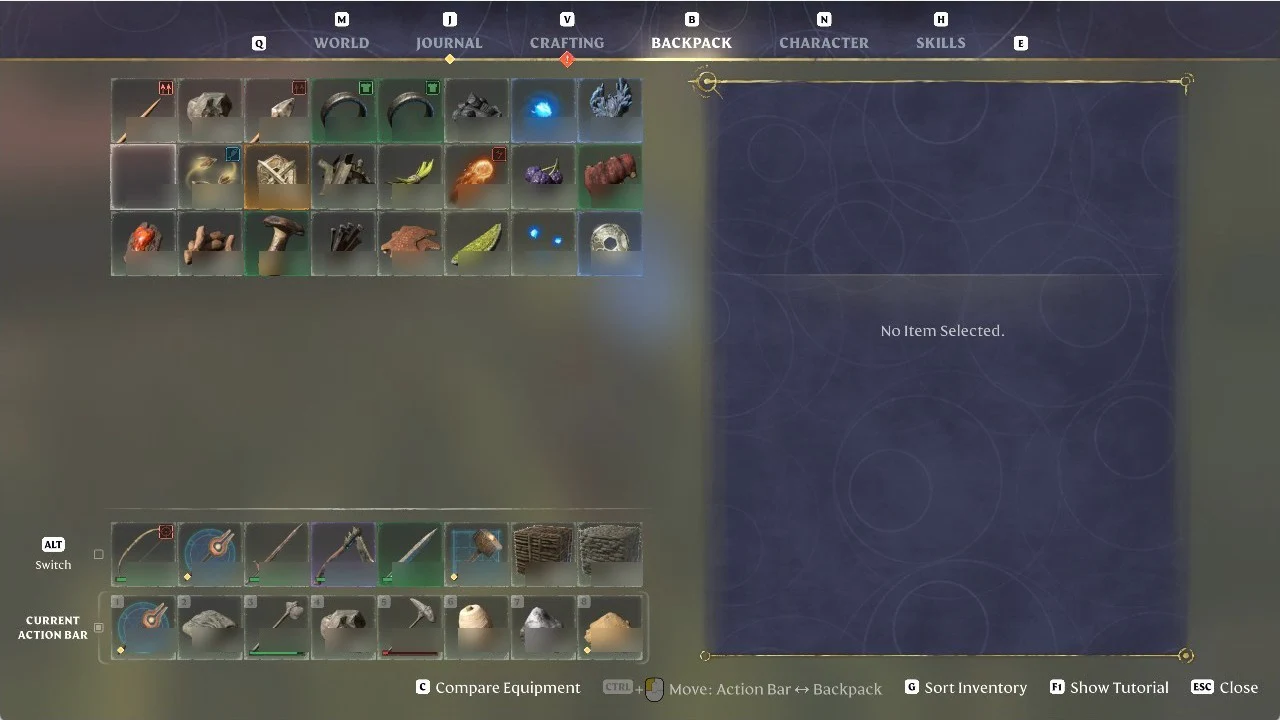
Enshrouded Backpack screen showing the inventory grid with no item selected after freeing a slot
The Backpack screen after deleting a junk item, with no item selected.
Go back to CRAFTING, then ESSENTIALS, then Tiny Backpack. The red warning is gone and SPACE Craft is lit, so press SPACE. The bag drops into your free slot and the materials come out of your stacks.
Enshrouded Tiny Backpack recipe card with the Craft button lit and ready after freeing a slot
With a slot freed, the red warning disappears and the Tiny Backpack can be crafted.
Open the BACKPACK tab and find the Tiny Backpack, whose card reads “Equipment – Equip to use”. Right click it to open Actions, which lists Equip and Delete, and choose Equip.
Enshrouded Backpack tab with the Tiny Backpack selected and the Equip action highlighted
Choosing Equip on the Tiny Backpack in the Backpack tab.

How to tell the extra row worked

Equipping it adds a fourth row containing 8 vacant slots below the three original rows, and frees the slot where the Tiny Backpack had been.
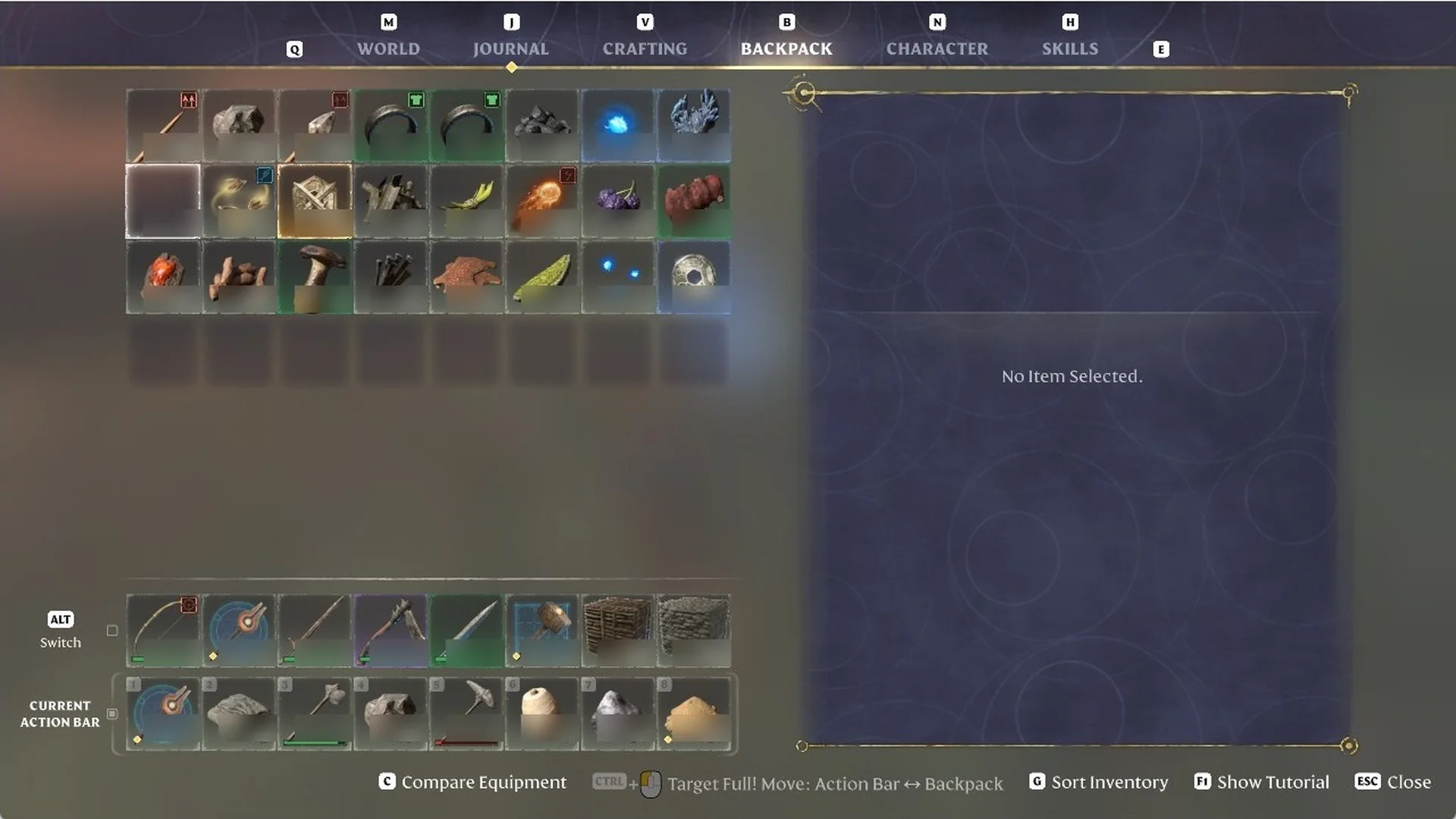
Enshrouded Backpack tab showing a fourth row of eight empty slots after equipping the Tiny Backpack
Equipping the Tiny Backpack adds a fourth row of eight inventory slots.

Press N to bring up the CHARACTER tab; the bag appears in a dedicated slot, and the stats list “Backpack Extension 8”.
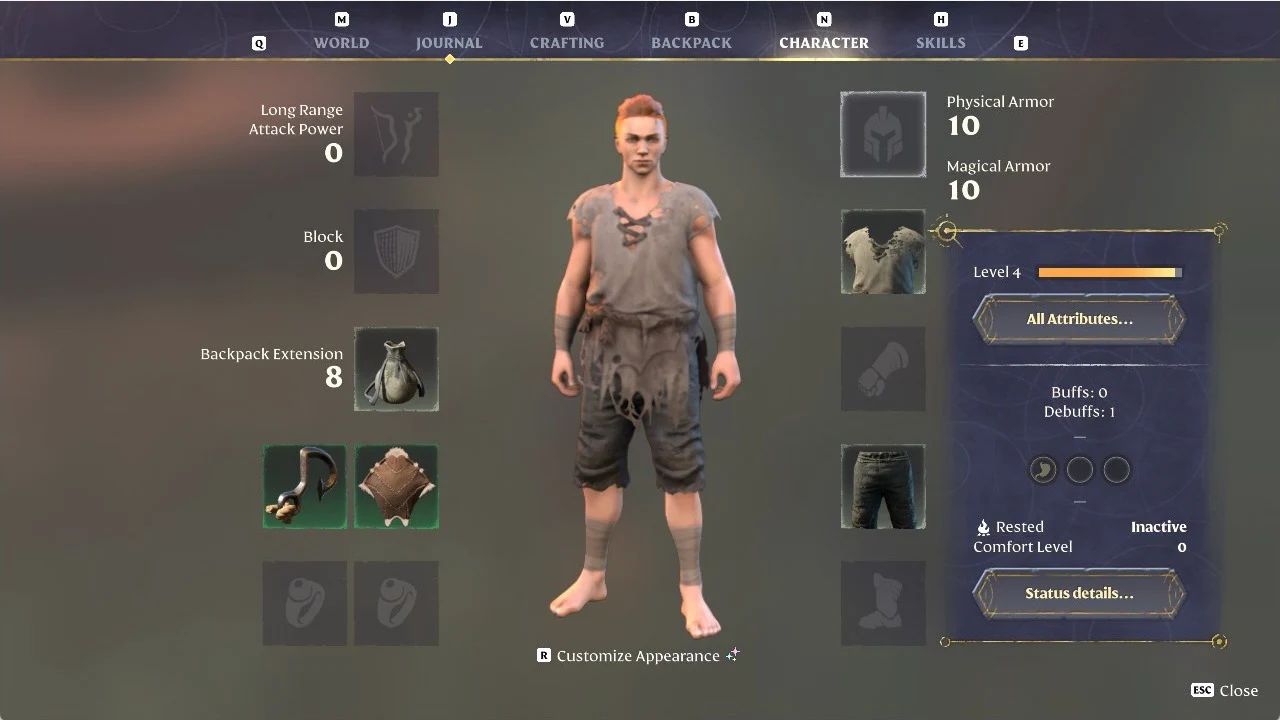
Enshrouded Character tab listing equipped gear and stats, including the backpack extension
The Character tab, where the equipped bag and its Backpack Extension value appear.

Enshrouded backpack upgrades after the Tiny Backpack

Each larger bag is crafted at a station or by a character instead of by hand. These are the recipes listed in the game’s crafting menus.

BackpackCrafted atMaterialsSlots
Tiny BackpackBy hand (CRAFTING > ESSENTIALS)Torn Cloth 3, String 58
Small BackpackWorkbenchTorn Cloth 1, Dried Fur 4, String 116
Medium BackpackThe Bard (Valory)Reptile Leather 6, Linen 624
Large BackpackThe Bard (Valory)Leather 5, Linen 532

The Small Backpack recipe only shows up at the Workbench once you have picked up Dried Fur, so grab some before you go looking for it.