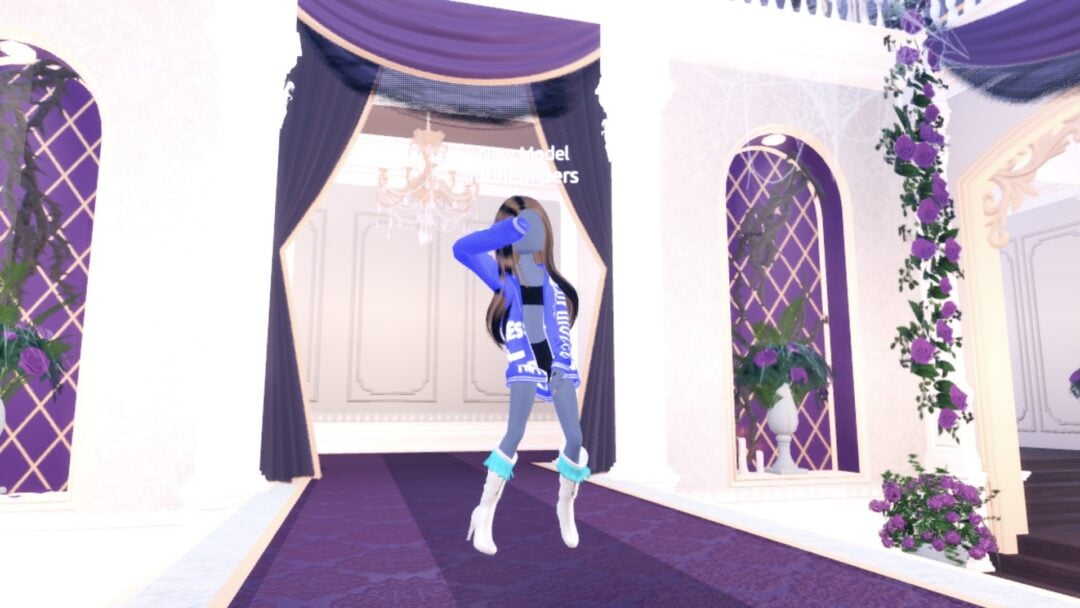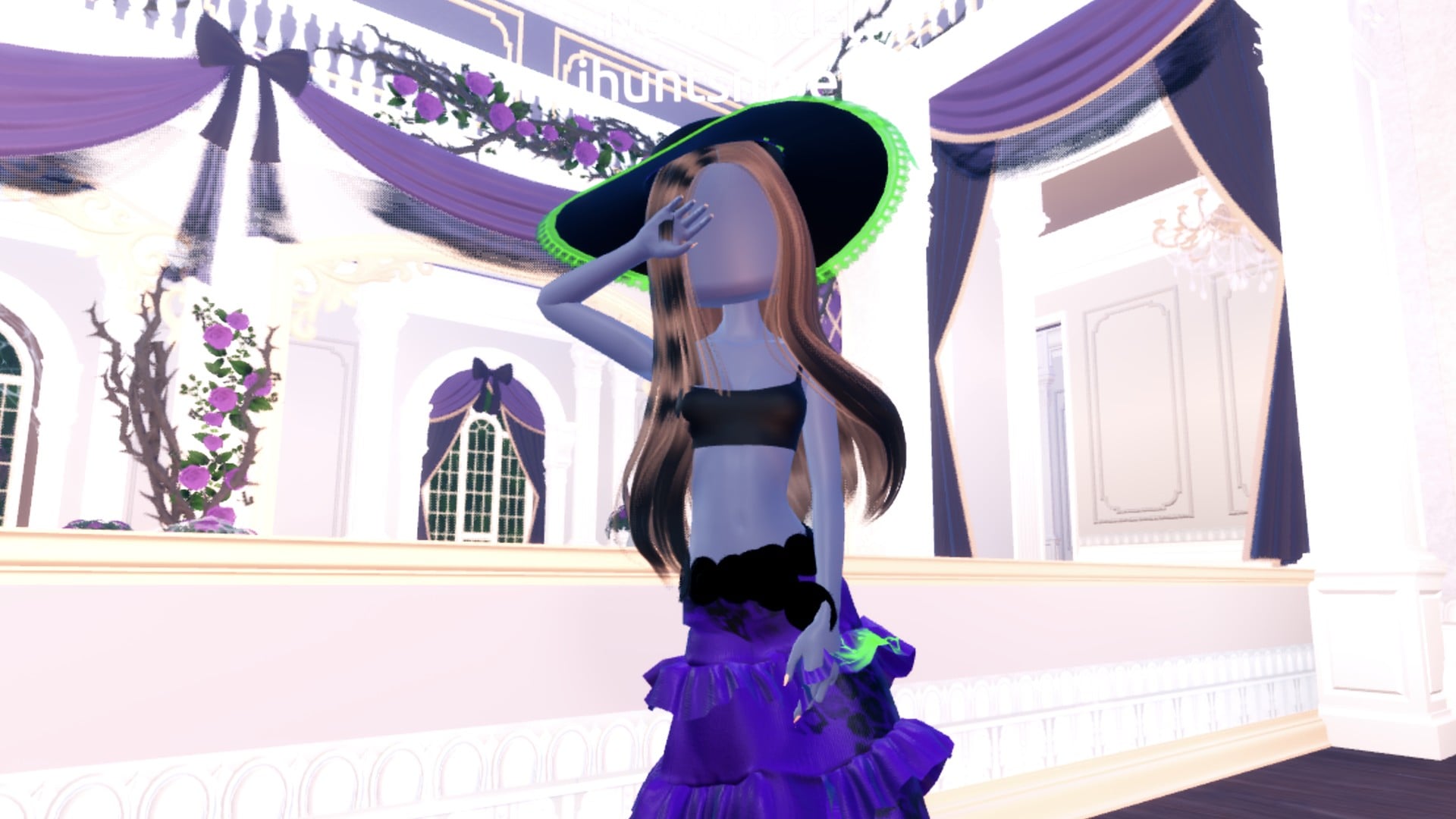
Potion Maker is a theme in Dress To Impress that is easy to dress for. You don’t need a cauldron or a potion bottle (we did not find either to hold). You need one free gown, a dark-and-acid colour scheme, and the Neon material, which makes trim glow on the runway like something bubbling over. All three looks below use the same base gown, recoloured. That approach works for any theme: one free piece, new colours and new materials give you a new outfit.
Quick answer: Recolour the long ruffled gown deep purple with Silk, make its hemline and flower details bright green Neon so they glow like a potion, and add the wide sun hat in black with a green Neon lace edge.
All three looks were built in Freeplay Mode on an account with no VIP and 0 stars. Nothing was bought.
How recolouring works in the Dressing Room
Dress To Impress doesn’t name its clothes. The pieces sit on shelves and mannequins, so each piece below is described by where it is. Some pieces split into labelled parts, such as “1/5: Skirt”, and those parts are what you recolour.
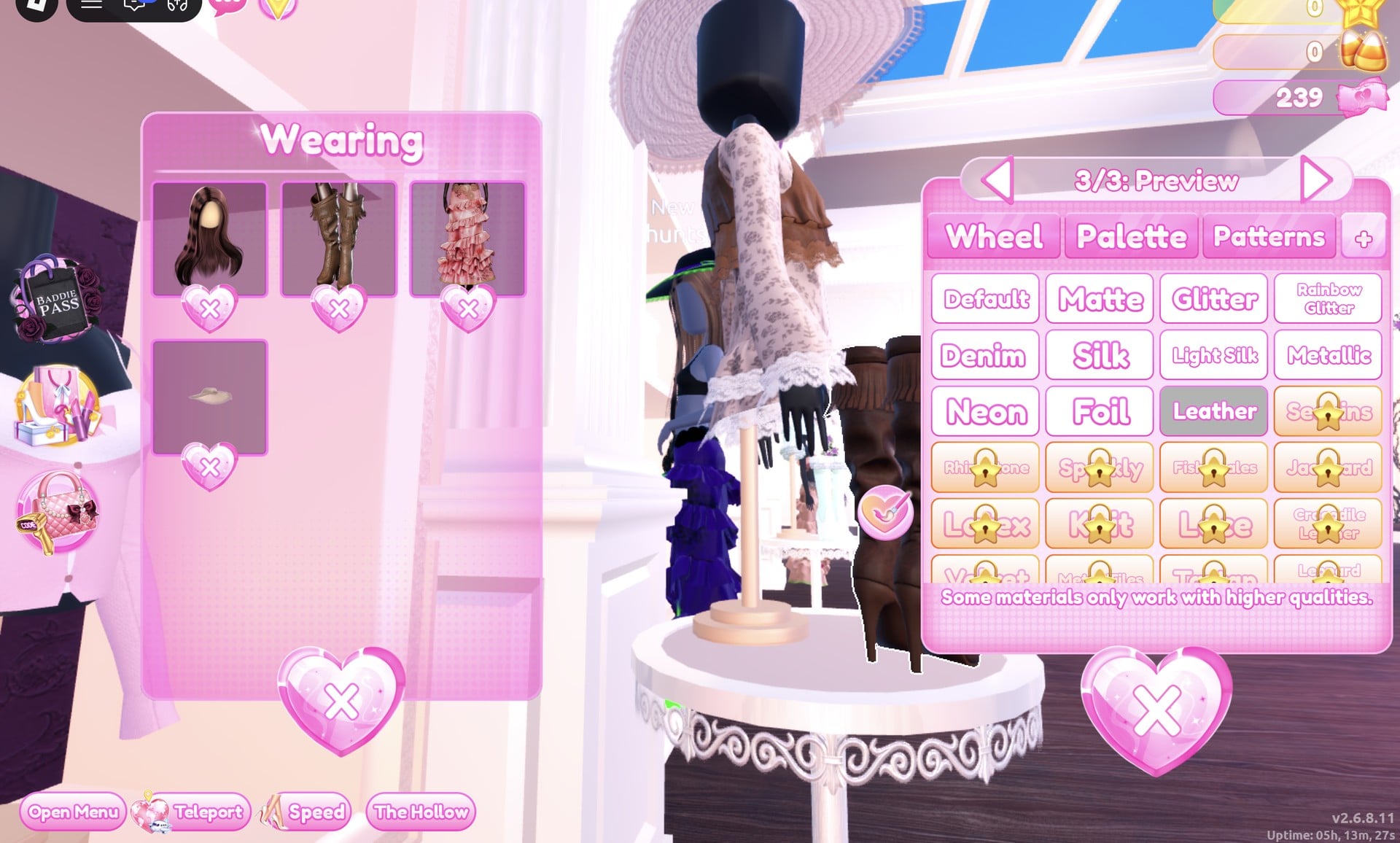
You can also recolour anything you’re already wearing without going back to the rack. Open the Wearing panel with the round button on the right and click the piece’s picture. That’s how Looks 2 and 3 are made, while you stand on the runway.
Look 1: Witch brewer
Start with the mannequin wearing the long pale pink ruffled tiered gown, beside the shoe and boot shelf in the Dressing Room. It has five parts. Set them like this:
| Gown part | Colour | Palette (column, row) | Material |
|---|---|---|---|
| 1/5: Skirt | Deep purple | 3, 7 | Silk |
| 2/5: Leopard Print | Black | 9, 8 | Glitter |
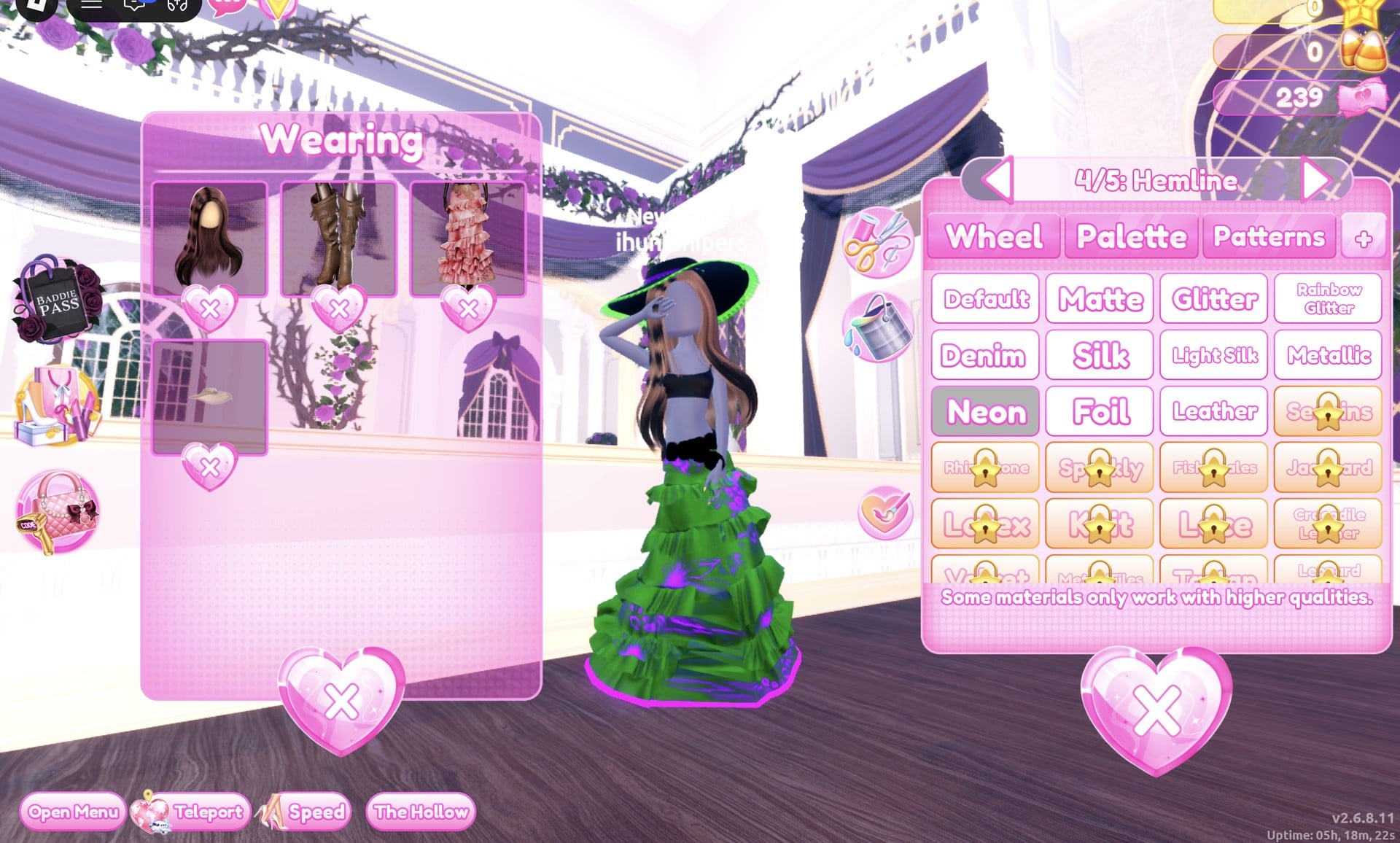
| 3/5: Flower Details | Bright green | 7, 5 | Neon |
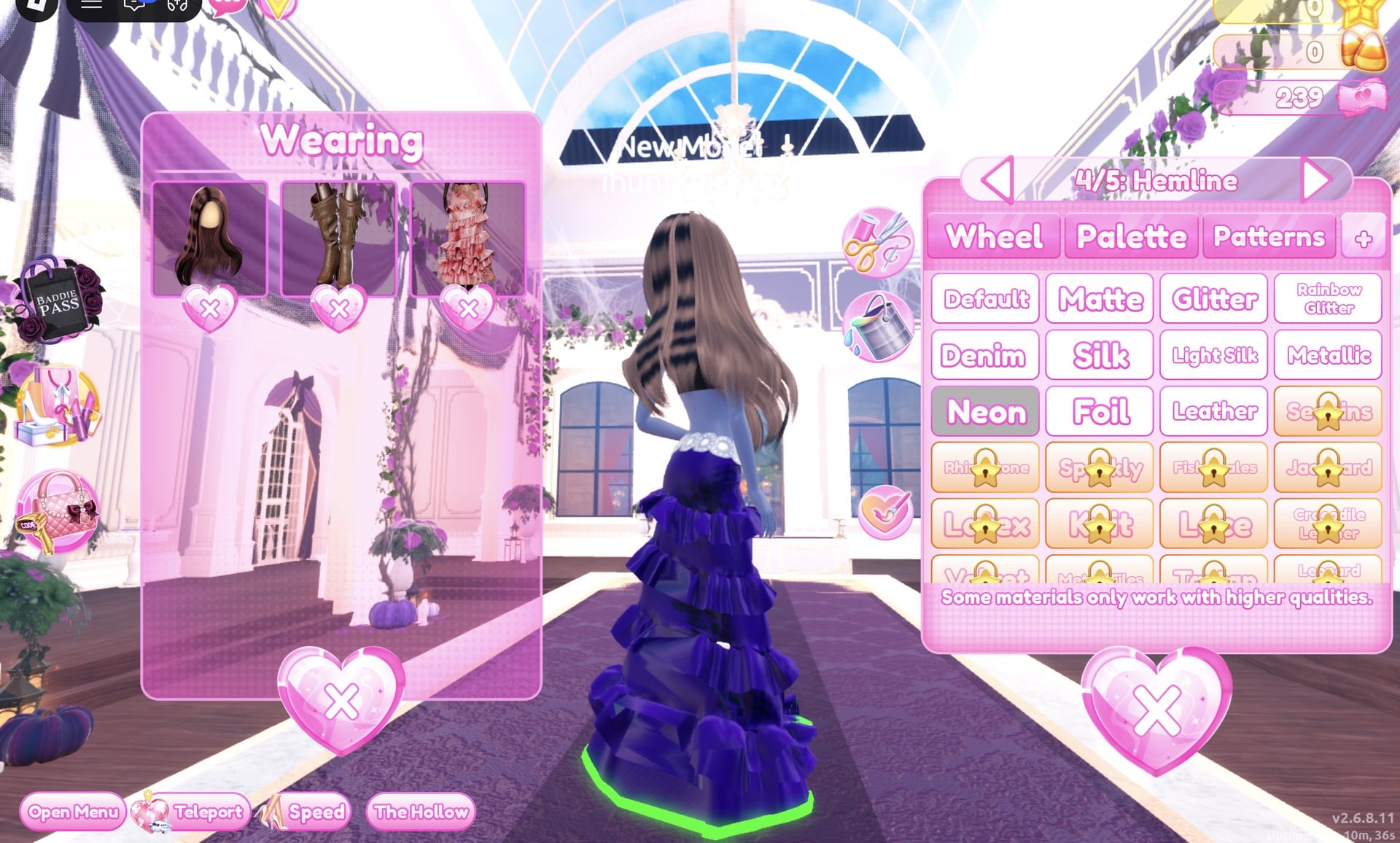
| 4/5: Hemline | Bright green | 7, 5 | Neon |
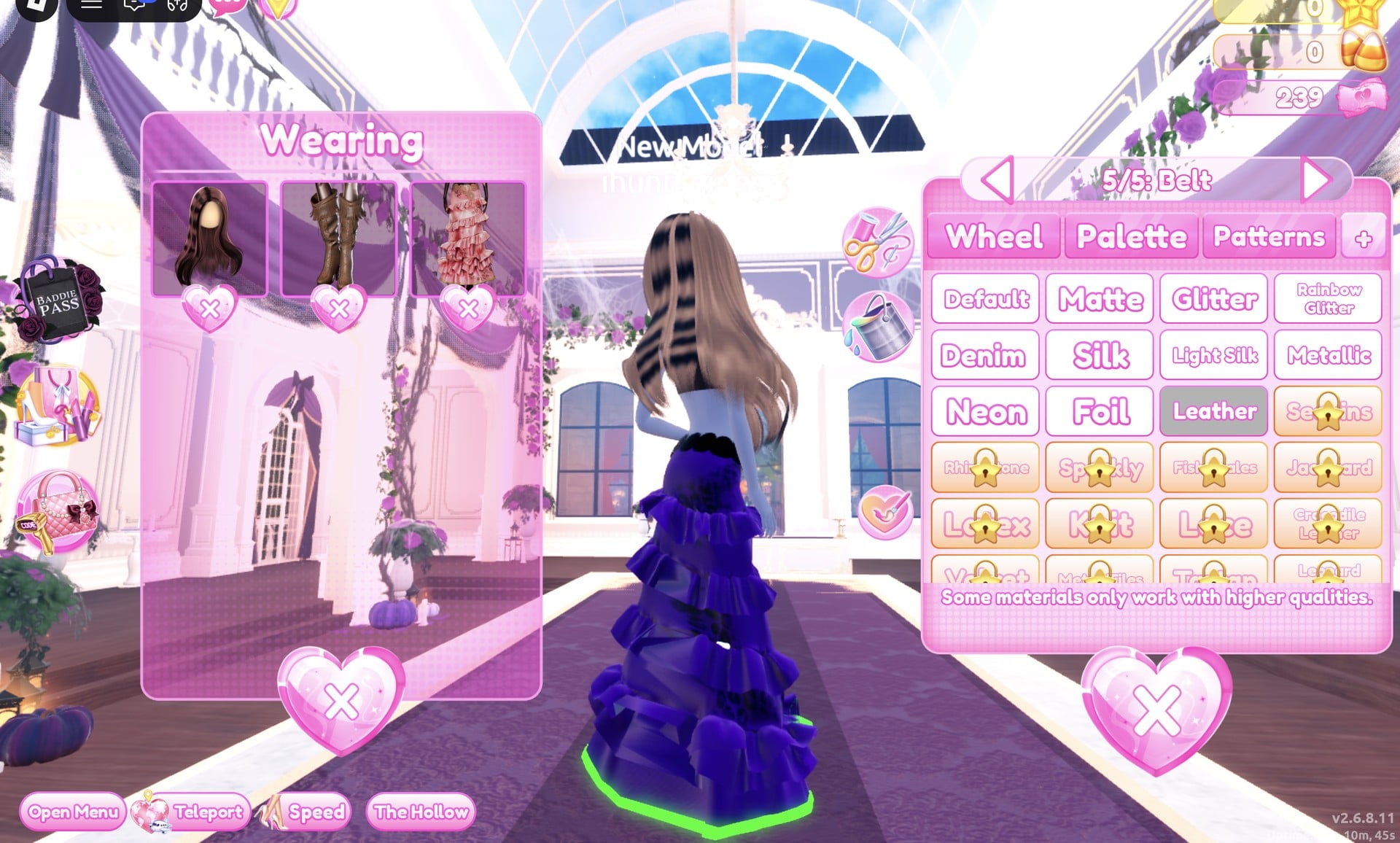
| 5/5: Belt | Black | — | Leather |
Start on “1/5: Skirt”: deep purple from the Palette tab, then Silk in the “+” tab.
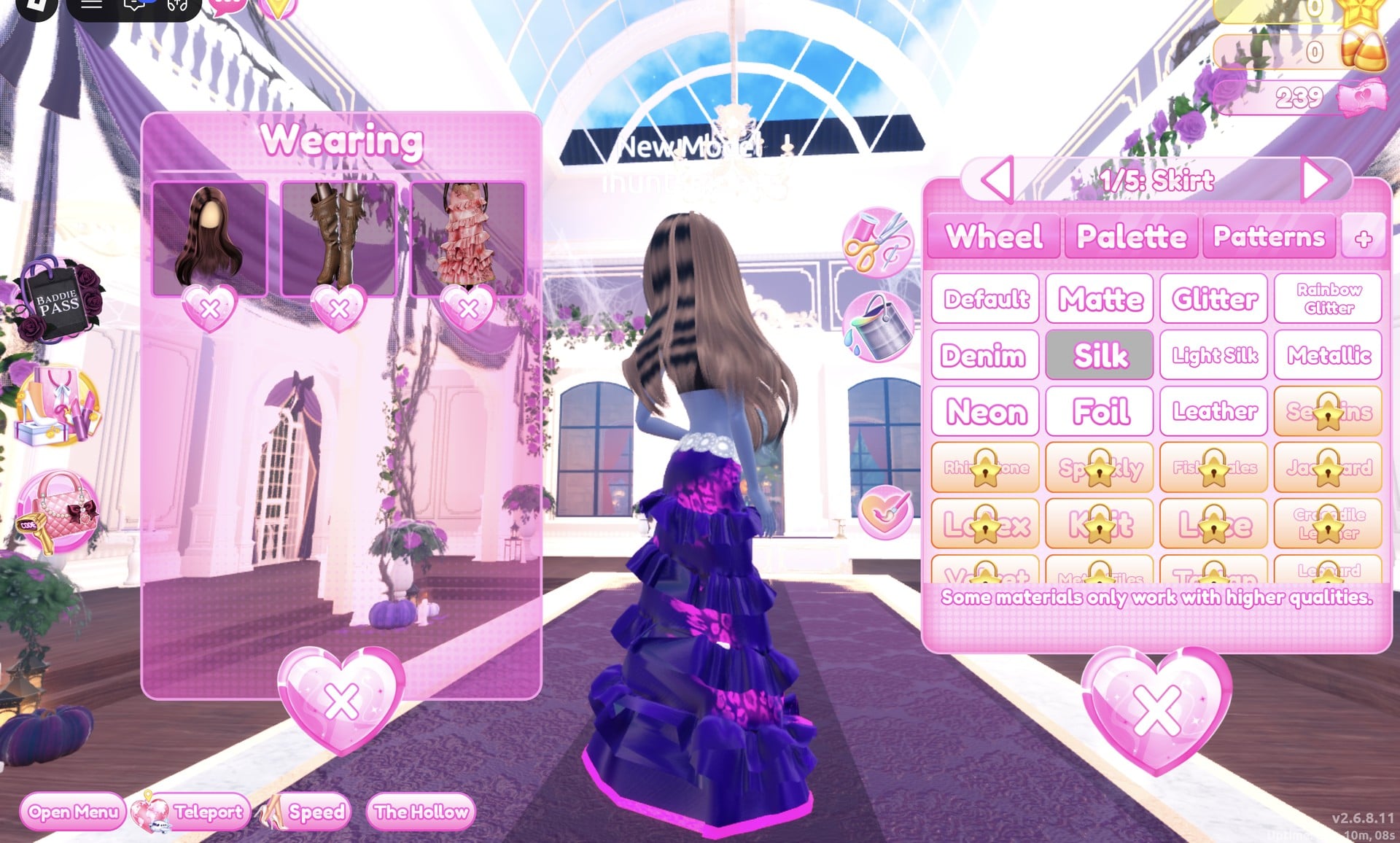
“4/5: Hemline” and “3/5: Flower Details” both get bright green with Neon. These are the parts that glow.
Finish on “5/5: Belt” with black and Leather.
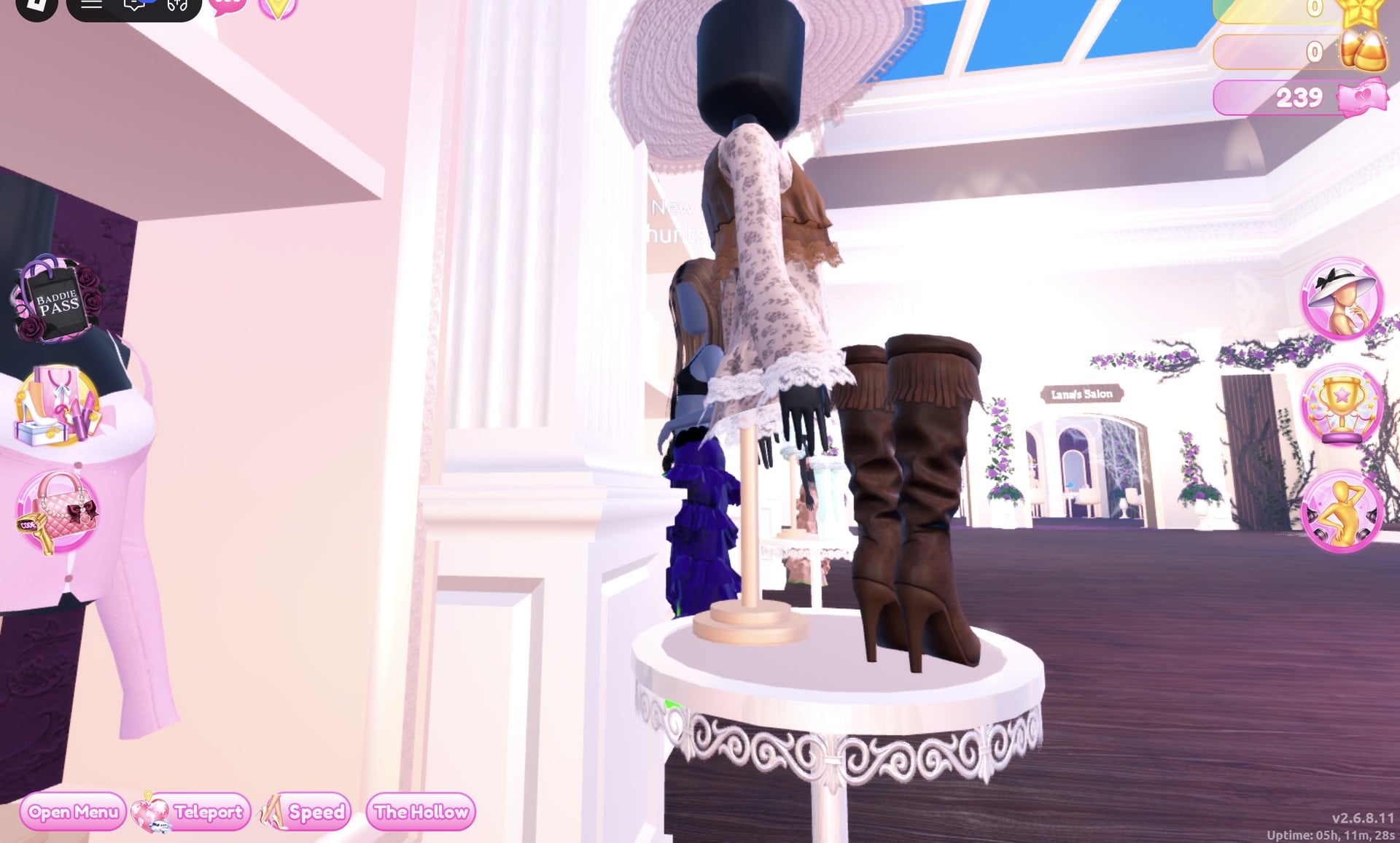
For the hat, find the mannequin in a wide white sun hat and lace dress, standing on a small round white table by the tops shelf. Fringed knee boots stand on the same table.
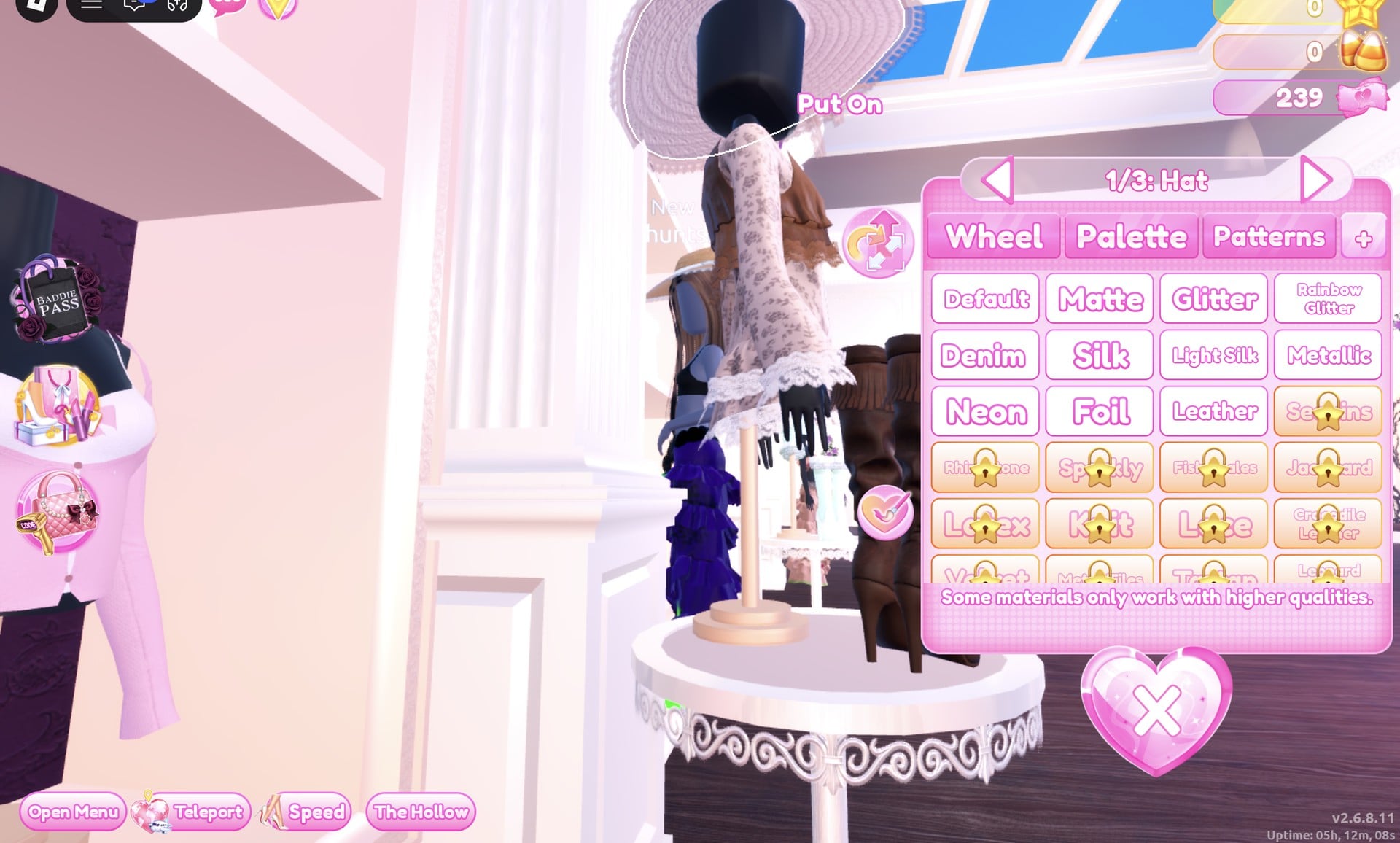
Double click the hat’s brim to bring up “1/3: Hat”. There is no witch hat as such; recoloured like this, the sun hat reads as one:
| Hat part | Colour | Palette (column, row) | Material |
|---|---|---|---|
| 1/3: Hat | Black | — | Matte |
| 2/3: Ribbon | Deep purple | 3, 7 | Silk |
| 3/3: Lace | Bright green | 7, 5 | Neon |
The lace edge is the part that glows: bright green with Neon on “3/3: Lace”.
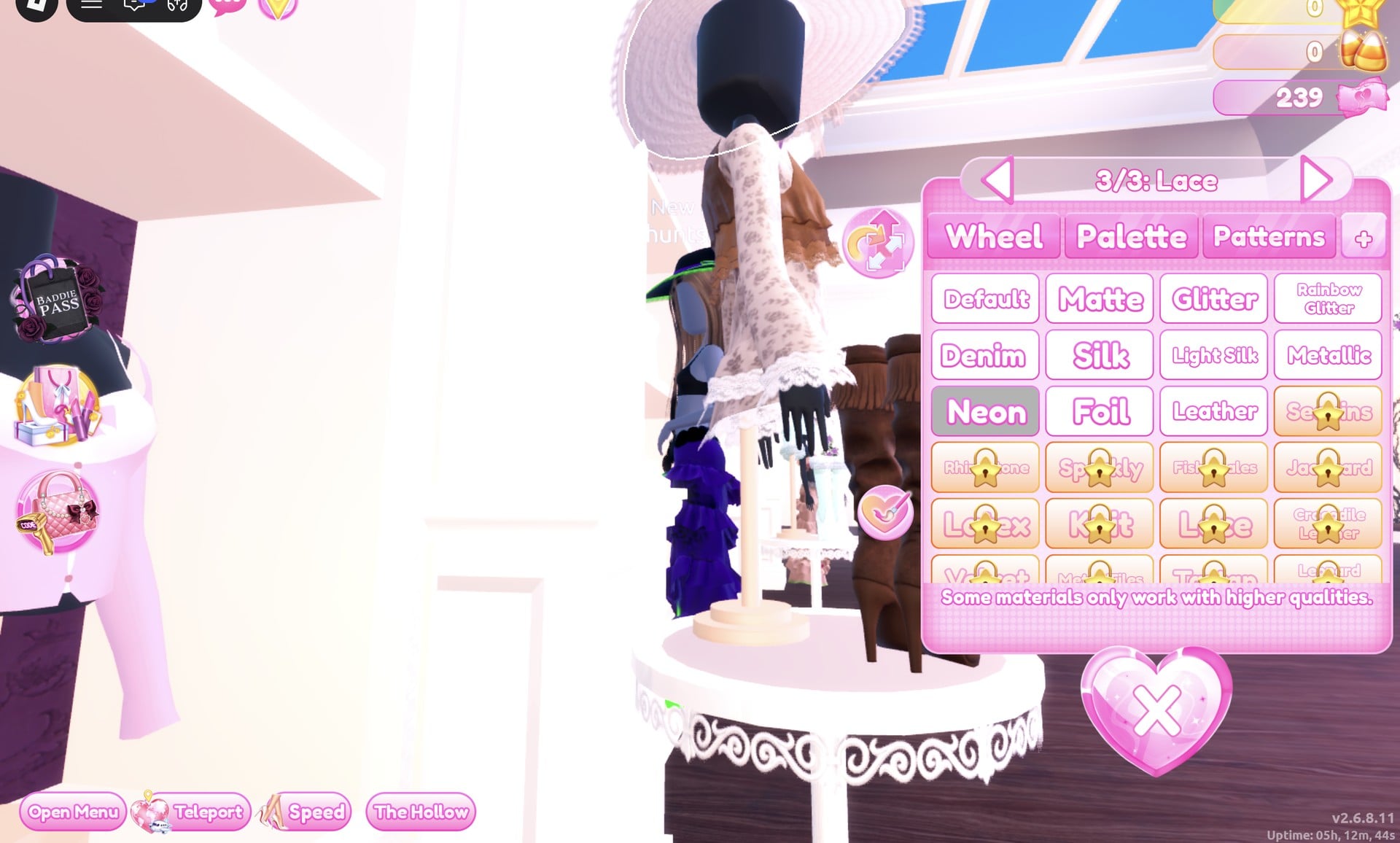
Press Put On from the Palette tab.
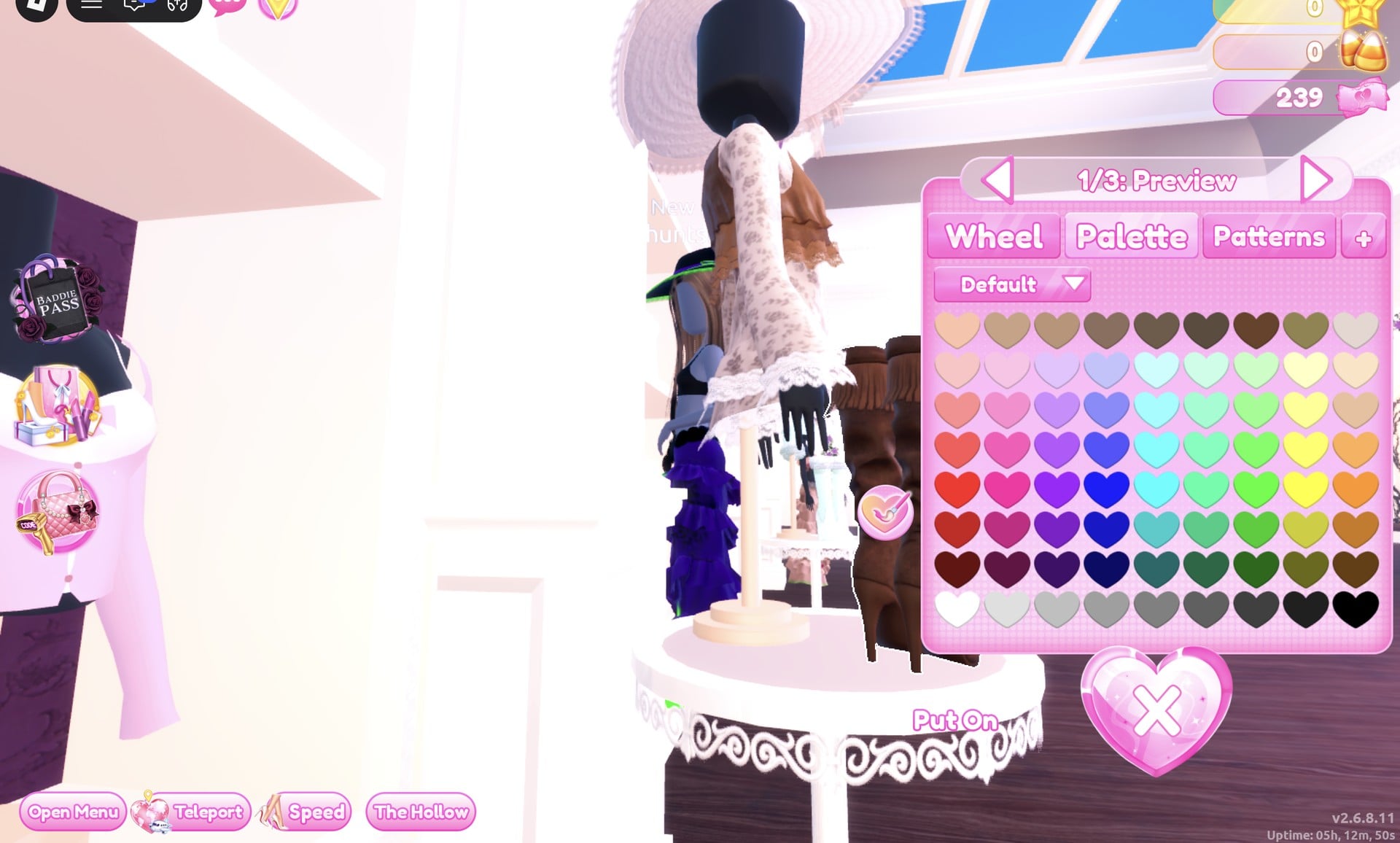
We also wore the fringed knee boots from the same table, with all three parts set to black Leather from the Wearing panel. They stay hidden under the floor-length gown.
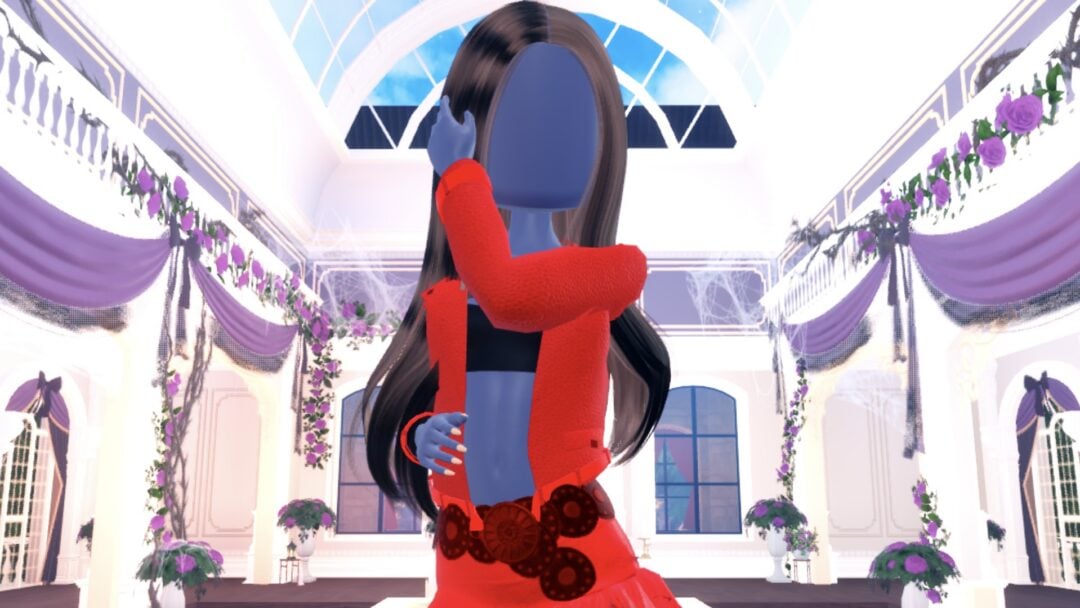
For the pose, open the Poses button (lowest on the right side), go to the Solo tab and pick Sparkle, the sixth option, which puts one hand up at the hat brim.
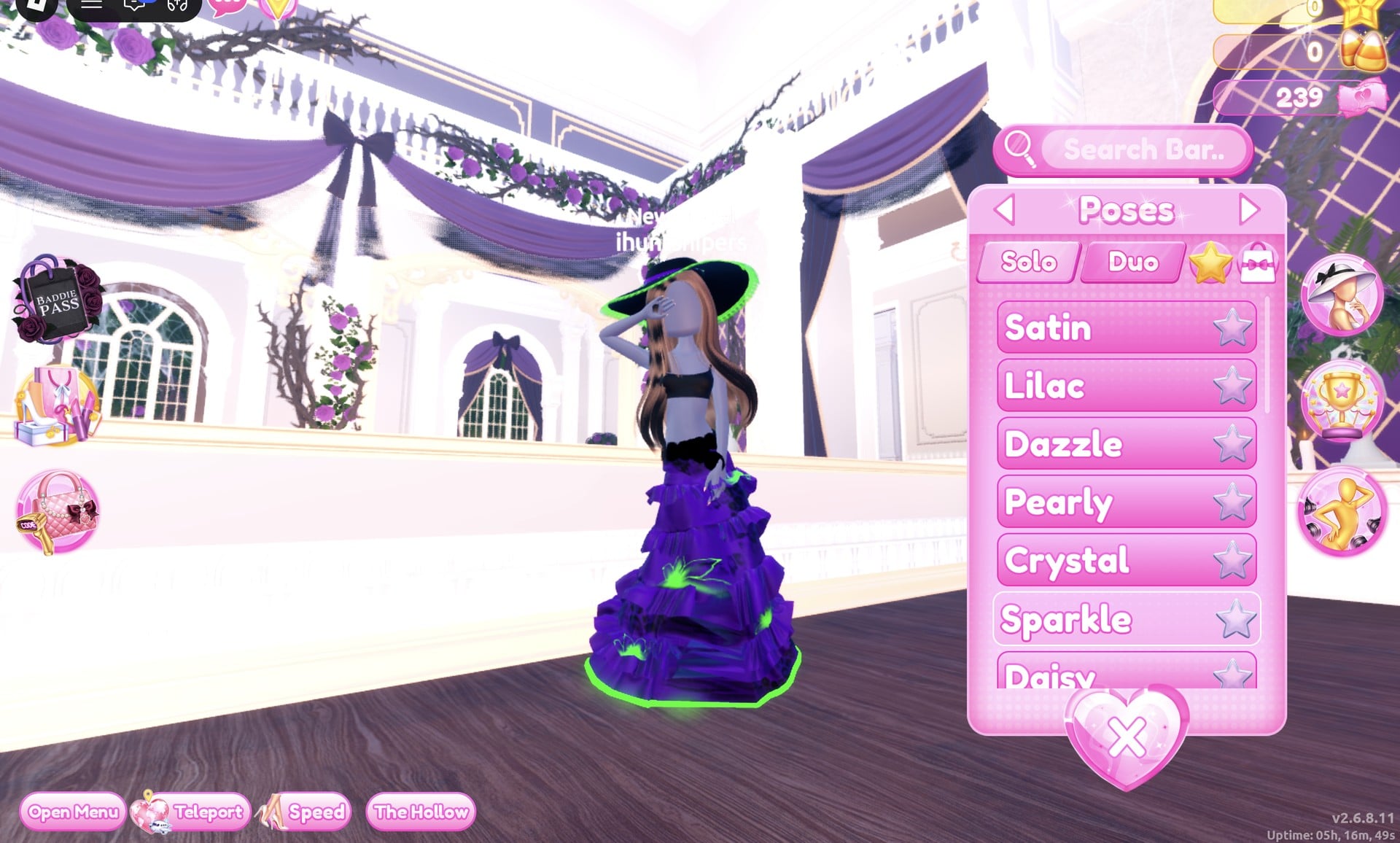
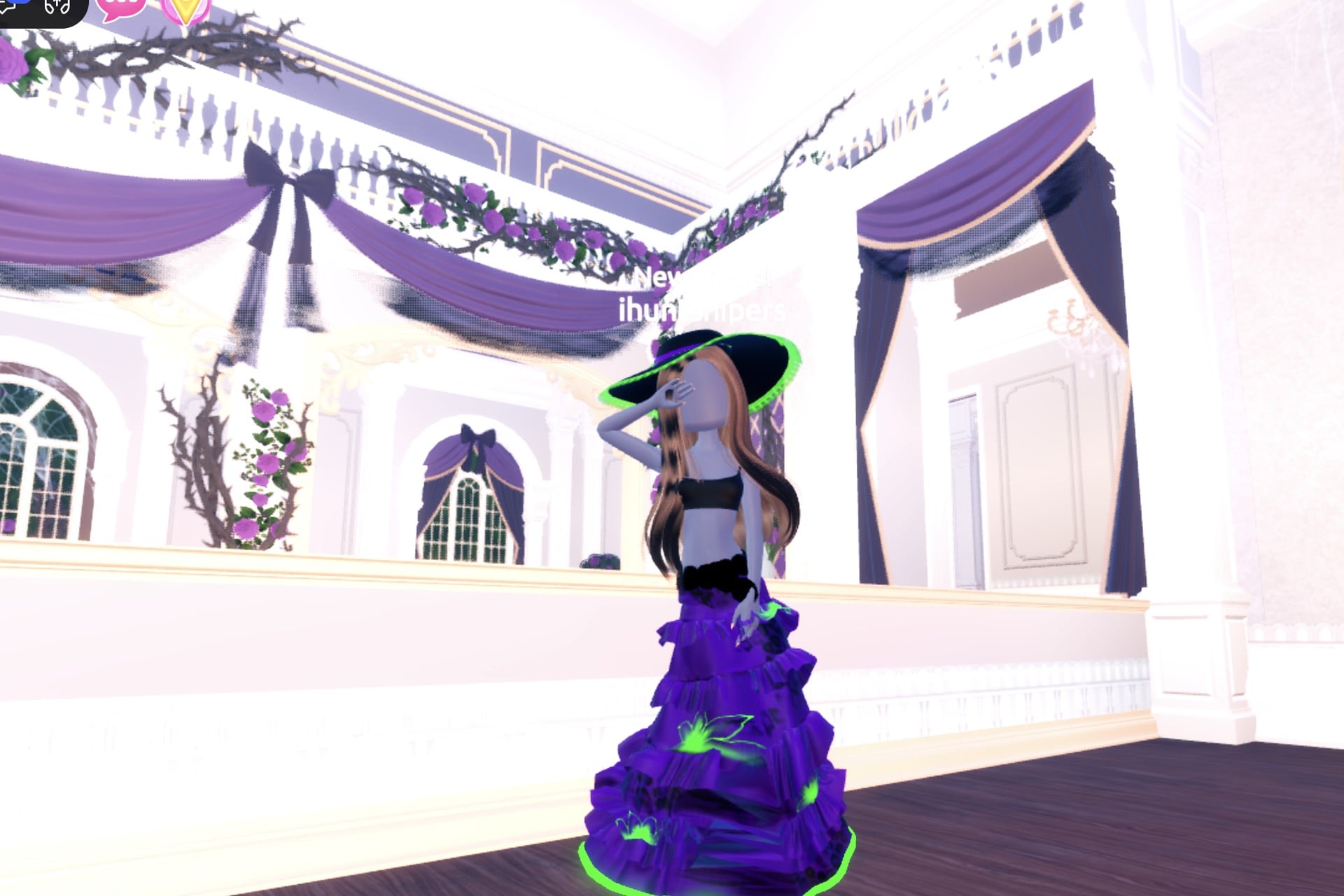
The completed outfit pairs a deep-purple ruffled gown, detailed with a glowing green hem and green flowers, with a wide black hat edged in glowing green lace.
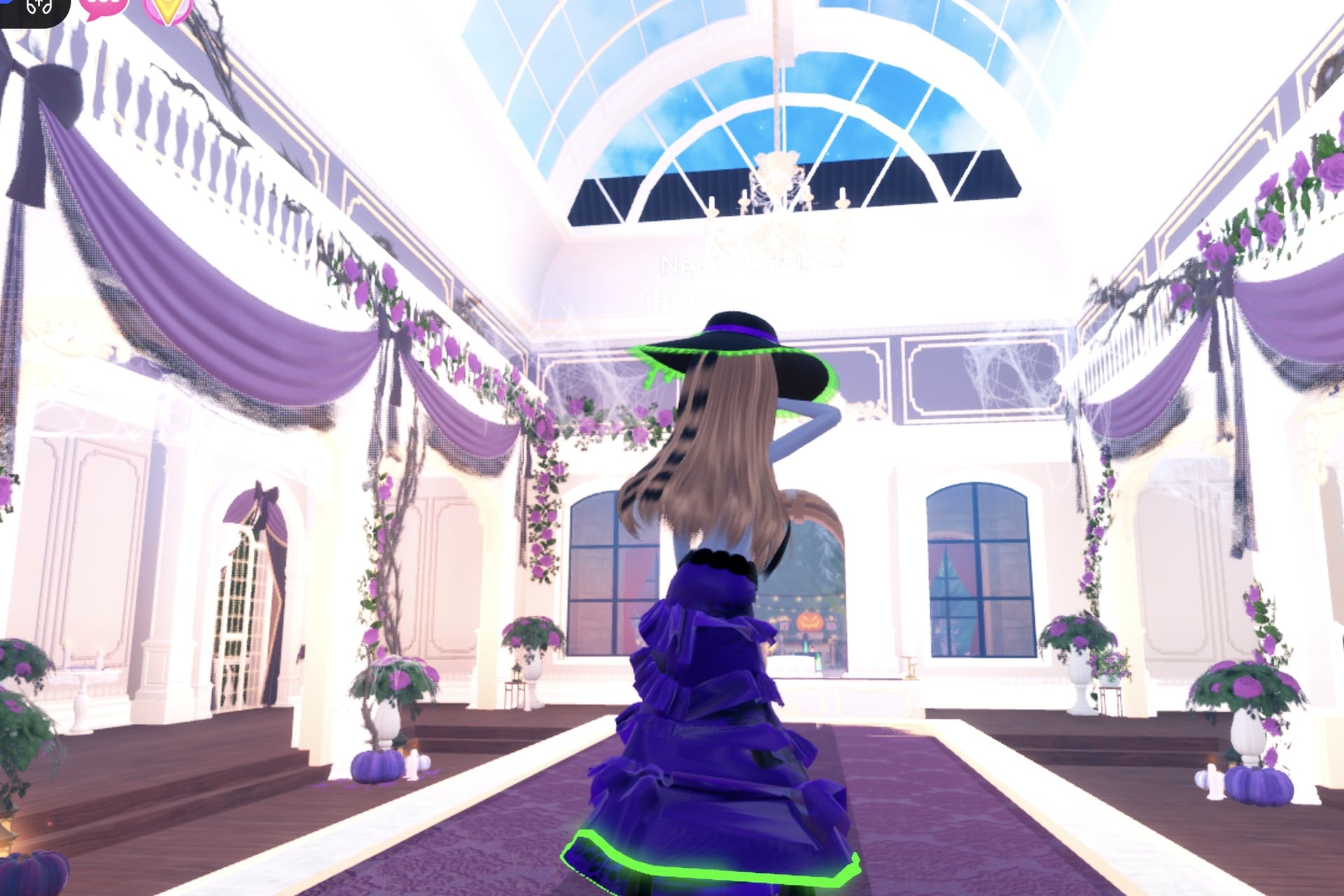
From the back, the green Neon hemline and the hat’s glowing edge still stand out.
Look 2: Alchemist
This look flips the colours and swaps the hat for a jacket. In the Wearing panel, remove the hat by pressing the heart X under its picture.
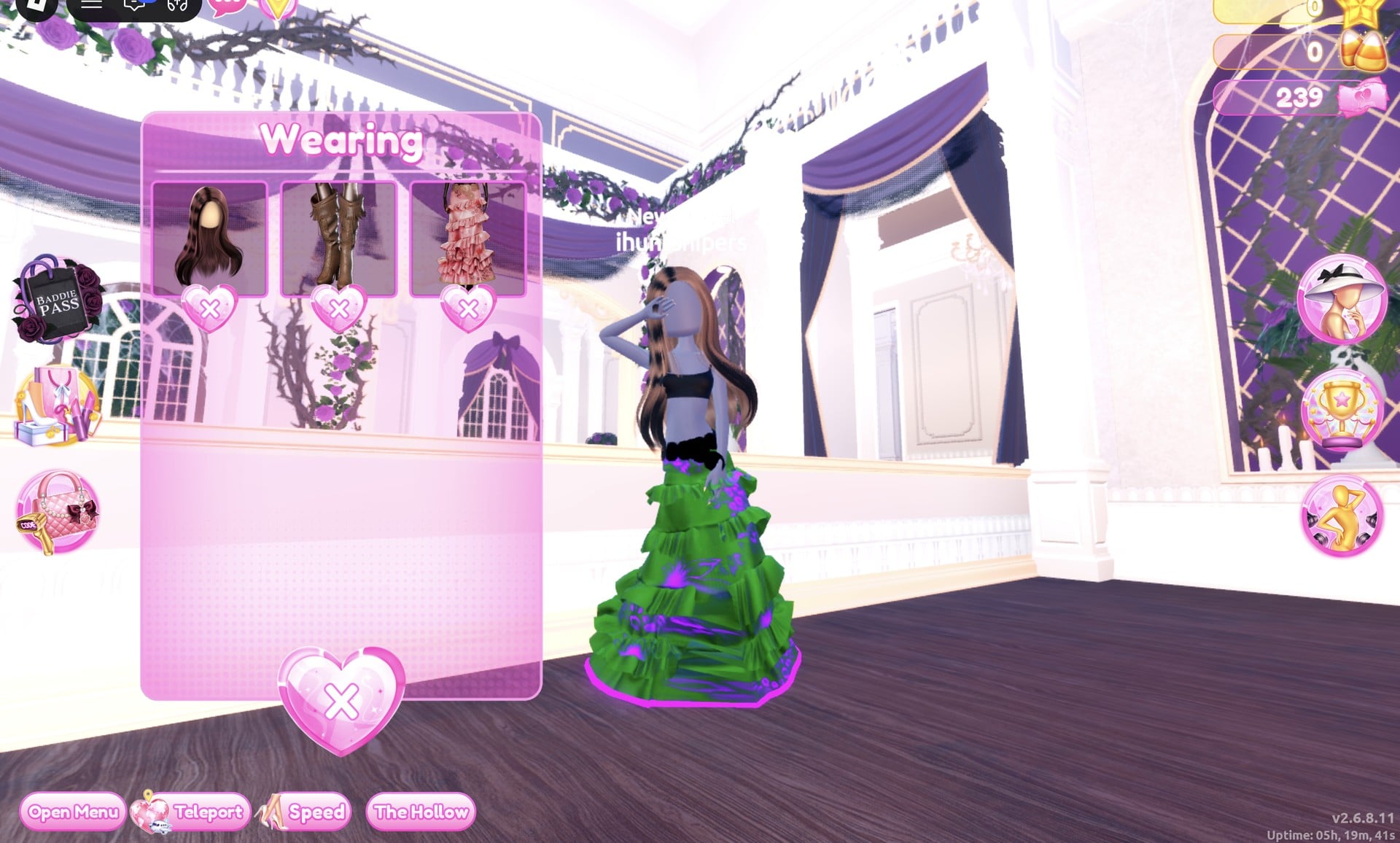
Then recolour the worn gown from the same panel, standing where you are, without going back to the mannequin:
| Gown part | Colour | Palette (column, row) | Material |
|---|---|---|---|
| Skirt | Green (shows as mid green) | 7, 7 | Silk |
| Leopard Print | Purple | 3, 5 | Glitter |
| Flower Details | Purple | 3, 5 | Neon |
| Hemline | Purple | 3, 5 | Neon |
| Belt | Black | — | Leather |
The skirt changes first: green with Silk on “1/5: Skirt”.
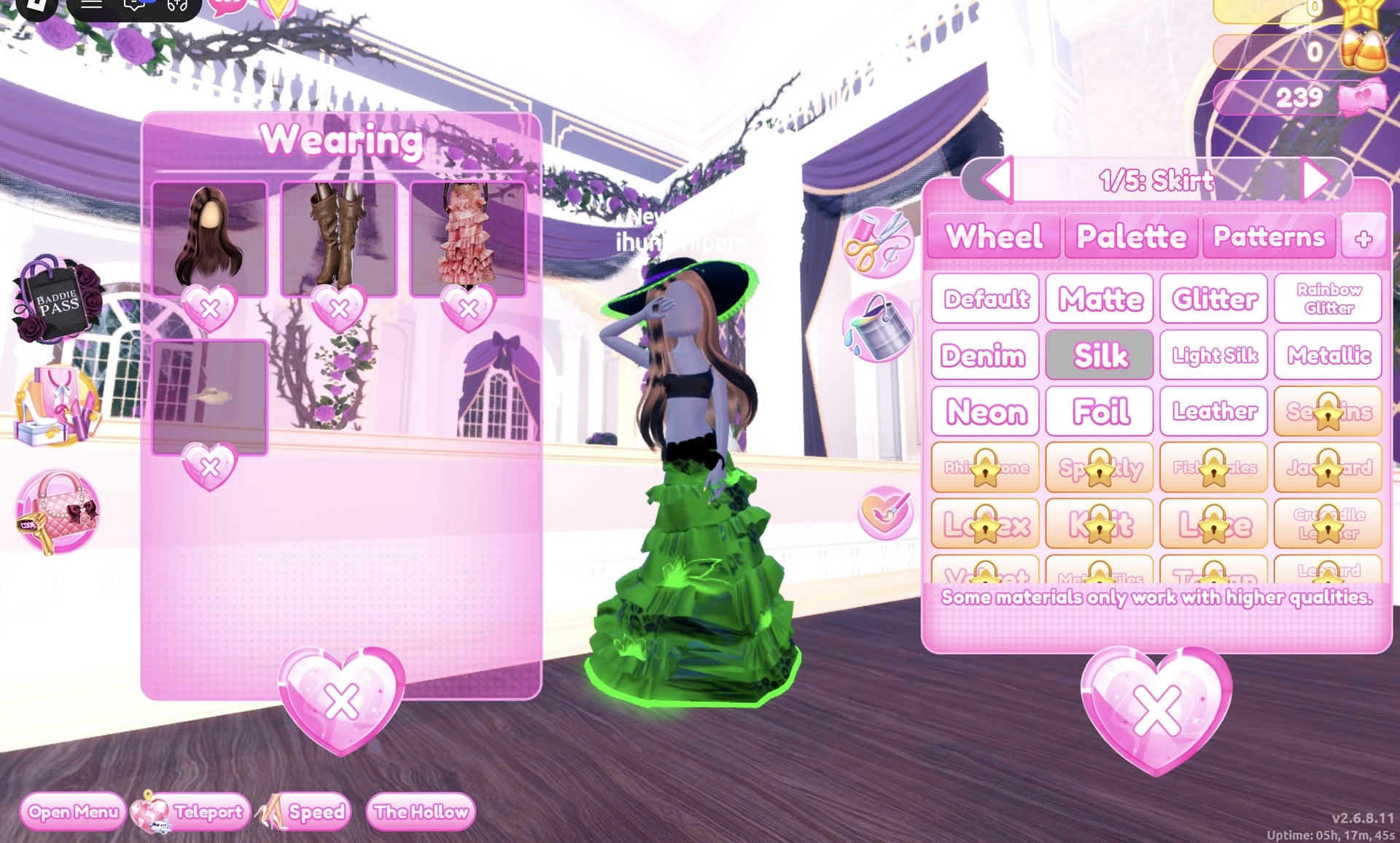
The hemline goes purple with Neon, so the glow at the floor turns from green to purple.
Next, go to the jacket shelf on the left wall near the Dressing Room landing and double click the black jacket at its top-left. It opens on “1/4: Preview”; all four of its parts are labelled “Preview” on screen:
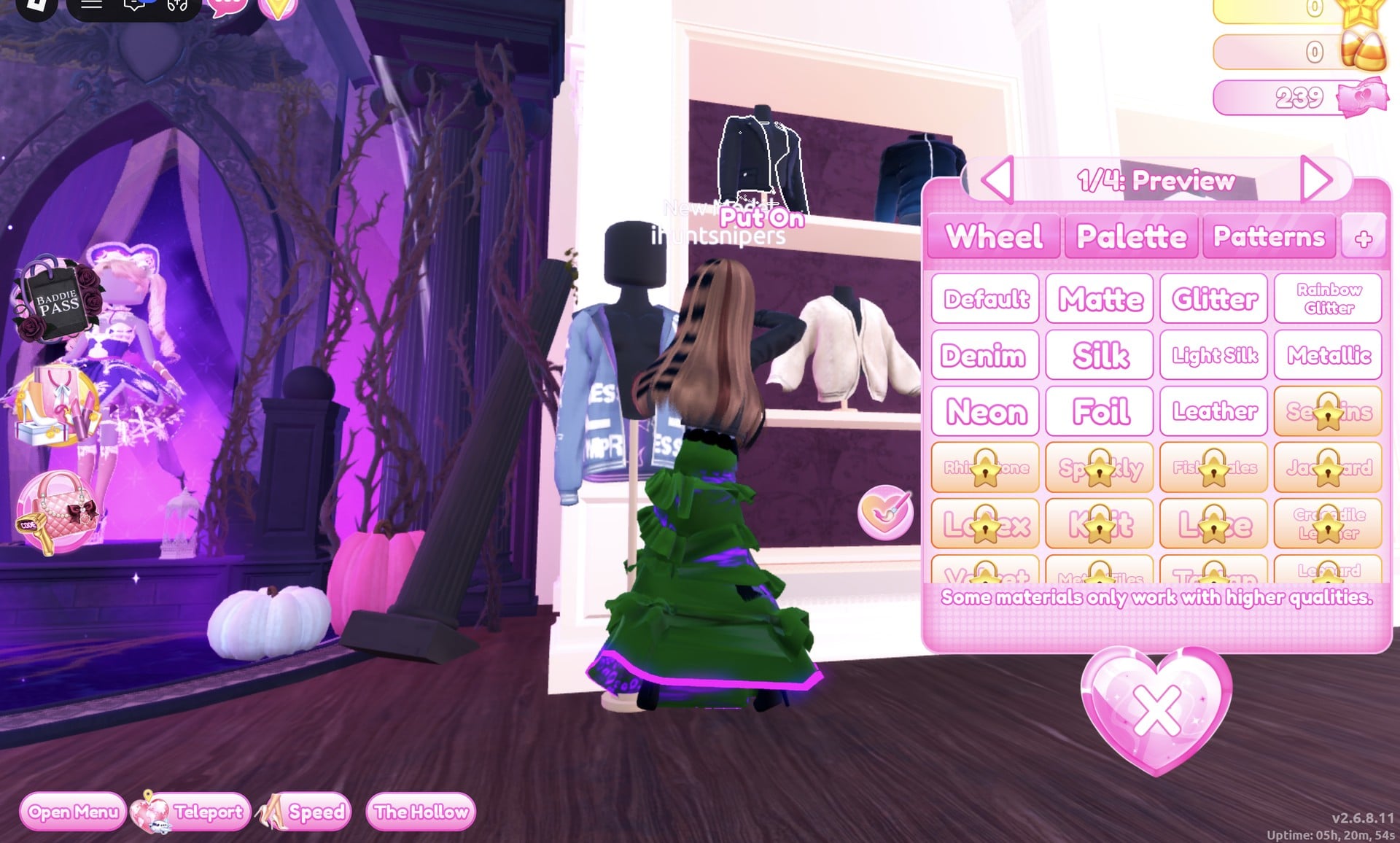
| Jacket part | Colour | Palette (column, row) | Material |
|---|---|---|---|
| 1/4: Preview | Black | — | Leather |
| 2/4: Preview | Black | — | Leather |
| 3/4: Preview | Bright green | 7, 5 | Neon |
| 4/4: Preview | Purple | 3, 5 | Metallic |
Part 3 is the glowing band: bright green with Neon.
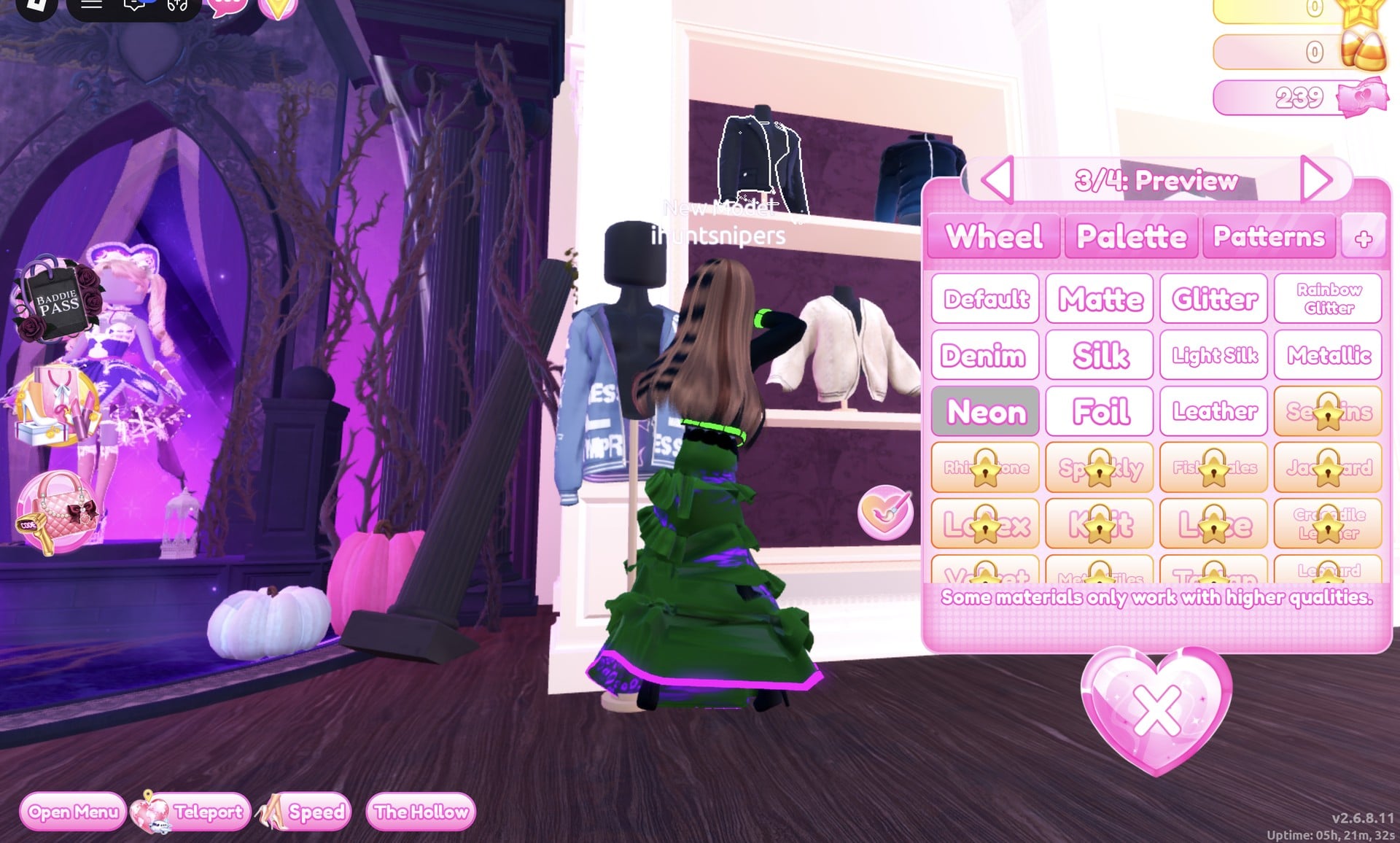
From the Palette tab, press Put On. Check that the Wearing panel lists hair, boots, gown and jacket.
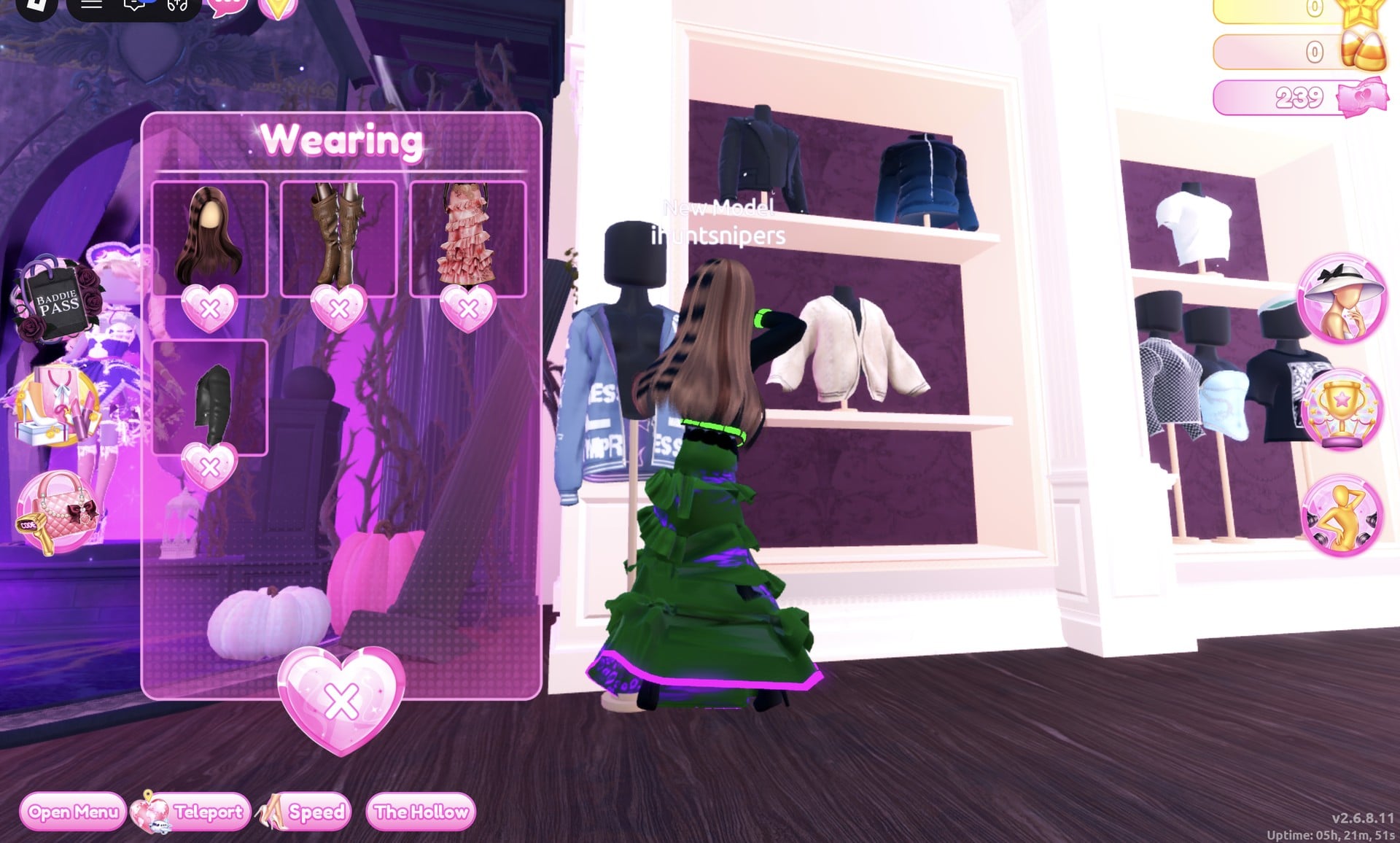
Select Crystal, the fifth Solo pose; it moves both hands behind the head.
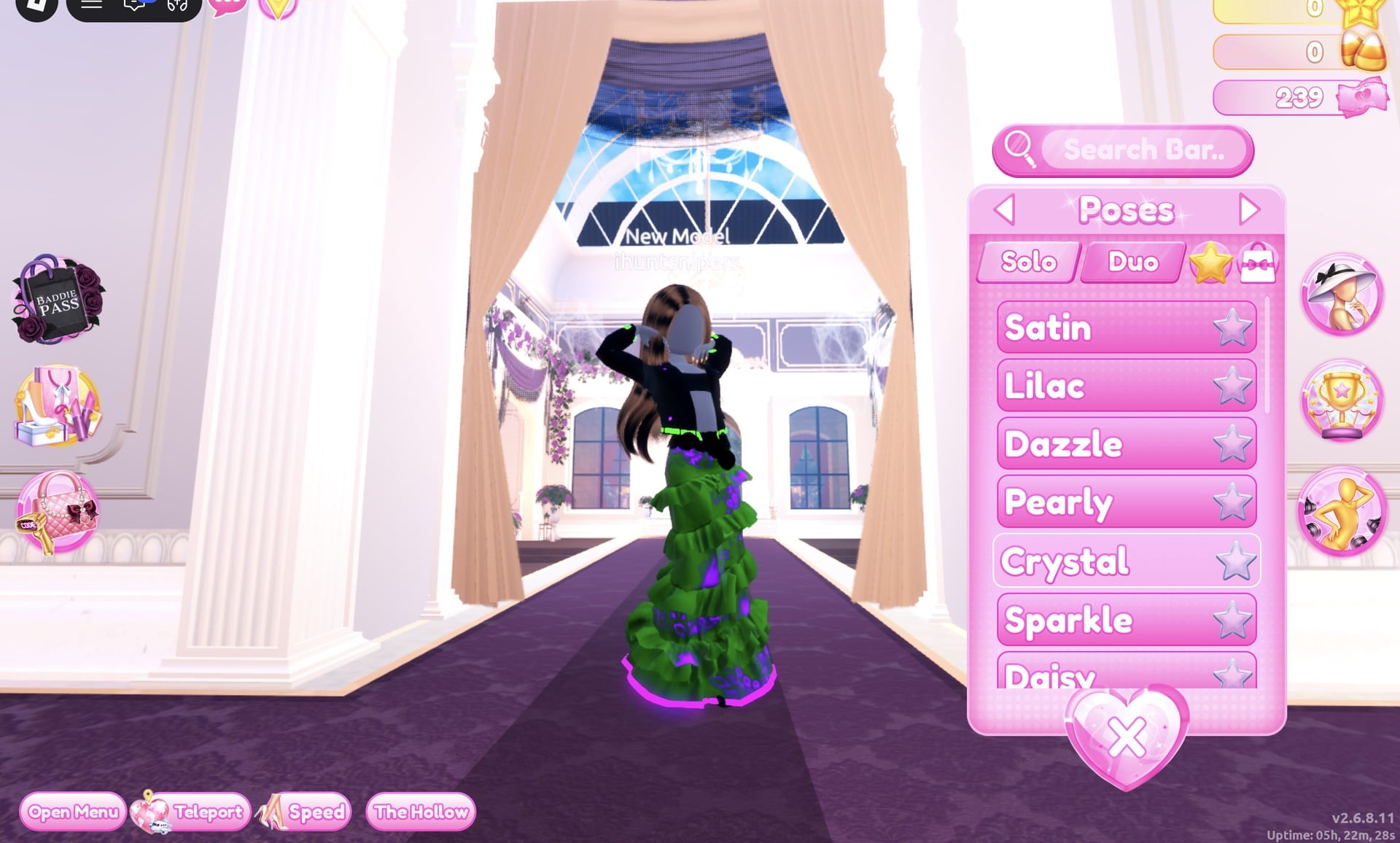
The outfit is a green ruffled gown with a glowing purple hem, topped by a cropped black leather jacket featuring a glowing green band.
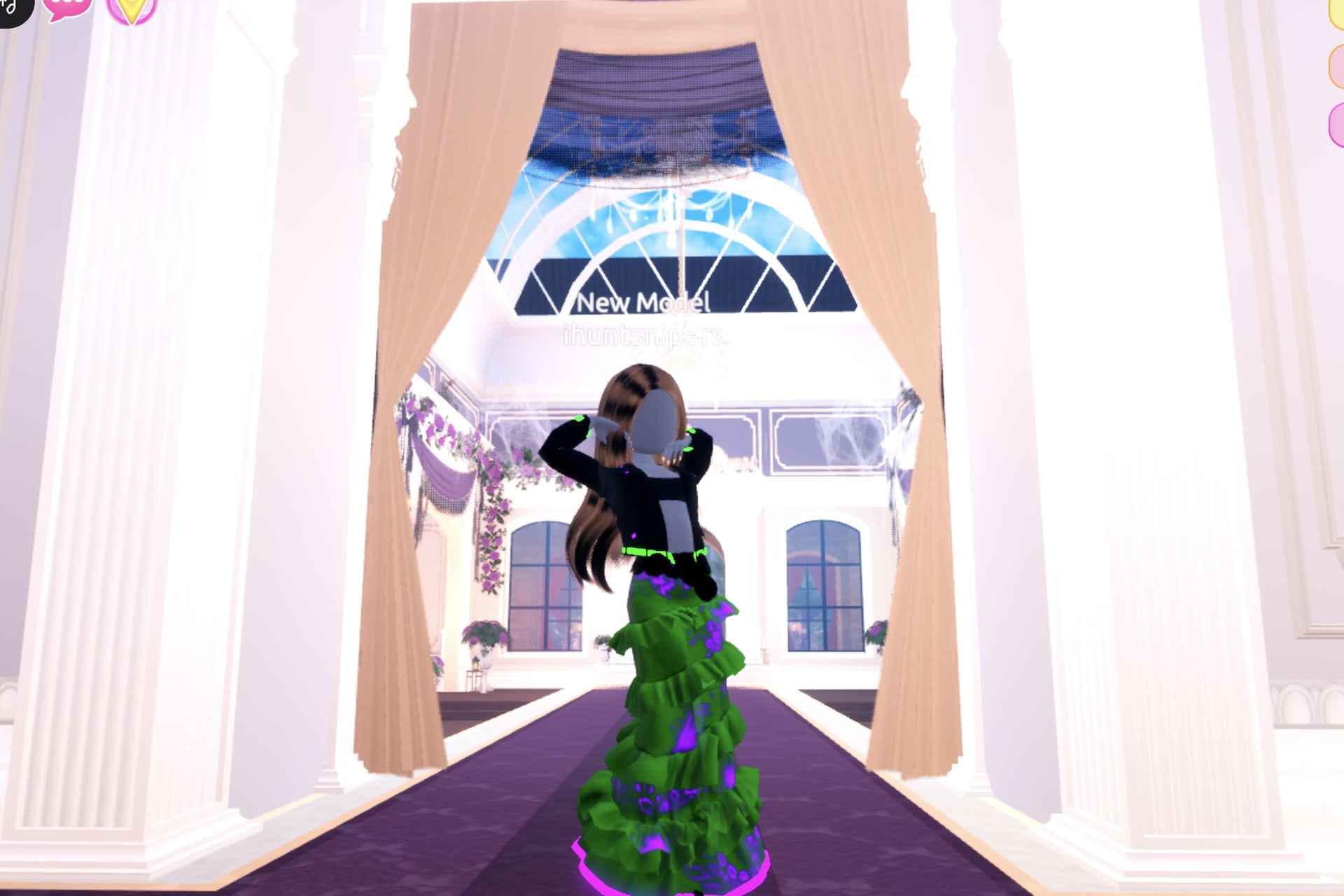
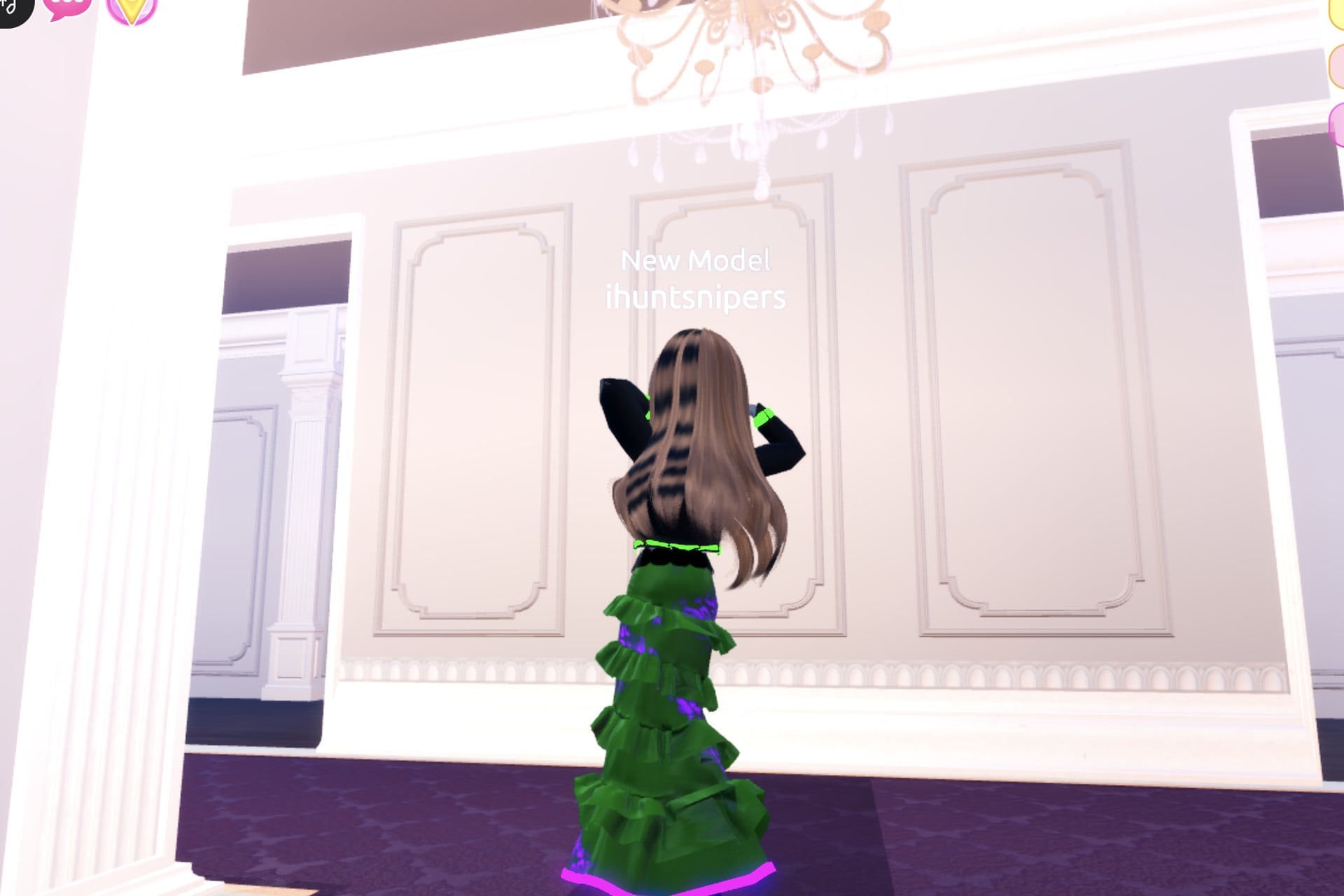
From the back, the jacket’s green band and the purple glow at the hem show above and below the long hair.
Look 3: Glowing potion
The last look turns the gown into the potion itself. Take off the jacket in the Wearing panel and leave the black Leather boots as they are.
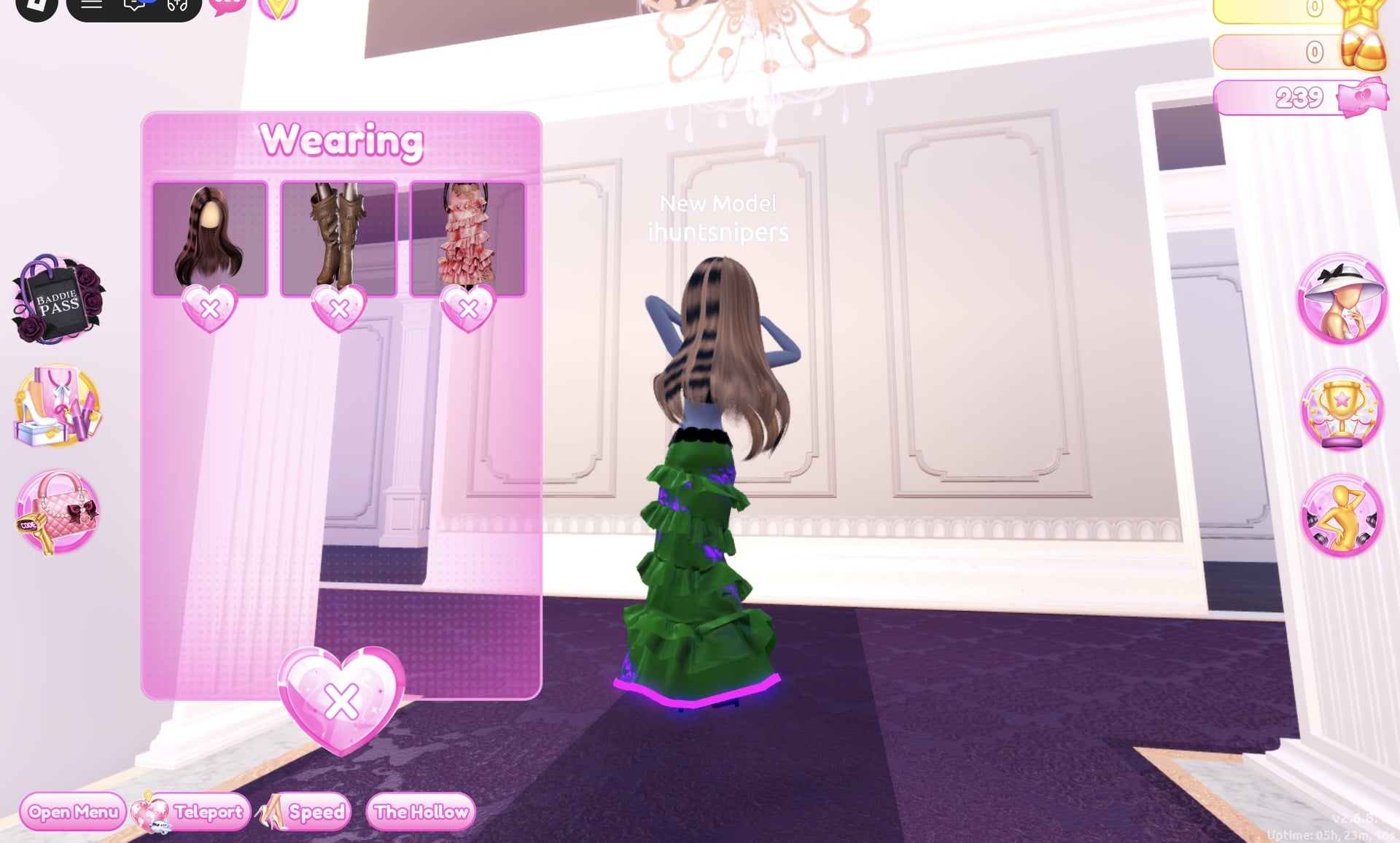
Then recolour the gown in teal and cyan from the Wearing panel, again without walking back to the mannequin:
| Gown part | Colour | Palette (column, row) | Material |
|---|---|---|---|
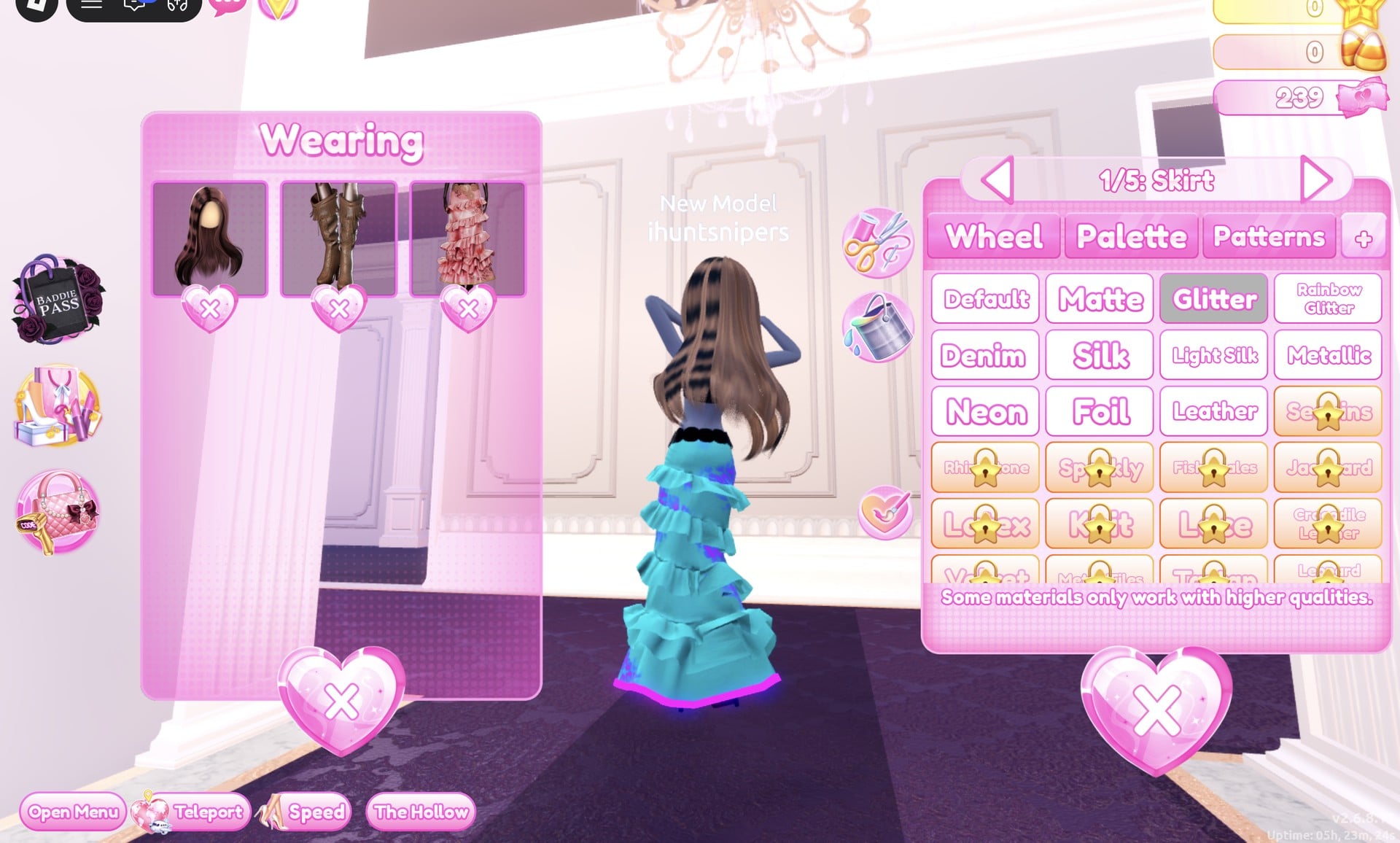
| Skirt | Teal | 5, 6 | Glitter |
| Leopard Print | Cyan | 5, 5 | Glitter |
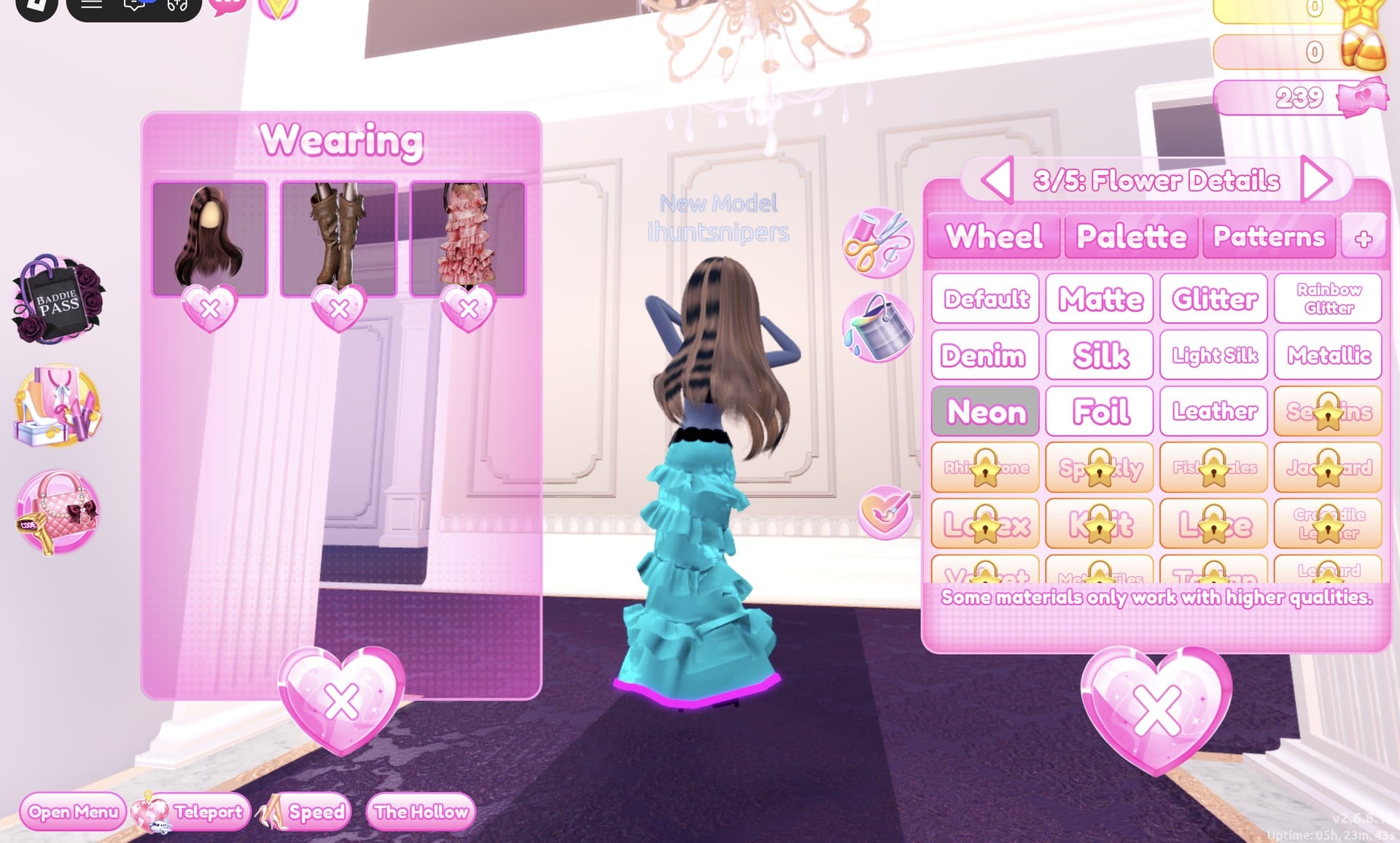
| Flower Details | Hot pink | 2, 5 | Neon |
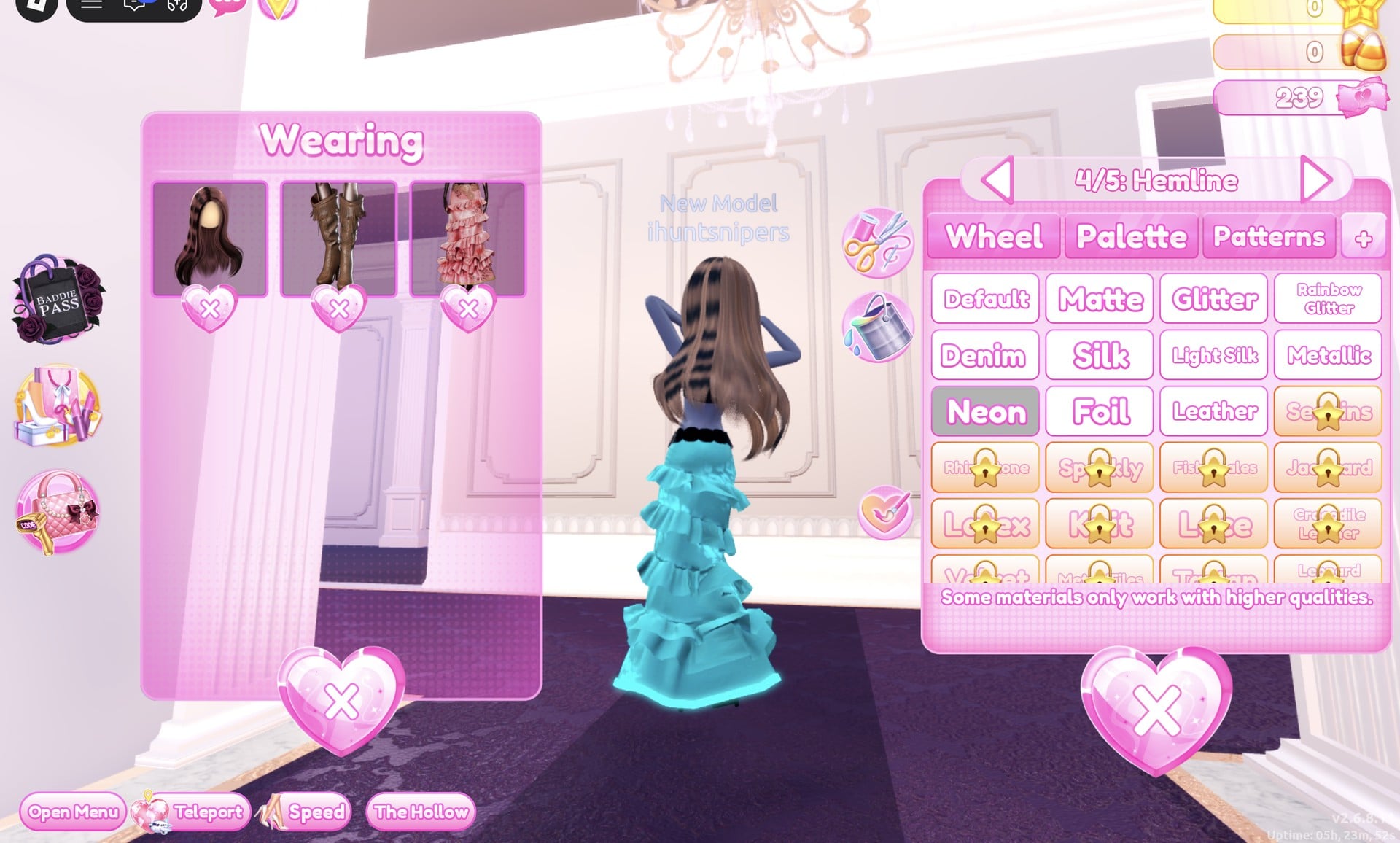
| Hemline | Cyan | 5, 5 | Neon |
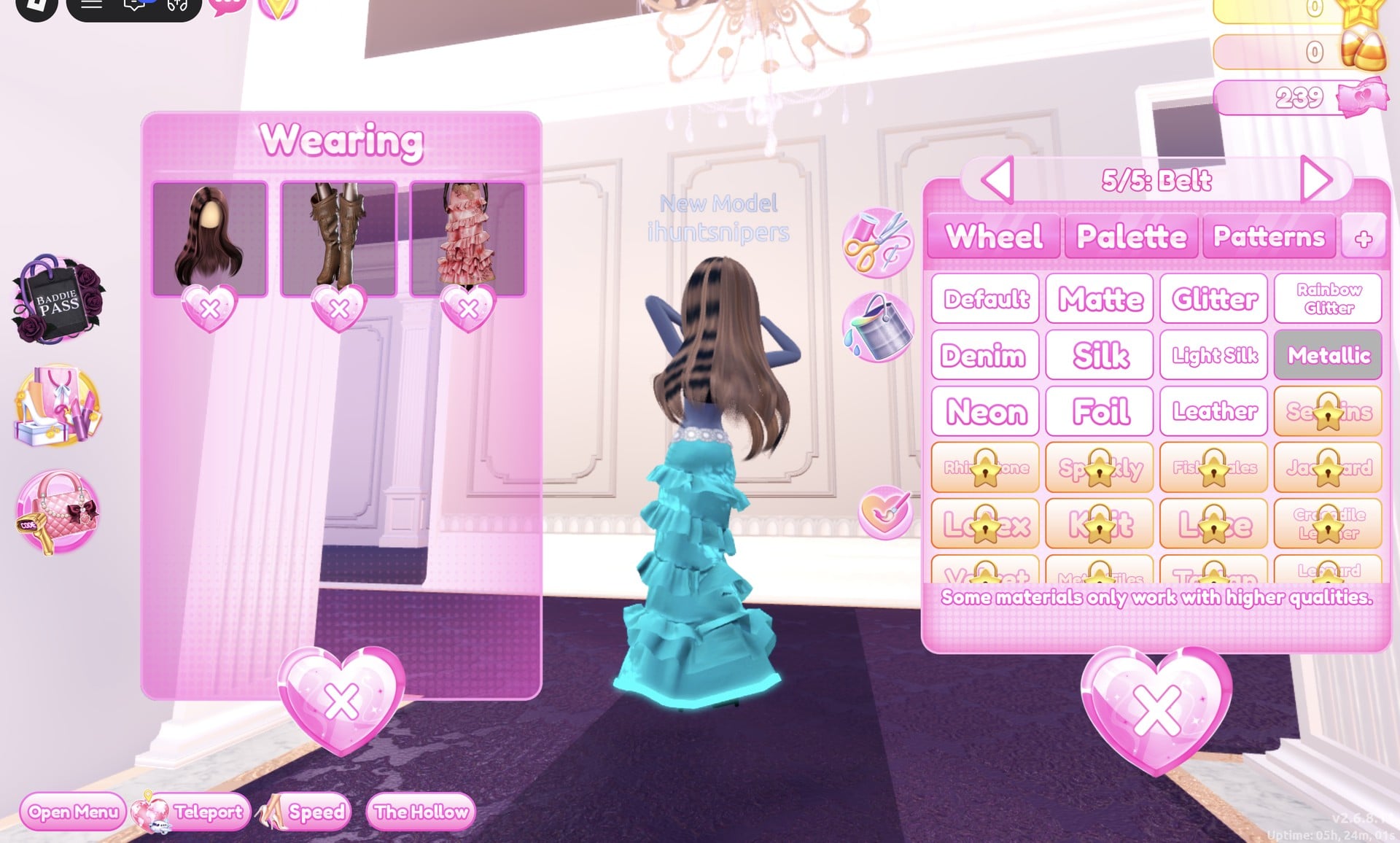
| Belt | Light grey | 2, 8 | Metallic |
Glitter on the teal skirt gives the gown its sparkle.
Hot pink Neon on the flower details adds small glowing spots, like bubbles.
Cyan Neon on the hemline gives the glow at the floor.
The belt is light grey with Metallic, which shows as silver.
Finish with Pearly, the fourth Solo pose, with one hand on top of the head.
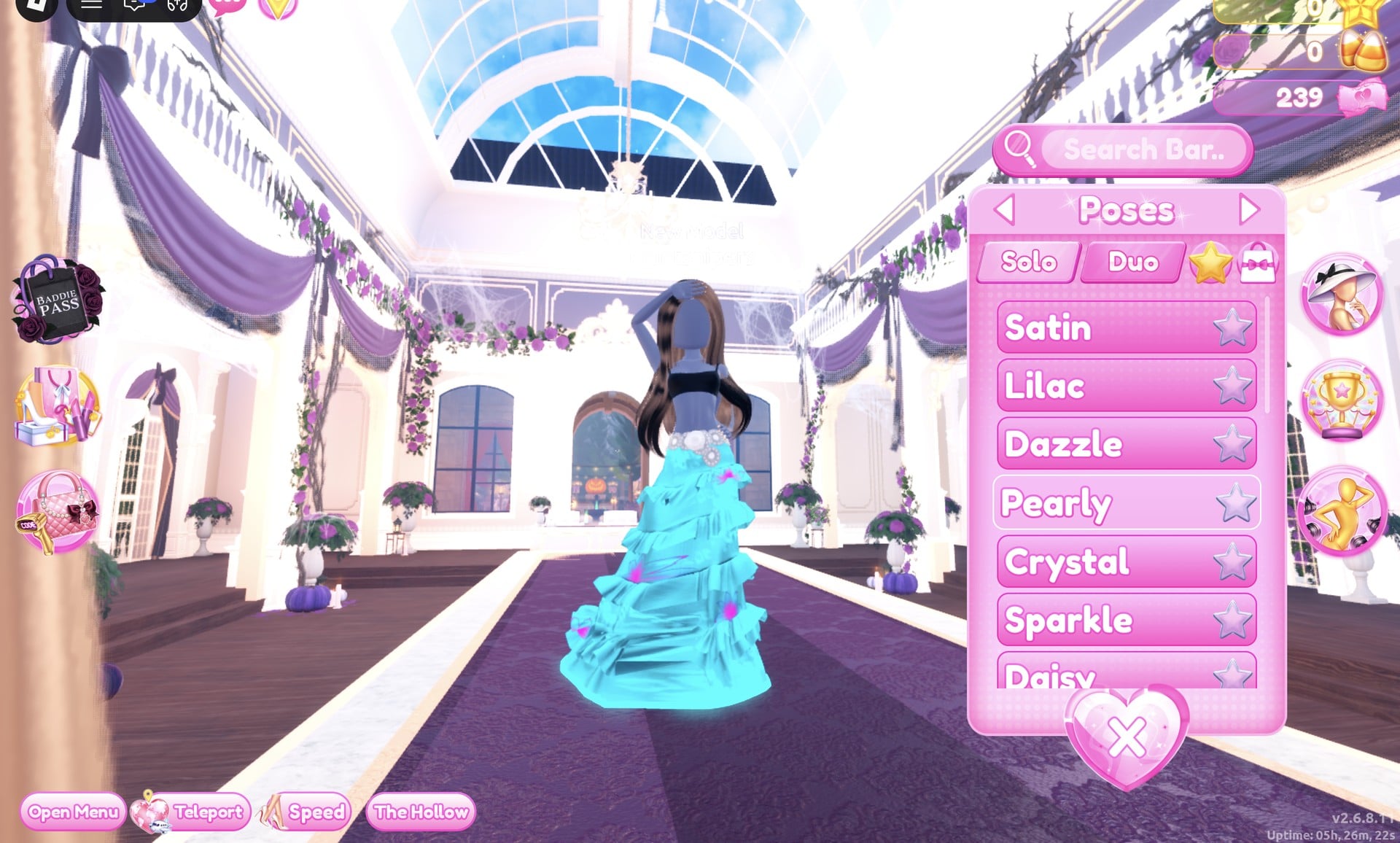
The result is a glittery turquoise ruffled gown with a glowing cyan hem, pink flower details and a silver belt.
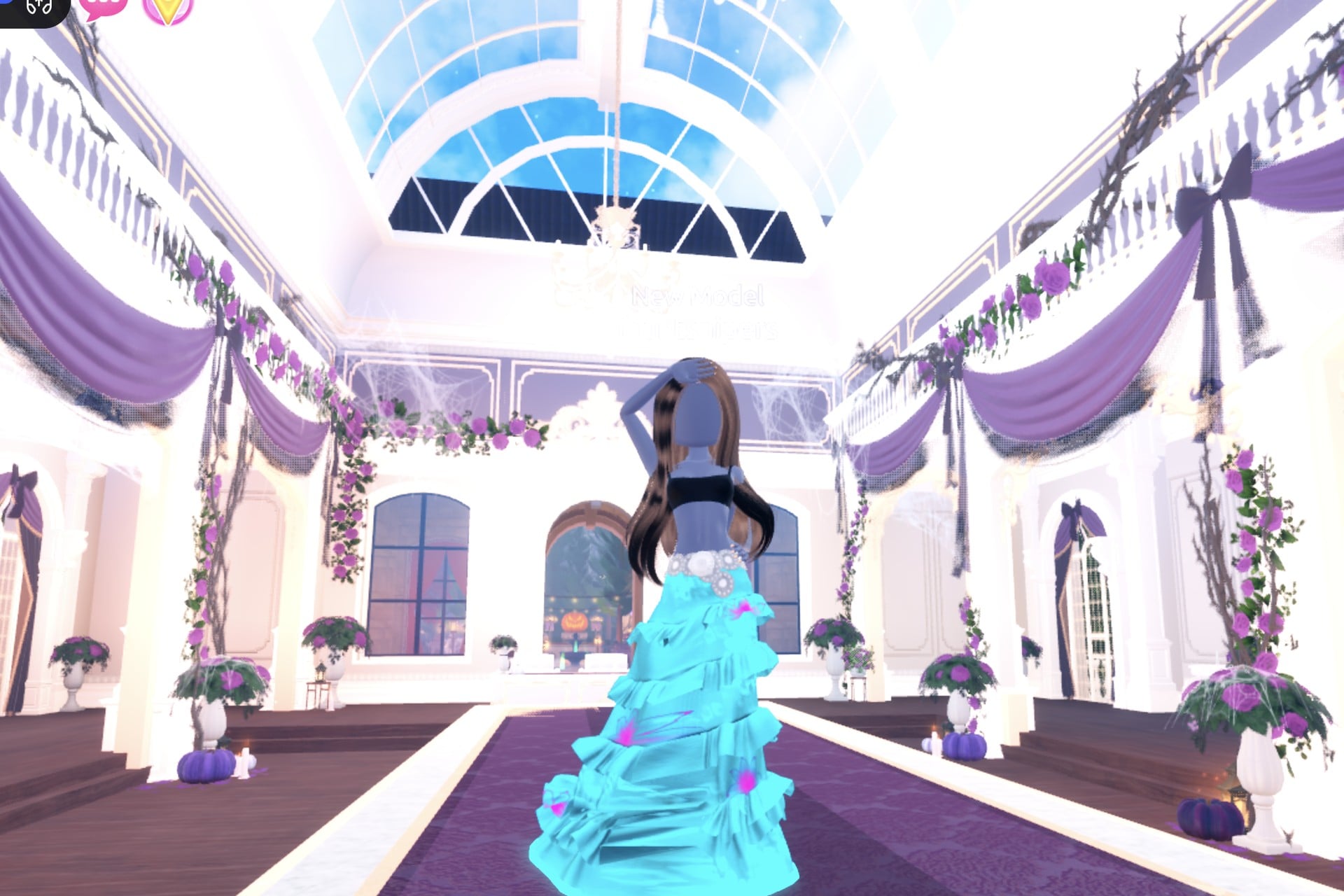
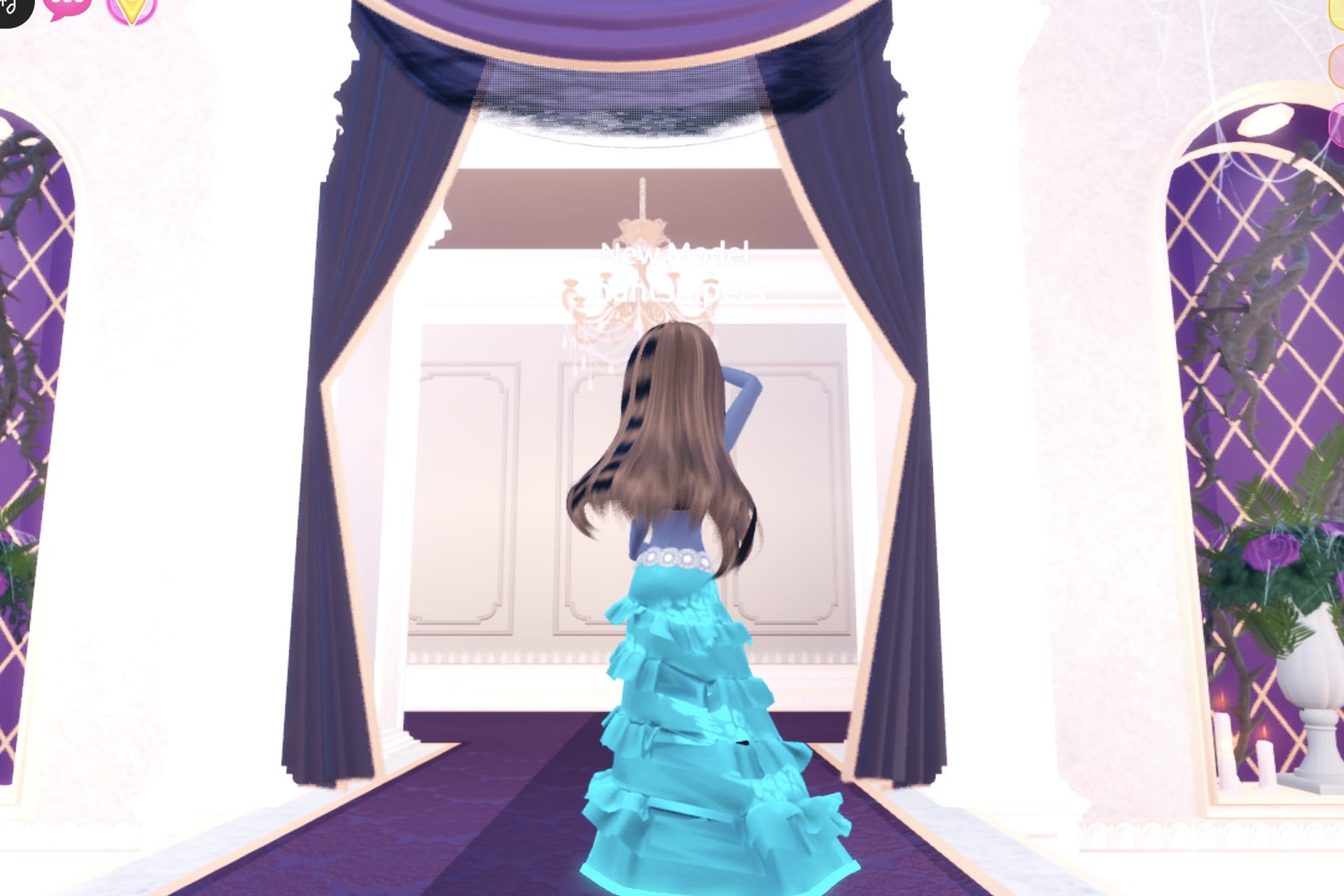
From the back, the cyan glow runs all the way round the hem.
What it costs and how to check it worked
All three looks worked on our account with no VIP and 0 stars, without buying anything. The gown, sun hat, jacket, every material used (Silk, Glitter, Neon, Leather, Metallic and Matte) and the three poses show no lock or price. Neon parts glow on the runway, including the gown hems: green on the witch, purple on the alchemist and cyan on the potion. Purple with green and teal with cyan are the colour pairs we used.
Why these looks read as Potion Maker
Each look keeps to one dark or deep base colour and one glowing colour. The Neon goes on the edges, the hemline, the flower details, the hat’s lace and the jacket’s band, so the trim glows on the runway like something bubbling in a flask. The same free gown makes all three looks, so once you know where its five parts are, switching from a witch to an alchemist to the potion itself only takes a few minutes in the colour panel.
Potion Maker pieces to look for
None of these pieces has a name in the game, so look for them by place and shape. All four are in the Dressing Room in Freeplay Mode, and all four worked on our account with no VIP and 0 stars.
| Piece | Where in the Dressing Room | Colours and materials we used |
|---|---|---|
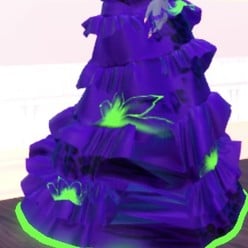 Long tiered ruffled gown (five parts, opens at “1/5: Skirt”) Long tiered ruffled gown (five parts, opens at “1/5: Skirt”) | The mannequin in the long pale pink gown beside the shoe and boot shelf | Witch brewer: Skirt deep purple + Silk, Leopard Print black + Glitter, Flower Details and Hemline bright green + Neon, Belt black + Leather. Alchemist: Skirt green + Silk, the rest purple (Glitter, then Neon), Belt black + Leather. Glowing potion: Skirt teal + Glitter, Leopard Print cyan + Glitter, Flower Details hot pink + Neon, Hemline cyan + Neon, Belt light grey + Metallic |
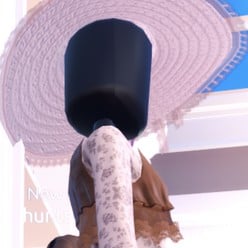 Wide sun hat (three parts: “1/3: Hat”, “2/3: Ribbon”, “3/3: Lace”) Wide sun hat (three parts: “1/3: Hat”, “2/3: Ribbon”, “3/3: Lace”) | On the mannequin in the white sun hat and lace dress, on a small round white table by the tops shelf; double click the brim | Hat black + Matte, Ribbon deep purple (column 3, row 7) + Silk, Lace bright green (column 7, row 5) + Neon |
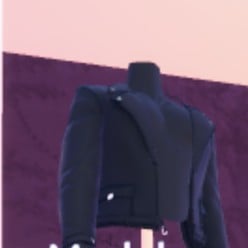 Black jacket (four parts, all labelled “Preview”) Black jacket (four parts, all labelled “Preview”) | Left-wall jacket shelf near where you arrive in the Dressing Room: top-left of the shelf | Parts 1 and 2 black + Leather, part 3 bright green (column 7, row 5) + Neon, part 4 purple (column 3, row 5) + Metallic |
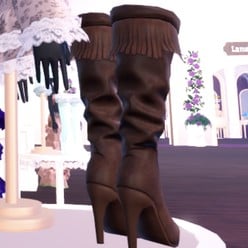 Fringed knee boots (three parts) Fringed knee boots (three parts) | On the same round white table as the sun-hat mannequin | All three parts black + Leather (hidden under the floor-length gown) |
Poses for Potion Maker
The Poses button is the lowest button on the right side. It opens the “Poses” panel with Solo and Duo tabs and a Search Bar. The Solo list starts with Satin, Lilac, Dazzle, Pearly, Crystal, Sparkle and Daisy, with more below. We used Sparkle (one hand up at the head and hat brim) for the witch, Crystal (both hands behind the head) for the alchemist and Pearly (one hand on top of the head) for the glowing potion. None of them showed a price or a lock.
Building it in Freeplay Mode first
Freeplay Mode has no timer, so it is the place to build a look, try colours and materials, and check the glow on the Freeplay Runway before you need it in a round. Once a look works, you know which mannequin and which palette spots to go to when the theme comes up for real. For more themes built the same way, see our Boho, Robot Takeover, Album Cover and Monochrome Mood outfit ideas.
How a theme round works
We watched two ordinary rounds, Plaid Fashion and Birds of Paradise; Potion Maker did not come up. On a standard server, the main lobby’s top banner shows the active theme with a timer under it (04:33 and 05:17 in the rounds we saw), and a hint card for the theme opens from the icon at the top centre.
After dressing, each player walks the runway in turn, about 7 seconds each, while the others vote with five stars along the bottom of the screen. A “Voting complete!” banner shows between players. A “Results” card then ranks the players with the stars and other rewards each earned, and an “Intermission” countdown of about one minute follows, with a “Pick Theme” button next to the timer. We did not press it and did not see what it costs.
What we have not checked
We did not find a potion bottle, cauldron or anything to hold in the parts of the Dressing Room we walked, and there is no witch hat as such: the black hat in Look 1 is the wide sun hat, recoloured. We did not change the hair, makeup or skin tone on any of the three looks; all three wear the same long wavy brown hair. Potion Maker did not come up in the rounds we watched, so these looks have not been through a real vote and we cannot tell you how many stars they earn.
FAQ
Is there a witch hat for Potion Maker in Dress To Impress?
We did not find one. The wide sun hat on the mannequin by the tops shelf works as a stand-in: set “1/3: Hat” to black Matte, “2/3: Ribbon” to deep purple Silk and “3/3: Lace” to bright green Neon, and it reads as a black witch hat with a glowing edge.
Can I do Potion Maker without VIP?
Yes. All three looks were built on an account with no VIP and 0 stars, and every piece, colour, material and pose used here worked on it. Nothing was bought.
Do Neon and Glitter cost anything?
No. Neon, Glitter, Silk, Leather, Metallic and Matte had no lock on our account. The materials with a gold star, such as Sequins, Rhinestone and Sparkly, are the locked ones.
Can I recolour a piece without going back to its mannequin?
Yes. Open the “Wearing” panel with the round button on the right and click the piece’s picture; its colour panel opens with your colours still set. We recoloured the gown for Looks 2 and 3 this way while standing on the runway.
What are the best colours for Potion Maker?
We used deep purple with bright green, green with purple, and teal with cyan and a touch of hot pink. Whichever pair you pick, put the brighter colour on Neon trim so it glows.