Rainbow Haki is the rarest Haki color in Sailor Piece, and it is not tied to a quest or a boss drop. You unlock it by rerolling your Haki color with the Haki Color Reroll item, and the Rainbow result only lands on a small fraction of attempts. That means the whole task comes down to stockpiling enough rerolls and repeating the roll until it hits.
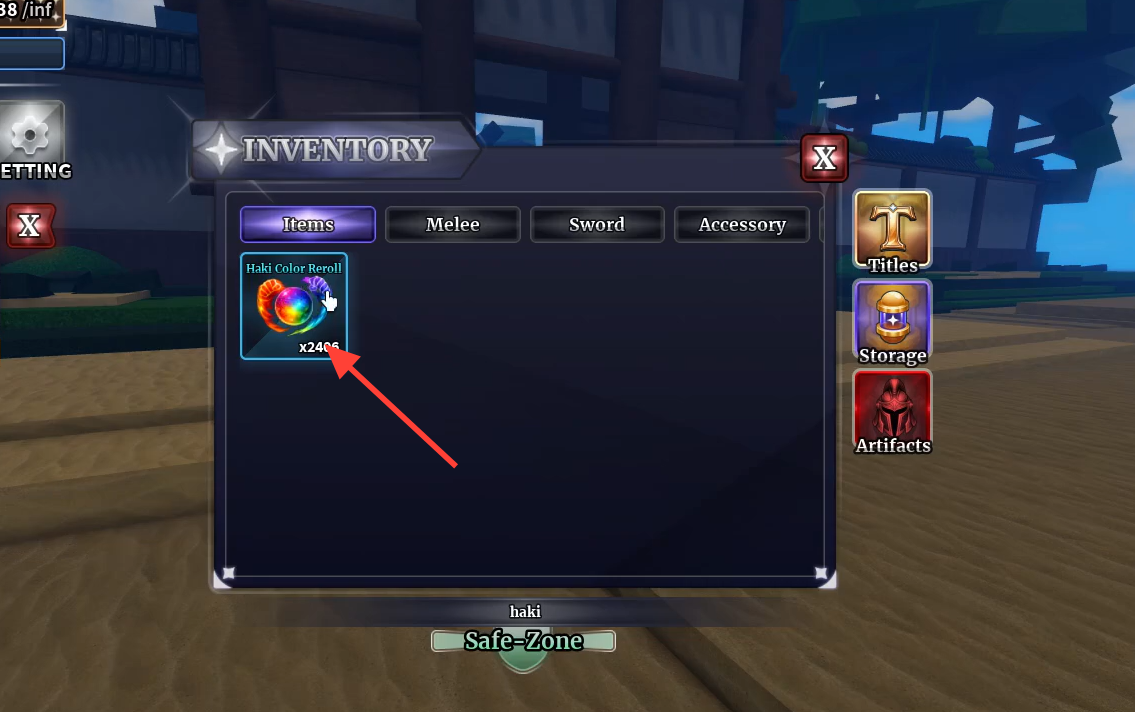
Quick answer: Open your inventory, use a Haki Color Reroll from the Items tab, and confirm “Reroll your Haki color?” repeatedly. Rainbow Haki has a 1% chance per roll, so keep enough rerolls banked to push through the misses.
How the Rainbow Haki roll works
Every time you use a Haki Color Reroll, the game assigns you a random Haki color. Common outcomes include Purple, Yellow, Blue, Brown, Green, and Pink. Rainbow sits far below those in drop rate at roughly 1% per attempt, which is why the item stack matters far more than any single roll.
Because the odds reset on each roll, there is no pity system or streak bonus to plan around. A large reserve of rerolls simply gives you more chances at that 1% window. Rolling with only a handful of items usually ends before Rainbow appears.
Where to get Haki Color Reroll items
Haki Color Reroll items come from combat. Defeating hostile NPCs and bosses across the map adds them to your inventory alongside other drops like Wood, cash, and EXP. Farming low-level enemy groups, such as Thief packs, is an efficient way to build a stack quickly when you use area-of-effect skills to clear several targets at once.
Codes are the fastest shortcut. Certain active Sailor Piece codes hand out Haki Color Reroll items directly, letting you skip a large chunk of grinding before you even start rolling.
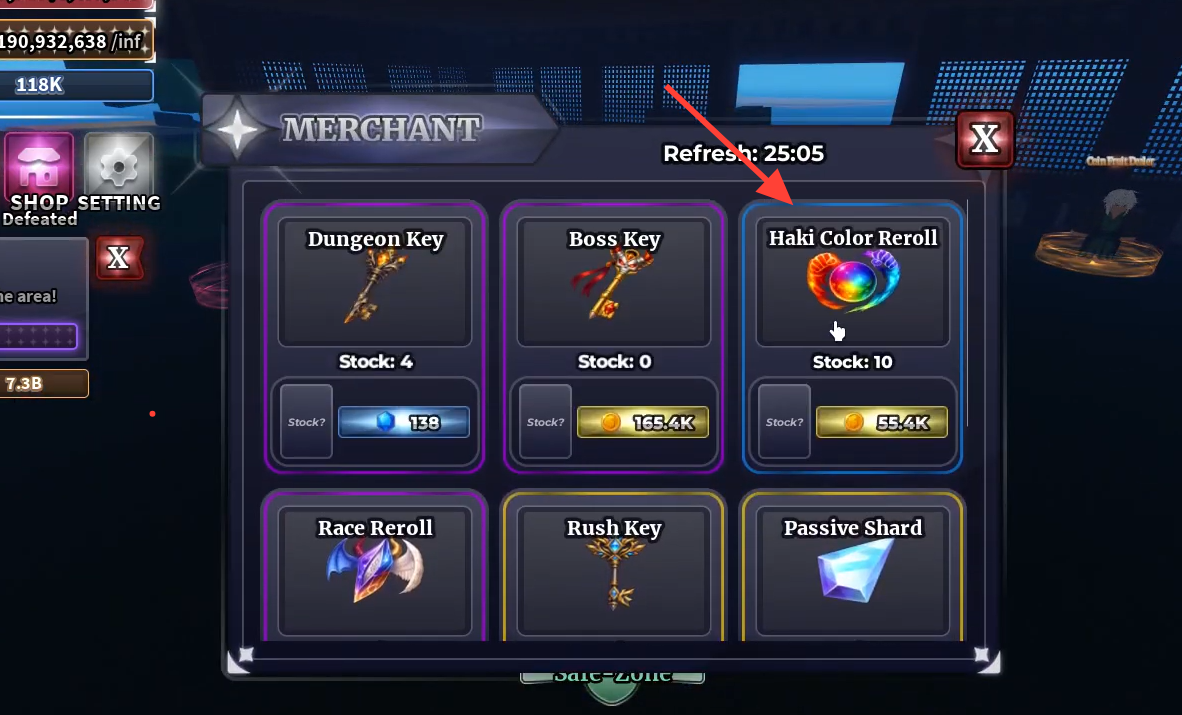
Sailor Piece codes that help with rerolls
The code below is the one to prioritize for this task because it includes Haki Color Reroll items in its reward bundle, plus other reroll types. The remaining active codes grant crafting shards, chests, and clan rerolls that support general progression.
| Code | Rewards |
|---|---|
| RAIDUPDATENOW | $150,000, 300 Gems, 3x Raid Key, 15x Passive Shard, 20x Clan Reroll, 50x Trait Reroll, 65x Race Reroll, 50x Haki Color Reroll |
| KINGUPDATEHASARRIVED | 30x Power Shard, 50x Passive Shard, 14x Secret Chest, 100x Clan Reroll, 12x Aura Crate, 10x Cosmetic Crate |
| 1MIL200KLIKESWOWW | 50x Power Shard, 75x Passive Shard, 14x Secret Chest, 125x Clan Reroll, 12x Aura Crate, 10x Cosmetic Crate |
| FREECODEFORYALLL3 | 50x Power Shard, 75x Passive Shard, 12x Secret Chest, 100x Clan Reroll, 10x Aura Crate, 8x Cosmetic Crate |
| BIGDELAYSSORRYCODE | 50x Power Shard, 75x Passive Shard, 12x Secret Chest, 100x Clan Reroll, 10x Aura Crate, 8x Cosmetic Crate |
Some codes only work above a certain level, and Sailor Piece codes tend to expire quickly after each update, so redeem them as soon as they appear.
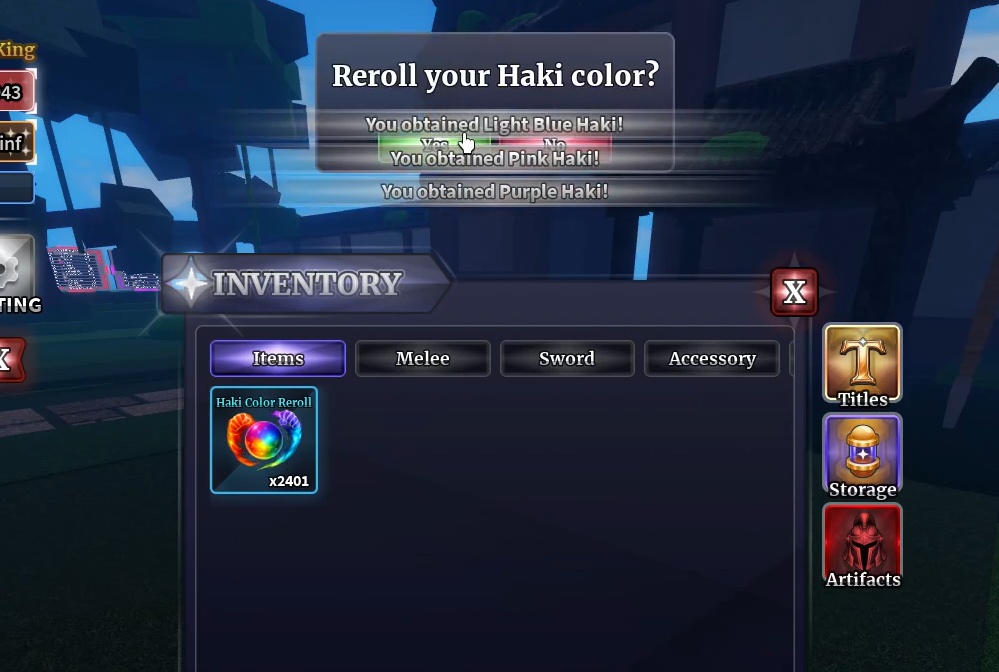
Redeem Sailor Piece codes
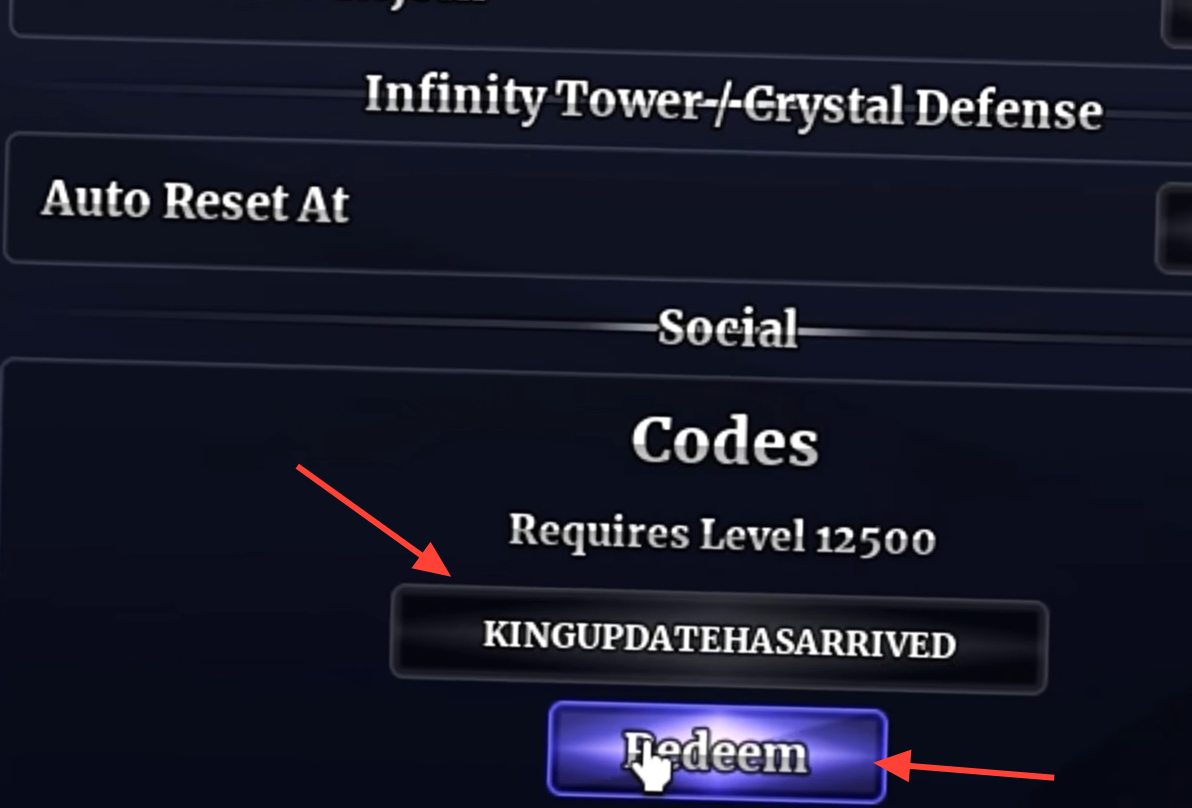
Roll for Rainbow Haki
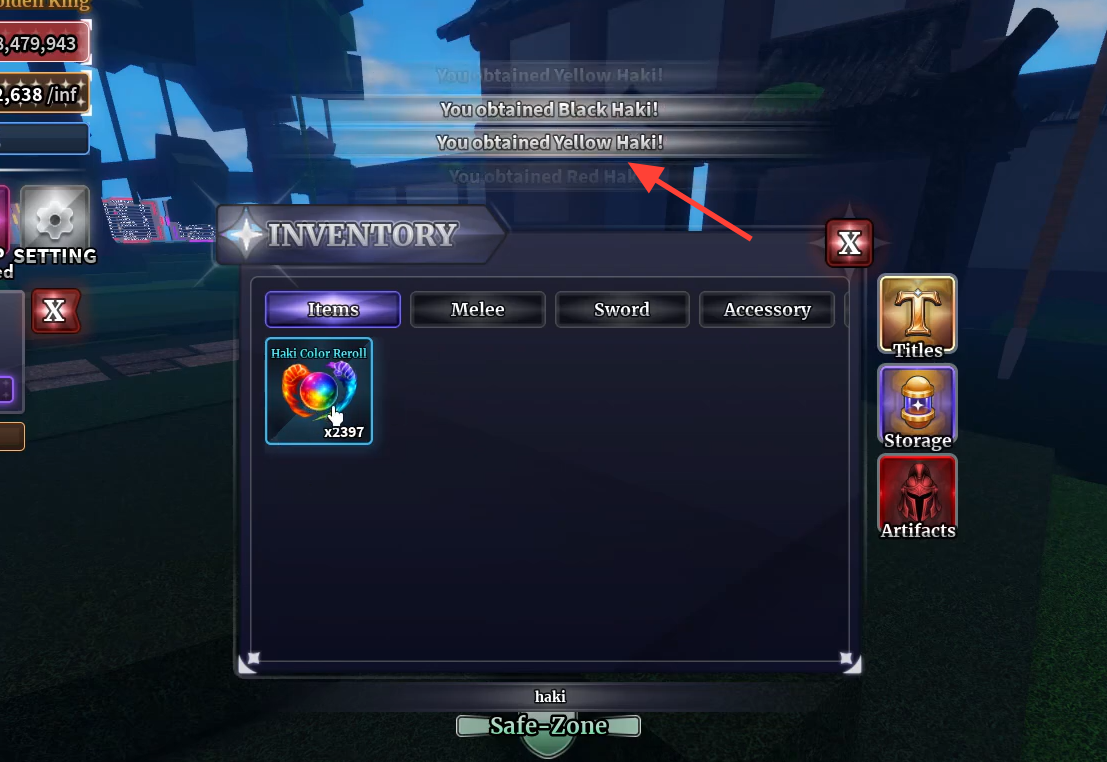
How to confirm the unlock
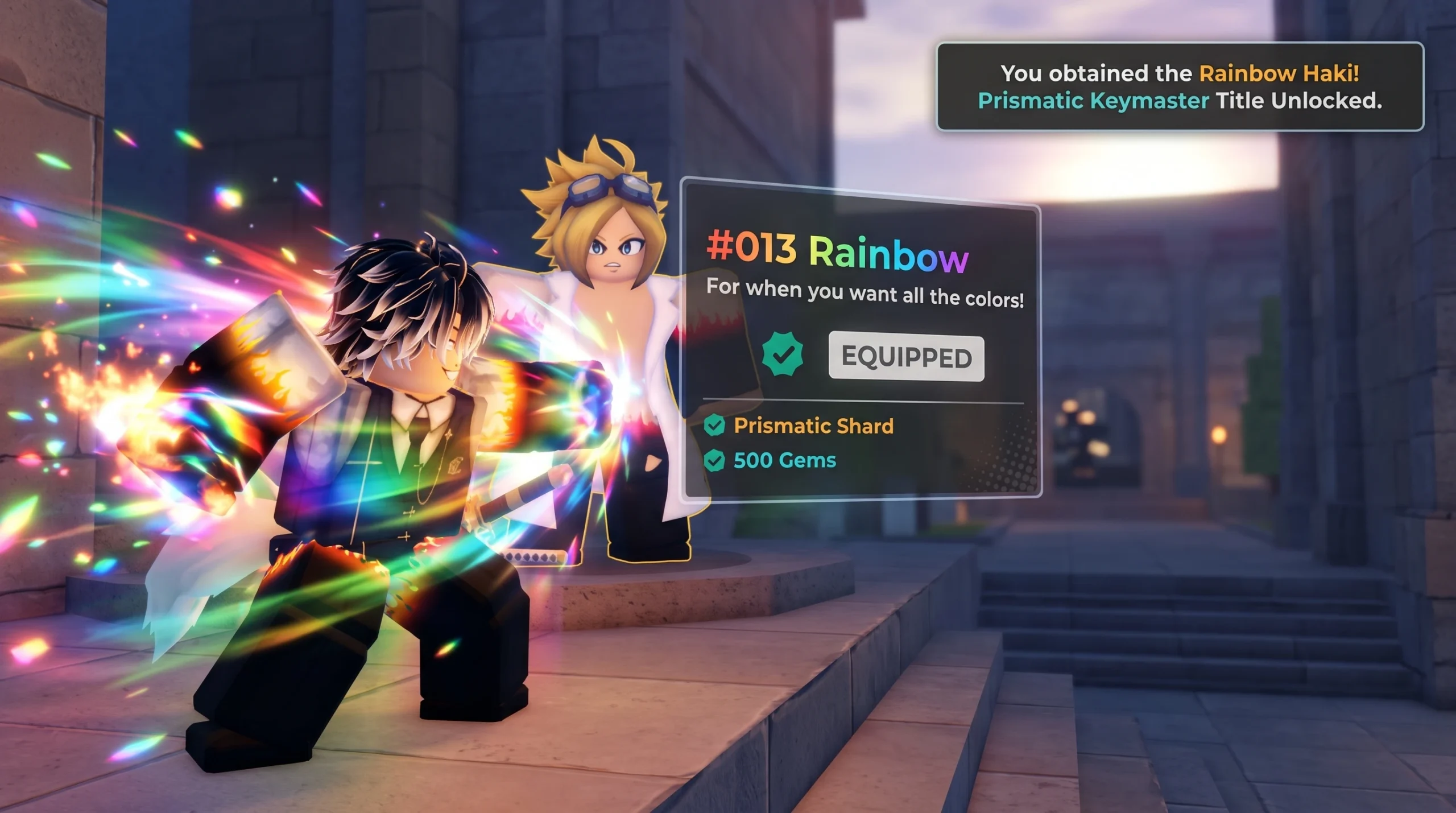
Each reroll prints a result message at the top of the screen in the form “You obtained [color] Haki!” When the roll succeeds, that message will name the Rainbow color, and your Haki takes on the rainbow effect. Your Haki Color Reroll count also drops by one with every attempt, so you can see it tick down as you roll.
The most common reason players fail to unlock it is simply running out of rerolls before the 1% chance triggers. If your stack empties without a Rainbow result, farm more items from NPCs and bosses or redeem a fresh code, then continue rolling from where you left off.