For Dress To Impress’s Camouflage theme, build the look from army and outdoor colours. Dress every piece in dark brown, dark green, olive and khaki olive, and use the flat Matte material so nothing shines. Both looks below were built in Freeplay Mode on an account with no VIP and 0 stars, with nothing bought.
Quick answer: Put army colours on every piece, in flat Matte: olive, khaki olive, dark green and dark brown. Try an olive hooded jacket over a dark green ruffled gown, or a puffy olive fur jacket over an olive and green mini dress.
Camouflage colours on the Default palette
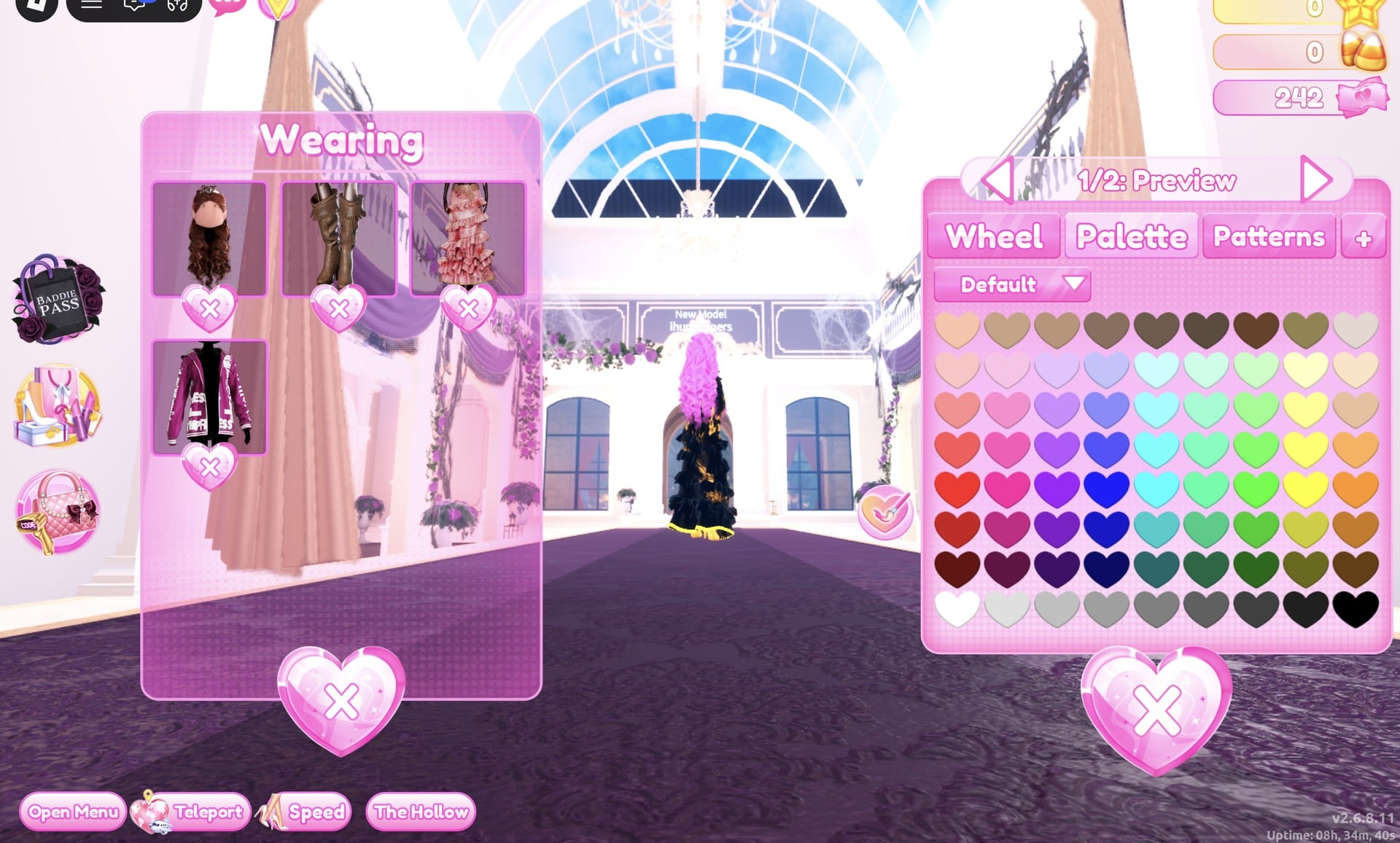
Every colour in both looks comes from the Default palette. Positions count columns from left (1, red) to right (9, the orange/brown hue). Rows count from the top (1) down to the bottom (8), which runs from white to black.
| Colour | Column | Row |
|---|---|---|
| Olive | 8 | 7 |
| Khaki olive | 8 | 1 |
| Dark green | 6 | 7 |
| Dark brown | 9 | 7 |
| Brown (hair only) | 4 | 1 |
The runway’s bright light washes greens out. Dark green reads as a mid green on stage, and olive reads as a yellow-olive, so choose a darker swatch than the shade you actually want.
How to recolour a worn piece in Dress To Impress
You don’t have to walk back to a shelf to change a colour. Anything you already have on can be recoloured from the Wearing panel, even while you stand on the runway. Dress To Impress shows no item names. The only labels are part names inside each colour panel, such as “1/5: Skirt”.
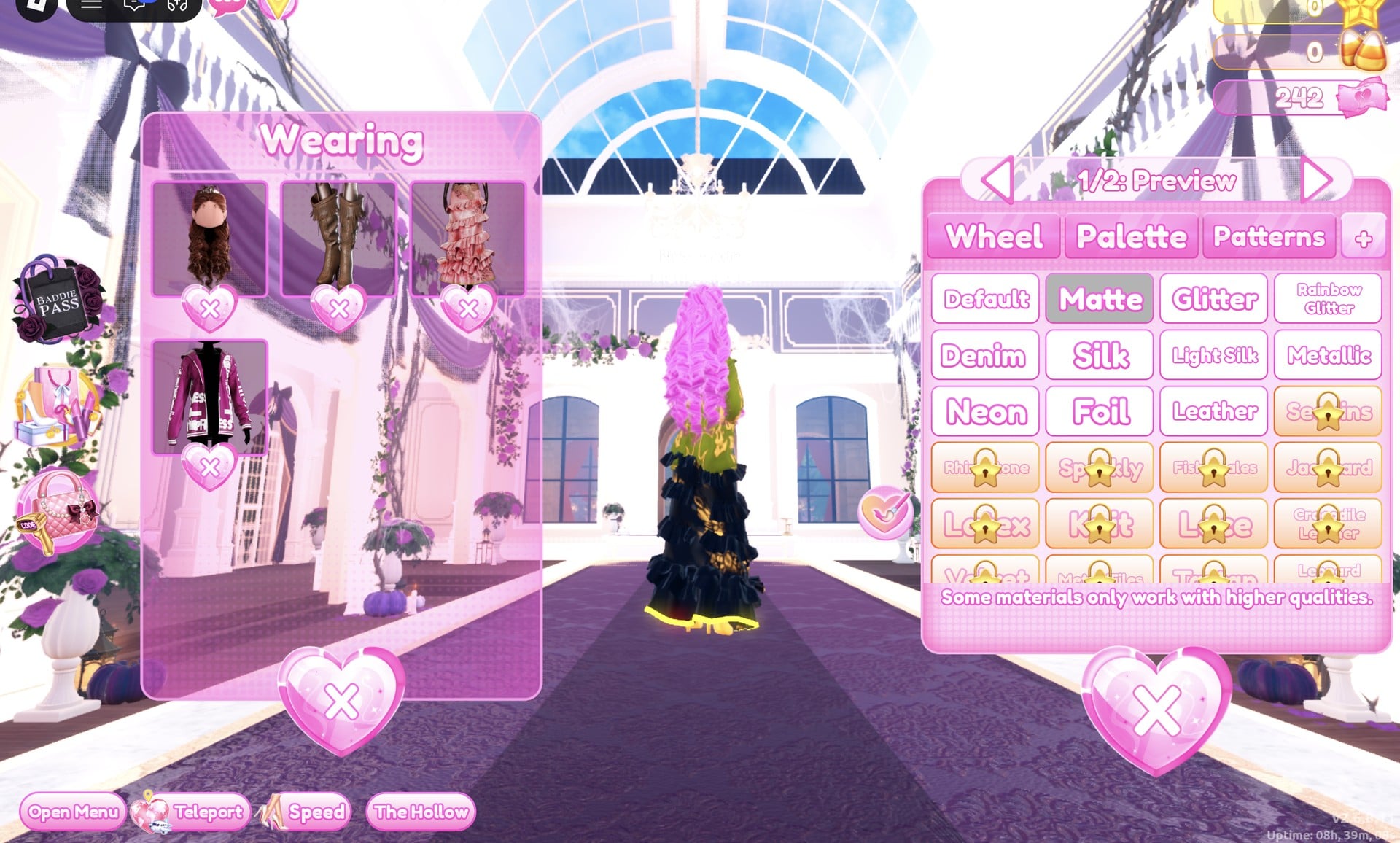
The free materials are Default, Matte, Glitter, Rainbow Glitter, Denim, Silk, Light Silk, Metallic, Neon, Foil and Leather. The rest carry a gold star lock, and the panel notes that “Some materials only work with higher qualities.” Both looks stick to Matte and Leather, so none of them need unlocking.
To take a piece off, use the heart X under its picture in the Wearing panel.
The character’s dark base top and shorts are part of the body, not a piece. The Wearing panel does not list them, and they can be covered but not taken off.
Camouflage outfit 1: Olive hooded jacket over a green ruffled gown
This look puts a hooded jacket in army olive over a long, tiered gown in dark green. Gather the jacket, gown and hair.
- Jacket: the hooded jacket with big printed lettering, on the jacket wall by the dark purple gothic arch. Its Wearing picture shows it maroon.
- Gown: the long ruffled tiered gown on the mannequin beside the shoe and boot shelf.
- Hair: the long curls with a small crown at Lana’s Salon, Feminine tab, third card. They come pale blonde with a gold crown.
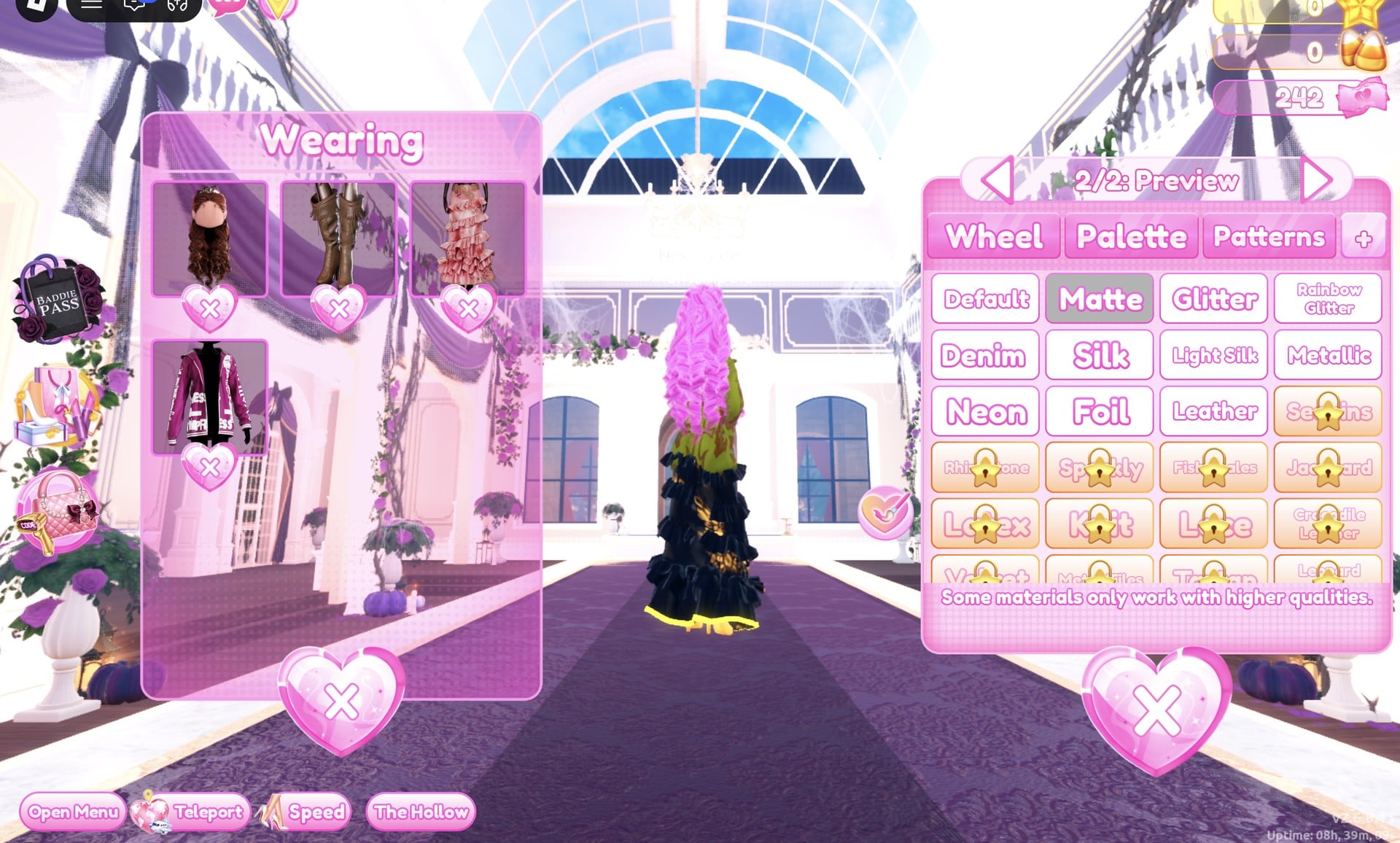
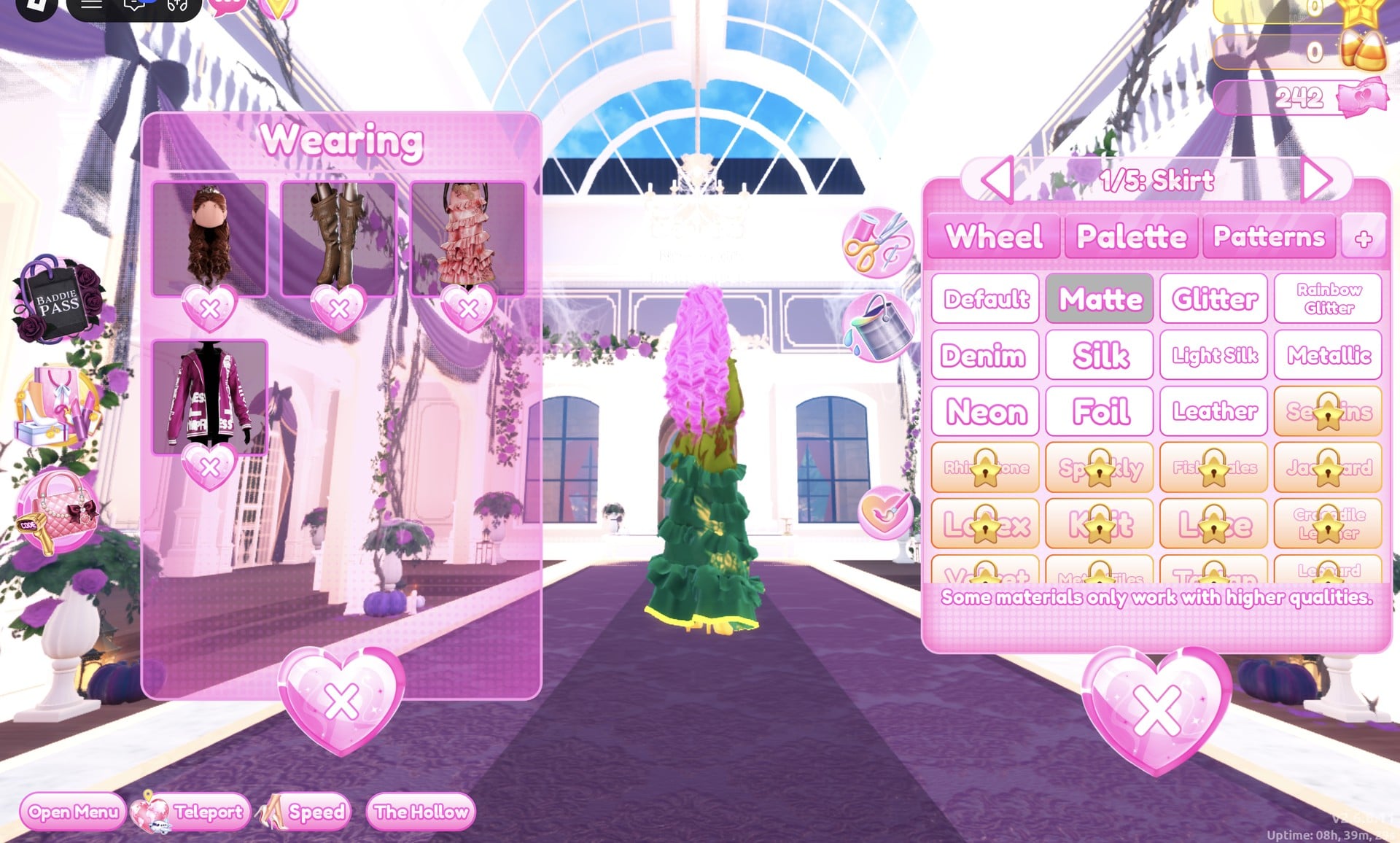
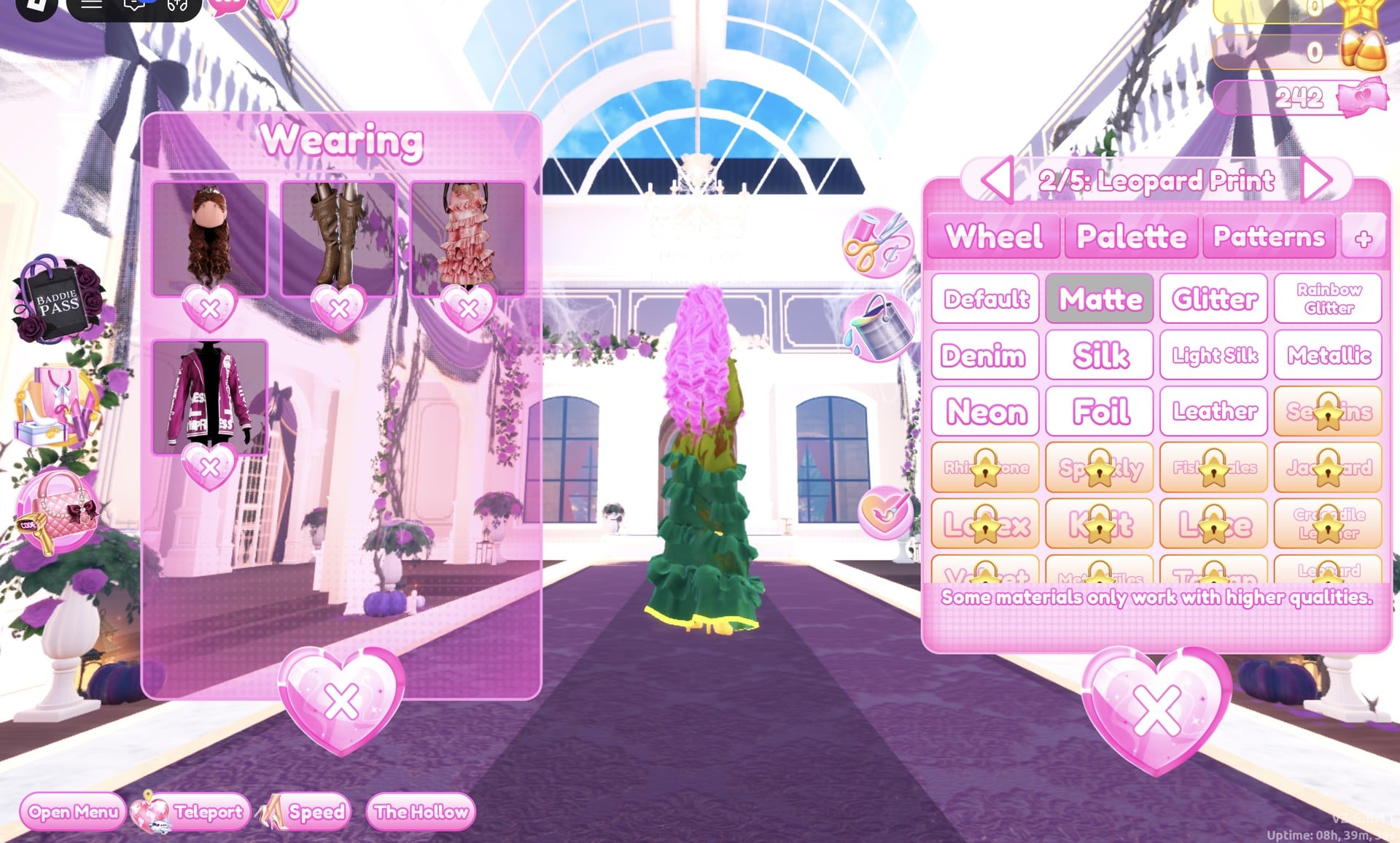

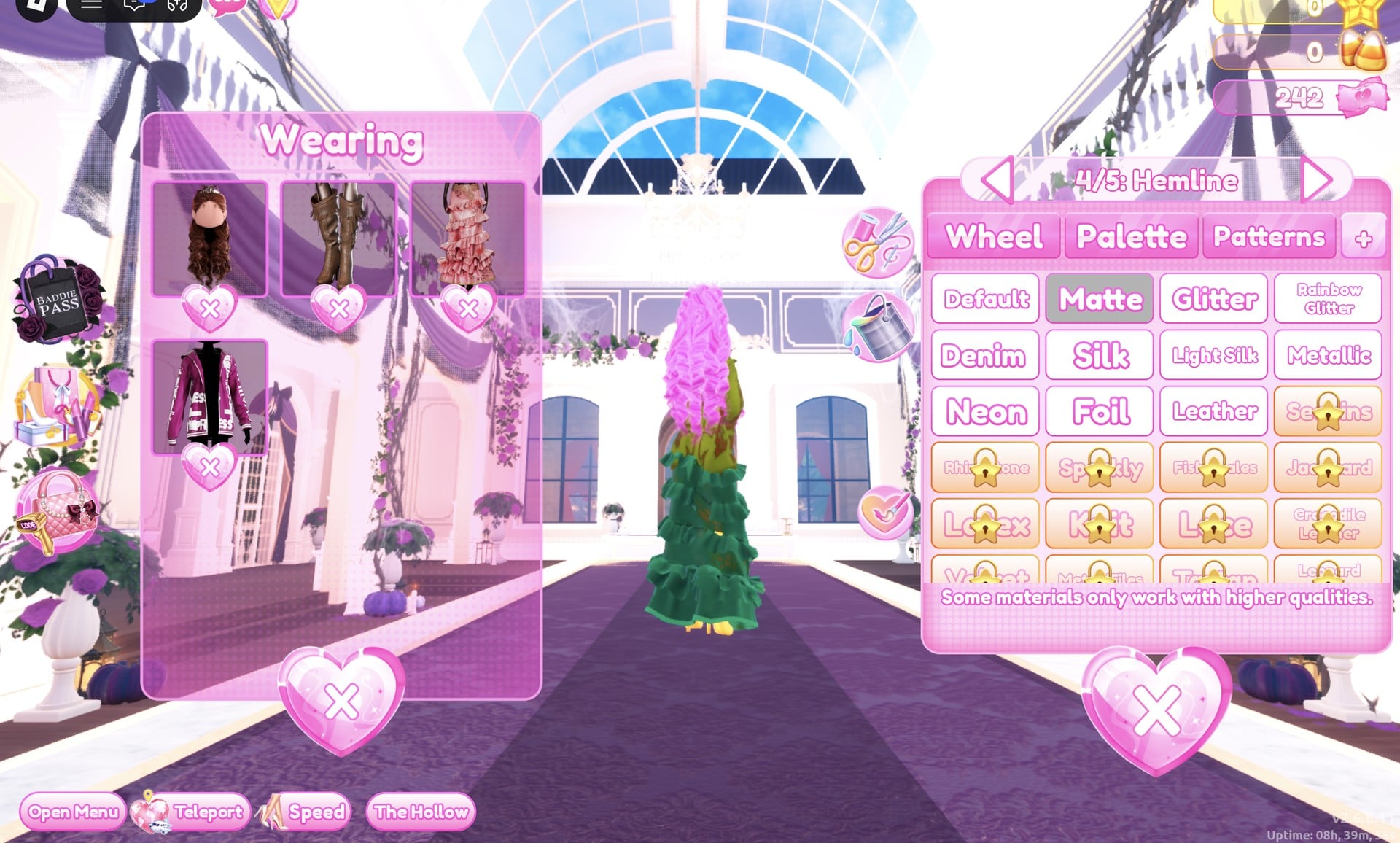


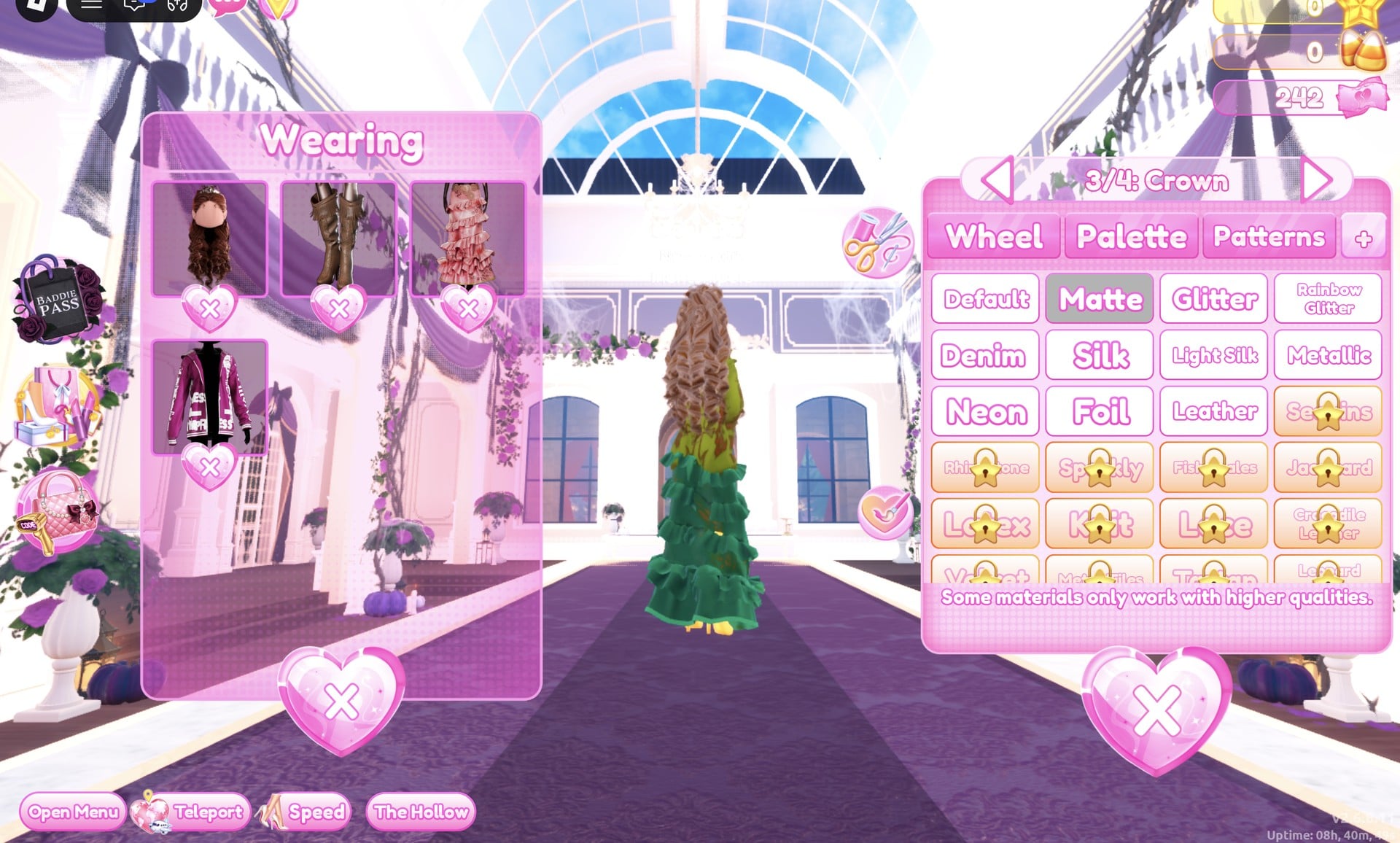

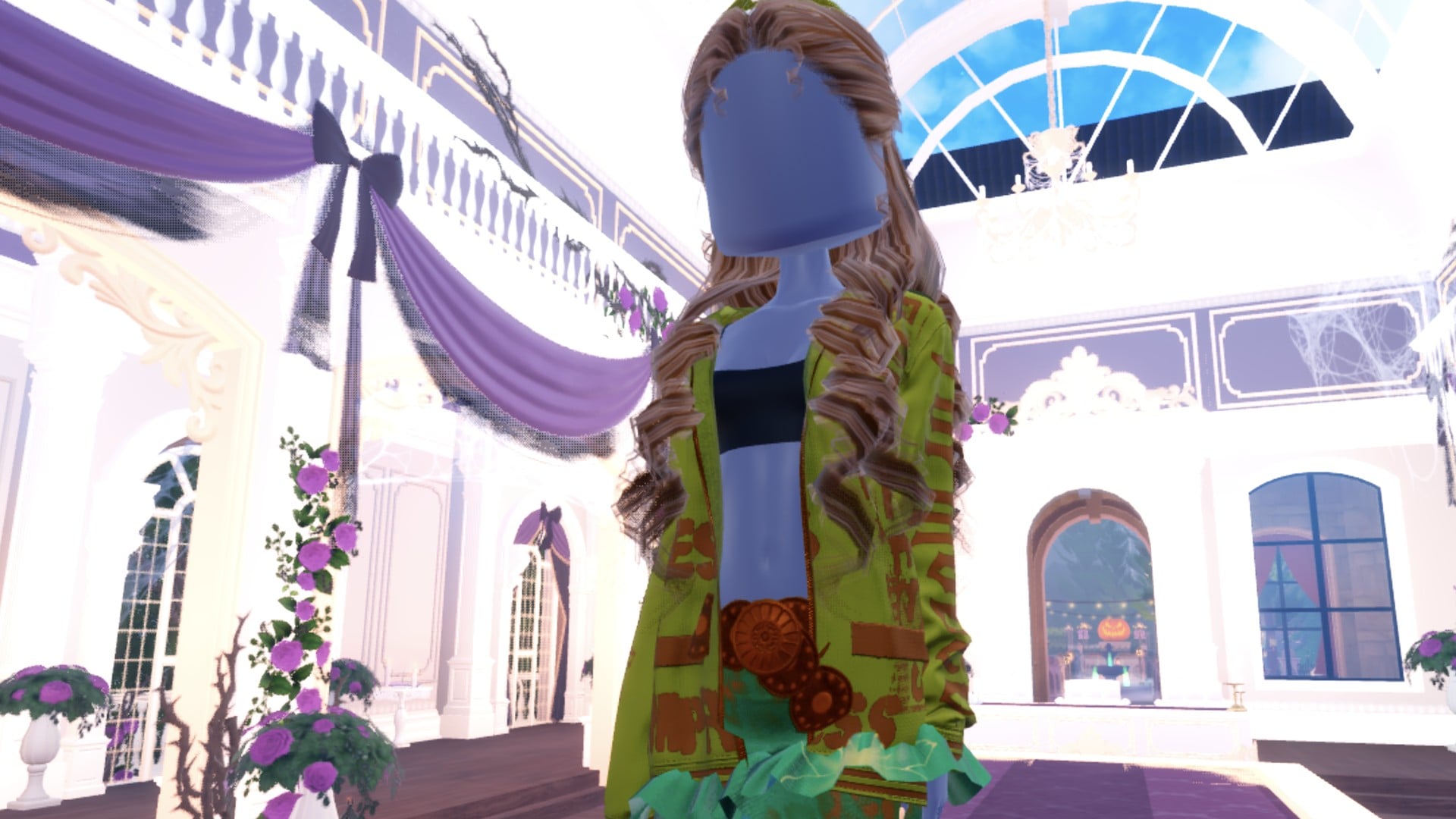
The character’s dark base top is part of the body, not a piece: it cannot be taken off, only covered, and here it shows at the chest above a bare middle between the open jacket fronts.
Up close from the side, the brown lettering runs down the olive sleeve under the long curls.
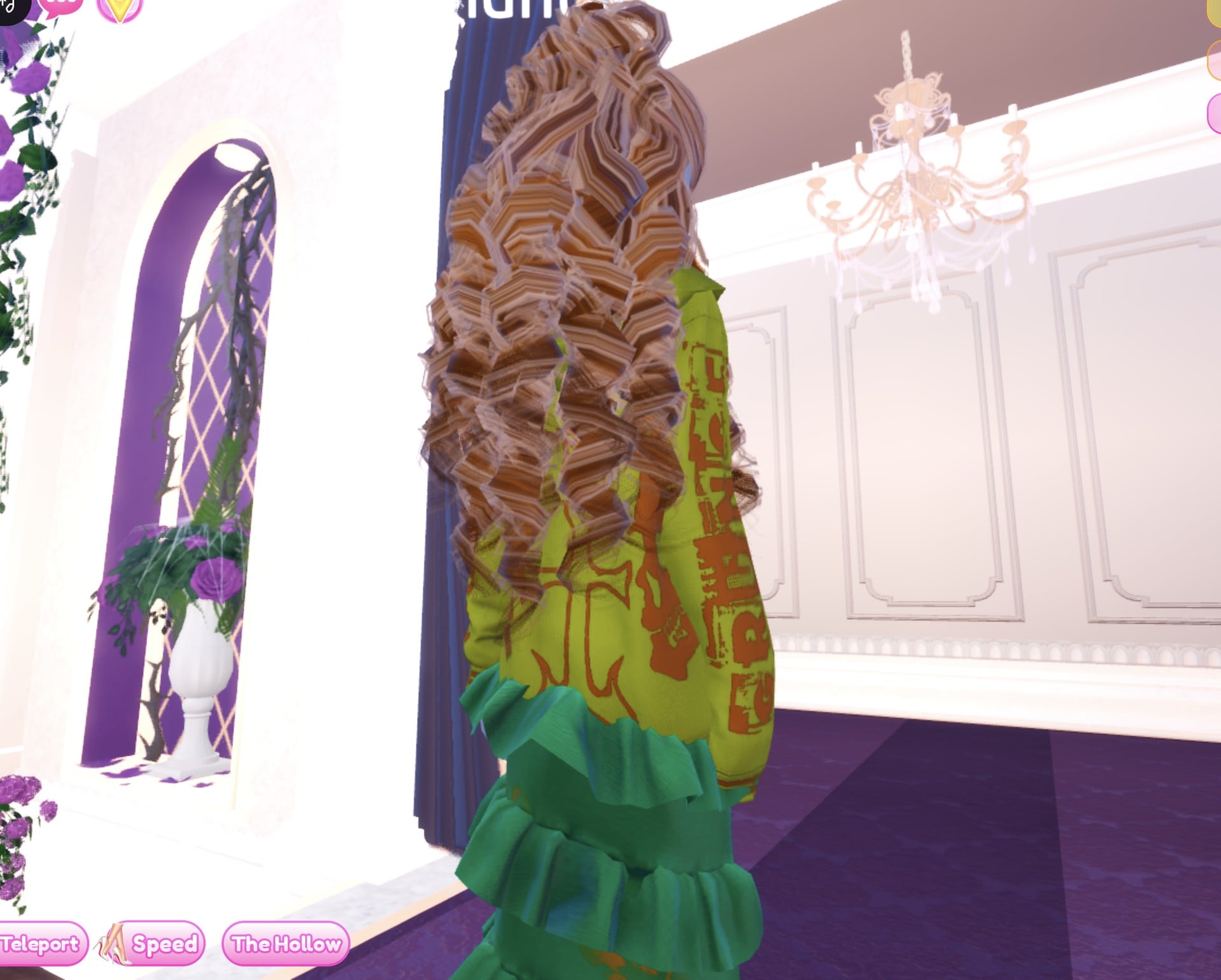
From the back, the jacket, gown and curls stay in the same olive, green and brown family.

Camouflage outfit 2: Olive fur jacket with an olive and green mini dress
The second look swaps the gown for a shorter base. It reuses the same curls and the heels with knee socks we already had on from an earlier build. Put the new pieces on in the Dressing Room, then do all the recolouring from the Wearing panel, right on the runway.
Then recolour each piece from the Wearing panel:
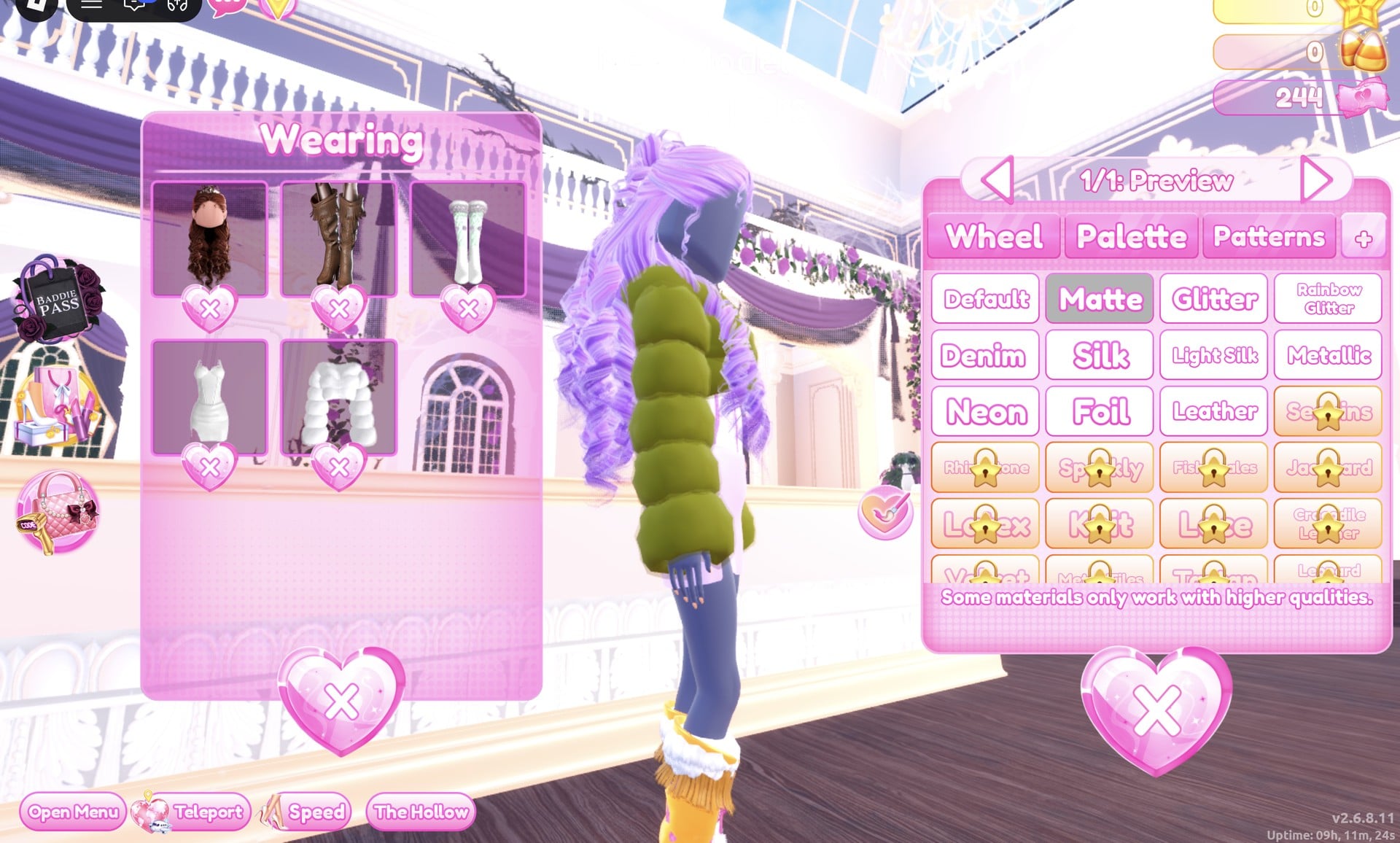
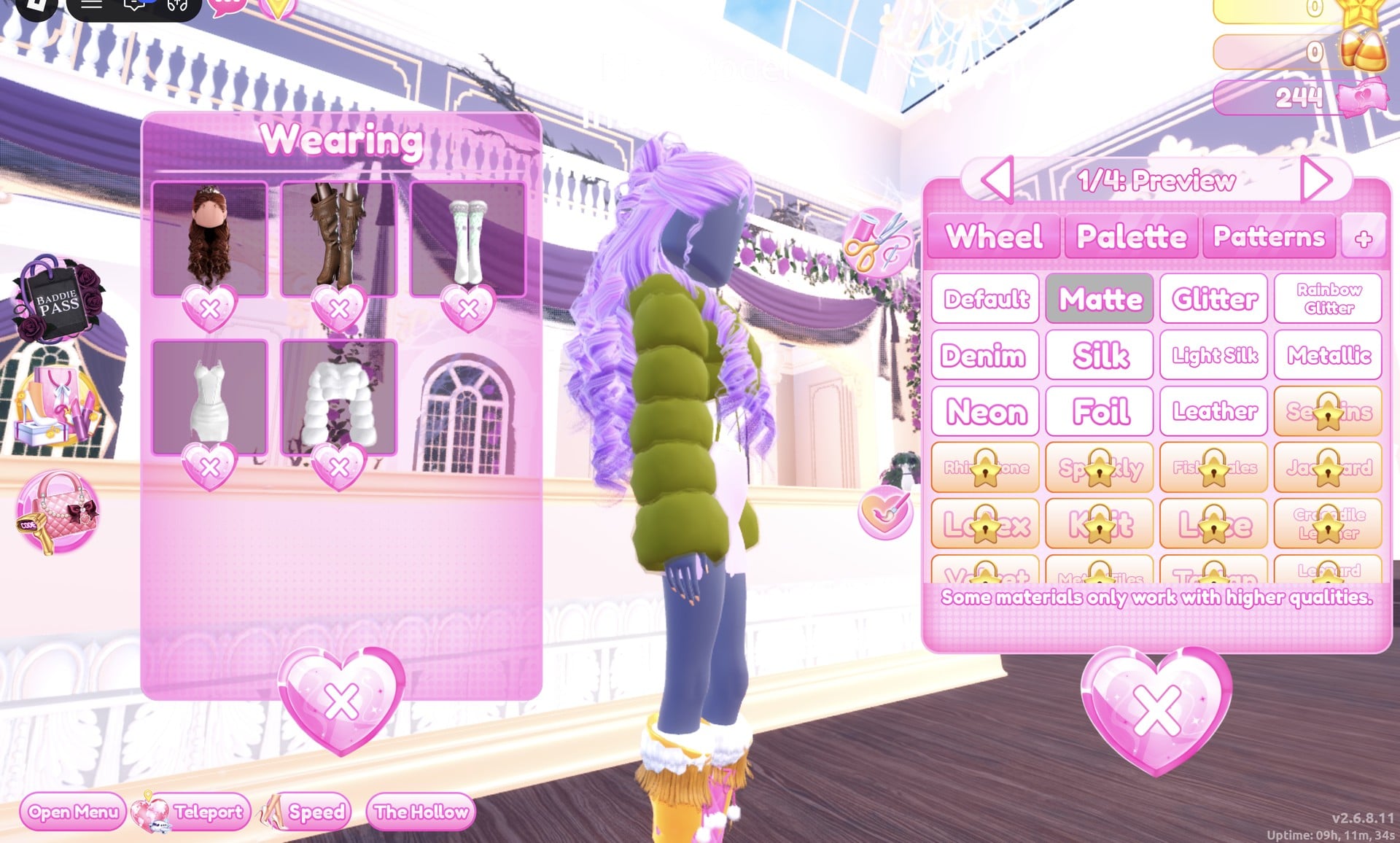
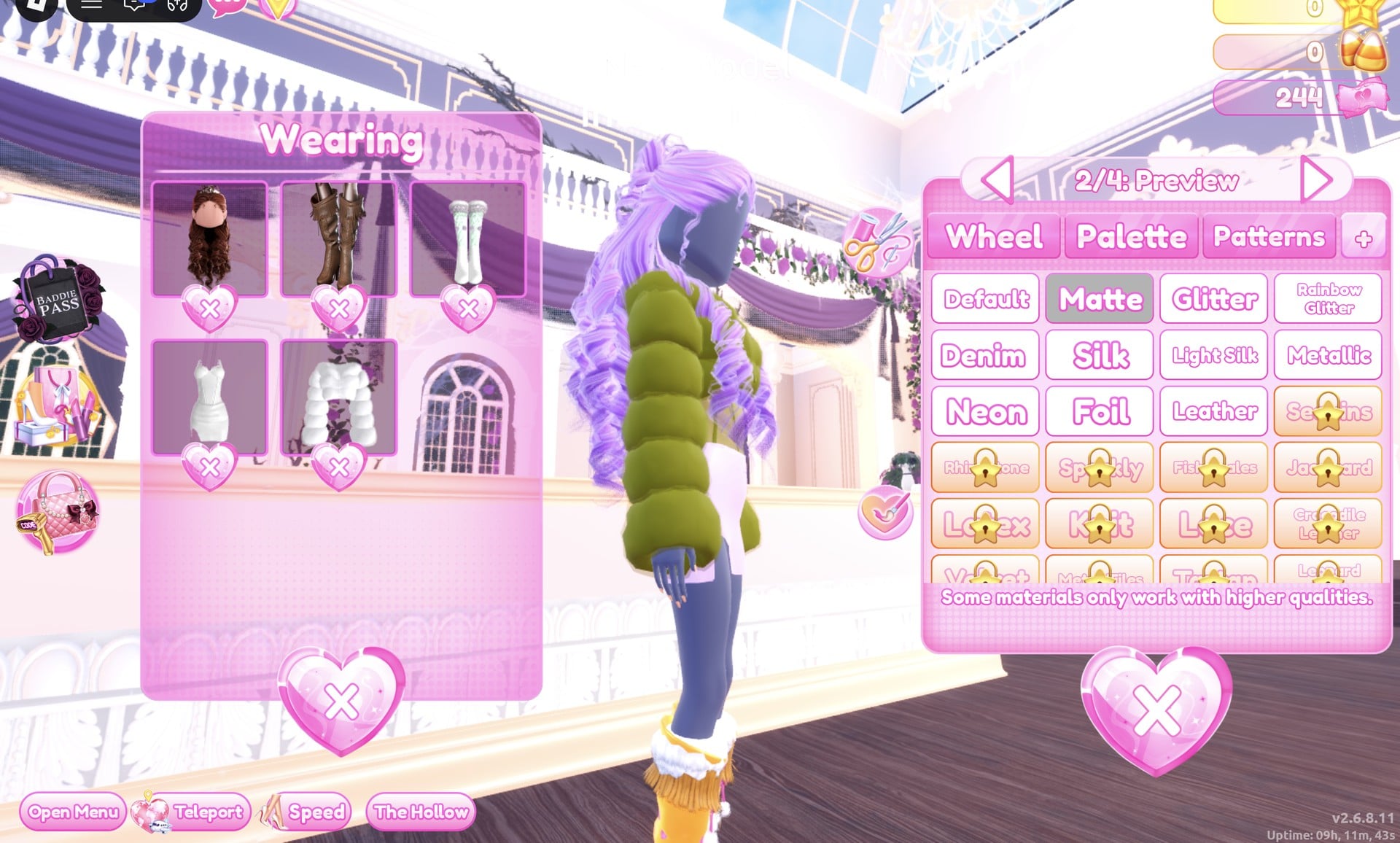


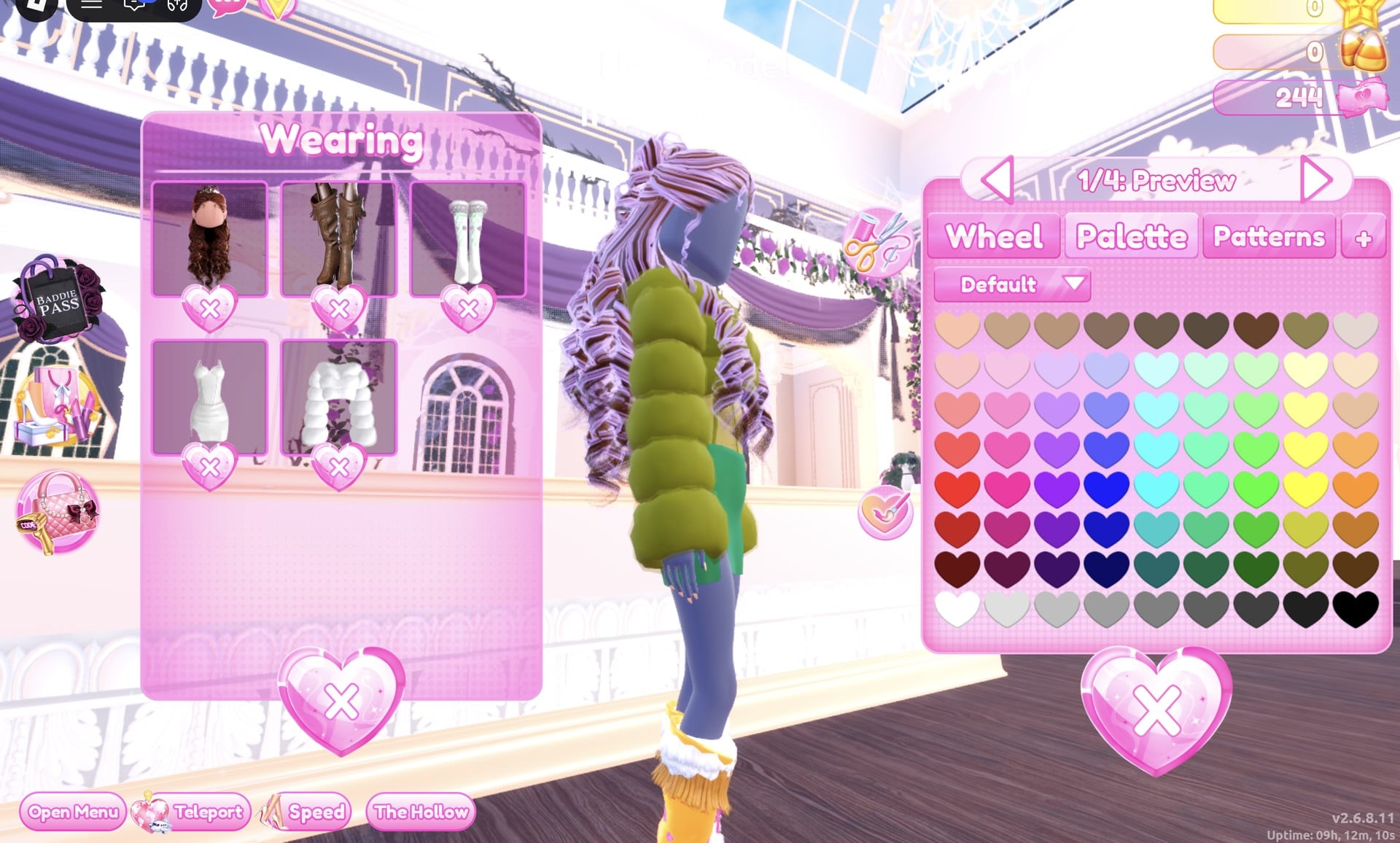
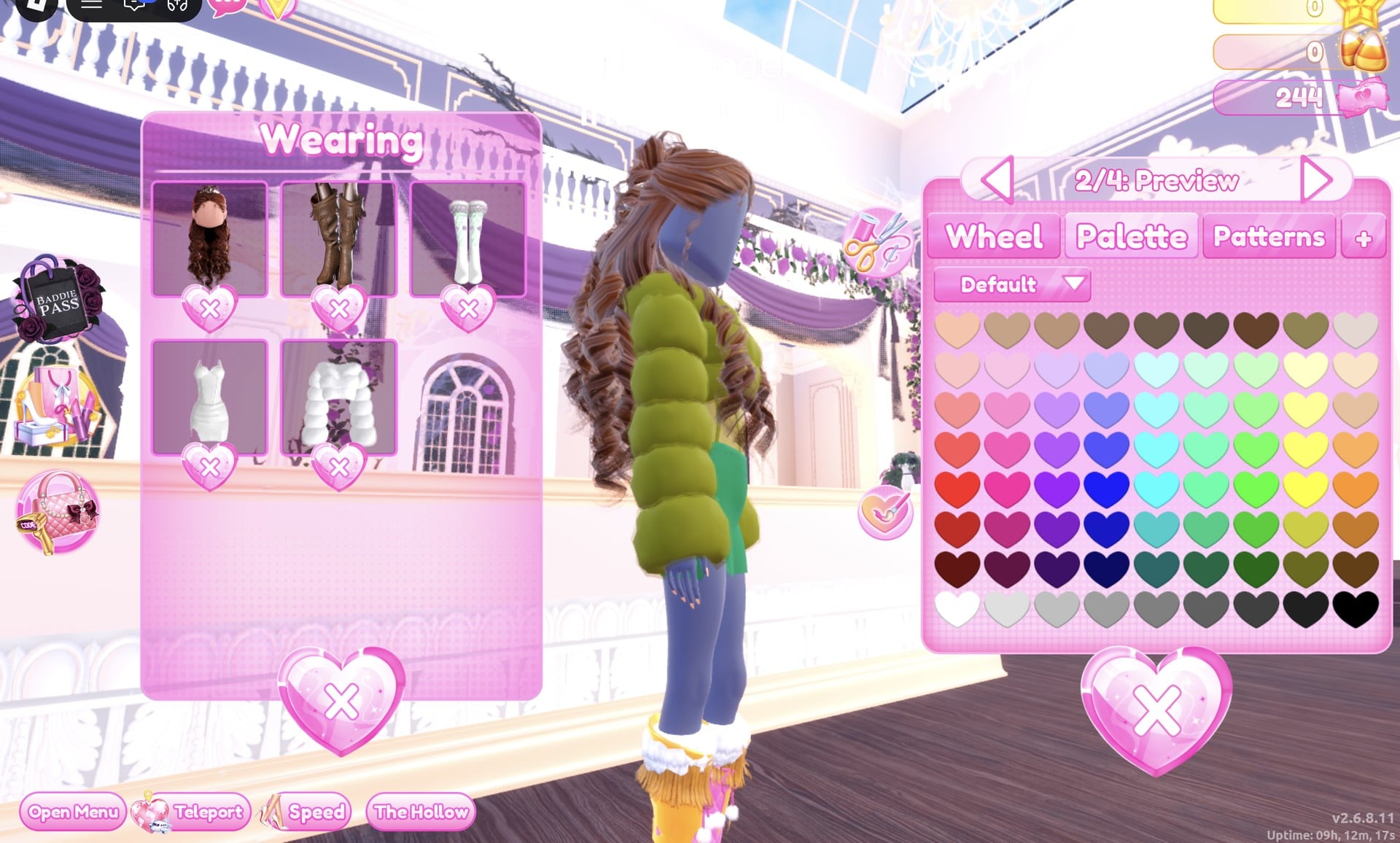

Step through all six parts with the arrows until the label reads “6/6: Preview”.
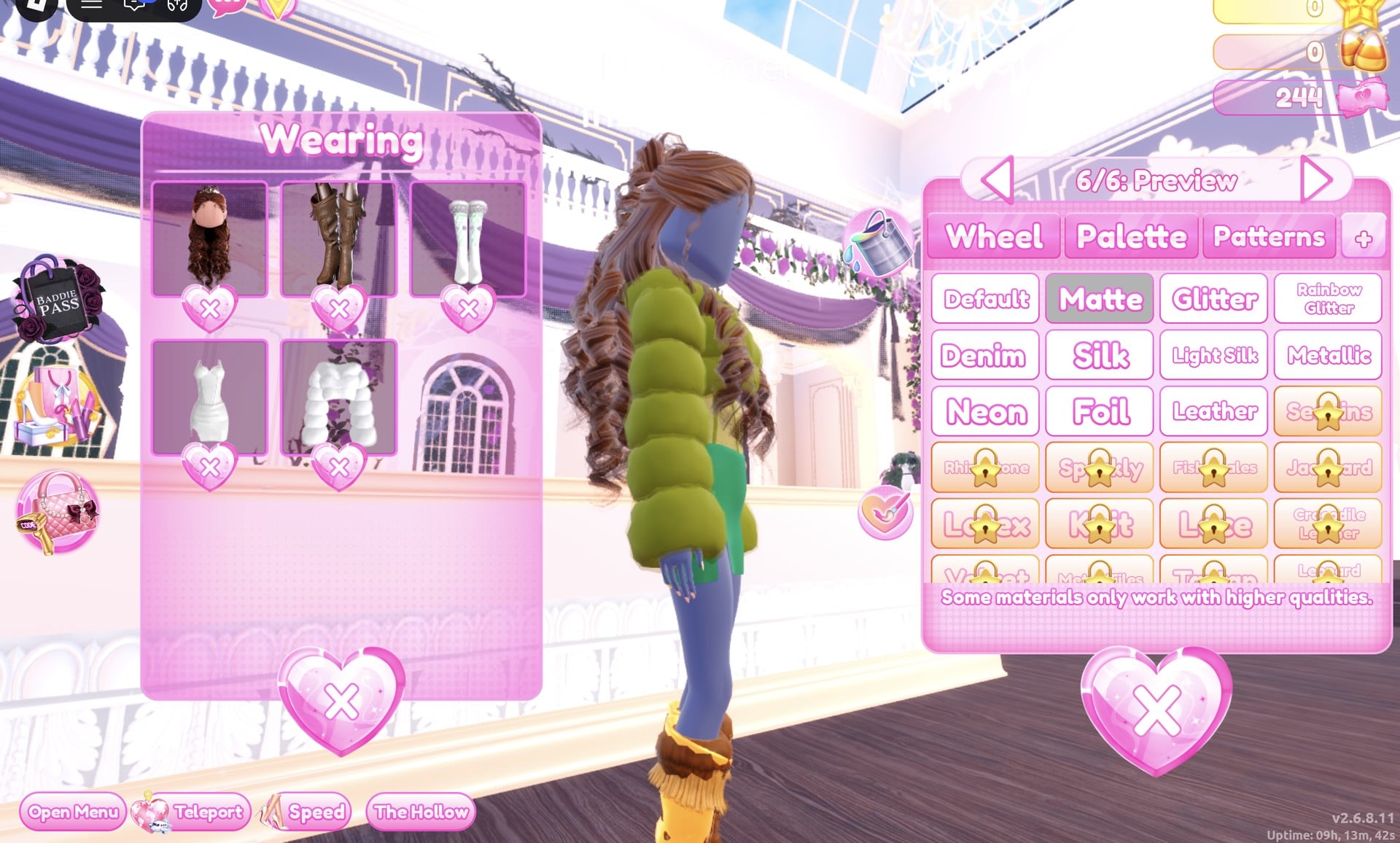
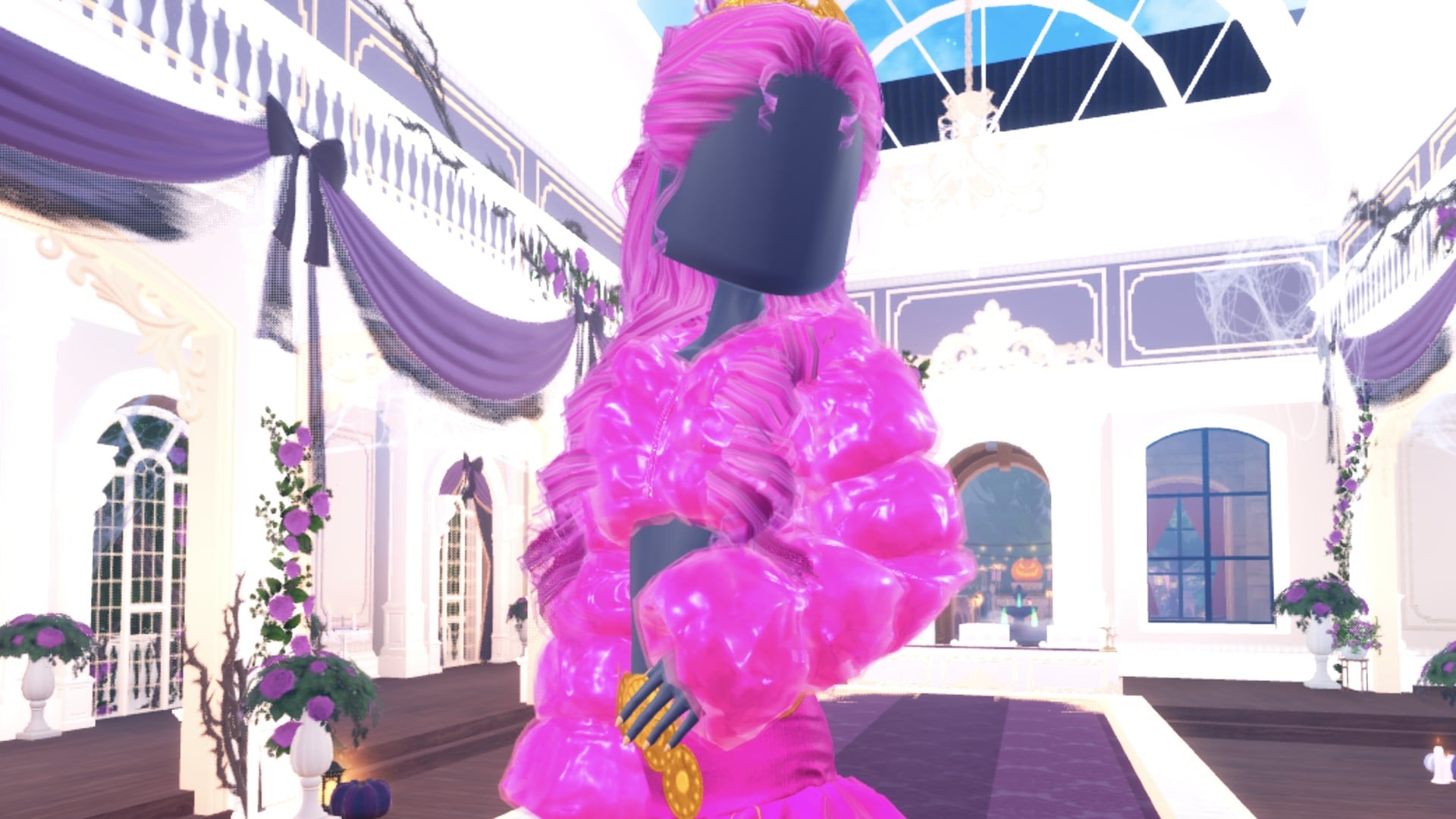
The finished look: a puffy olive fur jacket over a dress with a fitted yellow-olive top and a green mini skirt with a slit at the side, brown curls half up, and bare legs.
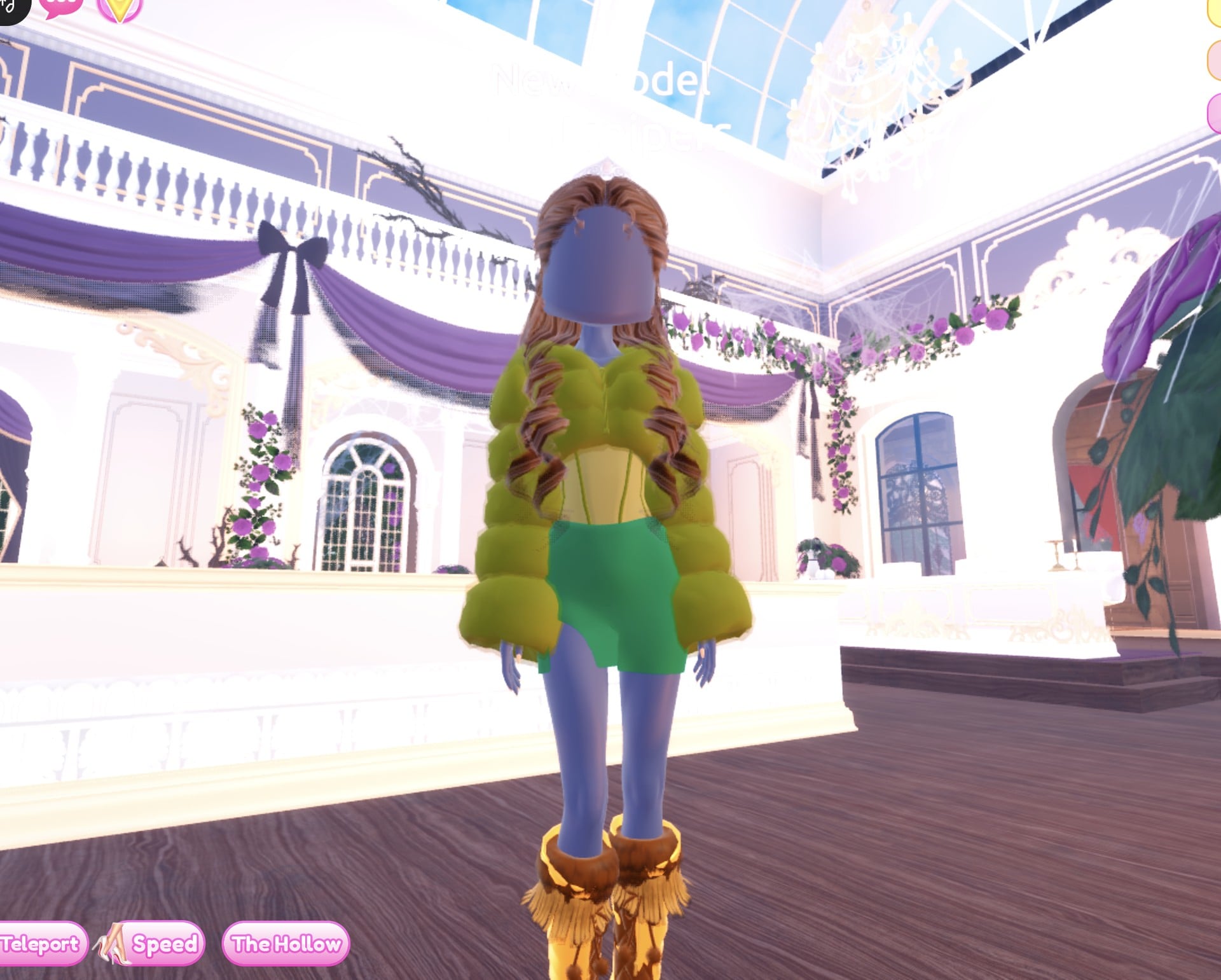
Even with all six footwear parts set to dark brown, the shoes show on the runway as mustard and golden-brown fringed boots with brown fur at the top, much lighter than the colour we picked.
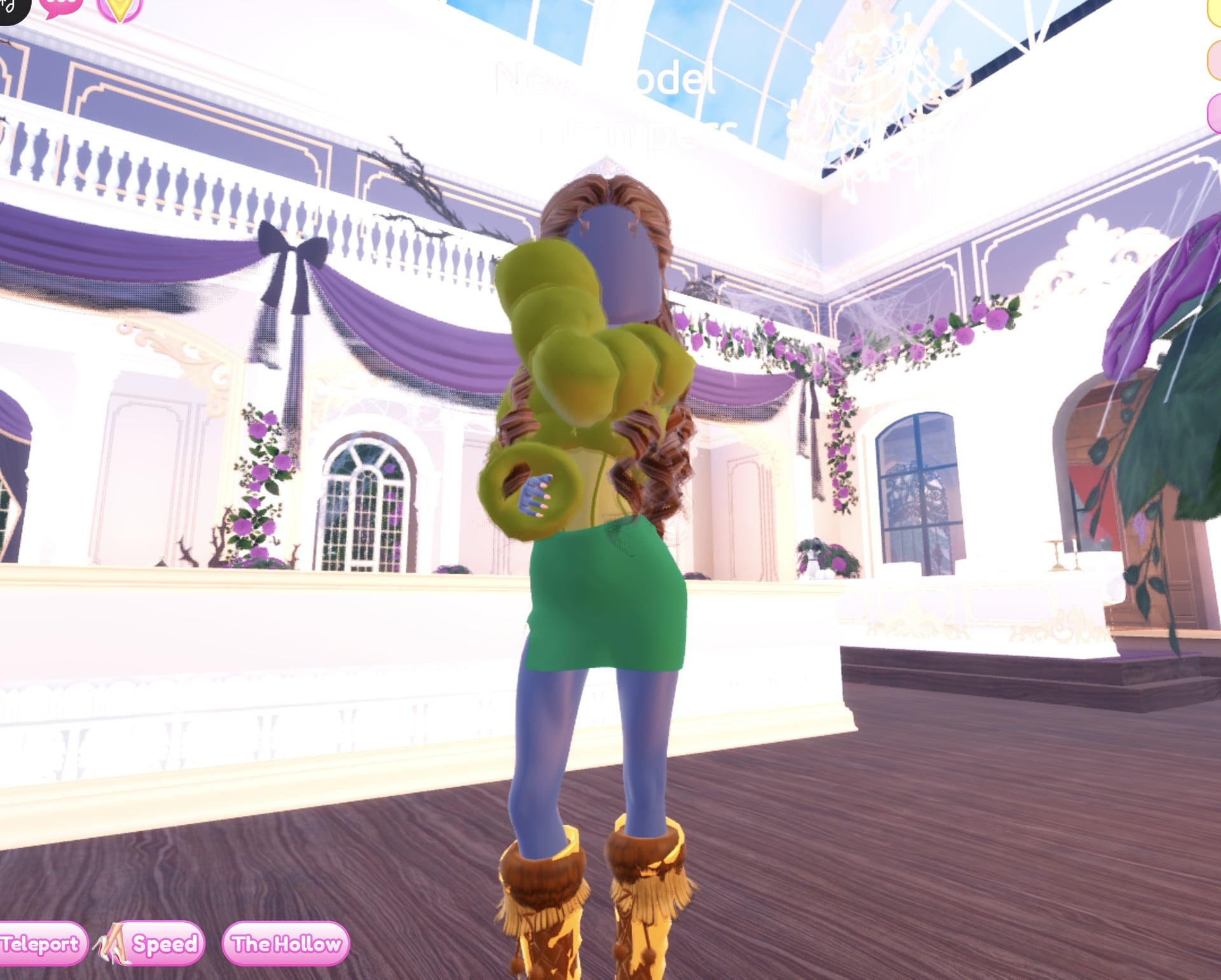
In the Satin pose, one puffy olive sleeve comes forward toward the camera.
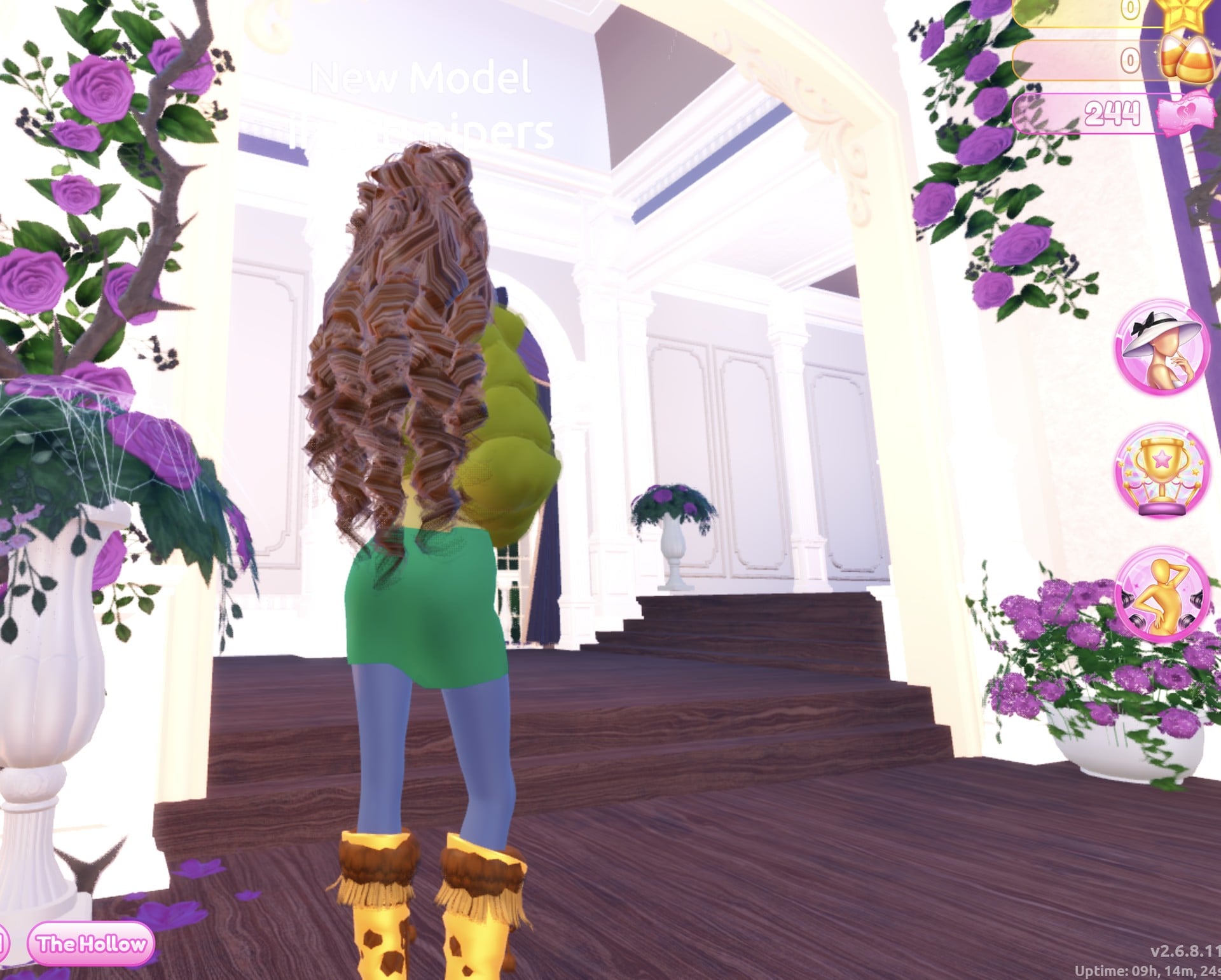
From the back, the brown curls fall over the olive jacket, with the green skirt and the mustard boots below.
Why these looks read as Camouflage
Camouflage is about army and outdoor colours, so both looks keep every piece, the hair included, inside one small family: olive, khaki olive, dark green and dark brown. Matte keeps all of it flat, with Leather only on the belt and one dress part, so nothing shines the way Glitter or Metallic would. The runway light washes greens out, so pick a darker swatch than the shade you want.
Camouflage pieces to look for
None of these pieces has a name in the game, so look for them by place and shape. All of them are free in Freeplay Mode and worked on our account with no VIP and 0 stars.
| Piece | Where to find it | Colours and materials we used |
|---|---|---|
 Hooded jacket with big printed lettering (two parts, “1/2: Preview” and “2/2: Preview”) Hooded jacket with big printed lettering (two parts, “1/2: Preview” and “2/2: Preview”) | The jacket wall by the dark purple gothic arch | Body olive (column 8, row 7) + Matte, lettering dark brown (column 9, row 7) + Matte |
 Long tiered ruffled gown (five parts, opens at “1/5: Skirt”) Long tiered ruffled gown (five parts, opens at “1/5: Skirt”) | The mannequin beside the shoe and boot shelf | Skirt and Hemline dark green (column 6, row 7) + Matte, Leopard Print dark brown + Matte, Flower Details khaki olive (column 8, row 1) + Matte, Belt dark brown + Leather |
 Long curls with a small crown (Look 1 colours) Long curls with a small crown (Look 1 colours) | Lana’s Salon, Feminine tab, 3rd card | “1/4: Preview” dark brown, “2/4: Preview” brown (column 4, row 1), “3/4: Crown” olive + Matte; the curls read golden brown |
 Fitted white mini dress (four parts, all “Preview”) Fitted white mini dress (four parts, all “Preview”) | The party-dress shelf on the right wall, right-hand bust, just left of the gown mannequin | Olive, khaki olive and dark green + Matte, part 4 dark brown + Leather: an olive top and a green mini skirt |
 White fluffy cropped fur jacket (one part, “1/1: Preview”) White fluffy cropped fur jacket (one part, “1/1: Preview”) | On the bust to the right of the gown mannequin | Olive (column 8, row 7) + Matte: a puffy olive fur jacket |
 Heels with knee socks (six parts) Heels with knee socks (six parts) | Already worn from an earlier build (Wearing panel, 3rd picture) | All six parts set dark brown + Matte; on the runway they read mustard and golden brown |
Poses for Camouflage
The Poses button on the right side opens the “Poses” panel with Solo and Duo tabs. We used Satin, the first entry in the Solo list, for both looks. It showed no price or lock.
Building it in Freeplay Mode first
Freeplay Mode has no timer, so it is the place to build a look, try greens and browns, and check how they read on the Freeplay Runway before you need them in a round. Once a look works, you know which shelf, which palette spots and which materials to go to when Camouflage comes up for real. For more themes built the same way, see our Boho, Robot Takeover, Album Cover, Potion Maker, Monochrome Mood, Divine Beings, Drag and Sweet 16 outfit ideas.
How a theme round works
You can practise either outfit in Freeplay Mode in Dress To Impress. To earn stars with them, wait until Camouflage comes up in an ordinary server round. We watched rounds on other themes (Plaid Fashion, Birds of Paradise and Patterned tights); Camouflage did not come up. A banner across the top of the main lobby shows the theme, for example “Theme: Plaid Fashion”, with a timer below it (04:33 left when we saw it). The icon at the top centre opens a hint card for the theme.
Once everyone has dressed, players walk the runway one at a time, about 7 seconds each, while the others vote with five stars along the bottom of the screen. A “Voting complete!” banner appears between players. A “Results” card then ranks everyone with the stars and other rewards they earned. After that comes an “Intermission” countdown of about a minute with a “Pick Theme” button beside the timer.
Picking the theme yourself requires Theme Props. The panel reads “You have: 0 Theme Props” and offers a “Buy More” button priced at 75 Robux (we did not buy, so we did not see how many props that gets), with the line “Use Theme props to choose the theme & runway!” We saw no free way to choose Camouflage, so without Robux you wait for it to roll. We did not dress for the rounds we watched, so we earned no stars.
What we have not checked
We built two looks, not three, and neither tries to blend into the background; the camo feel here comes from colour alone. We changed no makeup. Camouflage did not come up in the rounds we watched, so these looks have not been through a real vote and we cannot tell you how many stars they earn.
FAQ
What does Camouflage mean in Dress To Impress?
It asks for an army or outdoor camo look. Our two outfits put olive, khaki olive, dark green and dark brown on every piece, with flat Matte so nothing shines.
Can I do Camouflage without VIP?
Yes. Both looks were built on an account with no VIP and 0 stars, and every piece, colour, material and pose used here worked on it. Nothing was bought.
Which colours make a camo look?
On the Default palette: olive (column 8, row 7), khaki olive (column 8, row 1), dark green (column 6, row 7) and dark brown (column 9, row 7).
Why do my greens look lighter on the runway?
The runway’s bright light washes them out: dark green reads mid green and olive reads yellow-olive. Pick darker swatches than the shade you want.
Can I change the colour of something I am already wearing?
Yes. Open the “Wearing” panel and click the piece’s picture; its colour panel opens again. Every piece in both looks was recoloured this way.